MESHING THE PLASTIC BOTTLE CAP USING ANSA
Aim - To check for the geometrical errors and mesh with the given element Quality criteria for Bottle Cap using ANSA
Procedure -
Step I - Import the geometry i.e, .step file (extension)using the file tab in the ANSA window.
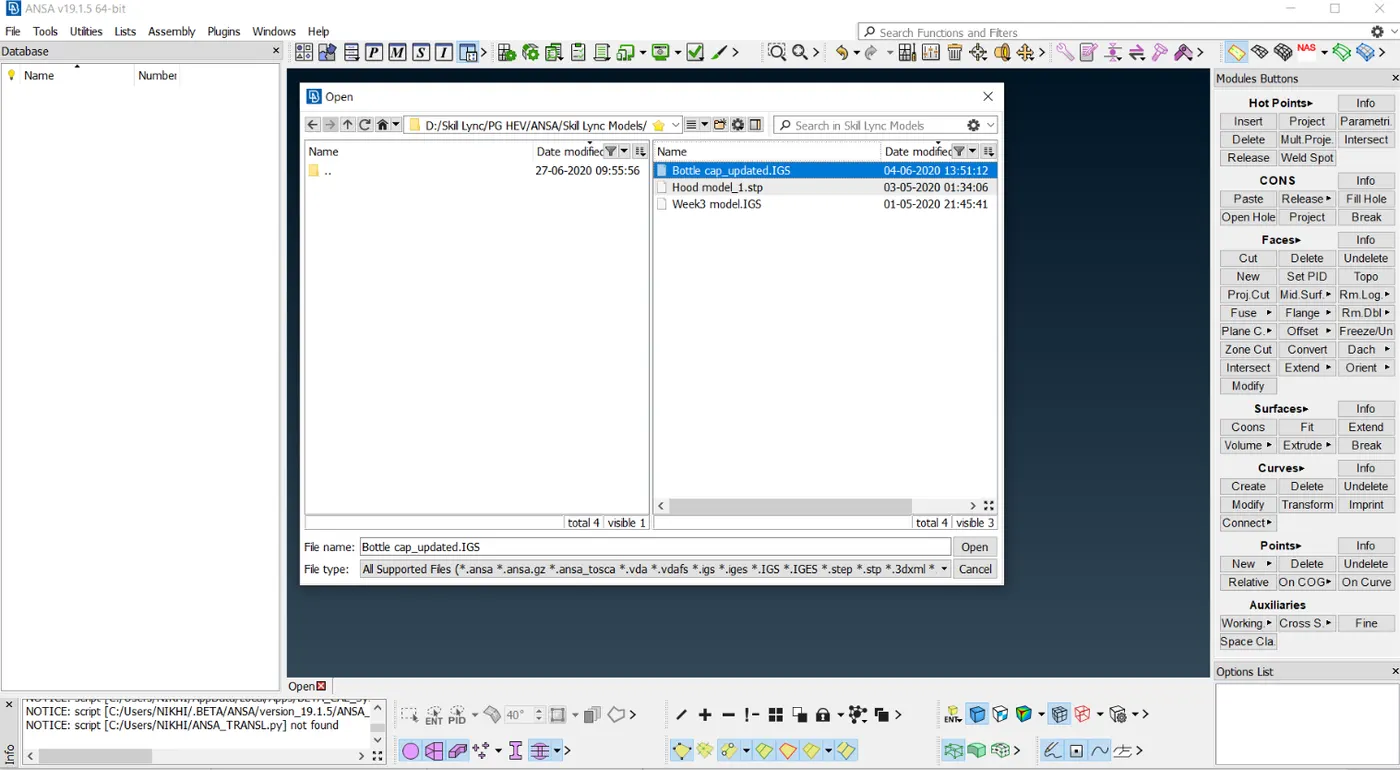
fig - Importing file in ANSA
Step II - Select parent geometry lock view and go for geometry check in the tools tab.
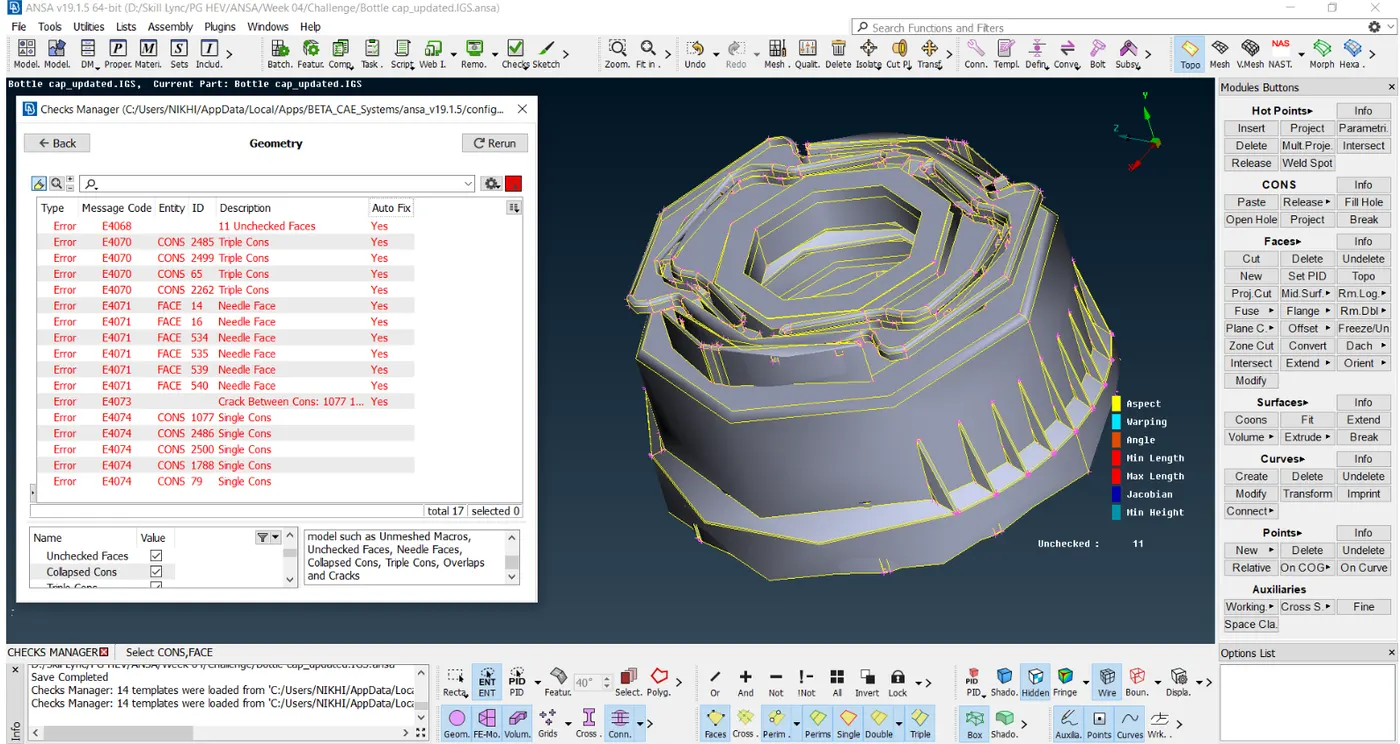
After checking for geometry, we get the following errors in the geometry. There were needle faces, triple cons, and crack errors in the geometry. This needle face error is nothing but the unwanted faces in the geometry which needs to be cleaned up. Triple Cons errors are cleaned using releasing the two surfaces and performing proper topo. At last, the Crack is fixed by using new a face.
After clearing all the errors in the geometry there is no error after performing a geometry check-up.
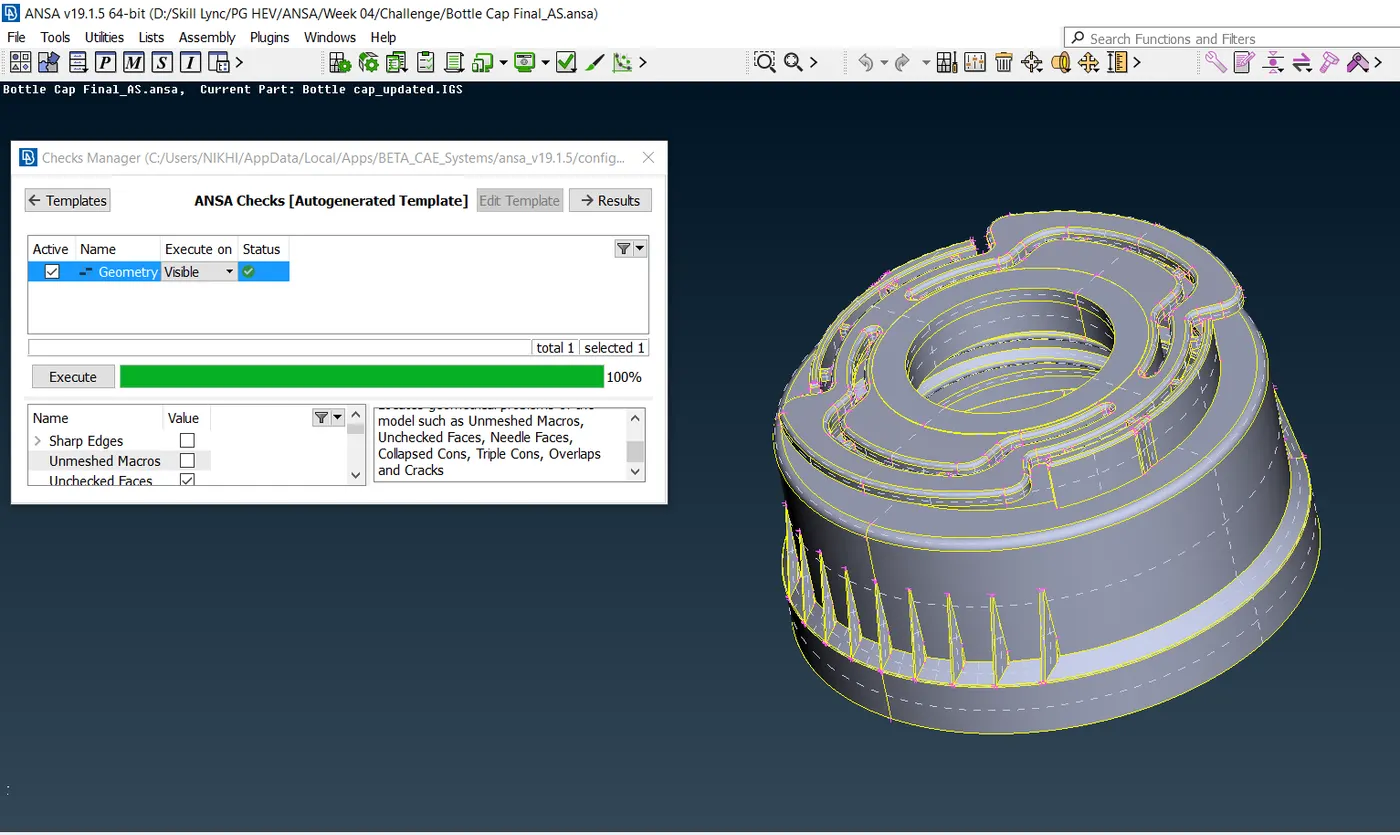
Fig - Zero Error after the geometry topo cleaned up
After geometry clean-up, we check for the thickness measurement of the various surfaces and extract the mid surface using various options.
Step IV - Extracts mid surfaces of the components using offset, middle & curve middle command.
Thickness is measured for various sections and the mid surface is extracted using the above command. Some surfaces where it was impossible to extract the mid surface due to unavailability of opposite faces there new surface is created using curve middle command and new faces option also some surface have been extracted using approximate/nearby thickness.
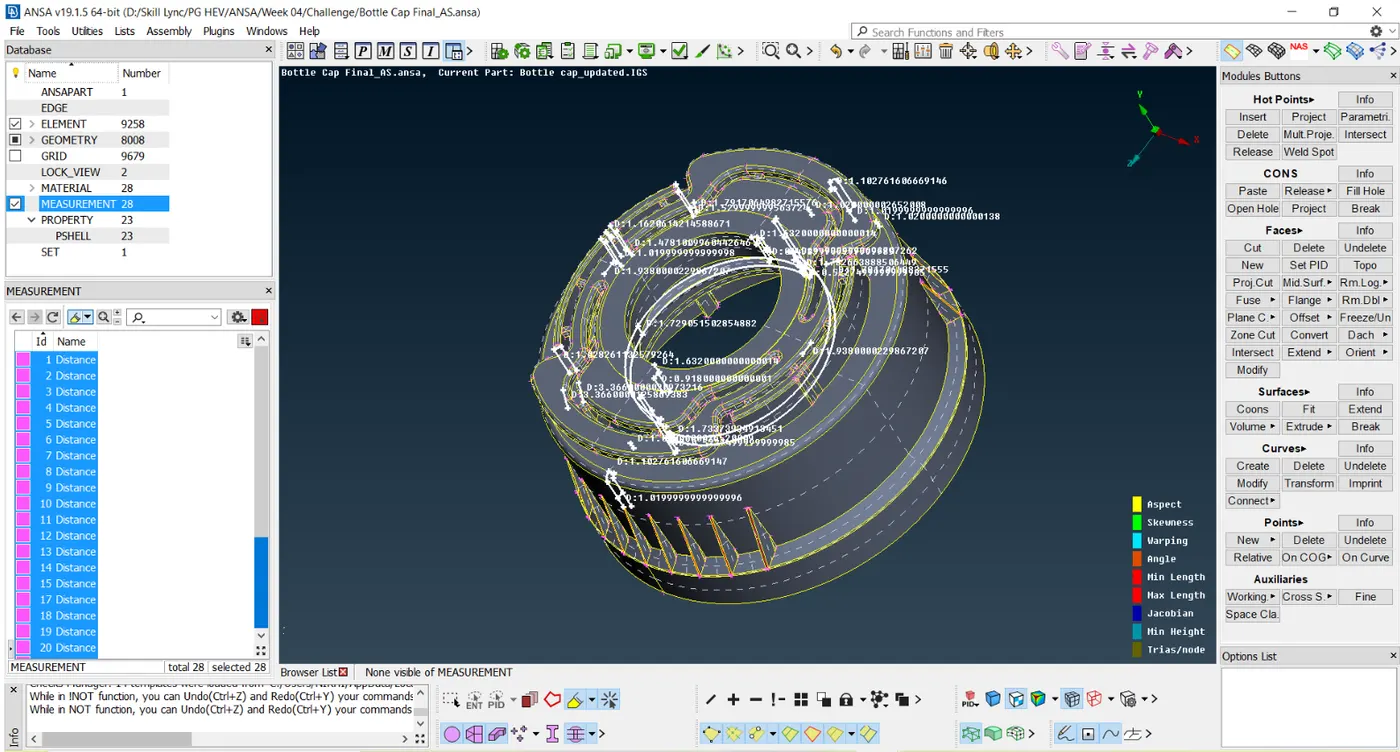
Fig - Measurement of thickness for various surfaces
After extracting the mid surfaces each surface had been assigned a separate new PID and respective thickness.
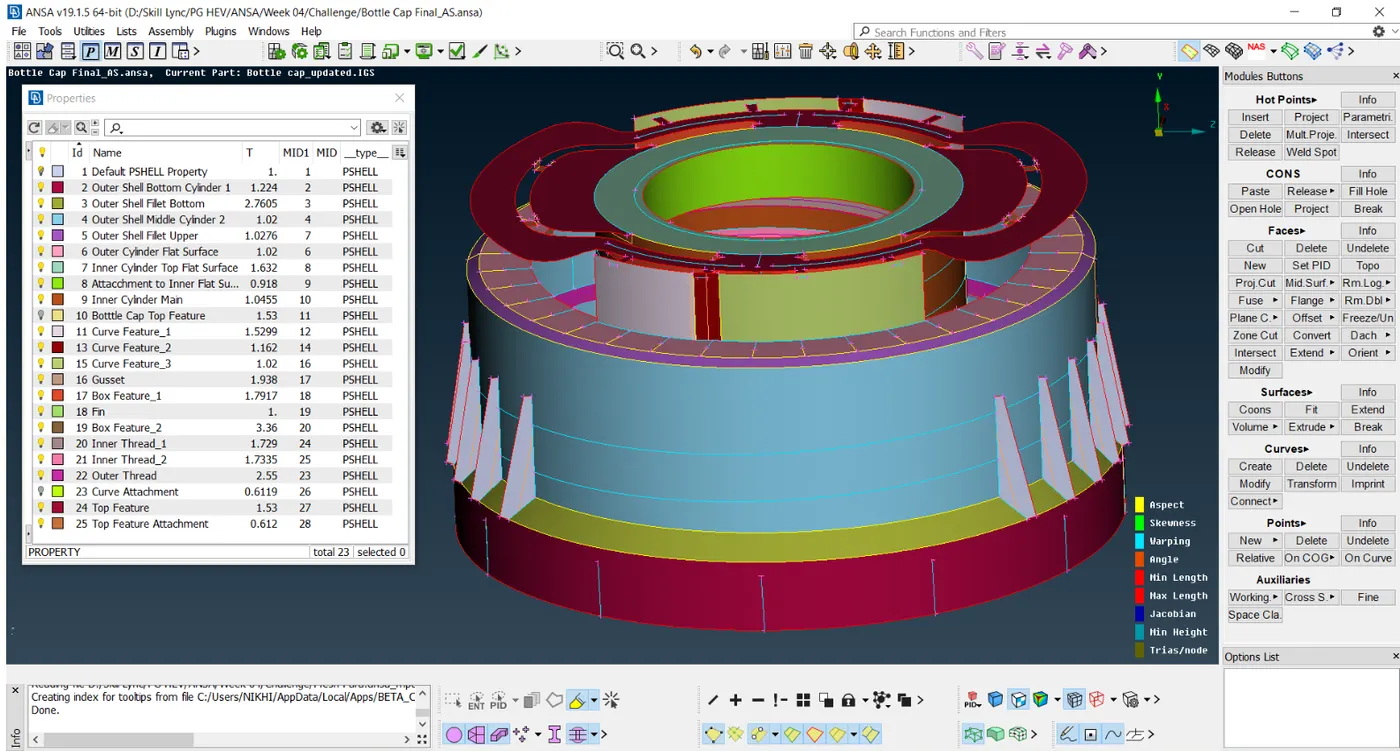
Fig - New PID Assignment with a respective thickness
Step V - Meshing the geometry using Mesh Module
Before meshing the modules, we assign perimeter length, mesh parameter, and quality criteria as below,
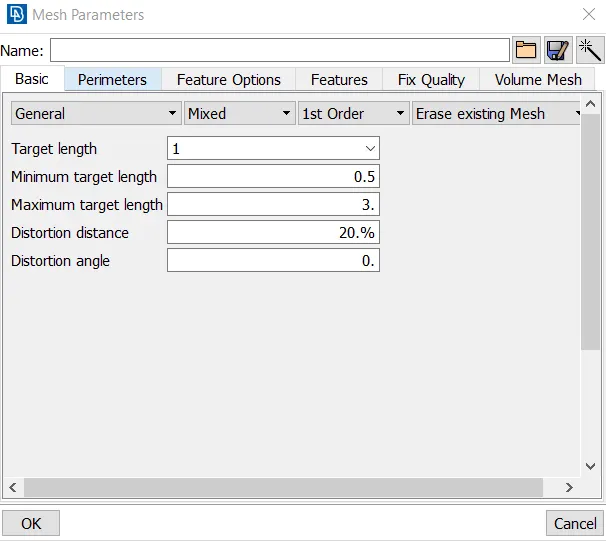
Fig - Mesh Parameters
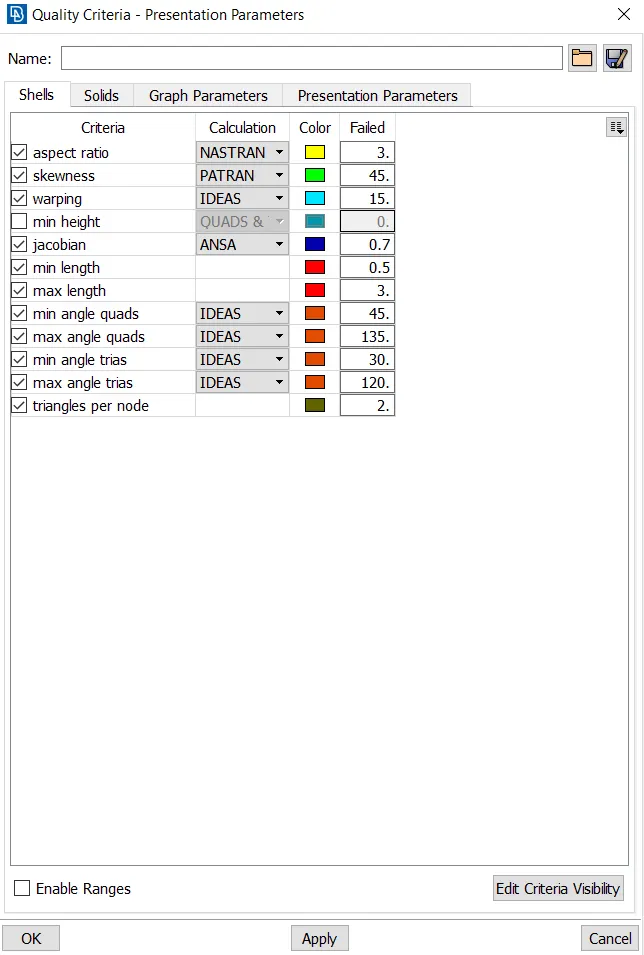
Fig - Quality Criteria
After assigning the parameter we select faces to make the cut and make the cuts as below to obtain a good mesh flow of the elements as below,
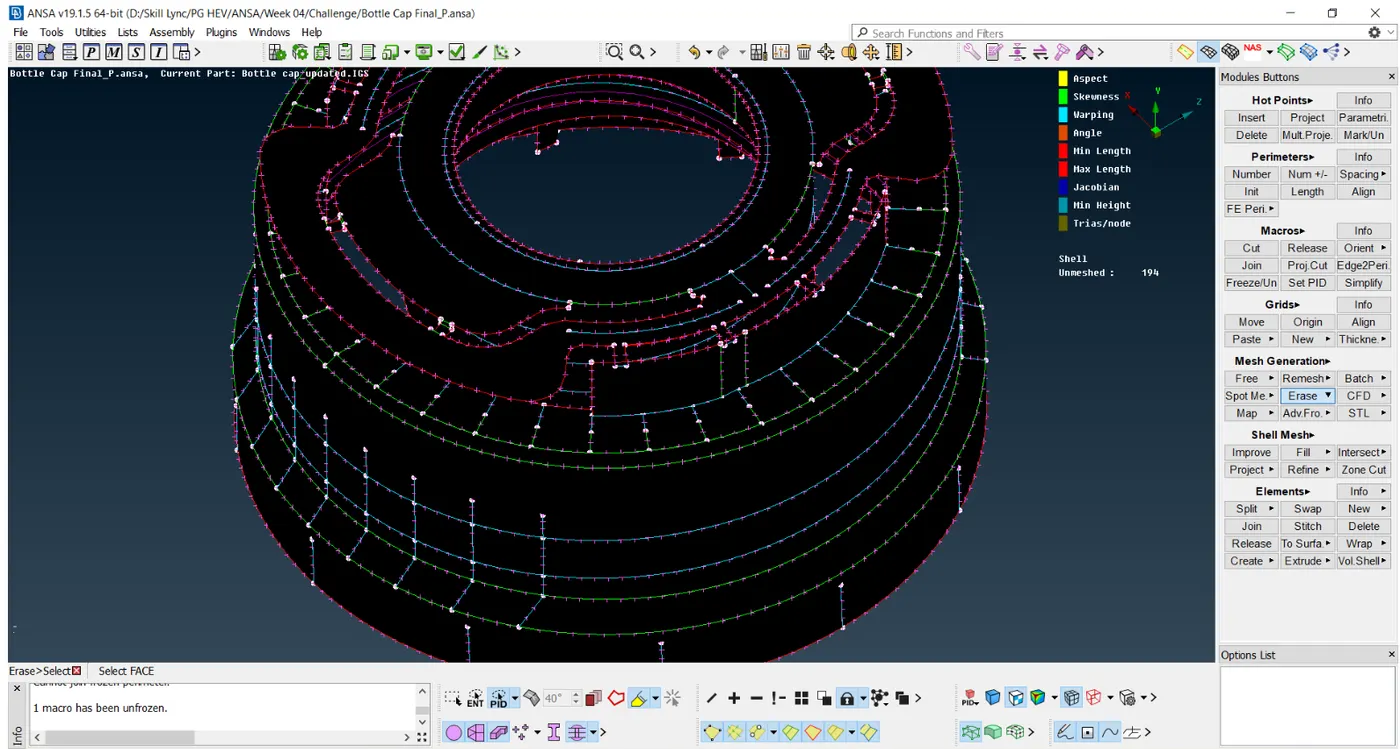
Fig - Cuts made to obtain good mesh flow
After cutting, geometry is meshed using the best command in mesh generation tool and with the help of various others commands like reconstruction, smooth, paste, join, etc and mesh is obtained as shown below,
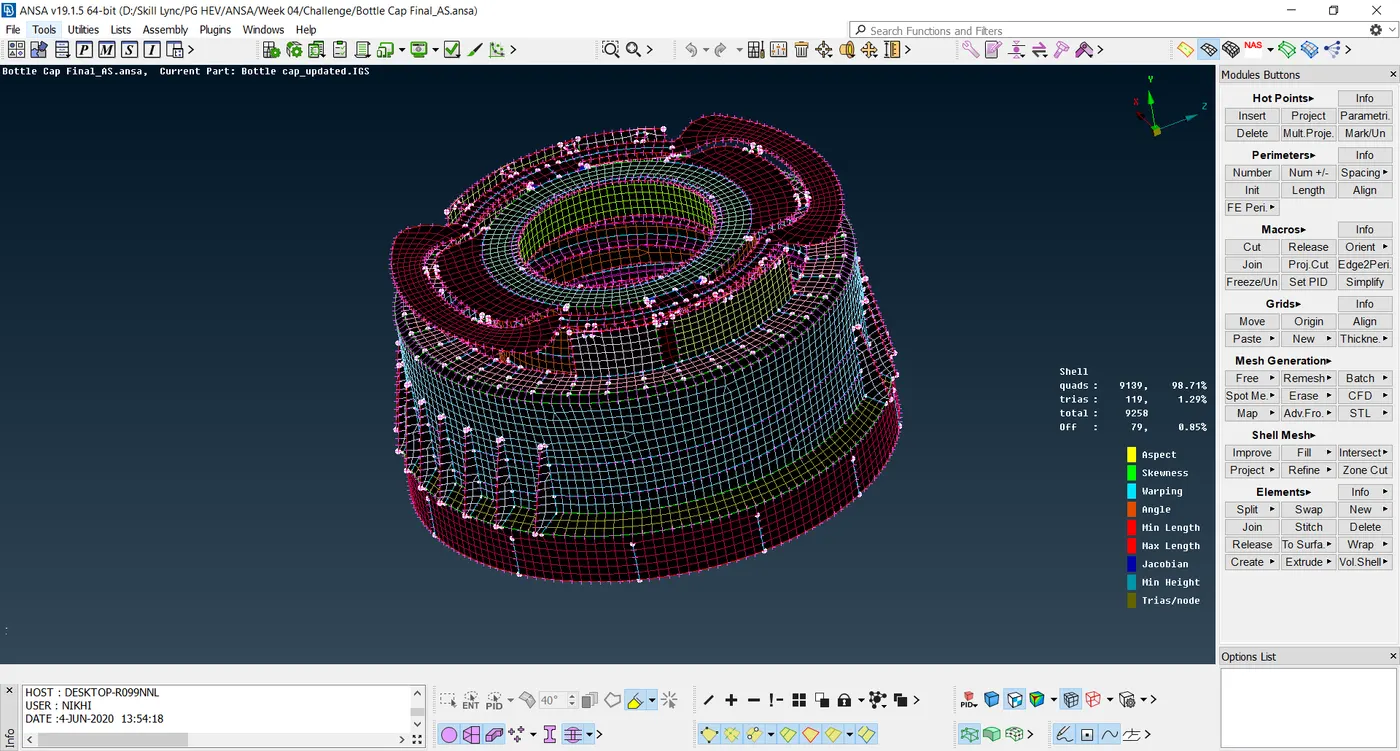
Fig - Mesh Generation Complete
After obtaining the mesh for all the components we draw the shell as solid which can be seen in the below screenshots,
To draw the shells to solid under the presentation parameter in the quality criteria there is an option to make the shells as solid as shown,
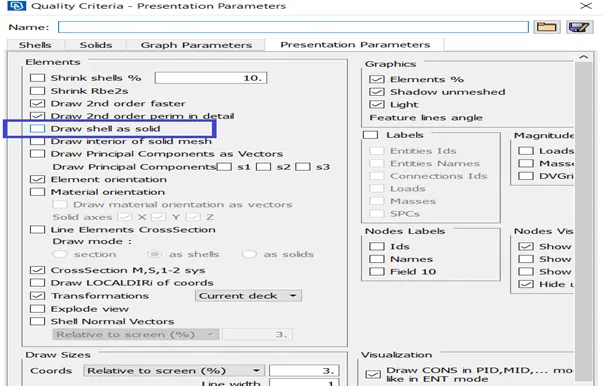
Fig - Activating shell to solid option
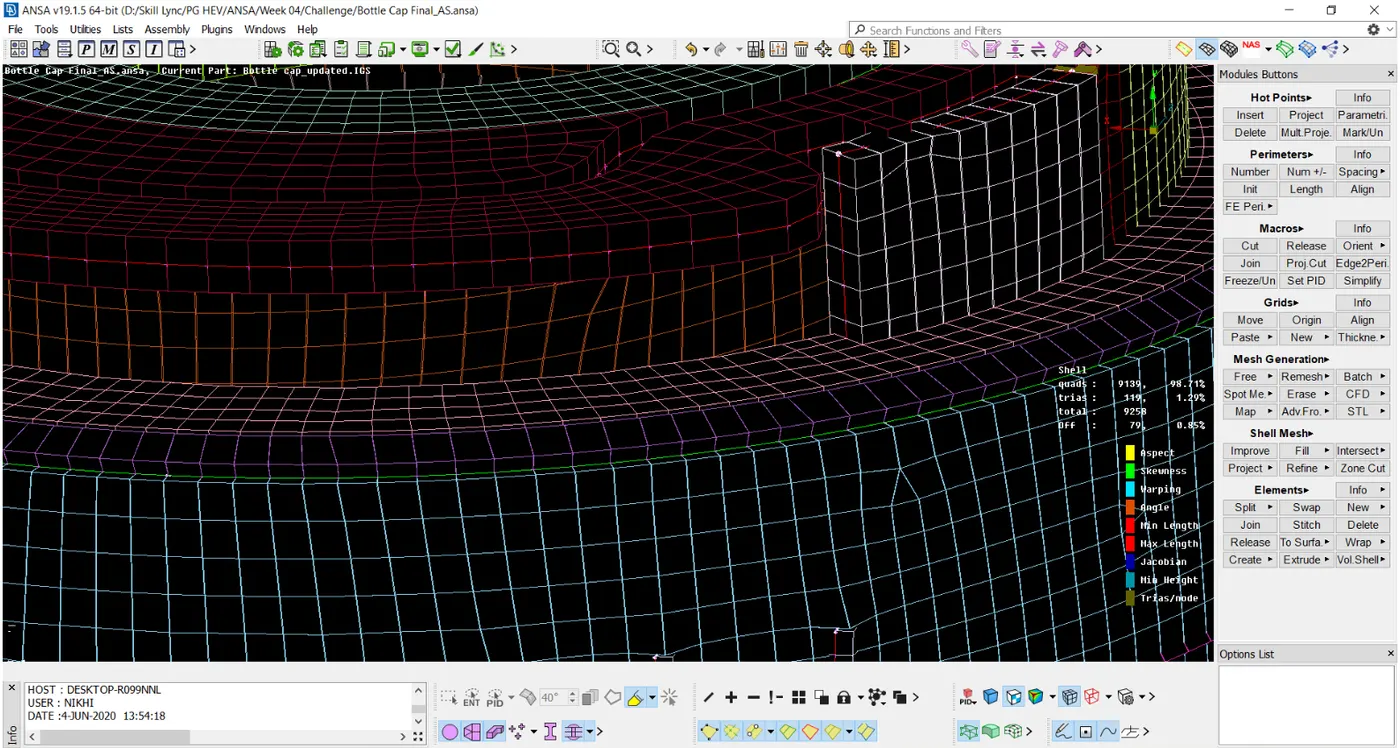
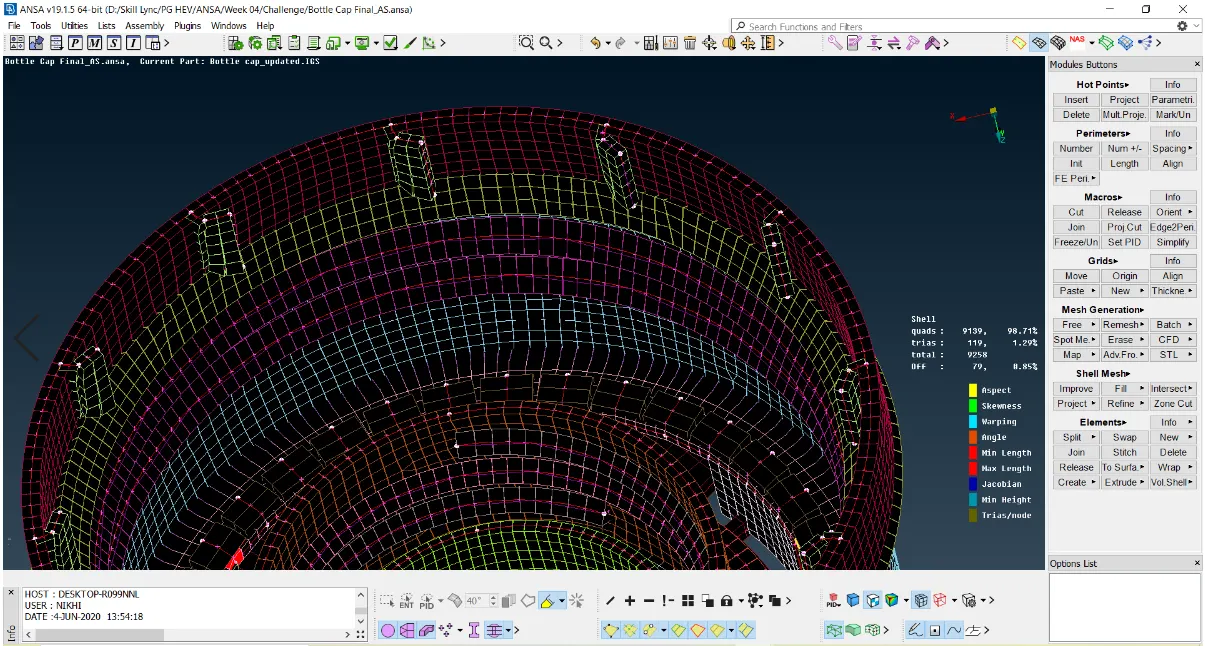
Fig - Solid Shell Part
Google Link for Model -
https://drive.google.com/file/d/1mThAtyxLUO_EVobQws4qpxC0GeKjXV5f/view?usp=sharing
Learning Outcome -
1] Extract the mid surfaces for plastic parts for FEA in ANSA.
2] Extraction of mid surfaces for the threaded part.
3] Curve Middle - This command can be used to obtain the middle of the two surfaces and then generate the mid surface.
Conclusion -
Here we can conclude that the bottle cap is successfully meshed after the geometry topo clean up in FEA software ANSA. Some elements were unable to acquire mesh quality as per the given quality criteria and failed to gain the feature due to minimum length, skewness which can be improved at the further stage before final analysis of the model.