MESHING A HOOD OF A CAR USING ANSA V20.1.4
OBJECTIVE:
The main aim of this project is to mesh the hood of a car as per the quality criteria shown below and to assign thickness.
QUALITY CRITERIA:
|
S.No |
Quality Criteria |
Value |
|
1 |
Target/Average length |
5 |
|
2 |
Minimum Length |
2 |
|
3 |
Maximum Length |
7 |
|
4 |
Aspect |
3 |
|
5 |
Warpage |
15 |
|
6 |
Skewness |
45 |
|
7 |
Jacobian |
0.7 |
|
8 |
Minimum Quad Angle |
45 |
|
9 |
Maximum Quad Angle |
135 |
|
10 |
Minimum Tria Angle |
30 |
|
11 |
Maximum Tria Angle |
120 |
|
10 |
Tria Percentage |
15 |
PROCEDURE:
GEOMETRY CLEAN UP AND MIDSURFACE EXTRACTION:
- Imported the given .stp file in the ANSA work page.
- Organized the parts separately using the lock view --> store lock option from the focus toolbar as shown below,
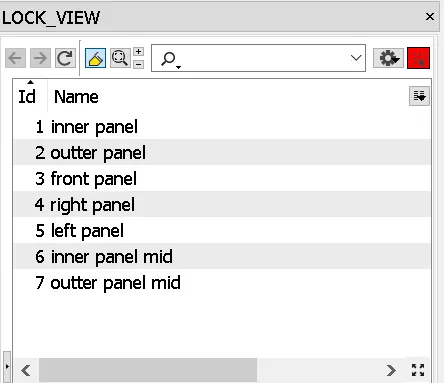
img 1. Lock Views
- The inner panel is taken and checked for orientation i,e. the upper part of the model should be in gray color meaning negative and the lower part in yellow color meaning positive.
- The issues with orientation are cleared using the topo module-->faces-->topo.
- The model is then subjected to a geometry checkup to check any free edges between the model, duplicate surface, irrelevant CONS using the option tools--> checks-->geometry.
- The geometrical errors are fixed by using the Auto option and then extracted the mid surface using the topo module-->faces--> mid surface--> skin, while keeping the parent geometry not getting deleted.
- By using the Not option from the focus toolbar while selecting the PID region from the features selection toolbar, segregated the mid surface.
- Geometry check-up is done and a property ID is created with the thickness of 0.75 mm.
- By default, ANSA creates a steel material ID, which is defined so that the material is assigned to the model.
- The surfaces are split accordingly to attain good mesh flow and to avoid element failures using mesh module--> macros-->cut option.
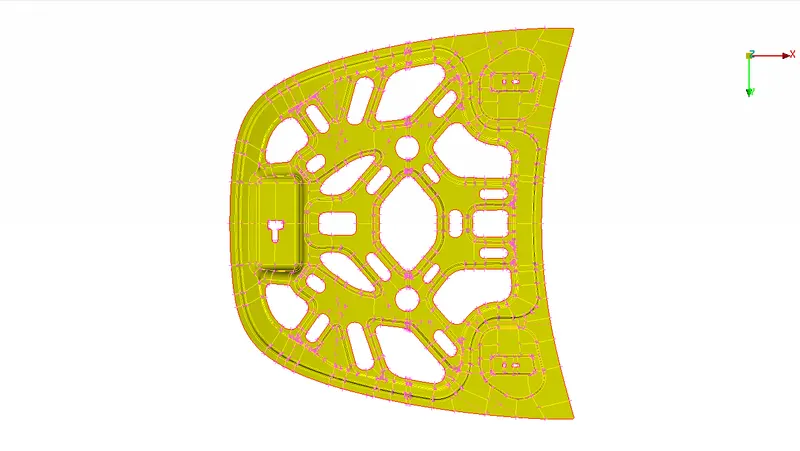
img 2.Inner Panel Mid Surface
MESH GENERATION:
- The Quality criteria are applied to the model using utilities--> Quality criteria as shown below,
-
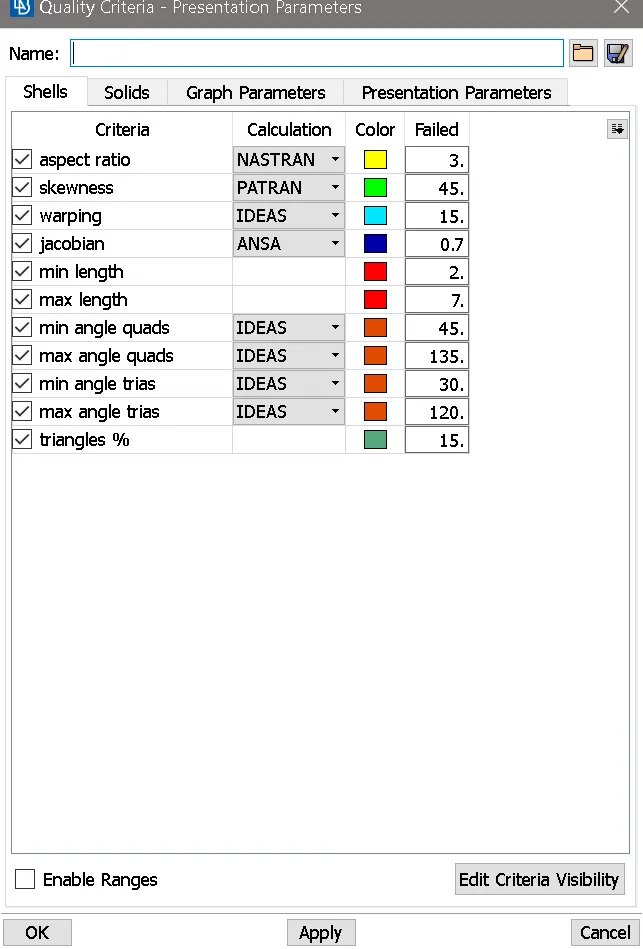
img 3.Quality Criteria
- Mesh parameters are applied as shown below, using utilities--> mesh parameter.
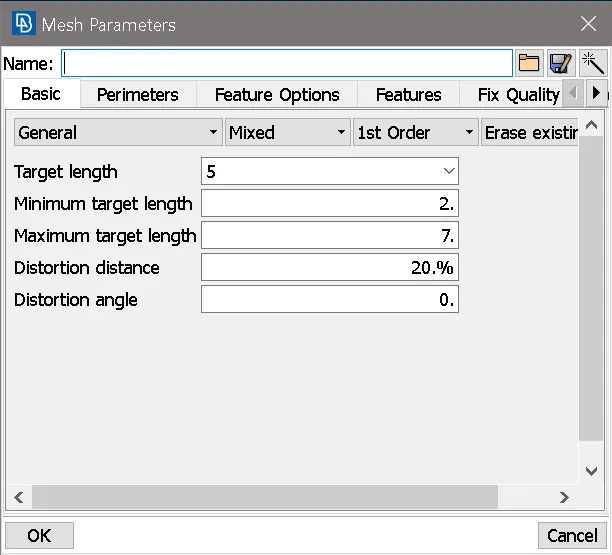
img 4.Mesh Parameter
- The perimeter elemental length is applied to the model using the mesh module --> perimeter--> length option.
- The split surfaces are meshed one by one using mesh module--> mesh generation--> Best option.
- During meshing the opposite trias, back to back trias, tias present at the edges, rotational quads can be removed using shell mesh--> reconstruct option.
- Trias present at edges, fillet areas, pattern formation, opposite trias can be avoided using split, swap, reconstruct, edge2 perimeter, Num +/- options.
- The elements which fail for quality can be viewed by using the Draw mode toolbar --> hidden option and corrections are done for the elements which fail for quality.
- The meshing is carried out on one-half of the surface and then reflected on another side since the model is symmetrical about Y-axis.
- The reflection operation is done using Utilities-->transform-->copy--> symmetry option.
- After reflecting the connection between the surfaces and elements is done using the topo module-->topo and paste cons option, if required.
- Remeshing is done where the elements fail for quality criteria or if elements disappear.
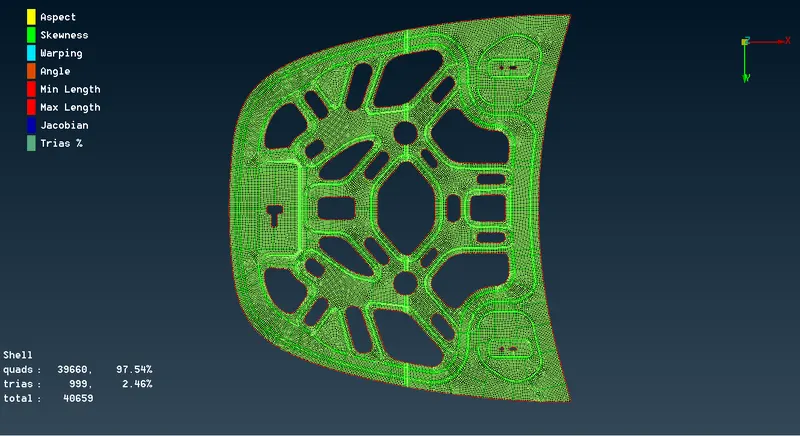
img 5. Meshed Model
THICKNESS ASSIGNMENT:
- The thickness assigned to the model can be viewed using utilities--> quality criteria--> presentation parameters --> draw shell as solid.
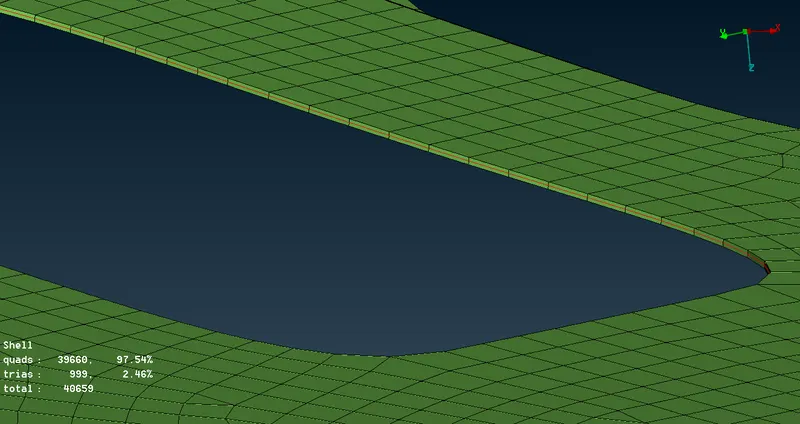
img 6. Thickened Model
PROCEDURE CARRIED FOR OTHER MODELS:
- The mid surface extraction is done manually by using the topo module--> faces--> offset option.
- All other procedures are carried out as same as mentioned above for the other parts of the hood as shown below,
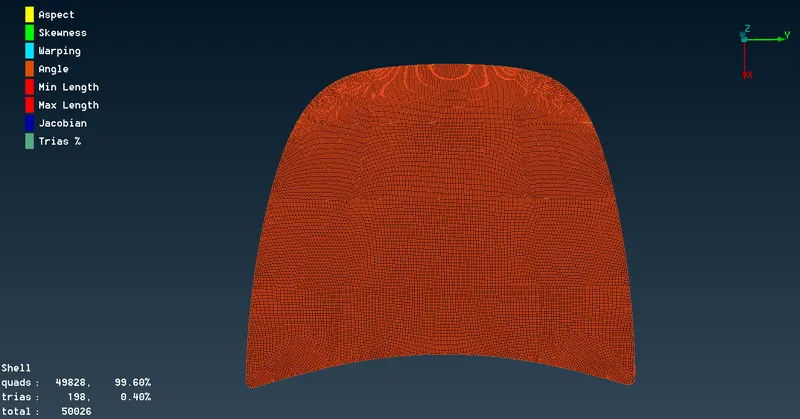
img 7. Outer Panel
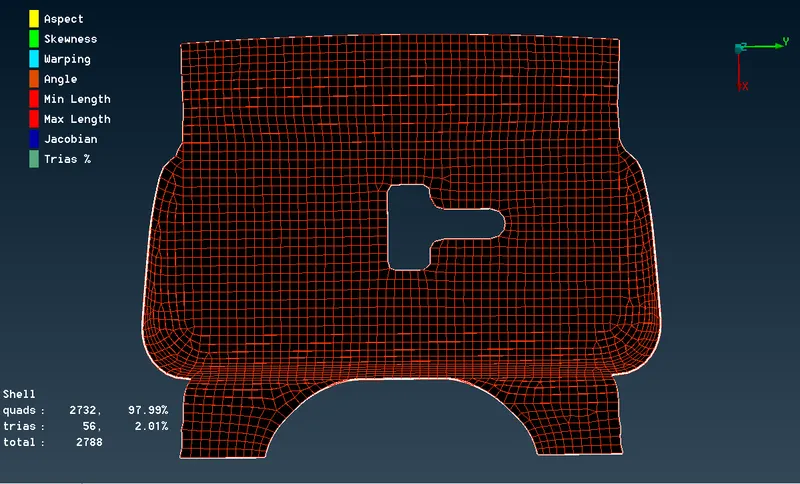
img 8. Latch
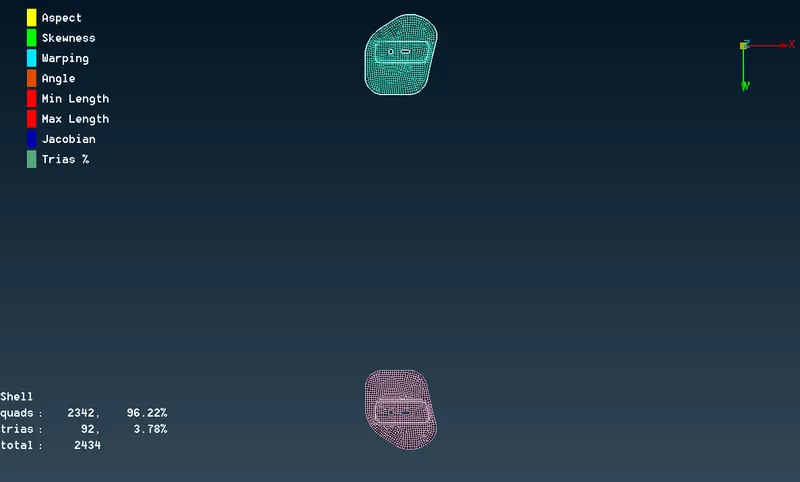
img 9. Other Panels
- finally, saved the file.
RESULT:
Hence, the hood of a car is meshed as per the quality criteria given and assigned thickness to it.
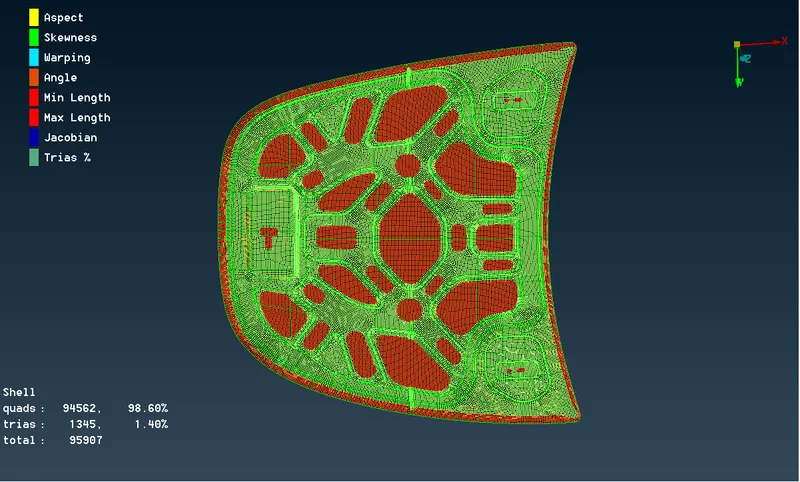
img 10. Final Model
CONCLUSION:
From this challenge learned about geometry cleanup, mid surface extraction, shell meshing and assigning thickness, etc.
Link to view the model: