Lane Changing Assistant of Highway Assistant System
Aim:
To develop a Simulink model as per the given requirements.
Procedure:
1. Configure the model config settings as per AUTOSAR guidelines.
2. Create the SLDD for the signals, Build the Simulink Model per the requirements and map the requirements in the requirement editor.
3. In the Apps, Open the AUTOSAR Component Designer.
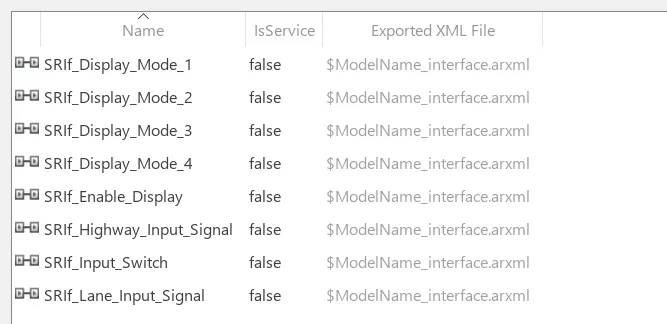
4. Open the AUTOSAR Dictionary and create the Sender-Receiver Interface with its Data Element and Receiver & Provider ports.
5. Map the same to the input and output Simulink blocks using the Code generation - Components interface.
6. Perform Model Advisor Check and Generate report
7. Do code generation and Export the ZIP file for easy sharing.
Requirement 1:
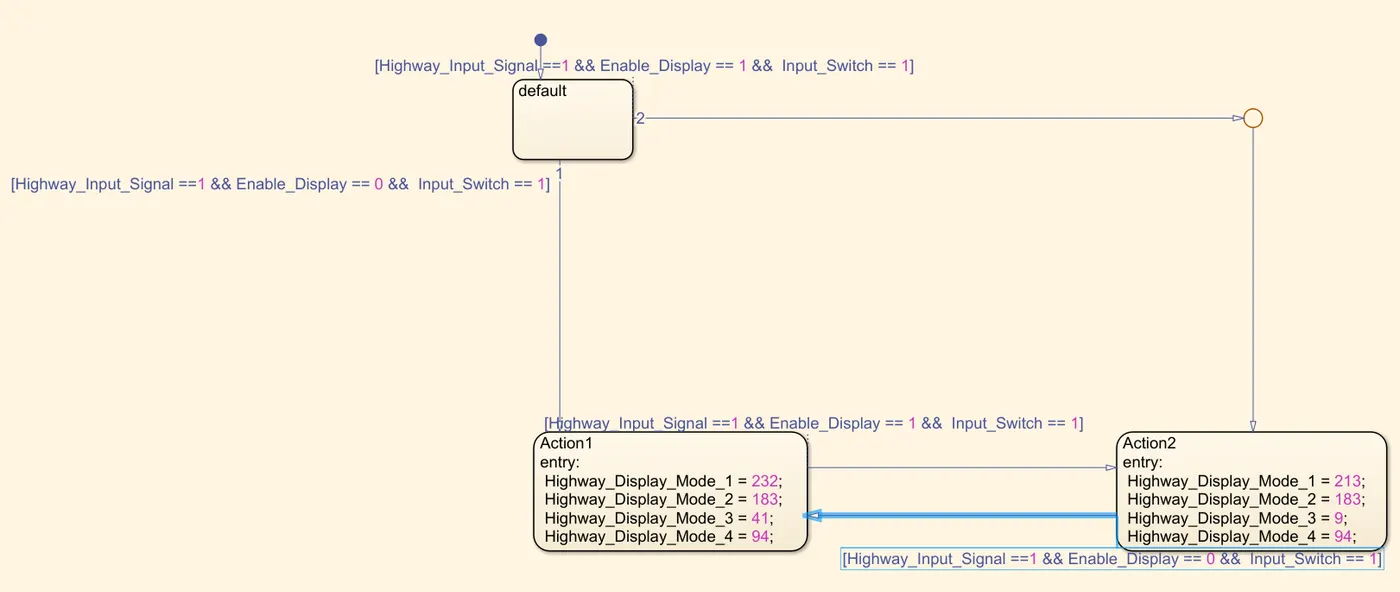
Requirement 2:
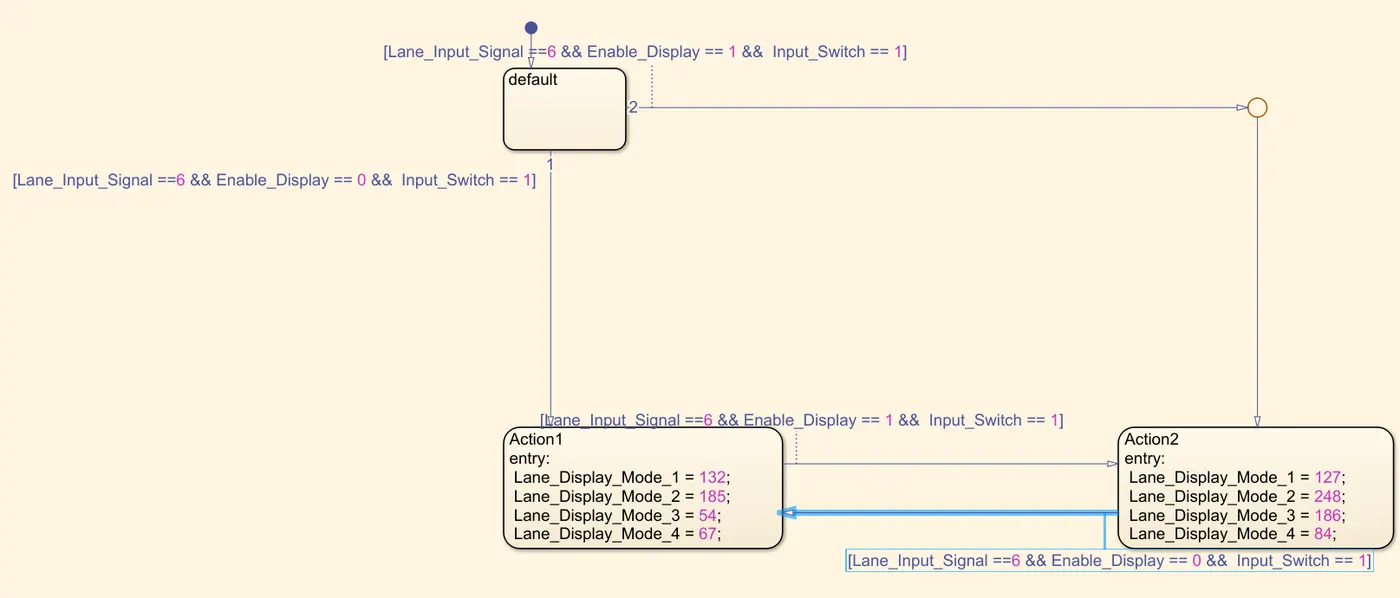
Requirement 3:
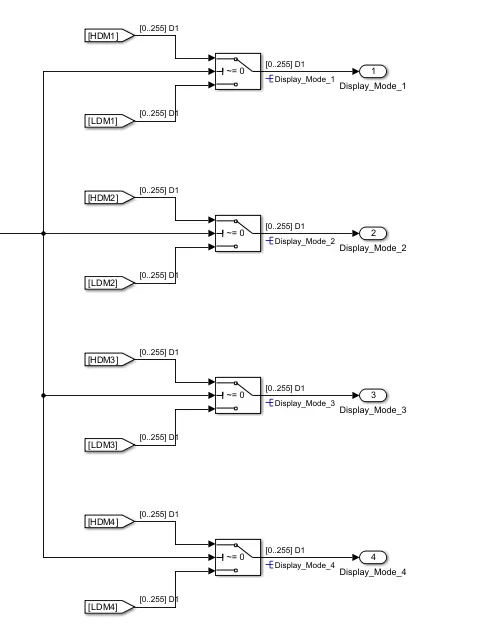
Simulink Model:
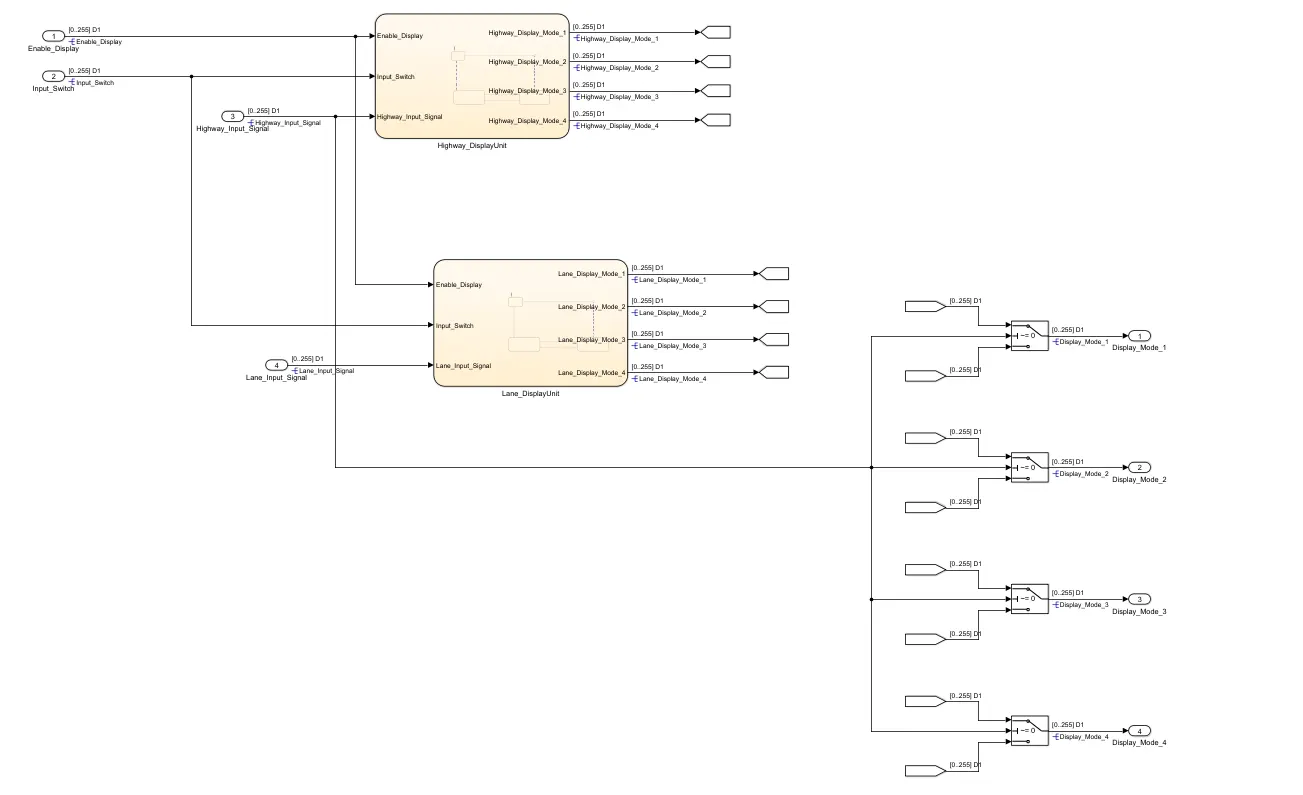
SLDD file:
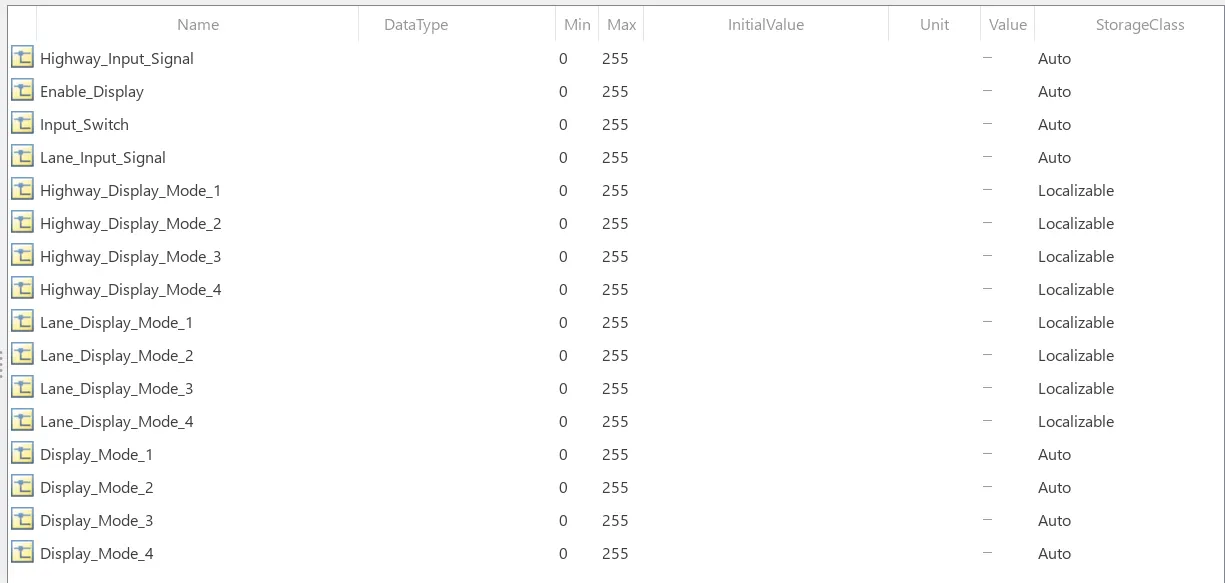
SR Interfaces:
Receiver Ports and Mapping:

Provider Ports and Mapping:

Code generation and Model advisor report can be found in the attached ZIP file.
Result:
Thus the requirements are successfully viewed as a model.