Introduction to REVIT concepts
Aim: To Create a new project and name the project appropriately
Introduction:
Revit is an Autodesk product and is a building information modeling software for architects, landscape architects, structural engineers, mechanical, electrical, and plumbing engineers, designers, and contractors. Using REVIT, we can create different templates respective to architectural drawings, structural drawings,s and MEP drawings and can work simultaneously using collaborate tool.
Procedure:
Step 1: Open REVIT
Click the windows button and type REVIT and press enter
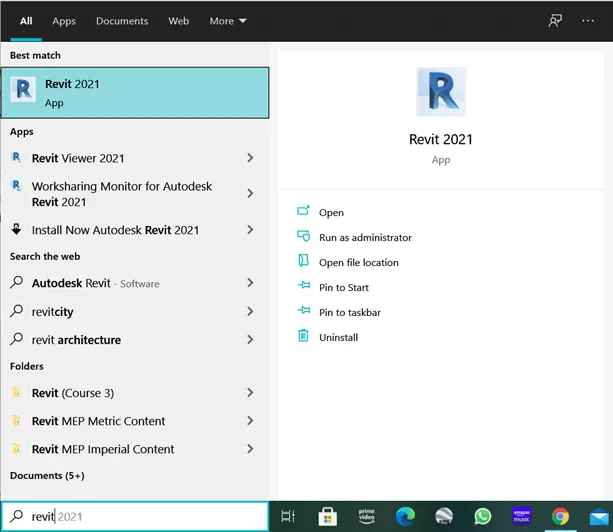
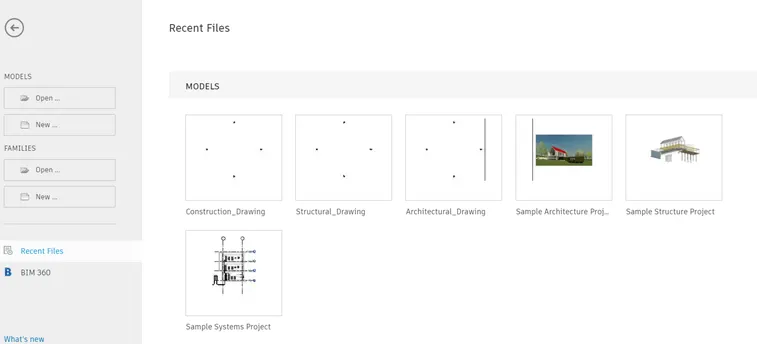
- Once the REVIT is open, the home page is as follows
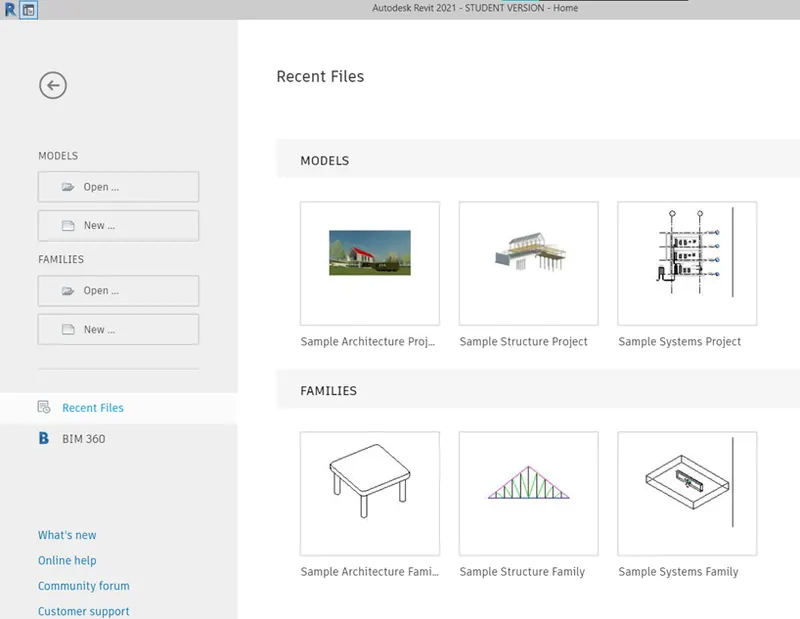
Step 2: Creating Construction Template
Click on New from the home page
- In the dialogue box click on Metric-Construction template
- Click on create new “project”.
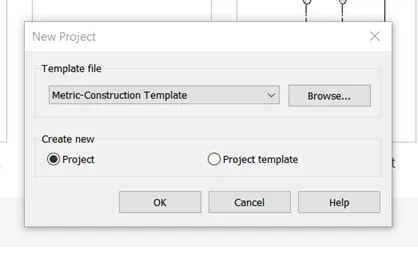
- Click OK to open the construction template
- Click on the Save button to open the dialogue box to set the filename
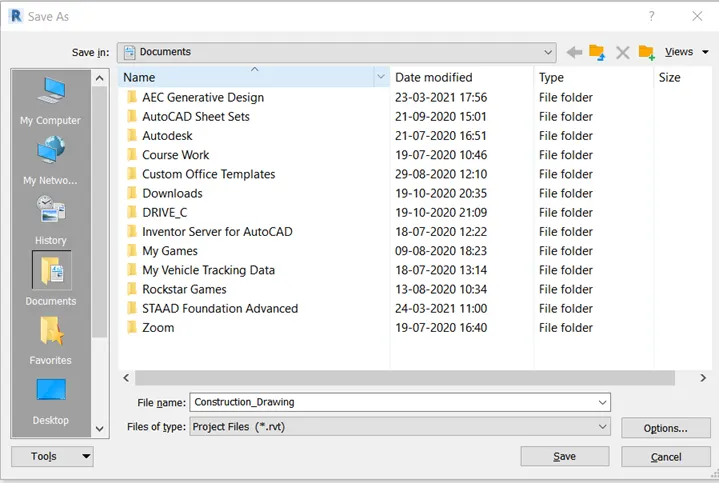
Step 3: Creating Architectural Template
Click on New from the home page
- In the dialogue box click on Metric- Architectural template
- Click on create new “project”.
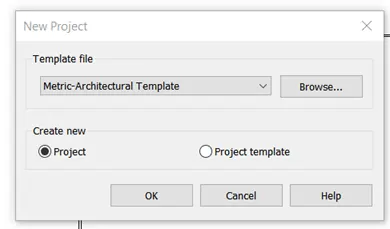
- Click OK to open the Architectural template
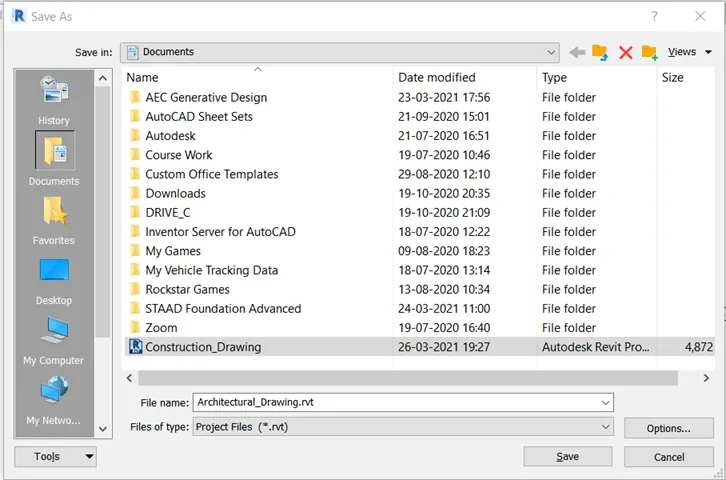
- Click on the Save button to open the dialogue box to set the filename
Step 4: Creating Structural Template
Click on New from the home page
- In the dialogue box click on Metric- Structural template
- Click on create new “project”.
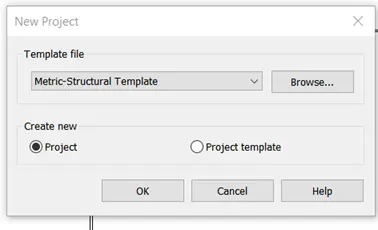
- Click OK to open the Structural template
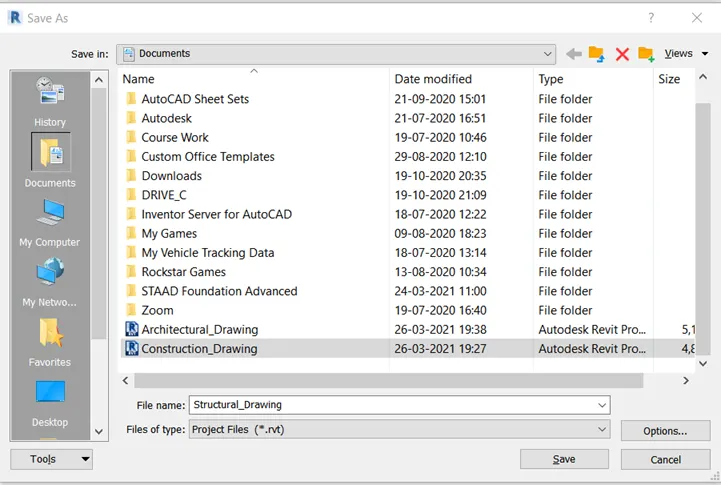
- Click on the Save button to open the dialogue box to set the filename
Result:
The main aim of the challenge is to create a new drawing with different templates. These templates are construction, architectural and structural templates. These projects are then saved with the appropriate name as shown below drawings.

- Save the new project file. Close and open using icons from the file toolbar
Aim: To Create a new project, close and open using icons from the toolbar
Introduction:
Revit is an Autodesk product and is a building information modeling software for architects, landscape architects, structural engineers, mechanical, electrical, and plumbing engineers, designers, and contractors. Using REVIT, we can create different templates respective to architectural drawings, structural drawings,s and MEP drawings. These files/ drawings created can be opened from the File tab in REVIT.
Procedure:
Step 1: Open REVIT
Click the windows button and type REVIT and press enter
- Once the REVIT is open, the home page is as follows
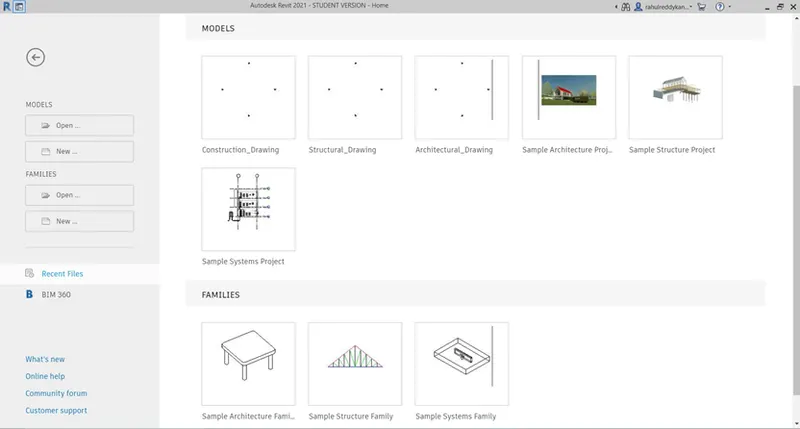
Open any template drawing created in Q1.
Step 2: Saving drawing
- Draw any components in the drawing
- A wall boundary with random dimensions is drawn
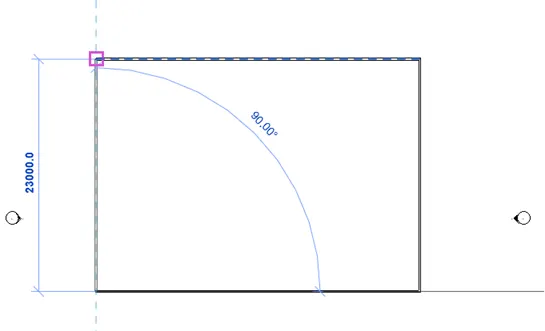
- Save the file by clicking the save button on the top left corner (As the drawing is already saved with a name, it will be saved with the same name)
- Close the file
- Open any new template and
- Go to the File tab in the top left corner
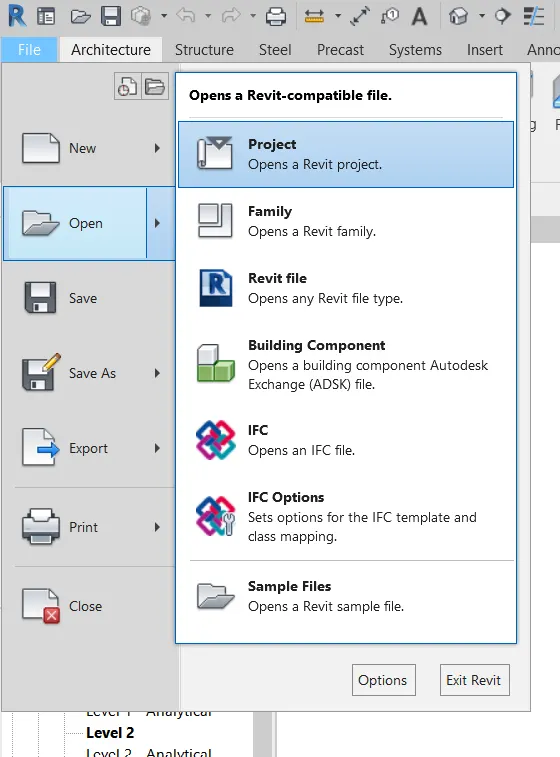
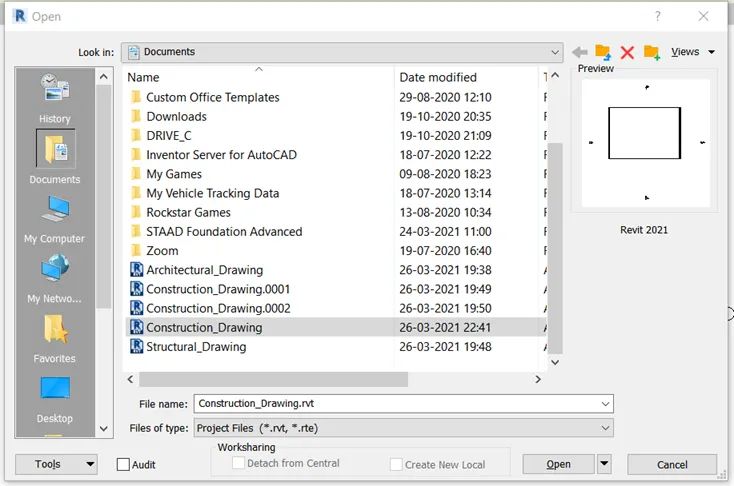
- Click on the “Open” button in the File tab
Result:
The main aim of the challenge is to save a drawing created in any template of question 1 and close and open the file saved from the file tab. Initially, a wall boundary is drawn in any template and the file is saved with the name created earlier, and the file is closed. To open the file again, go to the File tab and click on the “Open” button and click on the project. Then in the dialogue box open the required file.
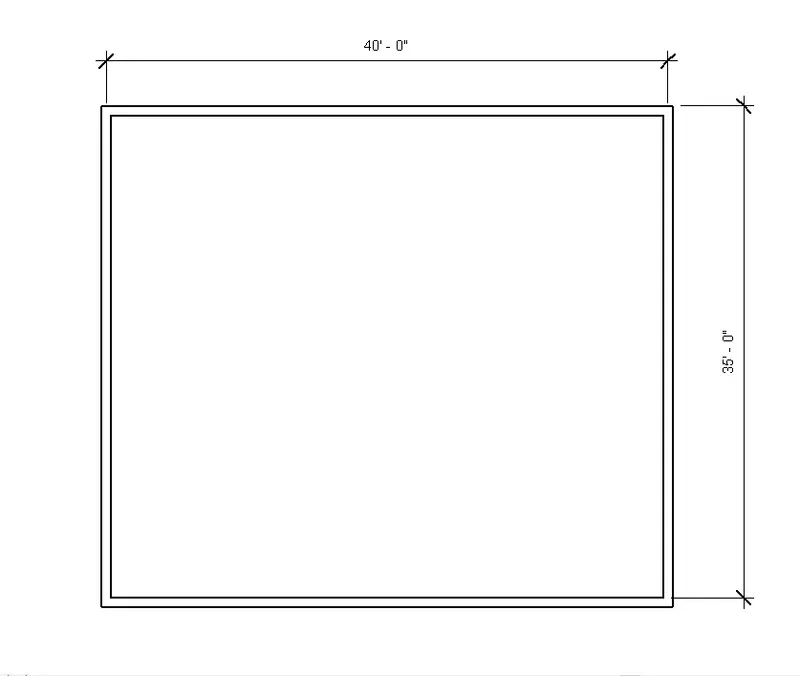
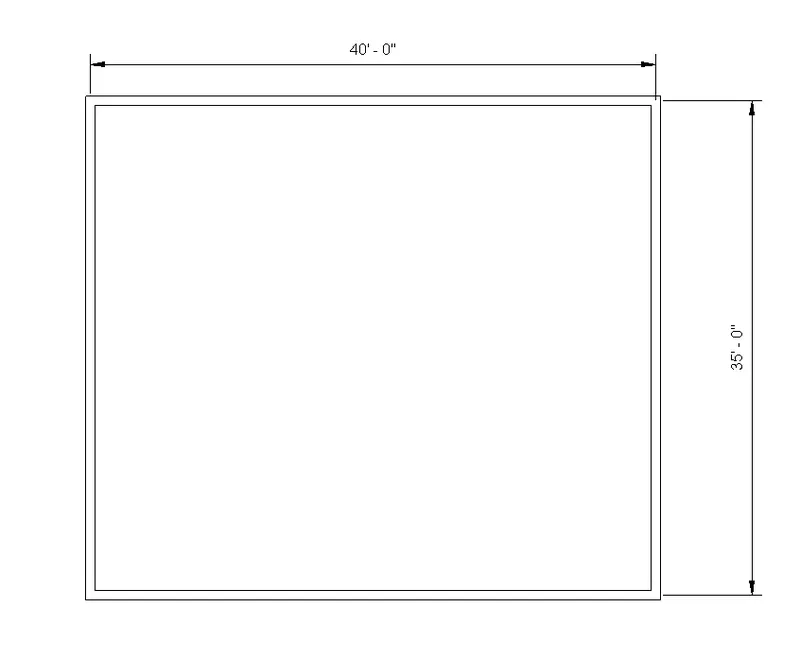
3. From the architecture/ structure toolbar familiarize yourself with options to draw a wall. Create a rectangular layout of walls of about 40’-0” X 35’-0”
Aim: To Create an architecture/ structure toolbar familiarize with options to draw a wall. Create a rectangular layout of walls of about 40’-0” X 35’-0”
Introduction:
Architectural walls inherit the material of other elements to which they are joined. Compound layers in walls wrap at architectural columns. This does not apply to structural walls. Structural walls are used to model vertical load-bearing elements in a building. Although structural walls share many of the same properties as architectural walls, structural walls have additional properties defined by their configuration and industry standards.
Procedure:
Step 1: Open REVIT and Create New file
Click the windows button and type REVIT and press enter
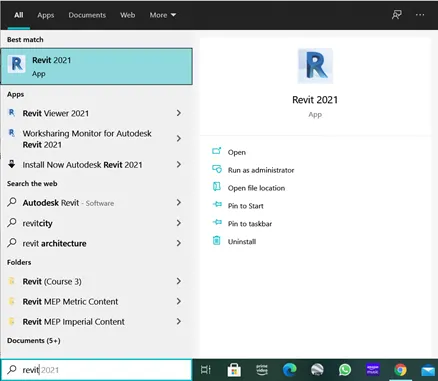
- Once the REVIT is open, the home page is as follows
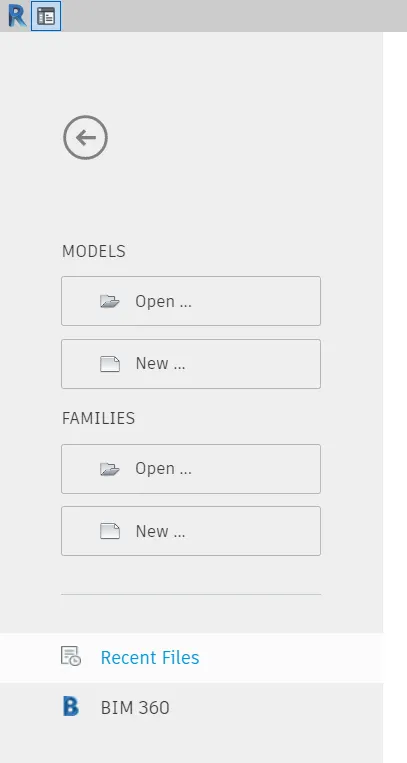
Click on New from the home page
- In the dialogue box click on Metric-Construction template
- Click on create new “project”.
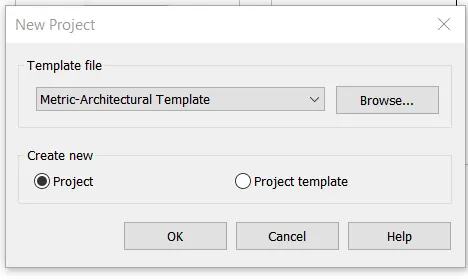
- Click OK to open the construction template
- Click on the Save button to open the dialogue box to set the filename
Step 2: Create Architectural Wall
The open imperial-architectural drawing template is as follows
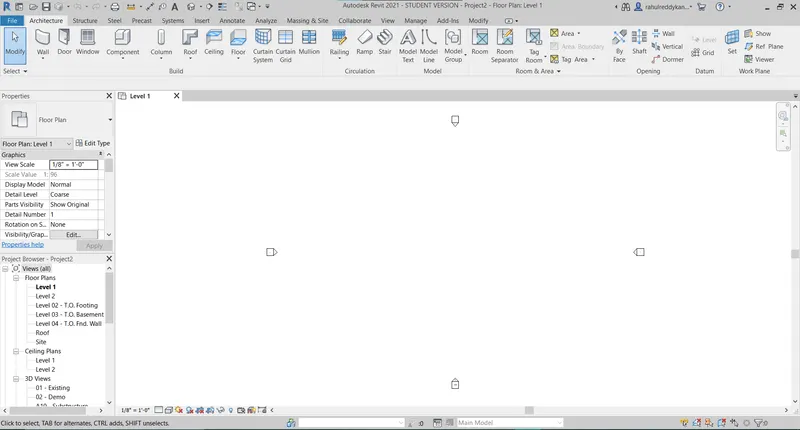
- Keep the cursor on the wall on the top left corner to view a description of the Non-Structural wall
- Click the wall-architectural button as shown below
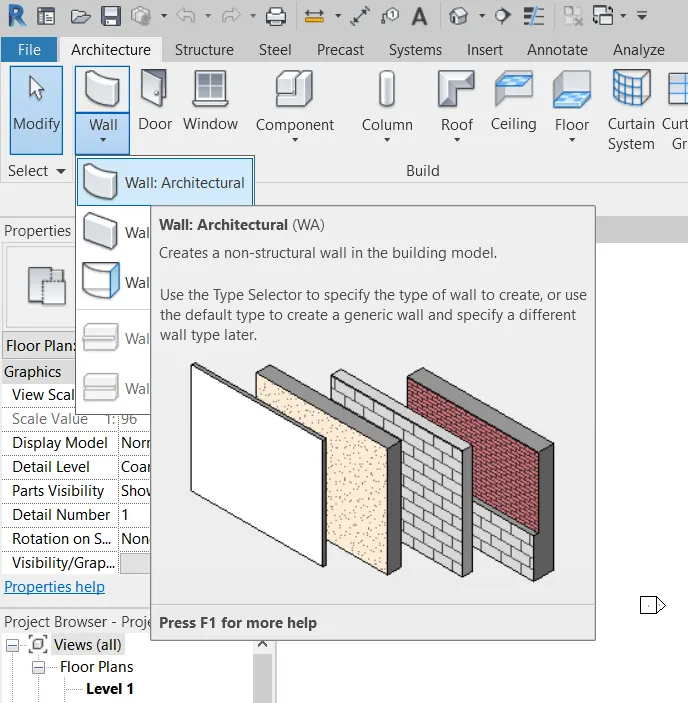
- Specify the first point as any point on the model space
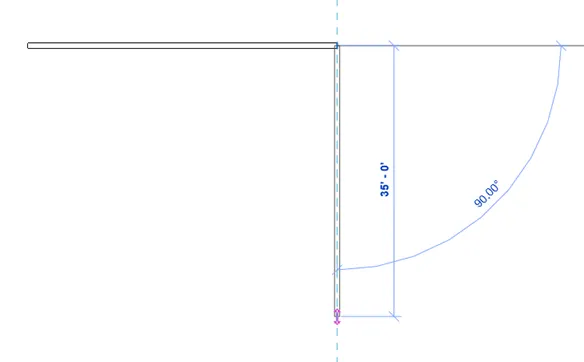
- Specify the second point as 40’0” as shown below
- Specify next point vertically downwards of length 35’0” as shown in the figure below
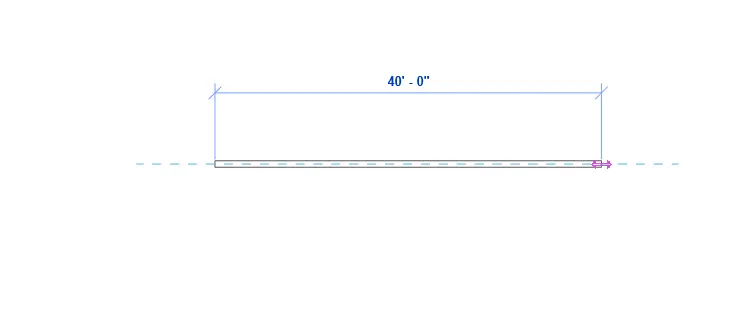
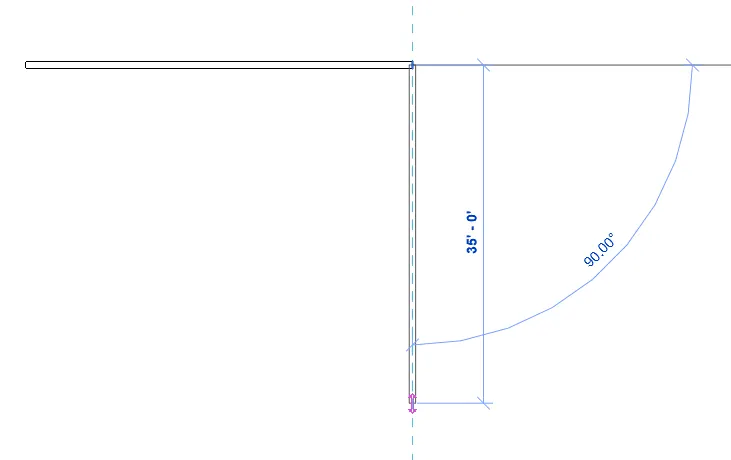
The final drawing is shown in Result
Step 3: Create Structural Wall
the open imperial-structural drawing template is as follows
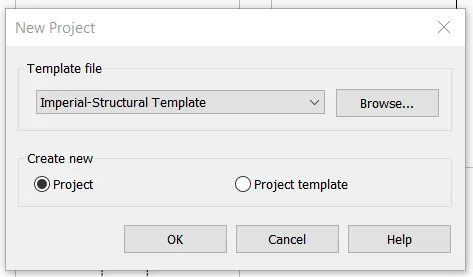
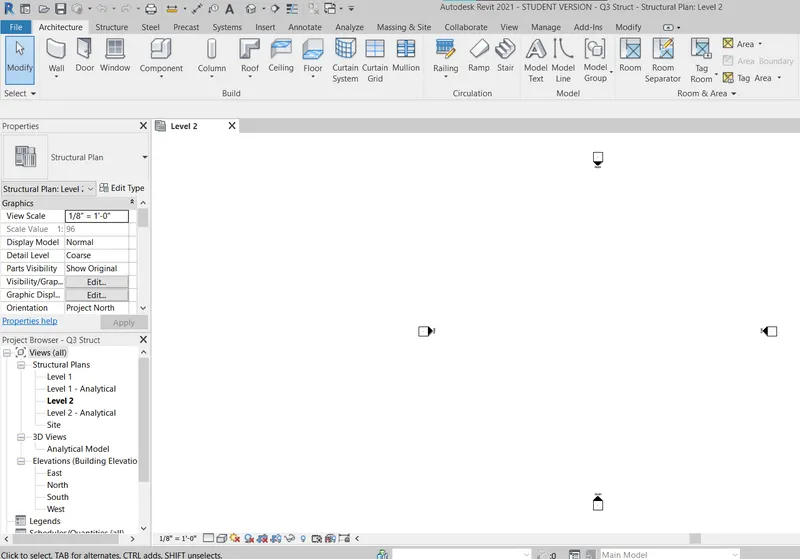
- Keep the cursor on the wall on the top left corner to view a description of the Non-Structural wall
- Click the wall-architectural button as shown below
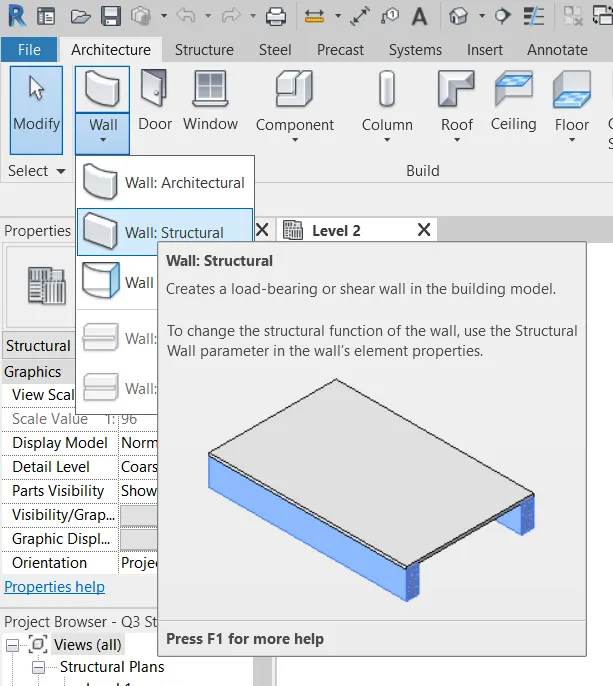
- Specify the first point as any point on the model space
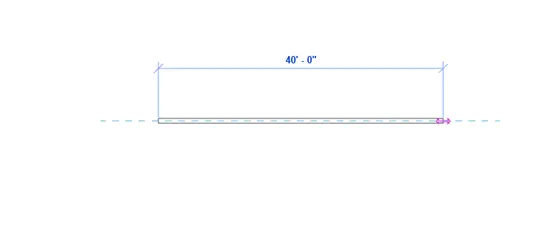
- Specify the second point as 40’0” as shown below
- Specify next point vertically downwards of length 35’0” as shown in the figure below
Result:
The main aim of the challenge is to create a new drawing with architectural and structural wall drawings using imperial templates. Initially, wall layout drawings of 40’X35’ are drawn.
Architectural Wall
Structural Wall
4. From the Annotate toolbar use the aligned option to add dimensions to the layout
Aim: To annotate a drawing using aligned dimension
Introduction:
Annotation of a drawing is very important because it specifies the geometric details of the component. Annotate objects generally means showing geometric features like length, width, and height. In this case length of the wall is drawn.
Procedure:
Step 1: Open REVIT
Click the windows button and type REVIT and press enter
Step 2: Open a drawing
- Open any drawing created in question 3 i.e., Q3 Struct.
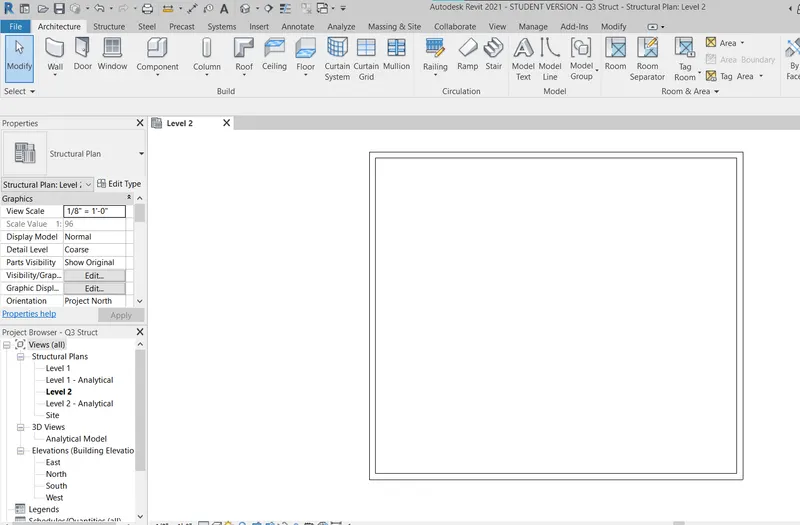
Step 3: Annotate
Go to the “Annotate” tab
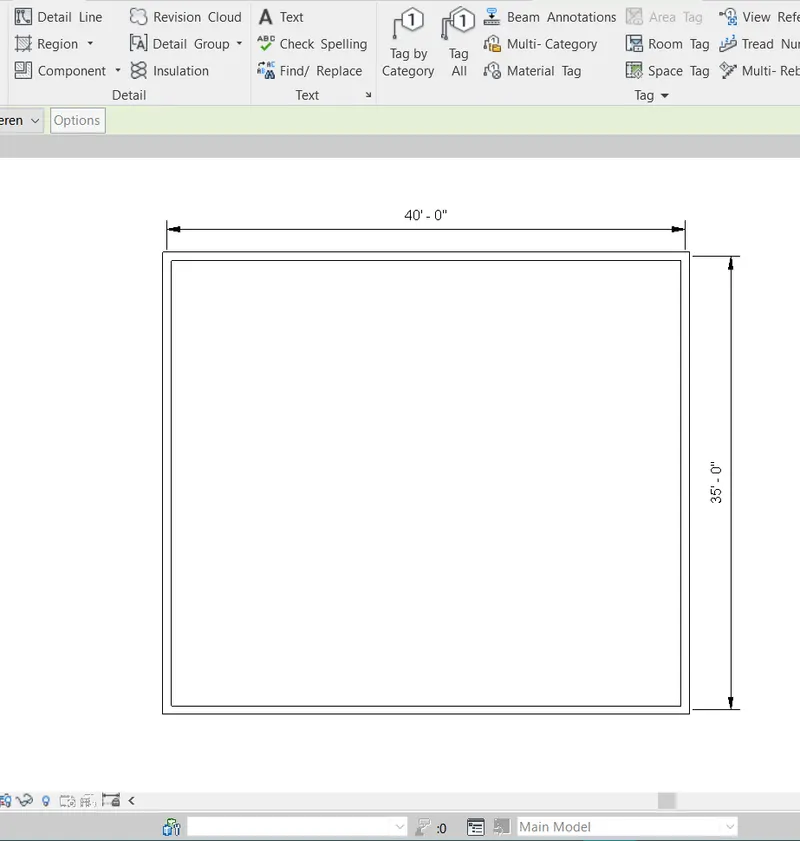
- Click on the “ALIGNED” dimension
- Select center to center points of two edges
- The final drawing is shown in the result
Result:
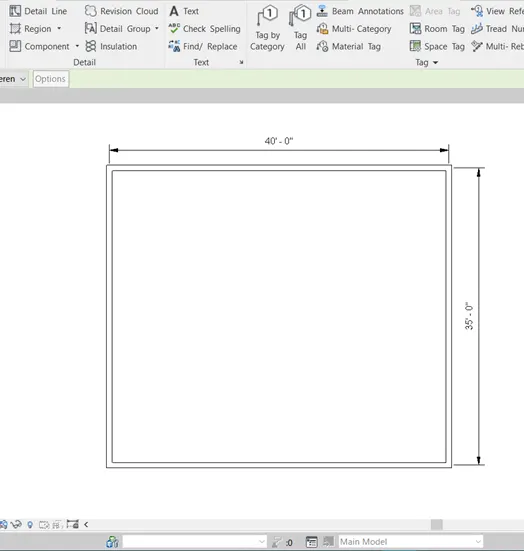
The main aim of the challenge is to annotate the drawing using an aligned dimension. Initially wall layout drawings of 40’X35’ are opened in REVIT. Then dimensions of the walls are shown. Below are two figures architectural walls and structural walls.
5. Use the properties browser to switch to different wall types
Aim: To change the wall type using properties browser
Introduction:
The wall type based on the requirement and design changes accordingly. Different wall types are present in wall families in the project browser of Revit, such as a basic wall, curtain walls, and stacked walls. The wall type can be changed accordingly in properties.
Procedure:
Step 1: Open REVIT
Click the windows button and type REVIT and press enter
Step 2: Open a drawing
- Open any drawing created in question 3 i.e., Q3 Struct.
Step 3: Changing wall type
Go to Project browser which is docked at the bottom left to view different wall types
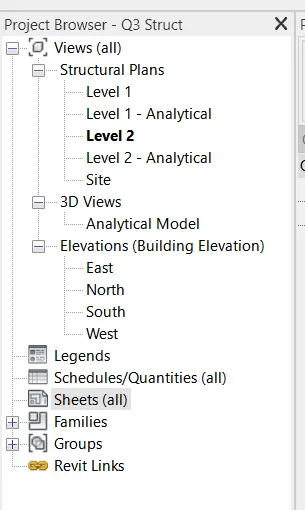
- Click on + of “Families”
- Click on + of “walls” to get different types of wall
- Click on + of all wall types to get different sub
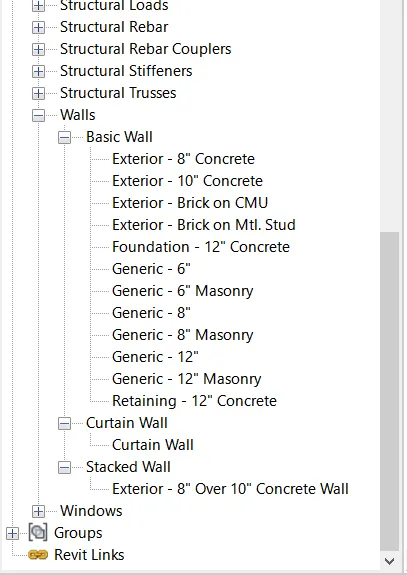
Go to properties browser to change the wall type
- Click on any wall drawn and right-click to open the properties browser
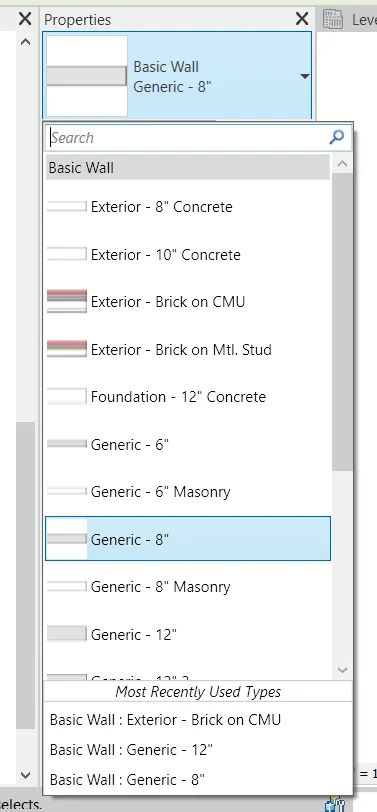
- Click on the required type of wall to change wall property
Result:
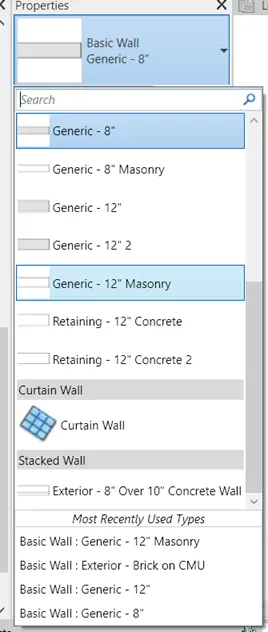
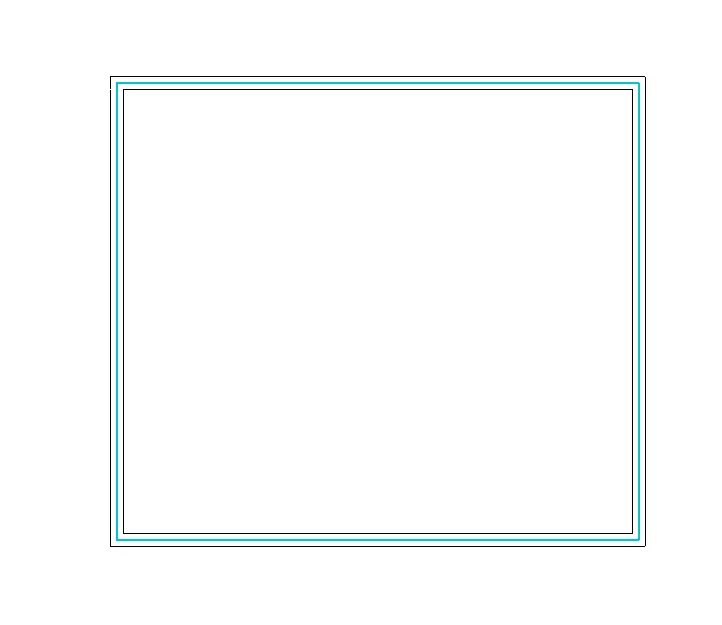
The main aim of the challenge is to change the wall type using the project browser. Initially wall layout drawing of 40’X35’ is opened in REVIT. Then properties browser is then opened and click on the current wall type to change its required wall type. The result shown below is wall type changed from ‘Generic 8” ’ to ‘Generic 12” Masonry’.
6. Create a 3D view from the view toolbar and save the view with the appropriate name
Aim: To create a 3D view from the view toolbar and save the view with the appropriate name
Introduction:
The wall type based on the requirement and design changes accordingly. Different wall types are present in all families in the project browser of Revit, such as a basic wall, curtain walls, and stacked walls. The wall type can be changed accordingly in properties.
Procedure:
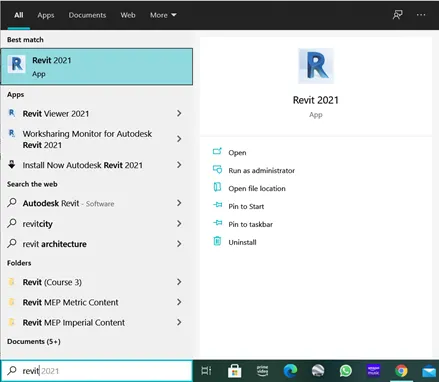
Step 1: Open REVIT
Click the windows button and type REVIT and press enter
Step 2: Open a drawing
- Open any drawing created in question 3 i.e., Q3 Struct.
Step 3: Changing View
Go to the “View” tab
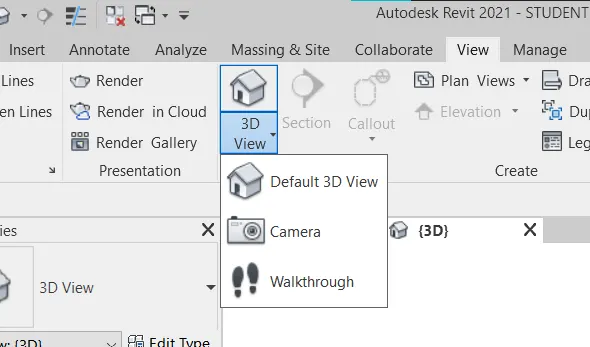
- Under the “Create” toolbar click on “3D View” as shown below
- Click on Default 3D view
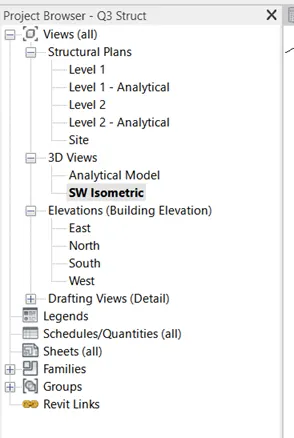
- Go to project browser
- Under 3D view, rename the current tab as “3D Isometric” as shown below
Result:
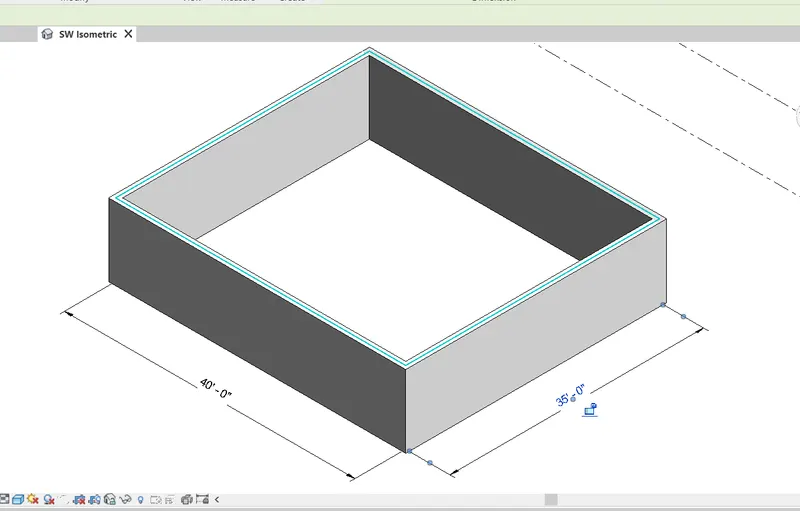
The main aim of the challenge is to create a 3D view of the wall and name the view appropriately. Initially wall layout drawing of 40’X35’ is opened in REVIT. Change the view to 3D view in the view tab. Rename the view in the project browser.
7.Navigate through the 3D model using the view cube. Orbit/pan through the model layout created
Aim: To Navigate through the 3D model using the view cube. Orbit/pan through the model layout created
Introduction:
Once a 3D model is created, we can navigate through the model using view cube, which is changing to different views such as top, right, front, etc., and also Isometric views. Using Orbit /Pan we can also get the view that is most appealing to us when the standard view is not appealing.
Procedure:
Step 1: Open REVIT
Click the windows button and type REVIT and press enter
Step 2: Open a drawing
- Open any drawing created in question 3 i.e., Q3 Struct.
Step 3: Navigation through View
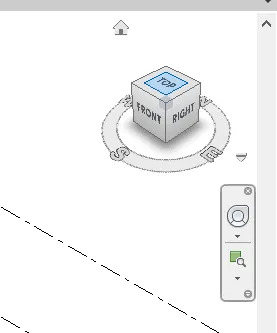
Open the 3D view created above i.e., 3D isometric
- From view change different to different views as per requirement.
Step 4: Orbit/ Pan
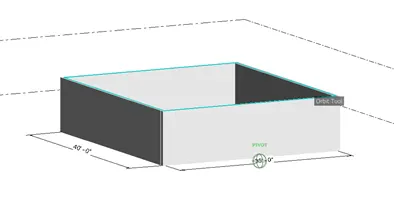
Using a Full navigation wheel we can orbit /pan as shown below
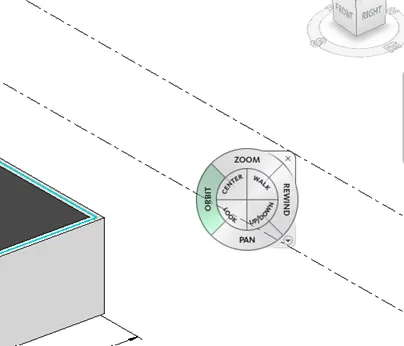
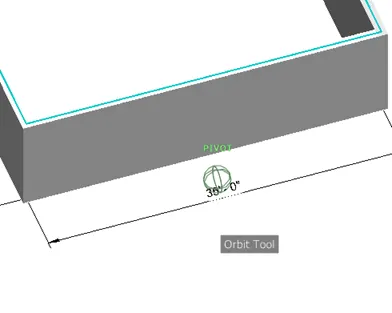
- Click on-orbit to start 3D orbit
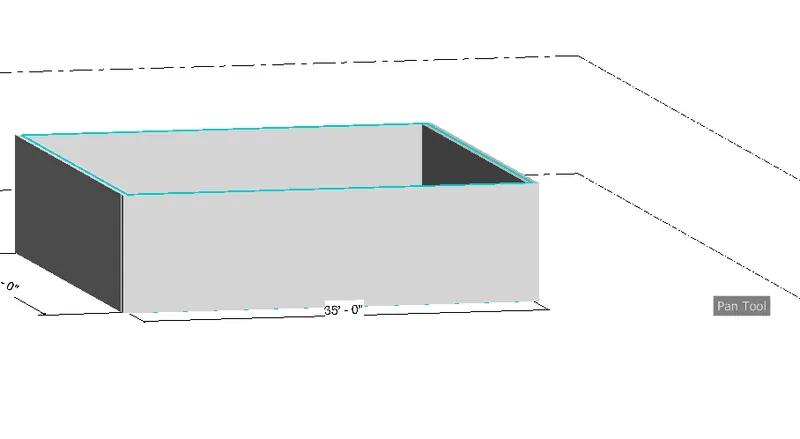
- Click on Pan to move through model space
Result:
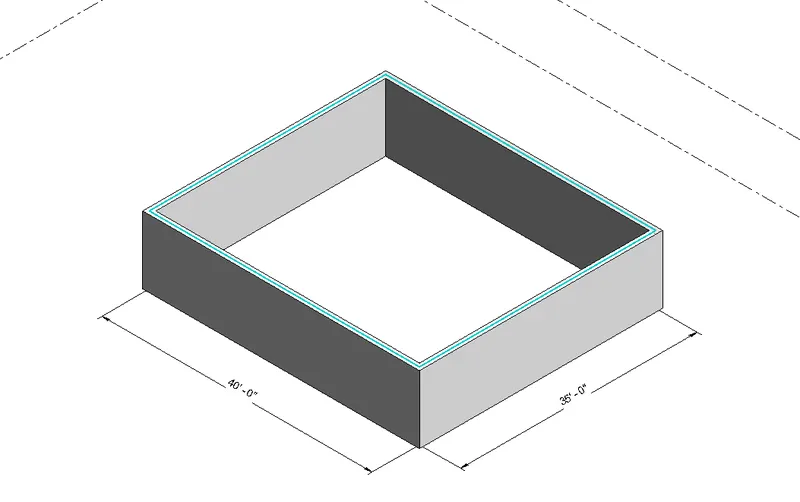
The main aim of the challenge is to navigate through the 3D view of the wall. Initially wall layout drawing of 40’X35’ is opened in REVIT. Navigation through a view is done using a view cube. Orbit/ pan is done through the Full navigation Wheel.
8. Use the visibility settings option below to switch model to shaded, realistic, hidden lines options
Aim: To switch model view to shaded, realistic, and hidden lines options using visibility settings
Introduction:
Once a 3D model is created, we create a 2D wireframe model, which is a transparent model with lines which is not aesthetic if many walls and components are present. So it is recommended to change the visibility of 3D to make the lines on the back hidden or shade the wall for a better view.
Procedure:
Step 1: Open REVIT
Click the windows button and type REVIT and press enter
Step 2: Open a drawing
- Open drawing created in question 3 i.e., Q3 Struct.
Step 3: Changing Visibility Settings
Open the 3D view created above i.e., 3D isometric
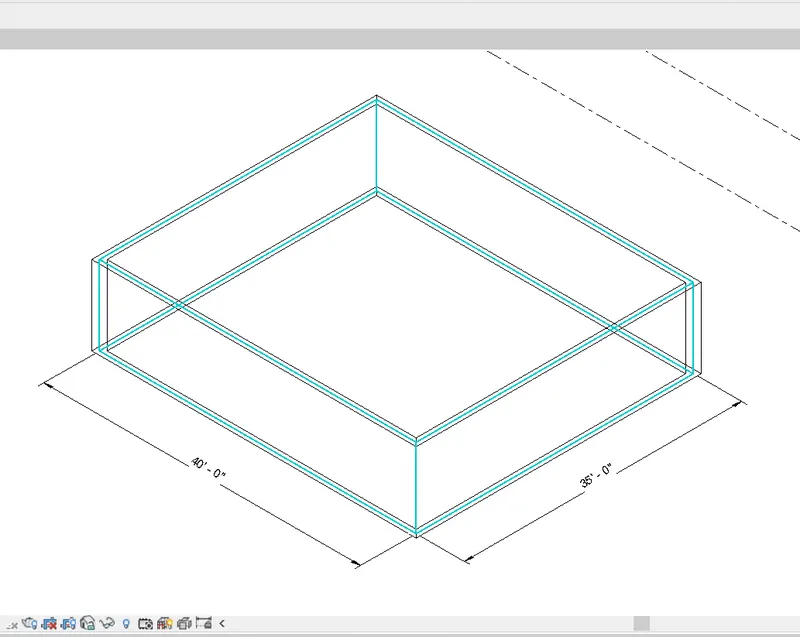
- Go to the bottom toolbar and click on visual settings as shown in the below figure
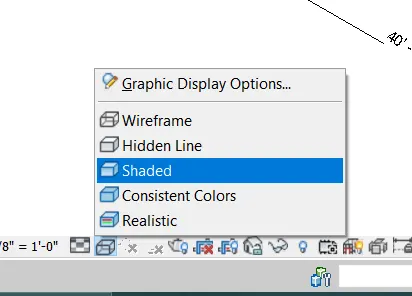
- Change to respective views as required
- Views are shown in the result
Result:
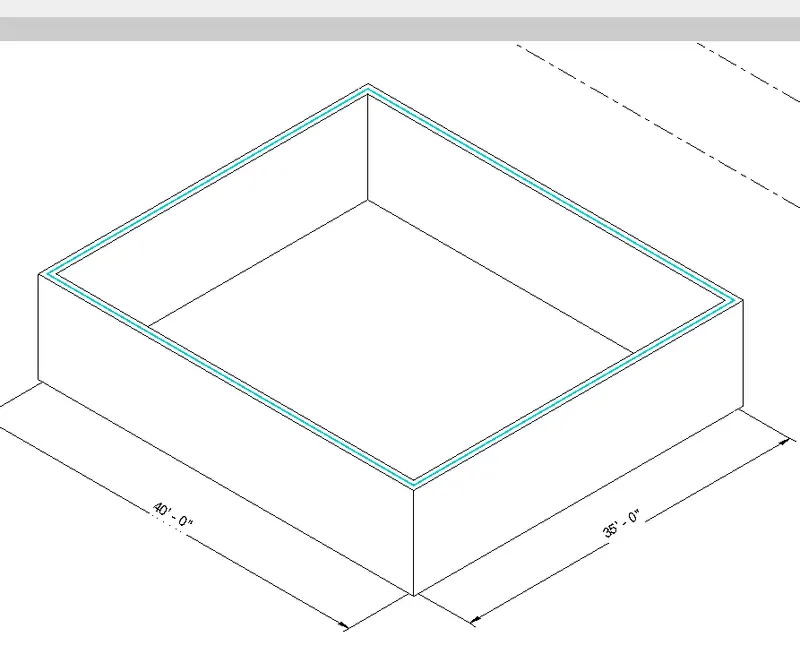
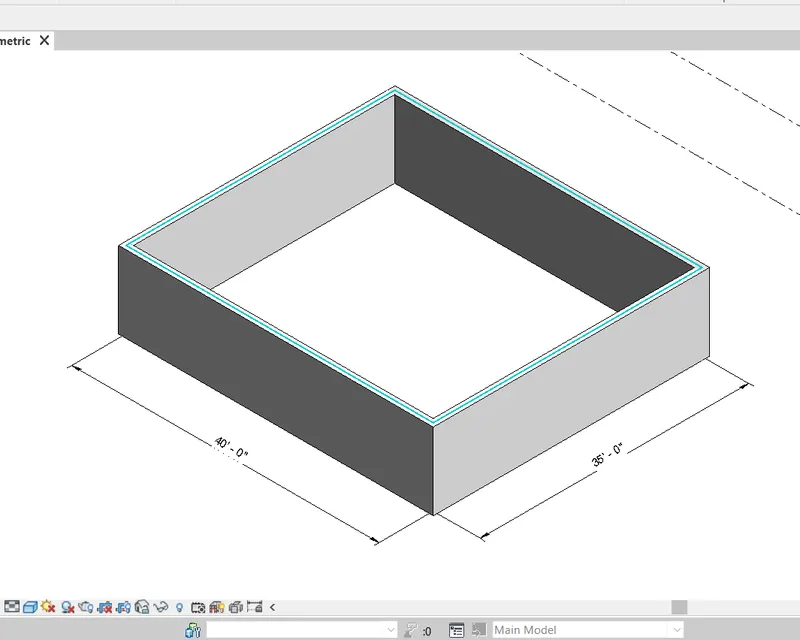
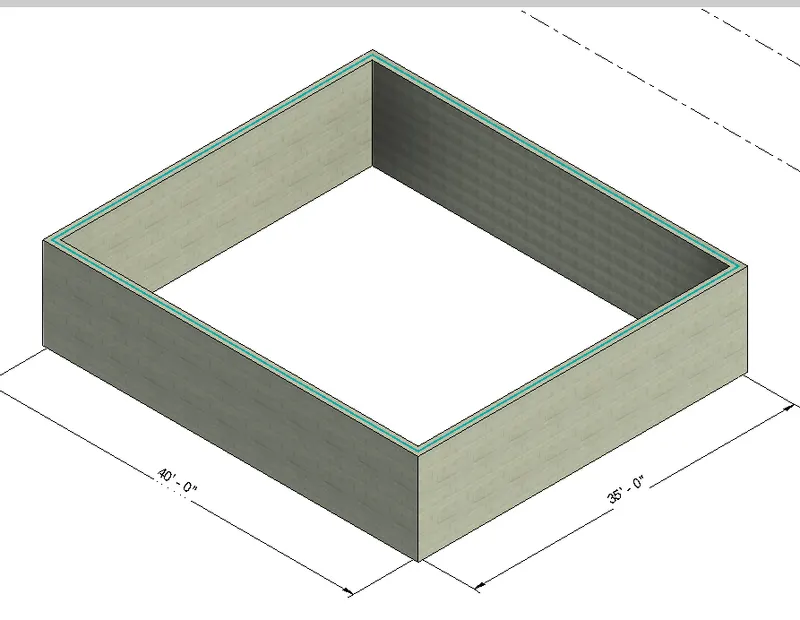
The main aim of the challenge is to change the visual style of the 3D view for better visibility. Initially wall layout drawing of 40’X35’ is opened in REVIT. The following views show three different views hidden, shaded, and realistic views respectively
1. Hidden Lines
2. Shaded View
3.Realistic View
This view is rendered material view as the material given is a masonry wall
9.Turn the sun path on and off to view shadings in the layout created
Aim: To Turn the sun path on and off to view shadings in the layout created
Introduction:
Once a 3D model is created, we create a 2D wireframe model. Sun path decides the shadows and shadings of 3D views. Sun path is generally from east to west, so the time of the day and location affect the shadows formed. In Revit, we can give the location of the house and time to give an exact sun path to the view.
Procedure:
Step 1: Open REVIT and Open Drawing
- As per previous questions REVIT is opened and the Drawing Q3 struct is opened
- 3D Isometric view is opened
Step 2: Creating Sun path
Go to the bottom tool bar
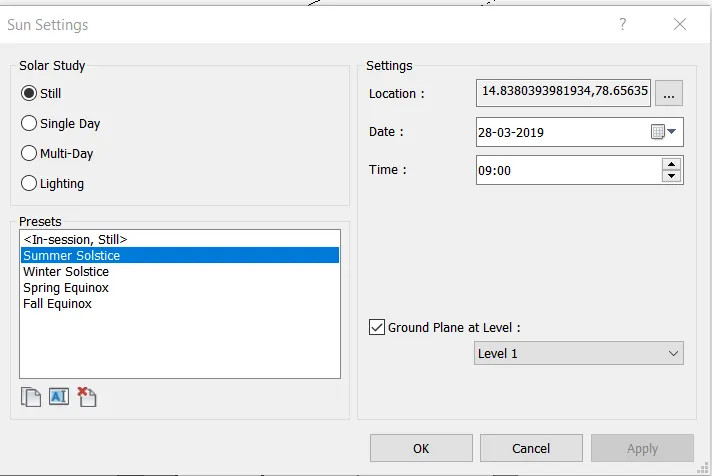
- Click on the sun symbol to open sun settings as shown below
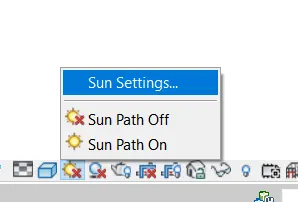
- From dialogue box, click on … three dots adjacent to location
- Set the location as per our requirement
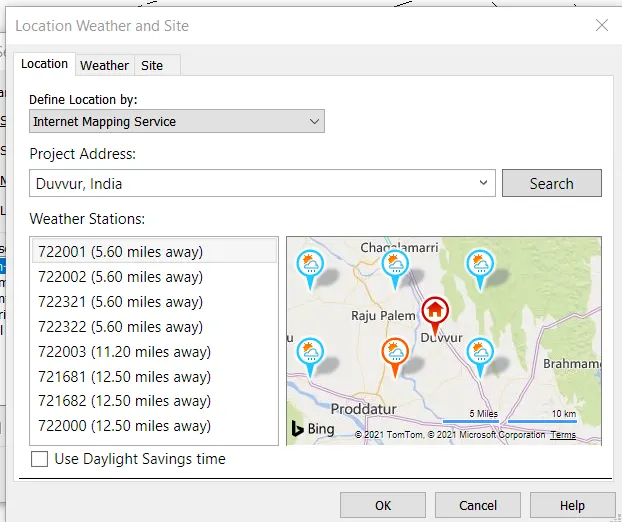
- Click OK to confirm the location.
- Set Preset as ‘Summer Solstice’
- Time as 10 AM
- Click on APPLY and Click on OK to set the location
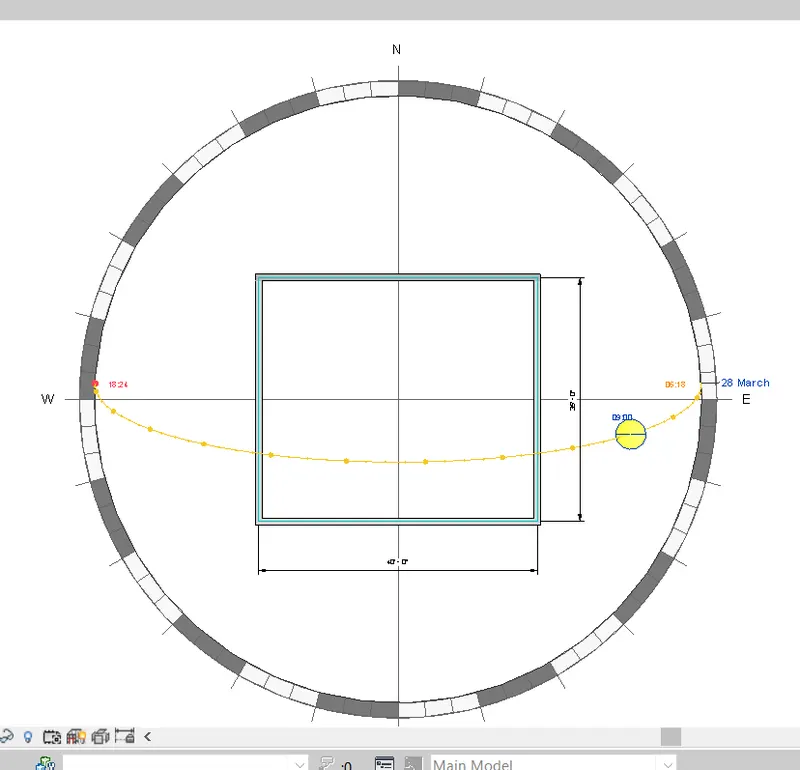
- Turn on the SUN path at the Bottom tool bar
Step 3: Creating Shadows
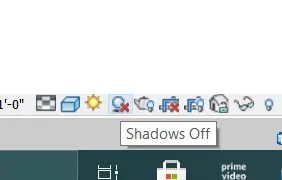
Go to the toolbar at the bottom
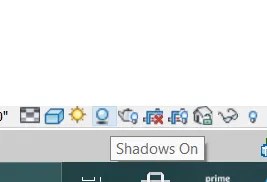
- Click on the shadows button next to the sun path setting to turn on the shadows from the sun settings.
Result:
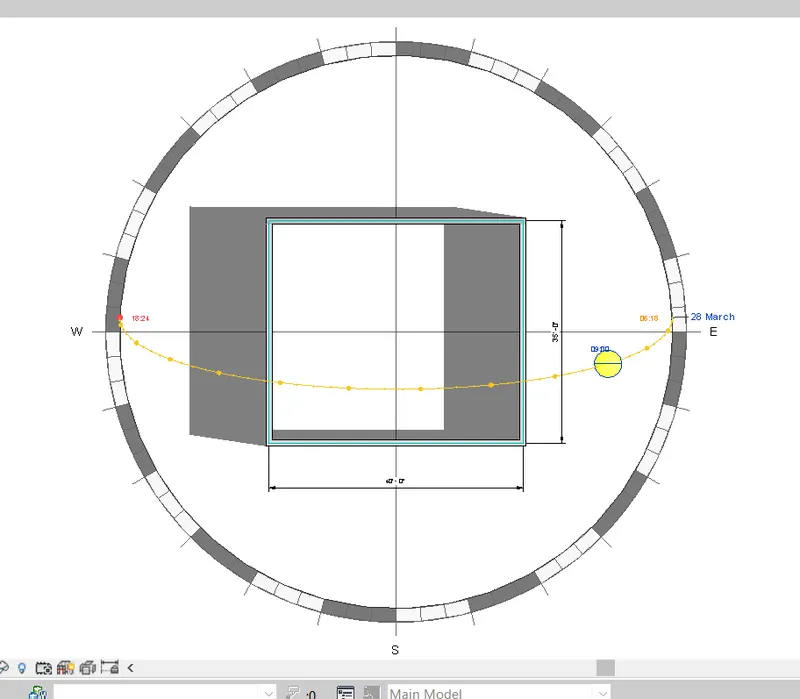
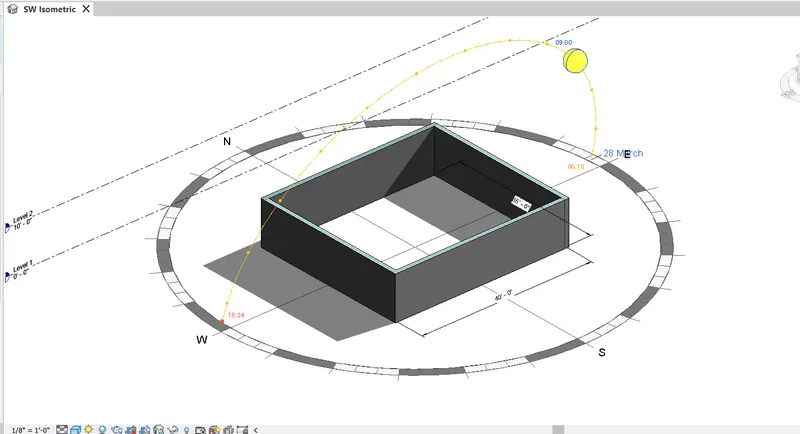
The main aim of the challenge is to Turn the sun path on and off to view shadings in the layout created. Initially wall layout drawing of 40’X35’ is opened in REVIT. The a sun path is created as per our required location using sun path settings. Date and time are also set for better coordination.
Orbit /Pan is used to change the 3D view for better visibility of shadows and sun path etc. as shown below
1. Top View
2.Adjusted view
10. Use the Manage toolbar to enter project settings, project name, and project issue date (choose according to your convenience).
Aim: To switch model view to shaded, realistic, and hidden lines options using visibility settings
Introduction:
Some of the major advantages of Revit are as follows
- Parametric Modeling
- Collaboration
- Coordination
- Scheduling
- Energy Analysis
- Rendering Presentation
- Construction Documentation
As of these advantages, REVIT has coordination with the project with a database containing all the details about such a project. Project details are the initial ones.
Procedure:
Step 1: Open REVIT and Open Drawing
- As per previous questions, REVIT is opened and the Drawing Q3 struct is opened
- 3D Isometric view is opened
Step 2: Project settings
Go to the Manage tab
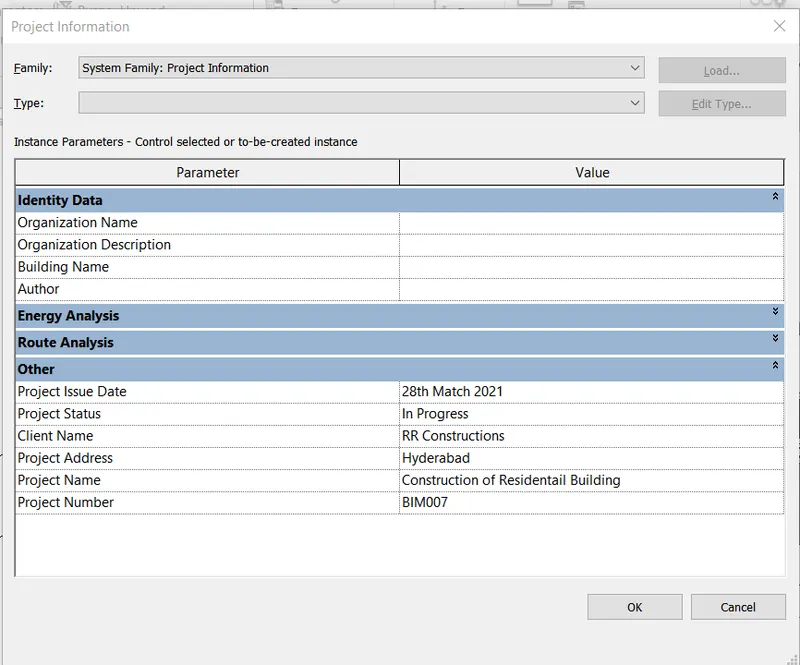
- Click on “Project Information”
- Dialogue box of
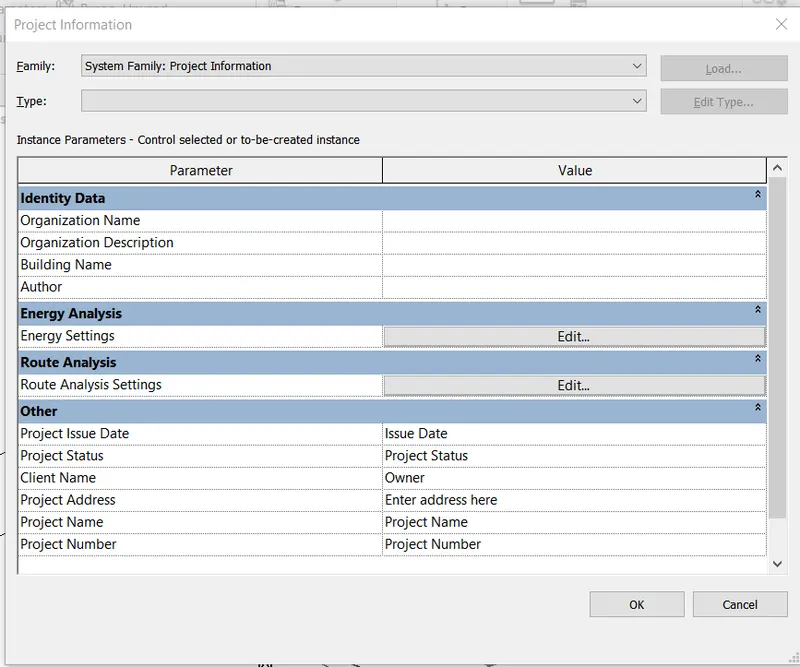
- The end is shown in the result
Result:
The result after entering the project information such as Project name, Project Issue Date, Project status, Project Number, etc.
11. What is the Analyze toolbar used in Revit? How it is beneficial for design and modeling
Analyze tab is REVIT consist of tools for detailed analysis of the structures/layout created. An analytical model is created using Analyze tab.
Some of the components of analyze tab are as follows

- Analytical Model:
Adding boundary conditions, types of load such as point, line, and area loads, load cases, and load combinations of point, lines, and area conditions using this toolbar.
- Analytical Model Tools
It contains tools to adjust the analytical model, check for consistency, reset the model and check member supports in this tab.
- Spaces & Jones
The toolbar is used to create space separators. Space separators are drawn to separate different rooms of the plan to differentiate the rooms. It also contains a tab to name the space that is separated.
- Reports& Schedules
Reports & schedules are prepared of the following
- Heating and cooling loads report
- Duct Pressure Loss Report
- Pipe Pressure Loss Report
- Panel Schedules
- Schedule/Quantities
- Check Systems
Check systems for components such as duct, pipe, and circuits and showing disconnects
- Color Fill
- Energy Optimization
Energy Optimization for Revit is a fast, reliable, and scalable tool for better building energy performance.
- Analyze tab Energy Optimization panel
- Location
- Create Energy Model
- Generate
- Optimize
- Energy Settings
Energy Optimization for Revit provides clear guidance and direction towards better building energy performance for the entire design team, from concept to detail and design to the operation of new and existing buildings
- Route Analysis
Use route analysis to calculate distance and time of travel from one point to another point in the model.
- Structural Analysis
Using this toolkit structural designers and engineers can optimize their workflows in the cloud and on the desktop by using the analytical model built in Revit software by extending the Revit model to Autodesk® Robot™ Structural Analysis Professional software, or supported third party analysis solutions. Once complete, analysis results can be easily stored and explored in the Revit environment.
12. What are the links that Revit supports to be linked to the model?
In Revit other models can be linked to the current model that is under production. The linking of models helps to create an optimized and efficient model in REVIT. The link supports in Revit are
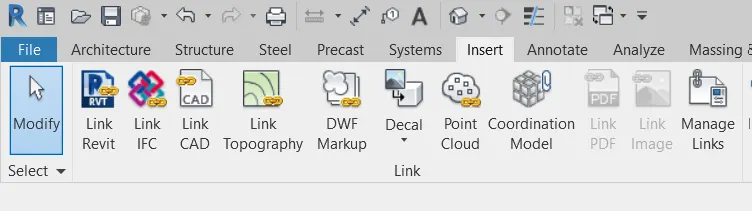
- Link REVIT: Using this link between two Revit models can be created i.e., one past and one current file. It specifies the relative locations of the individual buildings on campus or coordinates efforts across disciplines (Architectural, structural, and engineering).
- Link IFC: The Industry Foundation Classes (IFC) data model is intended to describe architecturally, building, and construction industry data. It is a platform-neutral, open file format specification that is not controlled by a single vendor or group of vendors. Link to an IFC file when you want to perform additional design work in Revit using the IFC file as a reference.
- Link CAD: When you link a CAD file to a Revit model, Revit maintains a link to that file. Whenever you open the model, Revit retrieves the current, saved version of the linked file and displays it in the model. Any changes to the linked file are displayed in the model. If the linked file changes while the model is open, reload the file to retrieve the latest changes. This ability to retrieve the latest changes to a CAD file is the difference between linking and importing. When you import a CAD file, Revit uses the version of the file that you imported. It does not retrieve or display changes to the imported file.
- Link Topography: When a civil engineer or a landscape architect creates topography data for a project and you want to reference it for a building model, you can link the topography to Revit.
- Link DWF Markups: When creating construction documents, a typical workflow is to print out a sheet, have it reviewed and marked up by the project architect or other professional, and then return it to the originator of the sheet to have the requested changes made.
- Link Decals: Use the Place Decal tool to place images on surfaces of a building model for rendering.
- Link Point Cloud: Link a Point Cloud file into the project to provide a highly accurate visual reference of the existing condition of a building or site.
13. Why do you need the Collaborate tab in Revit? How it supports modeling and its efficiency
Revit provides several different ways to collaborate with team members who are also using the software.

- Helps link multiple Revit models together, simultaneously allowing other team members to work in the background.
- Users on the same local area network (LAN) can work together in the same Revit model using Revit Work Sharing.
- When collaboration needs to occur among users who are not in the same geographic location, use Revit Server or Revit Cloud Work-sharing.
- Revit Server connects offices that share a network but are not in the same geographic location.
- Revit Cloud Work-sharing is a cloud-based service that allows any Revit users inside or outside a network to collaborate on a Revit model.
Revit Cloud Work-sharing helps in modeling with efficiency
- As the Revit Cloud Work-sharing service helps to author Revit models in the cloud concurrently with other team members.
- Before Revit users collaborate on a model in the cloud, you must upload the model from Revit to BIM 360 Document Management. During the upload process, the following events occur:
- If the model does not yet have work-sharing enabled, work-sharing is automatically enabled, the Revit model is uploaded to the BIM 360 project, and a locally-cached version is created on your computer.
- If the model is already work shared, the Revit model is uploaded to the BIM 360 project, and a locally-cached version is created on your computer.
- As alternatives to using Revit Cloud Work-sharing, you can use Revit Server to collaborate across a wide area network (WAN) or file-based work-sharing to collaborate across a local area network (LAN).