Implementation of RTOS to control and Check the Temperature and Pressure using Binary Semaphore
AIM: To Calculate and Check the Pressure and Temperature in an Atmosphere using Temperature sensor, Pressure sensor and Arduino by using Binary Semaphore in FreeRTOS.
Requirements:
1. Arduino Uno
2. Temperature Sensor
3. Pressure Sensor
4. Connecting wires
5. USB cable
CODE:
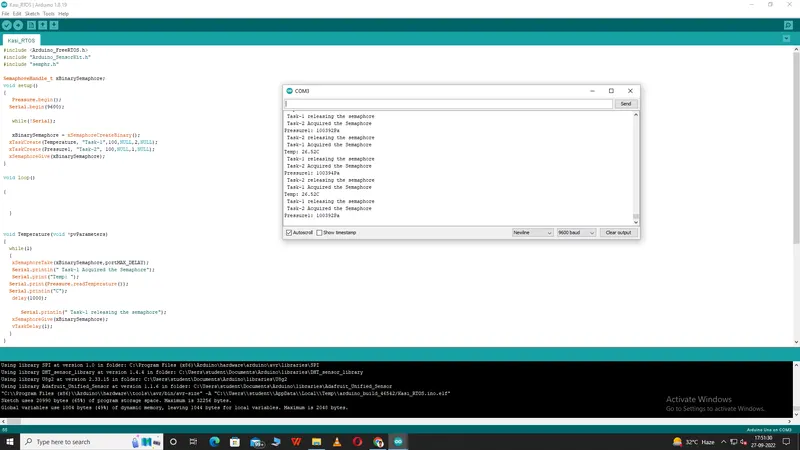
#include
#include "Arduino_SensorKit.h"
#include "semphr.h"
SemaphoreHandle_t xBinarySemaphore;
void setup()
{
Pressure.begin();
Serial.begin(9600);
while(!Serial);
xBinarySemaphore = xSemaphoreCreateBinary();
xTaskCreate(Temperature, "Task-1",100,NULL,2,NULL);
xTaskCreate(Pressure1, "Task-2", 100,NULL,1,NULL);
xSemaphoreGive(
}
void loop(){ }
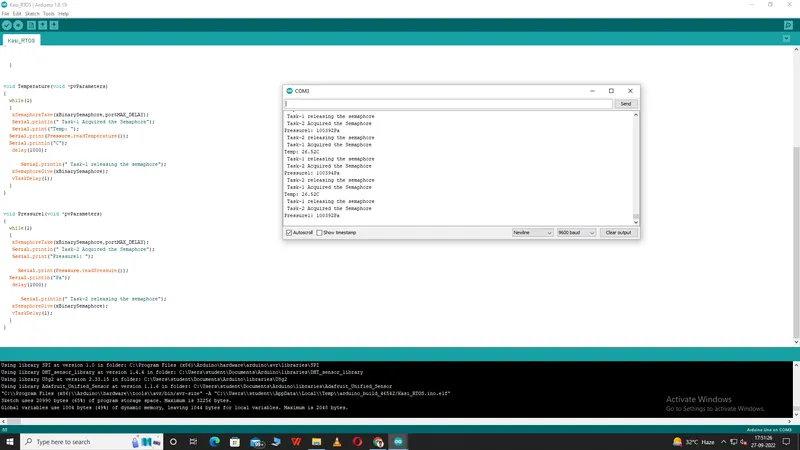
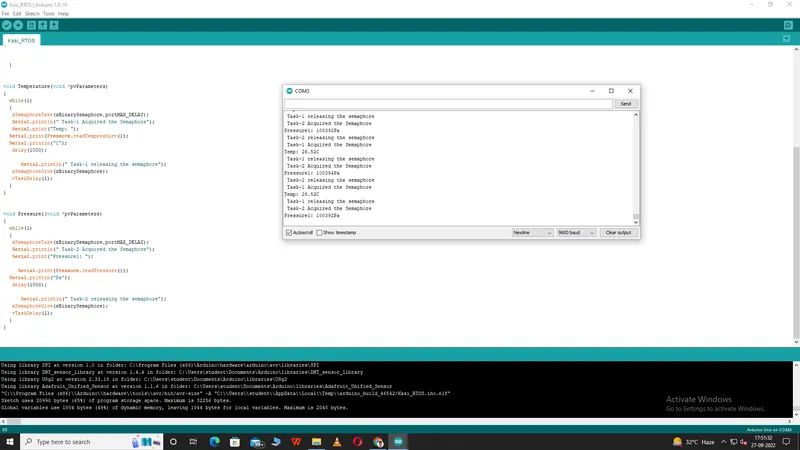
void Temperature(void *pvParameters)
{
while(1)
{
xSemaphoreTake(
Serial.println(" Task-1 Acquired the Semaphore");
Serial.print("Temp: ");
Serial.print(Pressure.
Serial.println("C");
delay(1000);
Serial.println(" Task-1 releasing the semaphore");
xSemaphoreGive(
vTaskDelay(1);
}
}
void Pressure1(void *pvParameters)
{
while(1)
{
xSemaphoreTake(
Serial.println(" Task-2 Acquired the Semaphore");
Serial.print("Pressure1: ");
Serial.print(Pressure.
Serial.println("Pa");
delay(1000);
Serial.println(" Task-2 releasing the semaphore");
xSemaphoreGive(
vTaskDelay(1);
}
}