Forward Kinematics of 2R Robotic Arm
AIM:
Forward of kinematics of 2R Robotic Arm using Matlab
INPUTS ,EQUATIONS AND FORMULAS USED:
[x0 x1],[y0 y1] , [x1 x2] , [y1 y2]
Here x0 , y0 are axis of the fixed arm
x1, y1 are the axis for the end of the fixed arm
x2,y2 are the axis for the moving manipulator or robotic arm
x0 = 0
y0 = 0
Here both x0,y0 axis are zero because it was at the fixed end
x1 = l1*cosd(THETA1)
y1 = l2*sind(THETA1)
length of the fixed arm are taken as the value l1,l2 respectively
x2 = x1+l1*cosd(THETA2)
y2 = y1+l2*sind(THETA2)
Length of the Moving arm are taken as the value l1,l2 respectively
For example we take l1 =1m
and l2 =0.5m
(we take both values in meters)
COMMANDS USED
For the THETA1 AND THETA2 values we are going to use linspace command for the moving arm
so the theta1 = linspace(0,90,10)
theta2 = linspace(0,90,10)
So above commands it has give more than 10 different values
for changing the each value on same equation so for command(for loop)
For the example we take i , j as the variable for theta1 and theta2
i = 1: length(theta1)
j = 1: length(theta2)
length of both thetas are 10(linspace command so 10 nos)
ct =1
ct is overall number of the variables
PLOTTING
plot([x0 x1],[y0 y1] , [x1 x2] , [y1 y2], 'linewidth',3)
axis([-0.1 1.5 0 1.5])
pause(0.02);
M(ct) = getframe(gcf);
ct = ct+1;
plot for the both arms has been plot but its has give so many axis and lines so we are going use pausethe fig for(0.02) so we use pause(0.02)
ct = ct+1
for each time new value should start so we are using ct command here total value of ct =101 ..
M(ct) = getframe(gcf)
For indexing array elements (100) , getframe(gcf) is used to capture the figure window
movie(M) for converting this to the avi file we are using this command
Videofile = VideoWriter('forward_kintest.avi','uncompressed AVI') for saving this file name and type we using this command
for open , write and close this commands has been used here
open(Videofile)
writeVideo(Videofile,M)
close(Videofile)
PROGRAM
clear all
close all
clc

% inputs

l1 = 1;
l2 = 0.5;

theta1 = linspace(0,90,10);
theta2 = linspace(0,90,10);
ct = 1

for  i = 1: length(theta1);
    THETA1= theta1(i);

   for j = 1 : length(theta2);
    THETA2 = theta2(j);


x0 = 0;
y0 = 0;

x1 = l1*cosd(THETA1)
y1 = l2*sind(THETA1)

x2 = x1+l1*cosd(THETA2);
y2 = y1+l2*sind(THETA2);


%  plotting

plot([x0 x1],[y0 y1] , [x1 x2] , [y1 y2], 'linewidth',3)
axis([-0.1 1.5 0 1.5])
pause(0.02);
M(ct) = getframe(gcf);
ct = ct+1;

   end
end


movie(M)
Videofile = VideoWriter('forward_kintest.avi','uncompressed AVI');
open(Videofile)
writeVideo(Videofile,M)
close(Videofile)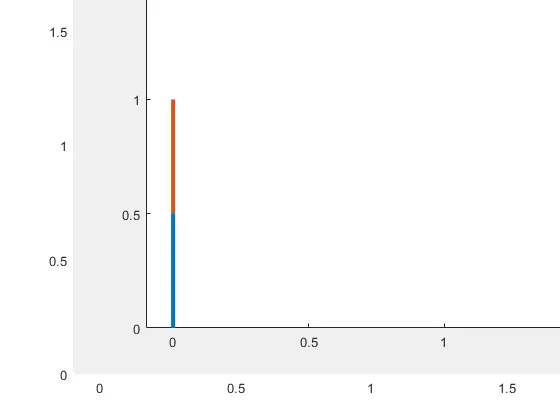
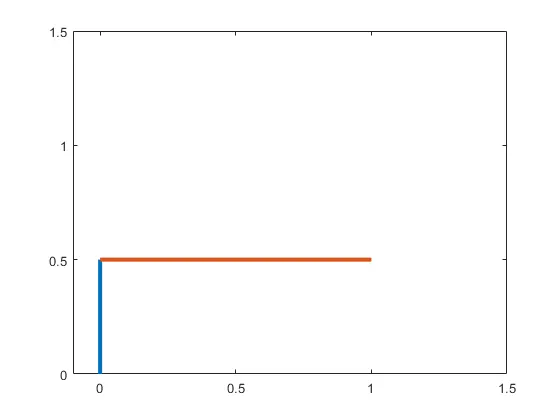
THESE ARE THE EXAMPLES PLOTS WE ARE RECEIVED
PROBLEMS FACED DURING CODING
While plotting cant able to plot the exactly so its looks ugly , therefore i had used pause command and the proble was the value of ct..
Youtube link for this project has attached below
Result :
The resultant of this project has been sucessfully verified