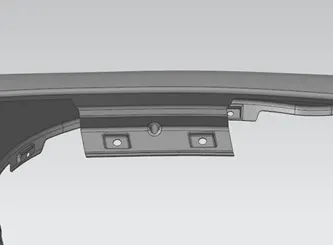
Fender Design Challenge
Fender design
Objective: To design a fender with necessary mountings using Catia or NX.
What is Fender?
A fender is a part of a car that protects the frame and its wheel and keep mud, water, derbies from splashing it. This fender is designed as per specific requirement and regulation of region because different regions have different terrain and that required different parameter for fender design. The fender is connected with engine room called drip, on the body, on A-pillar, sill which is on the bottom of the frame, cowl which is connected to plastic part on which vipers are mounted. This fender are connected with fasteners.
Manufacturing process:
Fenders are normal made of sheet metal and this are manufacture with pressing process. The sheet metal is pressed against the mold to get the proper shape and then embosses are also created with same method so it is very necessary to create emboss in such a way that manufacturing is feasible. If we create such a shape that is not feasible to manufacture then design will also fail no matter how good it is. So, design is made with manufacturing process in mind.
Types of fenders:
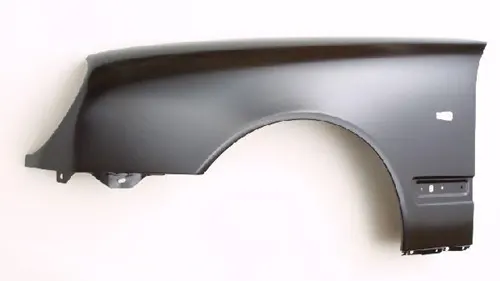
- Full bumper type:
Full fender will cover the wheel and is not visible directly and hence required more material which will cause more weight so this fender are not cost efficient and not used commonly in automobile. But still there are few company use for looks but are very less.
- Half bumper type:
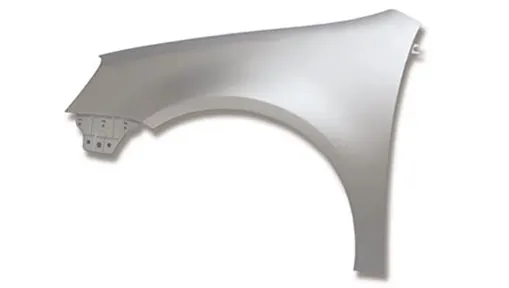
Half bumper fender will only cover the top of the tire and will only connect with the light with different bumper, hence less material and cost effective also. Most of the car used this type of fender.
Design procedure:
- Create the section for mountings:
- Make cut out on the parent body as required for making the mounts
- Use offset curve and curve on surface to create the geometry on the fender and then trim it.
- Try to create smooth surface with tangency on the curves
- Create mountings:
- Create the drip area first with given dimension
- Used law extension tool to create this part
- If there is any irregular surface or sharp edge eliminate it
- Create emboss:
- To create emboss on the surface draw a sketch and project it to the surface
- Create emboss but with o radius of curvature on surface
- To do this create a plane 2-3 mm above the surface and use datum plane as reference to create flat surface
- Some emboss are difficult so use planes at surface and then offset it
- By doing this we will get flat surface with no radius of curvature
- Always go to analysis and measure if the surface is flat or not and if not then try to make it flat
- Cut the hole on the surface with trim sheet
- Make sure we do not trim extra sheet or the other part of the sheet
- Create dart:
- To create dart got to search box and search for dart tool because it is normally not available on menu
- Select the surface on which the dart is need to be created
- Give required dimension to the geometry for the creation of dart
- Give fillets:
- Give the proper fillet to the edges
- Give fillet to the dart and emboss surface
- Create a solid body:
- Give thickness to body of 0.75 mm on the inner side
- If surface body is visible make sure to hide the surface body
Result:
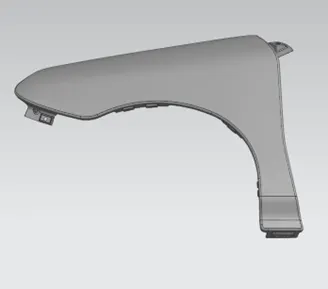
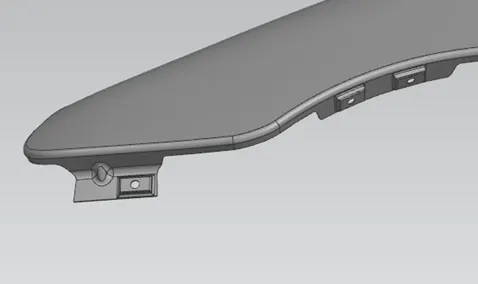
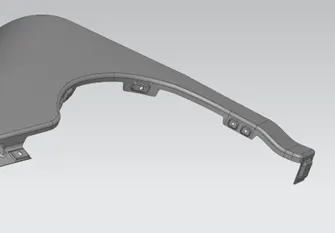
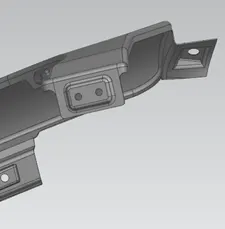
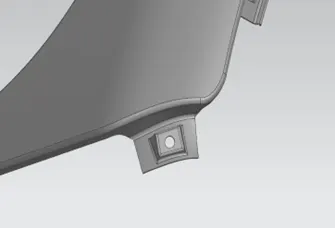
The fender body with mountings and darts is created with thickness of 0.75 mm.
Final model images:
Main fender
Front mounting
Side mounting
Sill
A-pillar
Drip mounting