Drafting of various geometries using Chamfer, Fillet tool in AutoCad
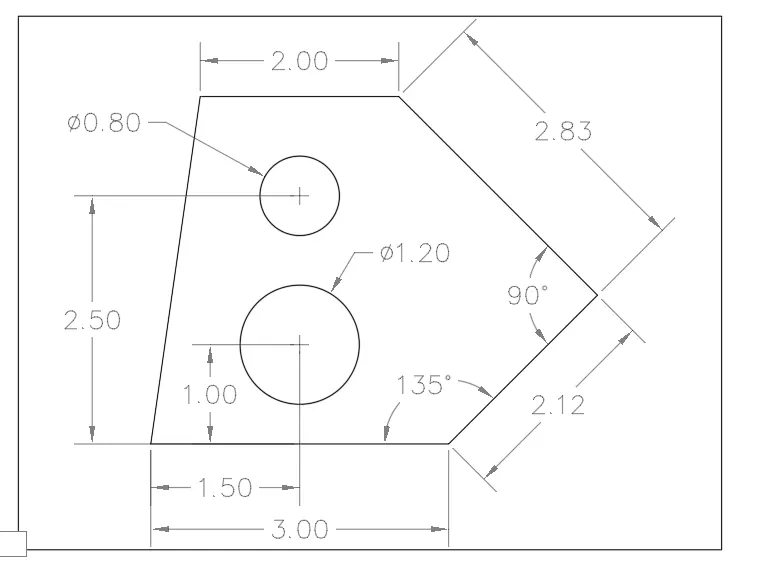
I used PLINE to trace the outer lines with length measurements and appropriate angles. the inner circles were done using a circle tool (center, radius) previously a construction line was traced at a distance of 1.5 from the left corner of the shape, to proceed with the circle center distance and according to diameter.
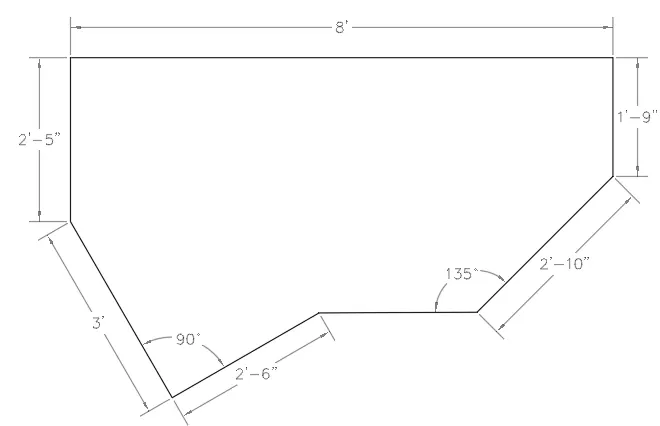
Initially, the units were changed to architectural units. the drawing was traced using a line tool and polar tracking to get the angles indicated since one dimension was missing.
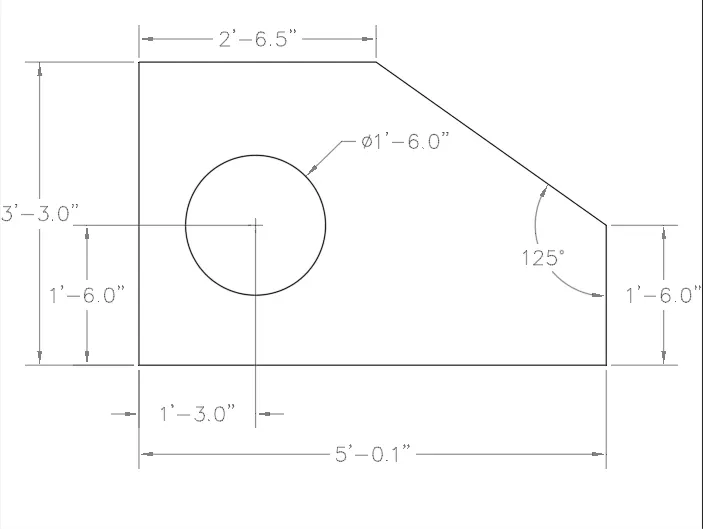
Units were changed to Engineer units. The ORTHOMODO tool was effective for this drawing, allowing to draw horizontal and vertical lines avoiding errors. the inner circle was center with angle and 1'3" from the left side of the figure.
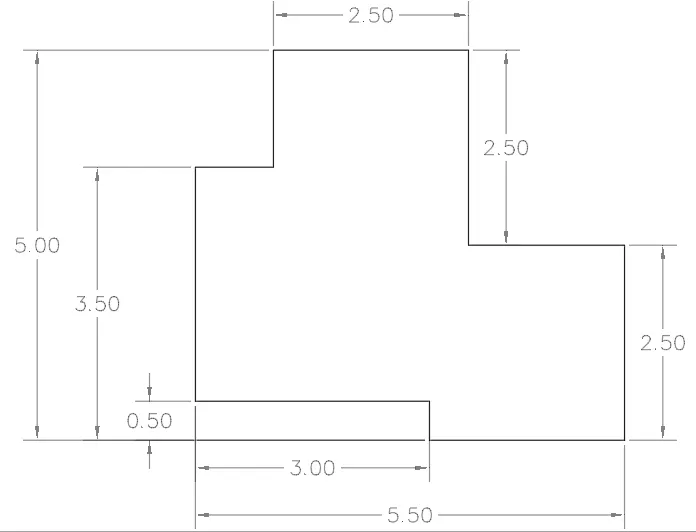
Orthomode and line tool was functional for this drawing. straight forward horizontal and vertical lines with assigned dimensions.
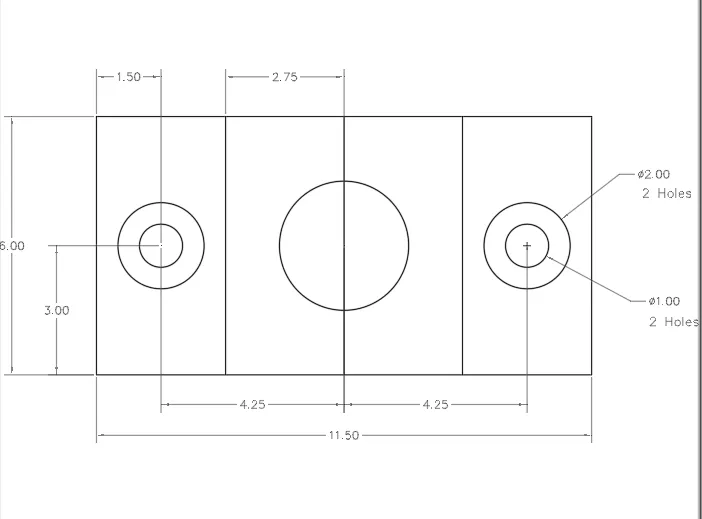
Initially, I pick a rectangle tool (11.5,6.00) to draw the boundary, a construction line was traced in the center vertically continually was offset 4.25 to each side. another construction line was traced center horizontally to draw the circles. outer circles were easy to offset 1 unit. lastly, all construction lines were deleted.
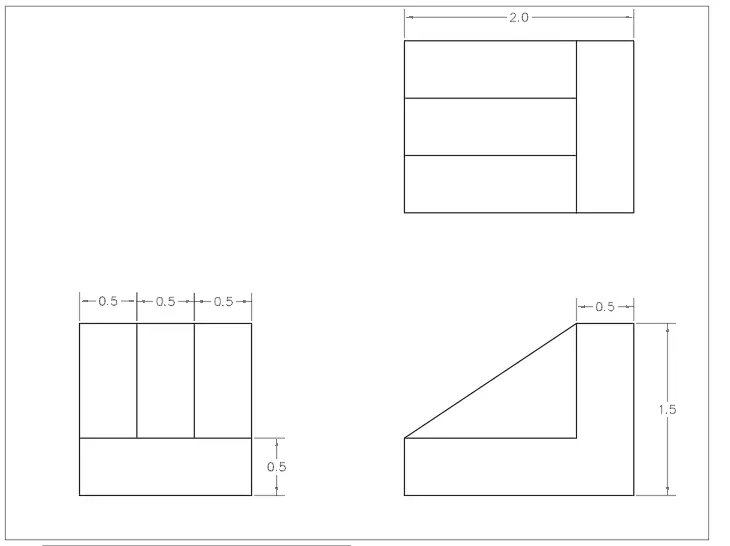
I built the first object using the line tool then I mirror it and rotate it as shown on the attached drawing. the angle shape was done by projecting lines.
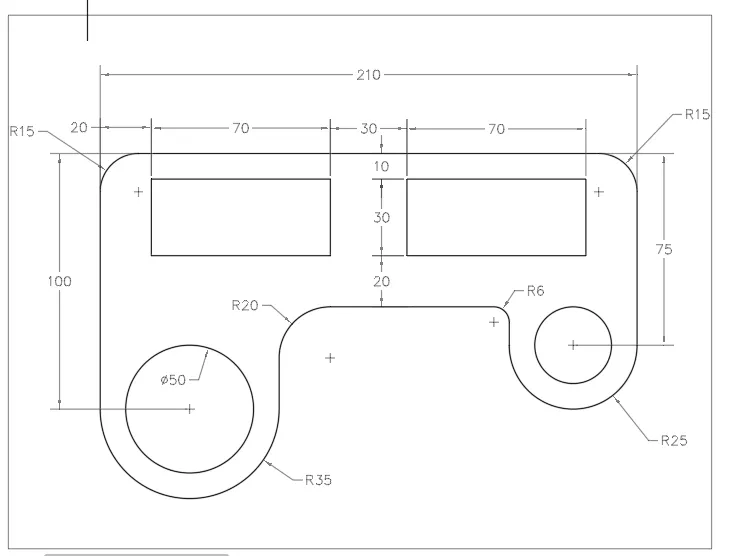
Orthomode and line tools were initially used to draw outer lines. the circle was done using construction lines to center them. trim too was used to cut unneeded parts and fillet to provide radius on the edges of the shape.
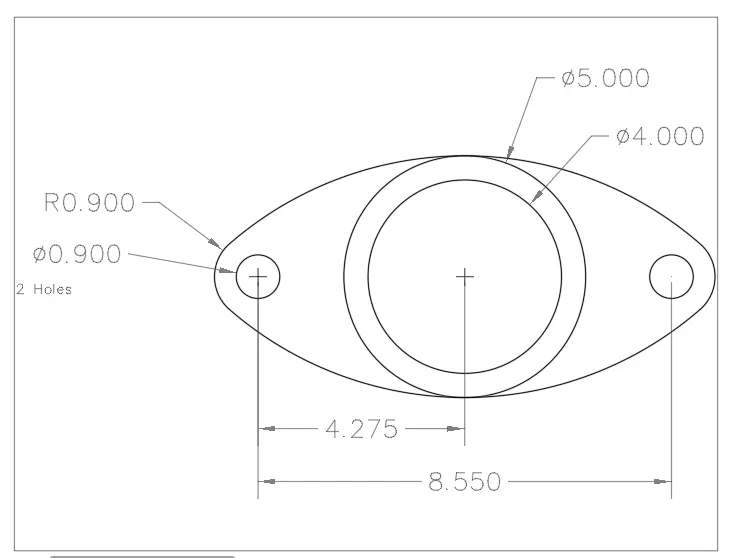
Circle with according diameter was drawn at a specified distance. and to connect them I used 3 point tangent tool
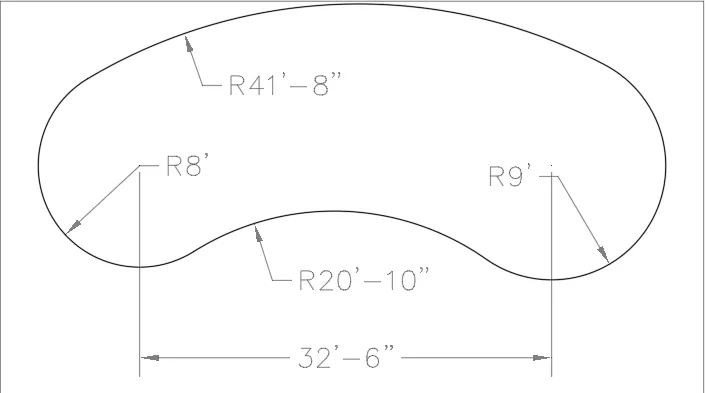
the outer circle was drawn with appropriate radius and was connected with (tan, tan, radius) lastly, the object was trim
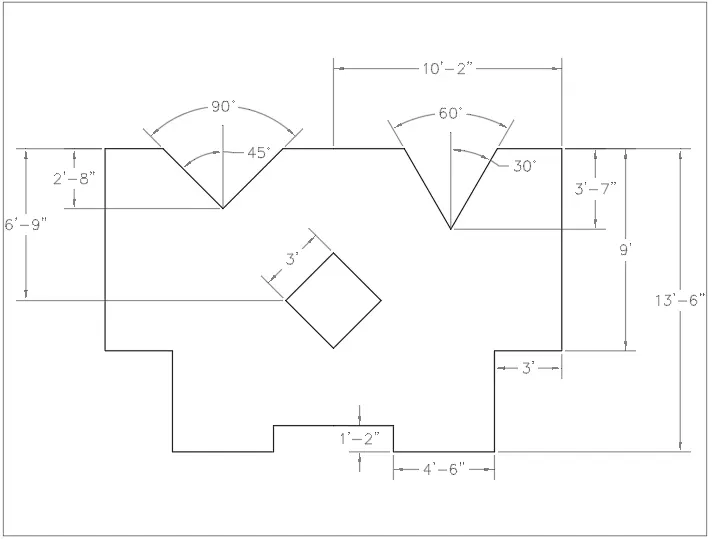
Orthomode and line tools. I draw half of the shape then I mirror it since is symmetrical. the center square was done using construction lines and polar tracking at a 45-degree angle. to later be center as dimension specified. the upper angles were also done using polar tracking.