Creation of Multiple viewports, Scaling the drawing and setting in Template in AutoCad
Ans 1:
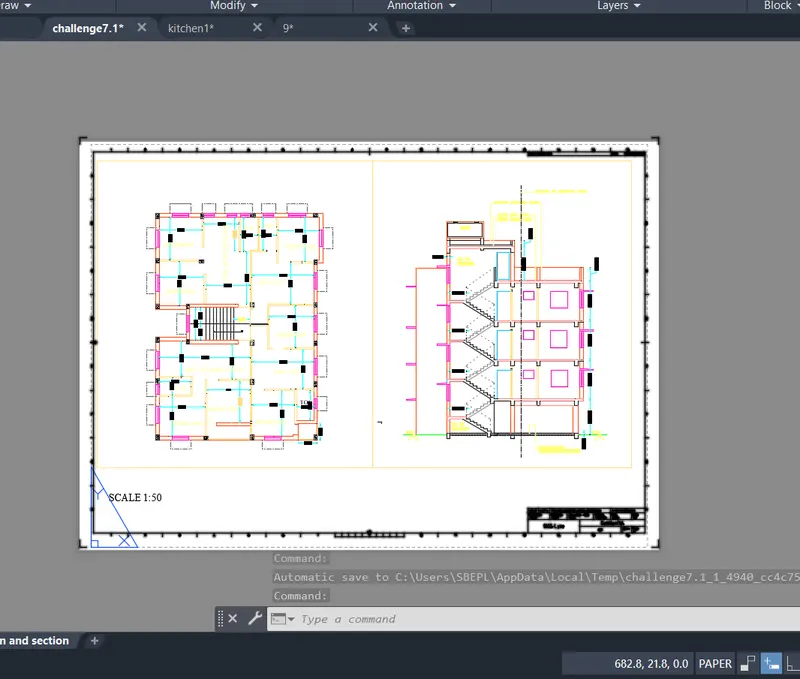
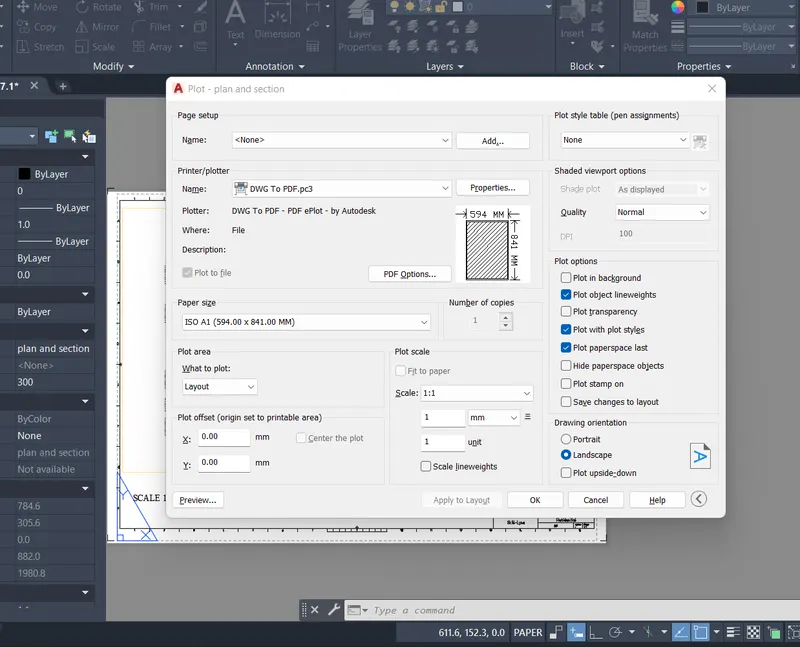
AIM: Create a layout of the Plan and Section A of the project in Challenges 7, using the template Tutorial-mArch.dwt in a scale as given in the Figure. Use the MV command to create the viewport of the size as shown in Figure. Also, use ATTEDIT command to edit the information in the title block. Use A1 size for the layout. Take a plot.
PROCEDURE:
- Open the Drwaing of the challenge 7
- Type layout in the command prompt > template>Tutorial arch .m
- In the command plot the rectangle of given sizes and type mv to add view by using object option.
- Then click on the tittle box to edit the tiitle.
- In the command prompt type pagesetup set the page.
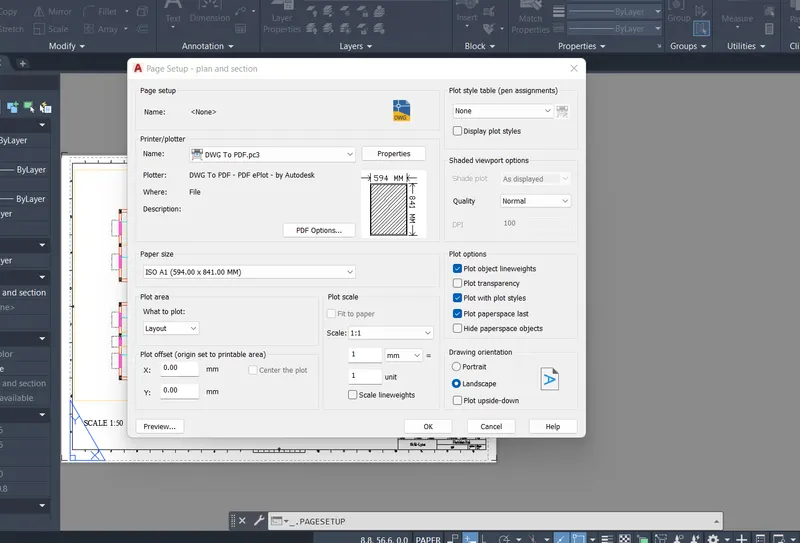
- Give the required attributes.
- Create a view in the model drawing and apply that view to the layout view.
- Plot the drawing using plot command.
Ans 2:
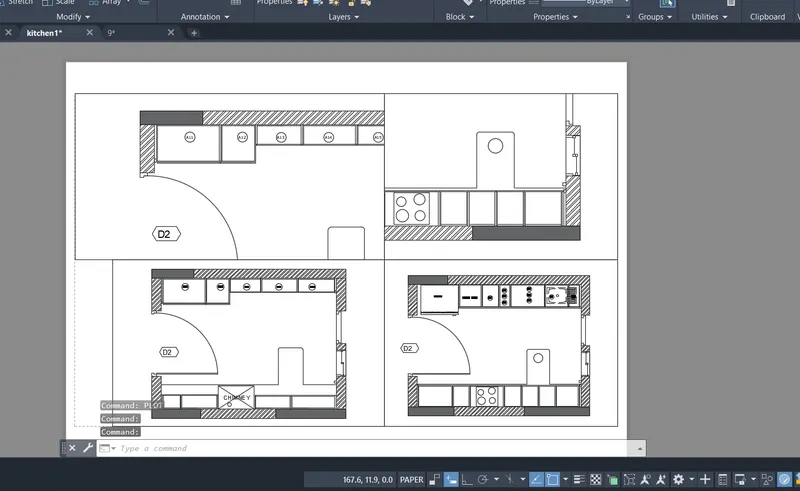
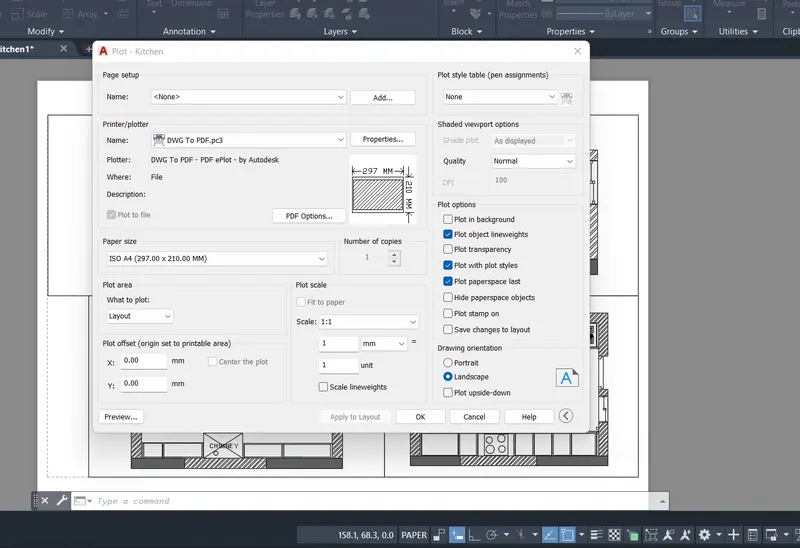
AIM: Create a layout of the Kitchen drawn in Challenge 9 as shown in Figure. Use the scale as shown in the Figure. Use A4 Size page for the layout. Take a plot.
PROCEDURE:
- Open the kitchen drawing of challenge 9
- In the command prompt type pagesetup to make the size to A4 change
- In the command prompt type ms to create 4 views
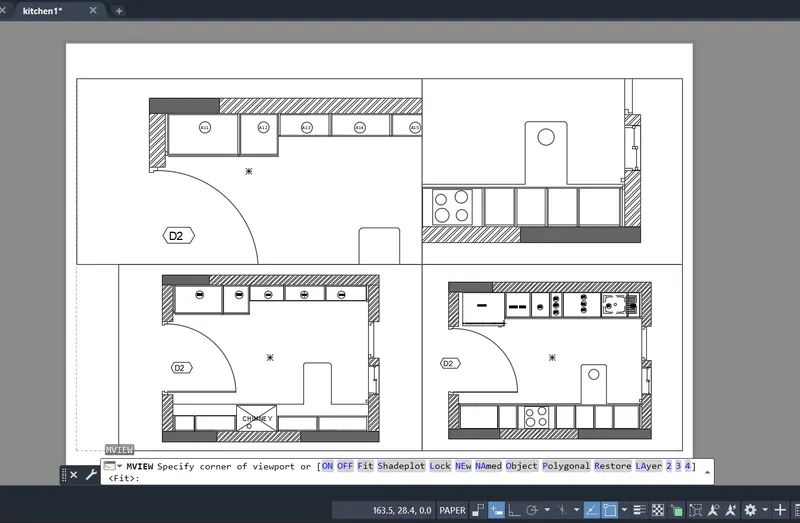
- Create a view in the model drawing and apply that view to the layout view.
- Plot the drawing using plot command.
Ans 3:
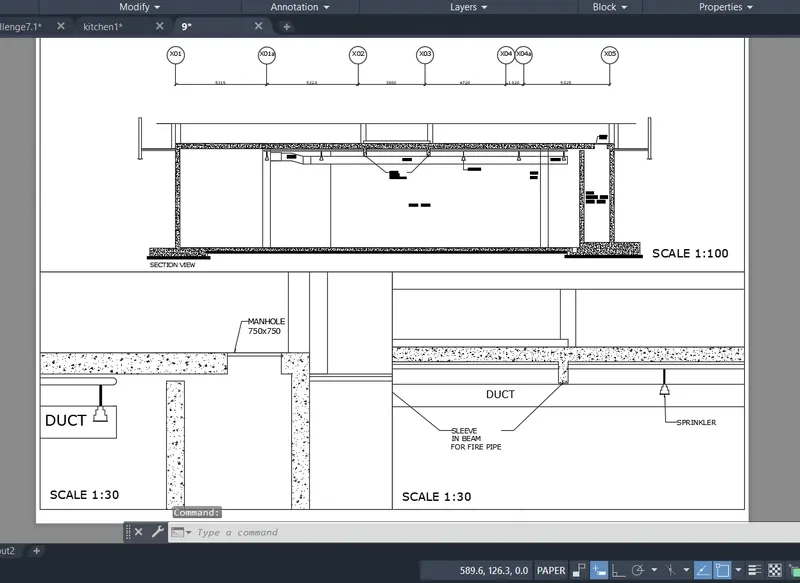
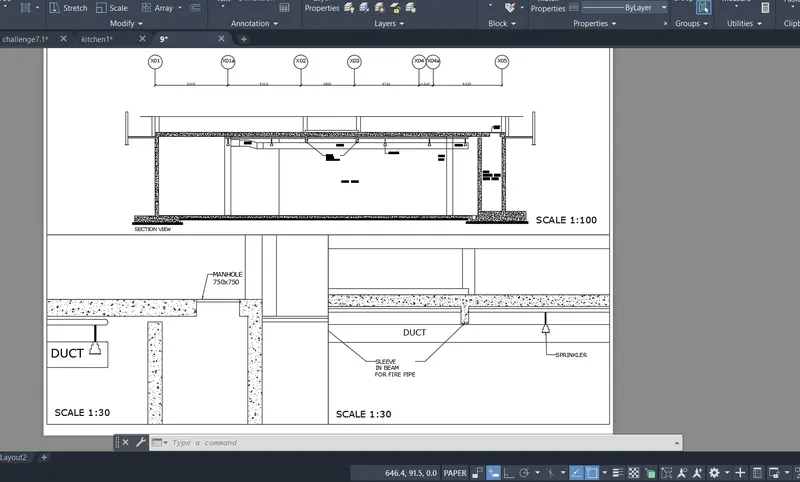
AIM: Create a layout of the section created in Challenges 9.Use scale as mentioned in the Figure. Use MV command create multiple viewports. Take a plot.
PROCEDURE:
- Open the kitchen drawing of challenge 9
- In the command prompt type pagesetup to make the size to A1 change
- In the command prompt type ms to create 3 views
- Create a view in the model drawing and apply that view to the layout view.
- Plot the drawing using plot command.
Result: