Creation of Multiple viewports, Scaling the drawing and setting in Template in AutoCad
1)
AIM: Create a layout of the Plan and Section A of the project in Challenges 7.
PROCEDURE:
- First we will create the new layout for the project.
- after that we will setup the page i.e A1,A2,A3,A4....etc.
- using the MV,MS&PS commands for the setup of the layout.
- after that we will use scale wherever required.
- next we will plot the layout for print.
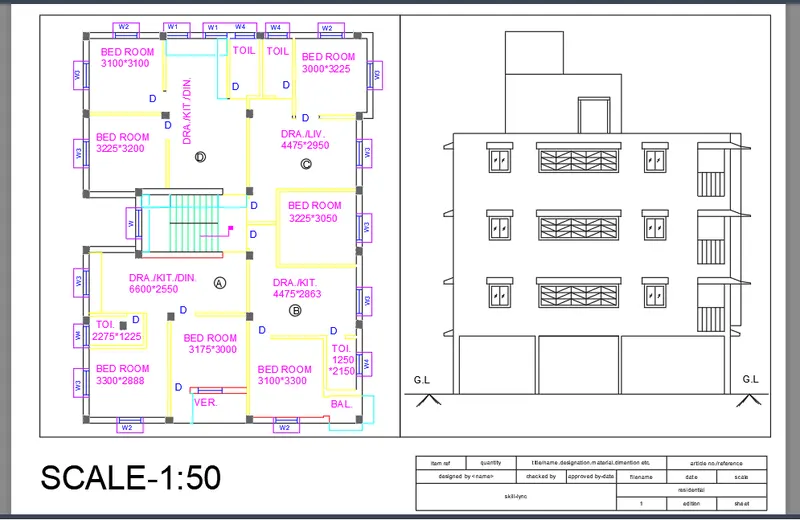
Result: I understand how to draw the given diagram.
2)
AIM: Create a layout of the Plan and Section A of the project in Challenges 9.
PROCEDURE:
- First we will create the new layout for the project.
- after that we will setup the page i.e A1,A2,A3,A4....etc.
- using the MV,MS&PS commands for the setup of the layout.
- after that we will use scale wherever required.
- next we will plot the layout for print.
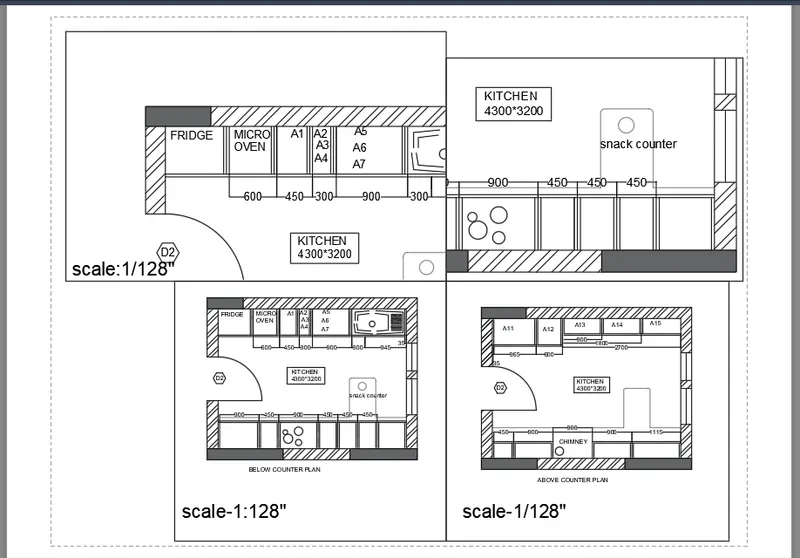
Result: I understand how to draw the given diagram.
3)
AIM: Create a layout of the Plan and Section A of the project in Challenges 9.
PROCEDURE:
- First we will create the new layout for the project.
- after that we will setup the page i.e A1,A2,A3,A4....etc.
- using the MV,MS&PS commands for the setup of the layout.
- after that we will use scale wherever required.
- next we will plot the layout for print.
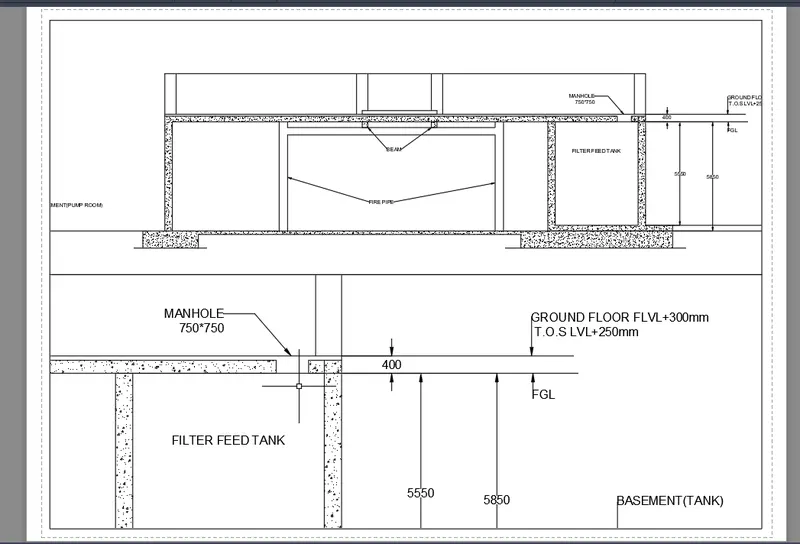
Result: I understand how to draw the given diagram.