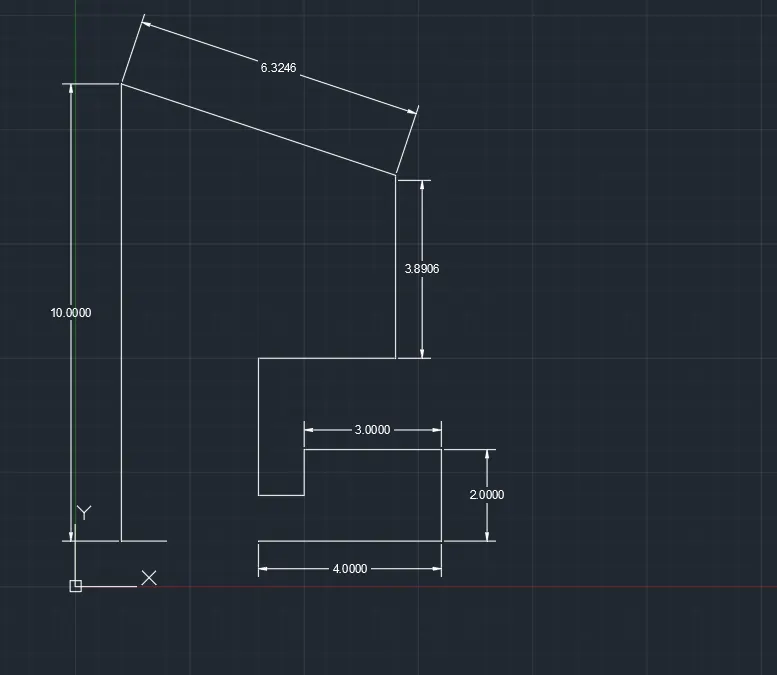
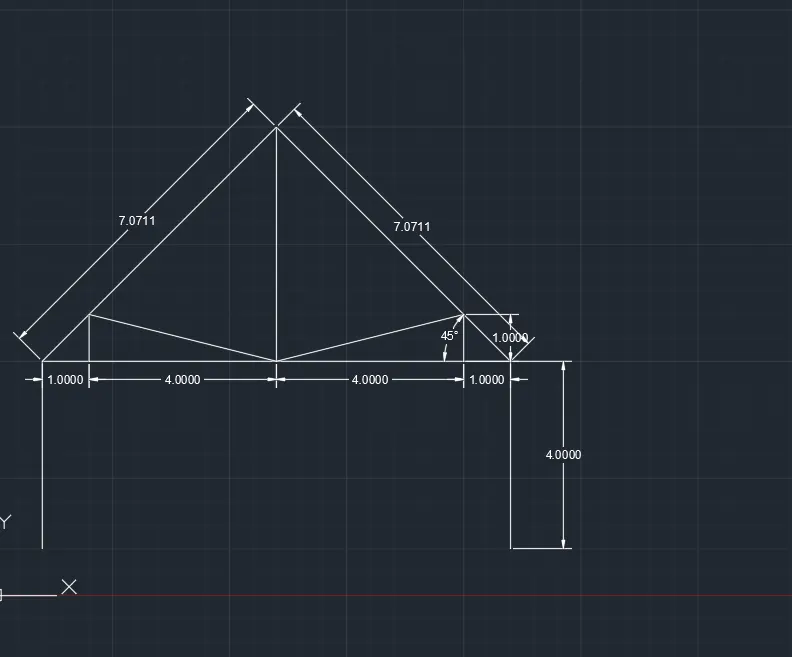
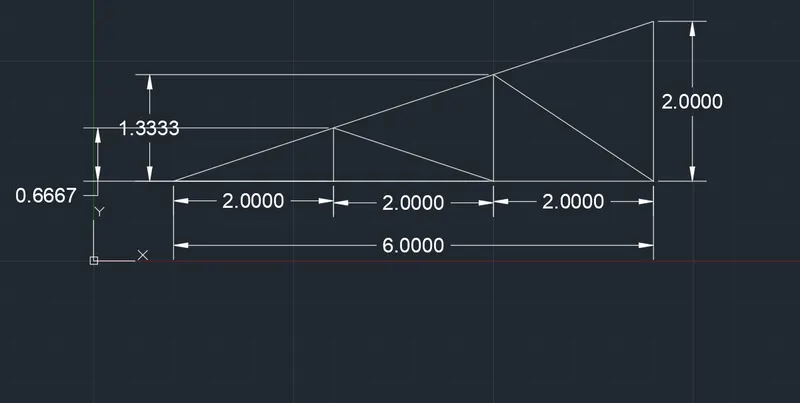
Creation of geometries by Coordinate system methods using AutoCad
Aim: design a drawing with line commmand
Introduction:
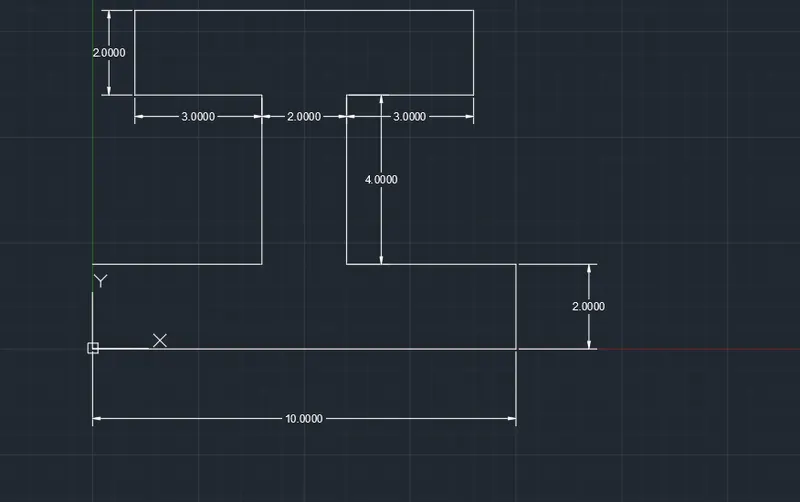
Procedure: first of all type in line commend
then give base point 2,1
then specify length and draw a diadram according video instruction.
then complete stuctute type diamention command and give dimension.
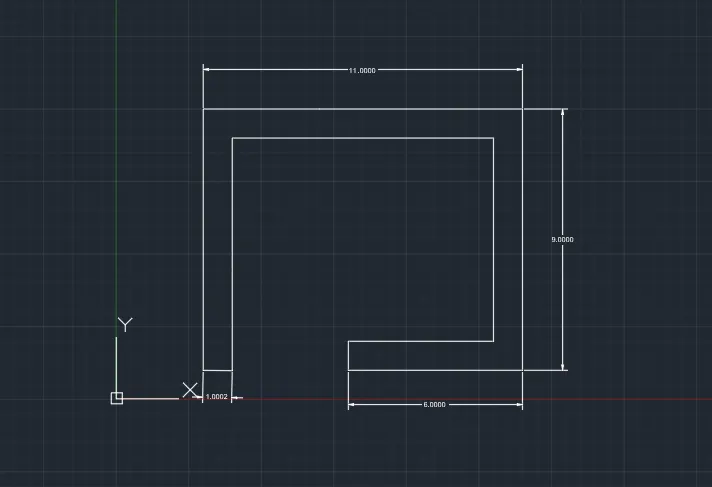
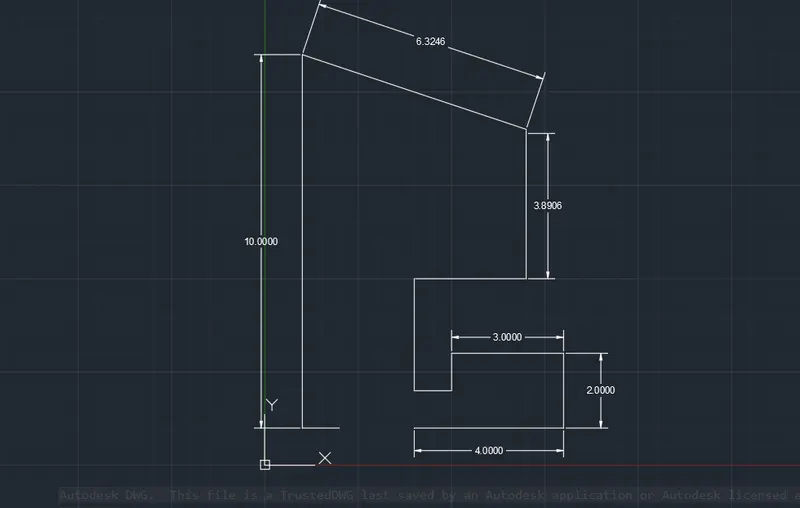
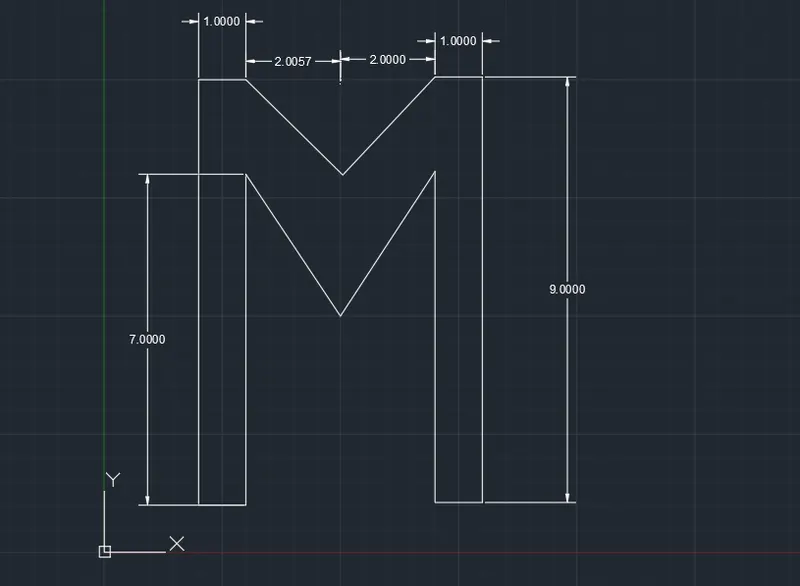
steps - first of all type a line command.
then specify base point
and then draw line and give the dimension
and the alphabet M.
then last type a drawn commend then a diamention al line point.
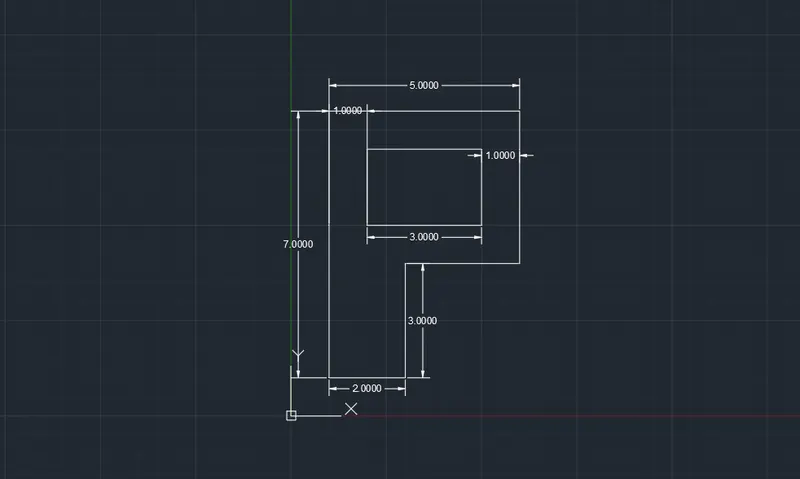
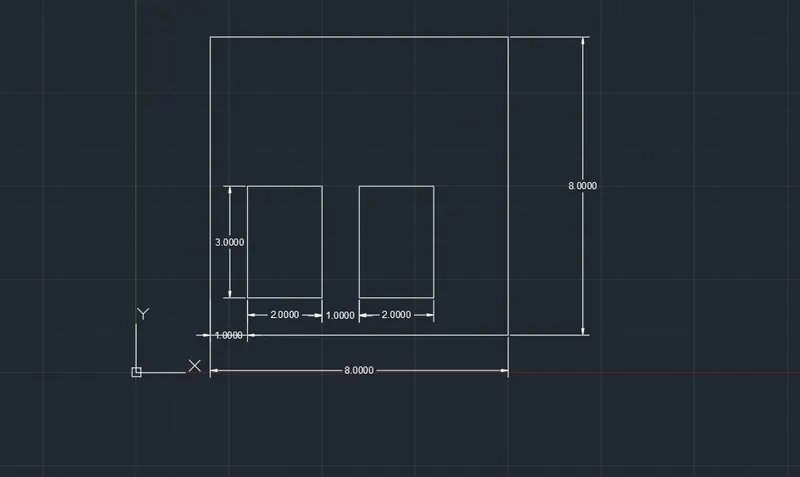
steps- first of all drawan rectanguler.
then specify base point.
then drawan a crectangular.
then drwan a inner rectanguklar with given data and lenth.
then completete the diadram then give a dimension.
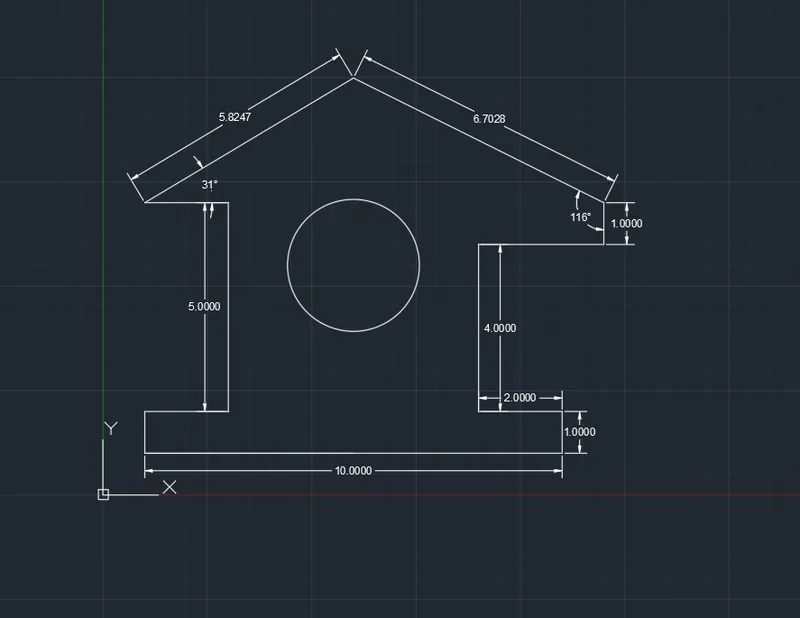
steps-
these I section drawn with the help of line command
and specify the dimension.