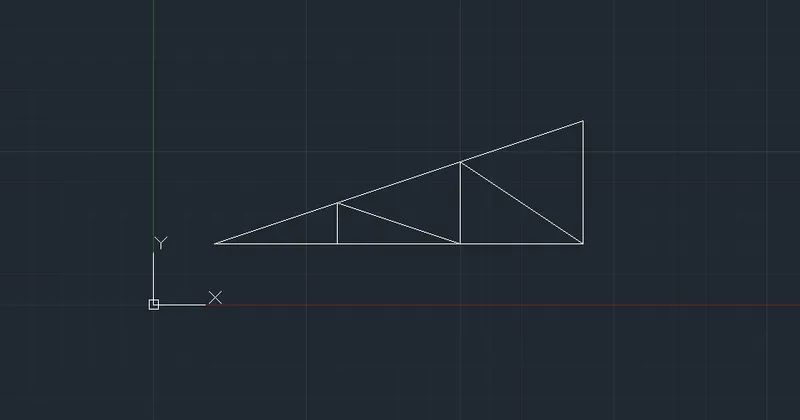
Creation of geometries by Coordinate system methods using AutoCad
P-1
1: Press L in the command line to invoke the command line.
2: Specify the first point 2,1
3: Specify next point :@6,0
4: Specify next point : @0,1
5: Specify next point : @0,1
6: Specify next point : @-5,0
7: Specify next point : @0,4
8: Specify next point : @5,0
9: Specify next point : @1,0
10: Specify next point :@-6,0
11:Close the command
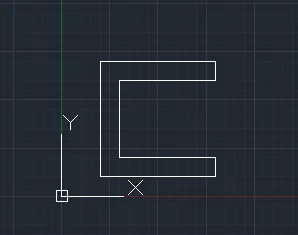
P-2
1: Press L in the command line to invoke the command Line.
2: Specify the first point 2,1
3: Specify next point :@3,0
4: Specify next point : @0,4
5: Specify next point : @1,0
6: Specify next point : @0,-4
7: Specify next point : @03,0
8: Specify next point : @-2,7
9: Specify next point : @-3,0
10: Close the command
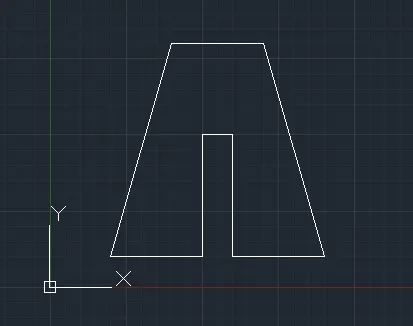
P-3
1: Press L in the command line to invoke the command Line.
2: Specify the first point 2,1
3: Specify next point :@1,0
4: Specify next point : @0,4
5: Specify next point : @2,2
6: Specify next point : @2,-2
7: Specify next point : @2,2
8: Specify next point : @0,-4
9: Specify next point : @1,0
10: Specify next point : @0,7
11: Specify next point : @-1,0
12: Specify next point : @-2,-3
13: Specify next point : @-2,3
14: Specify next point : @-1,0
15: Specify next point : @0,-7
16: Close the command – C
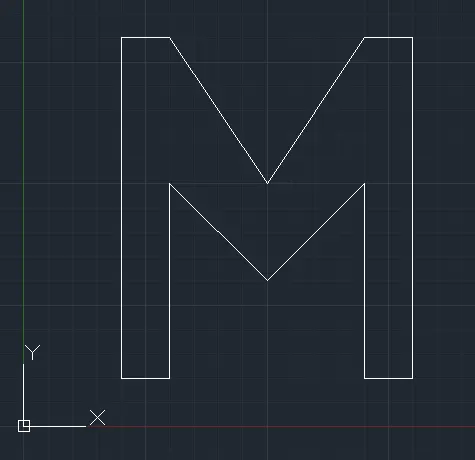
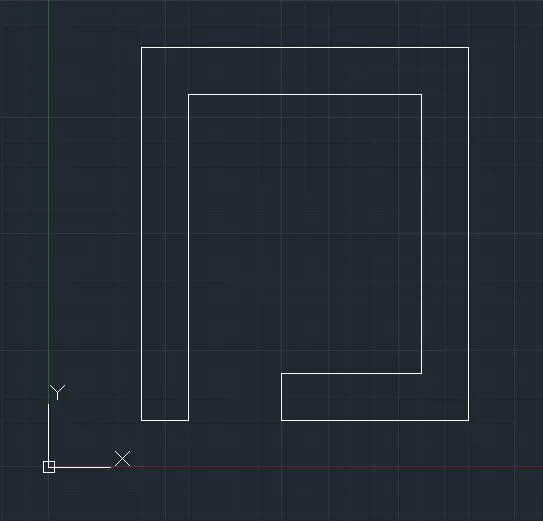
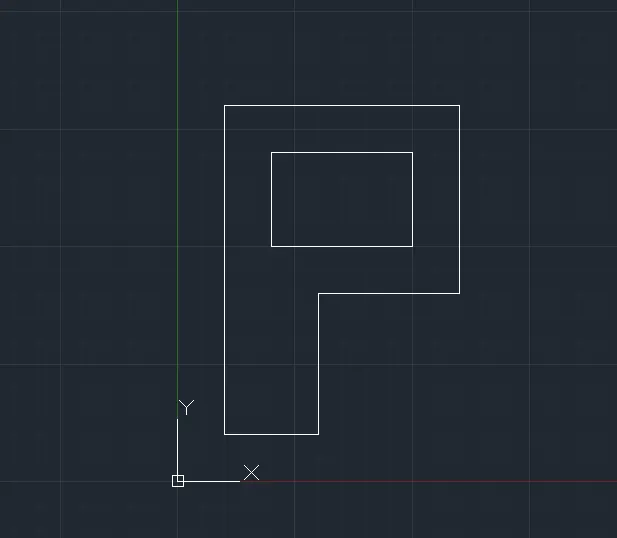
P-5
- Command: l
- LINE
- Specify first point: 2,1
- Specify next point or [Undo]: @1,0
- Specify next point or [Undo]: @0,7
- Specify next point or [Close/Undo]: @5,0
- Specify next point or [Close/Undo]: @0,-6
- Specify next point or [Close/Undo]: @-3,0
- Specify next point or [Close/Undo]: @0,-1
- Specify next point or [Close/Undo]: @4,0
- Specify next point or [Close/Undo]: @0,8
- Specify next point or [Close/Undo]: @-7,0
- Specify next point or [Close/Undo]: @0,-8
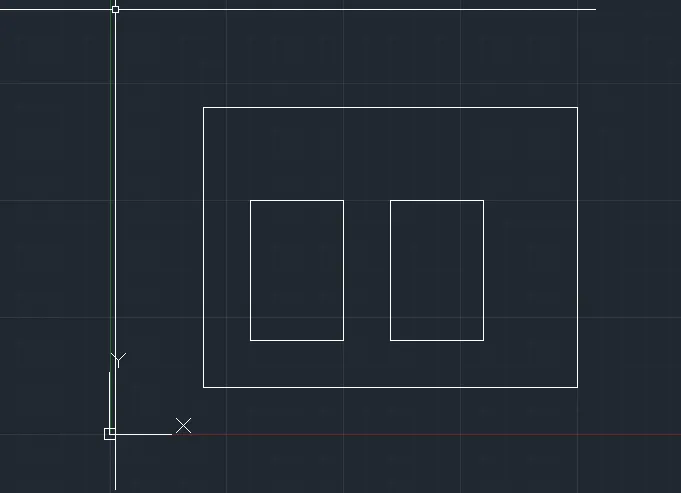
P-6
- Command: l
- LINE
- Specify first point: 2,1
- Specify next point or [Undo]: @8,0
- Specify next point or [Undo]: @0,6
- Specify next point or [Close/Undo]: @-8,0
- Specify next point or [Close/Undo]: @0,-6
- Specify next point or [Close/Undo]: C
- Command: l
- LINE
- Specify first point: 3,2
- Specify next point or [Undo]: @2,0
- Specify next point or [Undo]: @0,3
- Specify next point or [Close/Undo]: @-2,0
- Specify next point or [Close/Undo]: @0,-3
- Specify next point or [Close/Undo]: C
- Command: l
- LINE
- Specify first point: 6,2
- Specify next point or [Undo]: @2,0
- Specify next point or [Undo]: @0,3
- Specify next point or [Close/Undo]: @-2,0
- Specify next point or [Close/Undo]: @0,-3
- Specify next point or [Close/Undo]: C
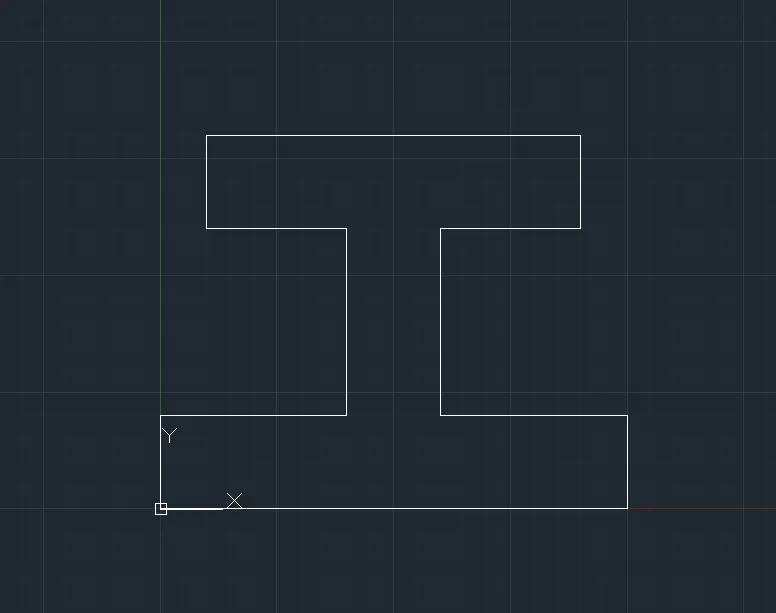
P8
1.Command: L
2.LINE
3.Specify first point: 0,0
4.Specify next point or [Undo]: @10,0
5.Specify next point or [Undo]: @0,2
6.Specify next point or [Close/Undo]: @-4,0
7.Specify next point or [Close/Undo]: @0,4
8.Specify next point or [Close/Undo]: @3,0
9.Specify next point or [Close/Undo]: @0,2
10.Specify next point or [Close/Undo]: @-8,0
11.Specify next point or [Close/Undo]: @0,-2
12.Specify next point or [Close/Undo]: @3,0
13.Specify next point or [Close/Undo]: @0,-4
14.Specify next point or [Close/Undo]: @-4,0
15.Specify next point or [Close/Undo]: @0,-2
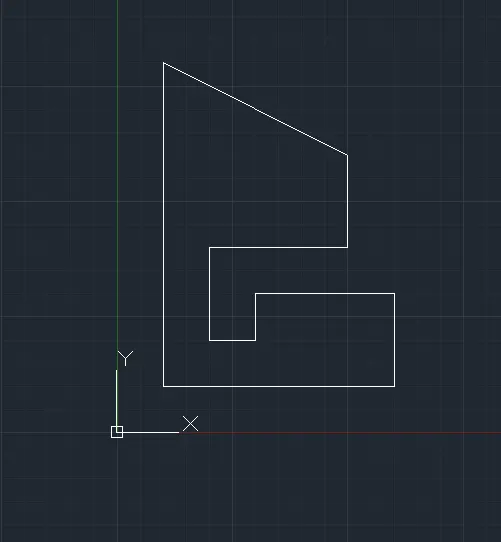
P9
- Command: l
- LINE
- Specify first point: 1,1
- Specify next point or [Undo]: @5,0
- Specify next point or [Undo]: @0,2
- Specify next point or [Close/Undo]: @-3,0
- Specify next point or [Close/Undo]: @0,-1
- Specify next point or [Close/Undo]: @-1,0
- Specify next point or [Close/Undo]: @0,2
- Specify next point or [Close/Undo]: @3,0
- Specify next point or [Close/Undo]: @0,2
- Specify next point or [Close/Undo]: @-4,2
- Specify next point or [Close/Undo]:
- Specify next point or [Close/Undo]: C
P10
1.Command: l
2.LINE
3.Specify first point: 1,1
4.Specify next point or [Undo]: @2,0
5.Specify next point or [Undo]: @0,3
6.Specify next point or [Close/Undo]: @3,0
7.Specify next point or [Close/Undo]: @0,4
8.Specify next point or [Close/Undo]: @-5,0
9.Specify next point or [Close/Undo]: @0,-7
10.Specify next point or [Close/Undo]: C
11.Command: l
12.LINE
13.Specify first point: 2,5
14.Specify next point or [Undo]: @3,0
15.Specify next point or [Undo]: @0,2
16.Specify next point or [Close/Undo]: @-3,0
17.Specify next point or [Close/Undo]: C
Civil Related Problems
Draw the profile and the trusses using any coordinate system methods. The dimensions are there for references.
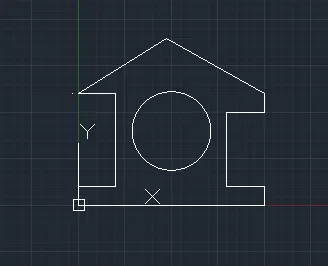
Profile Wood
Command: l
LINE
Specify first point: 0,0
Specify next point or [Undo]: 10,0
Specify next point or [Undo]: @0,1
Specify next point or [Close/Undo]: @-2,0
Specify next point or [Close/Undo]: @0,4
Specify next point or [Close/Undo]: @2,0
Specify next point or [Close/Undo]: @0,1
Specify next point or [Close/Undo]: @-5.25<120
Specify next point or [Close/Undo]:@-4.25,-3
Specify next point or [Undo]: @2,0
Specify next point or [Undo]: @0,-5
Specify next point or [Close/Undo]: @-2,0
Specify next point or [Close/Undo]: @0,-1
Specify next point or [Close/Undo]: C
Command: c
CIRCLE
Specify center point for circle or [3P/2P/Ttr (tan tan radius)]: 5,4
Specify radius of circle or [Diameter]: 2
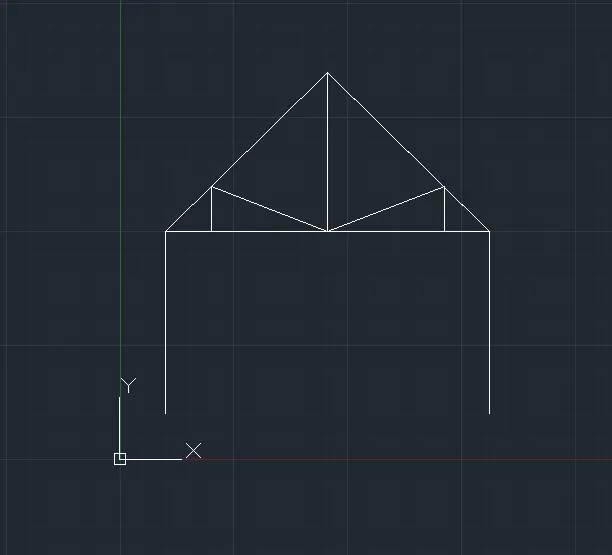
Queen Post Truss
Command: L
LINE
Specify first point: 1,1
Specify next point or [Undo]: @0,4
Specify next point or [Undo]: @5<45
Specify next point or [Undo]: @0,-3.535
Specify next point or [Undo]: @-2.535,0
Specify next point or [Close/Undo]: @0,1
Close c
Specify next point or [Undo]: @3.535,0
Specify next point or [Close/Undo]: @5<135
Specify next point or [Close/Undo]: @-1,0
Specify next point or [Close/Undo]: @0,1
Specify next point or [Close/Undo]: @0,-4
Specify next point or [Close/Undo]: Zero length line created at (8.0705, 1.0005, 0.0000)
Specify next point or [Close/Undo]: C
Command: e
ERASE 1 found.
Mono Pitch
Command: l
LINE
Specify first point: 1,1
Specify next point or [Undo]: @2,0
Specify next point or [Undo]: @0,0.667
Specify next point or [Close/Undo]:
Specify next point or [Close/Undo]: @2,0
Specify next point or [Close/Undo]: @0,1.3333
Specify next point or [Close/Undo]:
Specify next point or [Close/Undo]: @2,0
Specify next point or [Close/Undo]: @0,2