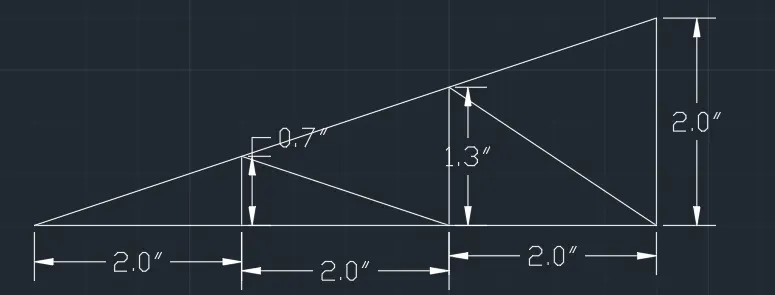
Creation of geometries by Coordinate system methods using AutoCad
Aim: To create the geometries from p1 to p2 using all the coordinates system methods.
Apparatus: Autocad software
Coordinates system:
- Absolute coordinates
- Relative rectangular coordinates
- Relative polar coordinates
- direct distance entry
Procedure:
1.
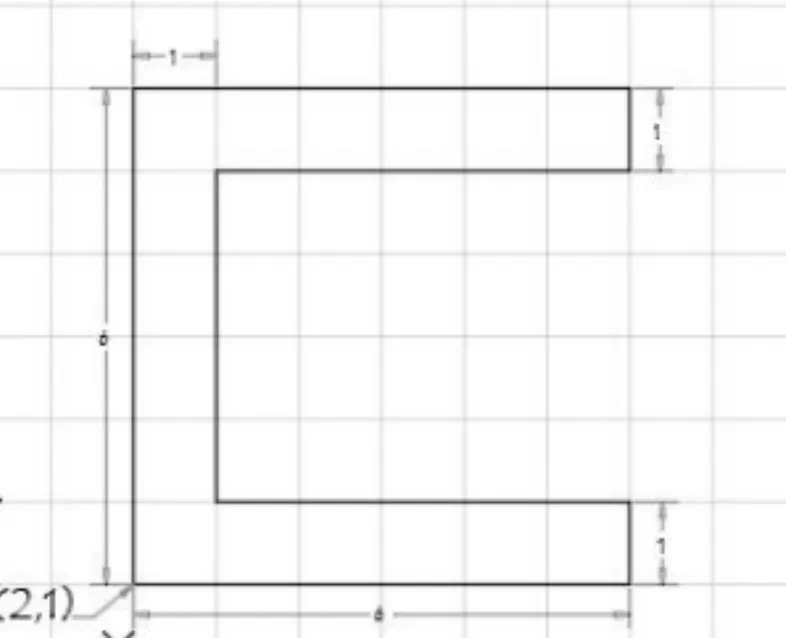
- Open the AutoCAD software.
- Type QNEW command in a dialogue box.
- Decimal units are used (metric is selected)
- Template=Acad.dwg
- Go to advanced setup
- units
- decimal (precision 0.0)
- angle
- decimal degree
- angle measure
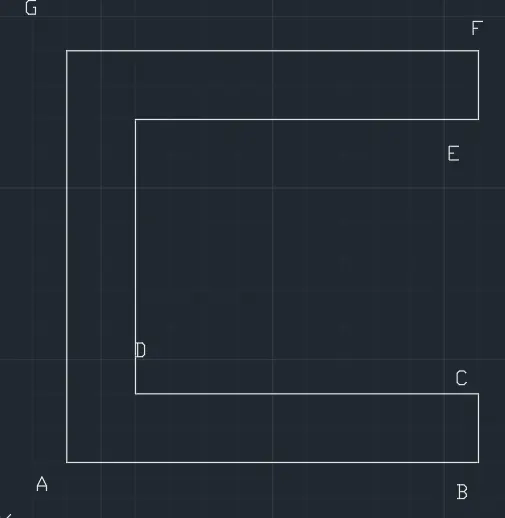
Absolute coordinates system:
- line command
- 2,1 (point a)
- 8,1 (point b)
- 8,2 (point c)
- 3,2 (point d)
- 3,6 (point e)
- 8,6 (point f)
- 8,7 (point g)
- 2,7 (point h)
- close
Result:
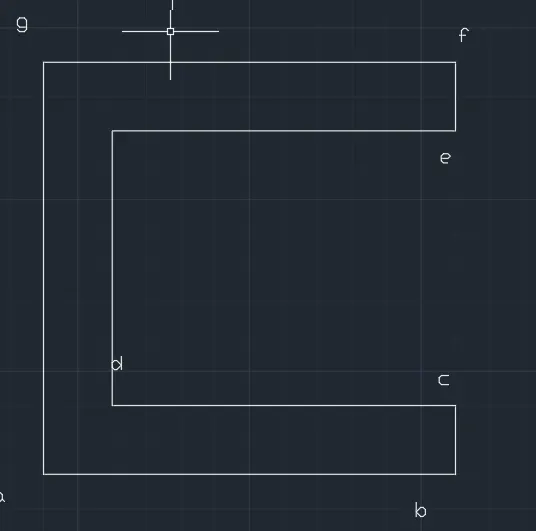
Relative rectangular coordinates:
- line command
- 2,1 (A)
- @6,0 (B)
- @0,1 (C)
- @-5,0 (D)
- @0,4 (E)
- @5,0 (F)
- @0,1 (G)
- @-6,0 (H)
- close
Result:
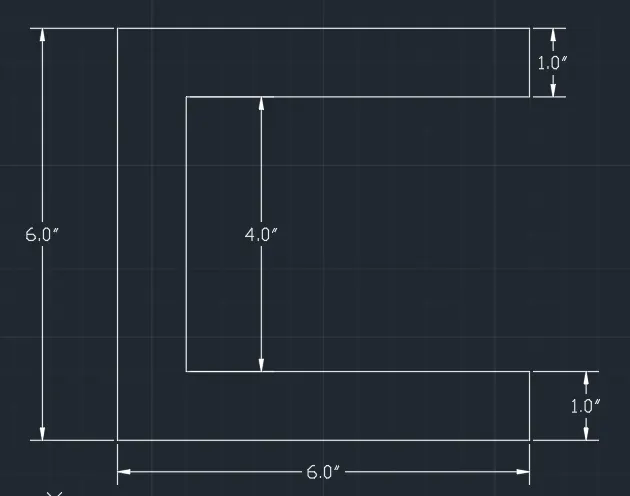
Relative polar coordinates:
- line
- 2,1
- @6<0
- @1<90
- @5<180
- @4<90
- @5<0
- @1<90
- @6<180
- @6<270/close
Result:
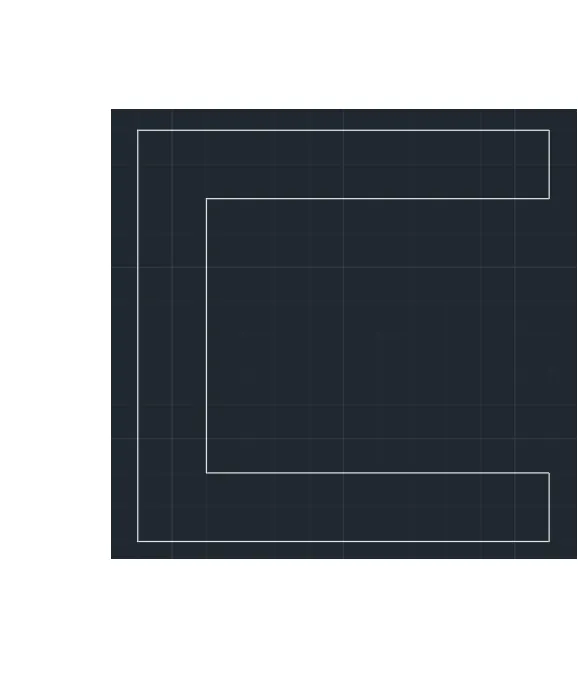
Direct distance entry:
- line
- 6 (facing east)
- 1 (facing upwards)
- 5 (facing west)
- 4 (facing upwards)
- 5 (facing east)
- 1 (facing upwards)
- 6 (facing west)
- 6 (facing downwards)/close
Result:
2.
- Open the AutoCAD software.
- Type QNEW command in a dialogue box.
- Decimal units are used (metric is selected)
- Template=Acad.dwg
- Go to advanced setup
- units
- decimal (precision 0.0)
- angle
- decimal degree
- angle measure
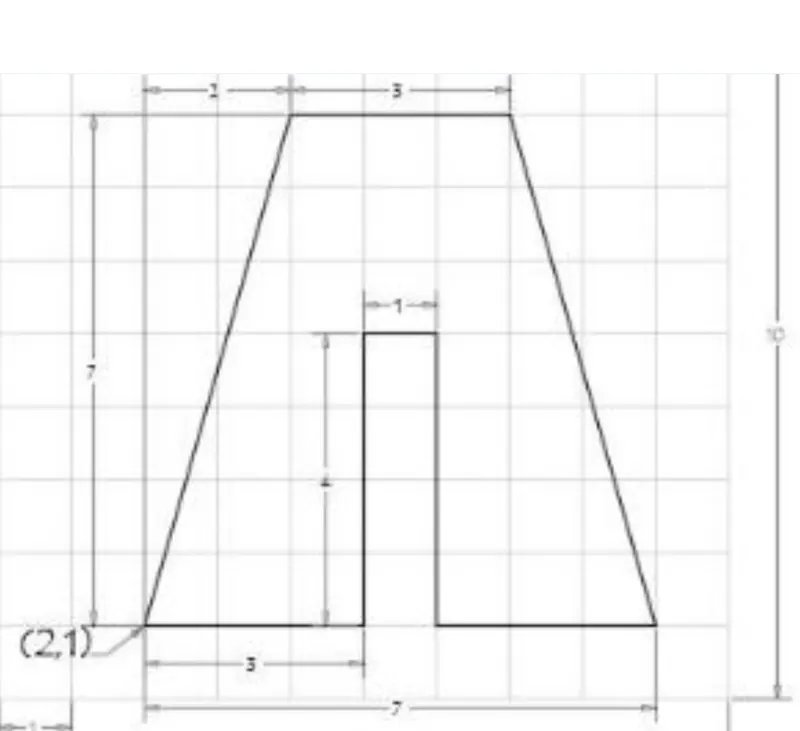
Absolute coordinates system:
- line command
- 2,1
- 5,1
- 5,5
- 6,5
- 6,1
- 9,1
- 7,8
- 4,8
- close
Result:
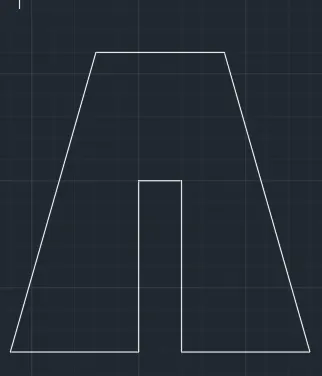
Relative rectangular coordinates:
- line command
- 2,1
- @3,0
- @0,4
- @1,0
- @0,-4
- @3,0
- @-2,7
- @-3,0
- close
Result:
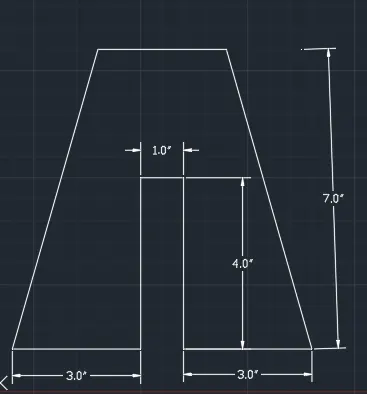
Relative polar coordinates:
- Line command
- 2,1
- @3<0
- @4<90
- @1<0
- @4<270
- @3<0
- @7<90 (line 1)
- @2<180 (line 2)
- Now join two endpoints of line 2 and delete lines 1 & 2.
- @3<180 (at last point)
- close
Result:
Direct distance entry:
- Line command
- 3 (towards east)
- 4 (up)
- 1 (east)
- 4 (down)
- 3 (east)
- 7 (up) line1
- 2 (west) line2
- now join the line at the endpoint and delete line 1&2
- 3 (west)
- close
result:
3.
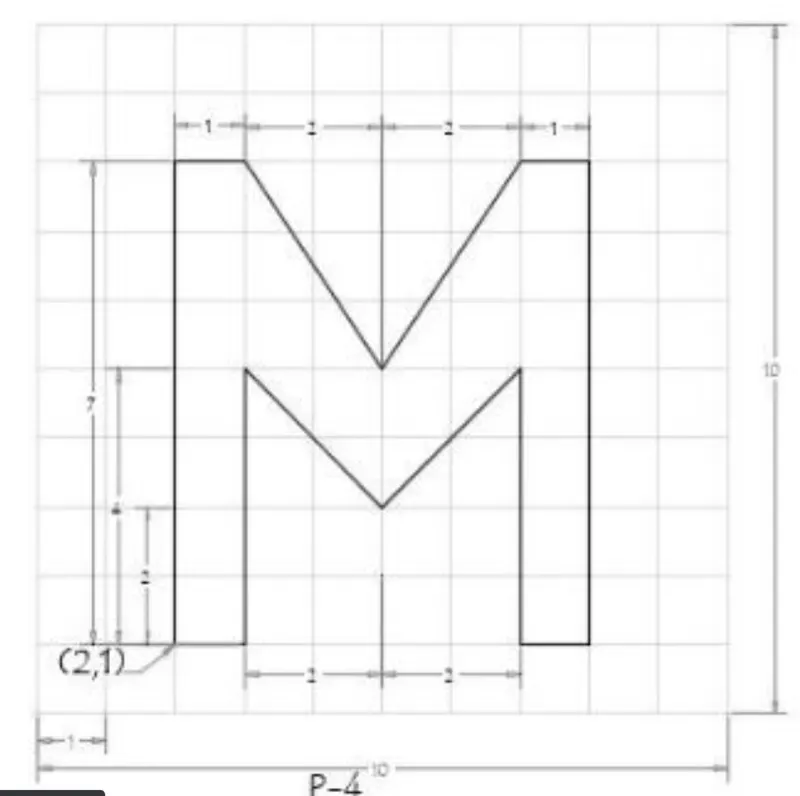 3,5
3,5
Absolute coordinate system:
- line command
- 2,1
- 3,1
- 3,5
- 5,3
- 7,5
- 7,1
- 8,1
- 8,8
- 7,8
- 5,5
- 3,8
- 2,8
- close
Result:
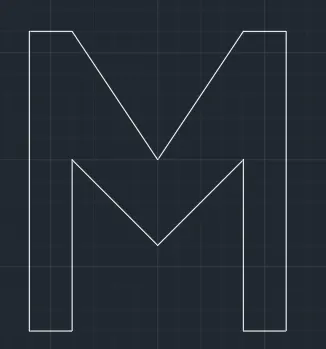
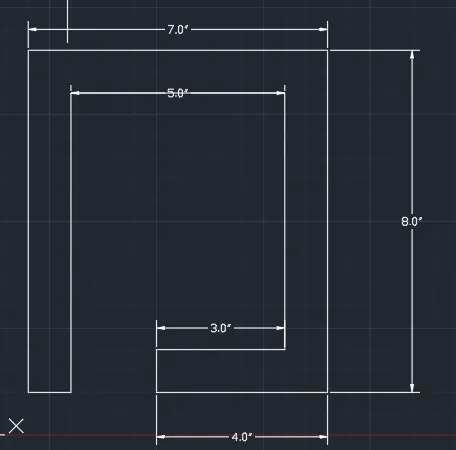
4. Absolute coordinates system:
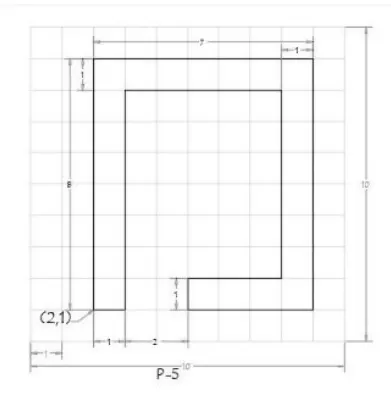
- line command
- 2,1
- 3,1
- 3,8
- 8,8
- 8,2
- 5,2
- 5,1
- 9,1
- 9,9
- 2,9
- close
Result:
5. Absolute coordinates system:
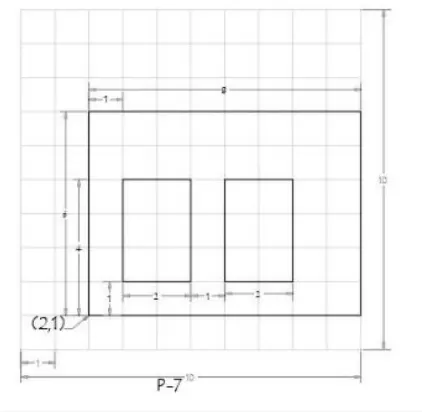
- line command
- 2,1
- 10,1
- 10,7
- 2,7
- close
- line
- 3,2
- 5,2
- 5,5
- 3,5
- close
- line
- 6,2
- 8,2
- 8,5
- 6,5
- close
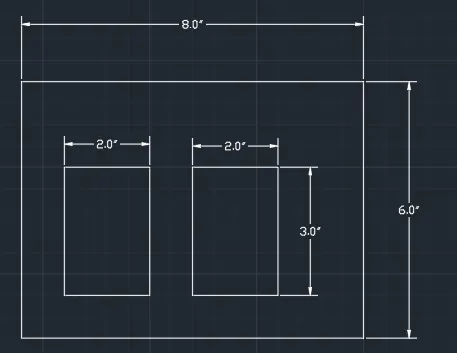
Result:
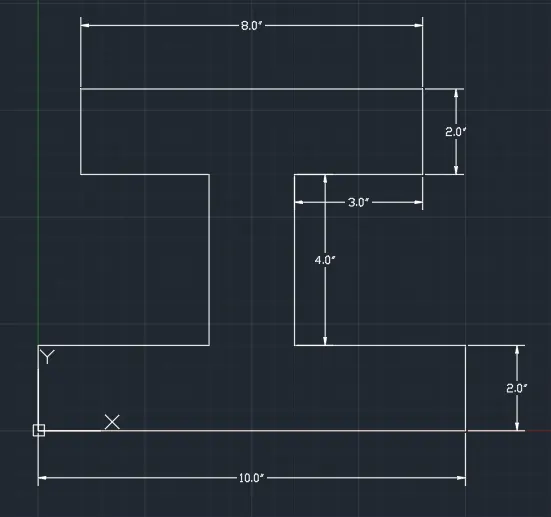
6.Absolute coordinates system:
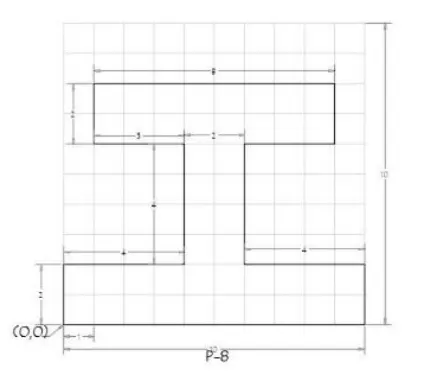
- line command
- 0,0
- 10,0
- 10,2
- 6,2
- 6,6
- 9,6
- 9,8
- 1,8
- 1,6
- 4,6
- 4,2
- 0,2
- close
Result:
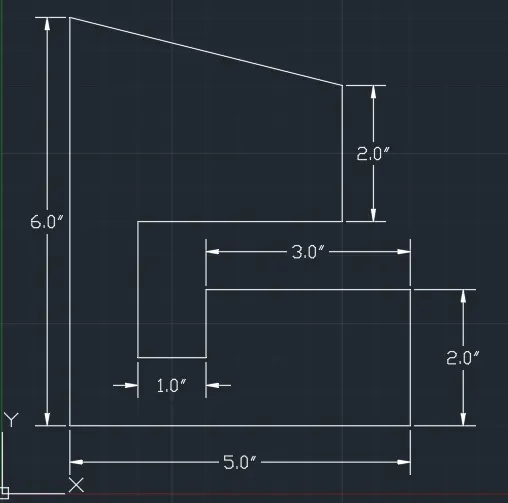
7.Absolute coordinates system:
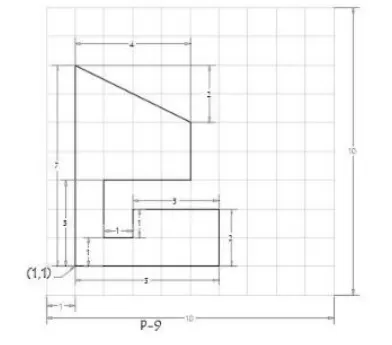
- line command
- 1,1
- 6,1
- 6,3
- 3,3
- 3,2
- 2,2
- 2,4
- 5,4
- 5,6
- 5,7 (line 1)
- 1,7 (line 2)
- join line 1 & 2 at the endpoint and delete line 1 & 2
- close
Result:
8.Absolute coordinates system:
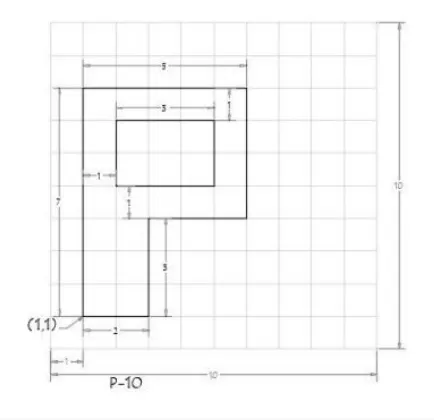
- line command
- 1,1
- 3,1
- 3,4
- 6,4
- 6,8
- 1,8
- close
- line
- 2,5
- 5,5
- 5,7
- 2,7
- close
Result:
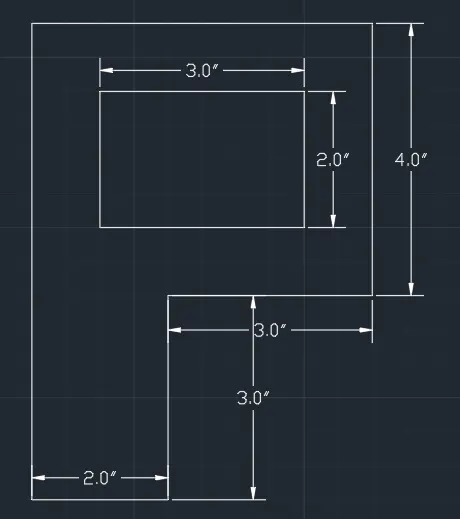
Aim: To create the geometries from p1 to p2 using all the coordinates system methods.
Apparatus: Autocad software
Coordinates system:
- Absolute coordinates
- Relative rectangular coordinates
- Relative polar coordinates
- direct distance entry
Procedure:
- Open the AutoCAD software.
- Type QNEW command in a dialogue box.
- Decimal units are used (metric is selected)
- Template=Acad.dwg
- Go to advanced setup
- units
- decimal (precision 0.0)
- angle
- decimal degree
- angle measure
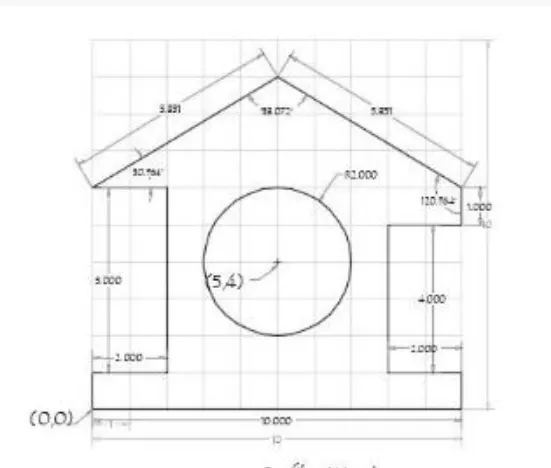
1. Absolute coordinates system
- line
- 0,0 (A)
- 10,0 (B)
- 10,1 (C)
- 8,1 (D)
- 8,5 (E)
- 10,5 (F)
- 10,6 (G)
- 10,9 (line 1)
- 5,9 (line 2)
- At the endpoint of line 2 is H join the line from H to G and delete line 1 & 2
- line command at point H
- 0,9 (line 3)
- 0,6 (line 4)
- At the endpoint of line 4 is I join the line from I to H and delete line 3 & 4
- line command at the point I
- 2,6
- 2,1
- 0,1
- close
- Draw a circle of point 5,4 at radius 2
Result:
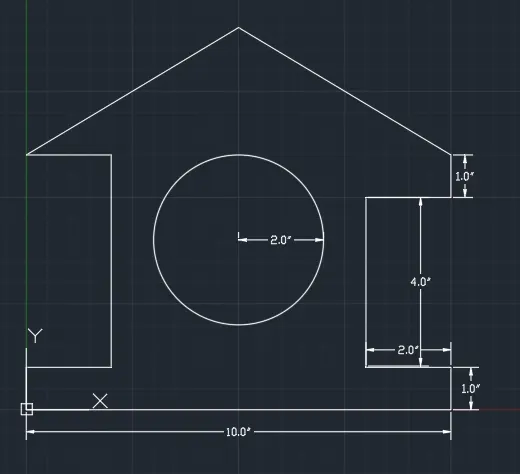
2.Relative polar coordinates
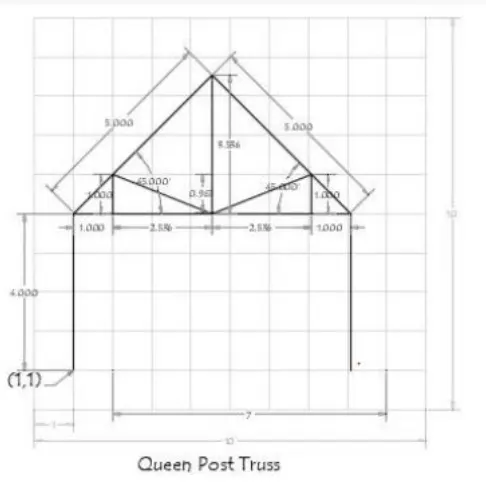
- Line command
- 1,1
- @4<90
- @7<0
- @4<270
- enter
- line
- 1,5
- @5<45
- enter
- line
- 8,5
- @5<135
- @3.5<270 - (point A)
- enter
- line
- 1,5
- @1<0
- @1<90 - (point B)
- using line join point A and B
- enter
- line
- 8,5
- @1<180
- @1<90 - (point C)
- using line join point C to B
- enter
Result:
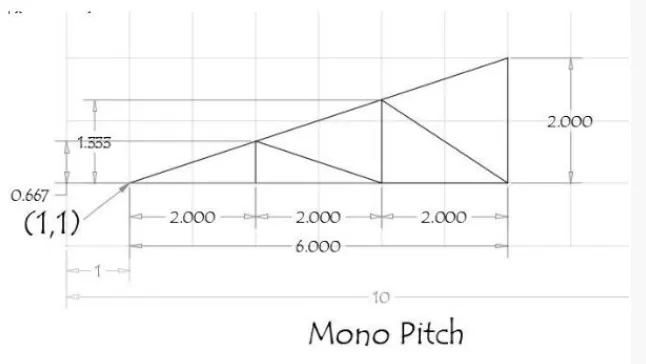
3. Absolute coordinates system:
- line command
- 1,1 (A)
- 3,1 (B)
- 3,1.667 (C)
- 5,1 (D)
- 5,2.333 (E)
- 7,1 (F)
- 7,3 (G)
- 1,1 (H)
- line command at B
- 3,1
- 5,1
- 7,1
Result: