Creation of Column Schedule and Drawing Template using AutoCad
CHALLENGE 1
AIM: To Create a column schedule with the help of lines. Also, inserting text with the help of Dtext command or Single Line text. Using font name: romans.shx; Height: 8”, Justify: Left
PROCEDURE :
- First set the units to architectural and set the precision value
- Using Line (L-enter) command draw Table with reference to the given figure
- Use Trim command (Tr) to get the figure as required
- Now Using command " ST " set the text style to "romans.shx"and text Height to - 8”, Justify: Left
- Now using Text command we can fill all the required data in the table
- As per given data in the table we can draw the figures in the table (columns )
- When we use text command it asks to select a point and angle
- We need to select the point where ever we need to fill the text and roatation angle may be choosen as required
- Finally using snipping tool take screenshot.
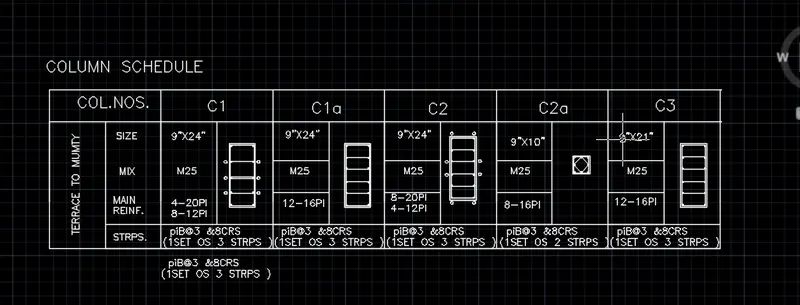
RESULT: Created a column schedule with the help of lines
CHALLENGE2 :
AIM : To Create a window schedule
PROCECDURE:
- First set the units to architectural and set the precision value
- Using Line (L-enter) command draw Table with reference to the given figure
- Use Trim command (Tr) to get the figure as required
- Now Using command " ST " set the text style to "romans.shx"and text Height to - 8”, Justify: Left
- Now using Text command we can fill all the required data in the table
- When we use text command it asks to select a point and angle
- We need to select the point where ever we need to fill the text and roatation angle may be choosen as required
- Finally using snipping tool take screenshot.
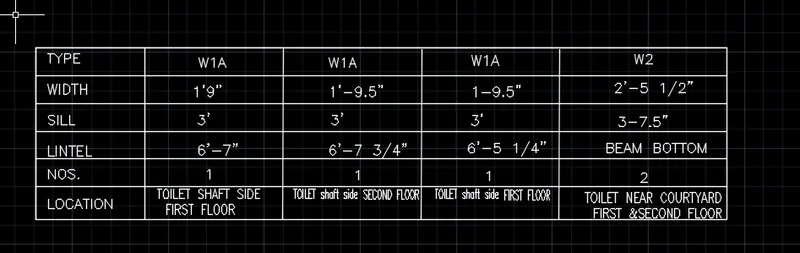
RESULT: Created a window schedule
CHALLENGE 3:
AIM : To Create the drawing template
PROCEDURE:
- First set the units to architectural and set the precision value
- Using Line (L-enter) command create Tables with reference to the given figure
- Use Trim command (Tr) to get the figure as required
- Now Using command " ST " set the text style to "romans.shx"and text Height to - 8”, Justify: Left
- Now using Text command we can fill all the required data in the table
- When we use text command it asks to select a point and angle
- The text in the below table is a copy of the upper table data and is reduced by using scale
- Other fields are to be filled using Text command as per given figure
- Finally using snipping tool take screenshot.
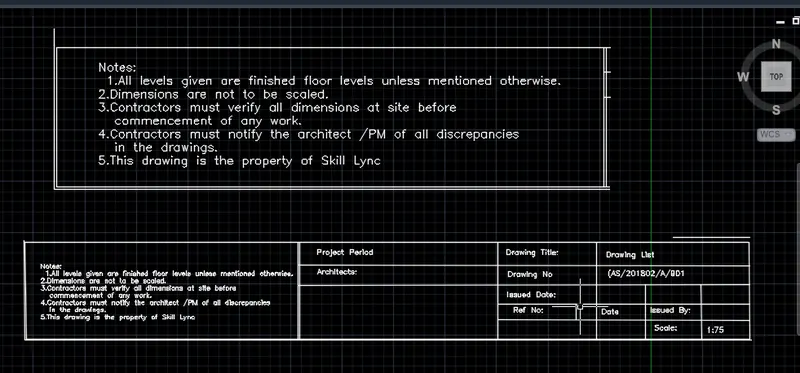
RESULT: Created the drawing template
CHALLENGE 4:
AIM : To Create the list of drawing schedule
PROCEDURE:
- First step is to set the units and dimensions
- Then Create a table using Table command as per given figure
- Then using Trim command trim all the non required lines
- Now set the text style and height
- Using text command all the requied information is to be filled in the table as given .
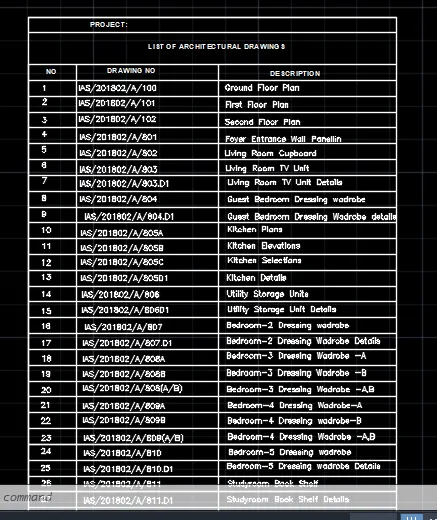
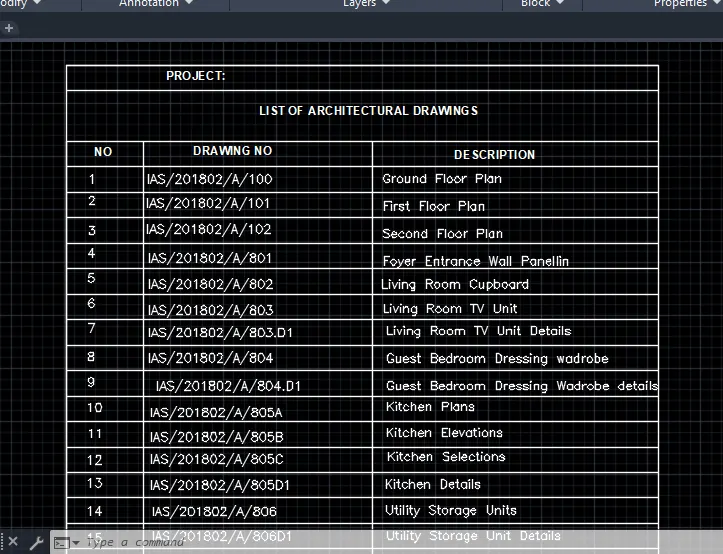
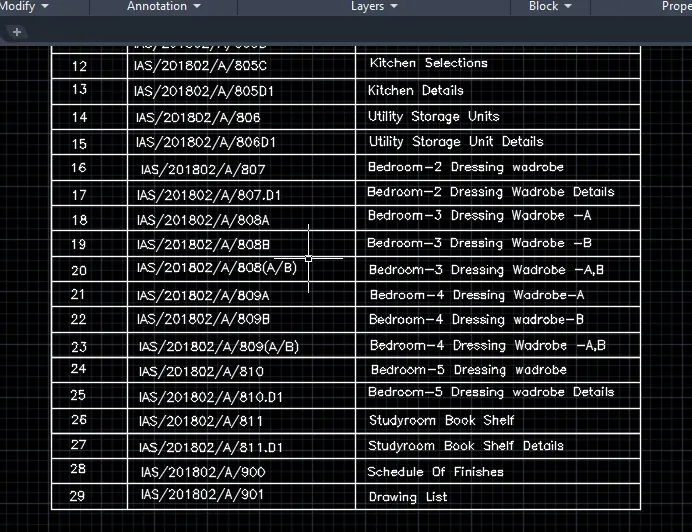
RESULT : Created the list of drawing schedule
CHALLENGE 5:
AIM: To Create the Beam detail
PROCEDURE :
- First step is to set the dimensions ans units
- Using Line command sketch the figure as given in the figure
- Then by using Hatch command Hatching is done
- Text style is Taken as "romans.shx"
- Dimensions are given to figure using "Dim" command
- Label the different parts of figure using text command
- Finally using snipping tool take screenshot .
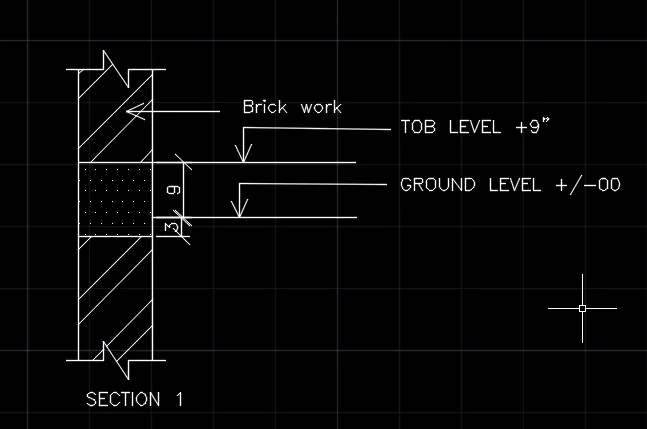
RESULT: Created the Beam detail