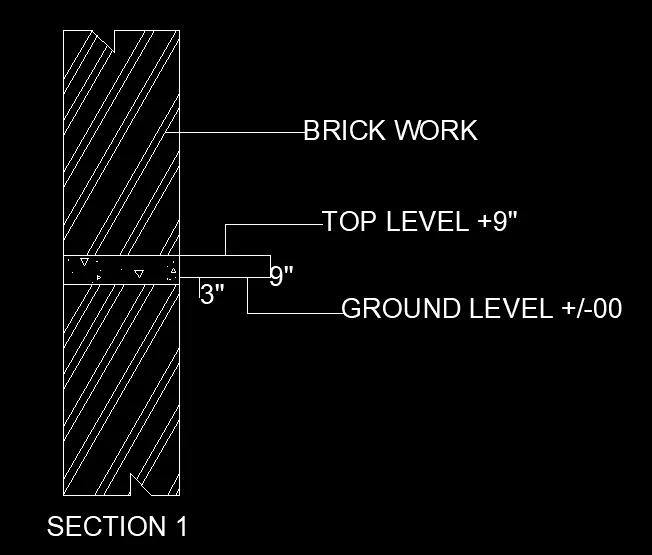
Creation of Column Schedule and Drawing Template using AutoCad
COMMAND USED IN THIS CHALLENGE
- LINE
- OFFSET
- DDPTYPE
- DIVIDE
- CIRCLE
- TRIM
- LWEIGHT
- SCALE
- TEXT
- COPY
- ROTATE
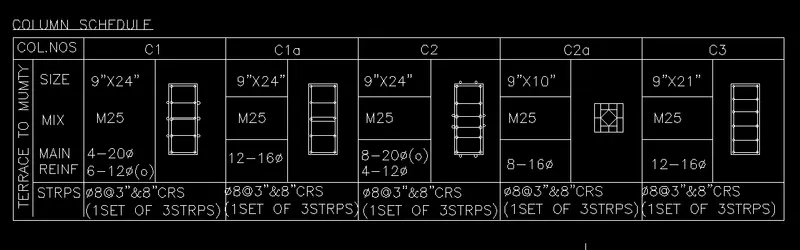
AIM :- Create a column schedule as shown in the figure below using AutoCAD.
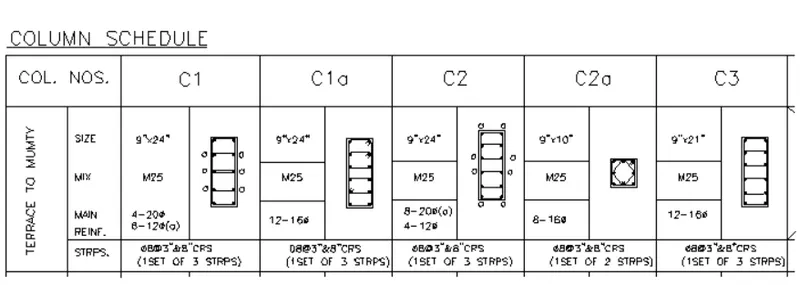
PROCEDURE :-
- Set units as engineering by using UNIT command
- Now set text style by using ST command
- Set height 8” and font name romans.shx and justify to top left
- Now make table by using LINE command
- Now by using MTEXT command write all the given things
RESULT :- column schedule table as shown in figure.
AIM :- Create a window schedule as shown in the figure by using AutoCAD.
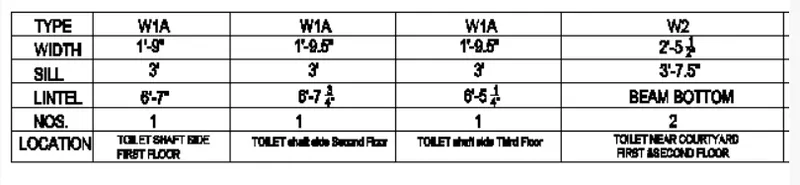
PROCEDURE :-
- Set units as engineering by using UNIT command
- Now set text style by using ST command
- Set height 8” and font name romans.shx and justify to top left
- Now make table by using LINE command
- Now by using MTEXT command write all the given things
RESULT :- window schedule table as shown in figure.
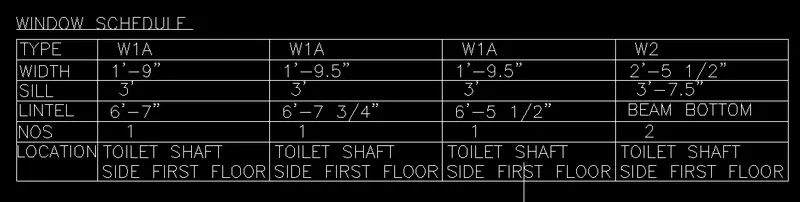
AIM :- Create a drawing template as shown in the figure below using AutoCAD.
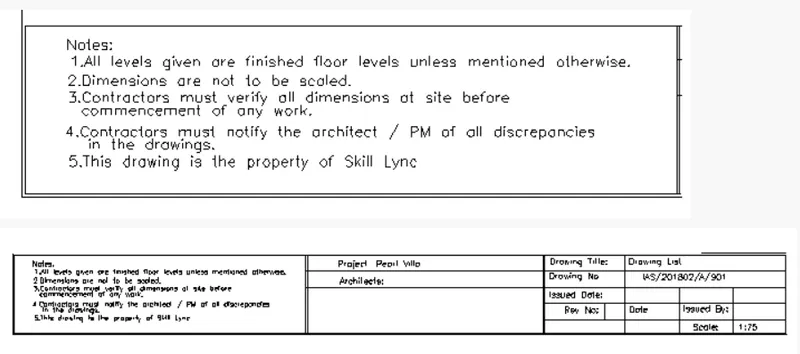
PROCEDURE :-
- Set units as engineering by using UNIT command
- Now set text style by using ST command
- Set height 8” and font name romans.shx and justify to top left
- Now make table by using LINE command
- Now by using MTEXT command write all the given things
RESULT :- drawing template as shown in figure.
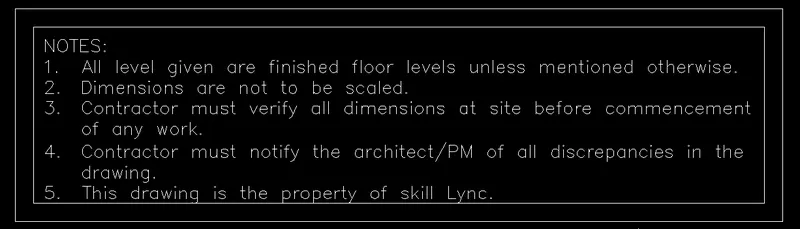

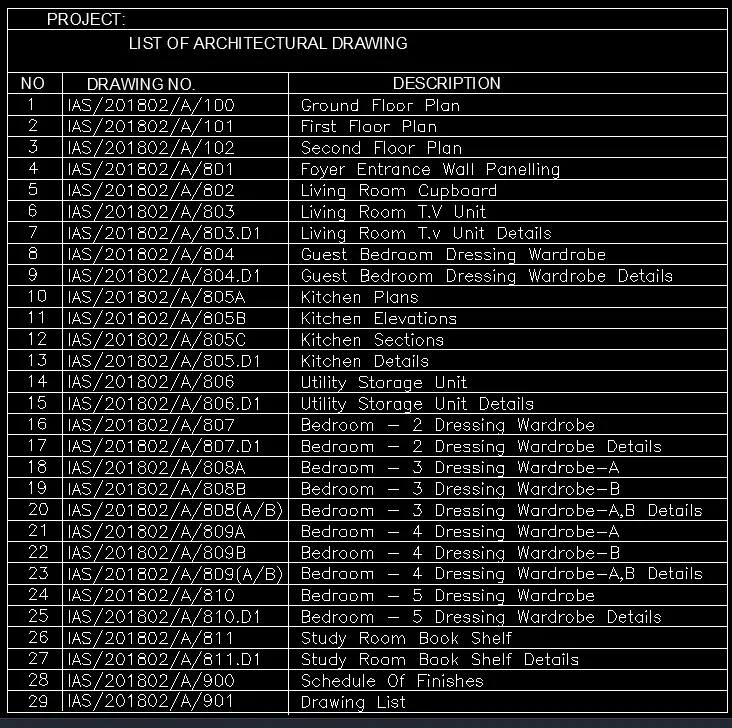
AIM :- Create the list of drawing schedule as shown in the figure below using AutoCAD.
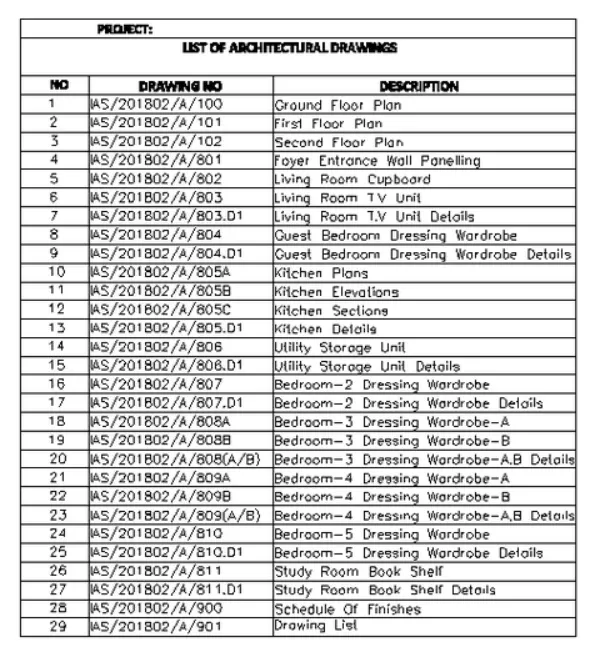
PROCEDURE :-
- Set units as engineering by using UNIT command
- Now set text style by using ST command
- Set height 8” and font name romans.shx and justify to top left
- Now make table by using LINE command
- Now by using MTEXT command write all the given things
RESULT :- list of the drawing schedule as shown.
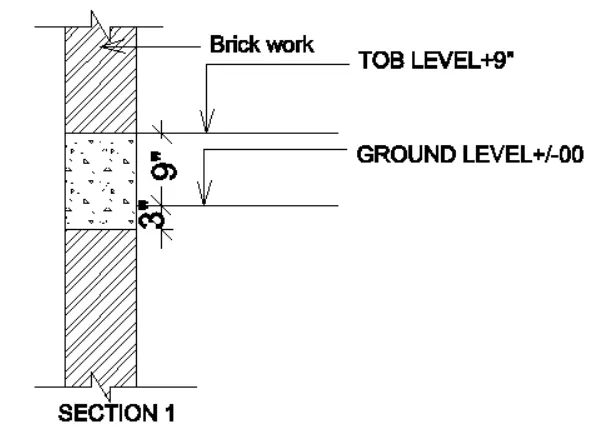
AIM :- Create the beam details as shown in the figure below using AutoCAD.
PROCEDURE :-
- Set units as engineering by using UNIT command
- Now set text style by using ST command
- Set height 8” and font name romans.shx and justify to top left
- Now make table by using LINE command
- Now by using MTEXT command write all the given things
RESULT :- beam details as shown in figure.