Creation of Column Schedule and Drawing Template using AutoCad
1.Aim:
Creation of Column Schedule and Drawing Template using AutoCad.
Introduction:
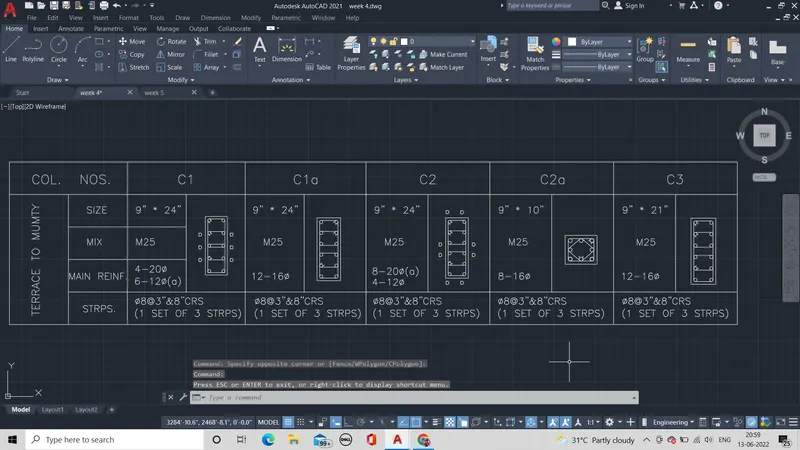
In the above given drawing are drawn using line, fillet, offset, copy, move, mtext etc., are used to get the column schedule.
Procedure:
- First the units are set in engineering, inches
- Then page limits are set to 200' , 200'.
- Then mtext command is used to write text.
- Then the text is copied multiple times.
- Then the text are edited as given with text style of romans. shx. with a text height of 8".
- Then the box is drawn by line command and it is offset at the required distance to get the box and the text and column are fixed as show in the picture.
- Then the column are drawn by line of 9" * 24" thrice, 9" * 10" and 9" * 21".
- Then circle is drawn by tan tan radius for top and the circle are fit to the line by array for various column with various number of bars.
- Then the hoops are drawn by line and fillet command.
Result:
The above Column schedule is drawn by the above procedure to get the required drawing.
2.Aim:
Creation of Column Schedule and Drawing Template using AutoCad.
Introduction:
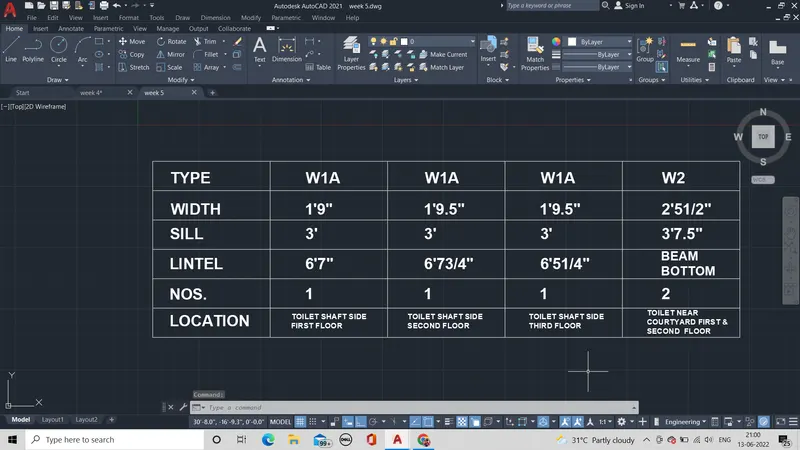
In the above given drawing are drawn using line, offset, copy, move, mtext etc., are used to get the column schedule.
Procedure:
- mtext command is used to write the text required.
- It is copied and edited as given
- Then the box is drawn by line command and offset command of required size as the text is fixed in it.
- Then the edited text is fixed in it.
Result:
The required window schedule is obtained by the above procedure.
3.Aim:
Creation of Column Schedule and Drawing Template using AutoCad.
Introduction:
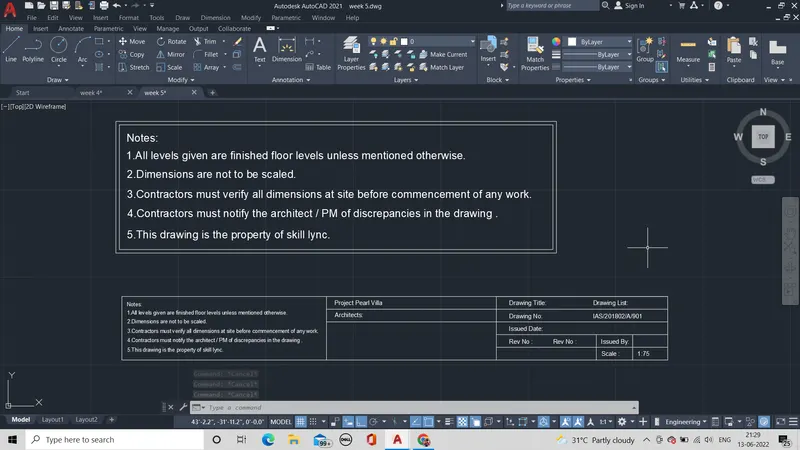
In the above given drawing are drawn using line, offset, copy, move, mtext etc., are used to get the column schedule.
Procedure:
- mtext command is used to write the text required.
- It is copied and edited as given
- Then the box is drawn by line command and offset command of required size as the text is fixed in it.
- Then the edited text is fixed in it.
Result:
The required schedule is obtained by the above procedure.
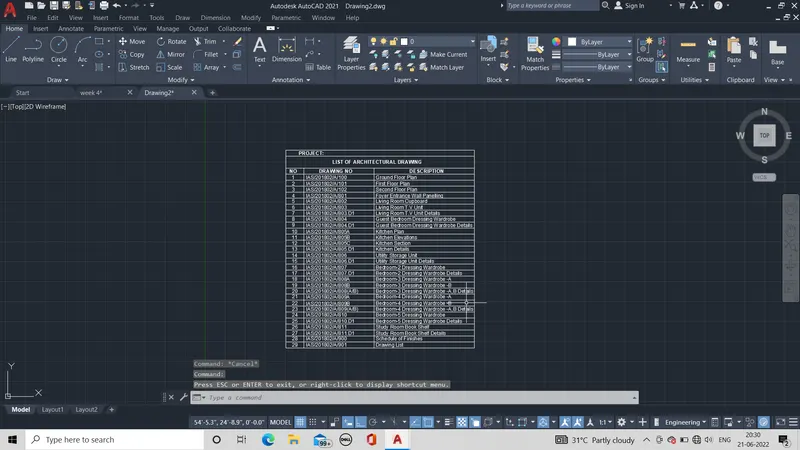
4.Aim:
Creation of Column Schedule and Drawing Template using AutoCad.
Introduction:
In the above given drawing are drawn using line, offset, copy, move, mtext etc., are used to get the column schedule.
Procedure:
- mtext command is used to write the text required.
- It is copied and edited as given .
- Then the box is drawn by line command and offset command of required size as the text is fixed in it. With three column and 29 rows in it .
- Then the edited text is fixed in it.
Result:
The required schedule is obtained by the above procedure.
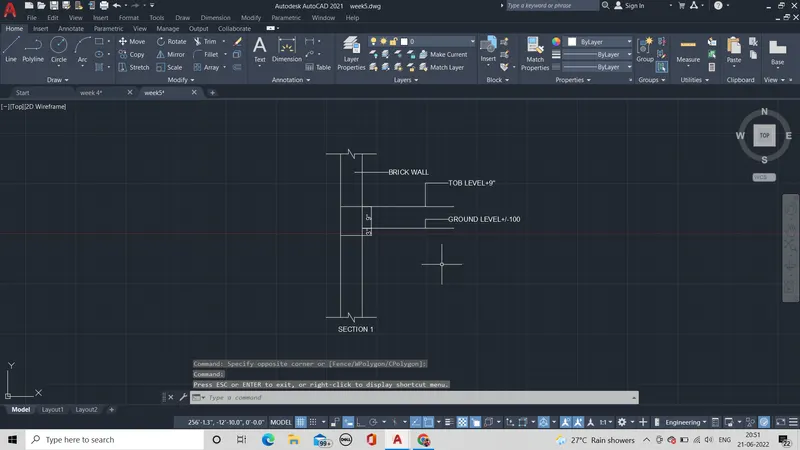
5.Aim:
Creation of Column Schedule and Drawing Template using AutoCad.
Introduction:
In the above given drawing are drawn using line, offset, copy, move, mtext etc., are used to get the beam schedule.
Procedure:
- mtext command is used to write the text required.
- Line of 10' is drawn and it is offset at a distance of 9".
- Then the at five feet distance drawn a line then offset it 1' .
- Then the text is placed at the given distance.
- It is copied and edited as given .
Result:
The required section is obtained by the above procedure.
1.
2.
3.
4.
5.