Creation of Column Schedule and Drawing Template using AutoCad
Procedure
1)open autocad select the template
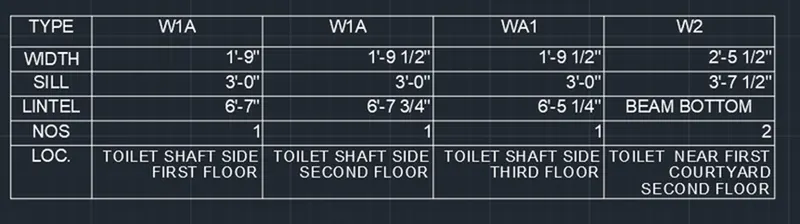
2)select text command -open annote tab chose style and size of the text.
3)create table and select text command and start accordingly as per question example
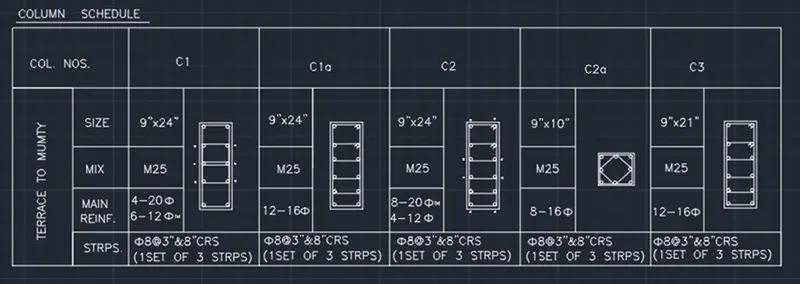
4)In fig no-02 as per question no -2 select table use table command in command box and coose the table as per given formate and selecrt ok
5)Start filling table accordingly
6)in fig no-03 create a box chosse multi line text command from command box and start writing according to formate .
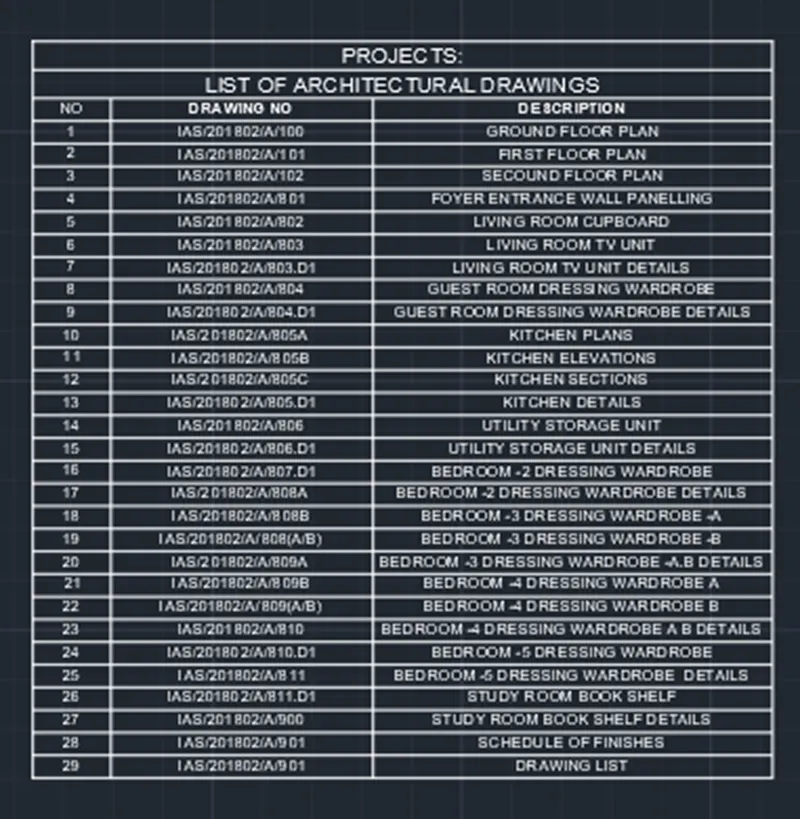
7)In Ques no-04 insert table from command box and write accordingly.
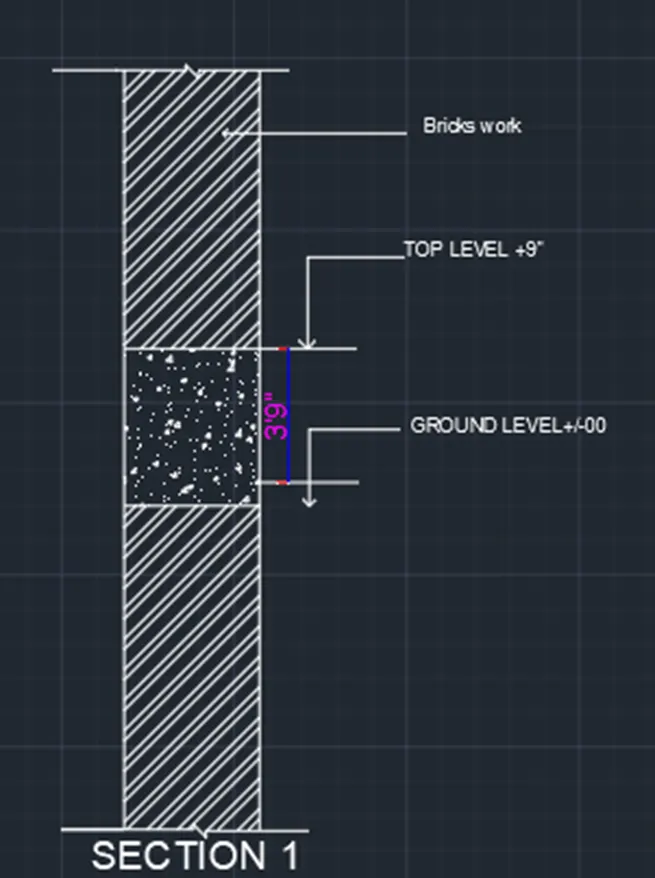
8)select line tool choose offset parrallel to the line show the section.
9)choose hatch command & select the region as per drawing .