Creating various 3D Models like Furniture, Footing, Girder, Column drop with panel and Gable Wall in AutoCad
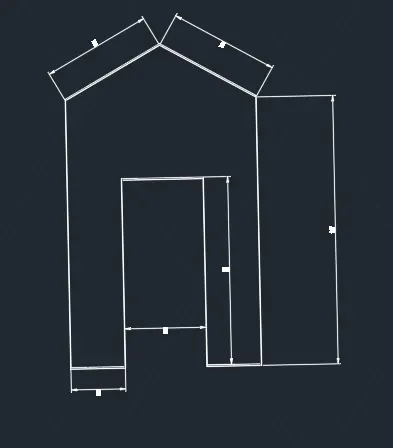
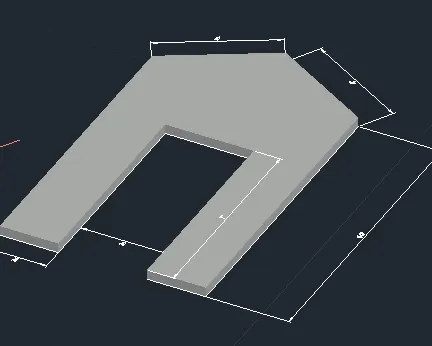
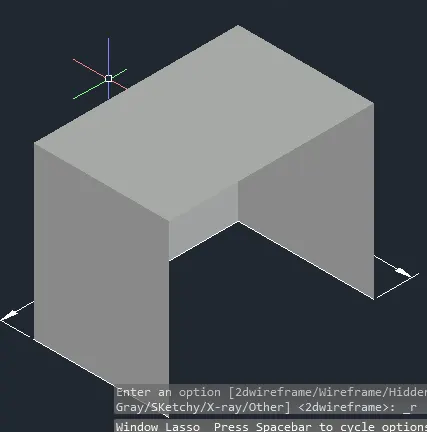
Aim- Create a 3D Furniture element as shown in the Figure. Assume dimensions which are missing.
Procedure-
Select object or bounded area:
Specify extrusion height or [Multiple]:
Specify extrusion height or [Multiple]:4"
1 extrusion(s) created
Select object or bounded area:
Click a face, curve, or inside a bounded area
Select object or bounded area:
Click a face, curve, or inside a bounded area
Select object or bounded area:
Command: *Cancel*
Command: Regenerating model.
Regenerating model.
Command: Regenerating model.
Command: *Cancel*
Command: DIMSTY
DIMSTYLE
Command: DIMALI
DIMALIGNED
Specify first extension line origin or <select object>:
Specify second extension line origin:
Specify dimension line location or
[Mtext/Text/Angle]:
Dimension text = 4'-6"
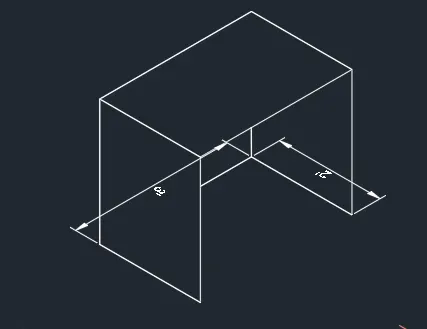
Result
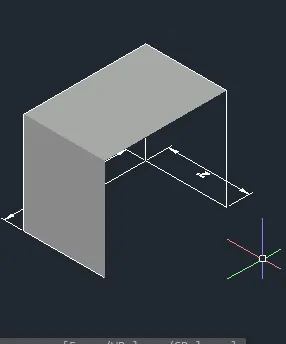
Result
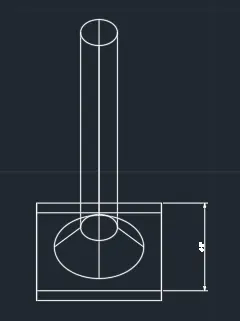
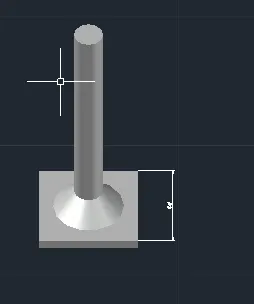
aim-02 2. Create the 3d Model of an Isolated footing as shown in Figure
Procedure-
Select object or bounded area:
Specify extrusion height or [Multiple]:
Specify extrusion height or [Multiple]:4"
1 extrusion(s) created
Select object or bounded area:
Click a face, curve, or inside a bounded area
Select object or bounded area:
Click a face, curve, or inside a bounded area
Select object or bounded area:
Command: *Cancel*
Command: Regenerating model.
Regenerating model.
Command: Regenerating model.
Command: *Cancel*
Command: DIMSTY
DIMSTYLE
Command: DIMALI
DIMALIGNED
Specify first extension line origin or <select object>:
Specify second extension line origin:
Specify dimension line location or
[Mtext/Text/Angle]:
Select objects or specify first extension line origin or [Angular/Baseline/Continue/Ordinate/aliGn/Distribute/Layer/Undo]:
Specify first extension line origin or [Angular/Baseline/Continue/Ordinate/aliGn/Distribute/Layer/Undo]:
Specify second extension line origin or [Undo]:
Specify dimension line location or second line for angle [Mtext/Text/text aNgle/Undo]:
Command: Regenerating model.
Command:
Command: *Cancel*
Command: Regenerating model.
Regenerating model.
Regenerating model.
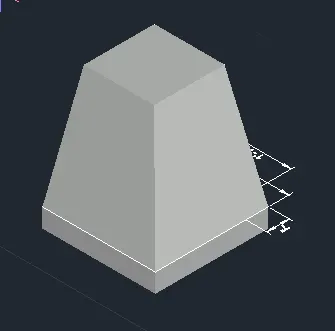
RESULT-
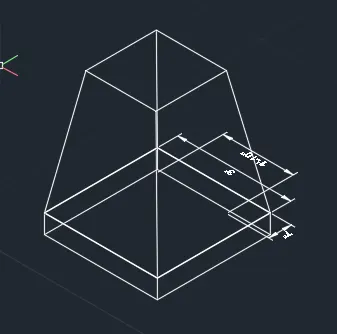
RESULT
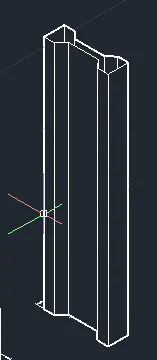
AIM-Create the 3D view of the AASTHO Type Girder.
PROCEDURE-
Select object or bounded area:
Specify extrusion height or [Multiple]:
Specify extrusion height or [Multiple]:4"
1 extrusion(s) created
Select object or bounded area:
Click a face, curve, or inside a bounded area
Select object or bounded area:
Click a face, curve, or inside a bounded area
Select object or bounded area:
Command: *Cancel*
Command: Regenerating model.
Regenerating model.
Command: Regenerating model.
Command: *Cancel*
Command: DIMSTY
DIMSTYLE
Command: DIMALI
DIMALIGNED
Specify first extension line origin or <select object>:
Specify second extension line origin:
Specify dimension line location or
[Mtext/Text/Angle]:
Select objects or specify first extension line origin or [Angular/Baseline/Continue/Ordinate/aliGn/Distribute/Layer/Undo]:
Specify first extension line origin or [Angular/Baseline/Continue/Ordinate/aliGn/Distribute/Layer/Undo]:
Specify second extension line origin or [Undo]:
Specify dimension line location or second line for angle [Mtext/Text/text aNgle/Undo]:
Command: Regenerating model.
Command:
Command: *Cancel*
Command: Regenerating model.
Regenerating model.
Regenerating model.
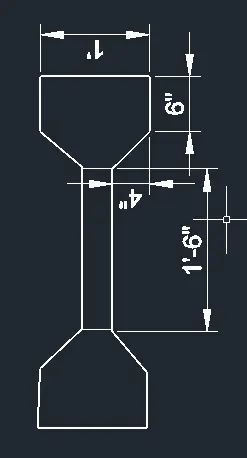
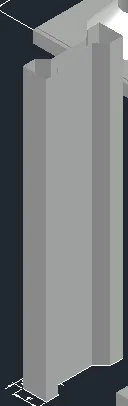
4. Create a 3d Model of a drop column with panel as shown in section and isometric view.
PROCEDURE
Select object or bounded area:
Specify extrusion height or [Multiple]:
Specify extrusion height or [Multiple]:4"
1 extrusion(s) created
Select object or bounded area:
Click a face, curve, or inside a bounded area
Select object or bounded area:
Click a face, curve, or inside a bounded area
Select object or bounded area:
Command: *Cancel*
Command: Regenerating model.
Regenerating model.
Command: Regenerating model.
Command: *Cancel*
Command: DIMSTY
DIMSTYLE
Command: DIMALI
DIMALIGNED
Specify first extension line origin or <select object>:
Specify second extension line origin:
Specify dimension line location or
[Mtext/Text/Angle]:
Select objects or specify first extension line origin or [Angular/Baseline/Continue/Ordinate/aliGn/Distribute/Layer/Undo]:
Specify first extension line origin or [Angular/Baseline/Continue/Ordinate/aliGn/Distribute/Layer/Undo]:
Specify second extension line origin or [Undo]:
Specify dimension line location or second line for angle [Mtext/Text/text aNgle/Undo]:
Command: Regenerating model.
Command:
Command: *Cancel*
Command: Regenerating model.
Regenerating model.
Regenerating model.
RESULT -
AIM- Create the 3d model of a wall as shown in Figure. Consider wall thickness as 9”.
PROCEDURE -
Specify extrusion height or [Multiple]:
Specify extrusion height or [Multiple]:4"
1 extrusion(s) created
Select object or bounded area:
Click a face, curve, or inside a bounded area
Select object or bounded area:
Click a face, curve, or inside a bounded area
Select object or bounded area:
Command: *Cancel*
Command: Regenerating model.
Regenerating model.
Command: Regenerating model.
Command: *Cancel*
Command: DIMSTY
DIMSTYLE
Command: DIMALI
DIMALIGNED
Specify first extension line origin or <select object>:
Specify second extension line origin:
Specify dimension line location or
[Mtext/Text/Angle]:
Select objects or specify first extension line origin or [Angular/Baseline/Continue/Ordinate/aliGn/Distribute/Layer/Undo]:
Specify first extension line origin or [Angular/Baseline/Continue/Ordinate/aliGn/Distribute/Layer/Undo]:
Specify second extension line origin or [Undo]:
Specify dimension line location or second line for angle [Mtext/Text/text aNgle/Undo]:
Command: Regenerating model.
Command:
Command: *Cancel*
Command: Regenerating model.
Regenerating model.
Regenerating model.
RESULT-