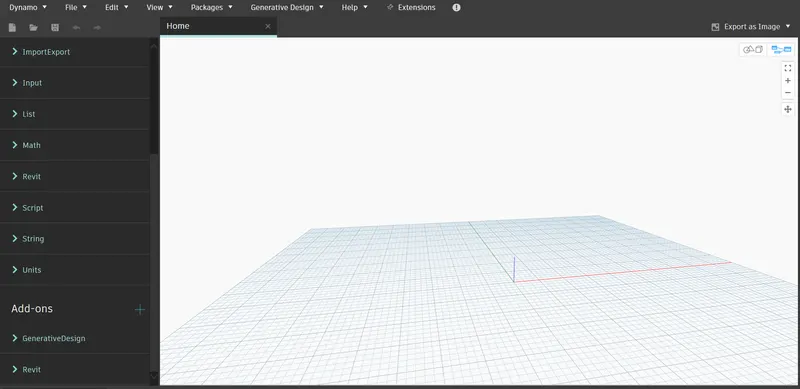
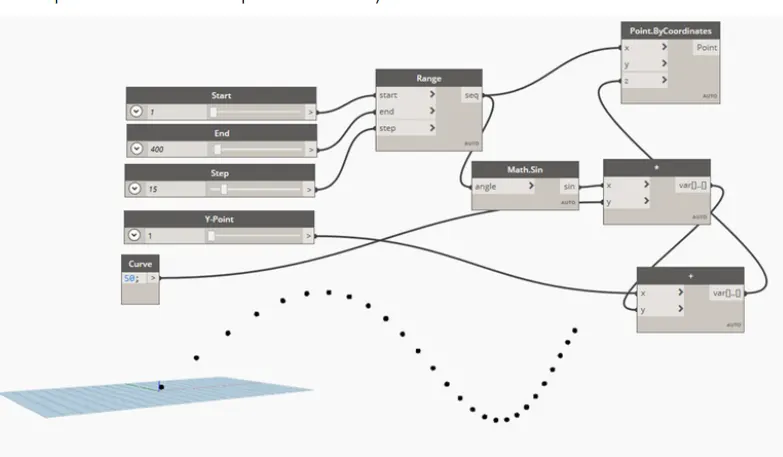
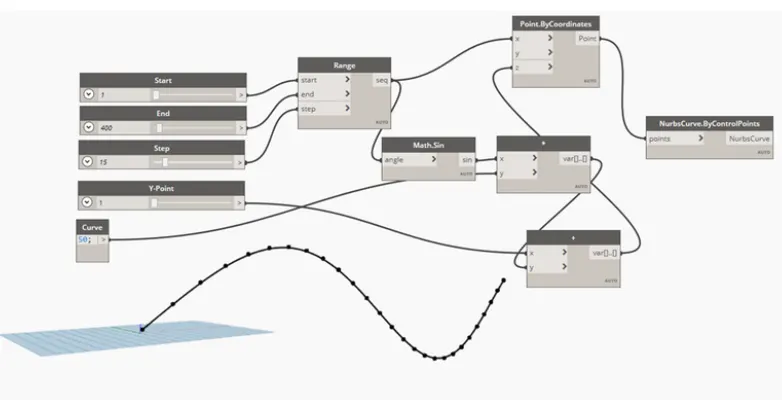
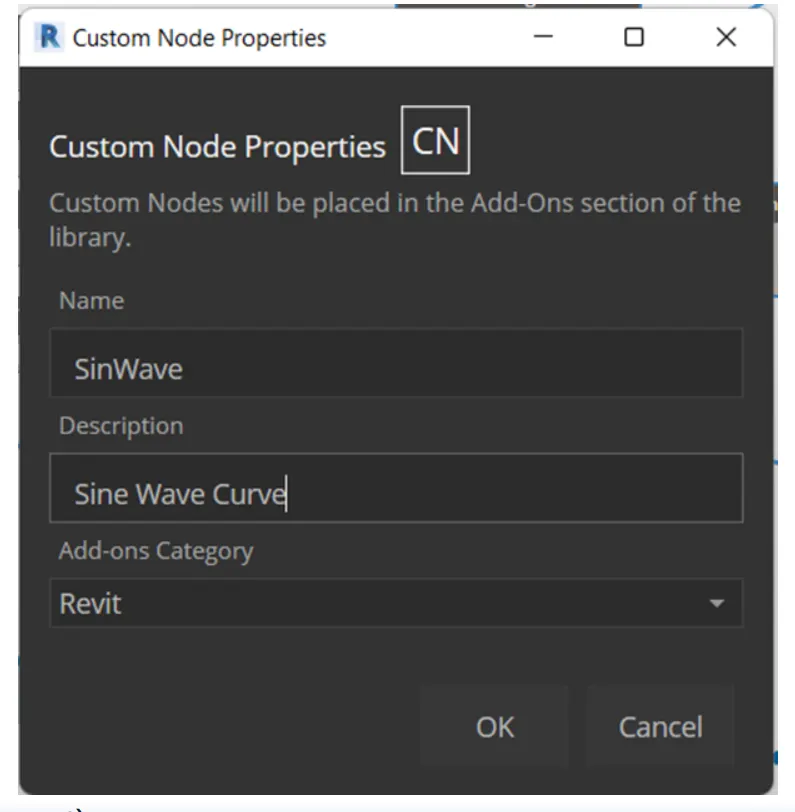
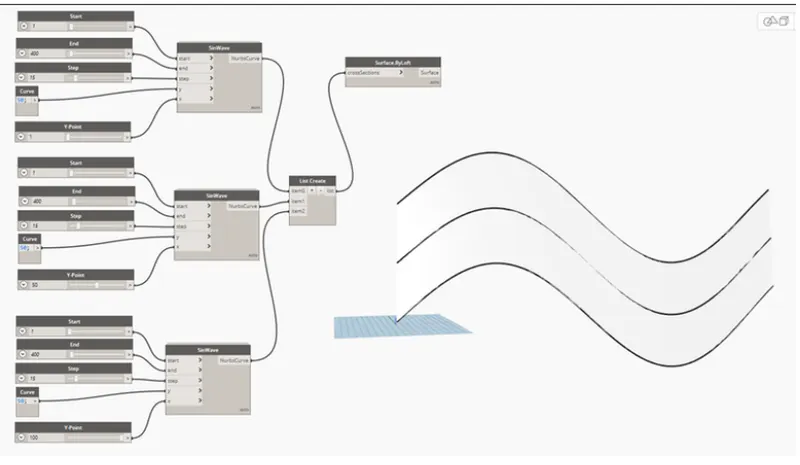
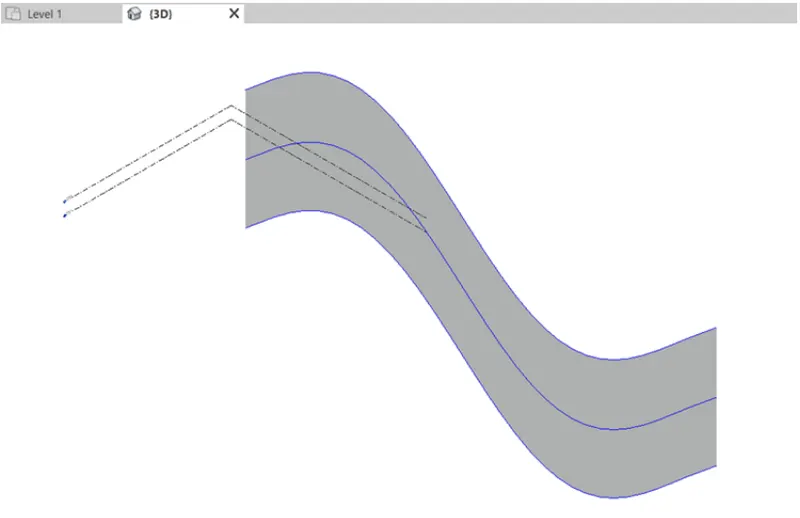
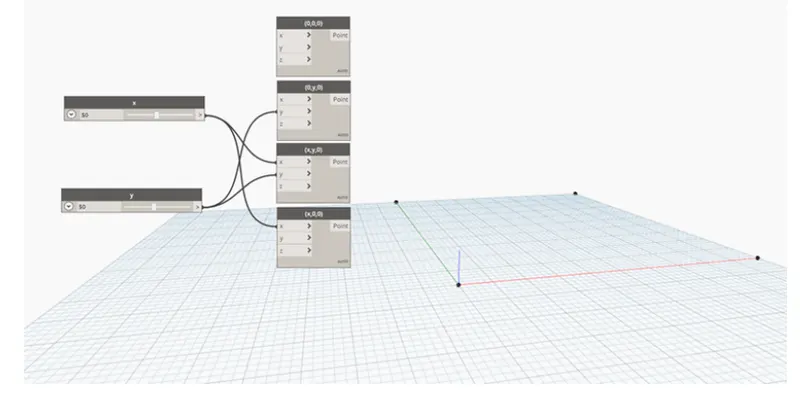
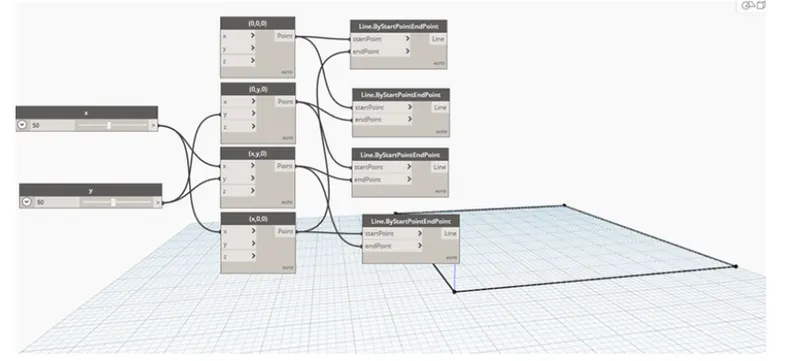
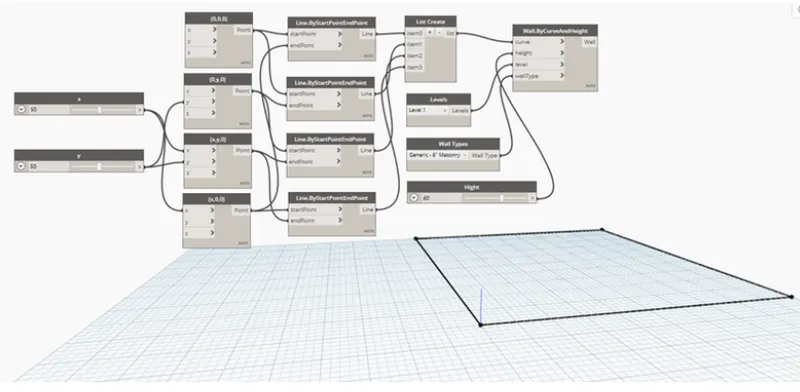
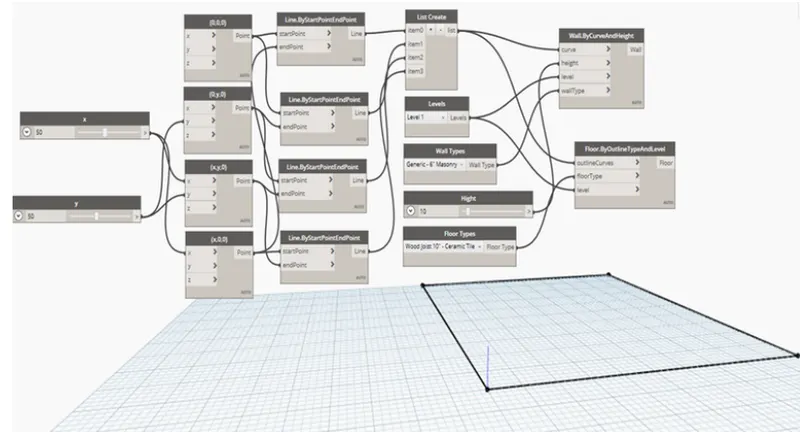
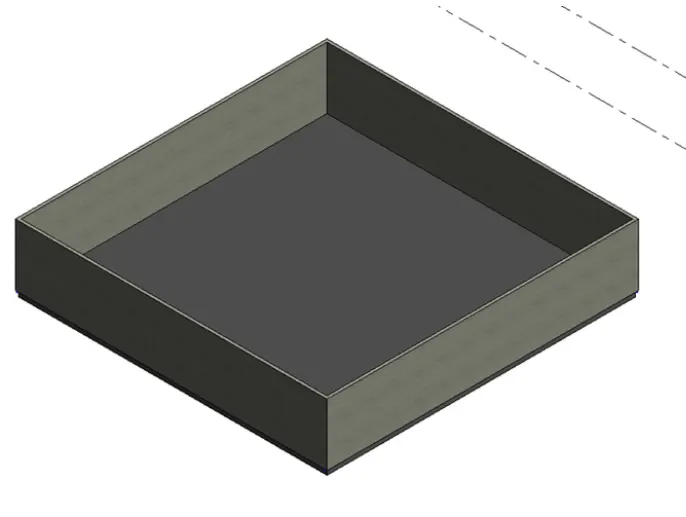
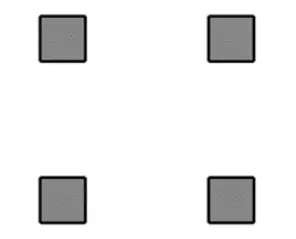
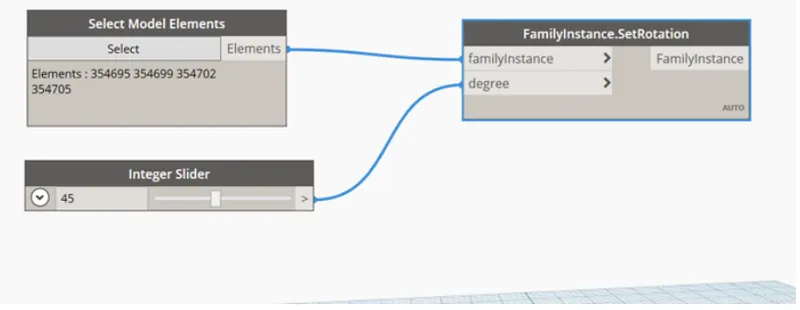
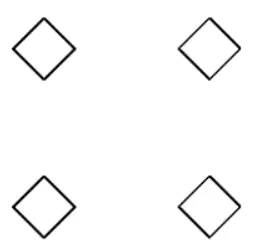
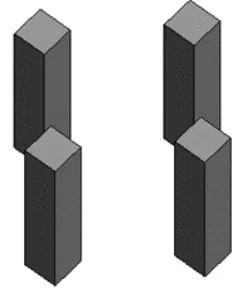
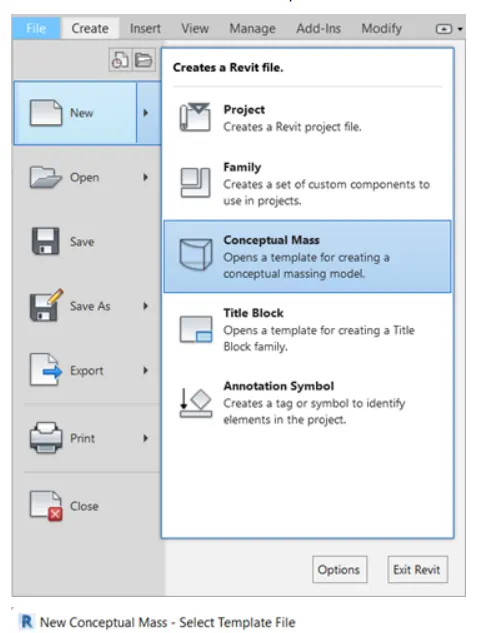
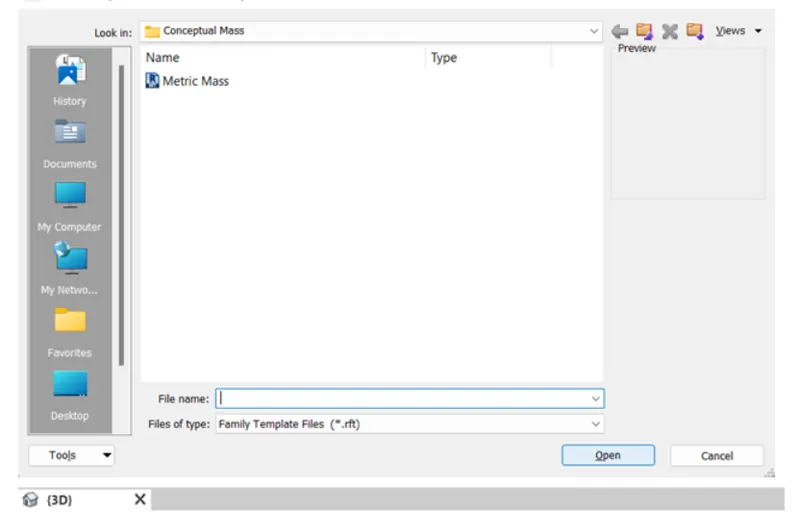
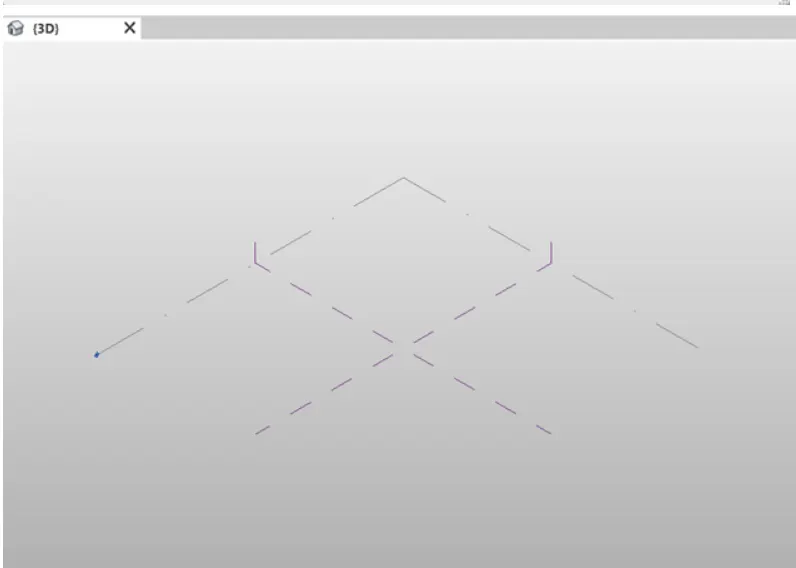
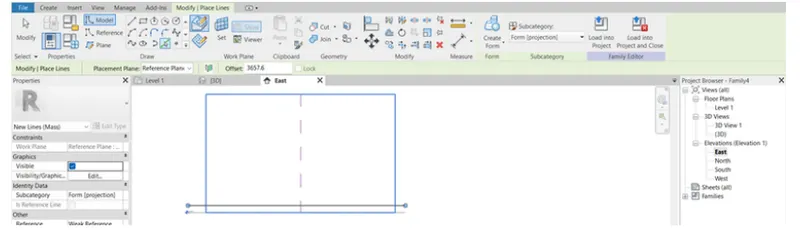
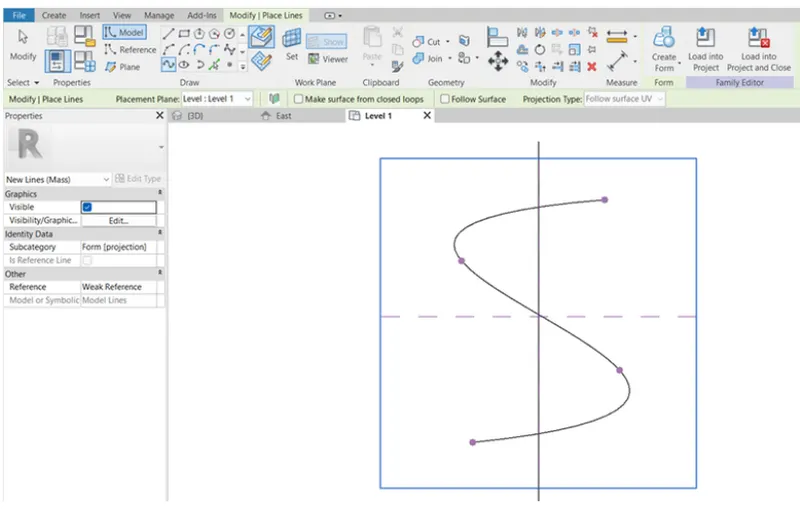
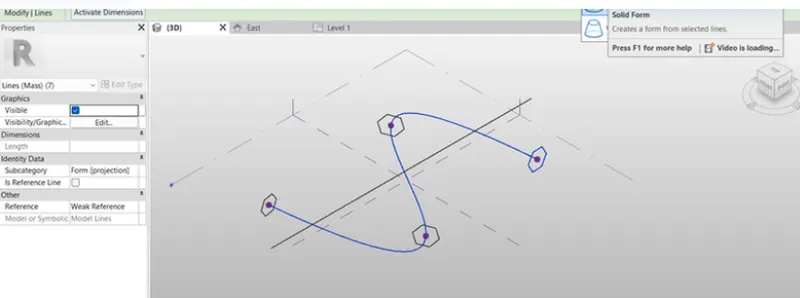
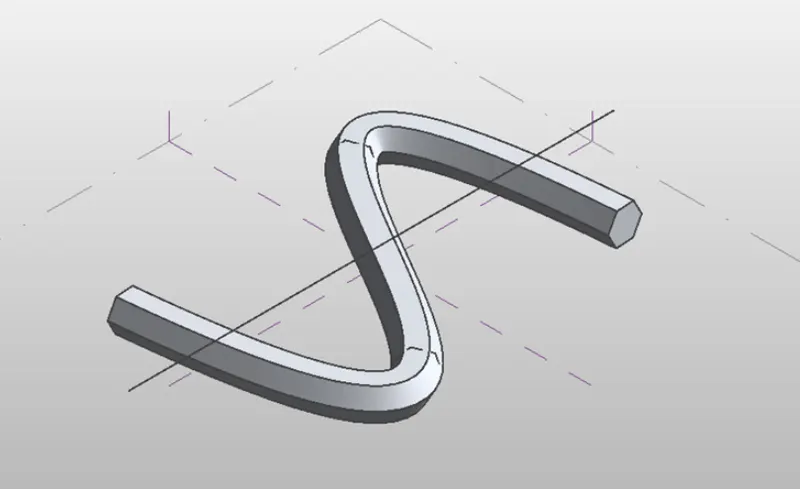
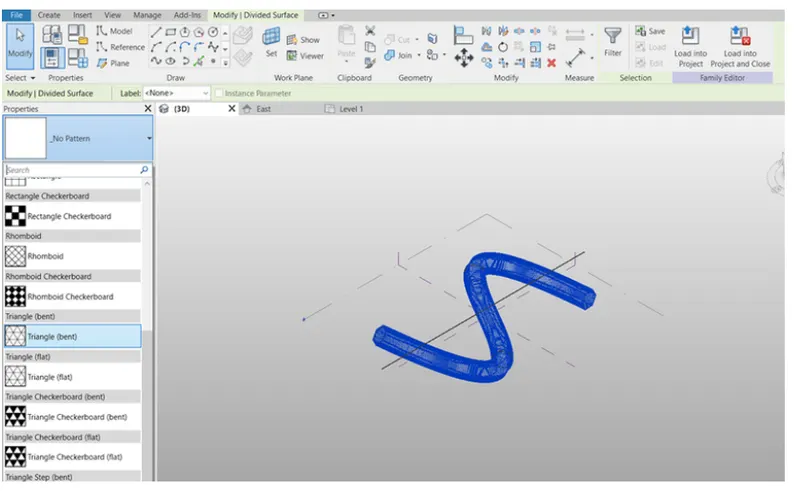
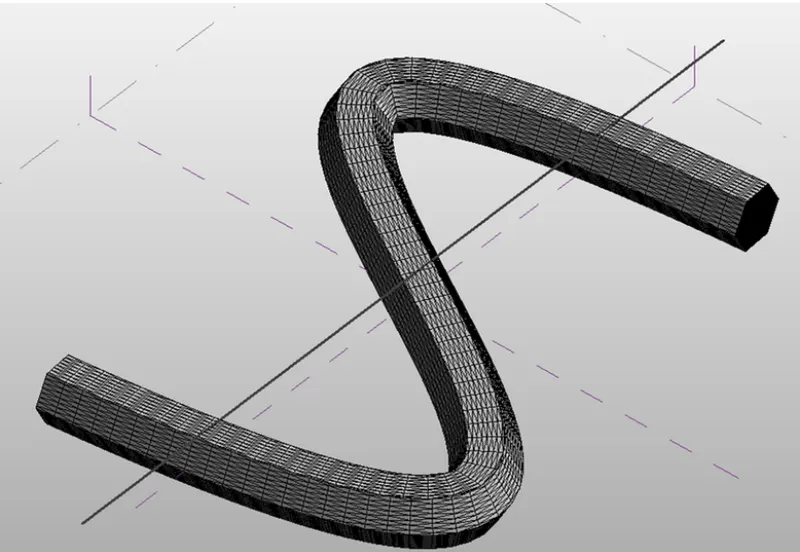
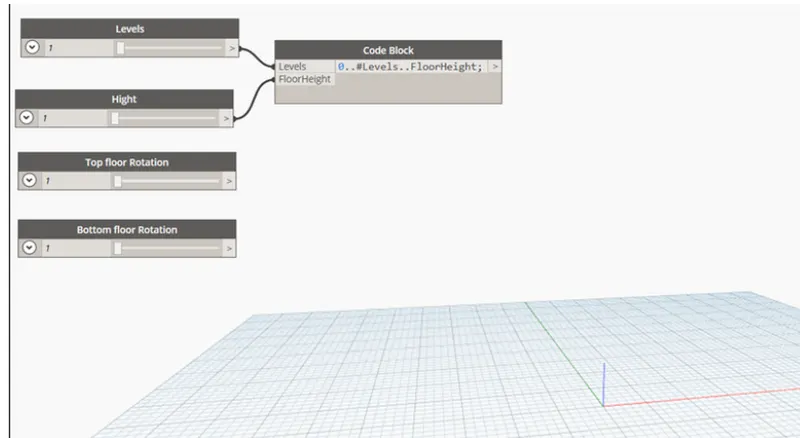
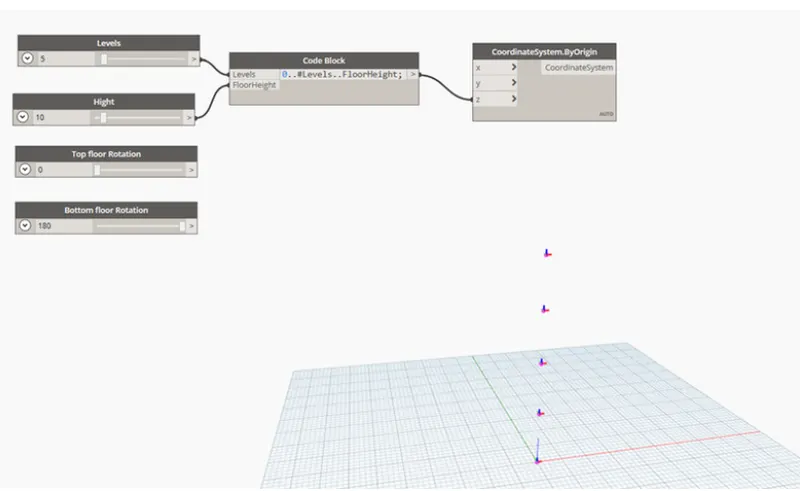
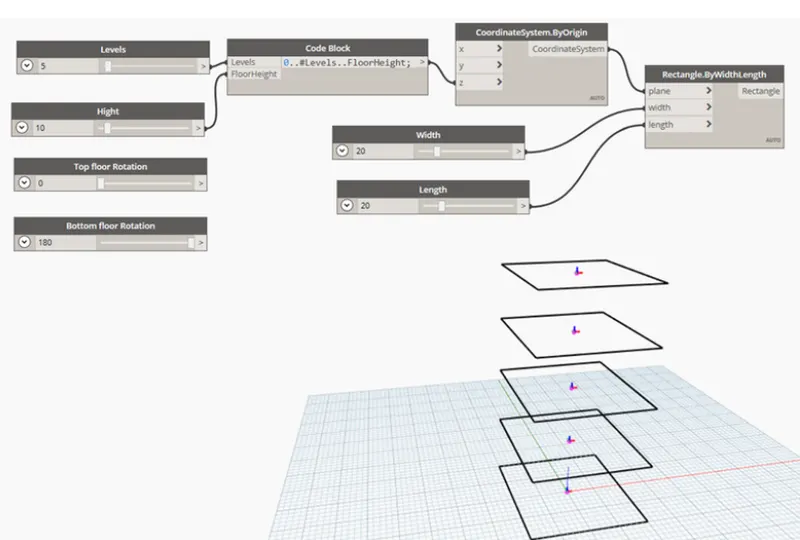
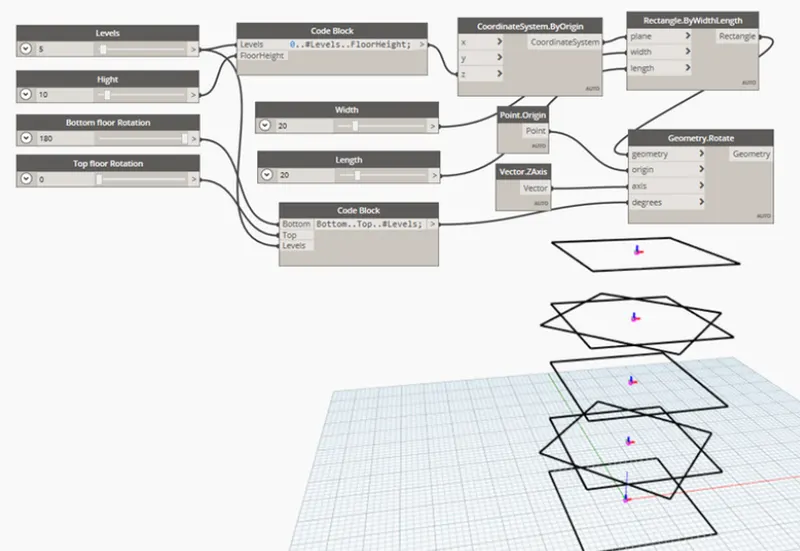
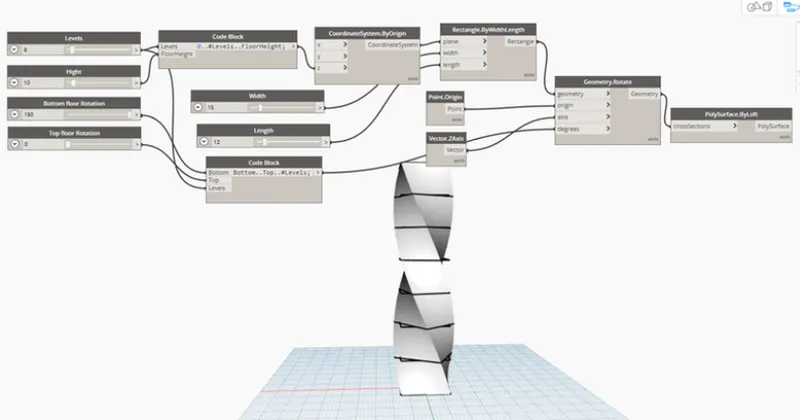
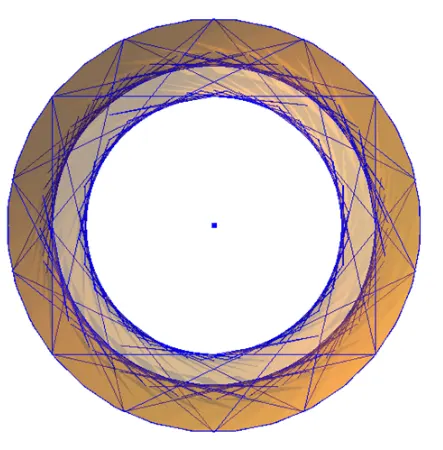
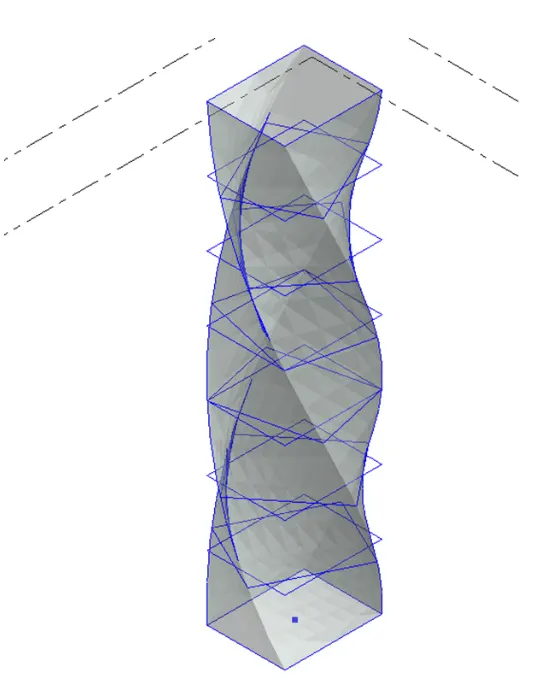
1.Aim:To create a set pf sinusoidal points and create a curve and create surface out pf curve Introduction By using dynamo to create a set pf sinusoidal points and create a curve and create surface out of curve Procedure Open revit software and go to new architectural template Go to manage tab , click on dynmo under visual…
Soumya Kambar
updated on 01 Dec 2022
Project Details
Leave a comment
Thanks for choosing to leave a comment. Please keep in mind that all the comments are moderated as per our comment policy, and your email will not be published for privacy reasons. Please leave a personal & meaningful conversation.
Other comments...
Read more Projects by Soumya Kambar (27)
Project 2_Design & Analysis of a Hostel building at Guwahati, Assam
Objective of challenges To calculate and assume necessary data from the given architectural and site information To model , analysis and design the frame structure using ETABS software To model, analysis and design the foundation using SATE software To produce structural typical floor plan &typical rebar drawing Data required…
22 Dec 2022 01:32 PM IST
Foundation Design using SAFE
OBJECTIVE OF CHALLANGE to know the general design procedure of spreadnfooting with safe foftware to know the general design procedure of pile foundation with safe software PROCEDURE FIND THE value for SAFE BEARING CAPACITY UNDER SERVICE LOAD SETTELMENT UNDER SERVICE LOAD two way shear checkULTIMATE BENDING MOMENT(moment…
22 Dec 2022 05:44 AM IST
Design of Shallow Foundation (Isolated Footings)
Steps involved in Footing design Calculation of gross soil pressure for footing area Calcultion of net soil pressure for flexural and shear design Initial depth of footing calculation Flexural reinforcement cakculation One way shear check Two way shear check 1.Gross soil presuure and footing area Unfactored…
21 Dec 2022 02:18 PM IST
Structural Modelling using Etabs 2018
Aim To model and analyze the G+7 residential building from given architectural drawing using the ETABS 2018 Procedure Open the Etabs software click on new then choose model information Click on custom grid spacking select Edit grid type Give X and Y grid data Then screen…
21 Dec 2022 10:10 AM IST
Analysis & Design of RCC shear walls in the model using ETABS
Data required for ETABs analysis Pinned support, Base+9 story (Ground to terrace)+1mumty Column 450x600mm , Beam 400X500mm, Slab 150mm thick, Shear wall 300mm thick Live load 2.5kN/m^2 Floor Finish 1..5kB/m^2 Wall load 5kN/m^2 Water tank 20K liter over mumty equivalent to 200KN overall Conceptual design consideration…
20 Dec 2022 08:56 AM IST
Reinforcement detailing of Columns from ETABS output
OBJECTIVE OF CHALLANGE To know the design of rc column using etabs analysis to know the basics of rc column reinforcement detailing with respect to primary stndards to ensure the ductility reinforcement required by IS-13920-2016 been satisfeid in reinforcement drawing LONGITUDENAL & SHEAR REINFORCEMENT OF 3A COLUMN…
19 Dec 2022 09:47 AM IST
Reinforcement Detailing of Beams from ETABS output
AIM: Reson for failure of the middle along grid a possible wats to solve PROCEDURE: Calcualte value of max shear force in any one of span as per IS 13920-2016 Longitudinal reinforcement of the beam grid -3From ETABs (mm^2) Shorter reinforcement of beam at grid 3 from etabs (am2/100mm) Logitudenal reinforcement of…
19 Dec 2022 05:25 AM IST
Project 1_Comparative study of different storey buildings for Seismic forces
OBJECTIVE OF CHALLANGE Know how to extract different seisic responce for the structure how to easily alter certain properties in ETABS model know the factor influencing the dynamic charecterstucs of building know the factor influencing time period of building know the factor influencing mode shape …
18 Dec 2022 04:30 PM IST
Modelling of 25 storey building with the specified properties using ETABS
1. Open ETABs software click on new model and Then dialog box appears click on custom grid spacing click on edit grid data set x and y ordinate Click on custom story data and edit data story Then dialog box appears on screen create 25 story for model and click on ok Step 2 Go to define…
18 Dec 2022 07:49 AM IST
Conceptual design of a building with columns and shear walls
1. As the structure is more restrained it will be more shrinking, expanding and cracking. There will be more floor shrinkage and expanding in structure A whereas there will be minimum cracks in structure B and C. The shear walls in the structure also decide whether the floor vibration is more or less in the structure it…
17 Dec 2022 04:23 AM IST
Concept on positioning of Columns
1. Investigation of framing plan w r t symmetry in X direction If we split the plan vertically half, it will look mirrored. So we conclude the given plan is symmetric in X direction Investigation of the framing plan w r t symmetry in Y Direction. If we split plan horizontally half it will look mirrored. So we conclude…
16 Dec 2022 01:12 PM IST
Understanding the concepts on Degrees of Freedom
Step 1 Step 2 Step 3 Step 4 Step 5 Step 6
16 Dec 2022 02:24 AM IST
Structural dynamics
1.Difference between static analysis and dynamic analysis Static analysis Dynamic analysis Load is not variable with timeand negelected due to slow applying of load Load is variable with time due to fast applying load and vibration…
15 Dec 2022 08:09 AM IST
Identification of Cracks
1. a The above image show the damage at beam column joint In this damage is more for part of beam Damage is caused due to not providing sufficient cover to beam from reinforcement. May be caused due to insufficient vibration of Concrete as there will be hinderence of the reinforcement while vibration The repair can be…
14 Dec 2022 04:35 PM IST
Usage of Navigation tool , Timeliner and Clash Detection test using Naviswork
1.Aim:To use architecture/structure project file to export revit architectural and structural model to naviswork cache file Procedure Open aaaarchitectural model and click on 3D view Go to file , click on export and save as NWC Repeat for for architectural and structural model Open file…
02 Dec 2022 05:02 AM IST
Creating Conceptual mass in REVIT and Creation of Sinusoidal curve and a Parametric stadium using Dynamo
1.Aim:To create a set pf sinusoidal points and create a curve and create surface out pf curve Introduction By using dynamo to create a set pf sinusoidal points and create a curve and create surface out of curve Procedure Open revit software and go to new architectural template Go to manage tab , click on dynmo under visual…
01 Dec 2022 06:35 AM IST
Creating Architectural and Structural model with 3D rendering using REVIT
1.According selection the type of structure i can choose residential multi unit apartment 2. The open space around the building shall not be less than 4.5m The type of construction type 2 construction FAR value for the buiseness building shall not be taken as 2.9 The plot size is taken as 40mx70m i.e 2800 sqm…
23 Nov 2022 10:45 AM IST
3D Creation of Celing, Roof, Architectural plan, Structural plan, Sectional view, Elevation view and Camera specific view for a house plan using REVIT
1.Aim:Created a ceiling from architecture tab above wall at first floor level Introduction From the architectural tab to model a ceiling at the first floor level on the saved week 3 project of the residential unit. Procedure 1. Open revit module Click on open and select week 3 created…
15 Nov 2022 12:52 PM IST
Project 2_Creating a 3D rendered model for a Residential Building in AutoCad
Aim:To create a 3 dimensional model of the residential building with a rendered view in AutoCAD. Procedure: Open the AutoCAD and go to 3D modelling. Initially set the units of the drawing as decimal (mm). Now, set the limits of the drawing: Now create a 2D plan for a residential building with the help of commands…
30 Oct 2022 05:27 AM IST
Creating 3D Isometric view of various structural elements in AutoCAD
1.Aim:To create 3D isometric view of the plan and elevation Procedure: *Open Autocad set unit as feet or inches, *Set lower left corner, upper right corner limits Steps 1:Creating layers 2:Creating 3D view 3:Creating elevation windows Window at elevation A Window at elevation B 4.Creating views …
29 Oct 2022 07:27 AM IST
Creating various 3D Models like Furniture, Footing, Girder, Column drop with panel and Gable Wall in AutoCad
1.3D Furniture element 2.3D Model of an isolated footing 3.3D view of ASTHO type girder 4.3D model of a drop column with panel Sectional view Isometric view 6.3D model of wall Consider thickness =9" …
28 Oct 2022 04:14 PM IST
Creation of Multiple viewports, Scaling the drawing and setting in Template in AutoCad
1. Aim : To create layout of plan and section using MArch.dwt. To create viewport using MV command odf size 400x445 and 375x445 and setting the scale (1:50) Editing attributes in the tamplete A1 size Procedure: In the command prompt type units>mm>decimal set lim max, lower left corner and upper right corner Command…
28 Oct 2022 01:41 PM IST
Creating Kitchen layout, Hatching of Architectural elements and sectional view of an Industrial Building in AutoCad
1.Aim:The layouts of the kitchen All dimension in mm Procedure: By using line command to draw the outer line. In ribbon bar>hatch>Ar.Conc To create the rectangle by using rec command By using Mt command to draft text By using C command to draw the circle By using dim to draft the dimension 2.Aim:To create elevation…
28 Oct 2022 11:42 AM IST
Creating Bar Bending schedule, Different Door types, and Creation of standard drawing templates using AutoCad
1.Tamplates 2.Doors type for warehouse 3.Symbol s block with name in legend 4.Door type for residential building 5.
28 Oct 2022 09:15 AM IST
Project 1 _Creating an Architectural plan for the provided plot size and develop relevant basic structural drawings
Aim: To draw residential building of dimensions 60'*20' with the following drawing 1) Architectural drawing Plot drawing Ground floor plan First floor plan Elevation view 2. Structural drawing Section view Footing layout Column layout Beam layout Introduction Residential building dimension:60'*20' (18.3m*6m) Plinth…
28 Oct 2022 07:44 AM IST
Sketch a G+1 residential plan according to Vaastu Shastra and Calculation of Loads as per IS code
Aim: Sketch a G+1 floor residential plan, according to Vaastu Shastra, and list down the names of the structural drawings required to be provided to the site for construction. Also, assume the sizes of the structural elements (Column, Beam, Slab, etc.,) and accordingly calculate the individual corresponding loads from…
01 Sep 2022 03:48 PM IST
Project on Concrete Mix Design for various grades of Concrete
Concrete Mix Design for M35 grade concrete with fly ash 1 Target strength of mix proportion f'ck= fck+1.65S = 35+1.65*5 =43.25N/mm^2 From table 1 IS 10262:2009 S= 5N/mm^2 2 Selection of w/c ratio From Table 5 of IS 456:2000 for severe exposure W/c ratio=0.45 Based on experience adopted…
29 Aug 2022 01:38 PM IST