Creating Conceptual mass in REVIT and Creation of Sinusoidal curve and a Parametric stadium using Dynamo
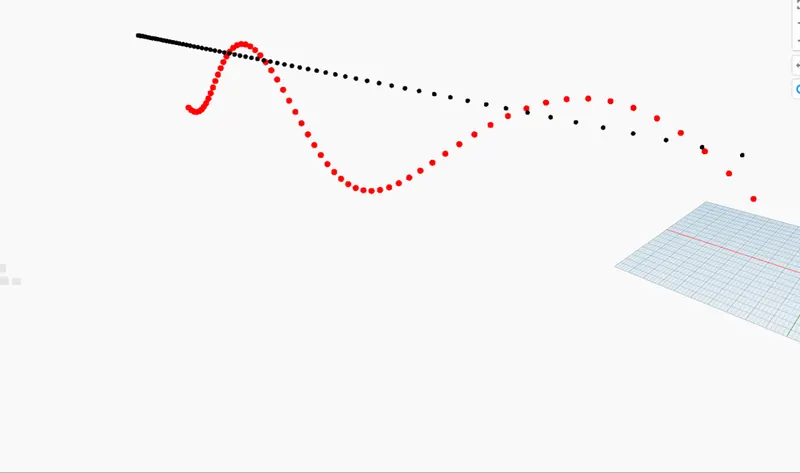
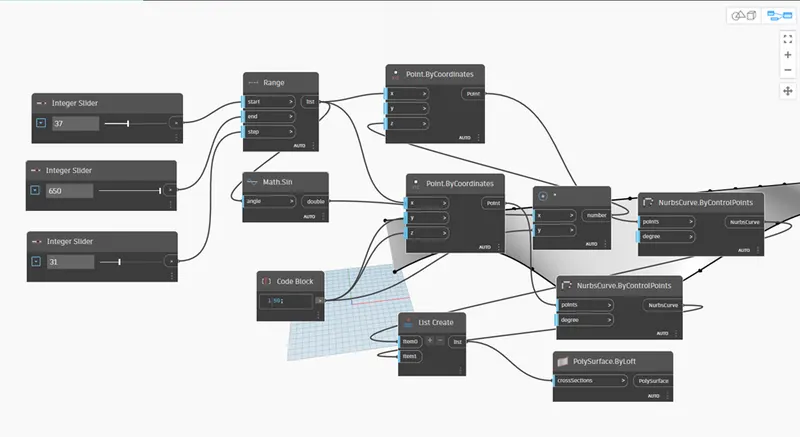
- Open dynamo , type integer slider in the search box create 3 set of integer slider and adjust them as needed. Then search range, math.sin, code block and 2 set of point by coordinates.
Give integer slider to range , range list to math.sin , from range and code block to point by coordinates . for curve in point, type in nurbs curve 2 sets, list create, multiply, surface by loft. Give Both point by coordinates to both nurbs curve then assign it to list create. For surfaces , type in surface by loft connect it to list create
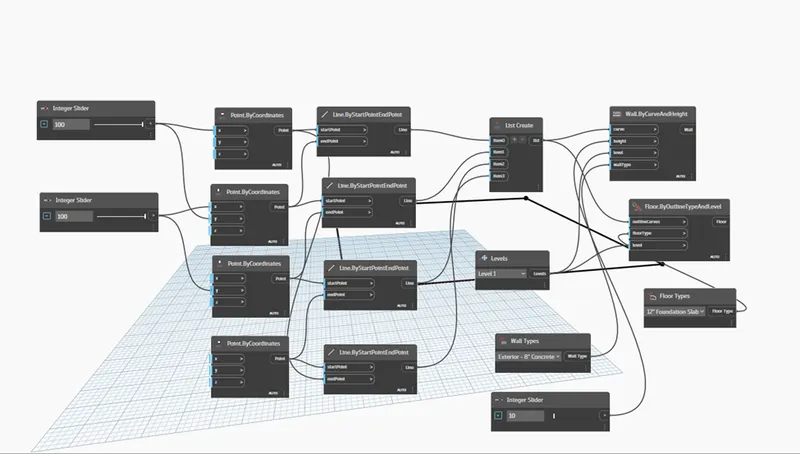
- Open dynamo , choose integer create 2 sets , 4 set of point by co-ordinate, 4 sets of line by start point and end point, list create. Give x, y value alternate from point by co-ordinate to line by start point and end point then to list create from each line by start point and end point. And also create levels, wall types,integer slider, floor type, floor by outline, wall by curve and height connect them as required.
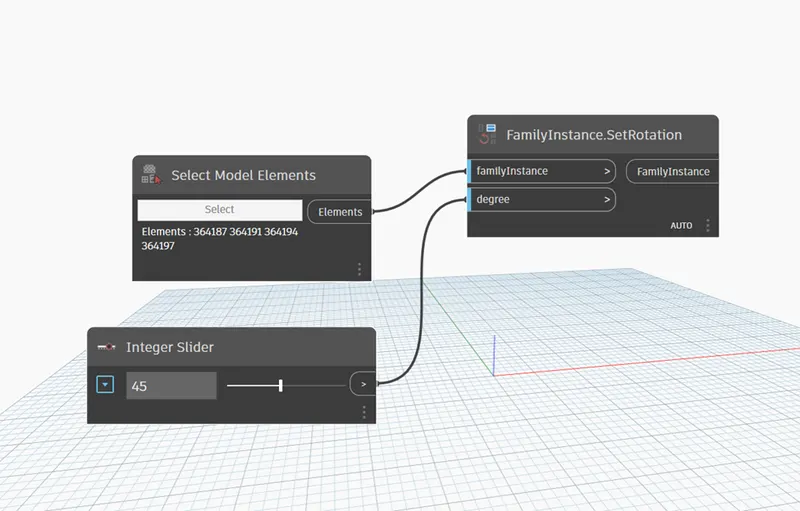
- Open a new architectural file , draw a 4 set of column in it . open dynamo , search in model elements, rotation, integer slider. Set the integer slider value and model elements connect to the rotation.
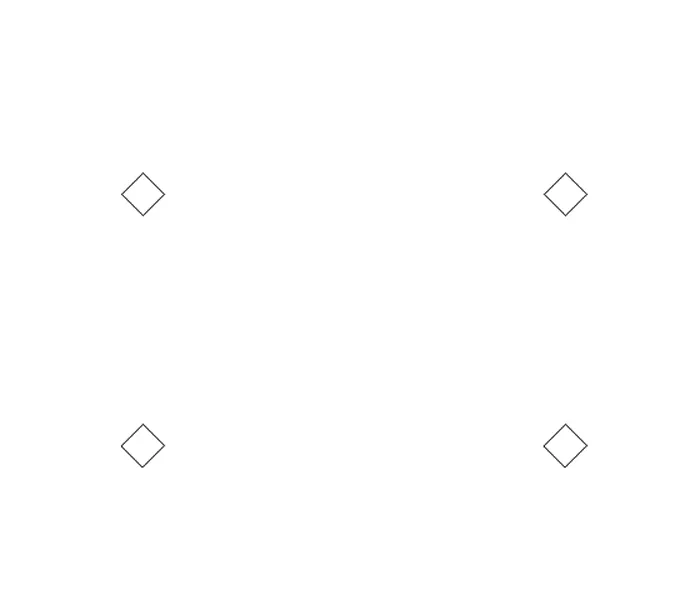
4 . open a new template file , file go to conceptual mass check in metric mass . go to elevation view create another level , then open floor plan choose spline option and draw a set of curve lines . go to 3d view click on modify tab in ribbon bar then set option then click on the ends of the curve line choose inscribed polygon and give an value as needed . select the the whole curve line filter it. Select the one end of the polygon and Click on the top surface create form . choose surface mass as triangle bent from the properties panel.
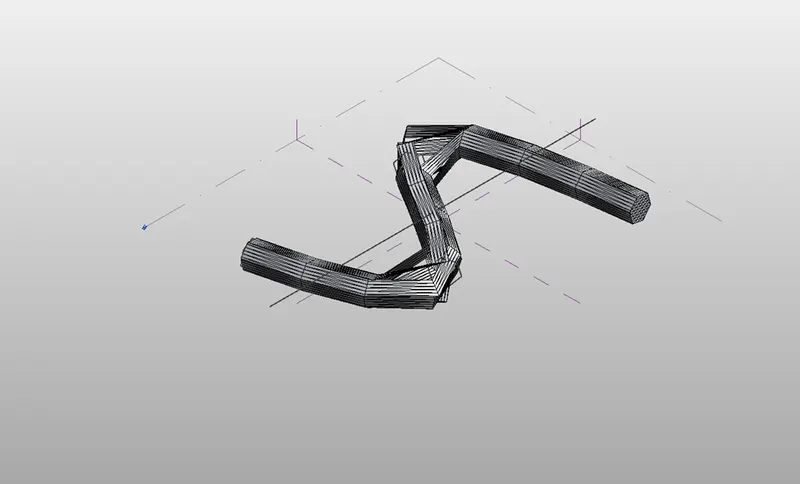
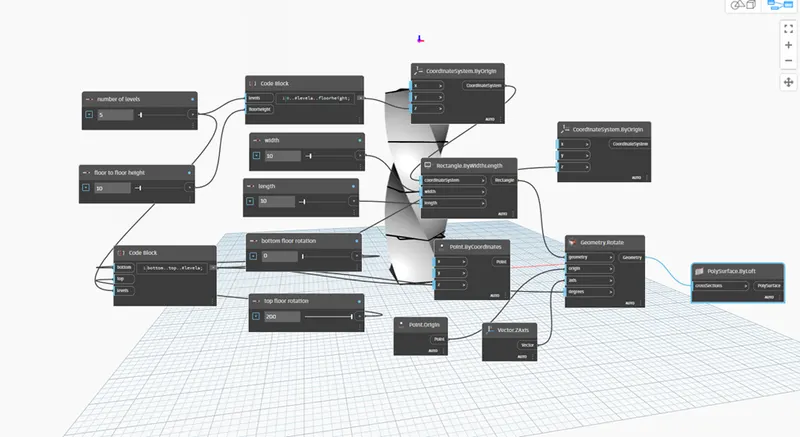
5 . open dynamo , choose integer slider of 2 sets name them as no of levels, floor to floor height give a value as needed. Then code block as bottom,top, levels. Another code block levels, floor height. Create four set of integer slider as width,length,bottom floor rotation, top floor rotation.
Assign as required . then rectangle ,origin of 2 set , point coordinates, point origin, vector z axis, geometry rotate, polysurface by loft. assign to the parameters as required.