Creating Bar Bending schedule, Different Door types, and Creation of standard drawing templates using AutoCad
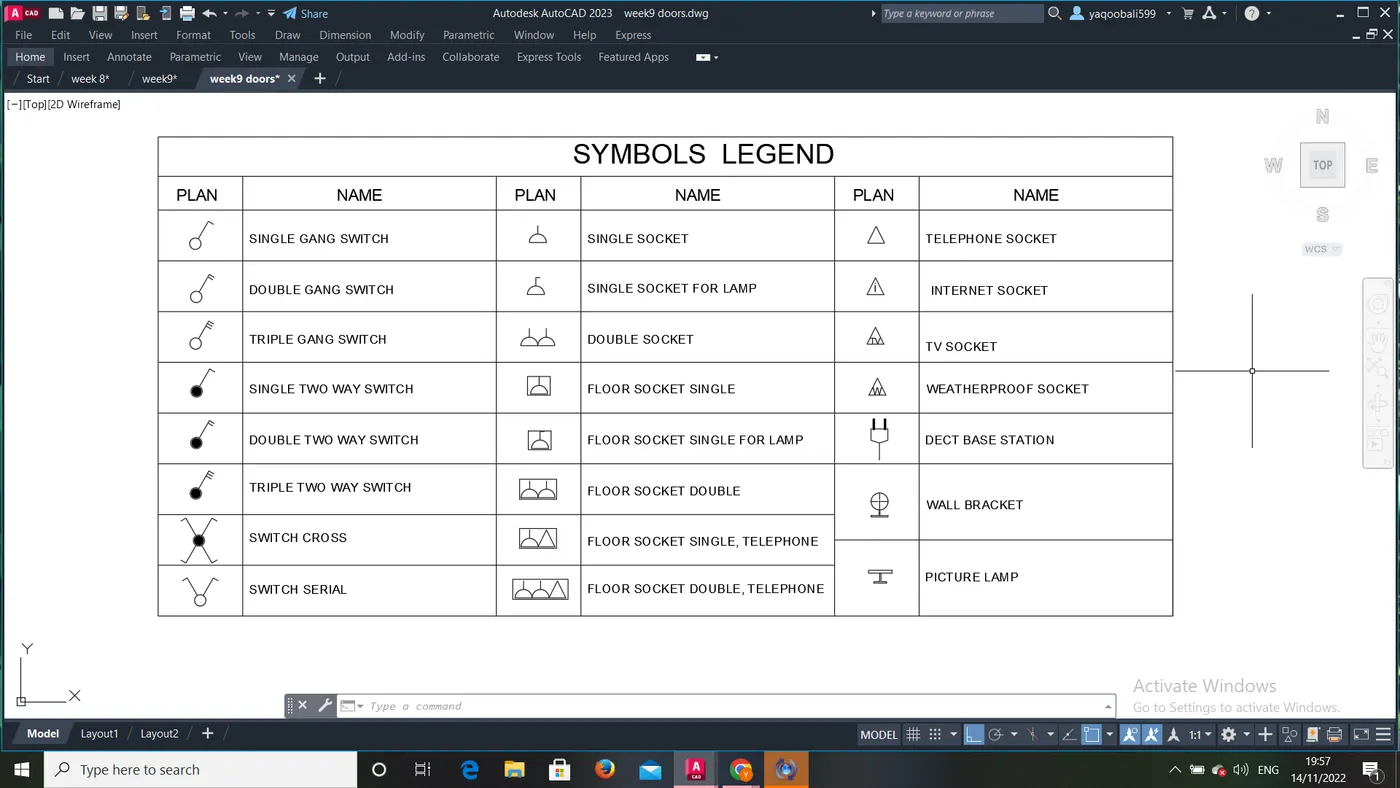
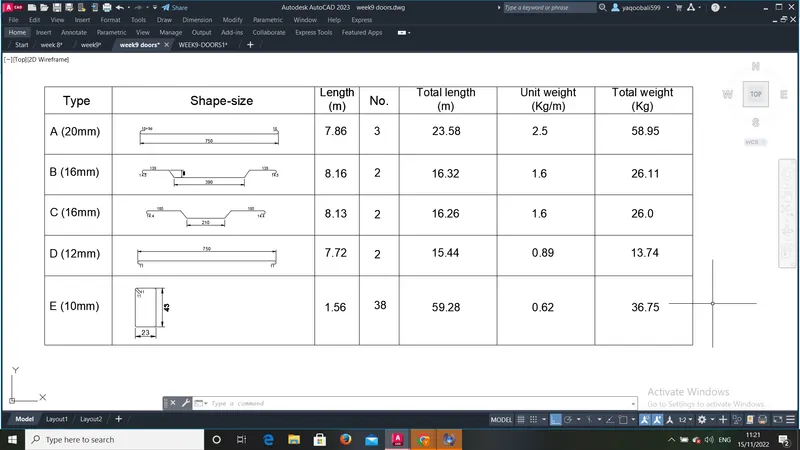
Aim of the project: To Create the templates as shown in Figures, Create the doors type for warehouse as shown in the Figure,Create each symbol as a block with the name given in the legend, Create the door type for residential building as a block, Create each shape as a block as shown in the Figure.
The drawing in the project is done with help of AUTOCAD software.
Procedure:
Step 1: The units of the drawing sheet is set to Engineering and decimal precision as per the requirement.
Step 2: Construction line in horizontal and vertical direction are drawn using the command ‘XL- h’ and ‘XL-v’
Step 3: A corner is created by trimming the bottom and left side of the construction line using the trim command: ‘TRIM’
Step 4: after creating the drawing, they are converte into blocks using b command
Step 5: the respective blocks are then introduced into the table created as per the required scale.
Step 6: Then an offset of the required room size (for example 3100mm or 3300mm) is created from the innermost line in the vertical direction. An offset of 125mm is created for the inner wall. The extra lines are trimmed off using the trim command.
Step 7: Similarly offset lines are created based on the room size and dimensions mentioned in the plan.
Step 8: final drawings are saved as per their respective required namings.
Results Obtained:
The drawing presented in this project contains various blocks, legends and various door types as per requirements. screenshots and cadd files are attached along with.