Challenge 8 : Concept Modeling of Seats
Concept Modeling of Seat
Objective: To build the surface of Seat
Importing the image and tracing the curves using a single view and by using the perspective view in the image. Determining the patterns and building the surface.
Methodology:
Importing the image -> tracing the curves from a side view-> surface building using tools from palette -> building the continuity of Seat
Tools:
Curves:
- Circle and CV curves, these are used to draw curves or to trace the image which in turn is required to build surfaces.
Object edit:
- Attach and Detach- These are used to detach the curves which helps to detach curves, which helps to create surfaces.
- Align – It helps to align the surfaces at G0, G1, G2 positions.
- Extend – It helps to extend the surfaces for our convenience.
Curve Edit
- Duplicate curve tool- Duplicates any curve which is picked or clicked.
Surfaces:
- Skin – It is the command used to form the skin between the curves.
- Rail – It is used to form surfaces by selecting generation and rail curves depending on the requirement.
- Square – If there are four sides to make a surface, this command is used.
- Freeform Blend – To form two transitional surfaces for given two inputs.
- Surface fillet – To form fillet between 2 surfaces.
- Msdraft – Creating surfaces by puling group of CVs at an angle.
Surface edit:
- Project – Its used to project the curve on a surface by selecting the surface and curve.
- Trim and Untrim – It is to trim and untrim the surface
Evaluate:
Surface continuity check – It is to check the positional, tangent and curvature of a surface.
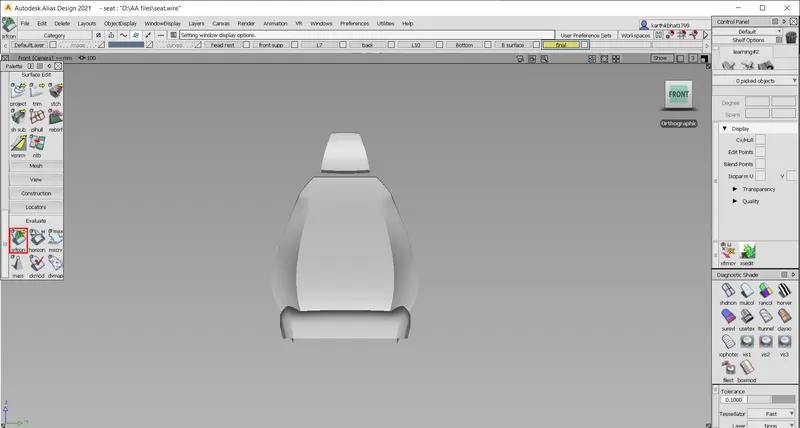
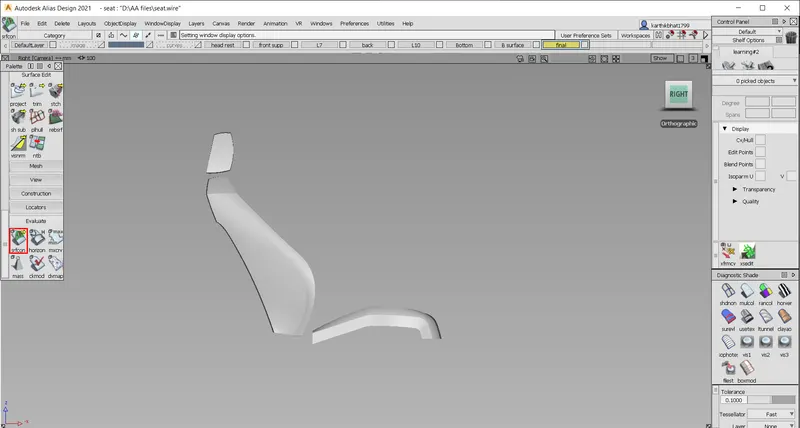
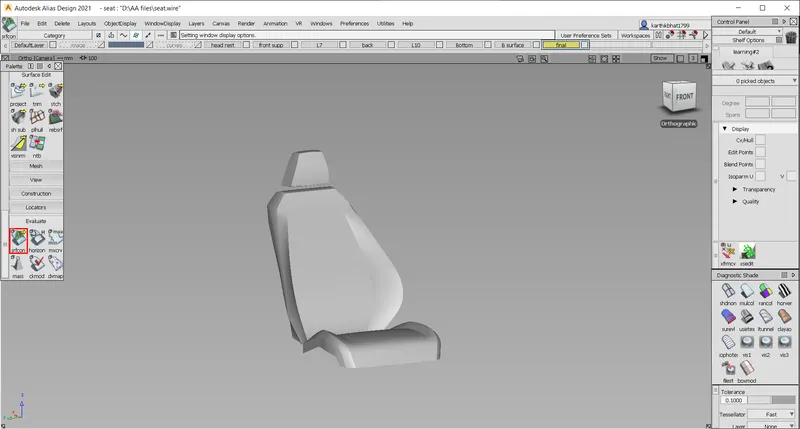
Conclusion
- Working on own patch layout and hypothetical curves
- Imagining the Surfaces from a side view
- Visualization and continuous surface building