Challenge 5 : Concept Modeling of Car Bumper
- Title: Concept Modelling of Front bumper of Abarth 500
- Objective: To create a concept of Front bumper of Abarth 500 using Autodesk Alias by using the Dimension box to create a model to exact scale
- Introduction:
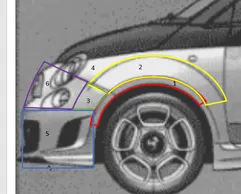
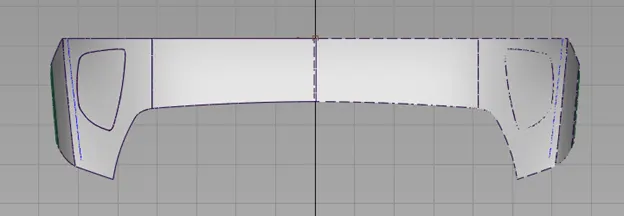
While generating the concept in Alias we need to decide the Foundational surface. The model is built upon this patch using the canvas images. We have to start an easier patch. In our case we have started with the patch shown in the below image
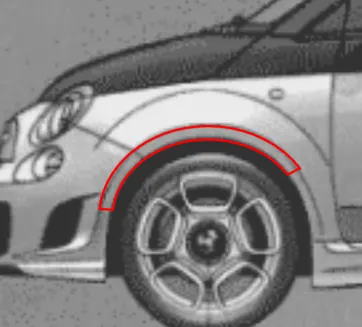
Now using this foundation surface we have to create the adjacent surface and build the entire Bumper step by step.
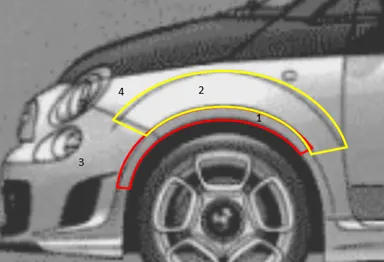
- Design methodology:
The flow diagram is shows the steps involved in brief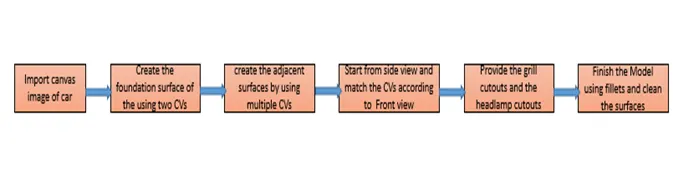
Description
- Importing canvas images:
Now there is prior step before importing the images. We need to create a Dimension box of the car with the dimensions given in the images. The purpose of the dimension box is to create an approximate scale model of the car part. Now after creating the dimension box, the images are imported and scaled according to the dimension box.
- Creating a Foundation surface:
Now This is basically our choice. We can start with front and accordingly match the side view. I our concept we have started with the fenders flat faces as they are circular and easy to build.
- Creating the adjacent surface:
Now with the help of CVs we trace the side view patches as shown in the below image. We create a CV with appropriate amount of spans and place them accordingly matching the front view.
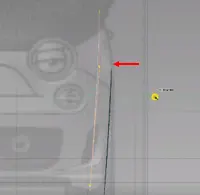
- Finishing
Now the model is given the finishing touches by providing the feature details. This involves the cut-outs of the grill, Head Lamps, Tail lamps. This is done by drawing curves and projecting on the car parts. The projected curves are trimmed later. In this process there is another feature we use to provide fillets to the sharp corners. This improves the quality of the surfaces and make them look clean.
Similarly, the Rear Bumper model is created by using the same procedure.
- Tools used:
- Canvas import: Used to import images
- Transformation features: This feature is used to Move, rotate, Scale objects in Alias
- curves: To generate curves and manipulate them according to the images
- Skin: Used to generate surface between two curves
- Rail: Used to create surface using generation curves and rail curves
- Blend: Blend enables you to generate surfaces between two curves or surfaces but cannot be controlled
- Project curve: Used to project curves on surfaces
- Intersect: Generates curves at the intersection of two surfaces
- Trim/ Untrim: Trim unwanted surfaces
- Srfcon: Used to determine continuity of surfaces
- Layers: Layers are used to hide or display unwanted objects or work on particular objects
- Align: Used to Align curves or surfaces to each other using continuity
- Attach/ Detach: Used to attach or detach surfaces
- Non proportional scale: Used to scale curves and easily achive symmetric surfaces
- Fillet: Used to provide fillets to sharp corners
- Screen shots:
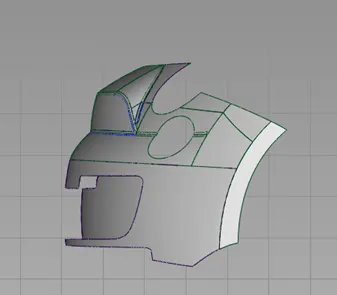
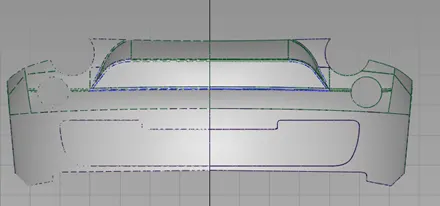
FRONT BUMPER
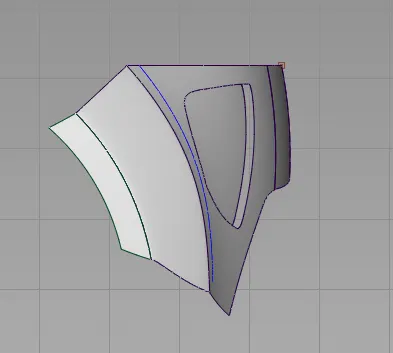
REAR BUMPER
- Conclusion:
The Front and Rear bumper concept is achieved using Autodesk alias with minimum number of spans and smooth surface quality