Challenge 4 : Concept Modelling of Alloy Wheel
- Title of the Project: Concept Modelling of Alloy Wheel
- Objective: To create a concept of Alloy wheel using Autodesk Alias
- Introduction:
The create the concept we need to select the Alloy wheel blue print and use it in Alias to genrate the various surfaces of the wheel.
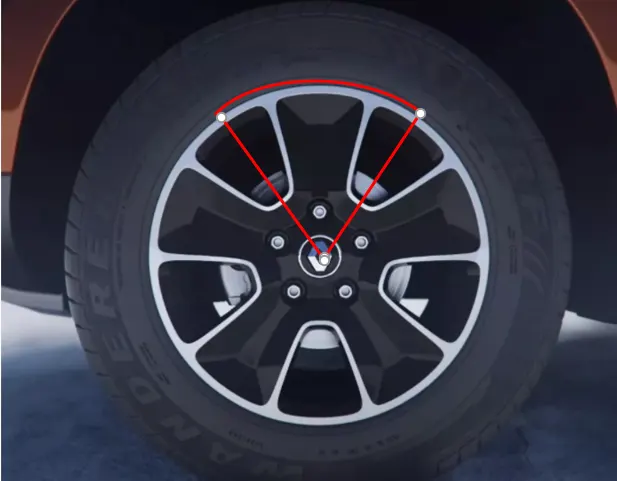
Divide the wheel surfaces into six sections and create one of the sections. Then duplicate the section built along the axis of the wheel
to genrate the whole wheel
- Design methodology

- Description:
- Canvas image setup: To genrate the concept model select the blueprint of the wheel and import it in a alias project in the Front view. Move the Pivot of the Image to the centre of the wheel and move the wheel image to the centre of the grid so that the X axis aligns with the axis of the wheel.
- Wheel Concept Division: To avoid repeatative work we can genrate a part of the wheel and duplicate it. In current case we have selected the upper part of the wheel. we have divided the wheel into six parts. The image of division is shown in the introduction
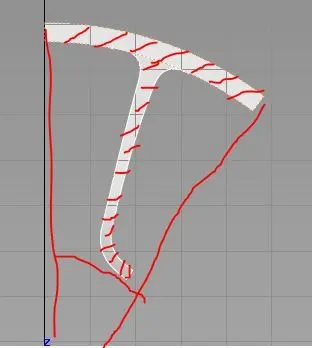
- Curve Tracing and genration of top and Bottom surfaces: Create the circular outer arc using Skin or blend with two circles and trim them according to the divided concept. Now create a G2 curve from the flat arc to a circle concentric and slightly backwards in direction of the axis of the wheel. using two curves and flat circular surfacee edge as genration curve genrate a Rail surface as shown in the below image. Now trace the image curves and trim the excess surfaces to achive the top surface of the rib (image shown below).Genrate the bottom surface by creating a plane circular surface and giving it a slight spherical shape by adjusting the CV's. Trace the image curves and project them on the spherical surface and trim to obtain the below result
- Genration of draft surfaces: Now the Draft surfaces are genrated using the skin, Rail or Blend features to form a cavity of the wheel section. We have to make sure that the surfaces in between the top andthe bottom surface are in G2 continuity
- Minimize the spans: Now when we create the surfaces using skin and Blend they create a lot of spans which effect the quality of surfaces. we can manually reduce the spans and check the deviation or we can create the partial surfaces and achive the target surface
- Surface continuity: We have to check the continuity of the surfaces by using surface continuity tool in the Evaluate drop menu. This feature enables you to check if the surfaces are connected to each other or there is a deviation in the surfaces. The errors recieved are solved by using align feature. We can also extend the surfaces to intersect each other and trim them
- Bolt Cavity: This is the feature of the alloy wheel that has to be designed with engineering perspective. We can create them using two cocentric circles parallel to each other along the axis of the wheel
- Rotation: The Whole surface group is rotated along the axis of the wheel using the duplicate feature. We have to select the surfaces and and rotate according to the concept section. In this case one part is genrated and rotated at five instances
- Tools used:
- Canvas import: Used to import images
- Transformation features: This feature is used to Move, rotate, Scale objects in Alias
- curves: To genrate curves and manipulate them according to the images
- Skin: Used to genrate surface between two curves
- Rail: Used to create surface using genration curves and rail curves
- Blend: Blend enables you to genrate surfaces between two curves or surfaces but cannot be controlled
- Project curve: Used to project curves on surfaces
- Intersect: Genrates curves at the intersection of two surfaces
- Trim/ Untrim: Trim unwanted surfaces
- Srfcon: Used to determine continuity of surfaces
- Layers: Layers are used to hide or display unwanted objects or work on particular objects
- Align: Used to Align curves or surfaces to each other using continuity
- Screen shots:
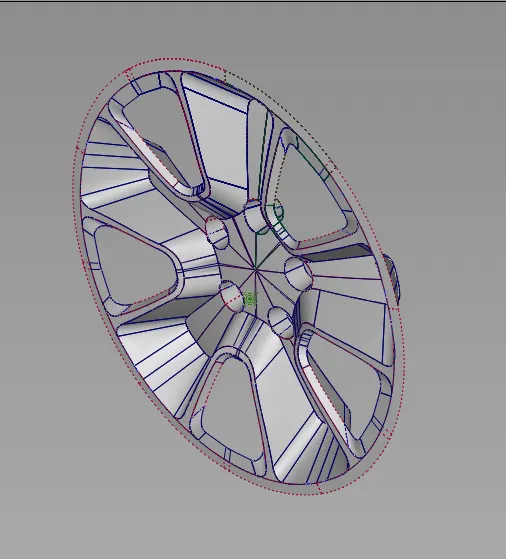
- Conclusion:
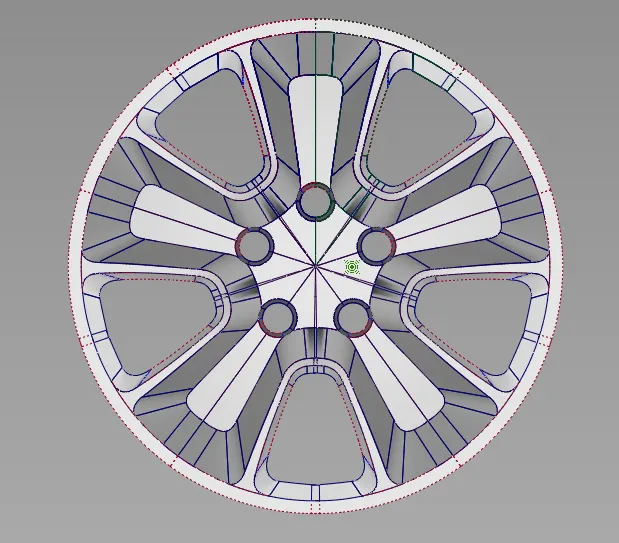
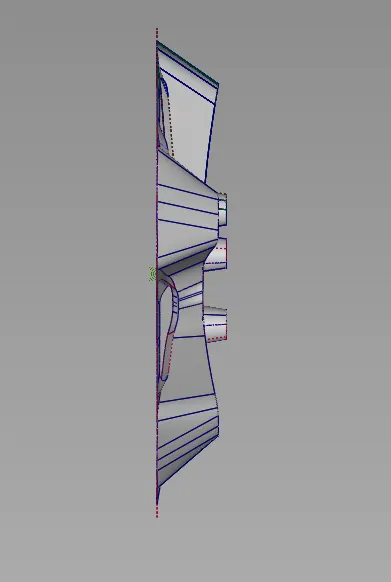
The Alloy wheel concept is achived using autodesk alias with minimum number of spans and smooth surface quality