Challenge 4 : Concept Modelling of Alloy Wheel
Title of the Project
Alloy Wheel
Objective
To build the single group of alloy wheel
Introduction
In this project i've designed one group of alloy wheel with help of Autodesk alias
Design methodology / approach (To be explained with the help of Flowcharts only)
OPEN autodesk alias new file
IMPORT Canvas image(png only)
START building ONE group alloy wheel
SAVE file
Description (Need to explain tools/ Features used while designing) along with the images of Part files.
After importing the canvas image start building one group of alloy wheel with help of curves and lines tools and use
rail, surface blend, skin command to build surface with the curves and trace the ones part of the of the alloy wheel
with the help of curve, line, blend curve command and now, project these curves and lines on the surface with the
help of project tool and trim rest part and also build imaginary blend part by assuming certain angle for tracing build
surface using rail command and untrim the previous part and intersect the both the parts with the help of extend tool
and trim extended part using trim command after completing the one group part of this wheel now we need to mirror
it and click on set geometry to use mirrored part. Now, we need same 5 more parts to complete whole wheel, by using
duplicate > object setting > add required group of object with 60 degree angle click on GO
required alloy wheel is formed.
Conclusion
Desinging the alloy wheel through autodesk alias is easier with assumption and also with the given dimension.
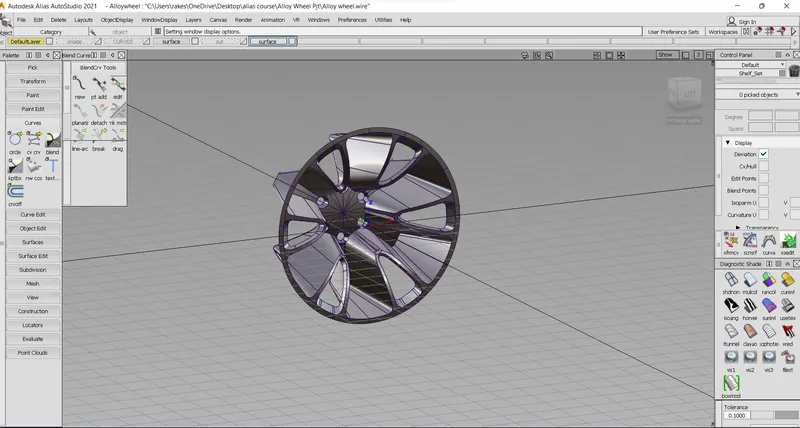
Isometric View of alloy wheel