Challenge 4 : Concept Modelling of Alloy Wheel
Challenge 1:
- Title of the Project:
Development of Alloy Wheel using Alias Auto Studio
- Objective
To build the Surfaces using the Curves traced from the given blueprint of the alloy wheel.
- Introduction
Concept Sculpting is more interesting and skill full work, where we can bring our design from paper sketch to 3D model. Concept sketch is brought to work area of modelling tool, tracing out outline structure of the model. Curve tracing is more essential to build the model, which plays bounding pillar of the surface structure. Proper Curve tracing of the model makes design easier to fill surface and makes the design more aesthetic.
- Design methodology / approach :
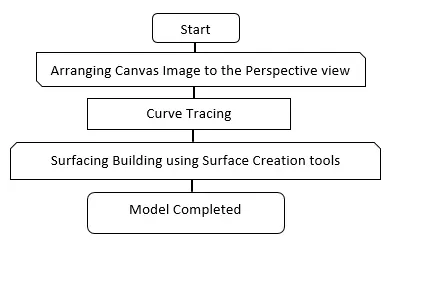
A design approach for modelling this Alloy Wheel has been briefly explained below using flow chart.
5. Description of Modelling:
Concept modelling is done by various methodology, here we have blue print of the alloy wheel. It’s easier to develop the model by tracing out the curves of the wheel by curve generate options. Once the curve networking is done, we pour the surfaces to curve which gives volume to your model.
Step 1:
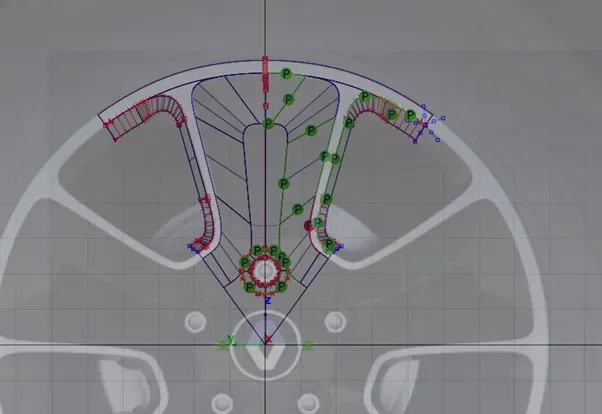
In the working layout we are going to import the canvas image proportionally as shown below in the figure.
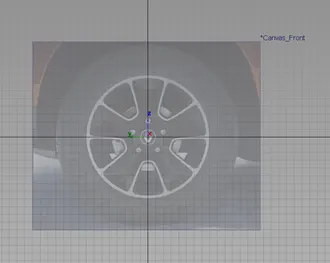
been initiated by using the key point curve tool with maximum 5 degree curve. This curves are arranged according to the shape of given blue print by the stretching CV hulls in all proportion view to build as 3D object.
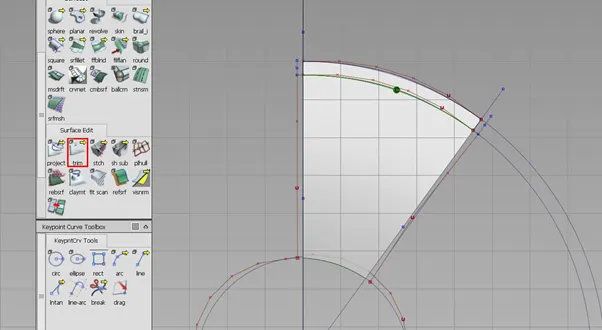
To make the single part of alloy wheel it is constructed and required area of the surface has been projected for -54 degree angle and crop out excess surface by using Trim option as shown below.
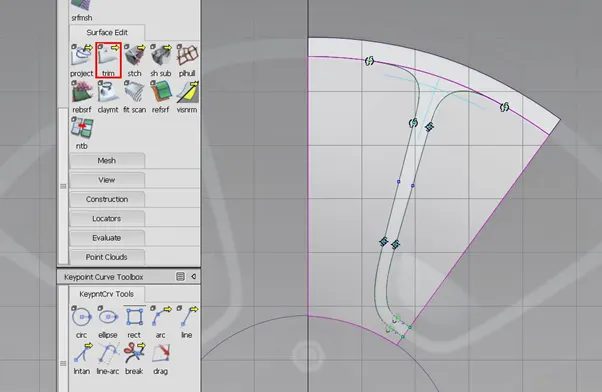
The design of the alloy wheel is equivalent spacing, so once build single portion of wheel it is easily make transition to complete 360 wheel by using Duplicate - Object in the tool option.
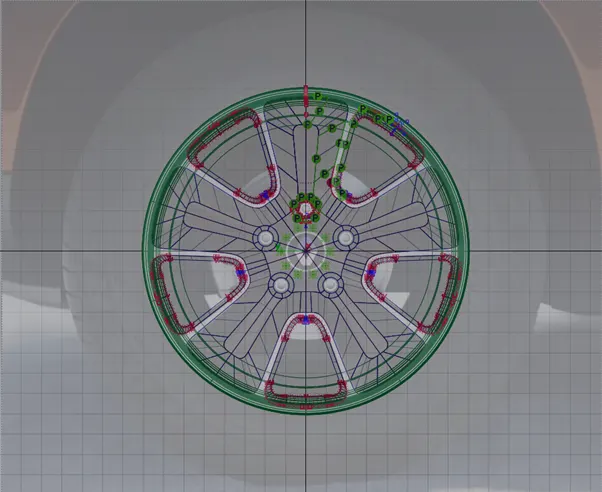
To make complete volume of the alloy wheel, by pouring the surface to the curve according to shape we required. Surfacing volume is done by different kind of tools, which is suitable for converting them form curve to surface structure. Here entire volume is discretise by single parts to make the surface patch easily.
6.Screenshots of Model in the report.
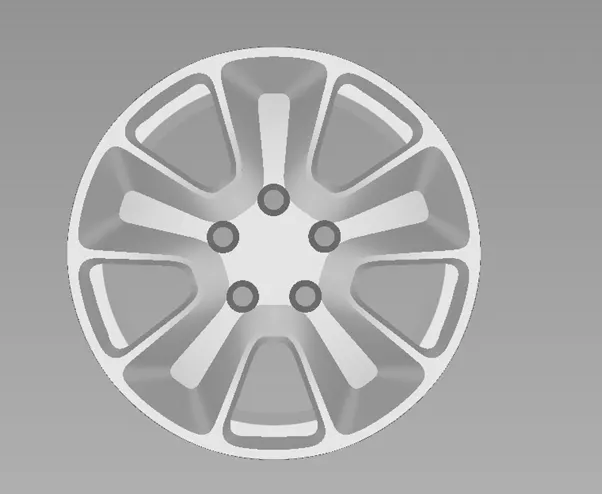
Front View of the Model
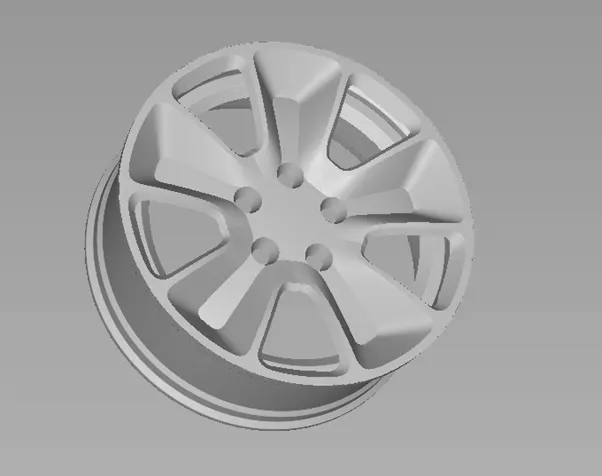
Side View of the Model
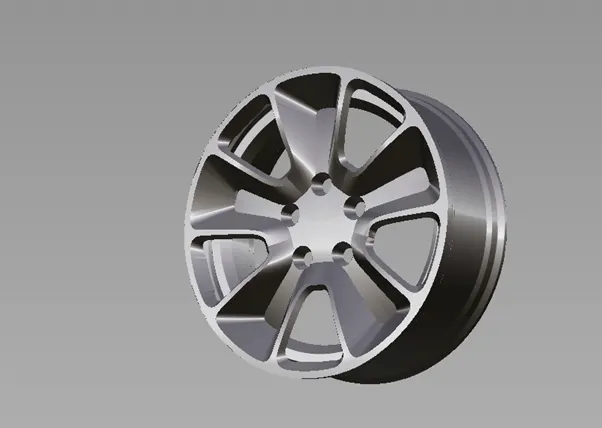
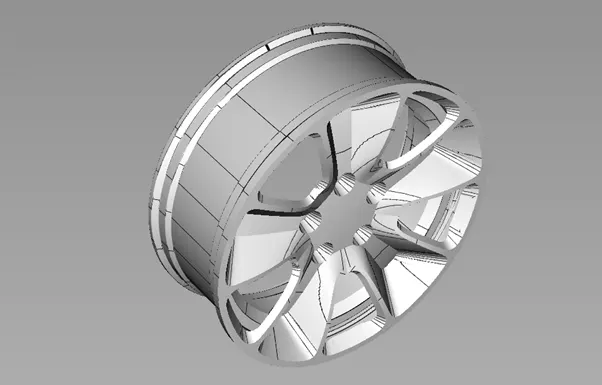
7. Conclusion
Modelling of Alloy wheel has been developed successfully by using Curve networking and Surface volume. It has been build by using the Blue print of the wheel, it is shaped according to the proportion in perspective manner. Modelling strategy of the Alloy wheel has been discussed briefly with feature used to make surface volume in the pictorial representation.
Challenge 2:
- Title of the Project:
Development of Alloy Wheel using Alias Auto Studio
- Objective
To build the Surfaces using the Curves traced from the given blueprint of the alloy wheel.
- Introduction
Concept Sculpting is more interesting and skill full work, where we can bring our design from paper sketch to 3D model. Concept sketch is brought to work area of modelling tool, tracing out outline structure of the model. Curve tracing is more essential to build the model, which plays bounding pillar of the surface structure. Proper Curve tracing of the model makes design easier to fill surface and makes the design more aesthetic.
- Design methodology / approach :
A design approach for modelling this Alloy Wheel has been briefly explained below using flow chart.
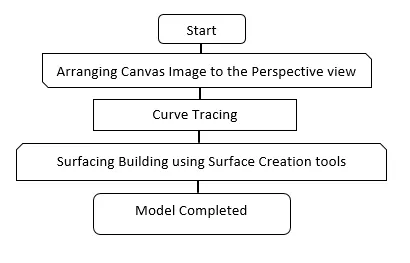
- Description of Modelling:
Concept modelling is done by various methodology, here we have blue print of the alloy wheel. It’s easier to develop the model by tracing out the curves of the wheel by curve generate options. Once the curve networking is done, we pour the surfaces to curve which gives volume to your model.
Step 1:
In the working layout we are going to import the canvas image proportionally as shown below in the figure.
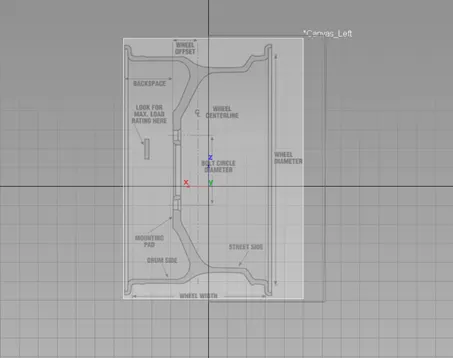
Once the canvas images arranged according to the view, curve tracing has been initiated by using the key point curve tool with maximum 5 degree curve. This curves are arranged according to the shape of given blue print by the stretching CV hulls in all proportion view to build as 3D object.
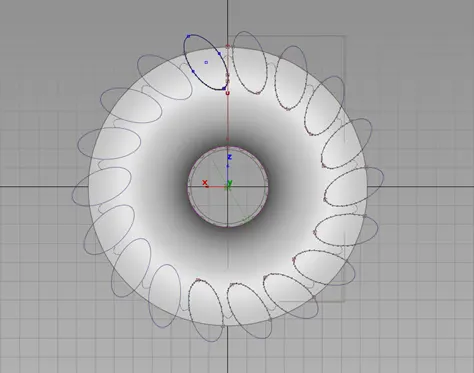
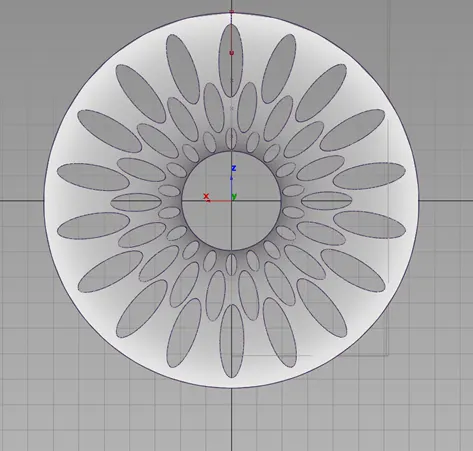
The design of the alloy wheel is equivalent spacing, so once build single portion of wheel it is easily make transition to complete 360 wheel by using Duplicate - Object in the tool option.
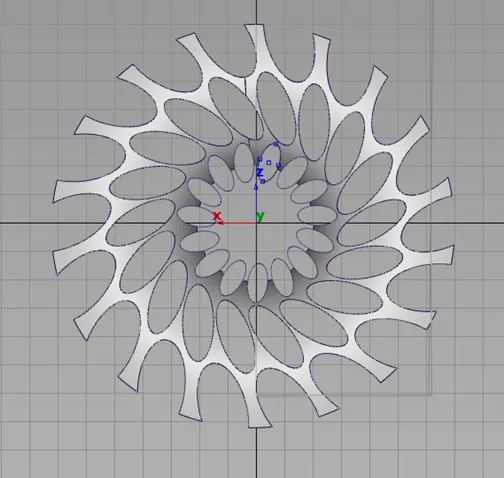
To make complete volume of the alloy wheel, by pouring the surface to the curve according to shape we required. Surfacing volume is done by different kind of tools, which is suitable for converting them form curve to surface structure. Here entire volume is discretise by single parts to make the surface patch easily.
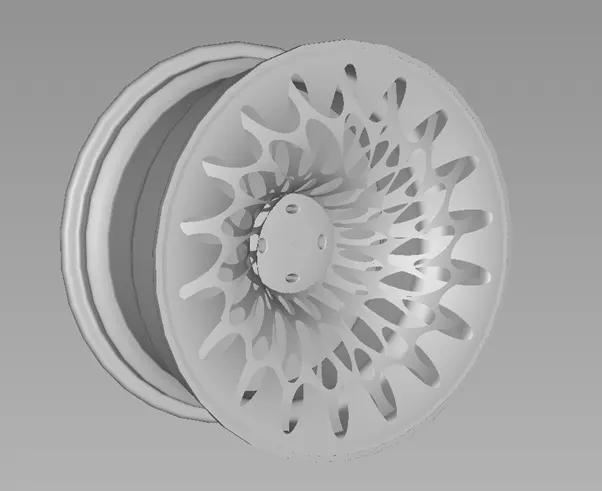
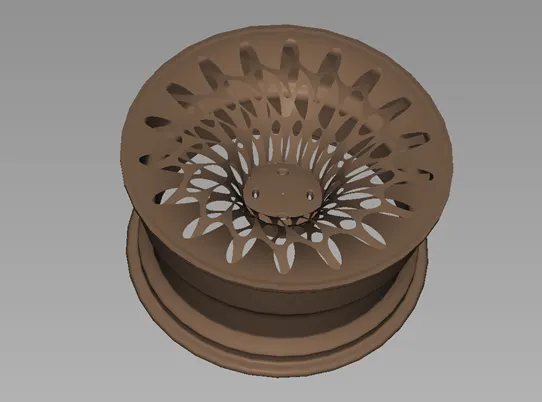
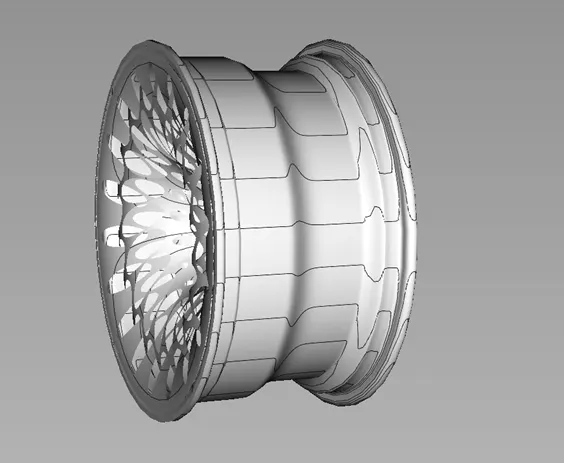
- Screenshots of Model in the report.
Front View of the Model:
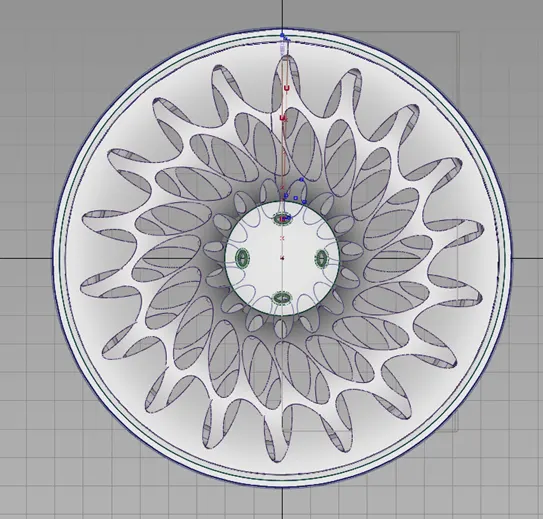
Side View of the Model:
- Conclusion
Modelling of Alloy wheel has been developed successfully by using Curve networking and Surface volume. I vt has been built by using the just assumption of the image of the wheel, it is shaped according to the proportion in perspective manner. Modelling strategy of the Alloy wheel has been discussed briefly with feature used to make surface volume in the pictorial representation.