Challenge 12 : Rendering Project
MAKING A SURFACE RENDERING IN AUTO DESK ALIAS
Objective
To create the curve network and surface making for the surface rendering what i have learn about in this week’s.
INTRODUCTION
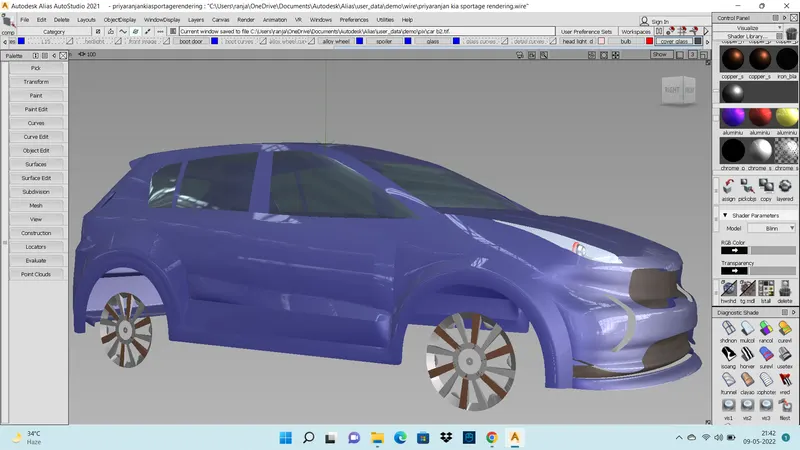
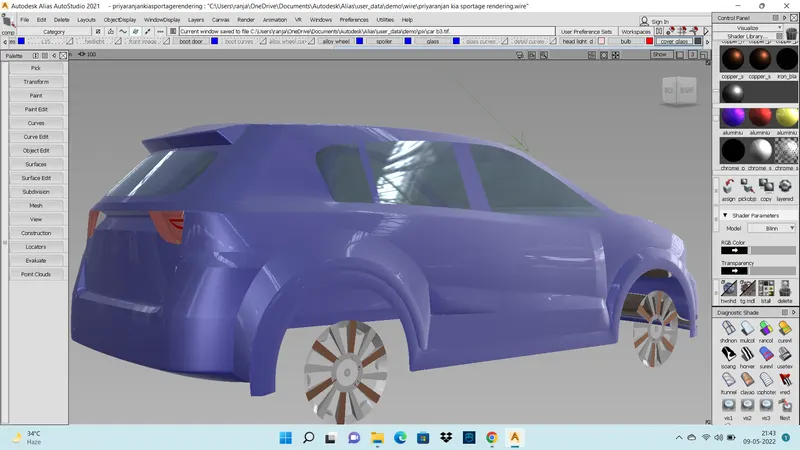
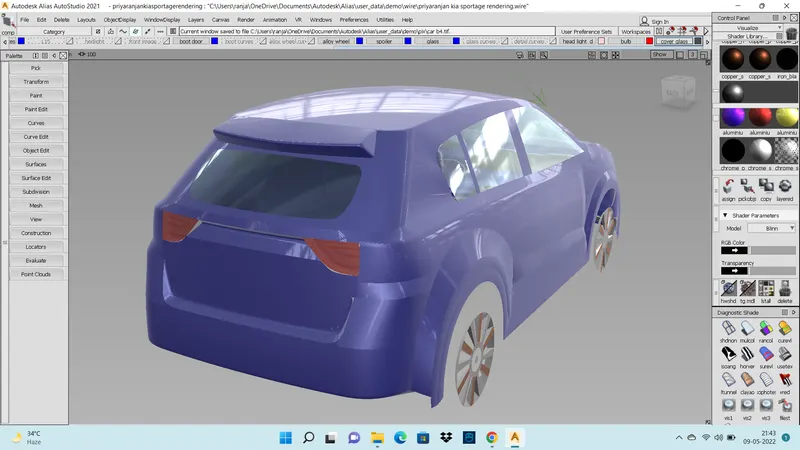
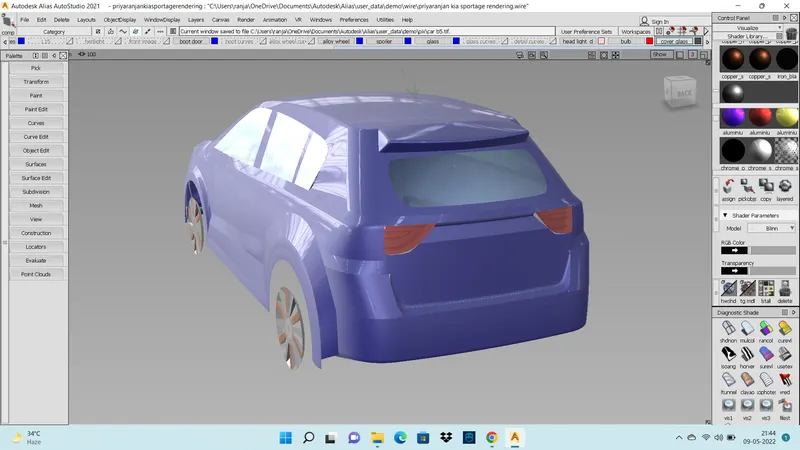
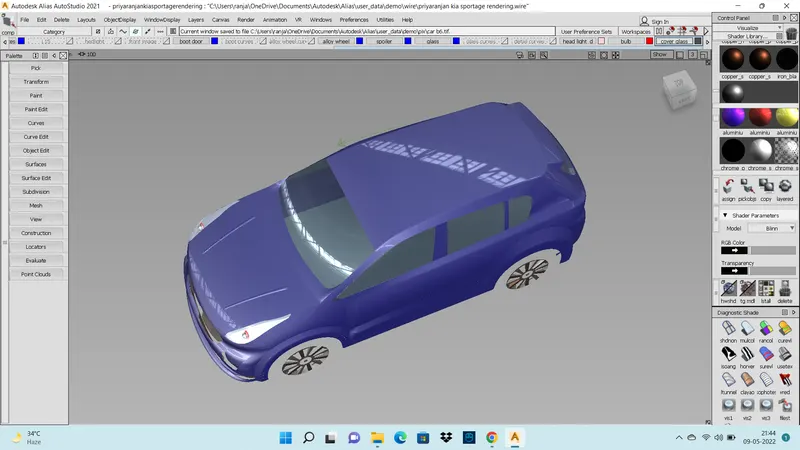
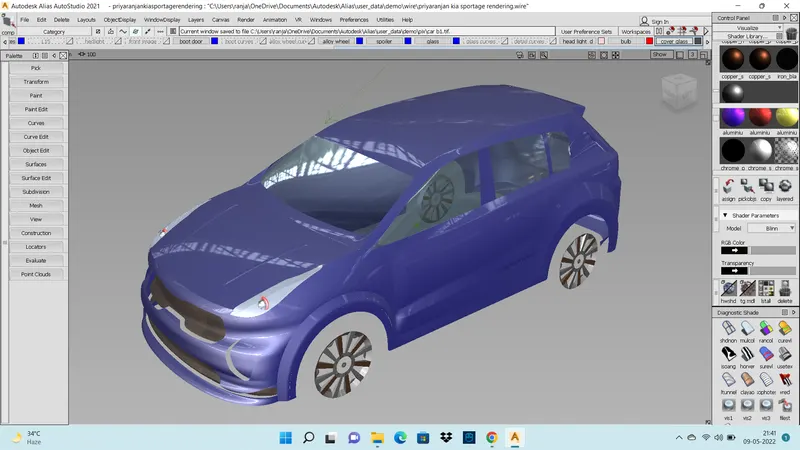
In this I have learned about curve networks and also surface making. For this challenge I went into the entire curve networks and surface making. In Autodesk alias we learned about How to import the image and how to work on it. For my experience I have did the surface rendering for kia sportage car in Auto desk alias.
DESIGN METHODOLOGY / APPROACH
Primary surface can be blend with secondary surfaces
Surface of any form will be obtained by modelling existing surfaces a set of trim tools permits you to cut back surface using other surface or curves to define the trim parameters
Surface will be intersected making curves on surface
DESCRIPTION
For this modelling I have gone through curves and surface. I have learned about user interface and navigation tools , basics objects selection and viewing , import sketches as images or canvases working with layers. In this challenge I have faced many issue in surface continuous and also the trim convert comment and I have put many effort and come with the model. In Autodesk alias we will do the sketching, modelling surfacing visualization .
A design is a plan or specification for the construction of an object or the implementation in the form of a prototype product or process .
Palette and shelves , control panel and diagnostic shade options editors and panels marking menus and navigation viewable and navbar .
Pick pallet : Select the object or curves or any thing in the working area
For control the pick pallet use the ctrl & shift + left mouse button
CURVES : It is uesd to draw the shapes in any direction.
LINES : It is used to draw the lines where evere we want.
BLEND : It is used to draw the curve joint's.
How to control and built the curve network , and how to group it and ungroup it
pivot points : how to change the pivot points and how to transform the pivot points
pick pallet : it will use select the object or component what we want
display controls , transforming tools it will use to move , rotate and scale
orthograpic window , prespective window
snapping : it will use the 3 icons to allow you to toggle the points snap , grid , snap and curve snap.
object lister : It will manage the data for your entire model includes layers function also.
group or un group : it will group the several object into one object.
cv sculpting , concept sculpting .
mirroring /symmetry : it will use to make a mirror of other side of the object to the another side easily.
building and controlling simple geomentry, controlling geometry , mirroring , grouping , duplicating object .
SURFACE MAKING TOOLS
SKIN : Make the surfaces between two curves
Rail : Make the surfaces using the generation curves and rail curves
Square / mblend : square use the four sides to make the surface , mblend need more than four sides
Sr fillet : Make the fillet between the two surfaces
TRIM : Use to trim the unwanted surfaces with the use of projection curves (project tool)
Detaching and trimming
Surface hierarchy,
Teriary surface : surface smooth out the edges or intersection of main body
Object edit
Curve edit , object edit hold curtail tool for surface alleration and transformation.
Align tools : Align the corner of the surface and inside the surface , align to the trimmed edges and also the cv management.
Query edit : use to make the surface align with the another surface.
Surface align and surface continuity between the surface and curve net work using the tool of align and query edits .
Set plane for symmetry and duplicate the object with the help of edit, duplicate, object give the number of duplicate object and also give the degree of rotation
MS draft (multi surface draft )
It is used to make the surface between the blend areas
FILLET : making the surfaces fillet between the two surfaces with the perfect edges
SURFACE CONTINUITY : To make surface continuity and surface evaluation
By using the curve curvature tool
Cv hull : How to make the cv hull proper and align the hull and make the cv’s good
FIT CURVE : How to make the surface from the trimmed edge and uses of the fit curve
X SEDIX : Transform CV- fine tunning and control the points
DEVATION MAP : it helps to evaluate the surface with the other mesh
TRANSFORM CV (XFMCV) : Use this tool to transform, move, rotate , scale
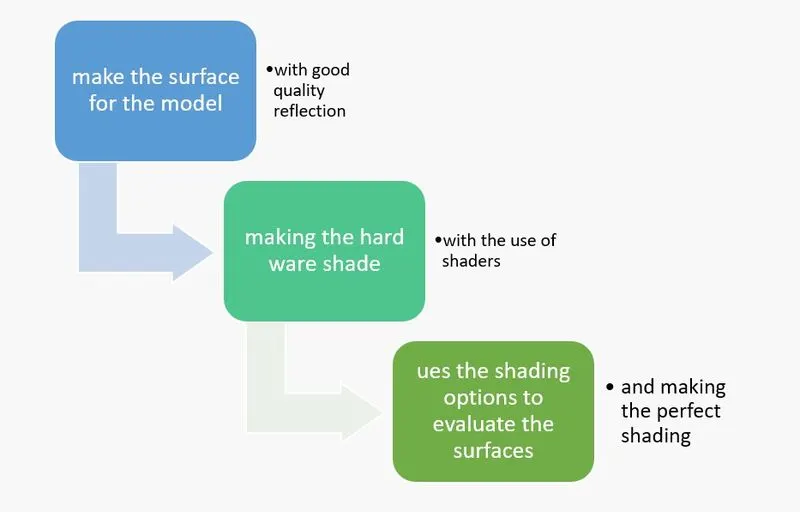
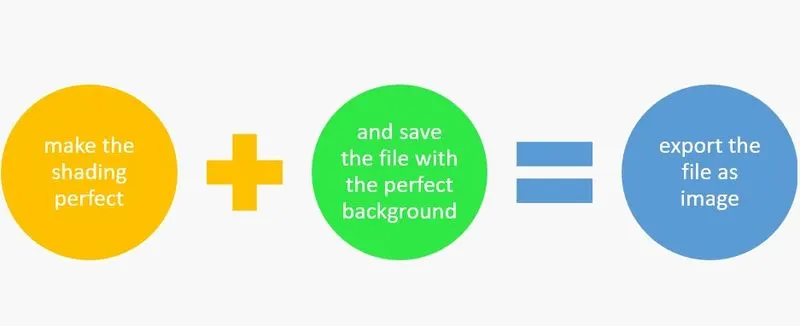
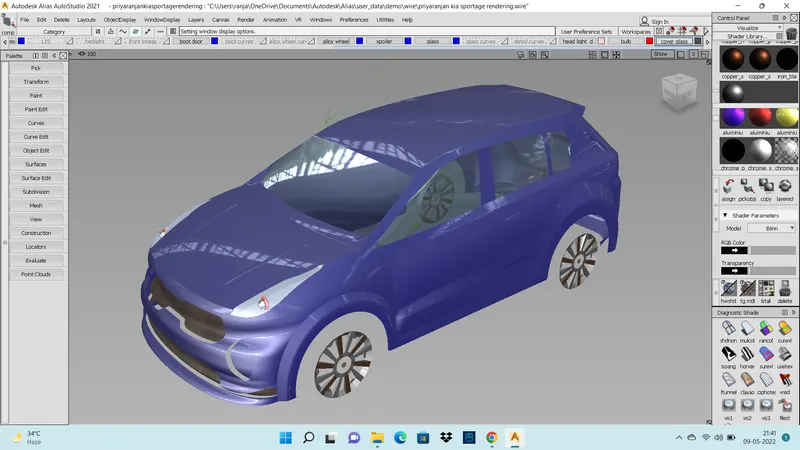
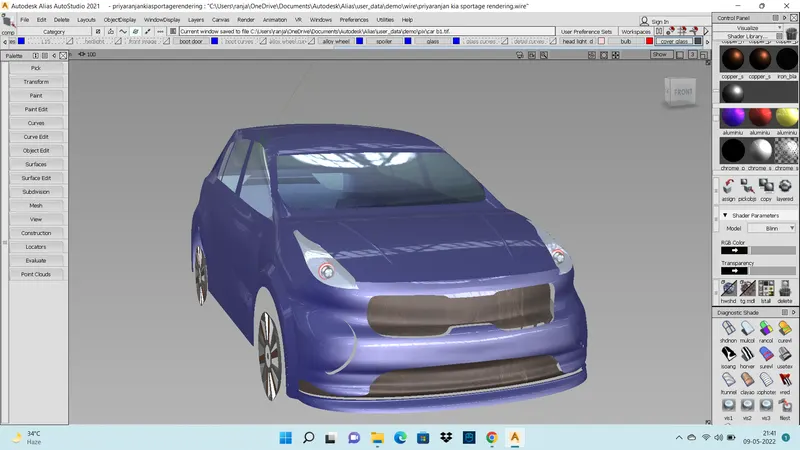
RENDERING : making the shadows and different shadings
Conclusion
By using all those tools and methodologies I make this model of surface rendering kia sportage car.
Please find the attachement of surface rendering kia sportage car modelling.