Assignment 6-Frontal Crash Simulation Challenge
Assignment 6-Frontal Crash Simulation Challenge
Objective: Simulation of given car model with the given parameters for requested output.
Case Setup and Execution:
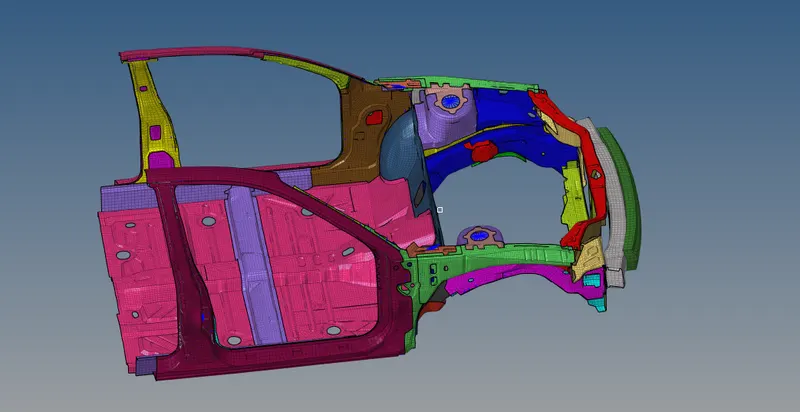
The given car model is first imported into Hypermesh from File -> Import -> Solver Deck
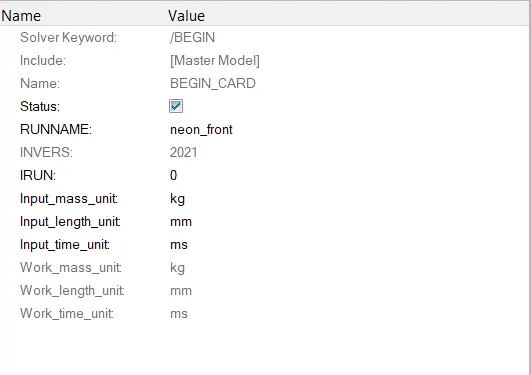
1) After importing the unit system is checked from Model Browser -> Cards -> Begin Card
2) After confirming the unit system, the interfaces/groups which are presented with the model are removed, so they don't cause any change when simulation is running.
This is done from Model Browser -> groups -> RMB -> create
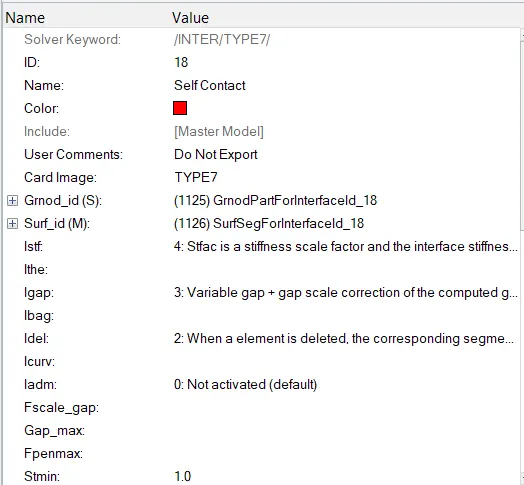
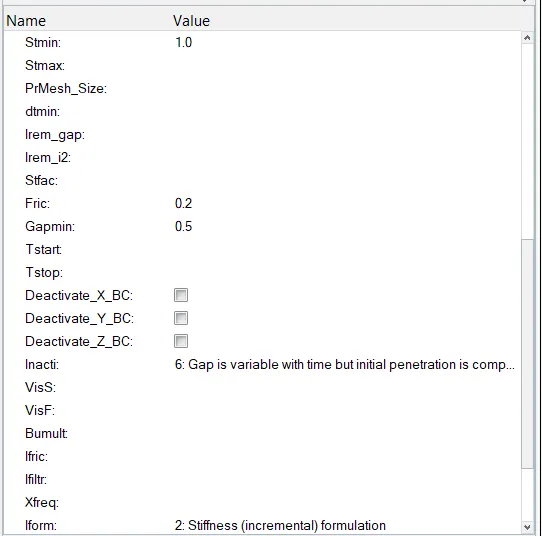
The chosen contact is self contact and all the nodes and elements are chosen for this contact.
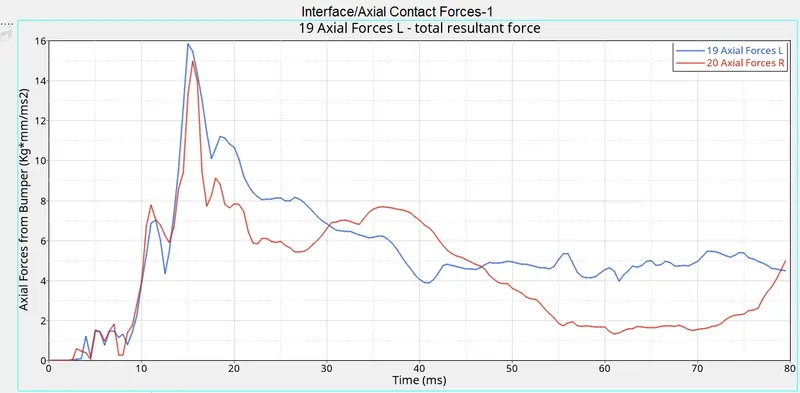
Similarly, the output requested the Axial forces on the rail from the bumper and so a contact Type 7 is created between the Bumper and the brackets of the rails with the same recommended parameters.
After the interfaces are formed, the ouput block of the Model Browser is updated with this interface contacts
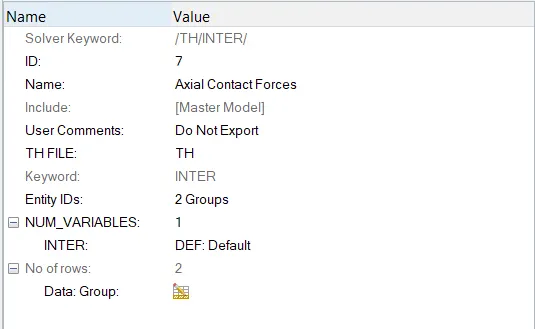
The groups are chosen from the interfaces for the Axial forces.
3) Then intersections and penetration test is performed from Tools -> penetration check -> Selecting the self contact group and Run.
The results shown with 0 collisions
4) Since no penetration are found, we then go for creating a Rigid wall from Model Browser -> RMB -> create -> Rwall with the parameters from the reference model.
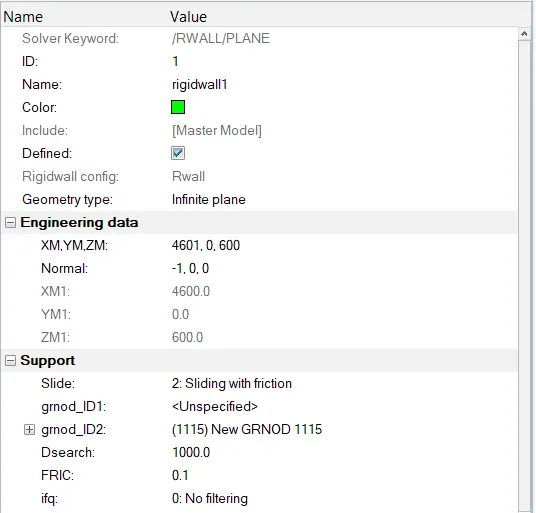
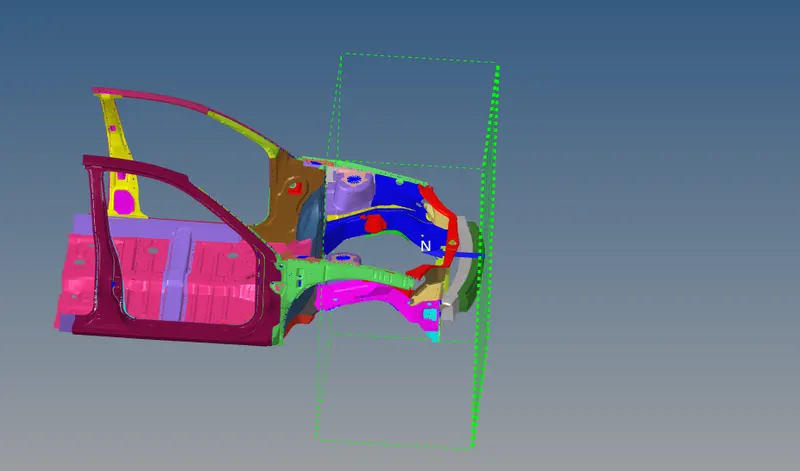
The Rigid wall is shown with the green plane and green dotteed line indicates the search distance given.
5) After creating the rigid wall, the mass of the given model is changed to 700 Kg by adding the appropriate mass from Model Browser -> Solver Masses and choosing the add mass nodes which are on the floorboard.
Before adding mass, COG of the model is checked with Tools -> Mass, COG and Inertia check
By checking the COG, the mass are added to make the COG at the center of the board.
6) After mass is balanced with the CG at required range, intial velocity is imposed from Solver Browser -> Create -> BCS -> INIVEL and choosing the whole model. The value given for velocity is with respect to the unit system of the model
Intial Velocity is given as 15.6 mm/ms.
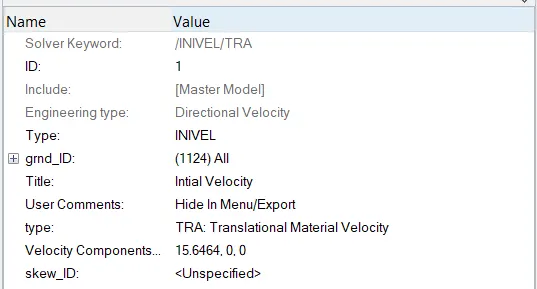
7) Then for the section forces at Rails, Shotgun and A Pillar, a moving frame is created on the components of Rails, Shotguns and A pillar from Solver -> Create -> frame -> Mov
Here the nodes are chosen for origin, x-axis direction node and Y- axis direction node.
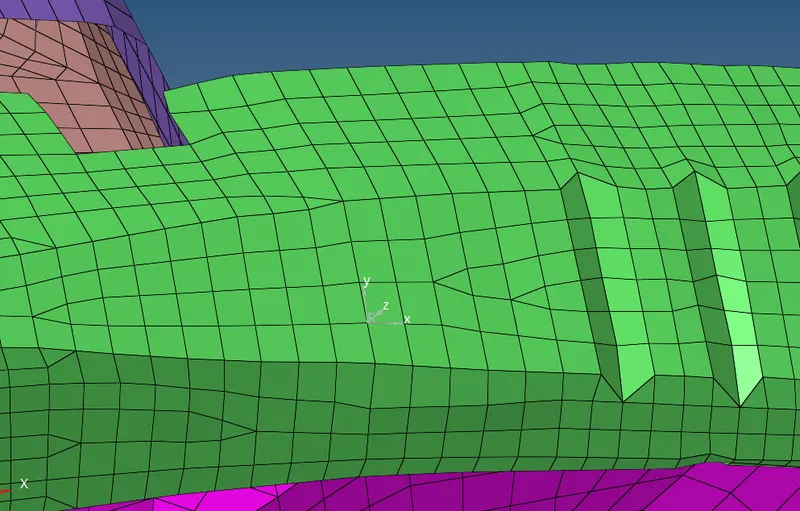 This the frame created on one of the Shotgun
Using this frames sections are created from Solver Browser -> RMB -> Create -> Sect -> Sect
Frame crated on A pillar
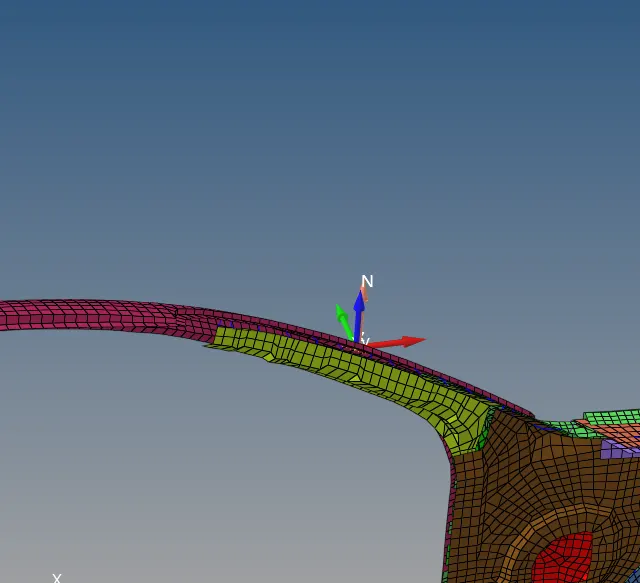
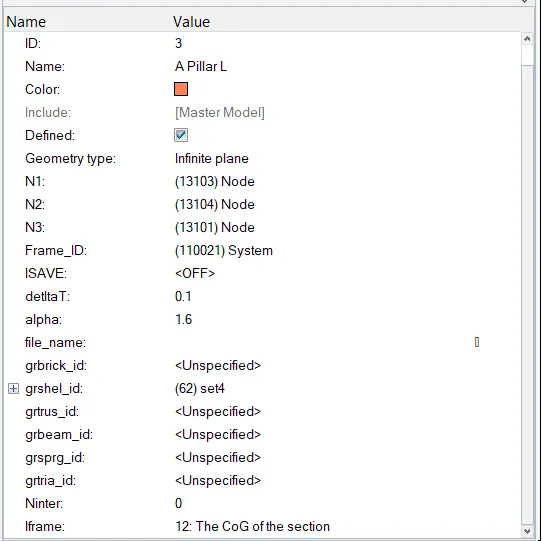
Similar to Frame, the nodes N1, N2 and N3 are chosen to form a plane and choosing the Frame Id formed on the specific component, The grshel_id nodes are chosen as one element line on either sides of the node about which frame is formed.
This is done to sections of Rails, A pillar and Shotguns
The output Block is updated with theses sections as output.
8) Accelerometers at the base of the B-Pillar on either side is made from Model Browser -> RMB -> Create -> Accelerometers and chosing the node
The same is updated on the output Block.
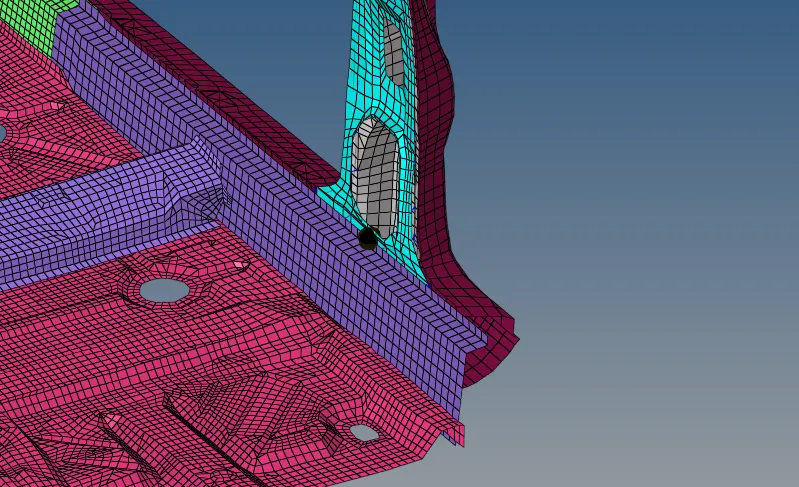
9) Finally for intrusions at given nodes a moving Skew is made similar to frame as the intrusions are detected with respect to this local coordinate systems. Theses skew are made in line with these nodes and in local y axis direction intrusions are noted.
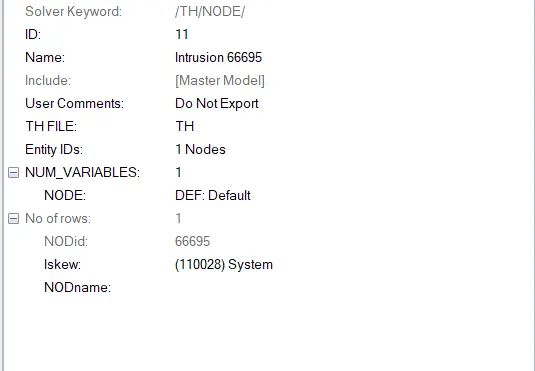
Similarly for the other node.
After Assigning the ouput Block are done, the Run time is checked from Cards from Model Browser and Model Checker is launched to see any errors pop up.
From Tools -> Mode Checker -> Radioss Block
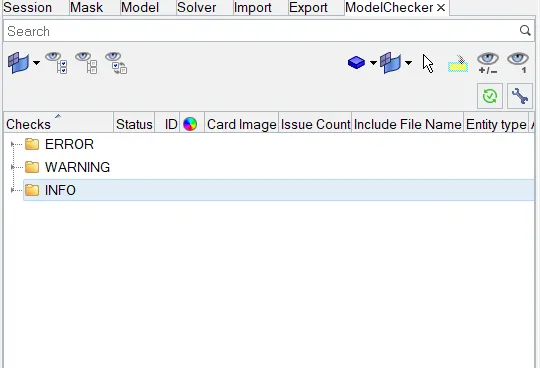
By confirming it by the Selecting the error, warning and Info with Run
No errors are detected, So the simulation is run by Analysis -> Radioss

Results:
The front_crush_0001.out file is opened to check the mass error and energy error
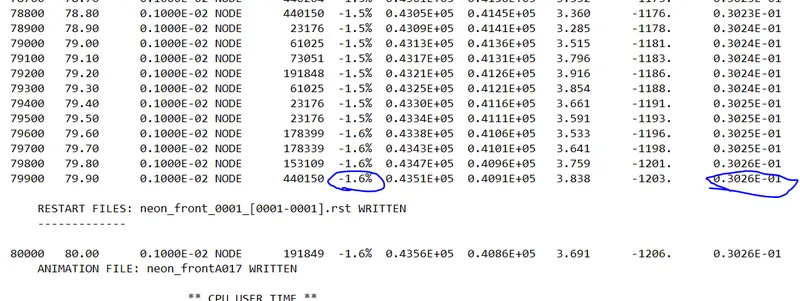
Energy error is < -5 % which is good and mass error 3.26 % < 5 % acceptable
So the plot are carried out.
For the Results, h3d file is imported to Hyperview and Played.
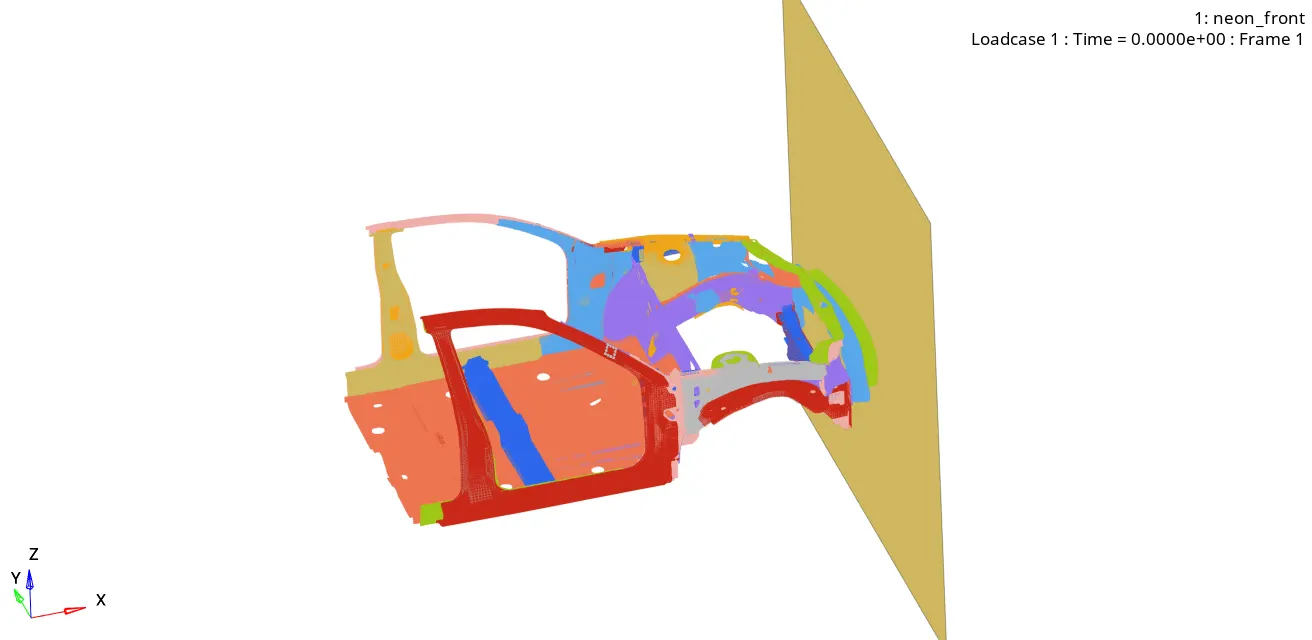
The graphs are plotted in Hypergraph and here T01 file is imported.
Energy plots:
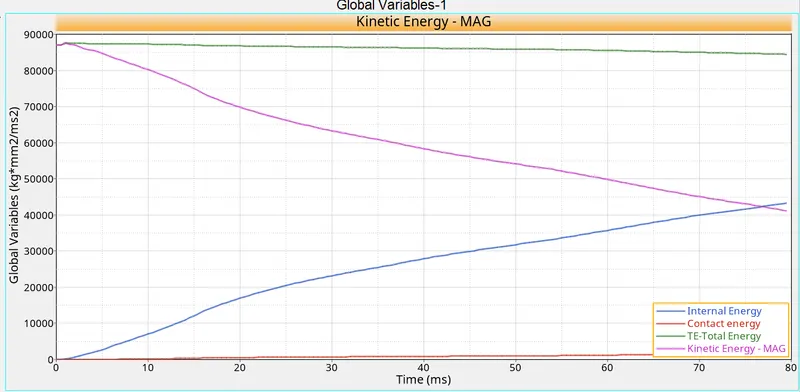
The KE is started at highest and is decreased and similarly Internal energy is increased.
The total energy remains almost constant, so energy is balanced and results obtained are acceptable.
Section forces on Rails:
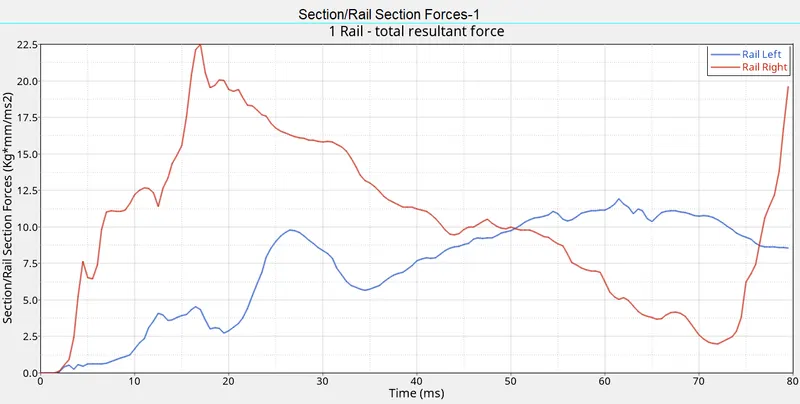
The Axial Forces from Bumper to Rails:
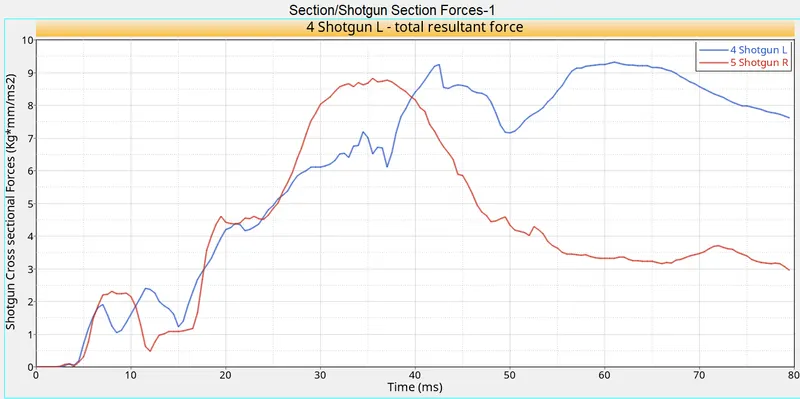
The cross sectional Forces on Shotguns:
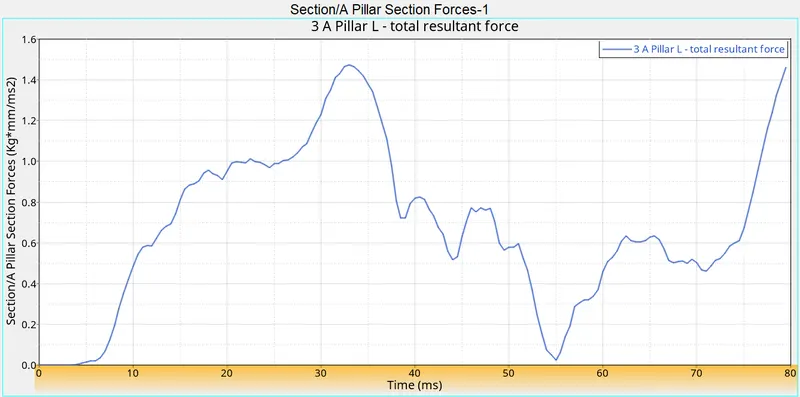
The cross sectional forces on A pillar on left:
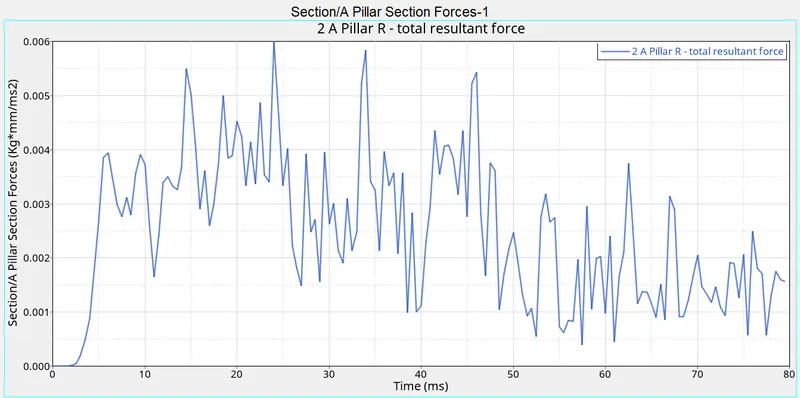
The cross sectional forces on A pillar on right:
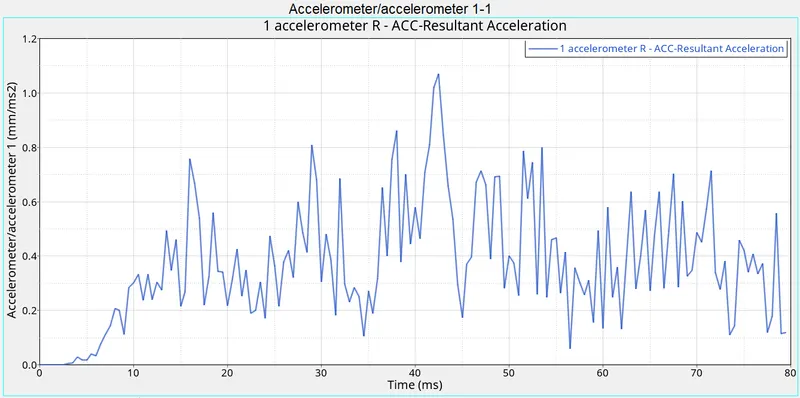
The Accelerometer curve on Right:
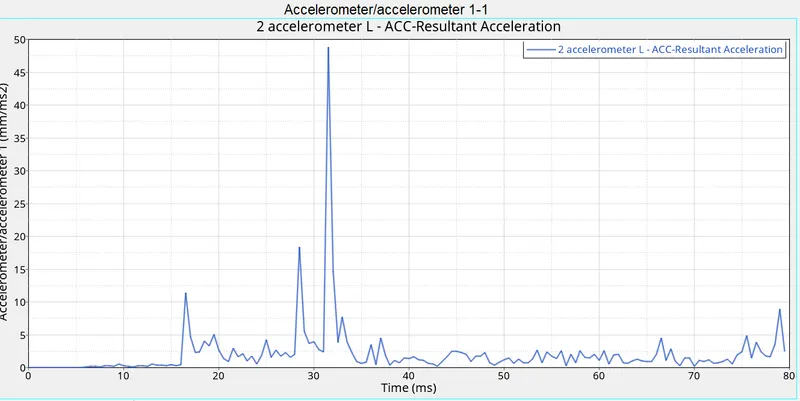
The Accelerometer curve on Right:
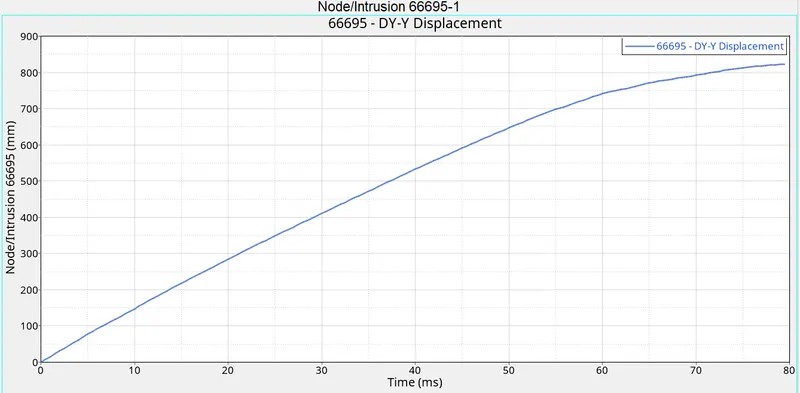
Intrusions on dash wall node 66695 along local Y displacement:
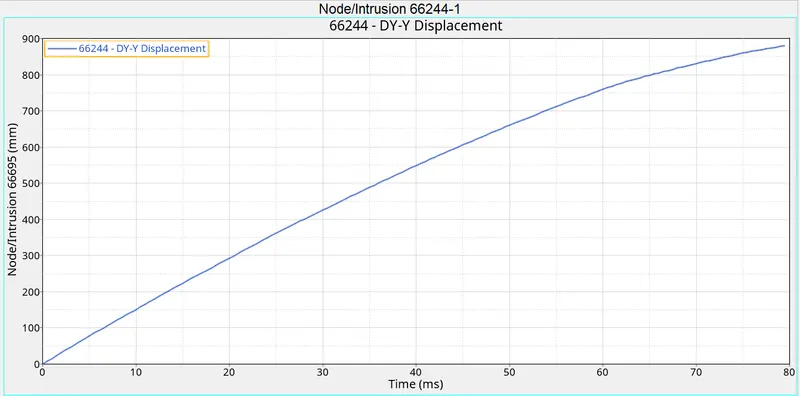
Intrusions on dash wall node 66244 along local Y displacement:
Conclusion:
Learned of creating Sections for sectional forces and Rigid walls.
Learned of forming frames and skew.
The Simulation of Frontal Crash is successfully simulated in Radioss 2021.