Assignment 6-Frontal Crash Simulation Challenge
OBJECTIVE
Frontal crash-BIW
- Check unit system and either follow[Mg mm s] or [Kg mm ms].
- Create appropriate interface ,friction 0.2 and recommended parameters.
- Make sure of no penetrations and intersection.
- Correct rigid bodies if any issues.
- Create rigid wall with friction 0.1.
- Compare the model weight with the full scale 300k nodes model and use added masses to reach target weight 700kg while getting CG about the required range.
- Initial velocity 35 mph.
- Use model checker to ensure good quality.
- Time-step :0.5 to 0.1 microseconds.
- Run 80 ms.
Output requests:
- Sectional force in the rails at location of indicated node 174247.
- Axial force received on the rails from bumper.
- Shotgun cross sectional forces.
- A pillar cross section.
- Acceleration curve received on the accelerometer at base of B pillar (on B pillar rocker).
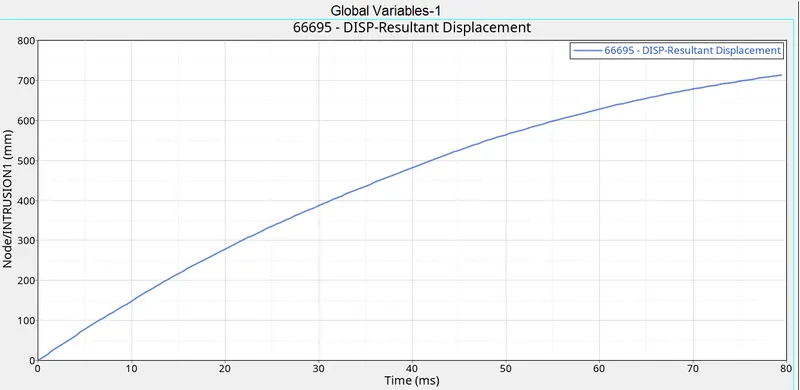
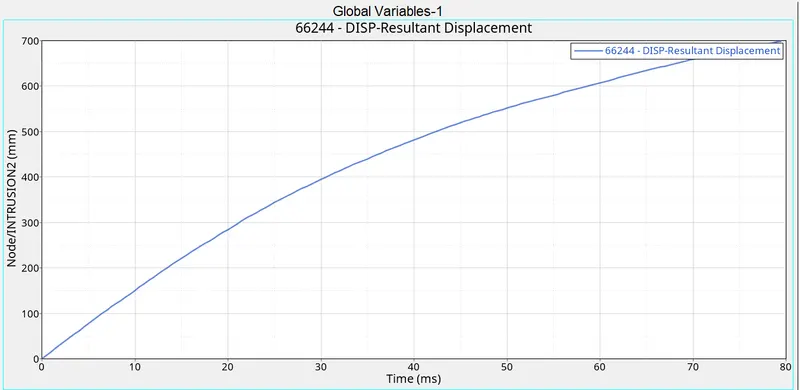
- Intrusions on the dash wall 66695,66244.
PROCEDURE
- Open the _0000.rad file in notepad.Check the units written in that.
- Import _0000.rad file in hypermesh with radioss solver.
- Go to model-create- contact.Select the card image as TYPE 7.
- Select g.nod id and surf id as all components.Give Istif= 4,Igap=3,Idel=2,Stmin=1,Gapmin=0.5,Inacti=6,Iform=2,Friction=0.2.
- Go to Tools-penetration checks-select the TYPE7 as group.Check for penetration.
- Go to model-right click-create-rigid wall.
- Select the centre node on the bumper.Select the plane normal to the rigid wall.
- Give search distance as 1000 mm and friction as 0.1.
- Go to Tools- mass details-mass,cog,inertia.Note down the cog coordinates.
- Create a temporary node in that location and identify where we have to add additional mass to take cog to the centre of the rail.
- Go to solver-right click-create-ADMAS.sELECT MASS TYPE =0,select nodes which we have to add mass.Check the COG.
- Go to solver-right click-create-boundary conditions-INIVEL.
- Select all components.Convert 35 mph to mm/mS.
- Go to model-cards-ENG_RUN.give Tstop =80 mS.
- Output requests:
- Isolate the required part which we have to create crossection.
- Go to solver-right click-create-frame-mov.
- Select 3 nodes for orgin,x direction and xy plane.
- Go to solver-right click-create-SECTION-SECT.Select the elements and frame id.give alpha=1.69,Iframe=12,Delt=0.1.
- Go to model-output blocks-right click-create.Rename it as crossection.Select the created crossection.
- Go to solver-right click-create-accelerometer.Select the node.
- Create two frames in the floor rail .Go to solver-right click-create-intrusion.Create two intrusion points.
- Take two accelerometers and intrusions to the output blocks.
RESULT
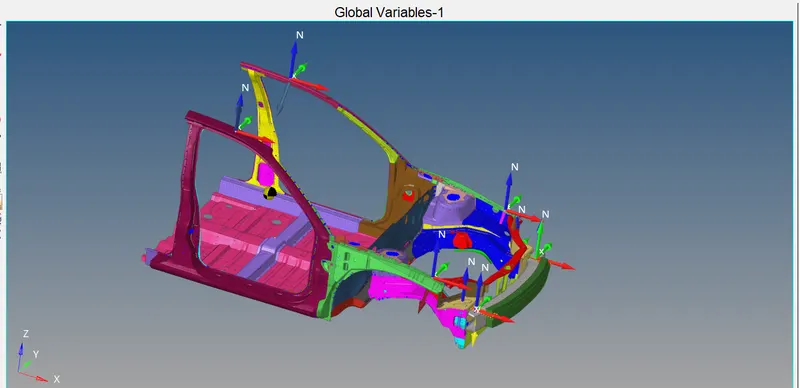
Rail crossections
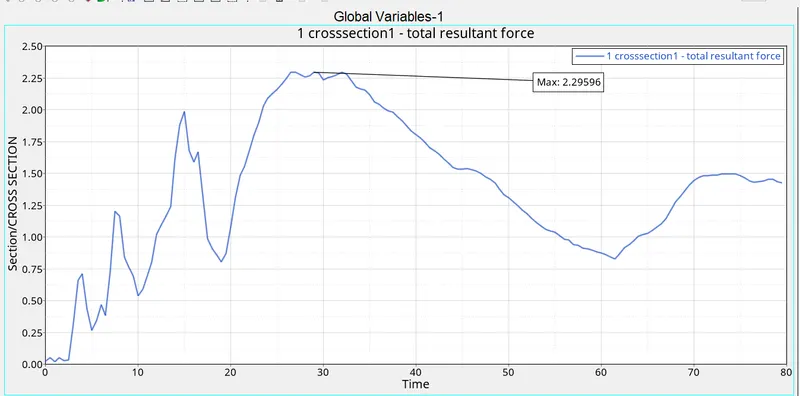
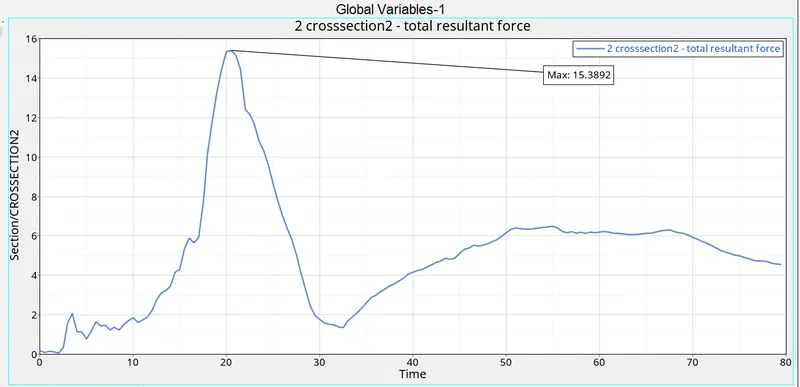
Bumper crossections
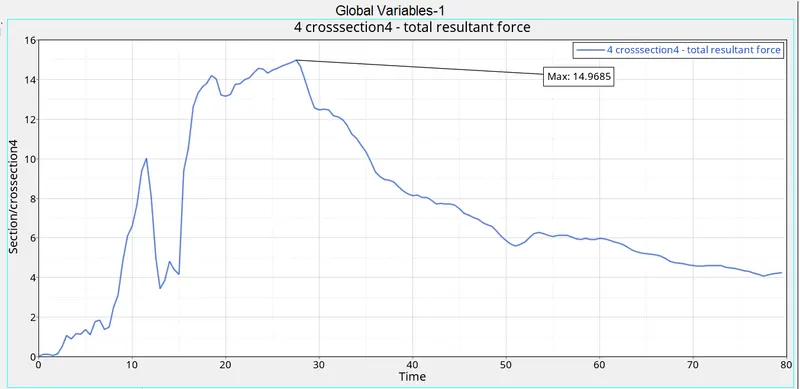
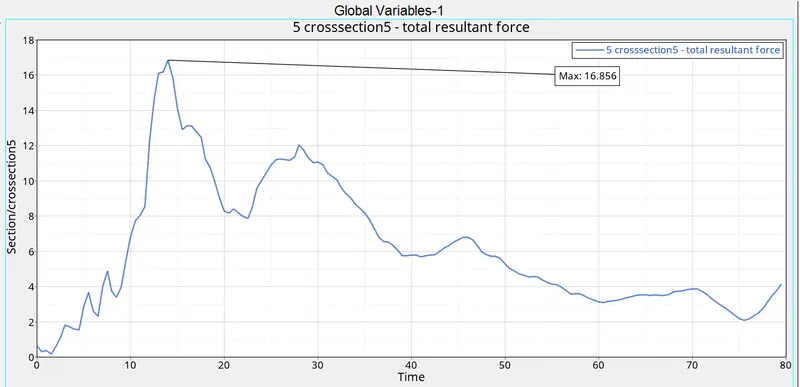
Shot gun crossections
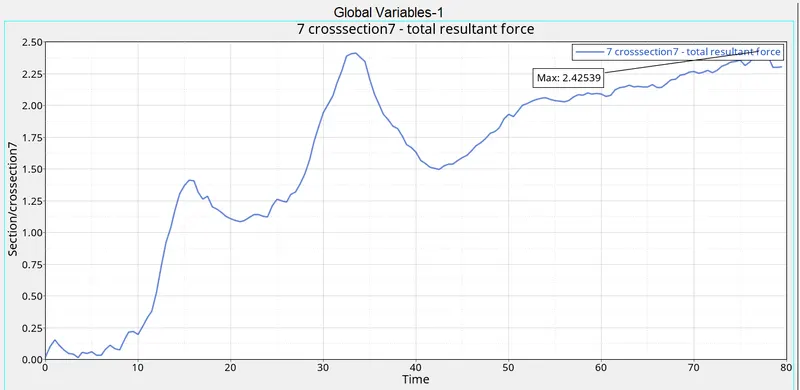
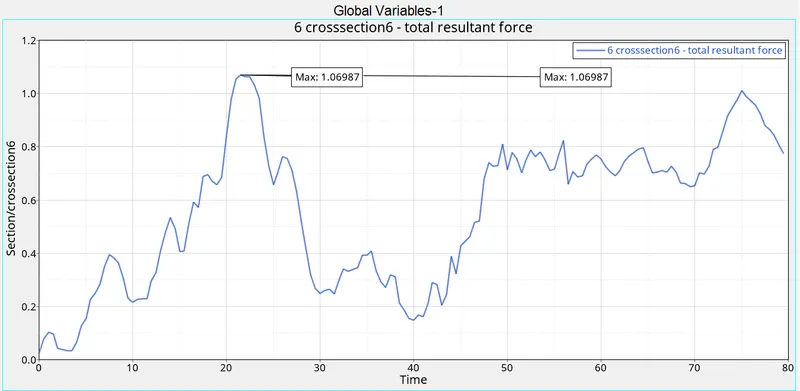
Pillar crossections
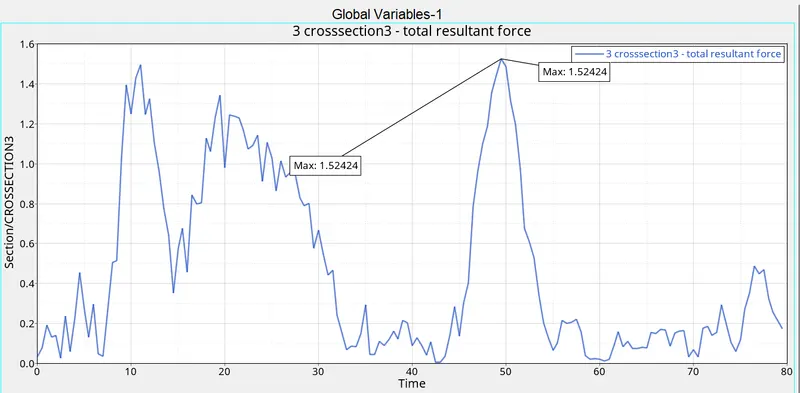
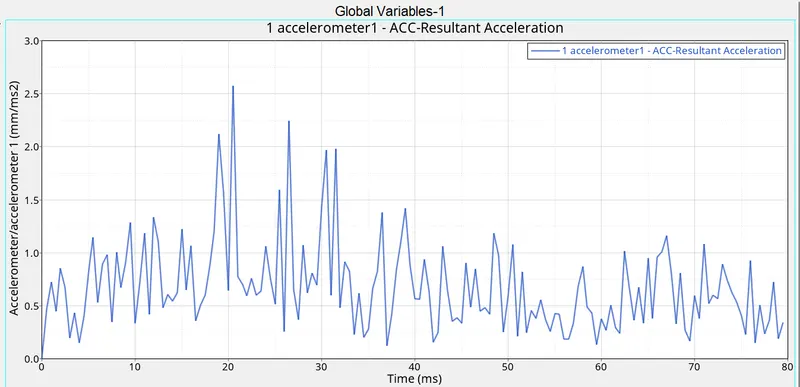
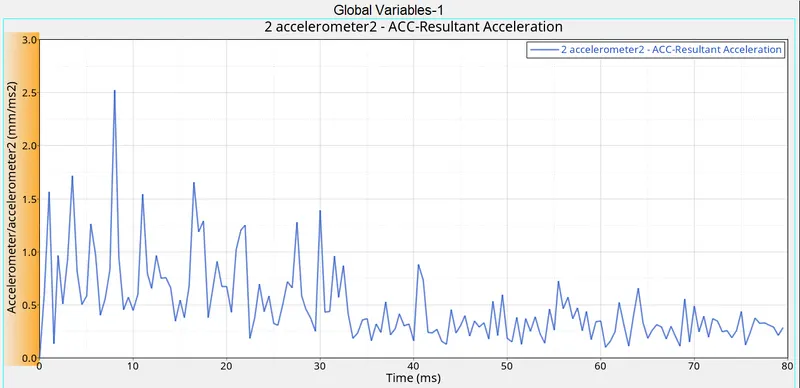
Acceleration:
Intrusion:
LEARNING OUTCOMES
- Understood how to create rigidwall,interfaces and apply initial velocity.
- Understood how to check mass and centre of gravity and how to add additional masses.
- Understood how to do model check.
- Understood how to create crossections,accelerometers and intrusions.
CONCLUSIONS
- The crossectional forces are decreases when it came from bumper to pillar.Because the elements absorbs energy.Thus reduces the forces.
- As we seen from the accelerometer graph it first increases,reaches the peak then decreases.
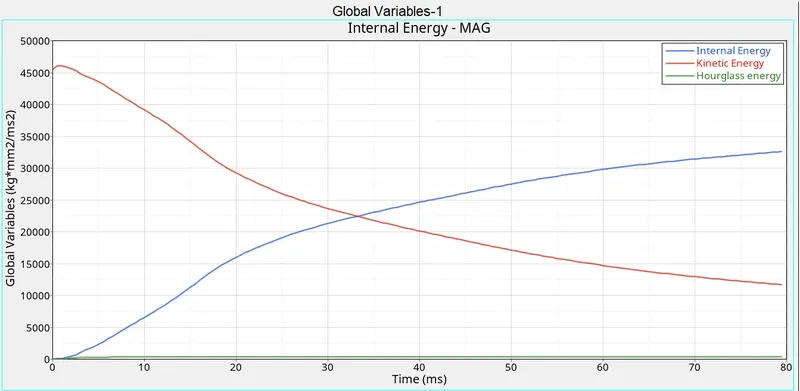
- The internal energy also increases because of absorbing energy.
- The energy error must be -15% - 2%.Energy error first increases then decreases and going to negative.Because as the displacement continues it prouces a repulsive force to prevent more penetration.
- Maximum intrusion came upto 700 mm.That means any person within 700mm inside the car will cause death.
- Maximum acceleration is around 2.5 mm/mS^2.