Assignment 6
objective:For the given model of frontal crash run the simulation and obtain the results as per given in the question and then compare the obtained results and then compare those results.
procedure: 1. First import the given model as the 0000.rad file and then check the starter file that has the unit system as [kg,mm,ms] and also check in the engine keyword card (begin card) that unit system in [kg,mm,ms].
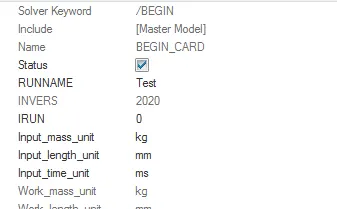
fig shows the unit system
2.Create appropriate interface ,friction 0.2 and recommended parameters.
- first go to the solver browser and then in that go to interface and create the interface with type7 and with the select of full components and with friction and properties.
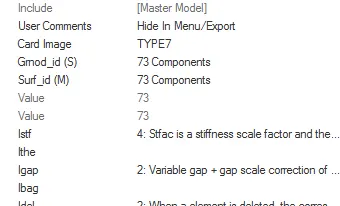
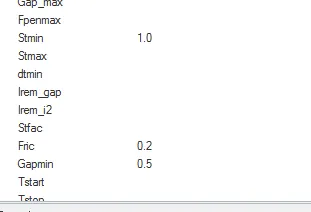
fig shows the create of interface with recommened properties and with the friction.
3.Make sure of no penetrations and intersection.
- first go to the tools command in that go to penetrations check and in that select the components and then check if any fix it by using manual or automatic.
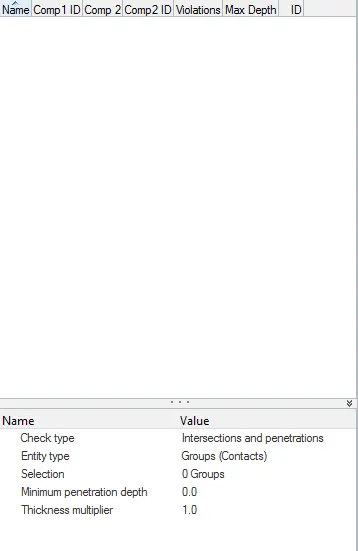
fig shows the check of penetrations.
4.Correct rigid bodies if any issues.
These can be done by the model checker that can fix it by manually or auto fix these issue.
5.Create rigid wall with friction 0.1.
- first go to the solver tab in that selct the rigid wall with infinite plane with a friction of 0.1 and select the xm,ym,zm, axis and the normal where the rigid wall is created.
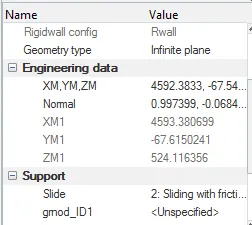
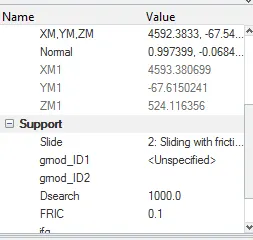
fig shows the creation of the rigid wall with the recommeneded properties.
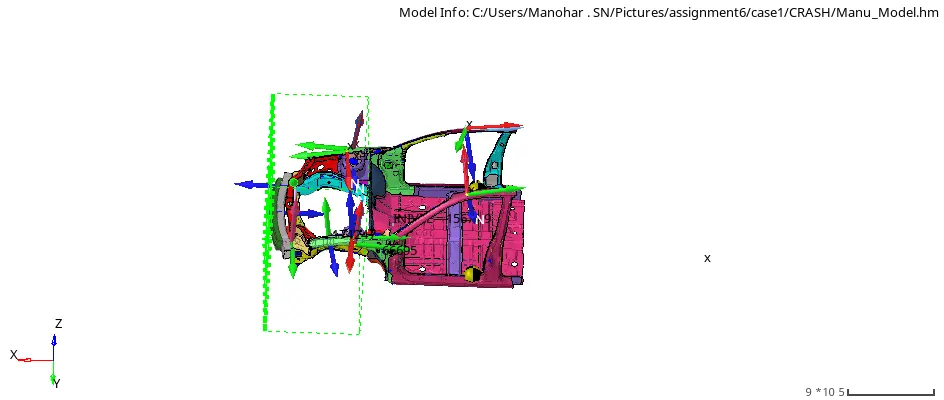
fig shows the create of rigid wall.
6.Compare the model weight with the full scale 300k nodes model and use added masses to reach target weight 700kg while getting CG about the required range.
- first go to the solver in that addedmass option create the mass in the new added mass and select mass type as 0 and the gmd id as the select of bottom surface and the added mass is that select the each of the nodes to each node group.
- check the mass details in the tool bar>>mass details >>mass and cog to obtain the mass at the required cog location.
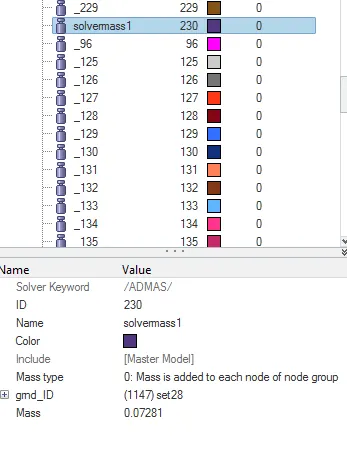
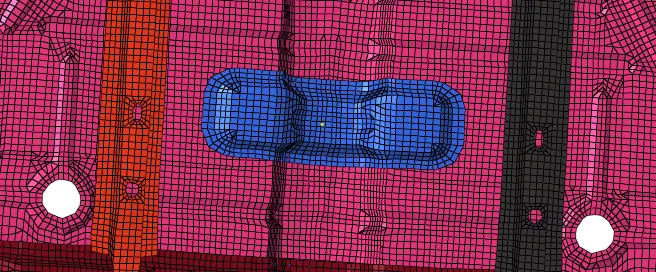
fig shows the added mass to the each node group and location of cog point
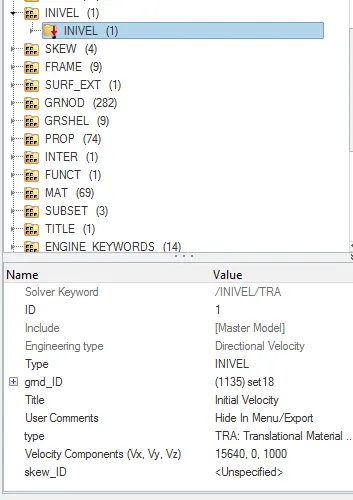
7.Initial velocity 35 mph
- first go to the solver tab in that select the create>>invel>>gmd id >>all components and in the vx,vy and vz dirstion select the vx and convert the value of mph to mm/sec of given velocity in x direction and type as the translational material.
8.Use model checker to ensure good quality.
- first go to the tools command and in that >>model checker>>it shows the errors and warnings and the info details if any fix it by using the auto correction or manually to ensure the good quality.
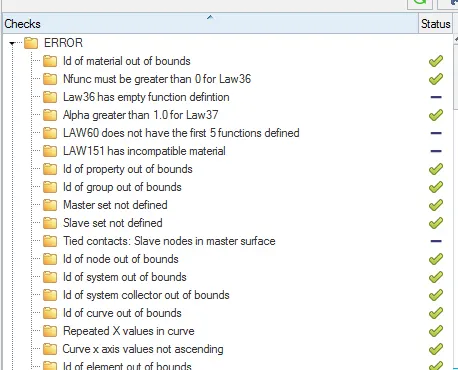
fig shows the error in the model checker and fixing of that errors
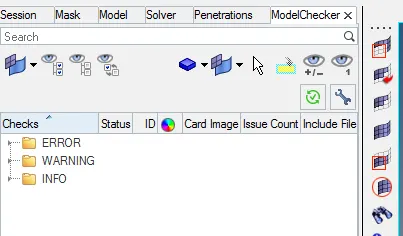
fig shows the model checker panel
- Time-step :0.5 to 0.1 microseconds.
first go to the engine keywords in that eng_dt_noda in that set the given time step.
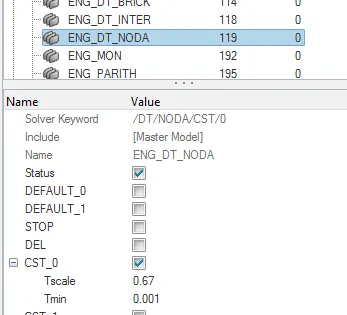
fig shows the set of time step
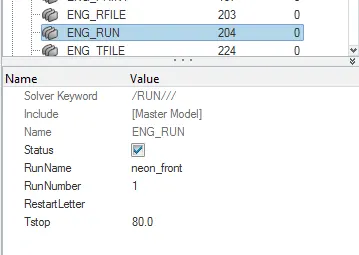
fig shows the set of eng run time
output requests
Sectional force in the rails at location of indicated node 174247.
- first identify the node where the sectional forces want to be by using node by id option and then create the cross section by select of the two rows of elements and then create the output block for these indicated node and also create the frame of move with respect to x,y,z axis.
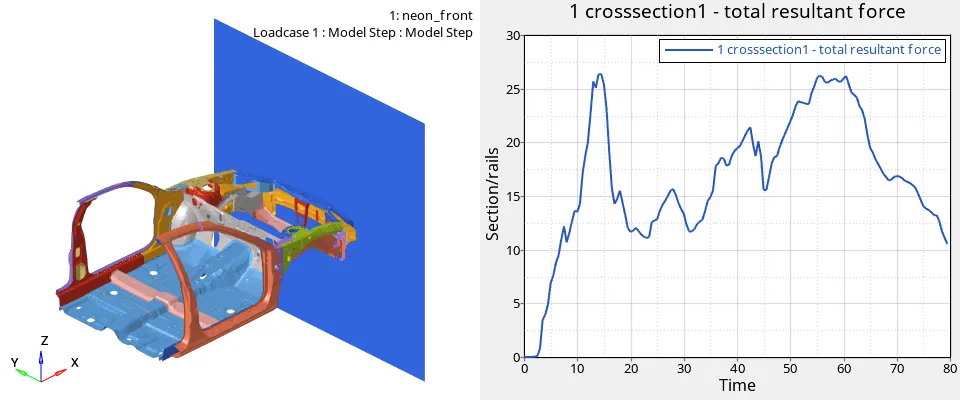
fig shows the sectional force at the node 174247 obtained is that 26kN at the time 14 mmsec.
Axial force received on the rails from bumper
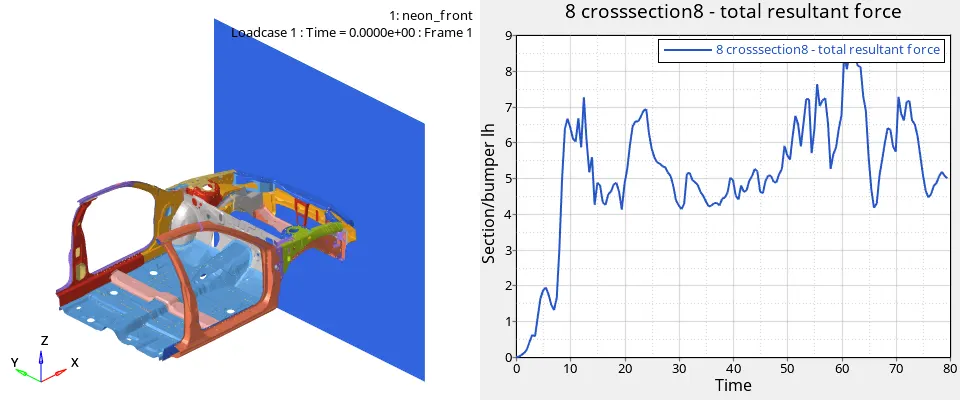
fig shows the sectional force at the bumper lh is max of 8.5kn at the time of 63 msec.
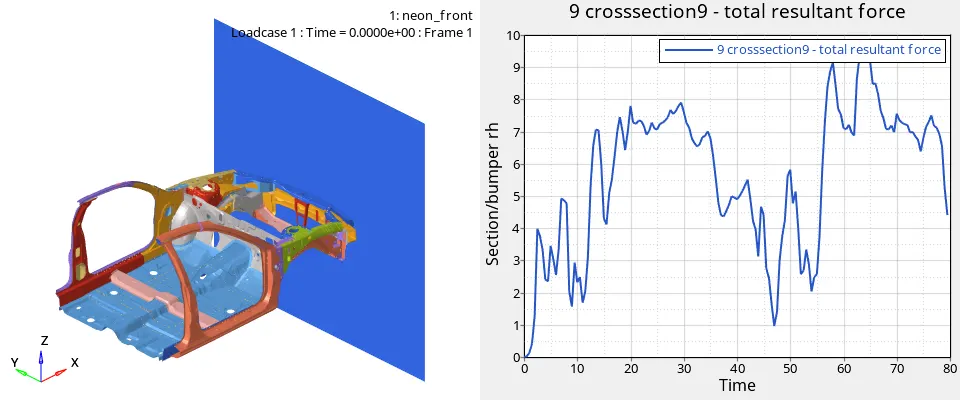
fig shows the sectional force at the bumper rh is max of 9.6kn at the time of 64 msec.
- Shotgun cross sectional forces.
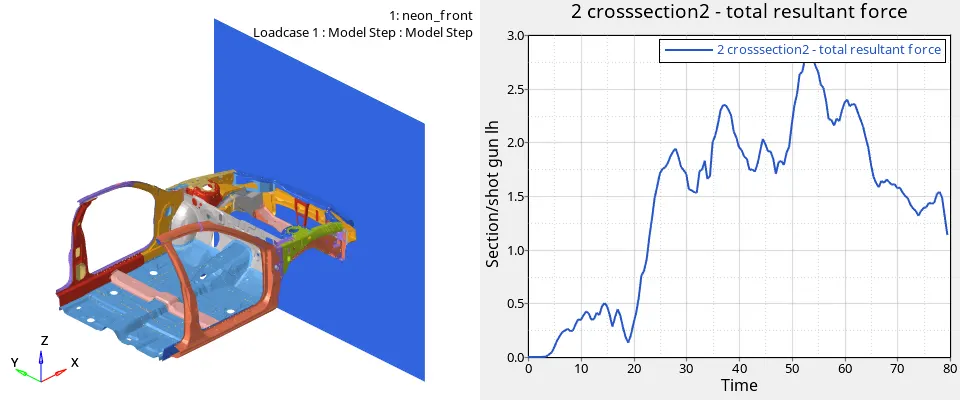
fig shows the sectional force at the shotgun lh is that max of 2.8kn at the time of 54msec.
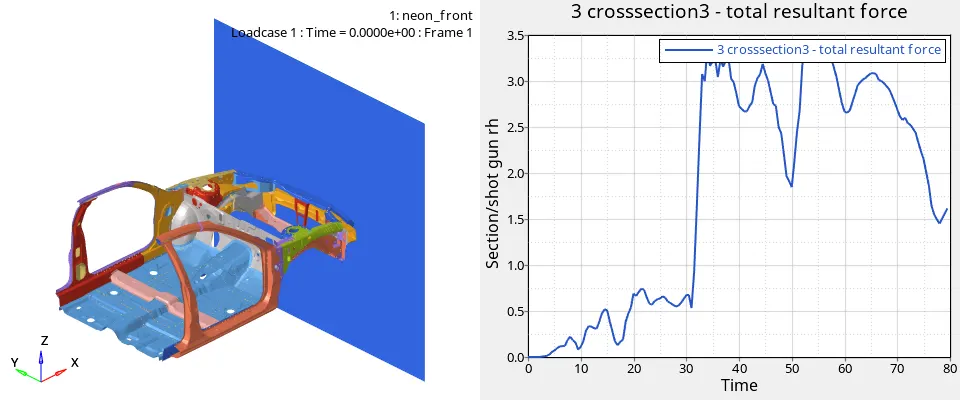
fig shows the sectional force at the shot gun rh is that max of 3.4kn at time of 55msec
- A pillar cross section.
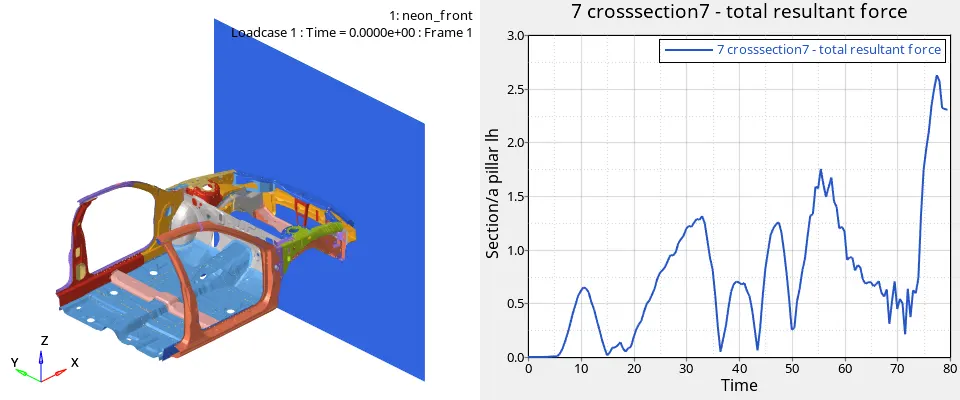
fig shows the sectional force at the apillar lh is 2.7kn at the time of 77msec.
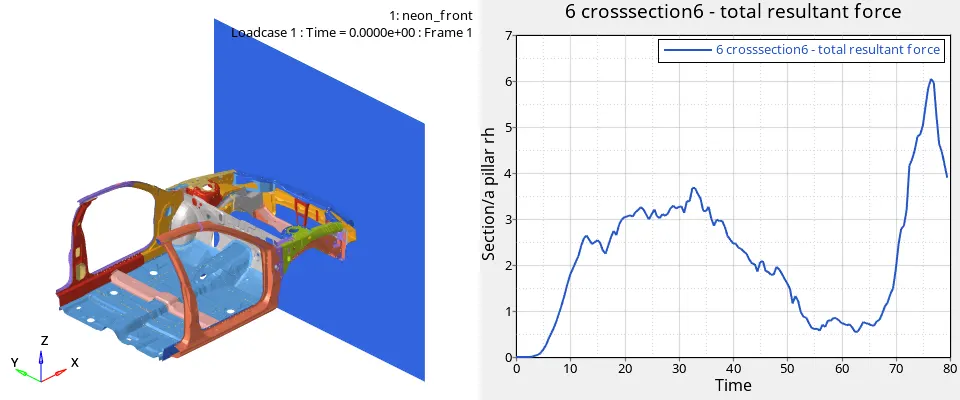
fig shows the sectional force at the apilllar rh is 6kn at the 76msec
- Acceleration curve received on the accelerometer at base of B pillar (on B pillar rocker).
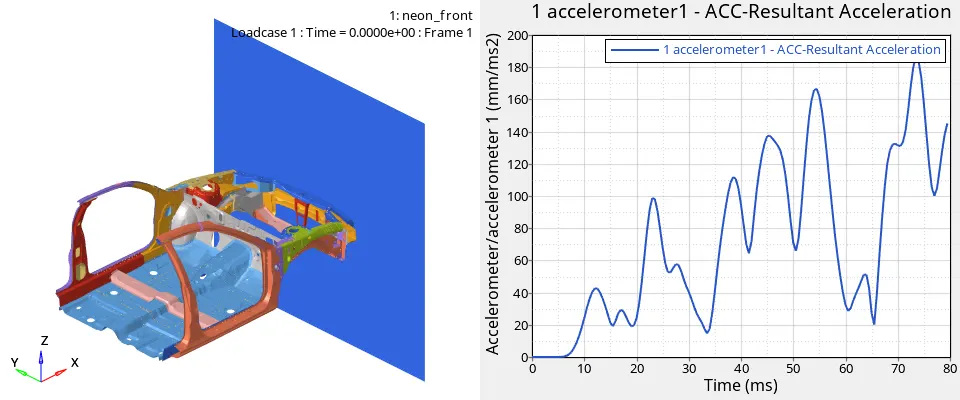
fig shows the accelaration at the lh of the b pillar rocker is max of 190mm/ms2 at the time of 72msec
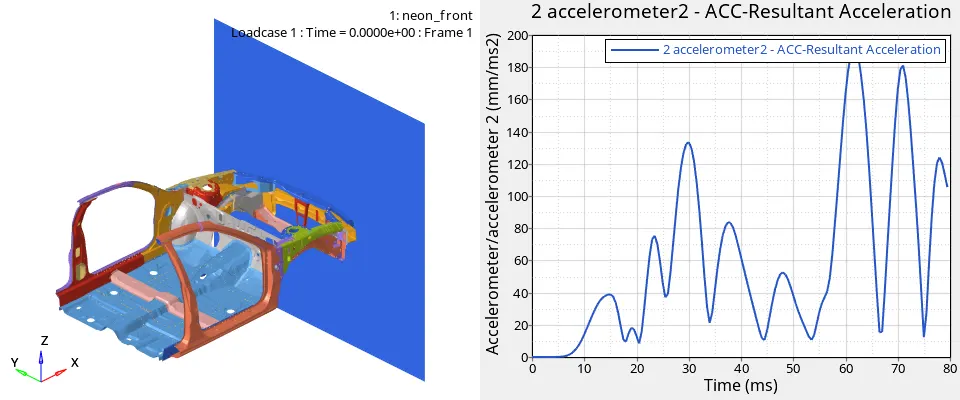
fig shows the accelartion at the rh of the b pillar rocker is max of 190mm/ms2 at the time of 63msec
- Intrusions on the dash wall 66695,66244.
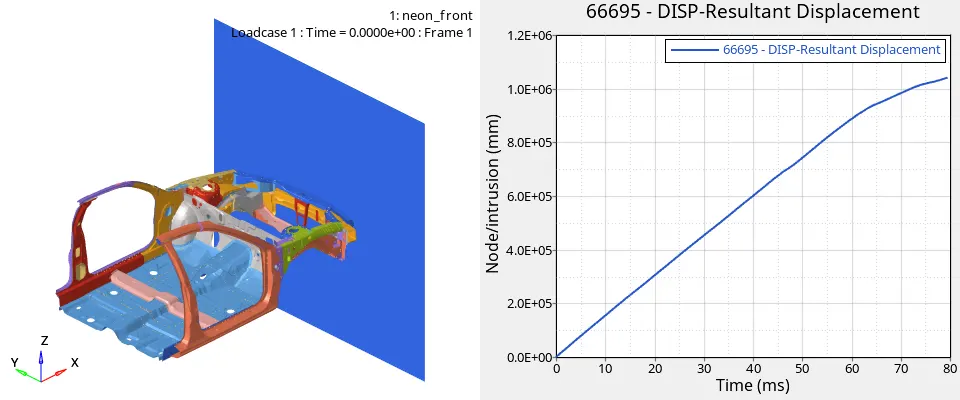
fig shows the intrusion on the dashwall at the node of 66695 is that 1.09e+06 at the time of 78msec.
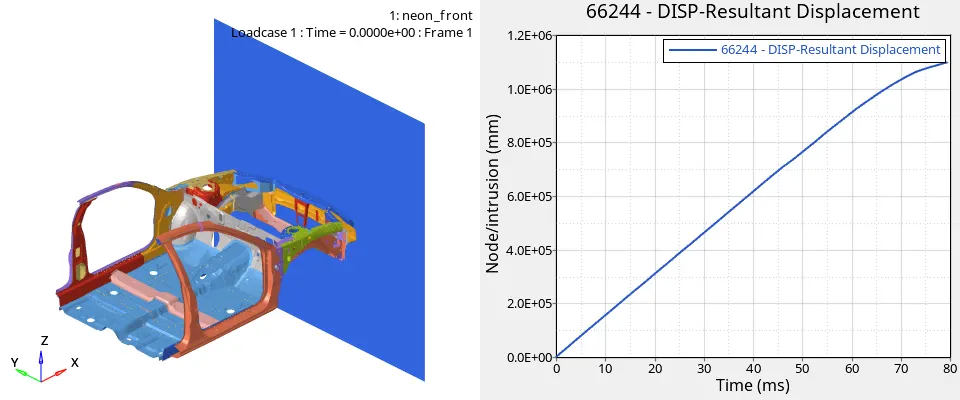
fig shows the intrusion on the dashwall at the node of 66244 is that 1.17e+06 at the time of 77 msec
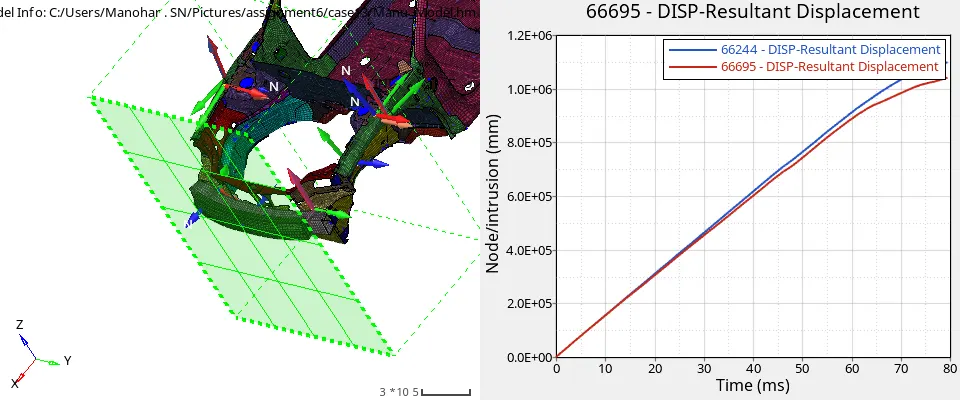
fig shows the both the intrusions at the node 66695 and the 66244
Energies and comparision
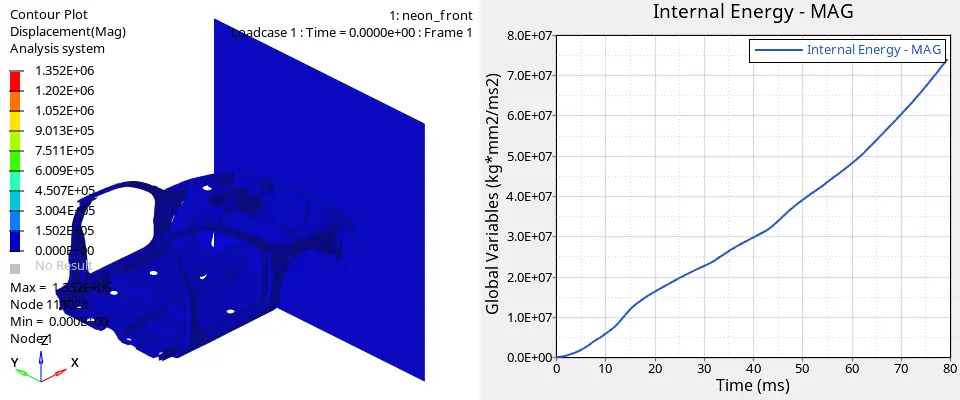
The internal energy gets increase with increase in the time due to increase in velocity
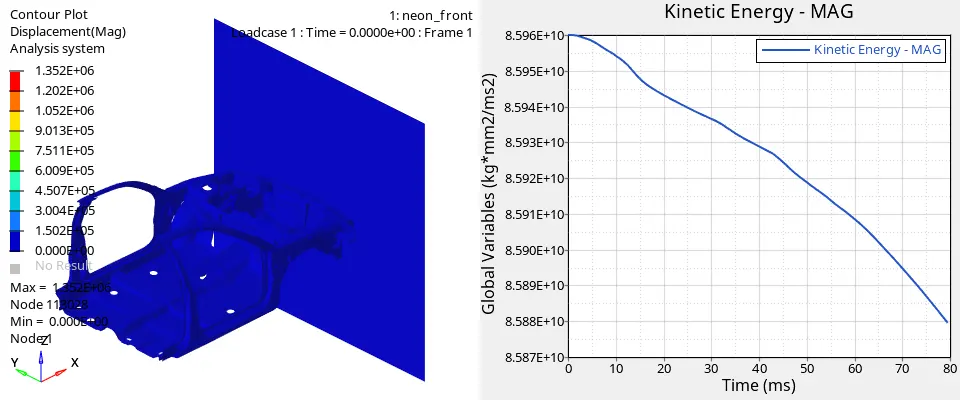
kinetic energy gets decreases with the increase of time due to the decrease in the velocity and the displacement will be max of 1.352E+06 at a node of 113028
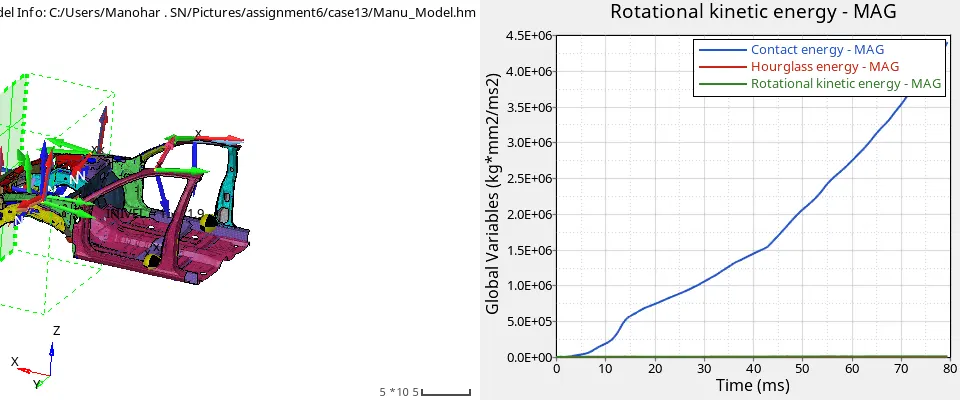
In this fig the rotational kinetic energy and the hourglass energy is constant and contact energy increases with increase of time
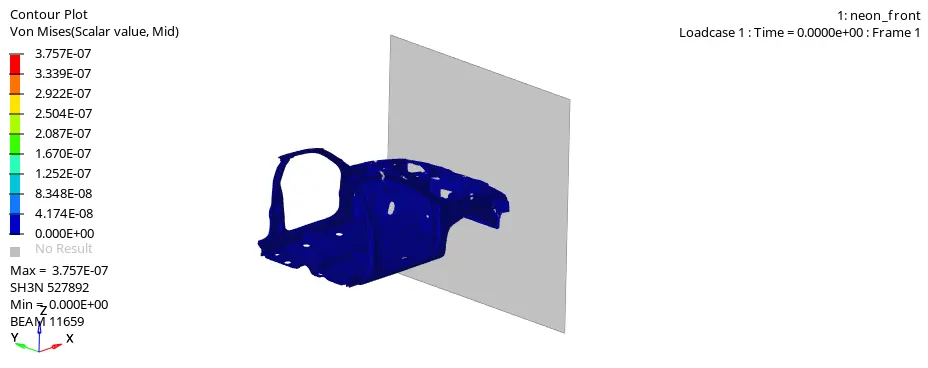
fig shows the vonmises stress
Results
Time taken to run simulation:6283.50 sec
Total no of cycles:80001
CONTACT SORTING.............: .1306E+04 5.81 %
CONTACT FORCES..............: .9837E+03 4.37 %
ELEMENT FORCES..............: .1693E+05 75.27 %
KINEMATIC COND..............: .2822E+03 1.25 %
INTEGRATION.................: .1046E+04 4.65 %
ASSEMBLING..................: .1204E+04 5.35 %
OTHERS (including I/O)......: .7415E+03 3.30 %
TOTAL.......................: .2250E+05 100.00 %
STARTER RUNTIME = 9.31s (00:00:09)
# 001 ENGINE RUNTIME = 6283.50s (01:44:43)
------------------------------
STARTER+ENGINE RUNTIME = 6292.81s (01:44:52)
open the neon_front_0001.out file and note down the energy error and the mass error the energy error is about the 0% and that of mass error is of 0.7466E+08.
CONCLUSION
In this assignment learnt about the use of various boundery conditions,output blocks ,various solver keywords such as the frame,skew,added masses,displacement ,various energy plots velocity, accelaration .
Note: In this assignment the h3d file is not uploaded due to the large size of about the 400mb and i try to compress it to 320mb so it takes the long time to upload so i not uploade the h3d file.