Assignment 6
Objectives :
- To experience frontal car simulation check
- To learn inputting the necessary input condition for crash such as Rwall, Invel,
- To control simulation time using the DT control card.
- To opt for output such as Sectional forces, Acceleration, Specific element deformation, and various energies.
- To run the final quality checkup.
Case Setup:
1. Model Import & Initial Check:
Opened Neon Front 0000.rad file to see the default unit system.
The unit system found to be: Kg-mm-ms.
Checked Consistent Unit system for Altair on Google and noted down the updated values for various quantities like:
For density = 7.8e -6 & E = 210Gpa, values found to be speed 35 MPH= 15.65 mps & Gravity = 9.81e-3.
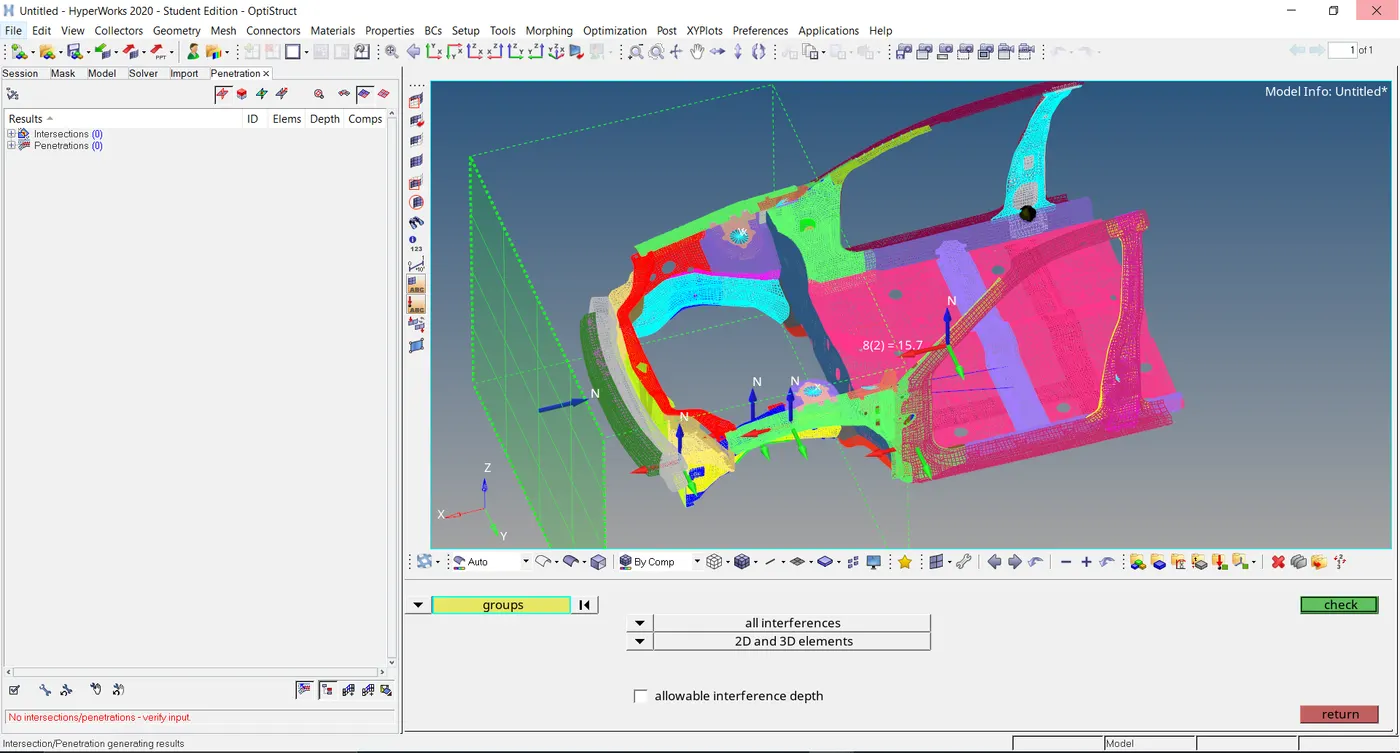
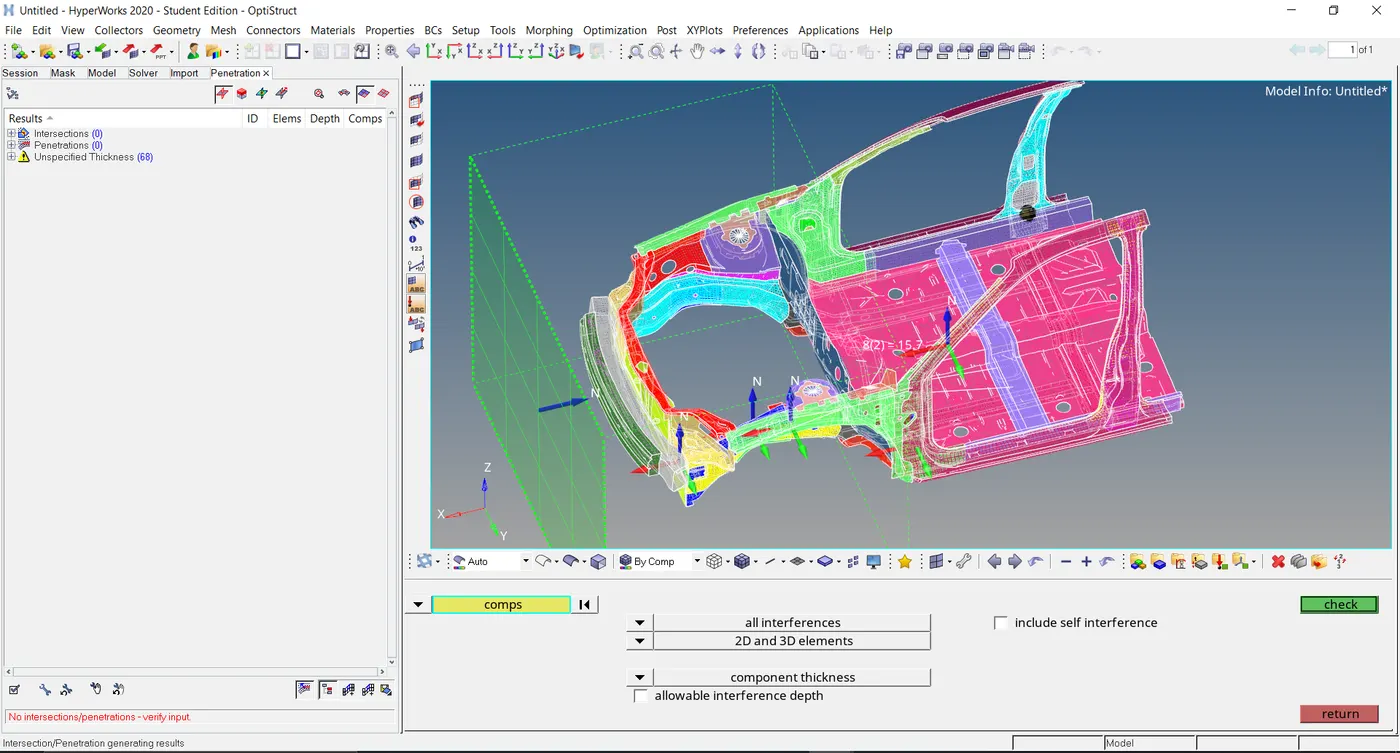
Imported Neon Front 0000.rad file to Hypermesh Optistruct for Penetration check.
Checked at both components as well as Group level penetration.
Zero penetration found.
2. Input Conditions:
- Basic Input Conditions:
Rigid wall:
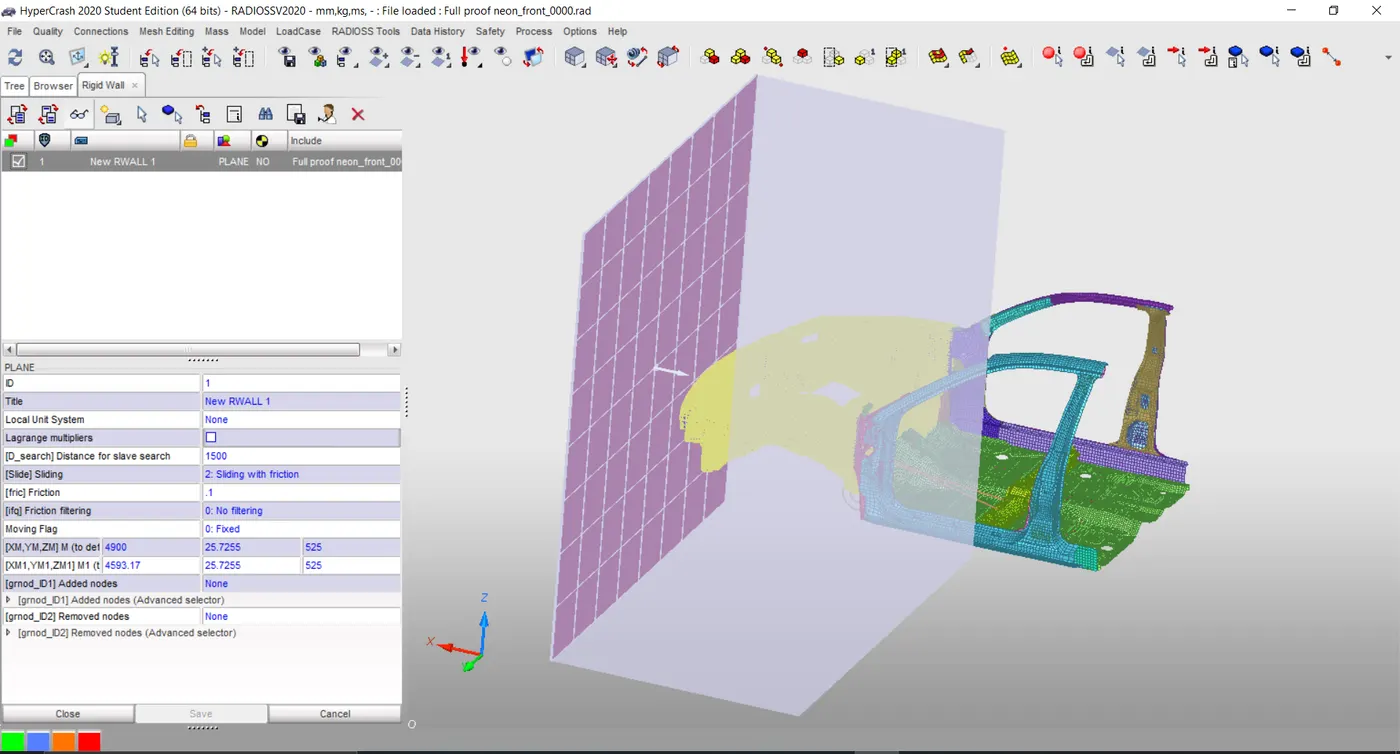
Created Planar Rigid wall by picking the Bumper center node and maintaining both head and tail node values equal initially.
The tail value then moved by 400mm in the X direction to remove direct contact.
Desearch value inputted as 1500 and Sliding friction as 0.1.
Initial Velocity:
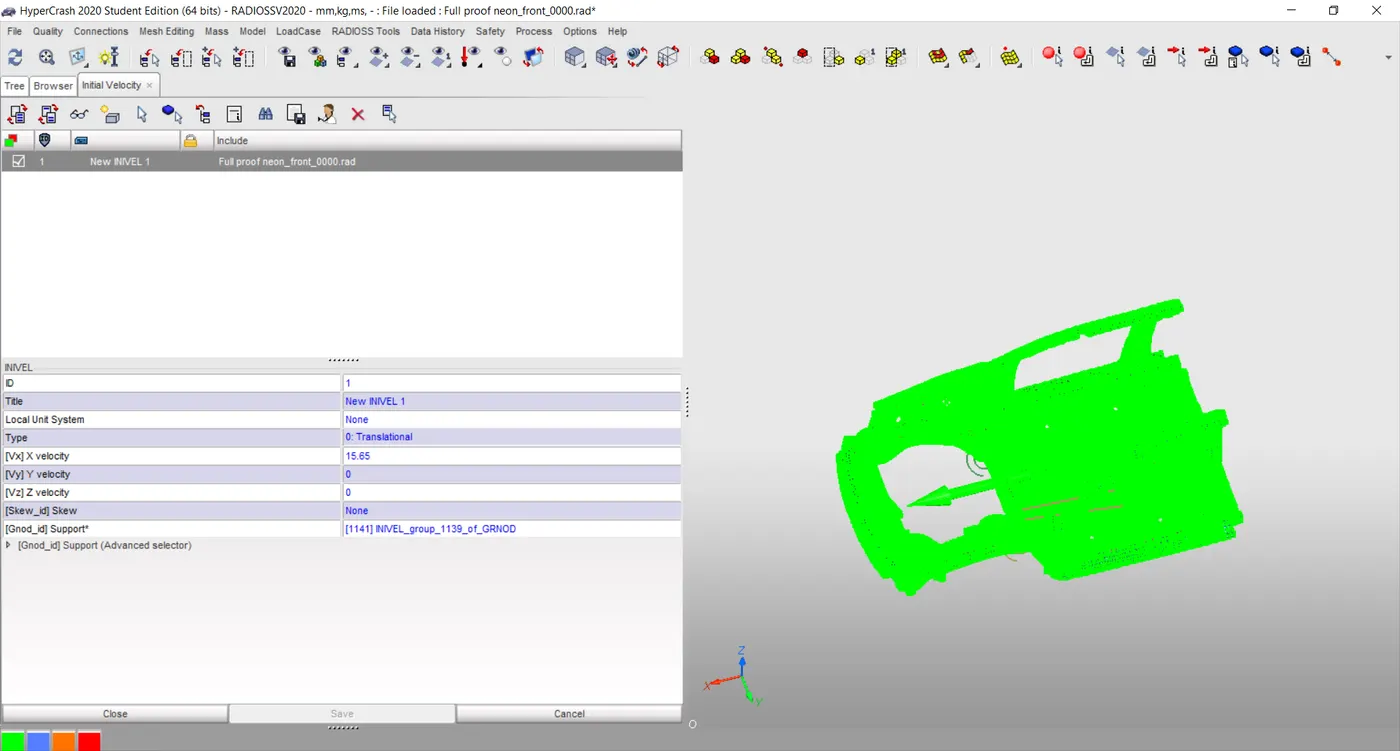
Initial velocity is given 15.65 for 35MPH speed as discussed earlier in the positive X direction.
- Desired Input Conditions:
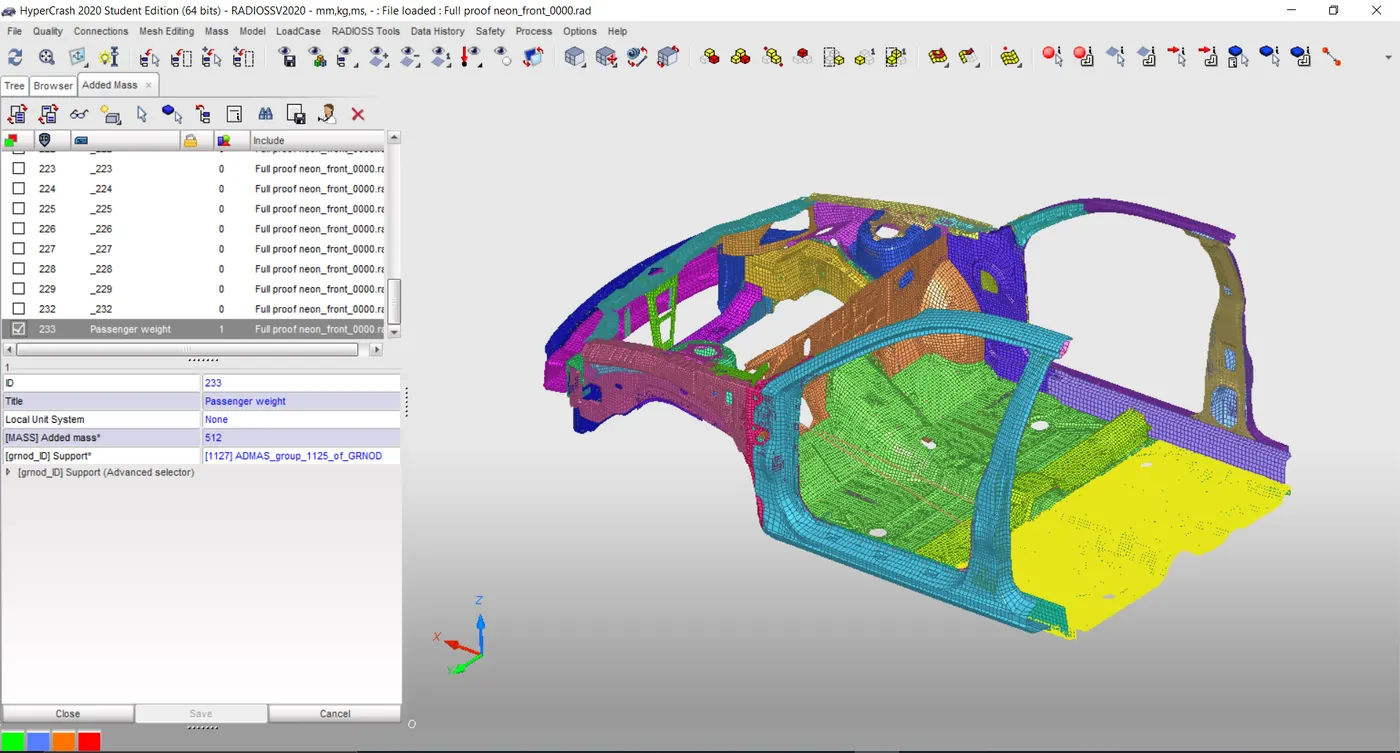
Added mass:
The default mass of vehicles found to be = 188Kg.
In order to reach 700Kg Extra 512Kg mass added to the Back seat considering it as a passenger weight.
Options Type 1 selected by Choosing back seat nodes 512 kgs distributed over selection.
Gravity Load:
As of this model didn’t consider gravity.
Time step Control:
By default in Control card-Engine- Anim DT & DT ELTYP IFLAG were present.
In order to further reduce the time I could have used DT Noda & DT Inter method by giving 5 us as critical time with a scale factor as 0.9. But Ignored because of default conditions.
3. Output Requests:
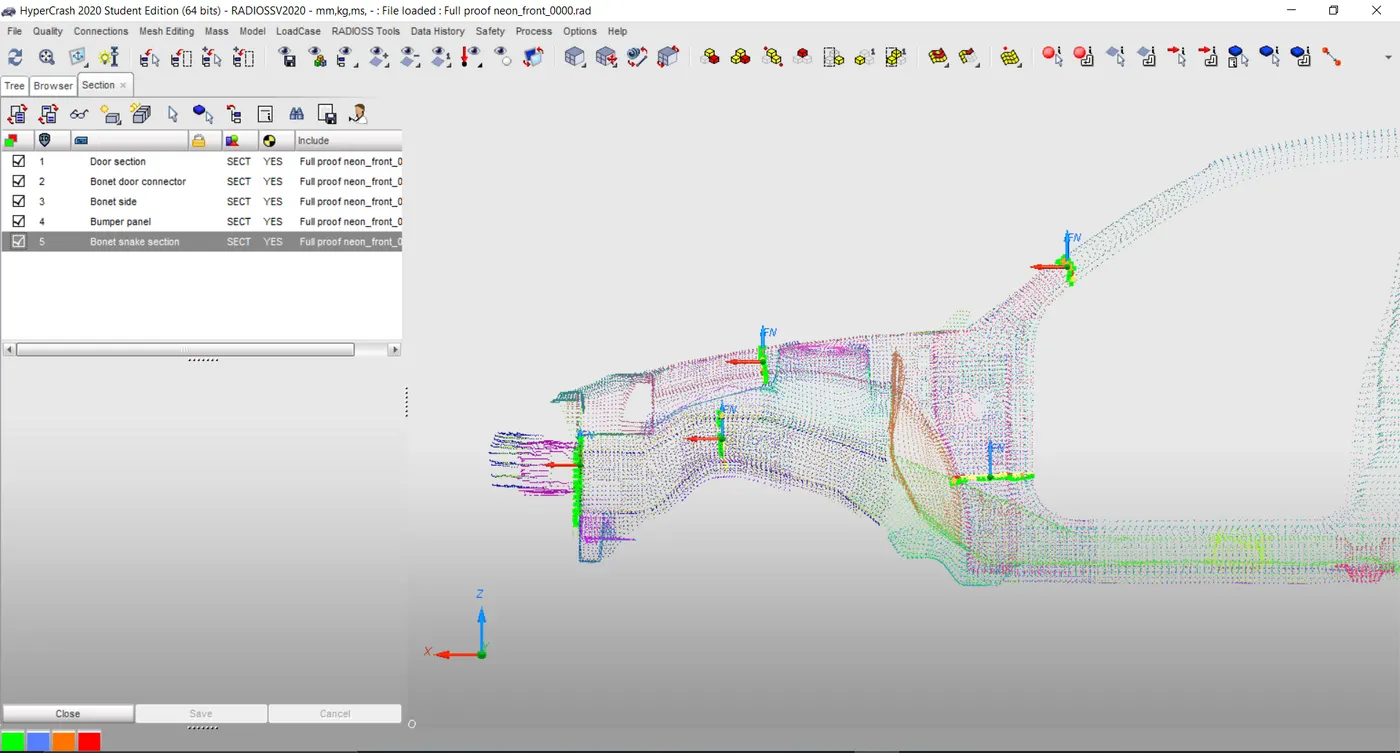
Section Forces:
Crated Five sections at Door panel, Door- Bonet bottom, Bonet front panel, Shotgun section, and at Bonet side section using 3 node option.
As it got saved in Data history automatically no need to create it separately.
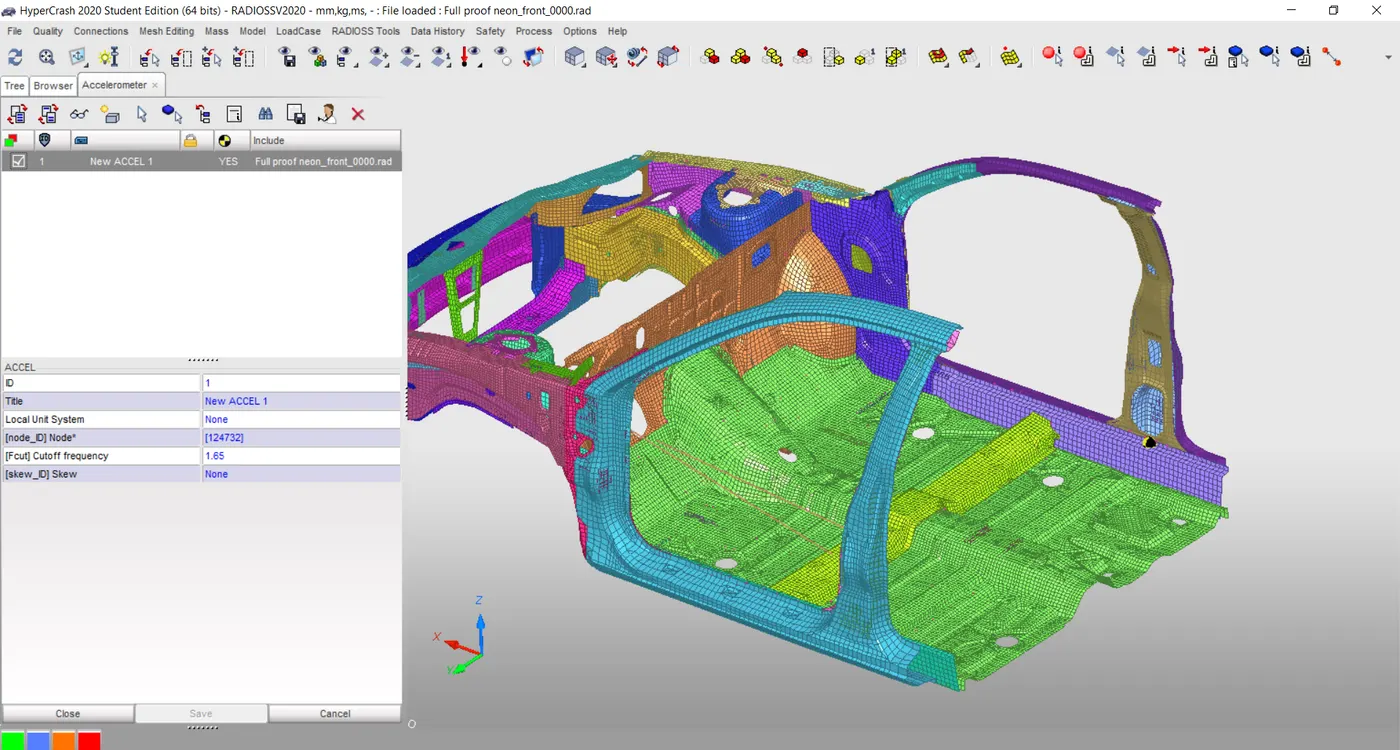
Accelerometer:
Placed an accelerometer on the rocker arm at the bottom of the Door panel for vibration check.
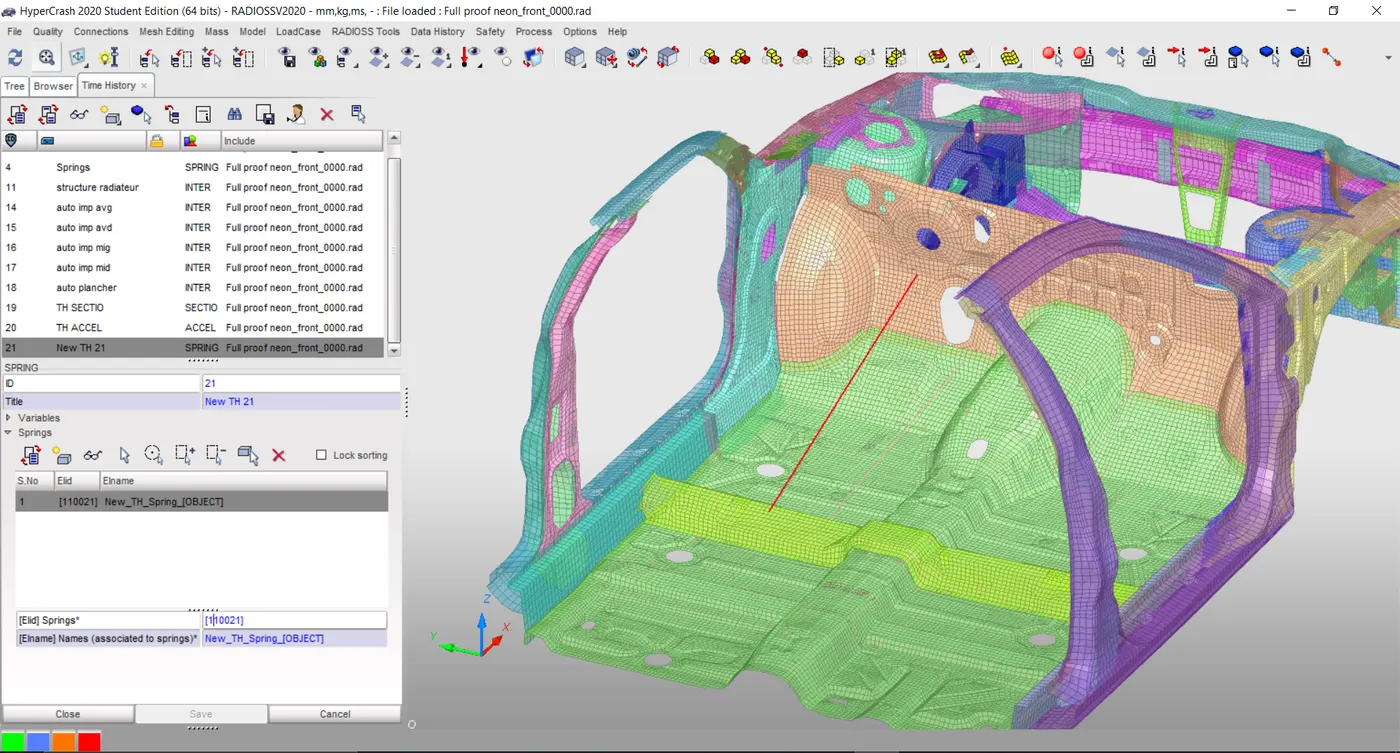
Elemental Deformation :
In order to check elemental deformation at the Footstep-dashboard region created a Spring element connecting the dashboard to the plane snake member at the seat bottom.
Created the Spring part in the Data history tab for Output request.
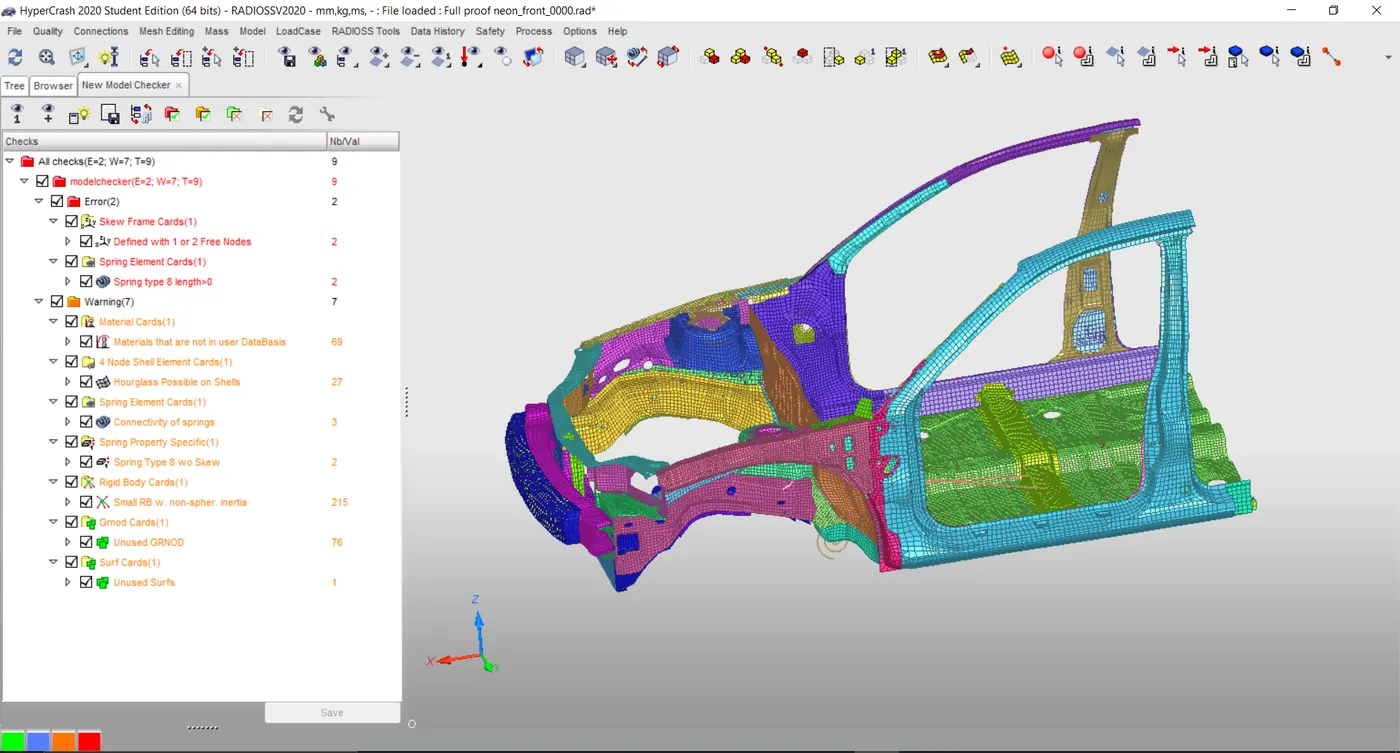
Model Checker:
Run model quality checker and warnings found to be normal.
4. Results & Discussion:
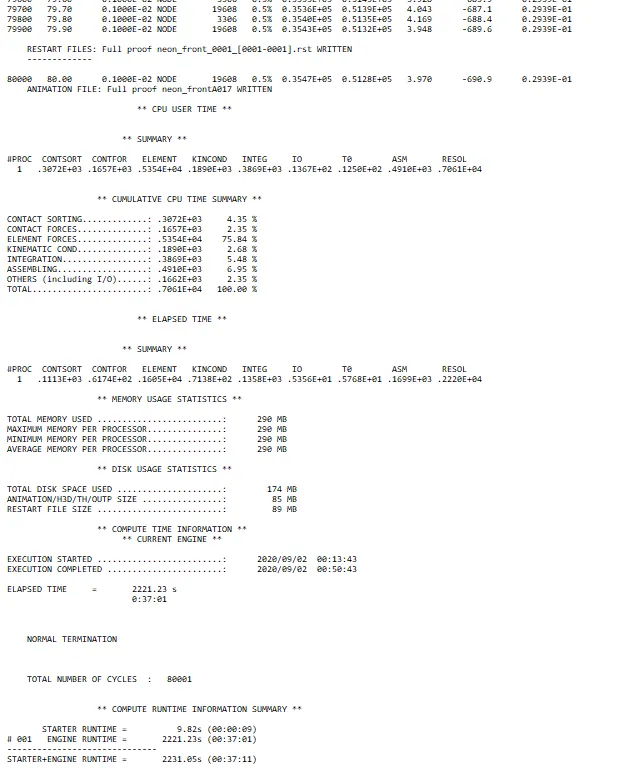
After completion of the simulation, run the checked engine output file.
Simulation time was found to be 37.11min with a mass error of 0.29e-1 which was less than 2%.
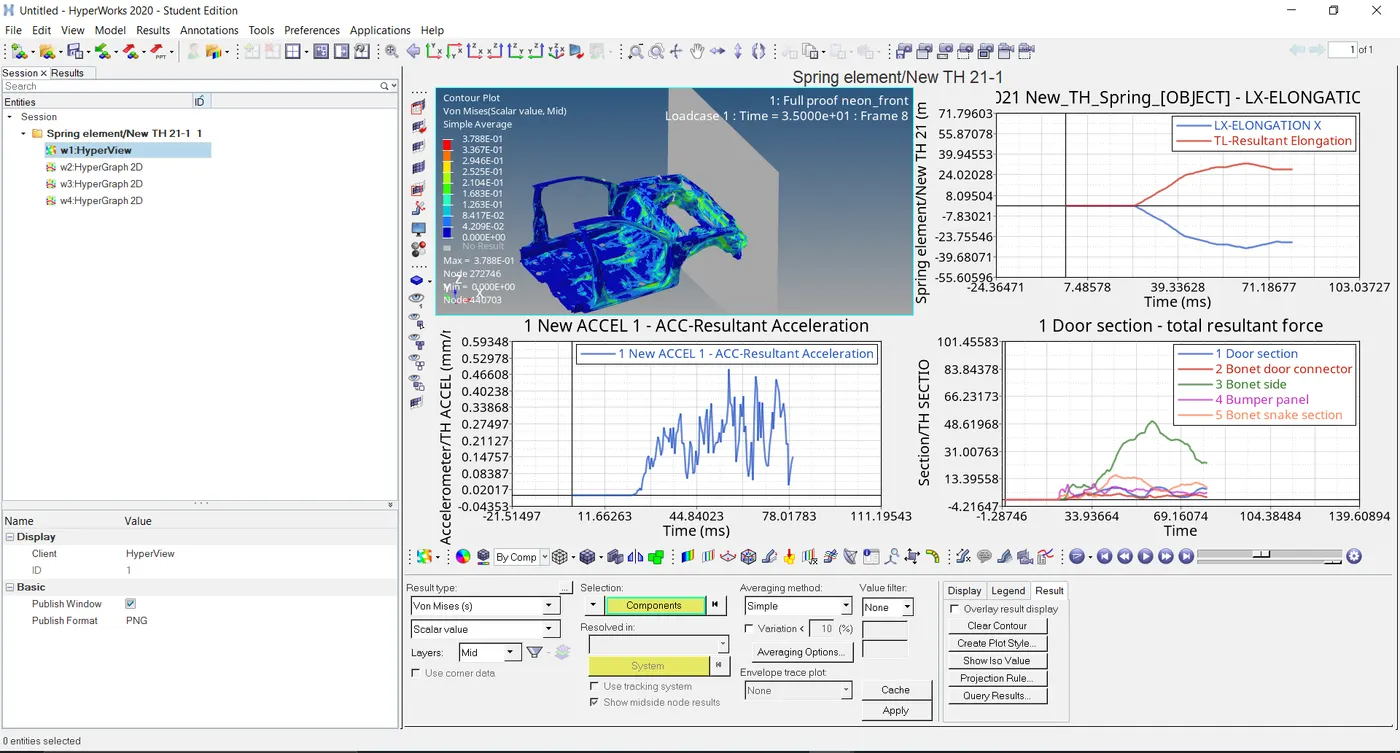
Spring Elongation:
Max spring elongation was found to be -35mm which means it has undergone compression.
Section Force:
Max section force was found to be 50 KN which occurred on the Bonet side panel.
For the remaining four sections this force was developed between 5-15KN limit.
Acceleration:
Max Acceleration at Rocker arm was found to be 0.5mm/ms2.
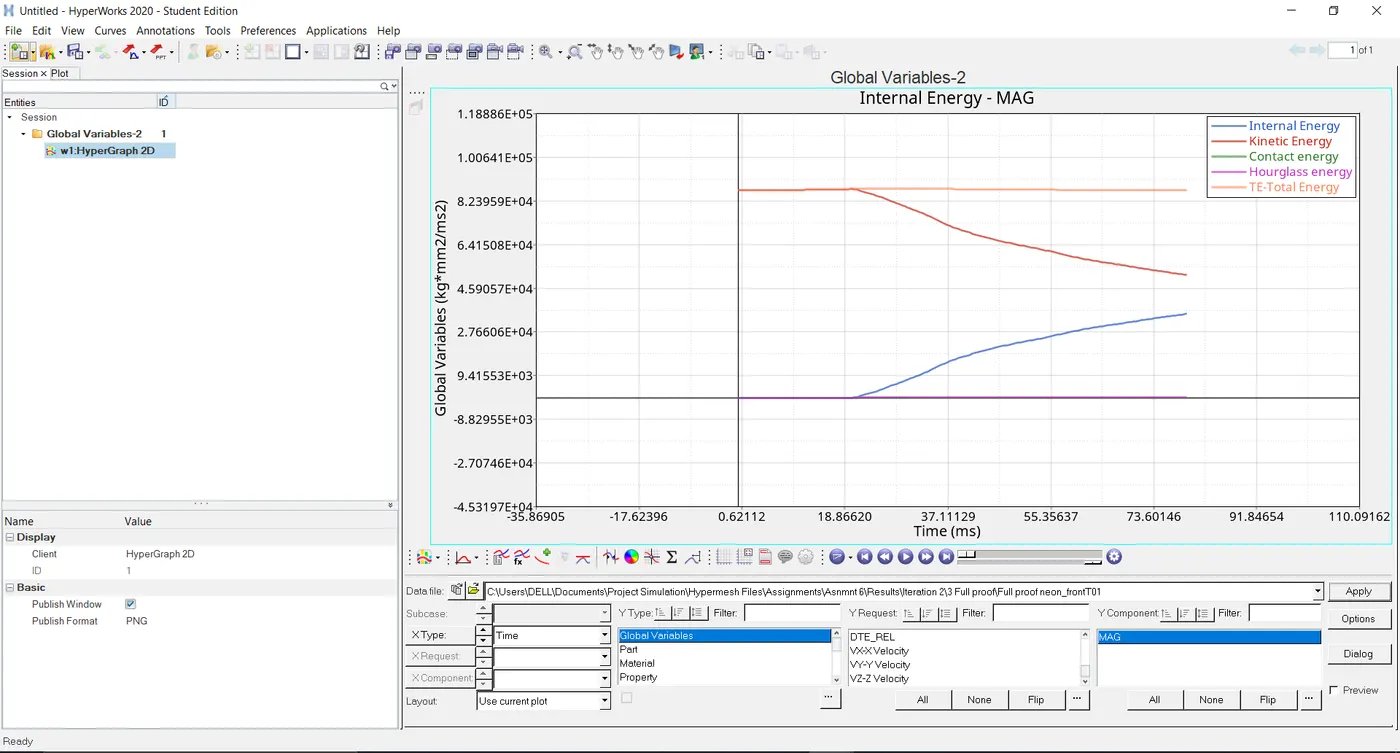
Energies:
KE & IE started their initial curve deformation point from 20ms.
Max KE was found to be 9e4 KN-mm.
Very less Hourglass energy generation was found.
UNDERSTANDING:
In the starter, file searched for Time step & Under shell element-time step noted down the time.
Came to Engine Out file noted down the initial time.
Ideally, both time should have been the same but
As we create DT time step in Control card (DT/NODA or DT/INTER)
Critical time = 5 us
Scale factor = 0.9
Starter Out file followed 5us limit that simulation time didn’t go below this limit.
Under DT/NODA/CONST – CONST means if simulation time goes below critical by mass addition time step will increase.
This will lead to Hourglass energy generation & thus 100% conversion of KE into IE won't be possible.
While in the Engine file Initial time step didn’t found to be the same as that of the starter out file but will be 0.9 of it.
Which is due to the Scale factor multiplier.