Assignment 5-RADIOSS Interfaces & Study of Effect of Notches Challenge
Questions:
- Create the mesh for bumper assembly, mesh size should be 6mm.
- Run the crash tube model as it is.
- Change the Inacti =6 and run.
- Create the type 11 contact and run.
- Remove both notches and remove boundary condition on rigid body node then run.
- Create a new notch in the middle, select the whole section and run.
- Create a new notch with nodes only from opposing 2 faces and run.
Note:
- Plot RWALL forces, contact forces, internal energy, and Create TH/PART for all parts and compare results for all cases.
- Comment your thought on why there is a change in the internal energies.
- How does the notch affect the results?
- Plot energies and note any difference.
Procedure:
- Open the Bumper_System.hm file in Hypermesh and carry out geometry clean-up in order to remove unwanted free edges using the toggle, extend and intersect options.
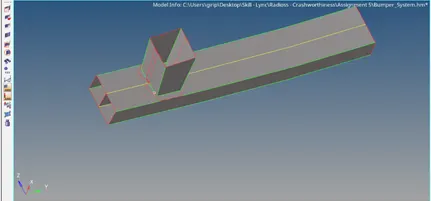
- Mesh the components using mixed with 6 mm as element size.
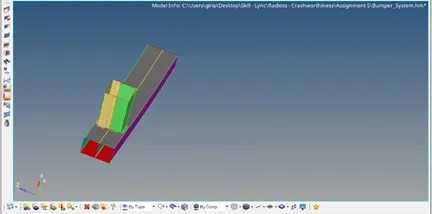
- Connect the bumper beam and crush box using the appropriate connections (Seam Weld).
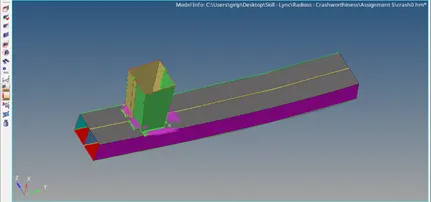
- Reflect the elements to complete the beam.
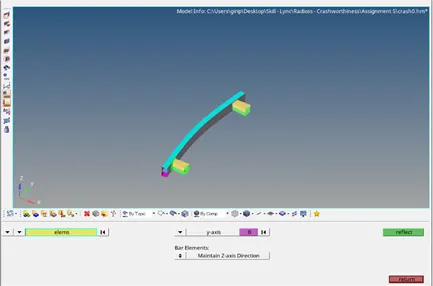
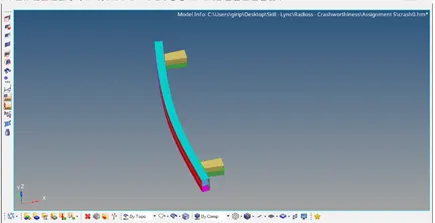
- Final Model Image:
- Run the crash tube model as it is.
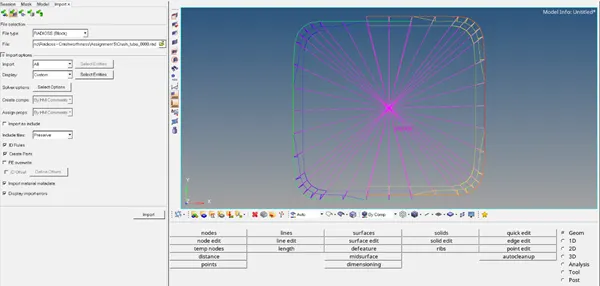
Import the Crush_tube_0000.rad file in Hypermesh (Solverdeck).
Add the Part and Inter in TH of Solver tab., and select all the components and groups respectively.
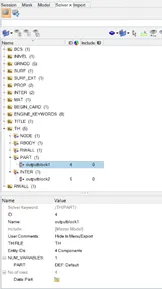
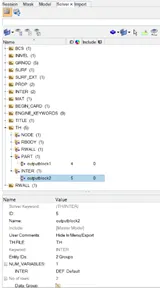
In the Analysis panel, select Radioss and save the input file as Crush_tube_0000_case1.rad in a separate folder (to save the animation files), mentioning the option = “-nt 4”.
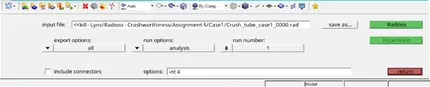
Then run the input file, by selecting Radioss to perform the simulation.
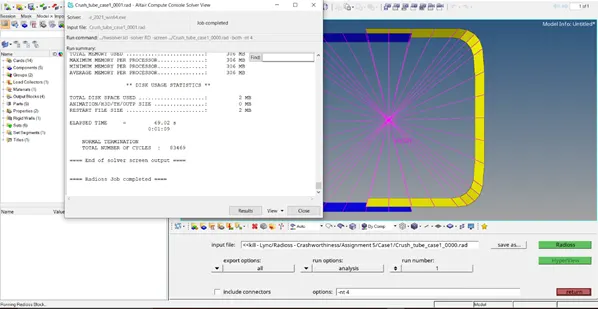
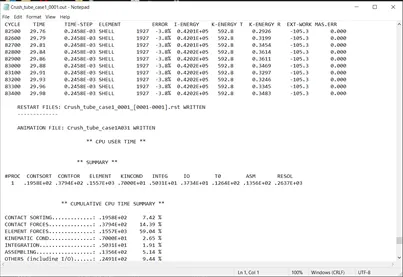
Select Results, to view the simulation – Select the Contour for displacement, von mises, contact forces and save the files.
Go to Hypergraph, 2D to plot the desired graph for comparison.
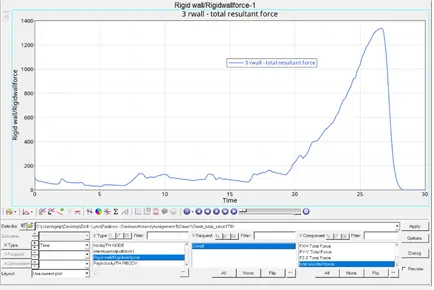
Rwall – Resultant Force
Internal Energy
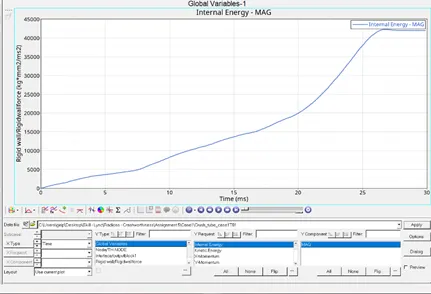
Contact Energy
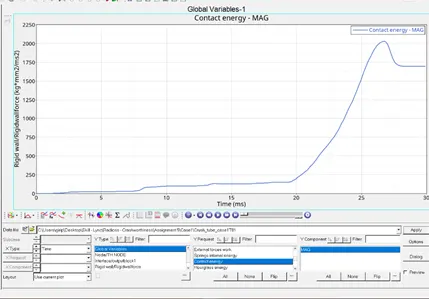
- Change the Inacti =6 and run.
Import the Crush_tube_0000.rad file in Hypermesh (Solverdeck).
Add the Part and Inter in TH of Solver tab., and select all the components and groups respectively.
Change the inacti = 6 in Type 7
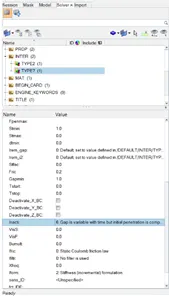
In the Analysis panel, select Radioss and save the input file as Crush_tube_0000_case2.rad in a separate folder (to save the animation files), mentioning the option = “-nt 4”.

Then run the input file, by selecting Radioss to perform the simulation.
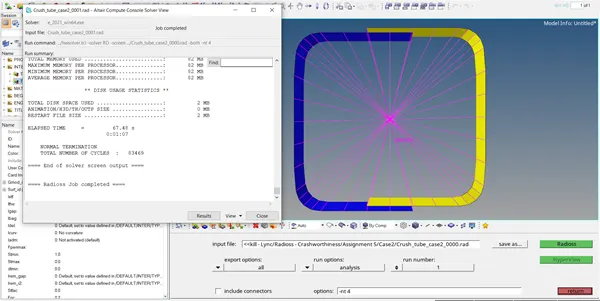
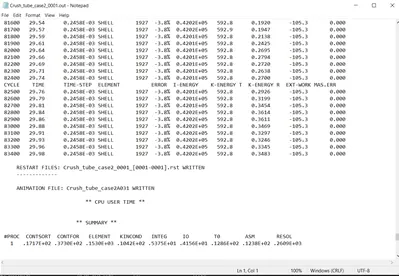
Select Results, to view the simulation – Select the Contour for displacement, von mises, contact forces and save the files.
Go to Hypergraph, 2D to plot the desired graph for comparison.
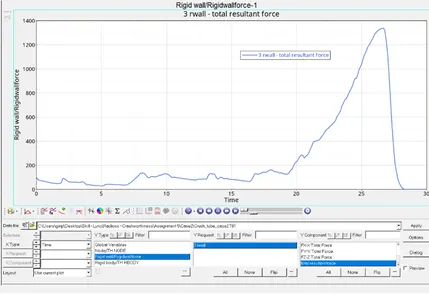
Rwall – Resultant Force
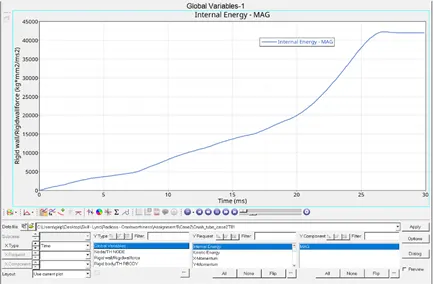
Internal Energy
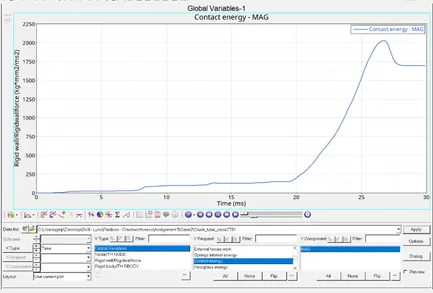
Contact Energy
3.Create the type 11 contact and run.
Import the Crush_tube_0000.rad file in Hypermesh (Solverdeck).
Add the Part and Inter in TH of Solver tab., and select all the components and groups respectively.
Add Type 11 in Inter of Solver tab and enter the following values
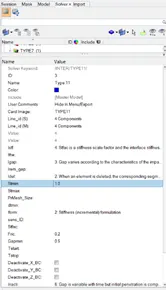
In the Analysis panel, select Radioss and save the input file as Crush_tube_0000_case3.rad in a separate folder (to save the animation files), mentioning the option = “-nt 4”.
Then run the input file, by selecting Radioss to perform the simulation.
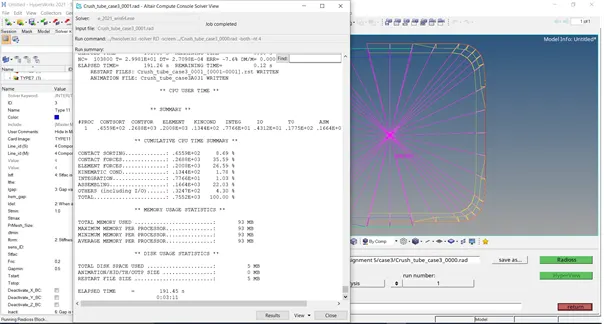
Select Results, to view the simulation – Select the Contour for displacement, von mises, contact forces and save the files.
Go to Hypergraph, 2D to plot the desired graph for comparison.
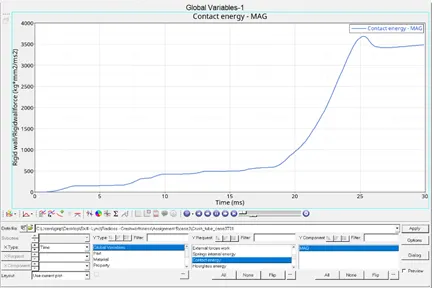
Rwall – Resultant Force
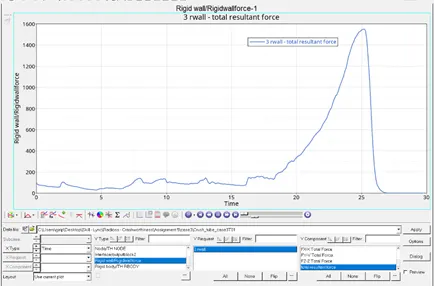
Internal Force:
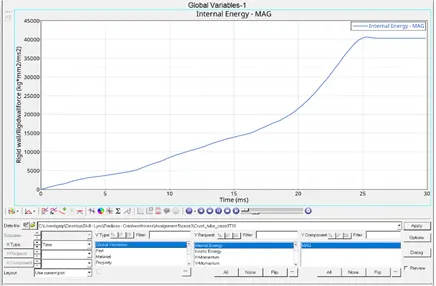
Contact Force:
- Remove both notches and remove boundary condition on rigid body node then run.
Import the Crush_tube_0000_case3.rad file in Hypermesh (Solverdeck).
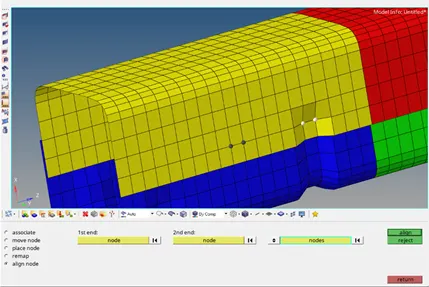
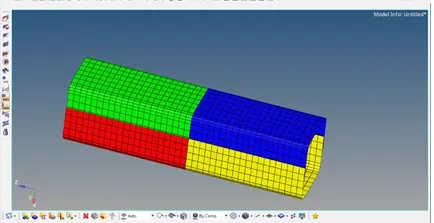
Remove all notches from the crush tube using align nodes.
In the Analysis panel, select Radioss and save the input file as Crush_tube_0000_case4.rad in a separate folder (to save the animation files), mentioning the option = “-nt 4”.
Then run the input file, by selecting Radioss to perform the simulation.
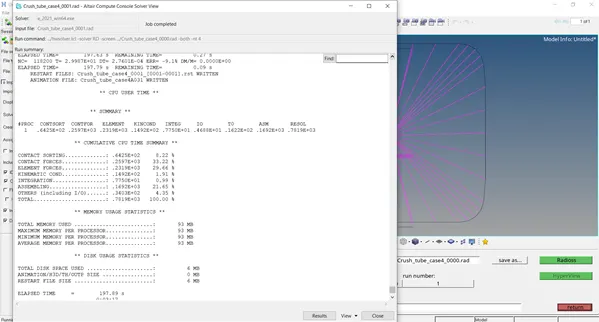
Select Results, to view the simulation – Select the Contour for displacement, von mises, contact forces and save the files.
Go to Hypergraph, 2D to plot the desired graph for comparison.
Rwall – Resultant Force
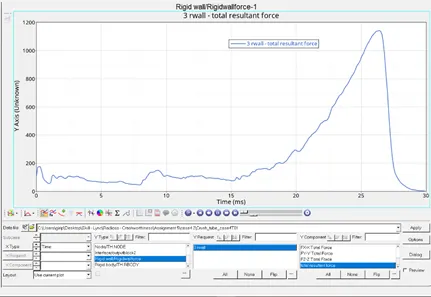
Internal Energy
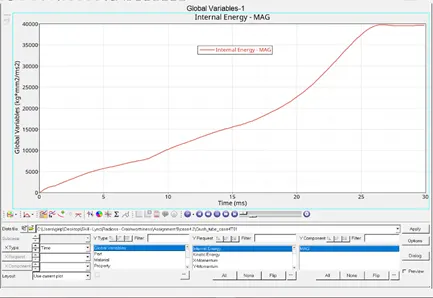
Contact Energy
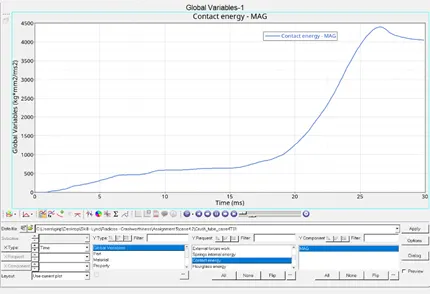
- Create a new notch in the middle, select the whole section and run.
Import the Crush_tube_0000_case4.rad file in Hypermesh (Solverdeck).
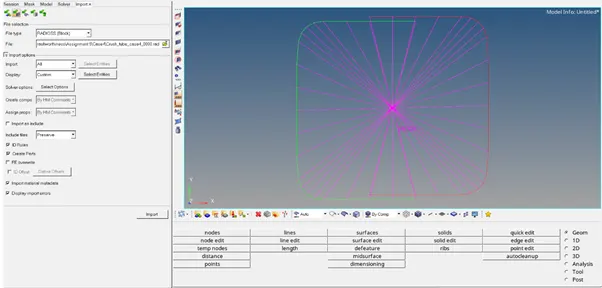
Create notch in middle using Translate nodes of 2.5 mm
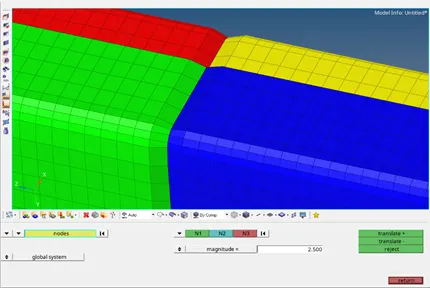
In the Analysis panel, select Radioss and save the input file as Crush_tube_0000_case5.rad in a separate folder (to save the animation files), mentioning the option = “-nt 4”.
Then run the input file, by selecting Radioss to perform the simulation.
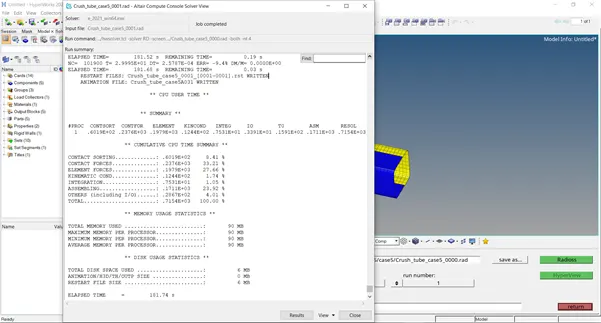
Select Results, to view the simulation – Select the Contour for displacement, von mises, contact forces and save the files.
Go to Hypergraph, 2D to plot the desired graph for comparison.
Rwall – Resultant Force
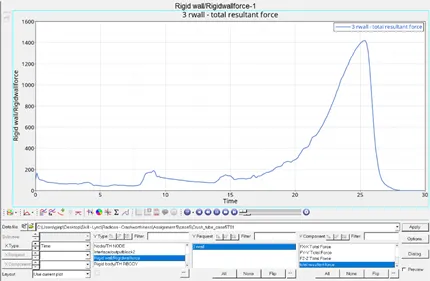
Internal Energy:
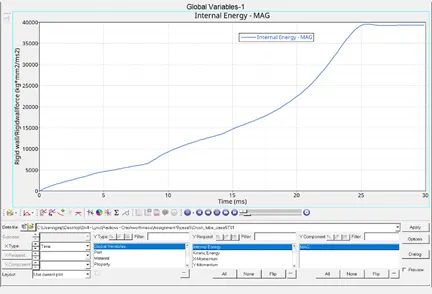
Contact Energy:
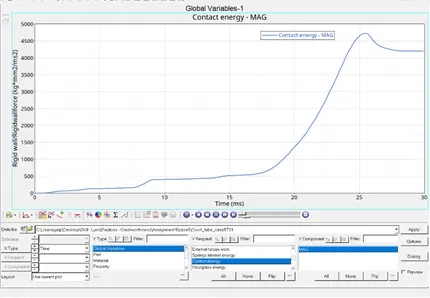
- Create a new notch with nodes only from opposing 2 faces and run.
Import the Crush_tube_0000_case4.rad file in Hypermesh (Solverdeck).
Create notch using Translate nodes of 2.5 mm
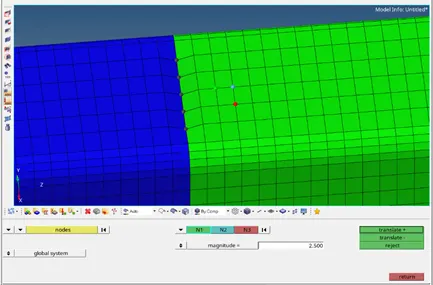
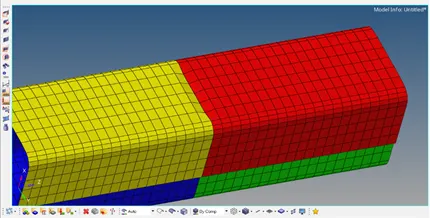
In the Analysis panel, select Radioss and save the input file as Crush_tube_0000_case6.rad in a separate folder (to save the animation files), mentioning the option = “-nt 4”.

Then run the input file, by selecting Radioss to perform the simulation.
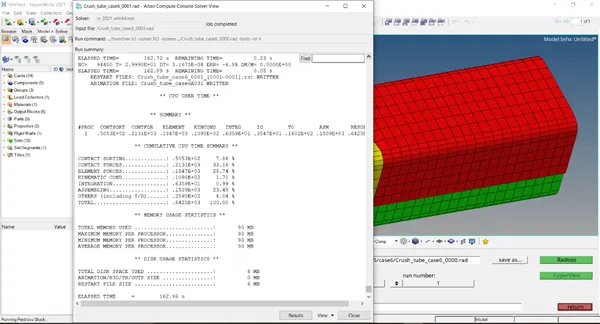
Select Results, to view the simulation – Select the Contour for displacement, von mises, contact forces and save the files.
Go to Hypergraph, 2D to plot the desired graph for comparison.
Rwall – Resultant Force
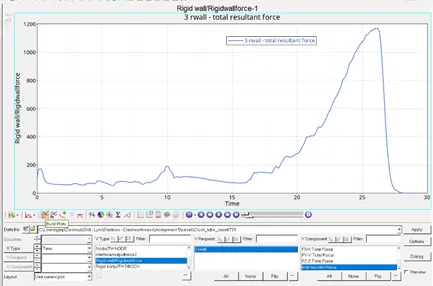
Internal Force:
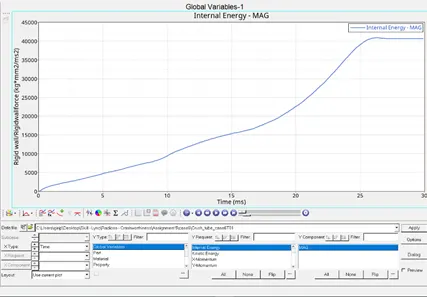
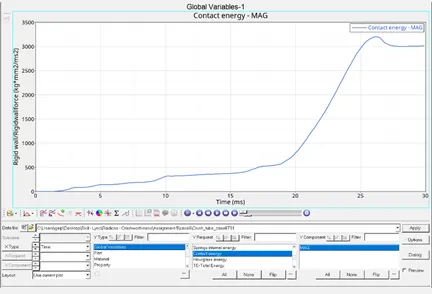
Contact Force:
|
Energy Error (%) |
Time (s)/Cycles |
Max Rwall Force |
Max Internal Energy |
Max Contact Energy |
Max Displacement |
|
|
Case 1 |
-3.8 |
69.02/83469 |
1338.18(26.6) |
42273(26.8) |
2029.77(26.7) |
2.8 x 10² |
|
Case 2 |
-3.8 |
67.48/83469 |
1338.18(26.6) |
42273(26.8) |
2029.77(26.7) |
2.8 x 10² |
|
Case 3 |
-7.6 |
191.45/103873 |
1553.34(25.2) |
40617.33(25.3) |
3690.95(25.3) |
2.665 x 10² |
|
Case 4 |
-9.1 |
197.89/118429 |
1141.68(26.4) |
39811.82(26.6) |
4401.76(26.6) |
2.689 x 10² |
|
Case 5 |
-9.4 |
181.74/101920 |
1419.76(25.3) |
39590.27(25.5) |
4725.7(25.5) |
2.643 x 10² |
|
Case 6 |
-6.8 |
162.98/94432 |
1168.93(26.2) |
40894.47(26.3) |
3204(26.2) |
2.671 x 10² |
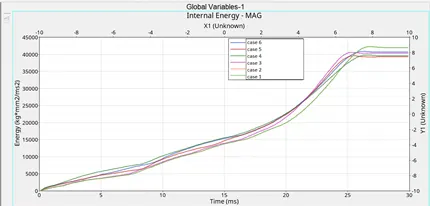
Internal Energy differs due to the removal of BC’s and notches
Notches affect the deformation as the deform of the crush tube occurs first at the notches.