Assignment 4-RADIOSS Material Laws Challenge
Objective:- To compare all the cases with different materials and properties that how it behaves in all the conditions.
Procedure :-
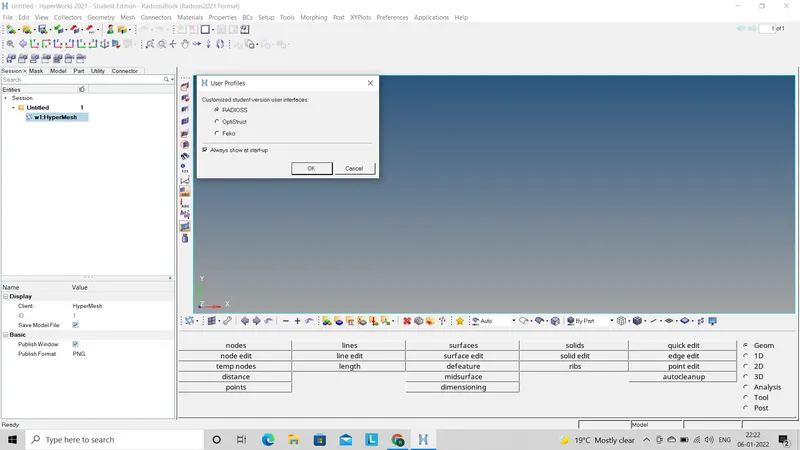
- First step we have to do is select the Radioss profile to import the file. After selecting the profile we have to import stater file (0000.rad) as per given conditions in different cases.
-
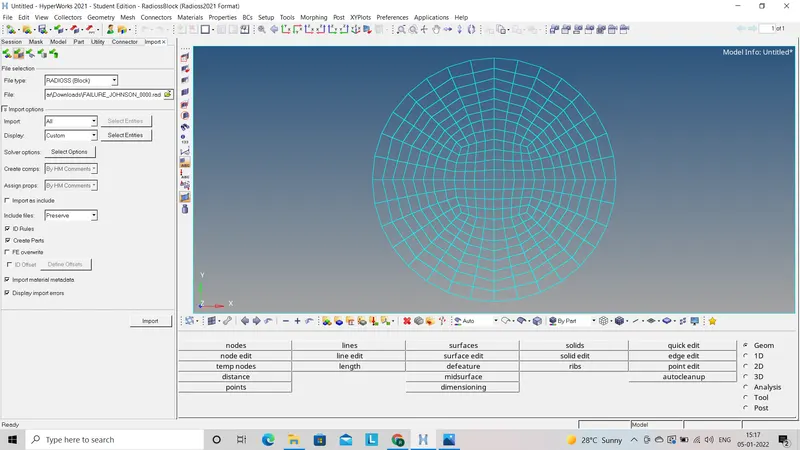
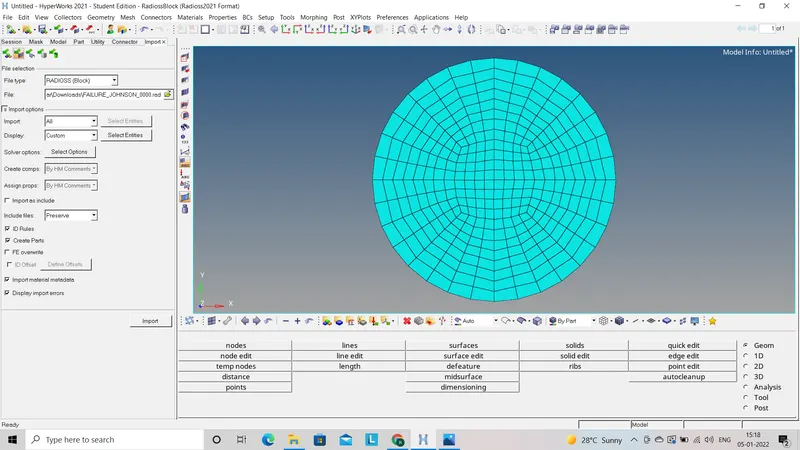
- Now file will be seen in wire frame mode we have to change it to solid part.
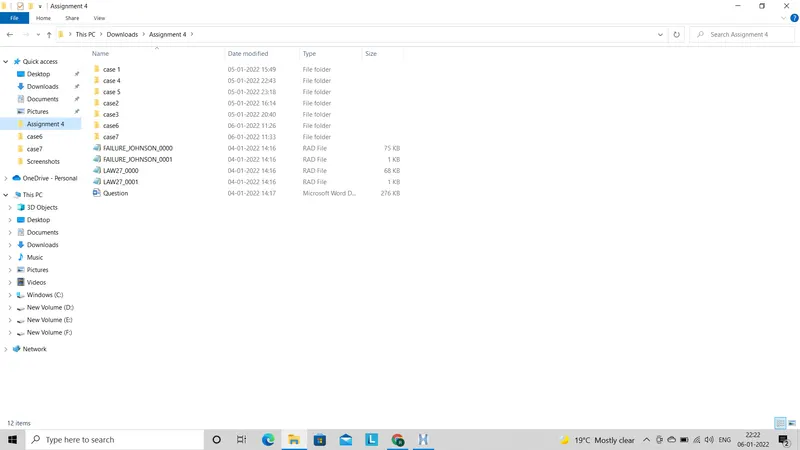
- Before going to simulation we have to create new folders for each cases so that we can save the files which will created after simulation.
- Now to do the simulation we have to go for radioss by using (Analysis - Seelct the folder case1 at save as option - Radioss).
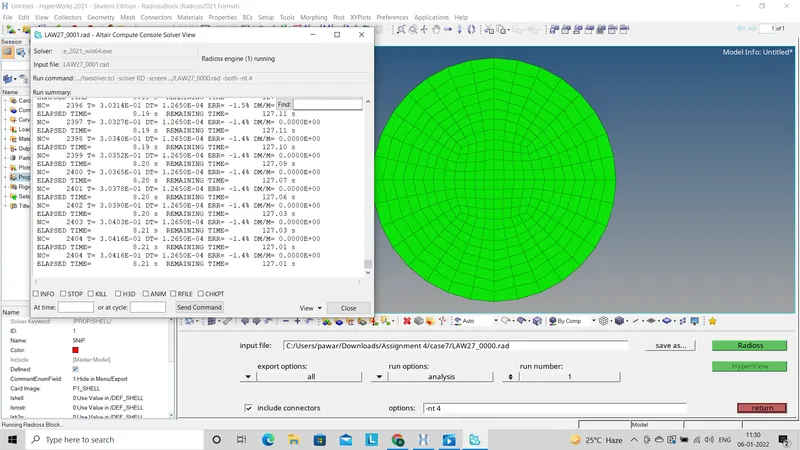
- After completion of simulation it will pop up one chart which followed whole simulation part, click on resuilt which will import h3d file.
- By clicking apply we will get simulation apllied and operation taken out on model. Now we will see it to the cotour mode.
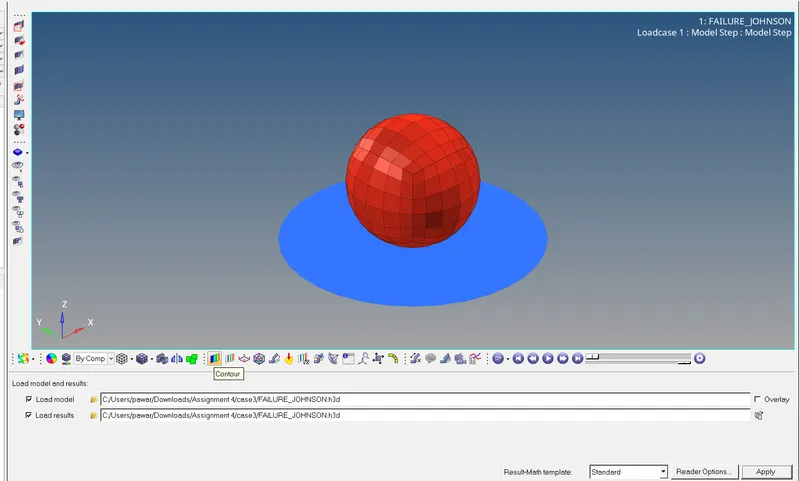
- After this we have to go to the hyper graph 2D mode to observe energy behaviours and force impact. for this we have to import T01 file which is formed during simulation in the folder which was created before.
- Now we will check energy error for that we have to open engine file (0001.out) which is at the same folder which created before.
case 1 :-
- As per given condition for case 1 we have to import the starter file directly without making any change.
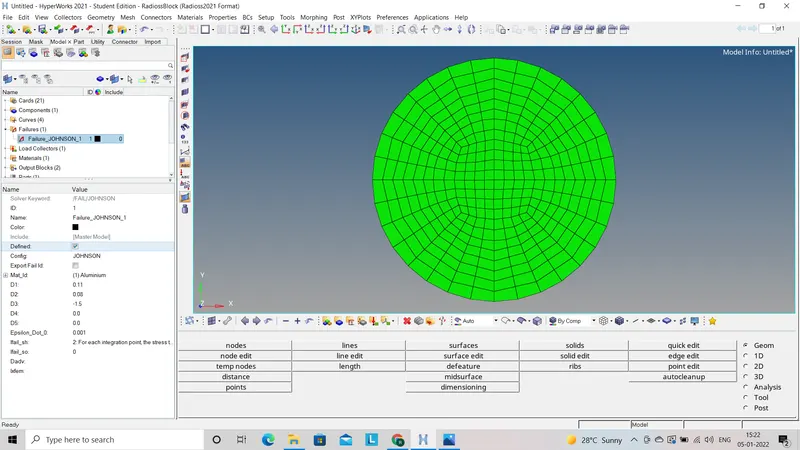
- All the steps after this are same as explain before.
- Vonmises energy distribution throu out the model is as follows:
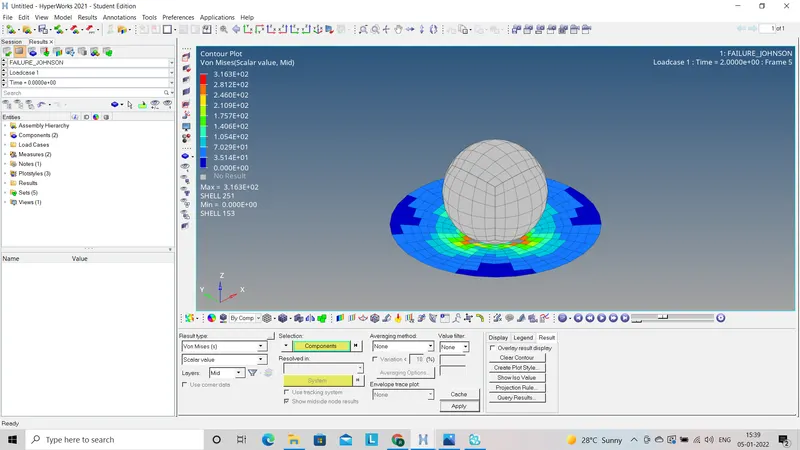
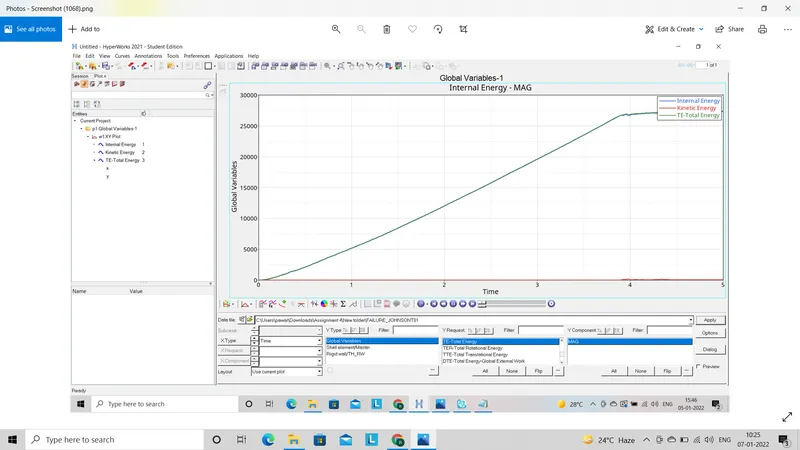
- Graph for Internal energy, Kinetic energy and Total energyas follow:
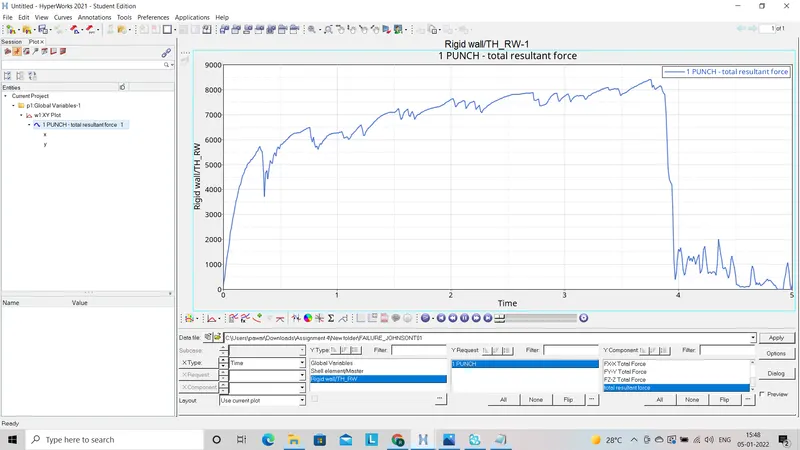
- Graph for Resultant force acted on model as follow:
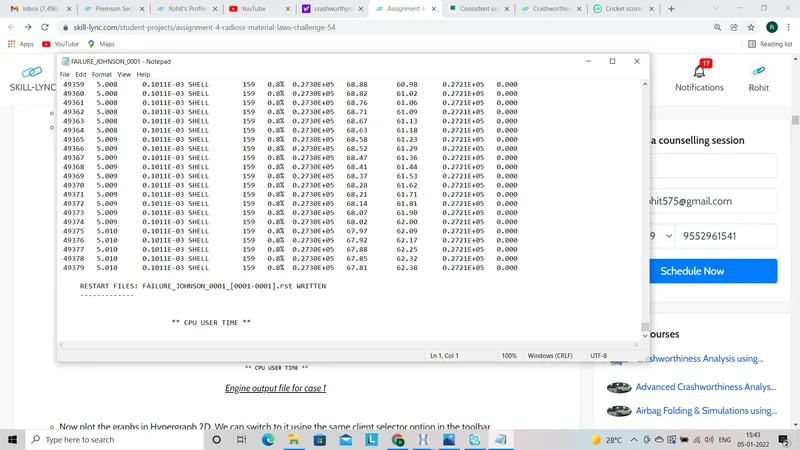
- Energy error found at the end of simulation which will shown in (0001.out) file as follow:
Case2:
- In this case we will import case 1 (0000.rad) file with some change in it as per given condition.
- Only change in this case is we have to make some changes in failure deck like:
I_FAIL_SH =1; Dadv=1; Ixfem=1
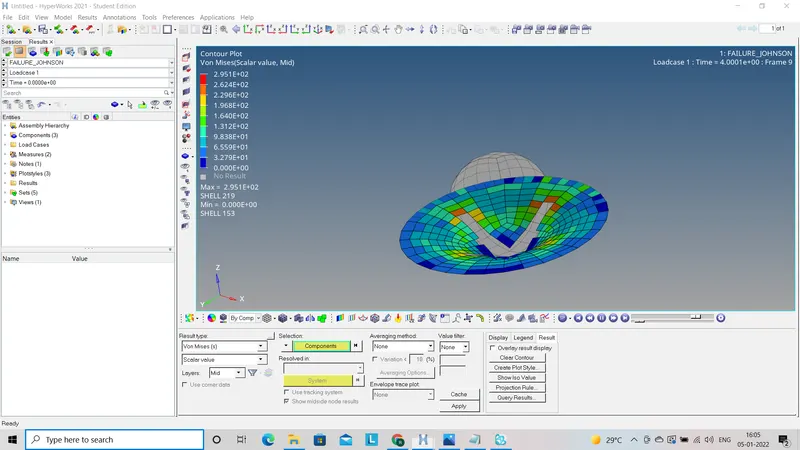
- Vonmises energy distribution throu out the model is as follows:
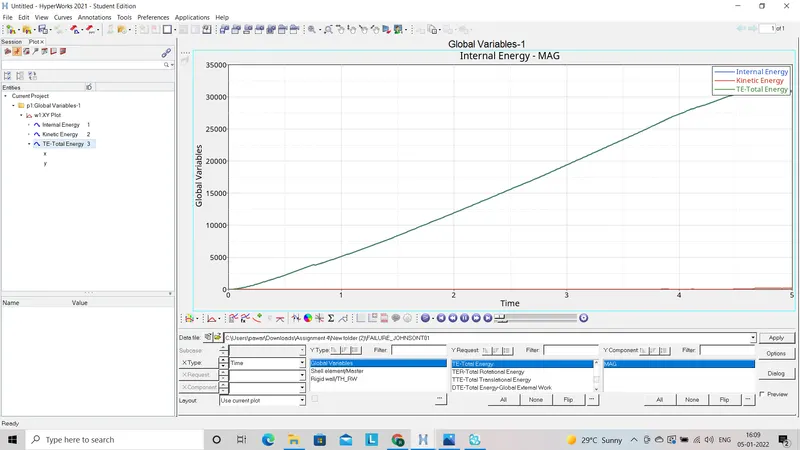
- Graph for Internal energy, Kinetic energy and Total energyas follow:
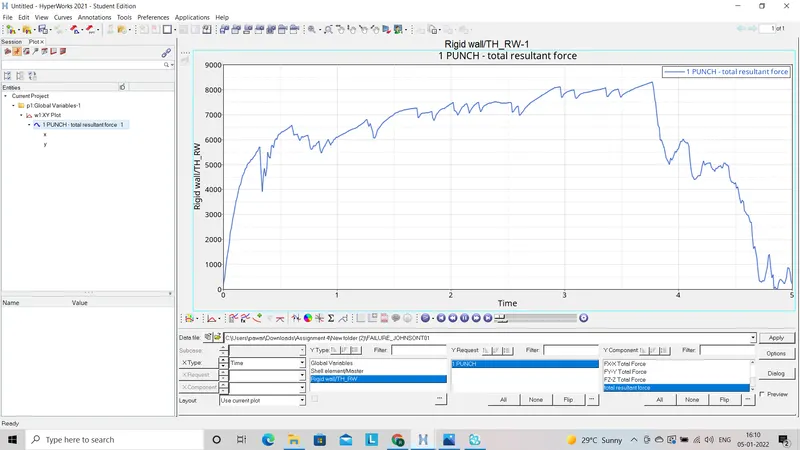
- Graph for Resultant force acted on model as follow:
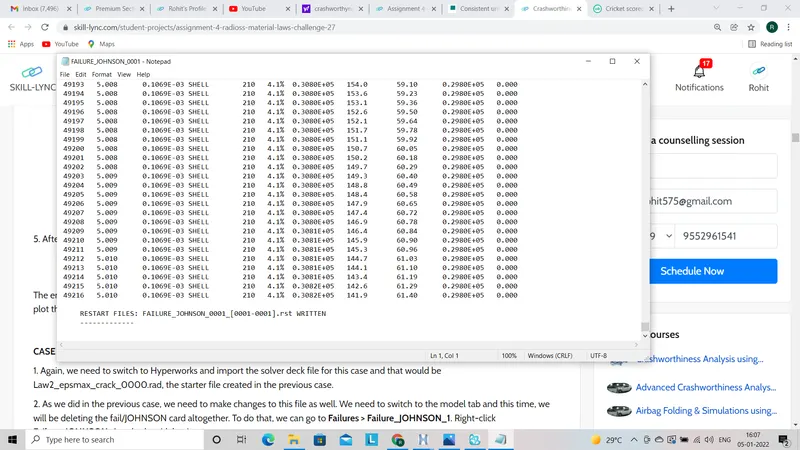
- Energy error found at the end of simulation which will shown in (0001.out) file as follow:
Case 3:
- In this case we will import case 2 (0000.rad) file with some change in it as per given condition.
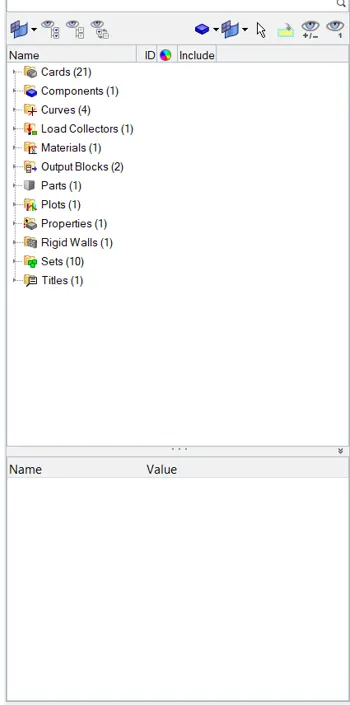
- As per given information we have to delete the Fail/Johnson failure card then go for simulation.
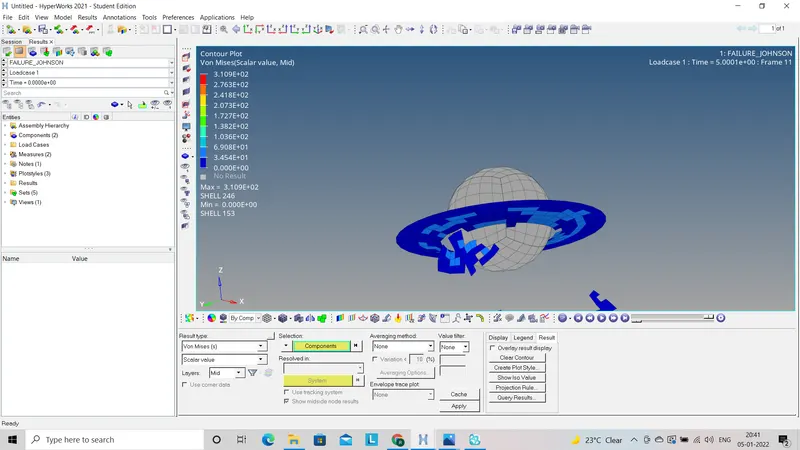
- Vonmises energy distribution throu out the model is as follows:
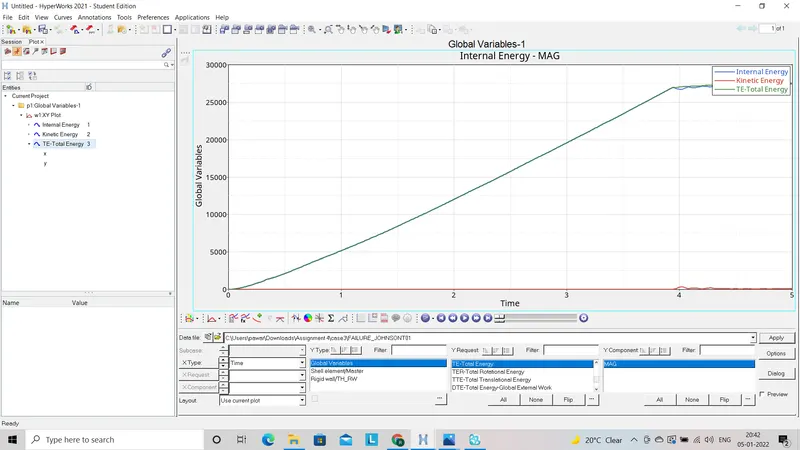
- Graph for Internal energy, Kinetic energy and Total energyas follow:
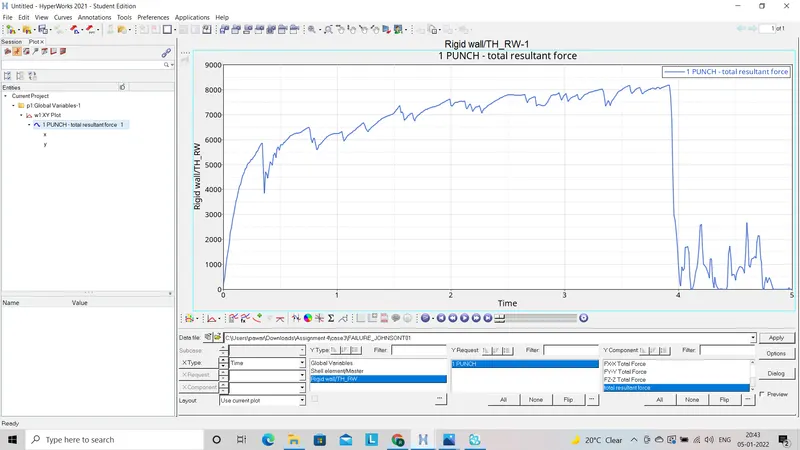
- Graph for Resultant force acted on model as follow:
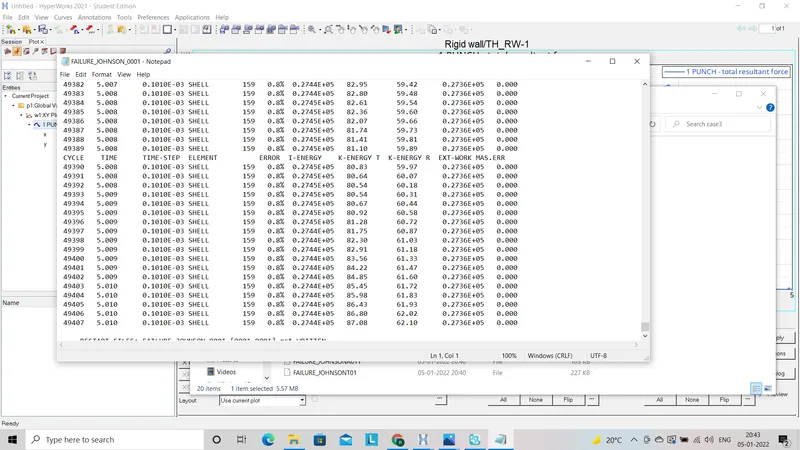
- Energy error found at the end of simulation which will shown in (0001.out) file as follow:
Case 4:
- In this case we will import case 2 (0000.rad) file with some change in it as per given condition.
- In this case we have to delete the EPS_p-max value i.e. EPS_p-max =0 which is under Material deck.
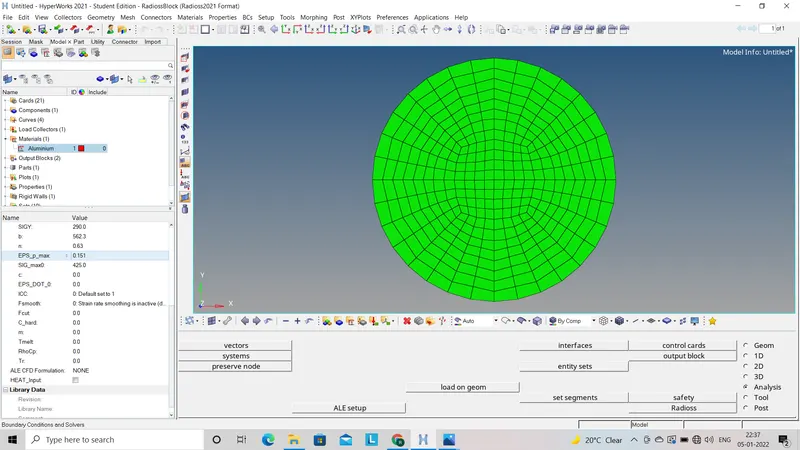
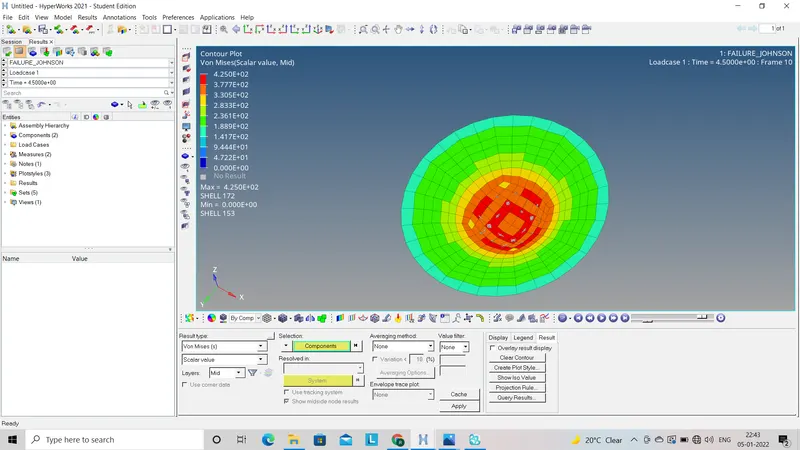
- Vonmises energy distribution throu out the model is as follows:
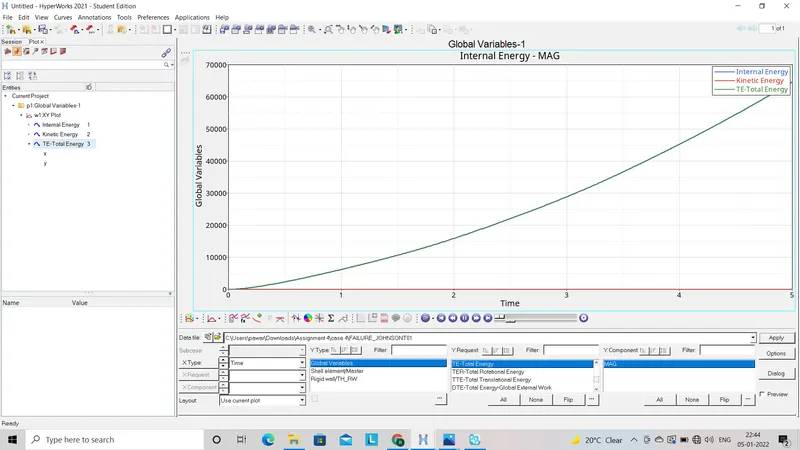
- Graph for Internal energy, Kinetic energy and Total energyas follow:
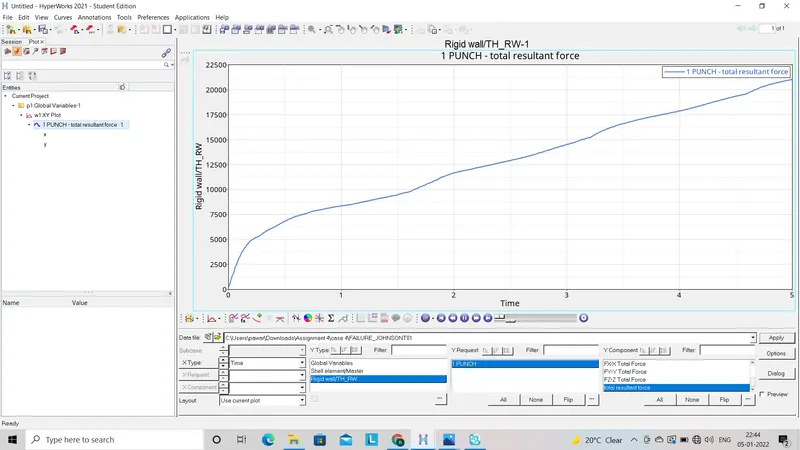
- Graph for Resultant force acted on model as follow:
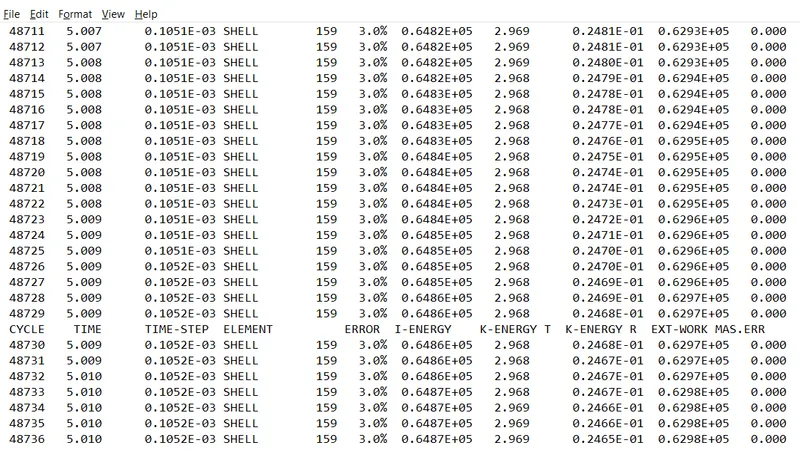
- Energy error found at the end of simulation which will shown in (0001.out) file as follow:
Case 5:
- In this case import main strter file which is used in case file as input i.e. Failure_Johnson0000.rad file.
- We have to update some values like;
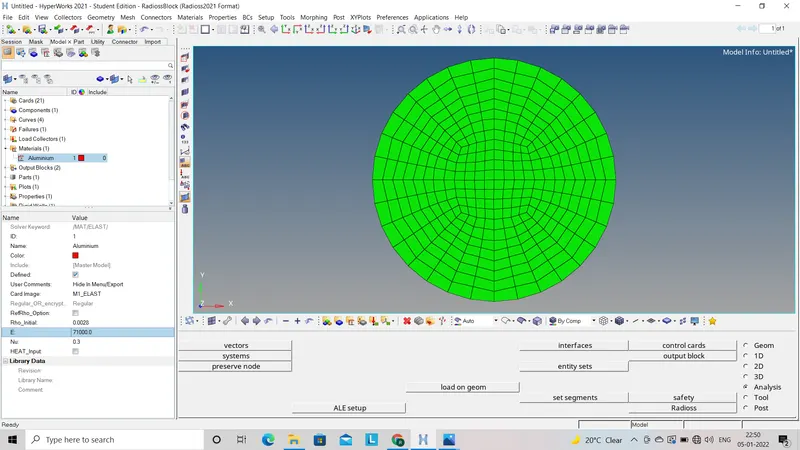
Rho innitial=0.0028
E=71000
neu=0.33 which will convert the file to law 1 elastic model.
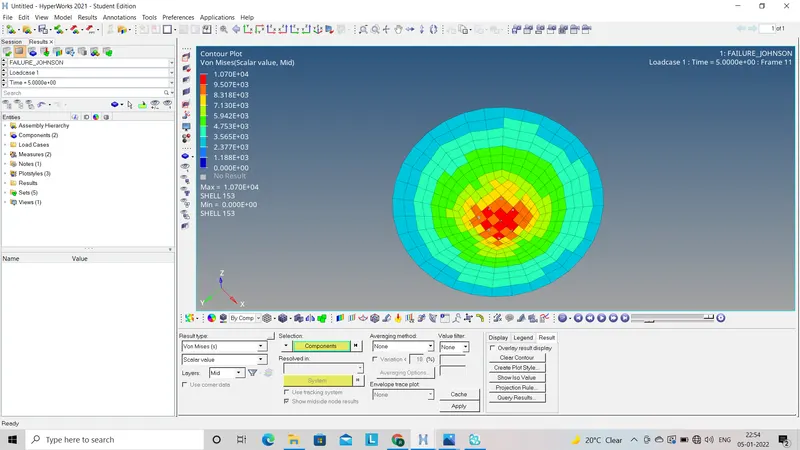
- Vonmises energy distribution throu out the model is as follows:
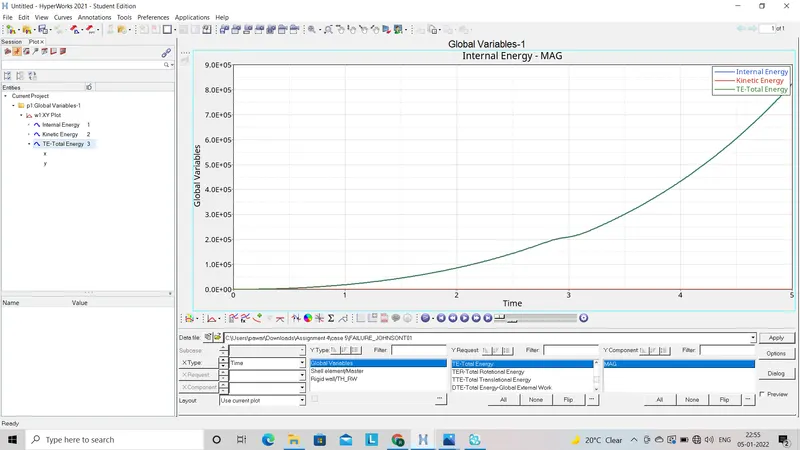
- Graph for Internal energy, Kinetic energy and Total energyas follow:
- Graph for Resultant force acted on model as follow:
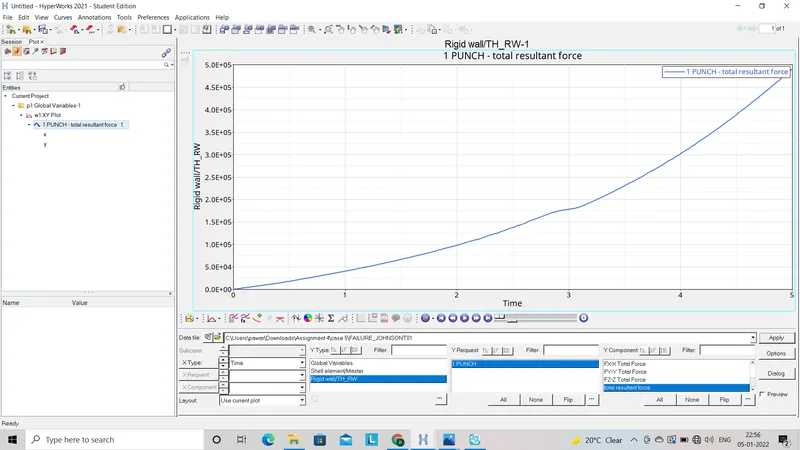
- Energy error found at the end of simulation which will shown in (0001.out) file as follow:
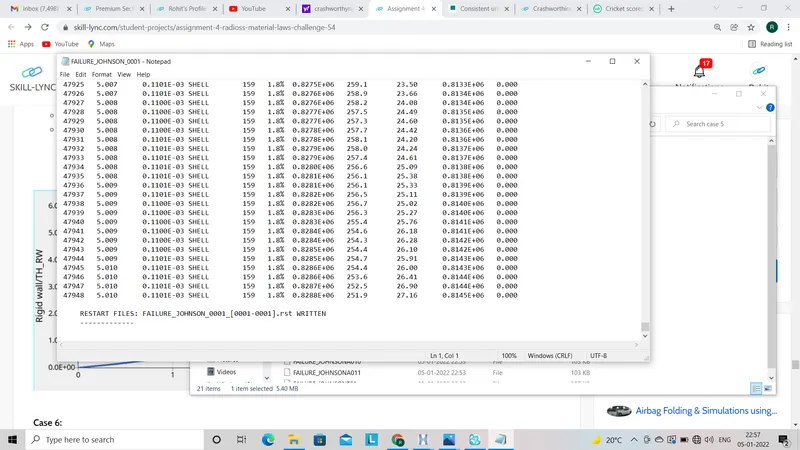
Case6:
- For this case we have to import the LAW_27_0000.rad file as a input file.
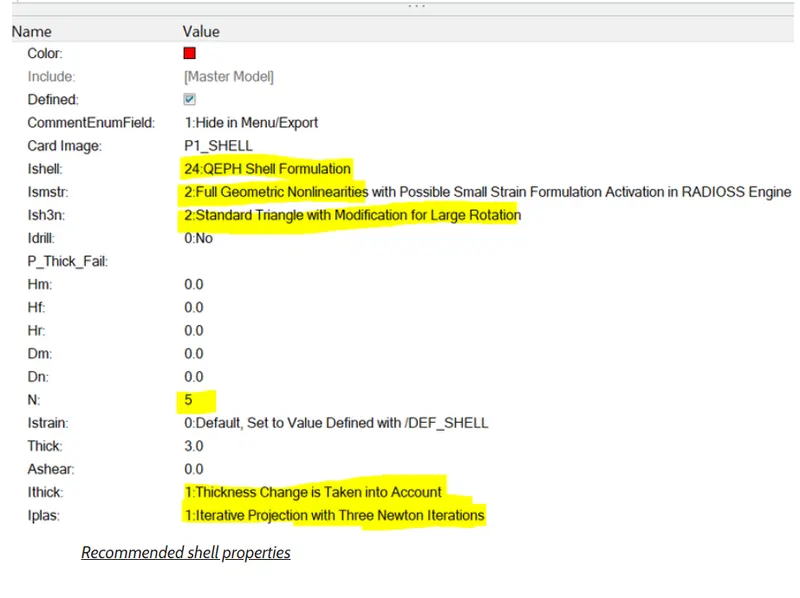
- Now we have to make some changes in the shell properties as per recommended best values as;
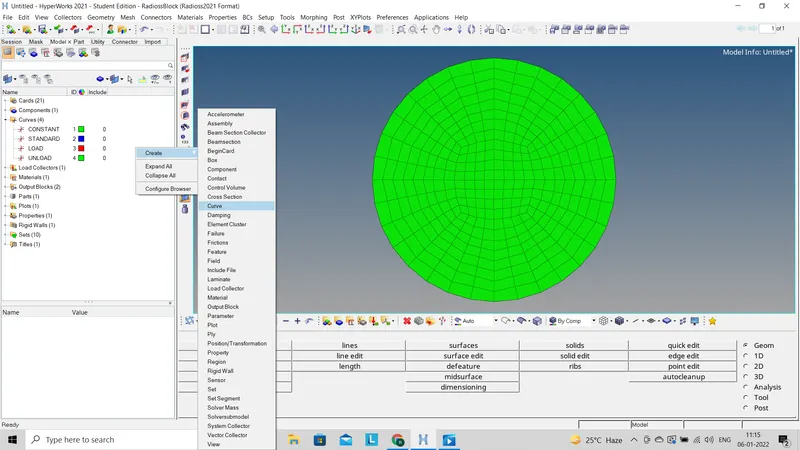
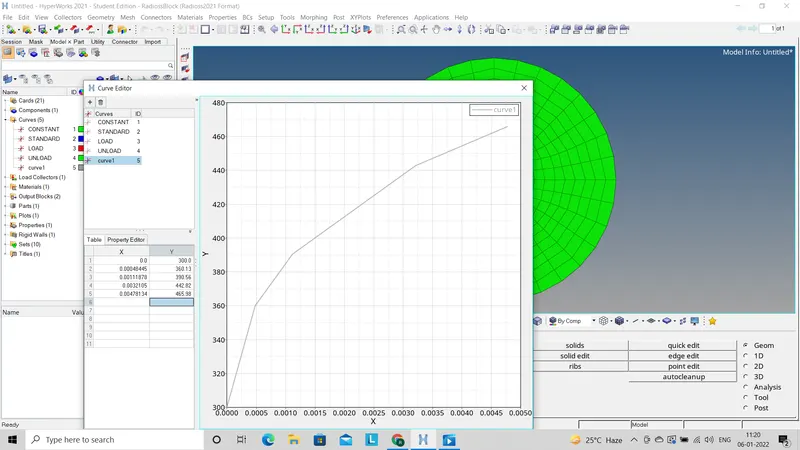
- Also as given condition in video part7 we have to create curve as per given co-ordinates.
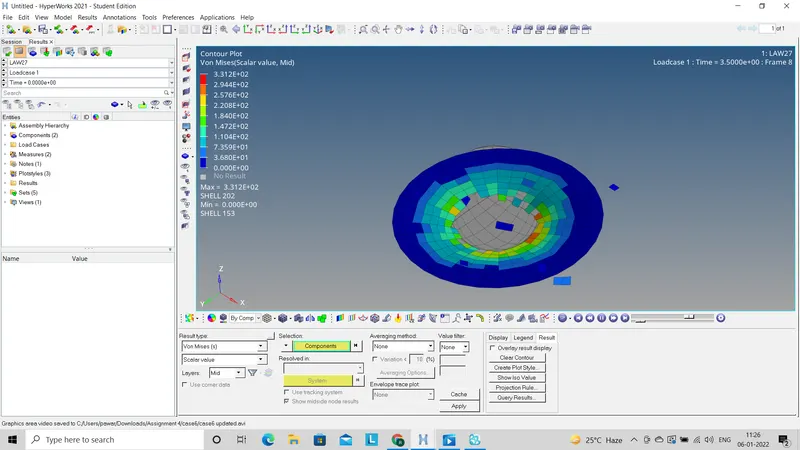
- Vonmises energy distribution throu out the model is as follows:
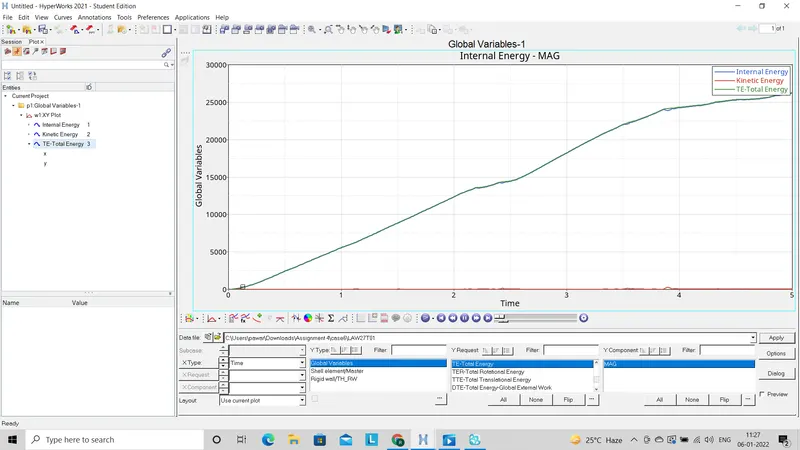
- Graph for Internal energy, Kinetic energy and Total energyas follow:
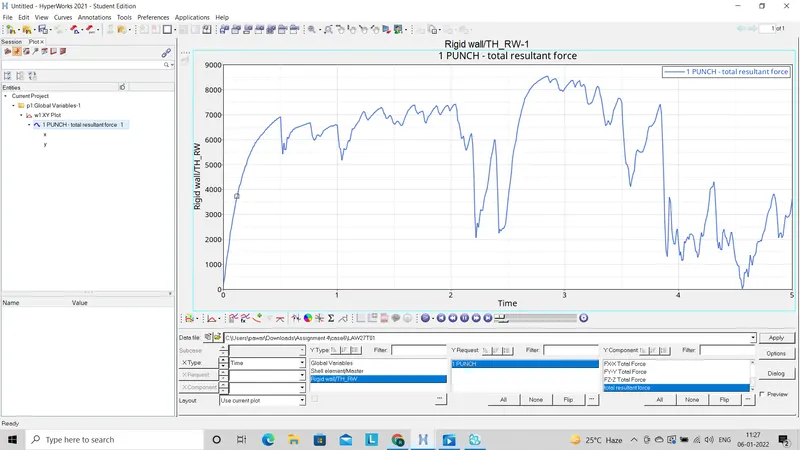
- Graph for Resultant force acted on model as follow:
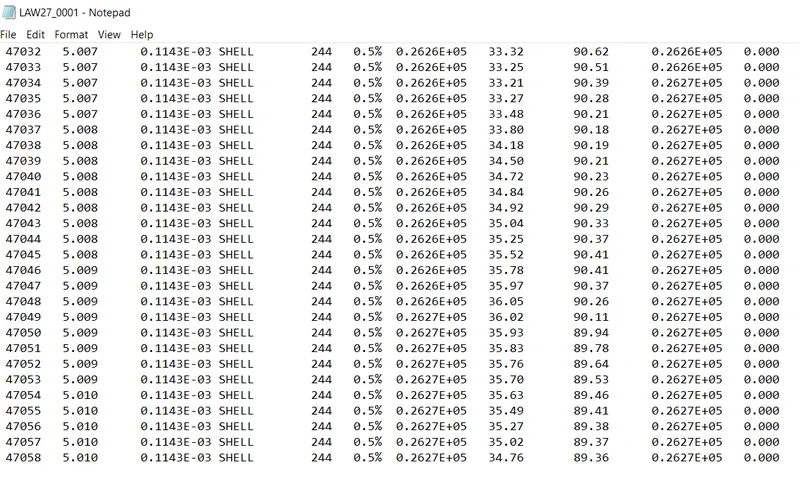
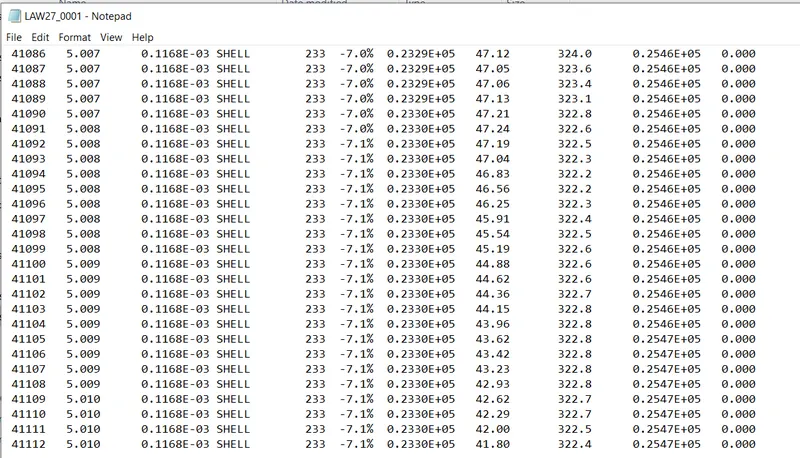
- Energy error found at the end of simulation which will shown in (0001.out) file as follow:
Case 7:
- For this case we have to import the LAW_27_0000.rad file as a input file.
- Directly we will go for simulation without any changes in given starter file.
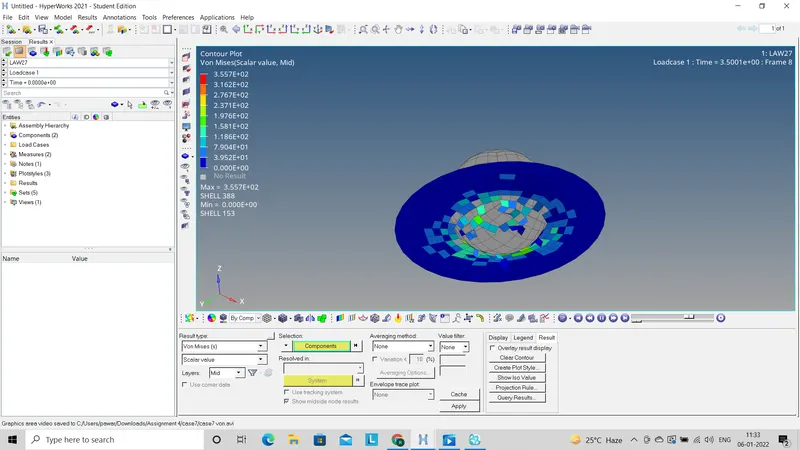
- Vonmises energy distribution throu out the model is as follows:
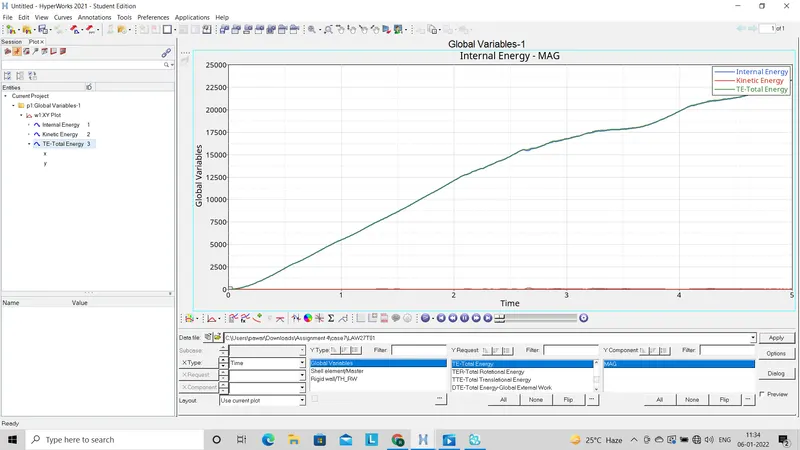
- Graph for Internal energy, Kinetic energy and Total energyas follow:
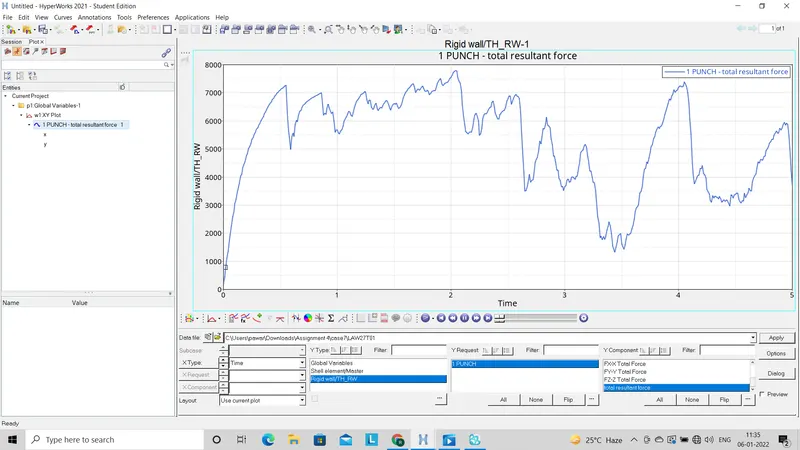
- Graph for Resultant force acted on model as follow:
- Energy error found at the end of simulation which will shown in (0001.out) file as follow:
Result and comparision:
| Cases | Vonmises energy animation | Energy graph | force graph | Energy error |
| case1 | Elements are deleted | linear until elements are deleted | fluctuates drastically after deleting the elements | 0.8% |
| Case2 | Elements will crack and fail | linear through out | Increasing upto collision the decreases | 4.1% |
| Case 3 | Elements will be deleted | linear until elements are deleted then decreases as energy absorbed | fluctuates drastically after deleting the elements as elements were deleted | 0.8% |
| Case 4 | Elements will not be deleted as E_P_max=0 | linear through out | Increasing approx. throuout as no element deleition | 3.0% |
| Case 5 | Elements will not be deleted | linear through out | Increasing approx. throuout as no element deleition | 1.8% |
| Case 6 | Elements will delete as brittle material | Linear upto some extend then become flat due to element deletion | Fluctuates thhhrough out | 0.5% |
| Case 7 | Element deletion is less compare to case6 | Linear throuout | Fluctuates thhhrough out | -7.1% |
Conclusion:-
In this assignment I have learn about how to assign material laws to the model and check out the behavour of vonmisses energy ,total energy and resultant force in each of the cases.