Assignment 3-2D Element Formulation Challenge
Aim: To perform a Radioss simulation for a given model, different properties of 2D element formulation are used.
Objective:
i) To perform a model with standard condition
ii) To perform a model with some modifications in the parameters.
iii) Then compare both the results, which tends to give the better solution for those modifications that occur.
Procedure:
Case 1:
Without Any changes in Parameters:
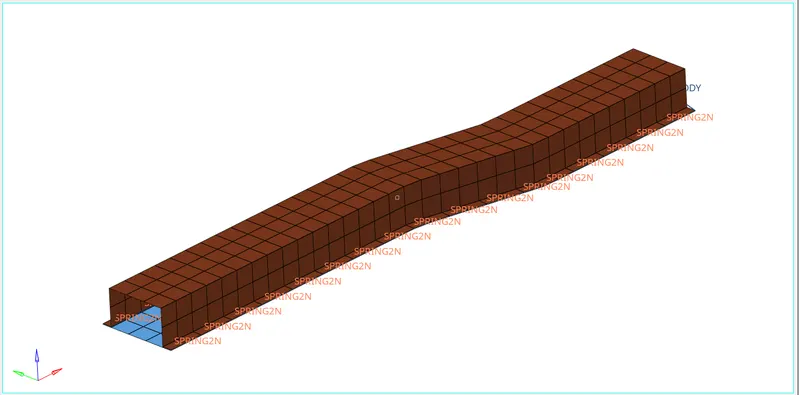
Import the model in Hypermesh.
Input Parameters:
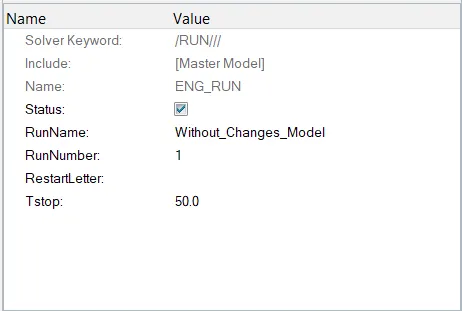
Engine File Run:
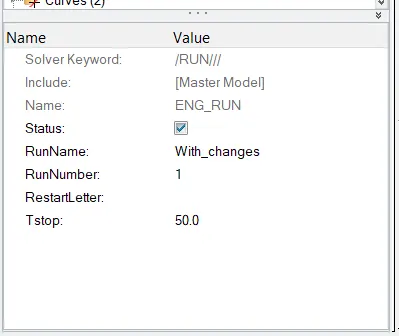
In this Sector we have to give the values of Termination time for a cycle to be set as 50 Sec, by using this we should calculate the value of Animation timings.
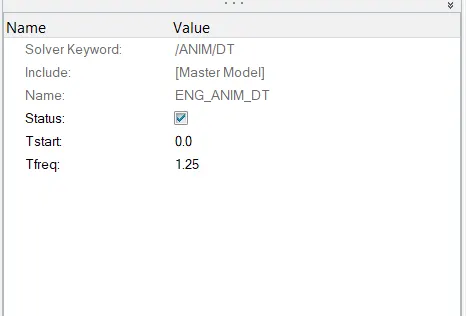
Engine_Animation File:
- Changing animation steps to 40:
- To have 40 animation steps, the frequency should be Run time/Animation steps = 50/40 = 1.25
- In the model tree, under the CARDS collector, the ENG_ANIM_DT card has a Tfreq of 1.0, which is changed to 1.25.
- Though these changes happen we have to report results.
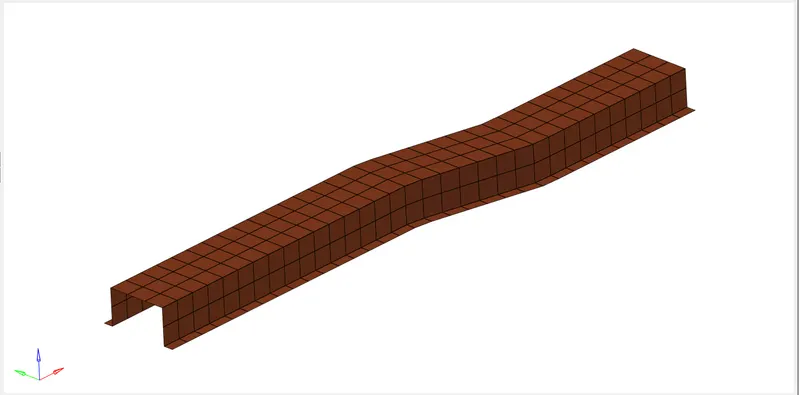
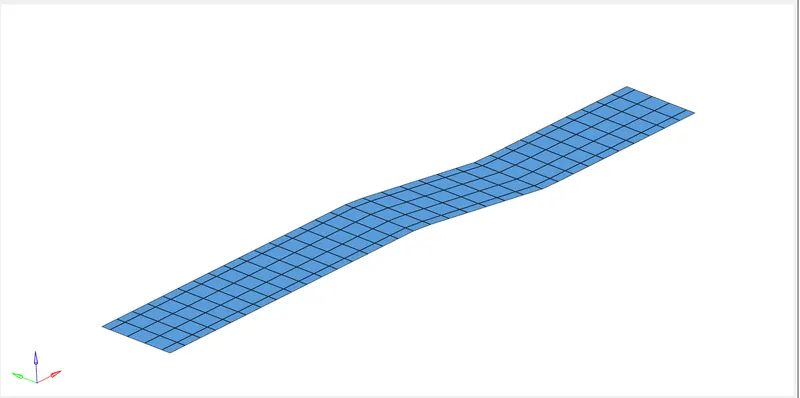
There are 4 components of this model:
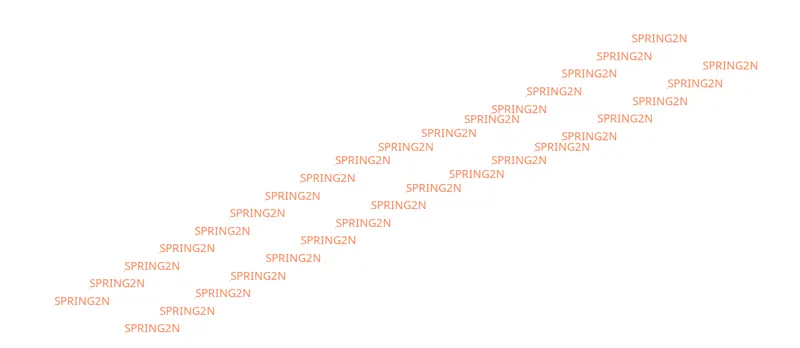
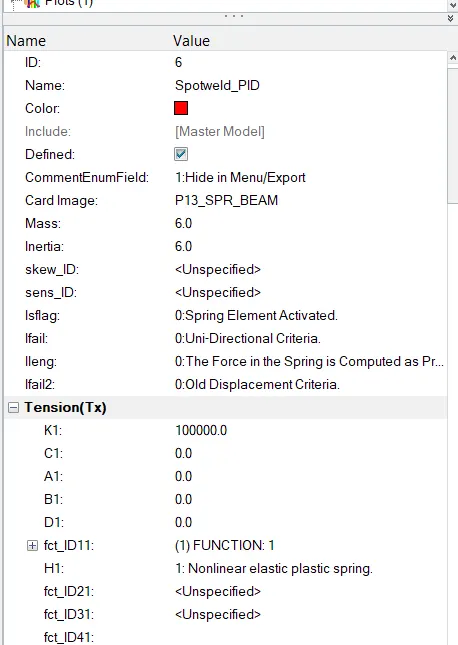
Spring Connection:
Hat Section:
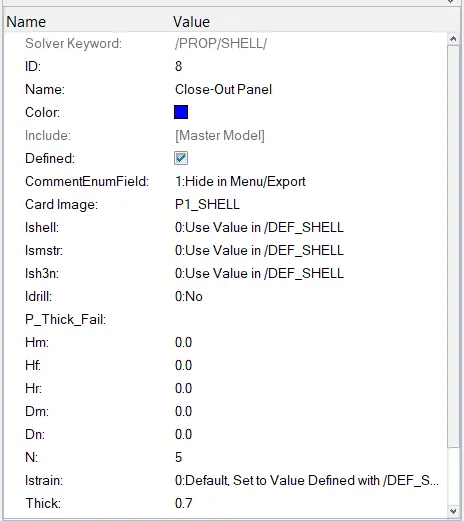
Close-out Panel:
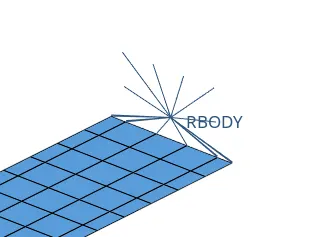
Rigid Body:
This rigid body acts as a 1D connector which tends to pull to the Rigid walls to act on over it.
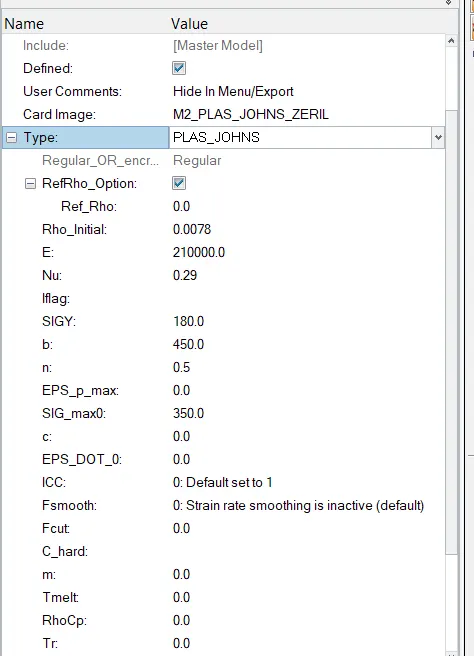
Material Properties:
Property Card:
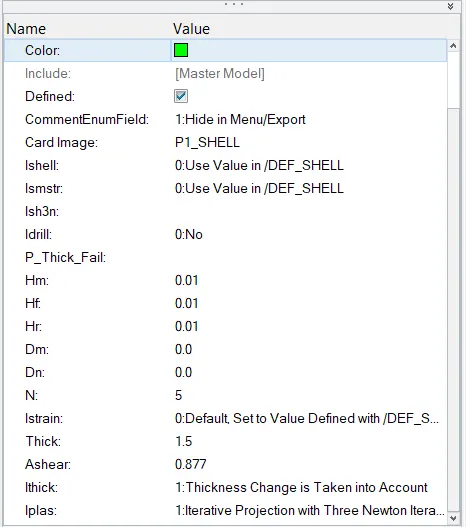
Hat Section:
For each body property card is been created separately.
Close-Out Panel:
Spotweld Property:
After setting up all the files now we have to run the simulation using the Radioss solver.
Set-up for the Radioss solver is shown below, for the faster simulation we have to be in the options panel as "-nt 4".

Solution:
Results:
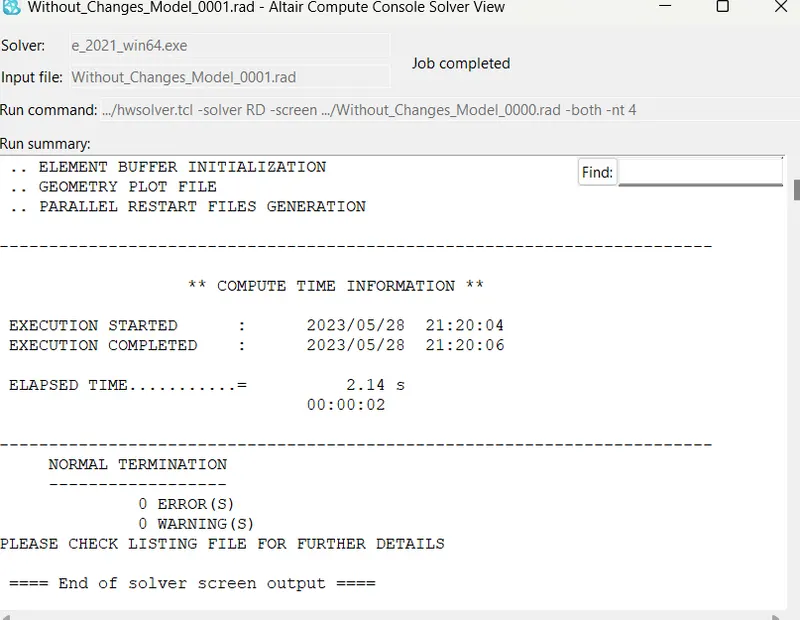
Checks for errors and warnings:
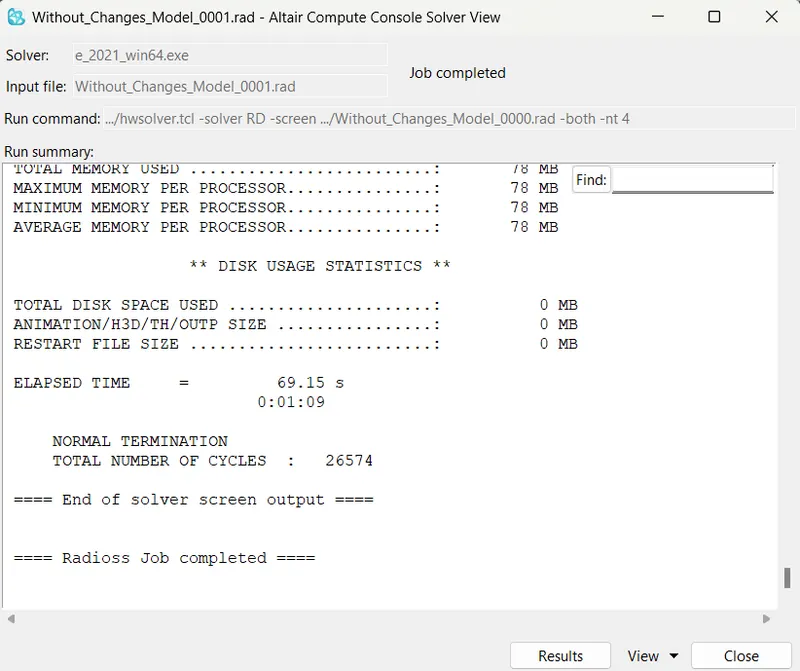
Solution Ended:
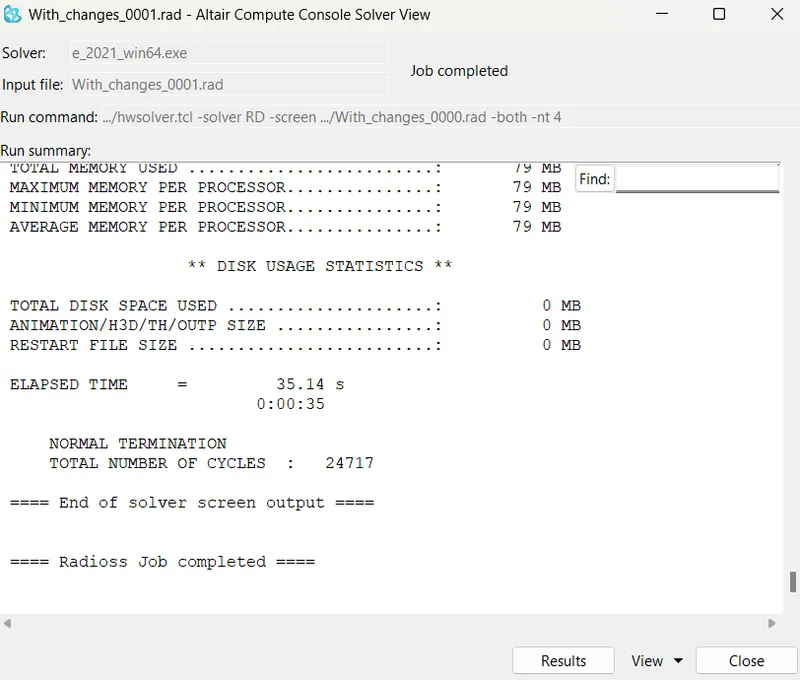
The run-time of this simulation is 69.15 Sec, with a "-nt 4" termination time.
After the simulation end, click the Results button.
Simulation Results:
From the results window if we click the result it will re-direct to Hyperview.
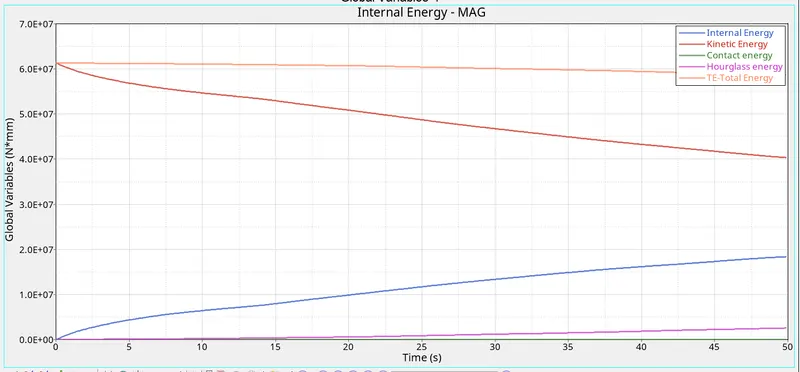
The below graph is taken using of Hypergraph of a combination of Internal, Kinetic, Contact, Hourglass, and Total Energies.
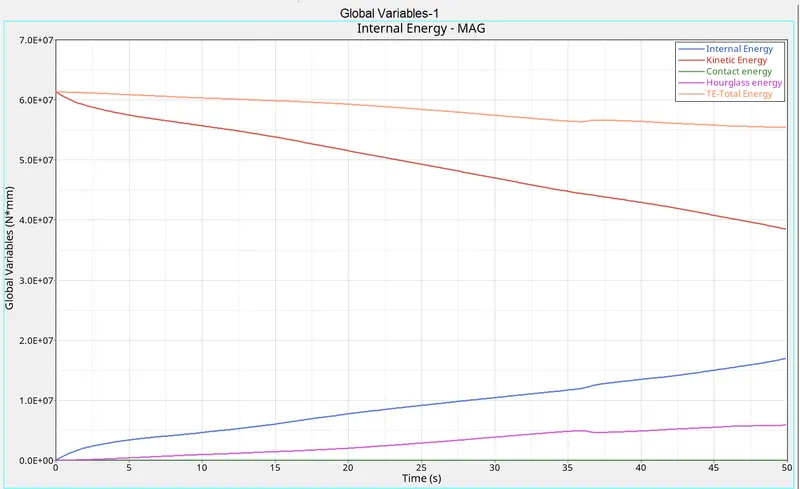
- From the plot obtained for base simulation without any modification to element properties, the following observations are made:
- Internal energy increases throughout the simulation which is due to the force developed on the tube due to deformation.
- There is a slight increase in hourglass energy throughout the simulation.
- Contact energy remains zero throughout the simulation.
- The total energy of the system has a slight decrease from the start to the end of the simulation.
A new plot is created to plot the rigid wall forces:
Comparison of Rigid Wall of the Resultant Normal Force VS Total Resultant Force:
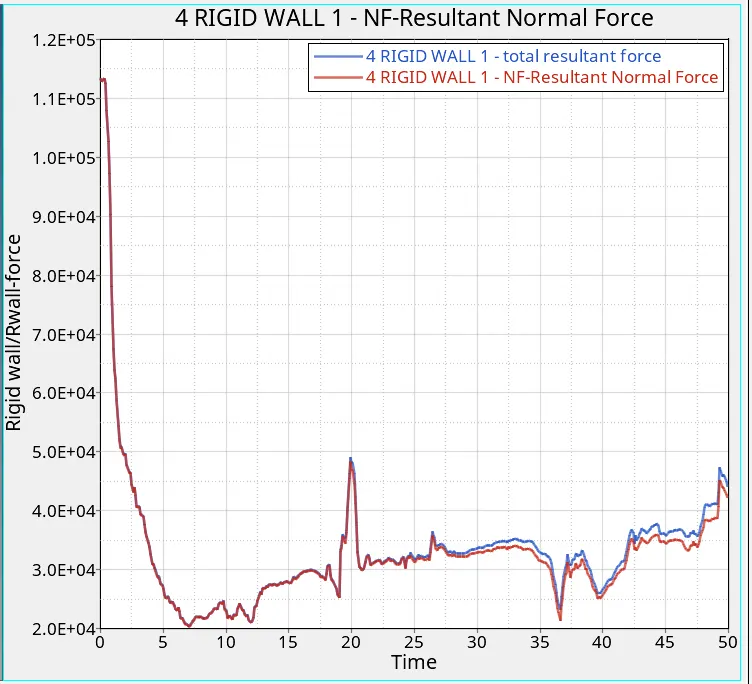
Total resultant force and Resultant normal rigid wall forces are plotted against time as shown above.
The rigid wall force curve is of non-linear behavior, which is due to the variation in the force exerted by the crush tube on the wall throughout the simulation.
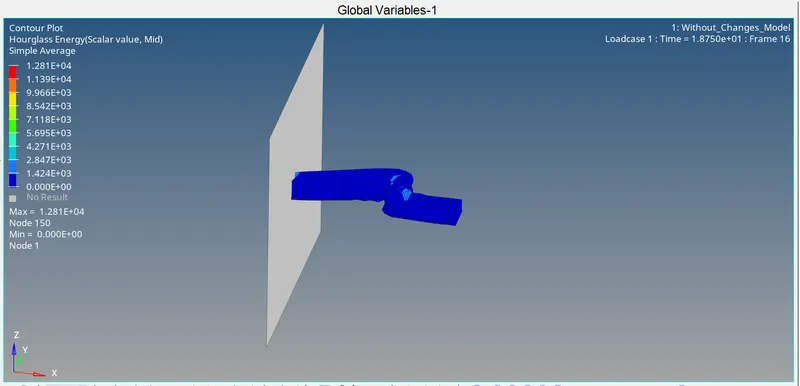
A contour plot of Hourglass energy is obtained using the contour option under Hyperview.
In the Hyperview we can see the output results of the runs.
For we should import the model into the Hyperviews in the format of "H3D".
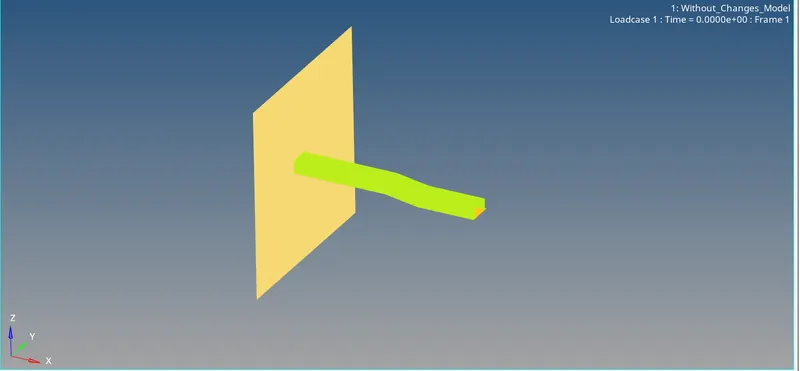
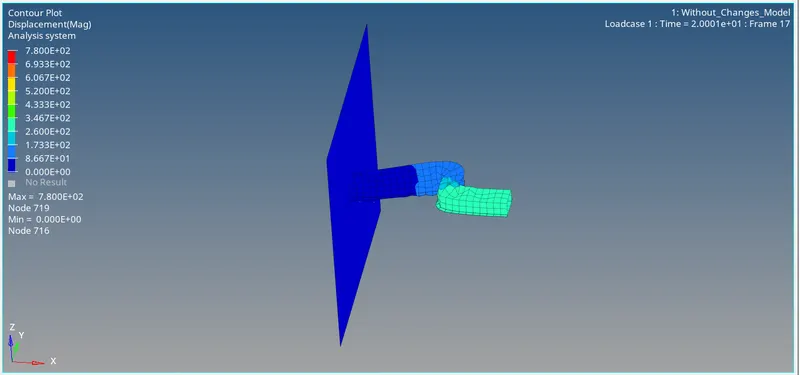
Displacement:
Max Displacement of 780mm and Min Displacement of 0mm
Hourglass Simulation:
Max of 1.281 and Min of 0
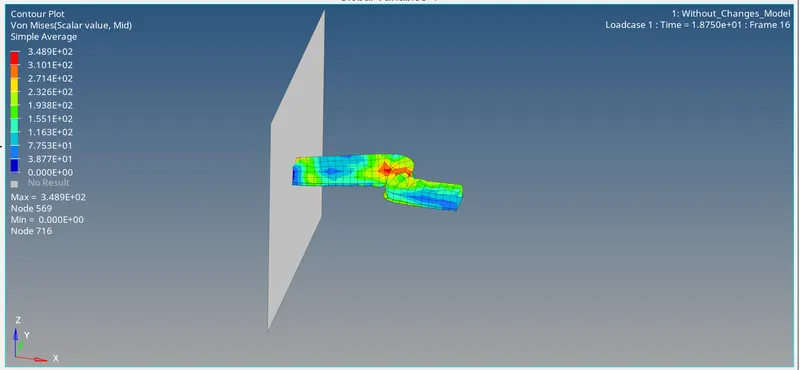
Von-Mises Stress:
Max Stress of 348 N/mm^2 and Min Stress of 0 N/mm^2
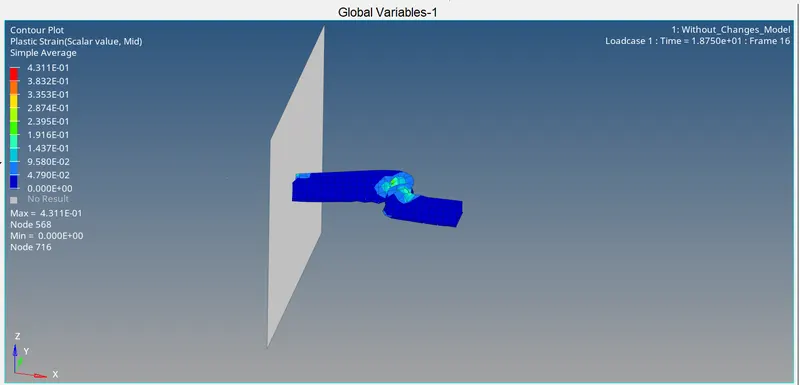
Plastic Strain:
Max of 4.31e-1 and Min of 0
With Changes:
Engine_Run_File:
Engine_Animation File:
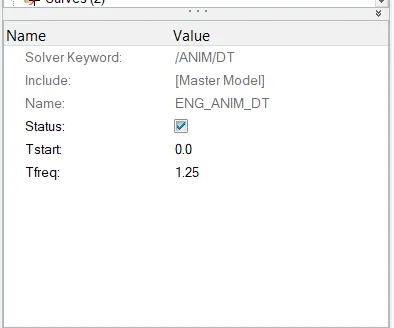
- Changing animation steps to 40:
- To have 40 animation steps, the frequency should be Run time/Animation steps = 50/40 = 1.25
- In the model tree, under the CARDS collector, the ENG_ANIM_DT card has a Tfreq of 1.0, which is changed to 1.25.
- Though these changes happen we have to report results.
Solution Results:
Checks for errors and warnings:
Energy Plots:
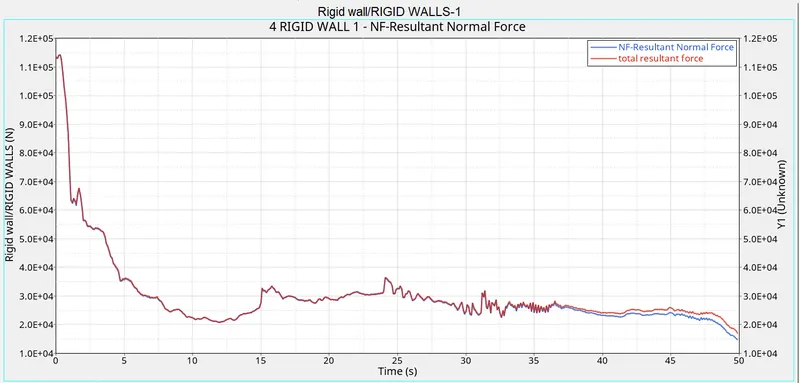
A new plot is created to plot the rigid wall forces.
Comparison of Rigid Wall of the Resultant Normal Force VS Total Resultant Force:
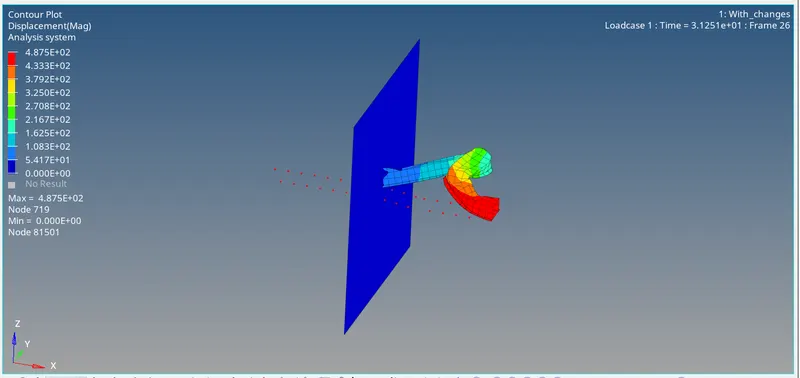
Displacement:
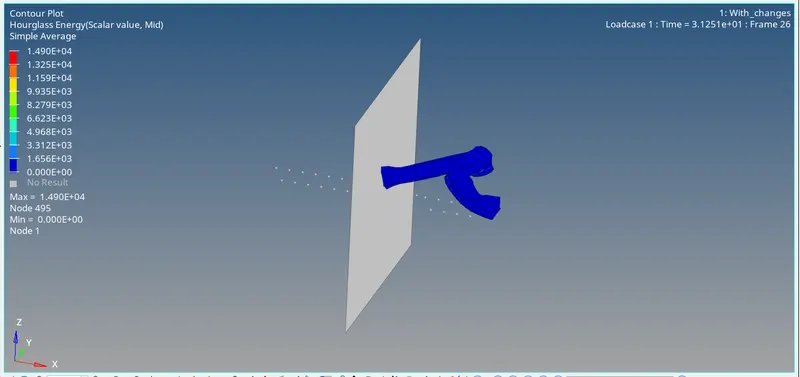
HourGlass:
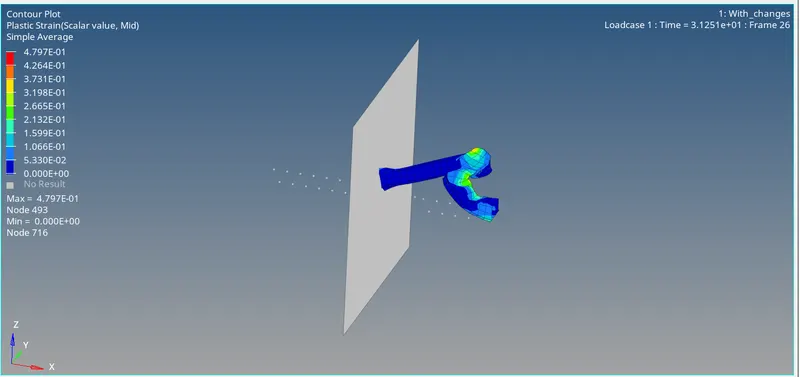
Plastic Strain:
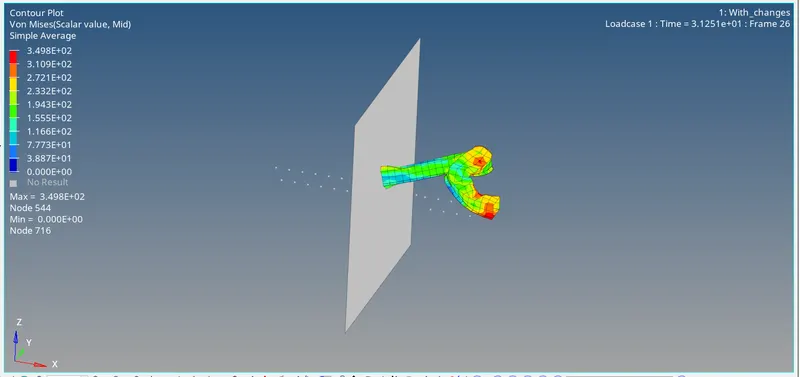
Von-Mises Stress:
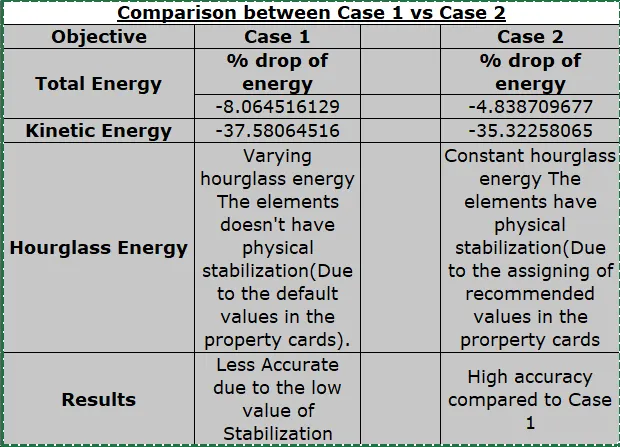
Result Comparison:
Conclusion:
i) Learned to simulate the results
ii) Learned about the Hyperview
iii) Learned about the Hypergraph
iv) Learned more about Hypermesh about its cards