Assignment 2-RADIOSS Engine File Editing & 3D Meshing Challenge
Aim: To edit the engine file and create 3D tetramesh and hexa mesh.
Objective:
- Check the material properties of the rail component and calculate the speed of sound in steel rail=_______
- The length of the rail is about 1000 mm.calculate the time takes for a shock wave to travel from one end of the rail to the other.
- Time for sound to travel length of rail=______
- Edit the engine file so that the stress wave can be monitored, moving from one end of the rail to the other during impact -this will require a termination time equal to the time it takes for the sound to travel the length of the rail(set on/RUN card)
- Set the frequency of animation output to a time that will give 20 animation steps(/ANIM/DT)
- Change /print -10.
- 3D meshing tetra mesh and hex mesh
- Repeat class examples and, maintain the quality.
- Target tet size=5mm,hex size=10mm,tet collapse=0.15.
Procedure:
- Following data was provided in the given model.

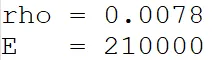
- The data obtained is:
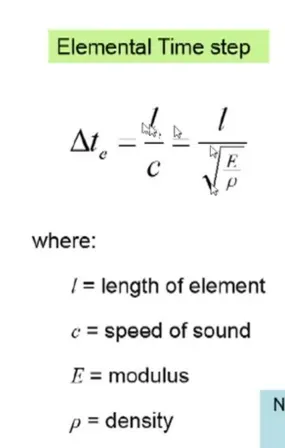
- To calculate the Tfreq in miliseconds, elemental length (Te), speed of sound in rail steel material(c) using E, Rho and length of element.
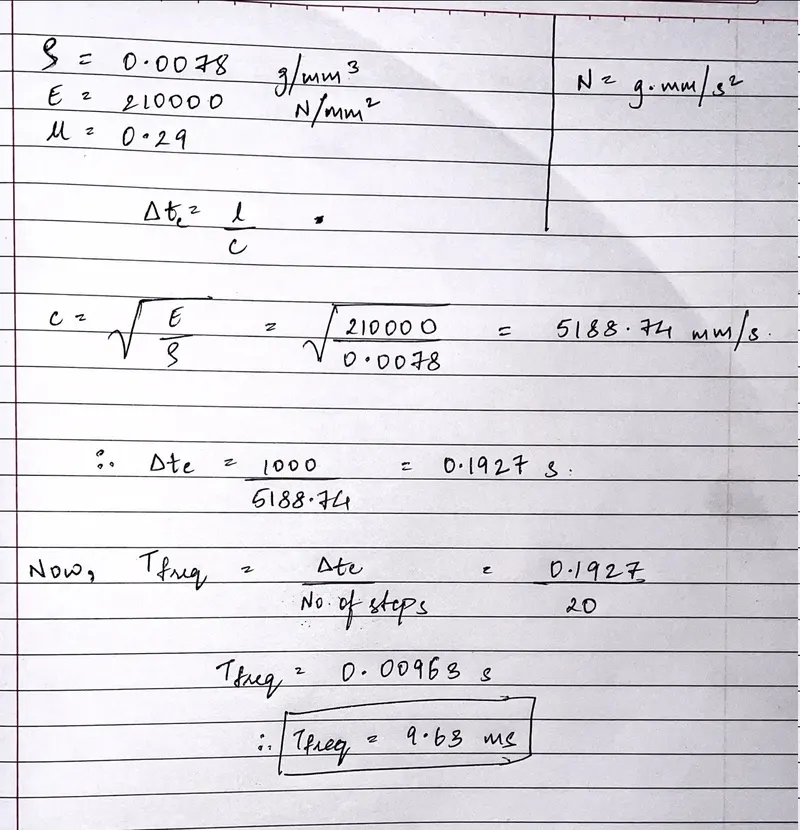
- Following calculations are made:
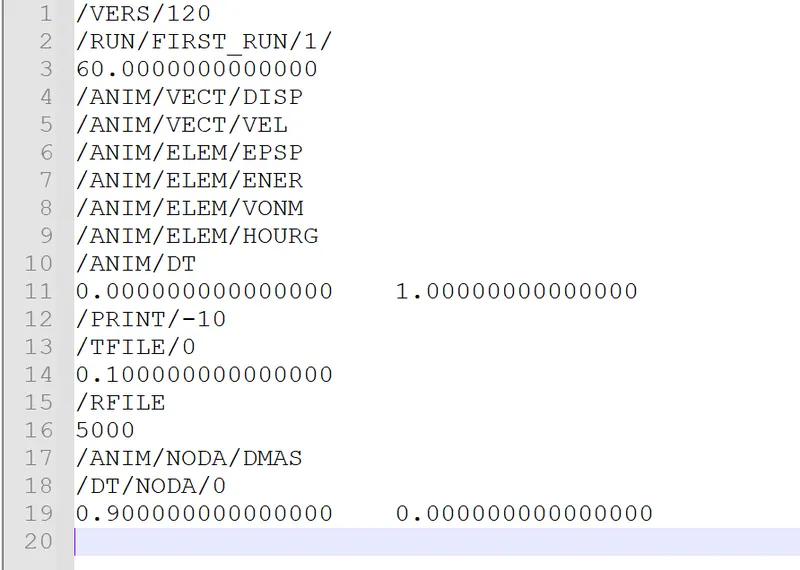
- Now, insert the following values of Tstop, Tfreq and Nprint as -10.
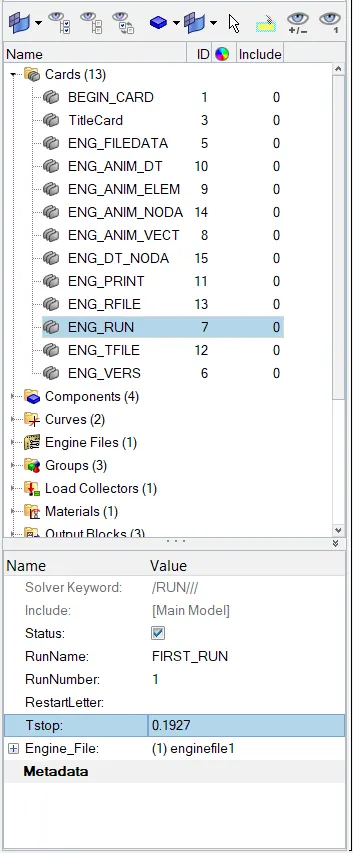
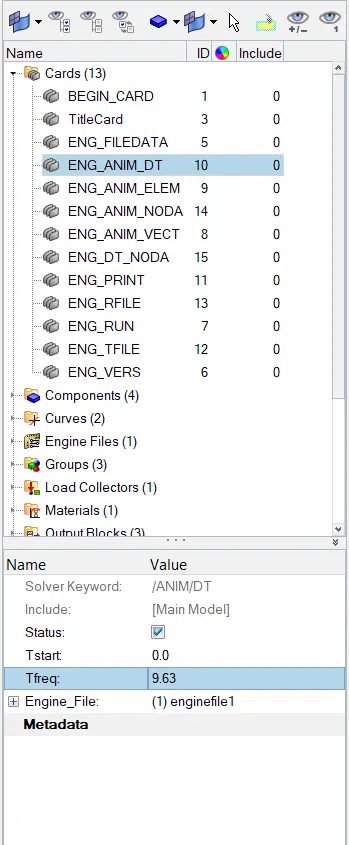
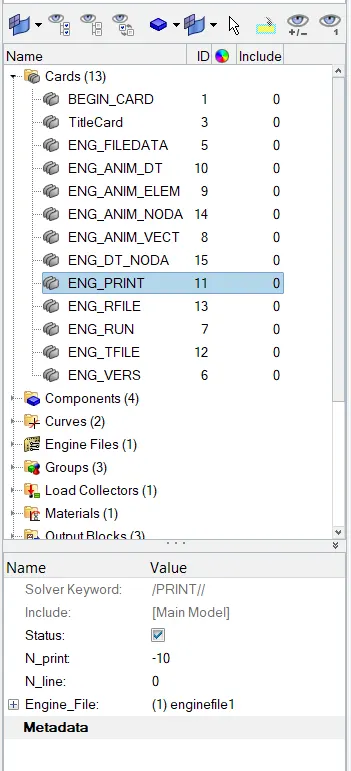
-
Now, after updating all the changes in the file, under analysis>radioss> ON include connectors > radioss to export the data.

- Following files were obtained after exporting the file.
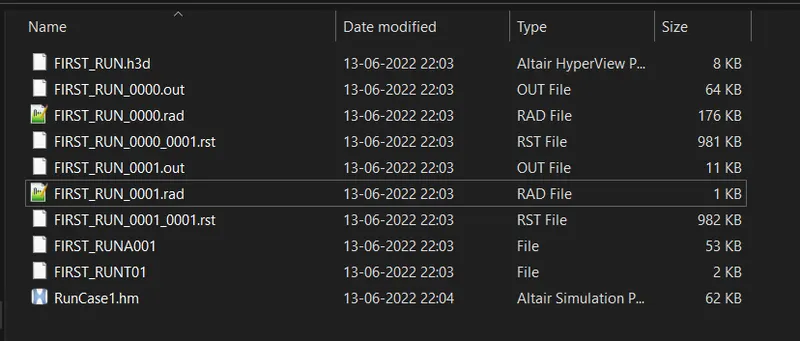
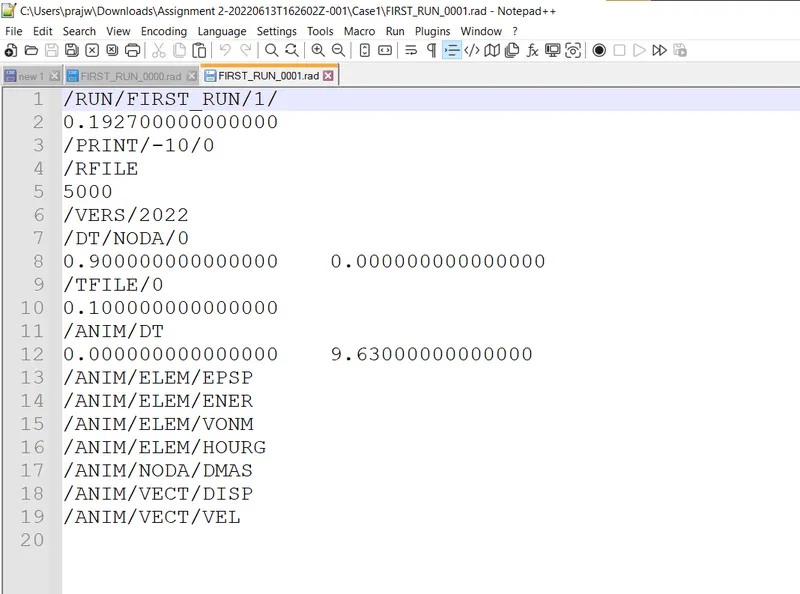
- The final output of the first run 0001.rad file is :
__________________________________________________________________________________________
3D Hexa Mesh Generation ;
- First import the given model.
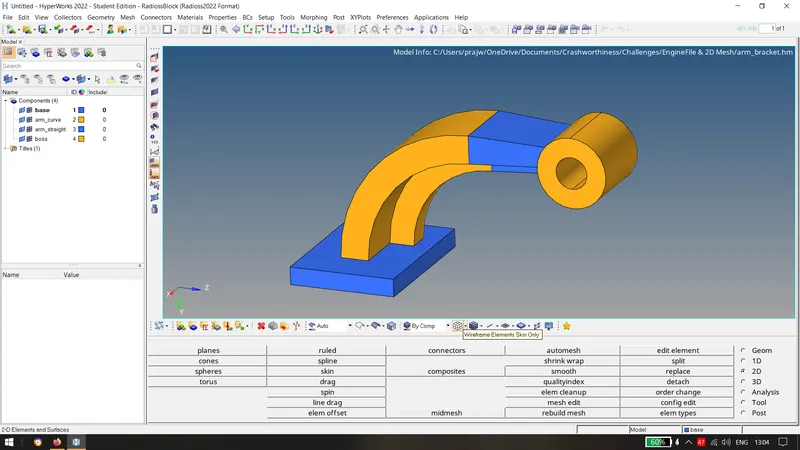
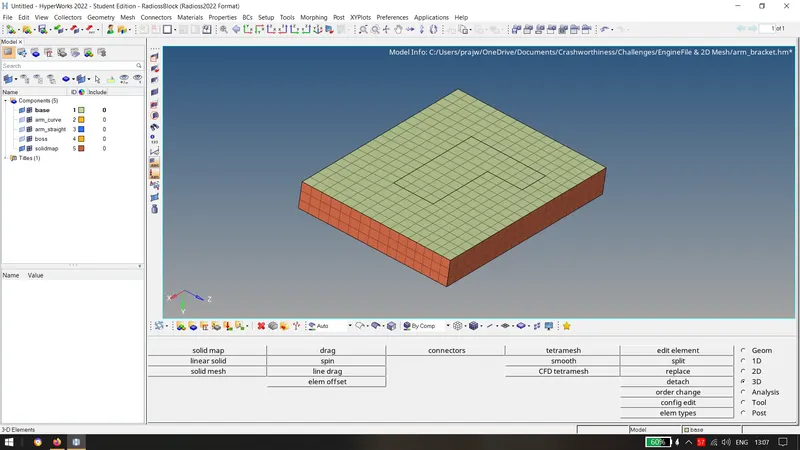
- Mesh the base using surface mesh using 10 mm as element size.
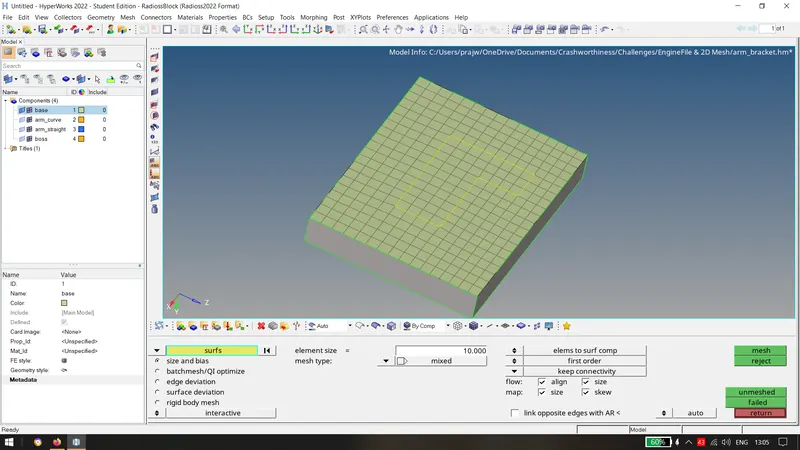
- Now using line drag along geom as lines from solidmap tab.
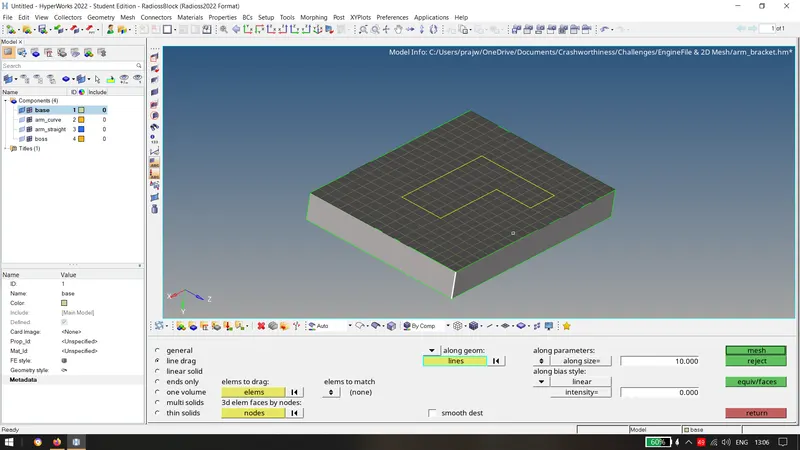
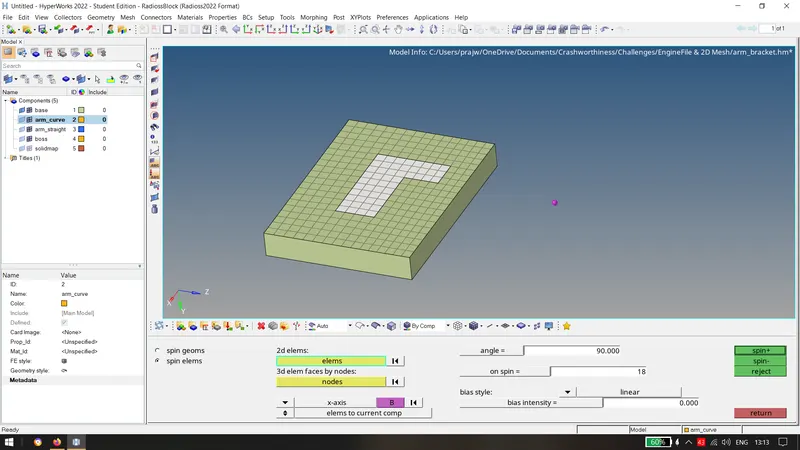
- Now, using the elements for 89.5 degree with 18 hex elements on spin.
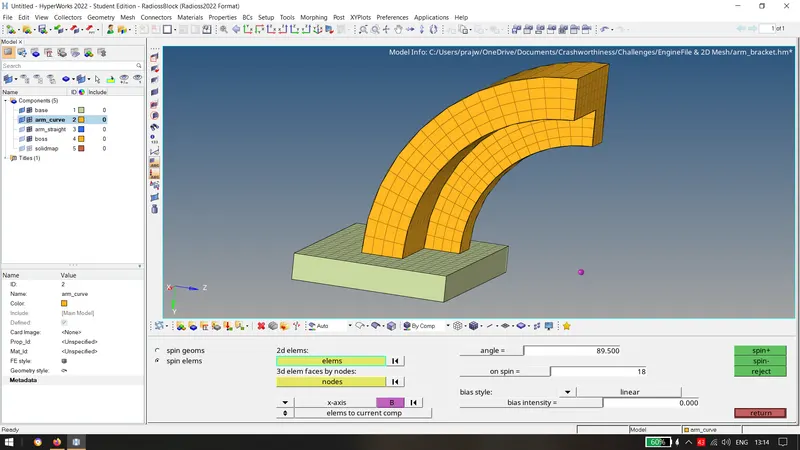
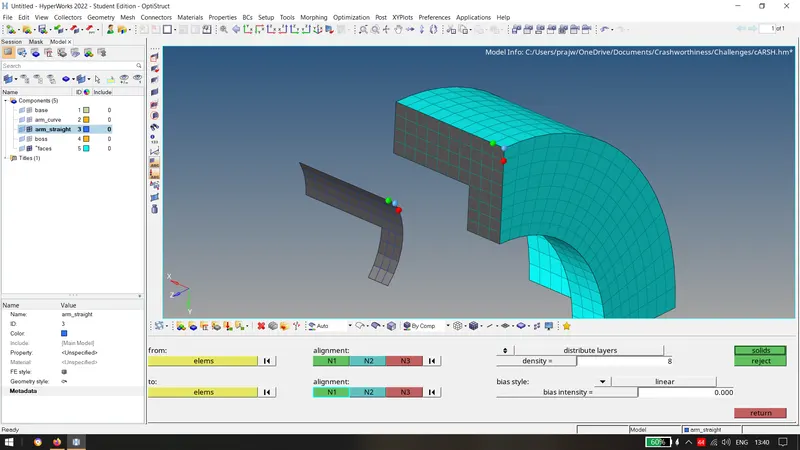
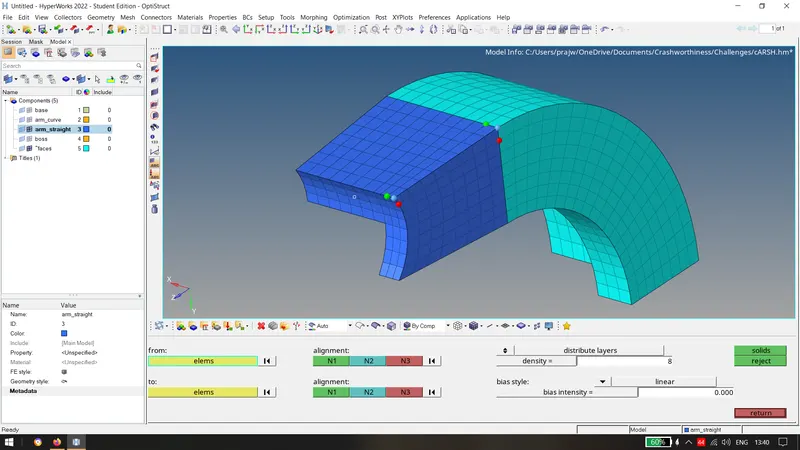
- Now create faces from tool tab on the arm curve and then mesh on the arm straight and try to match the number of elements. Now, use linear solid and match the elements as shown and use alignment as shown below.
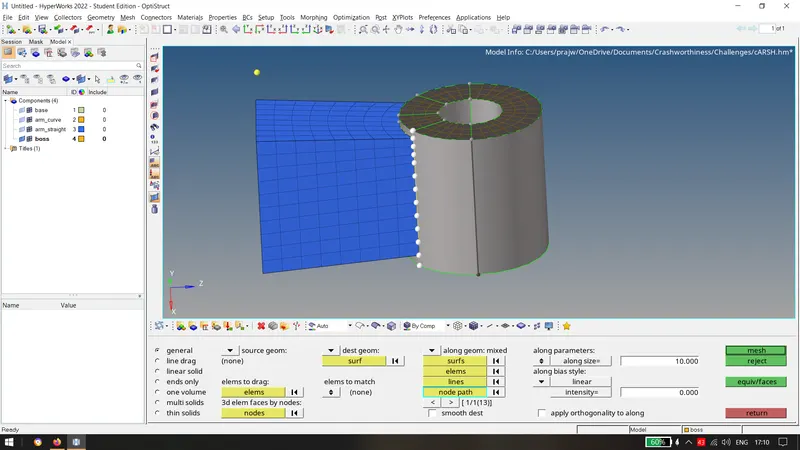
- Now, use the 2D mesh on the upper face on the boss and match the number of elements. Project a node on the on the lower base of the boss surface and create the hexa elements using node path and the liine as shown using solid map.
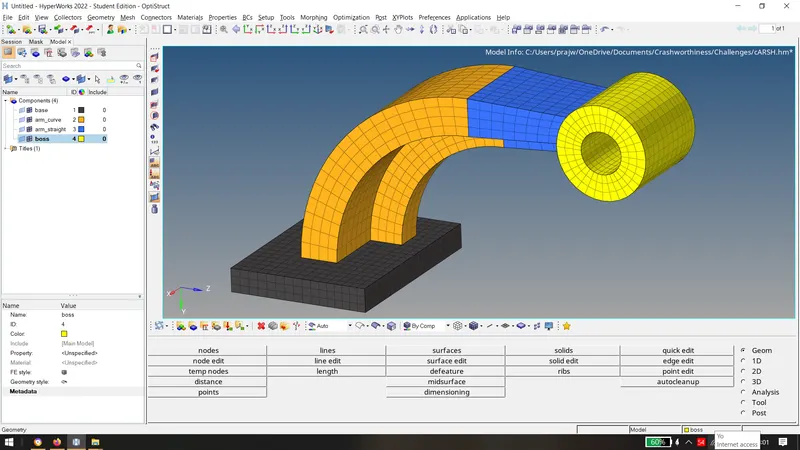
After extracting the elements, delete the 2d shell elements and the following model obtained is:
___________________________________________________________________________________________________
3D Tetramesh
Steps to be followed: Import Geometry > Perform Geometry CleanUp > 3D > Volume tetra > Tetramesh > Surface Selection > Check for Tet Collapse > Rectify (Check Elements > Minimum Length > Save Failed > Mask Elements > Retrieve > Mask > Reverse > Rectify) > 3D Tetramesh > Rectify.
1) Meshing the housing component using the given criteria:
- Import the geometry into hypermesh. Delete Solids if any.
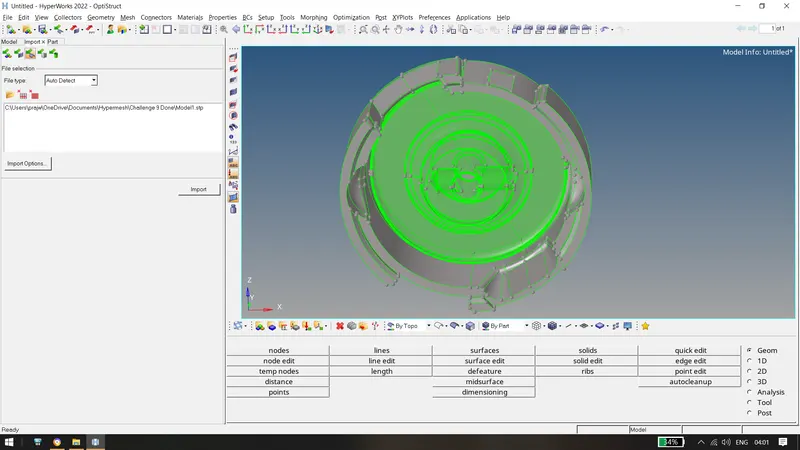
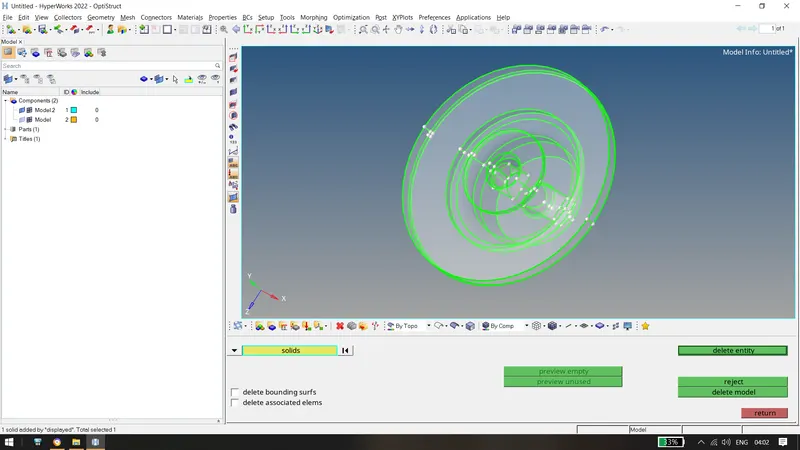
- Check for any surface errors and perform the geometry cleanup if required. Set the geometry in By Topo Mode.
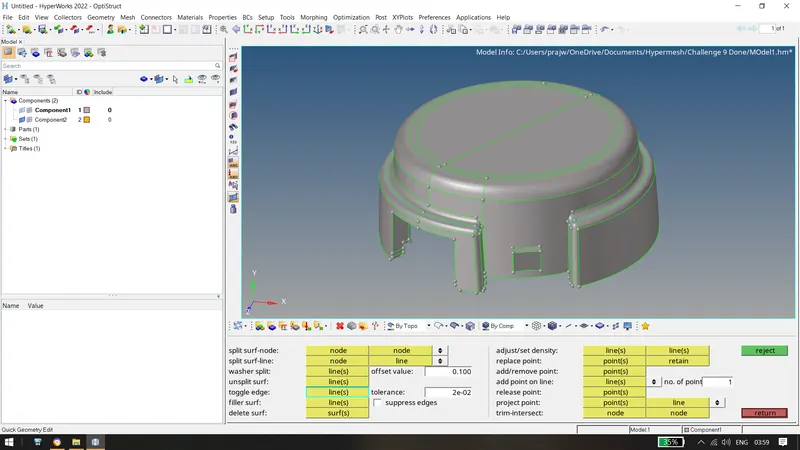
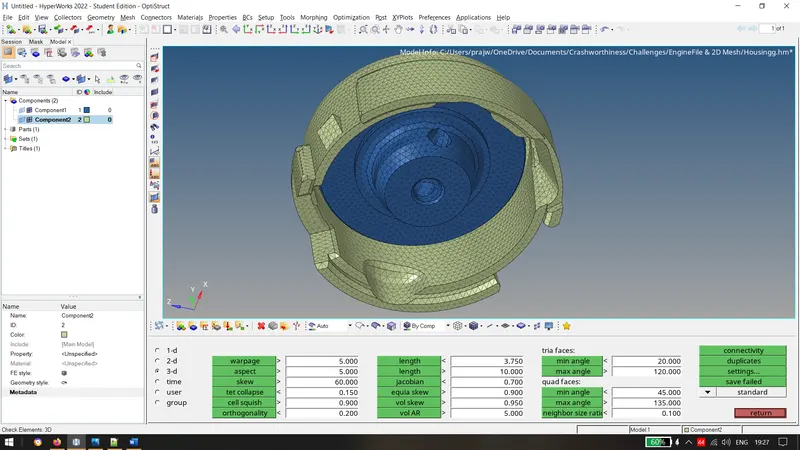
- After geometry cleanup, perform 3d Volume tetramesh using the given criteria. After the volume tertamesh is performed, remesh and check for tetcollapse and rectify it by Tetramesh Parameters > Tet Collapse = 0.15 > Volume TetraMesh > Check Element Quality > Save Failed > Mask Elements > Retrieve > Mask > Reverse > TetraRemesh > Rectify(Perform Same if elements are failed)
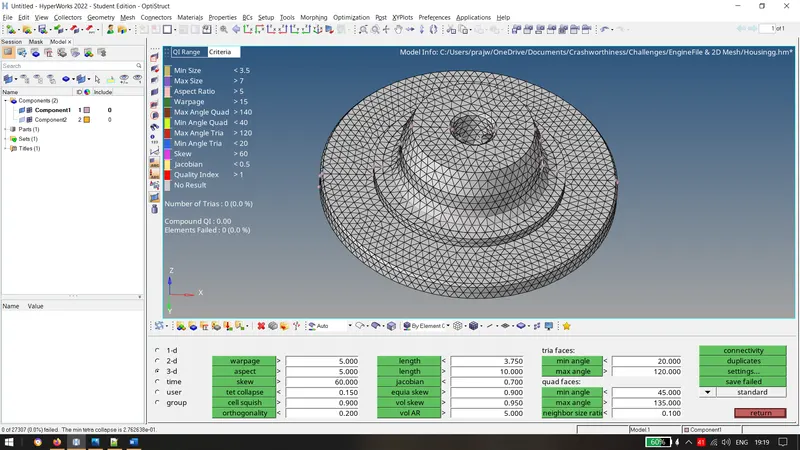
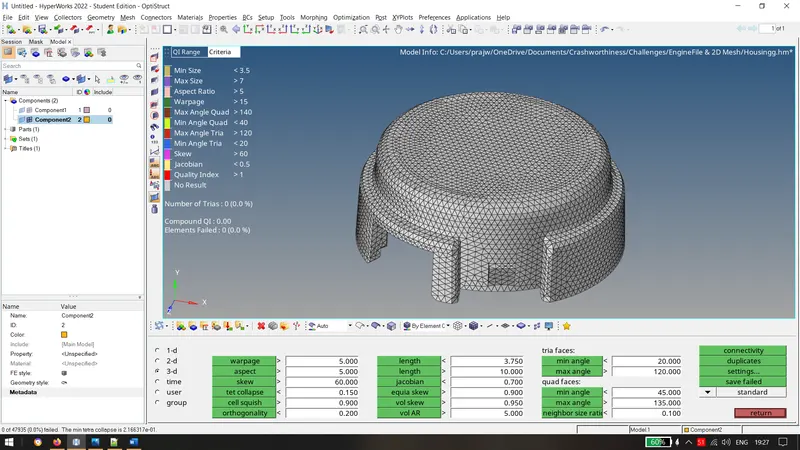
Above, 0 elements have failed for the criteria of tet collapse as 0.15 & The Final Housing obtained is :
Conclusion:
- Calculated speed of sound, frequency, time step in steel rail.
- Understood radioss file and exported the file in .rad format.
- Created Hexamesh and 3D tetra mesh.