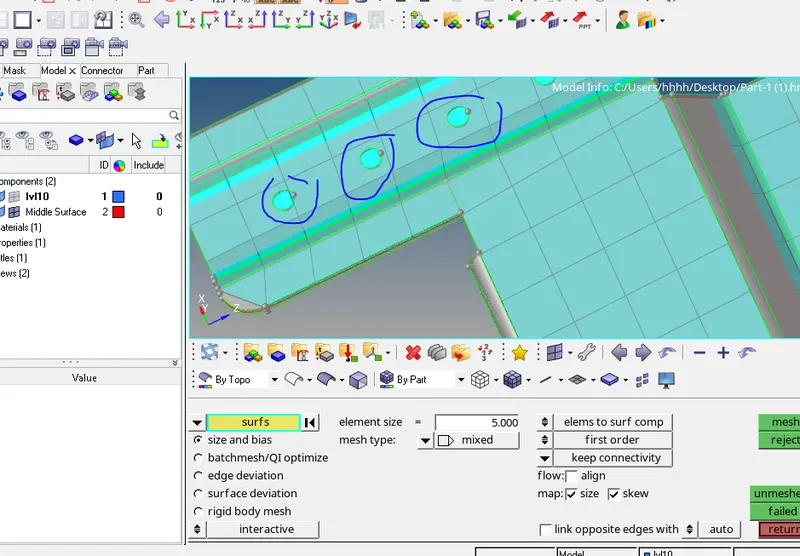
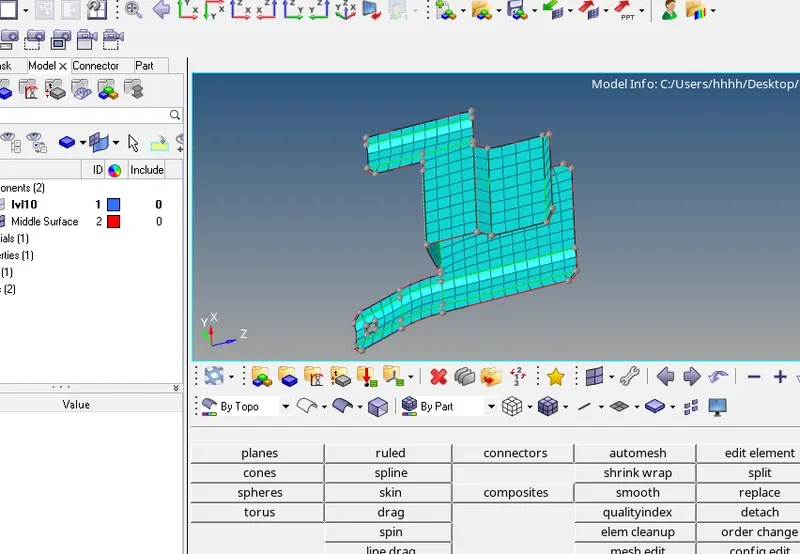
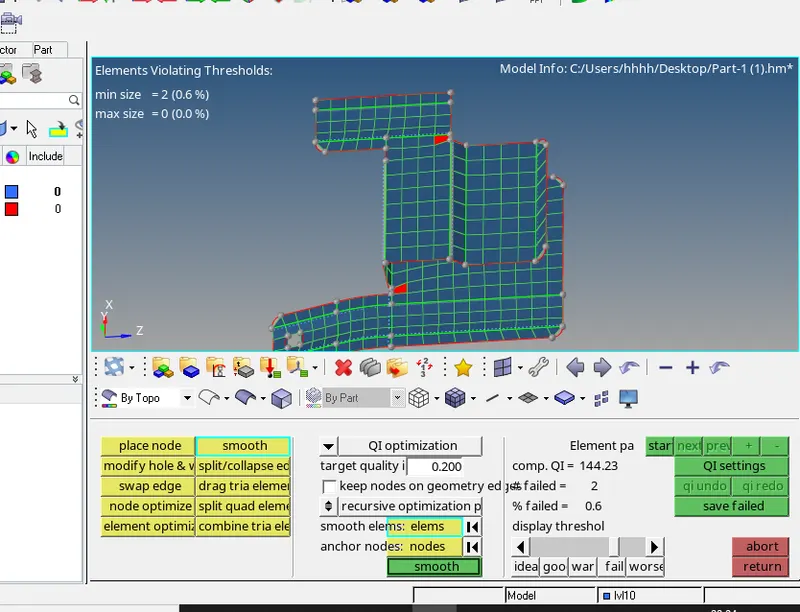
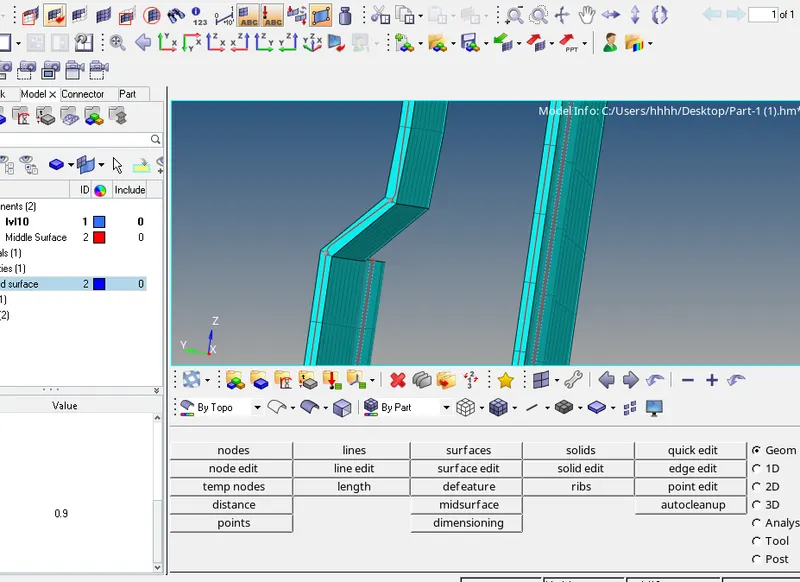
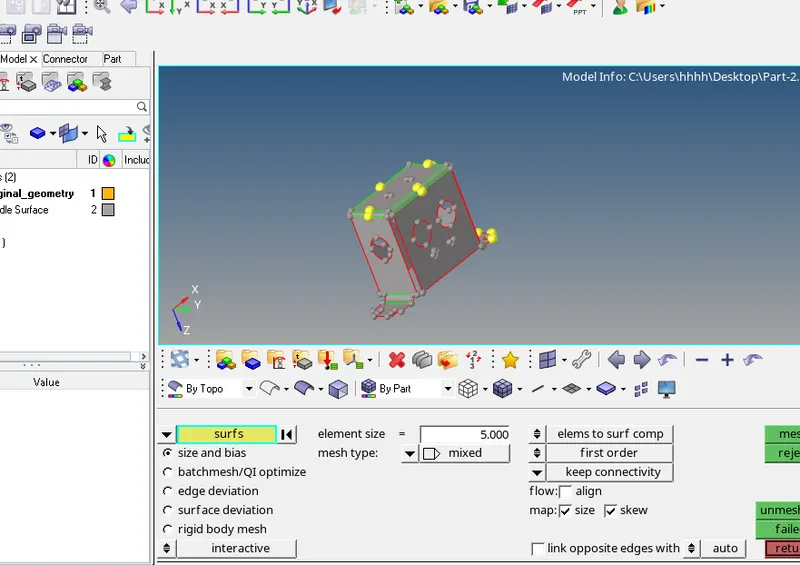
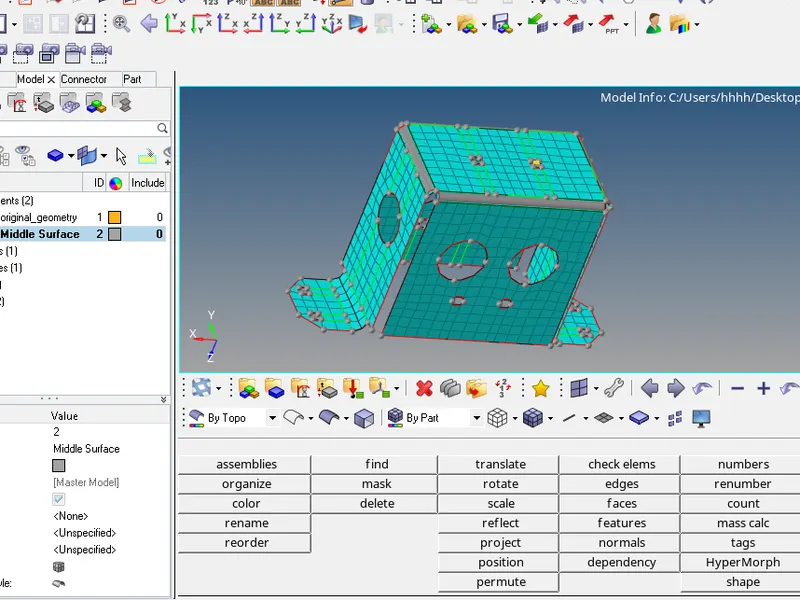
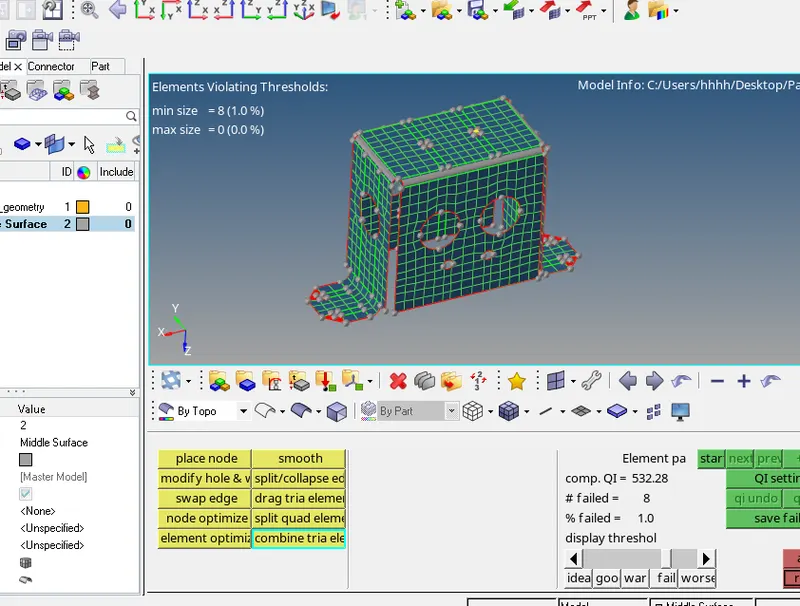
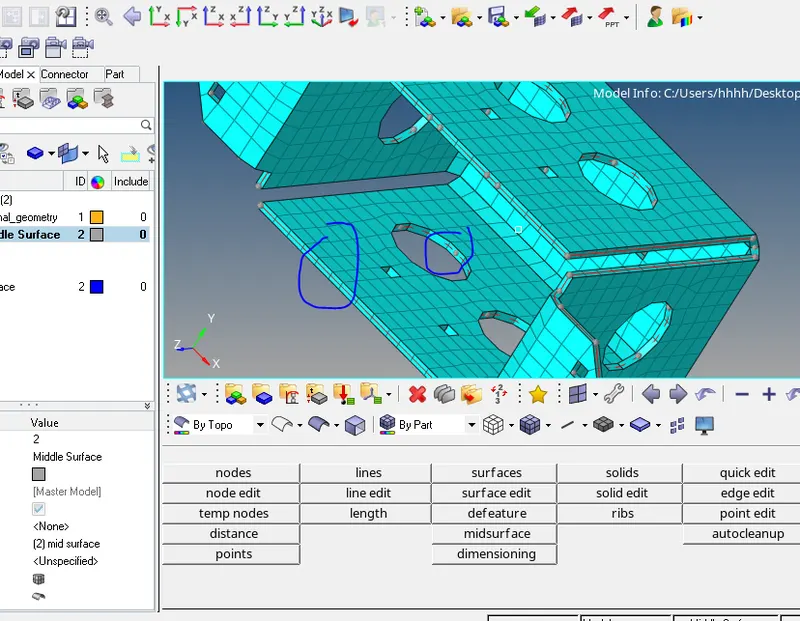
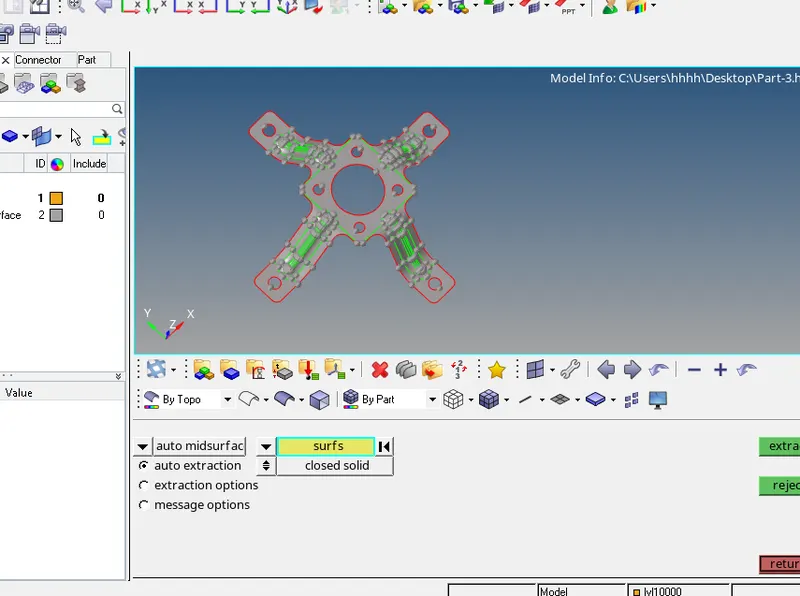
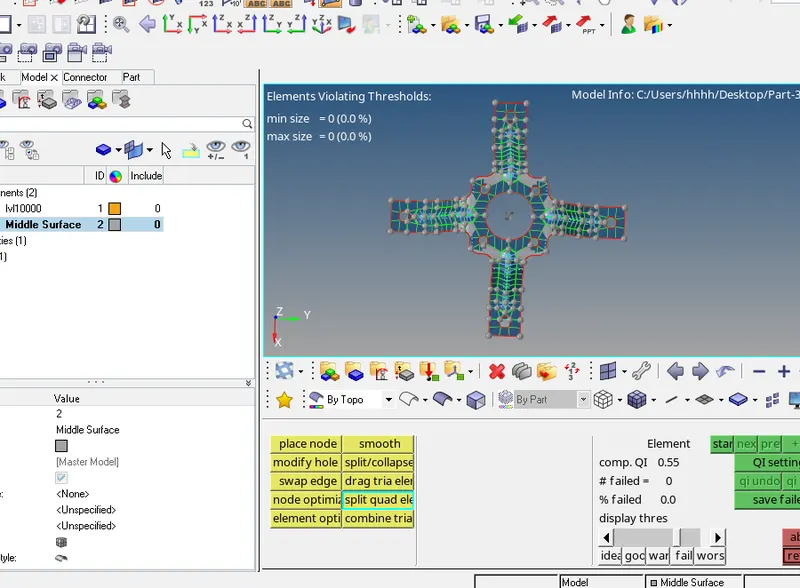
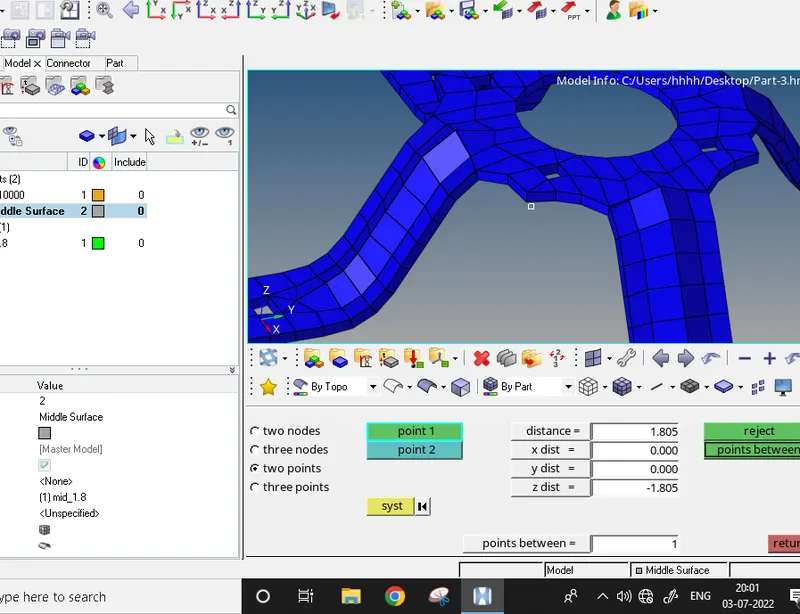
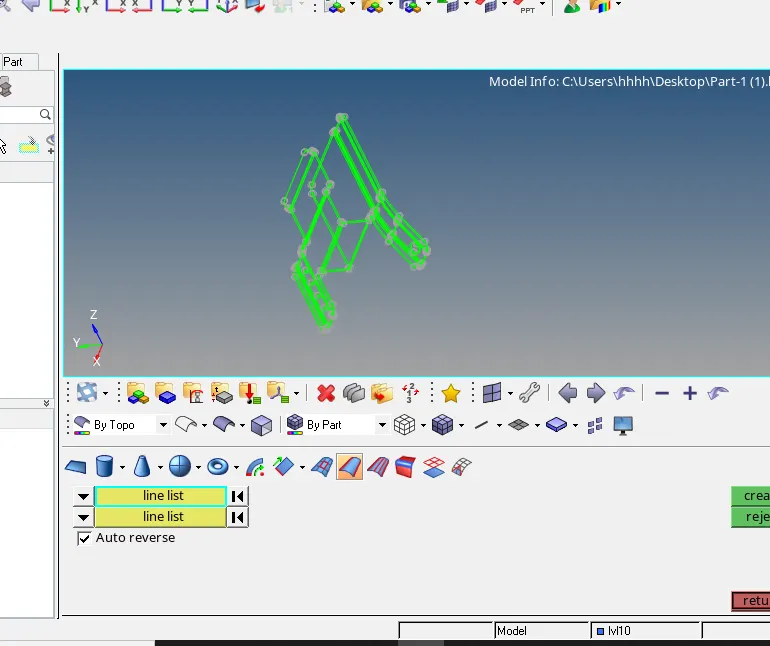
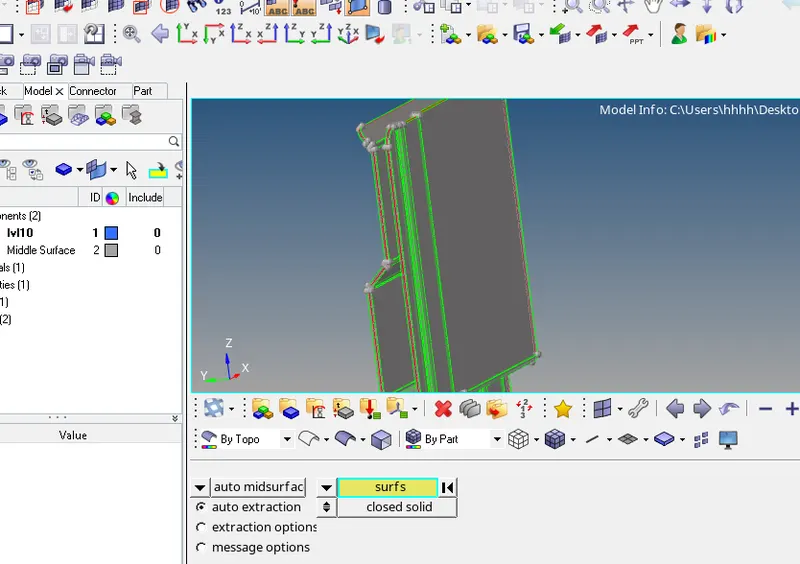
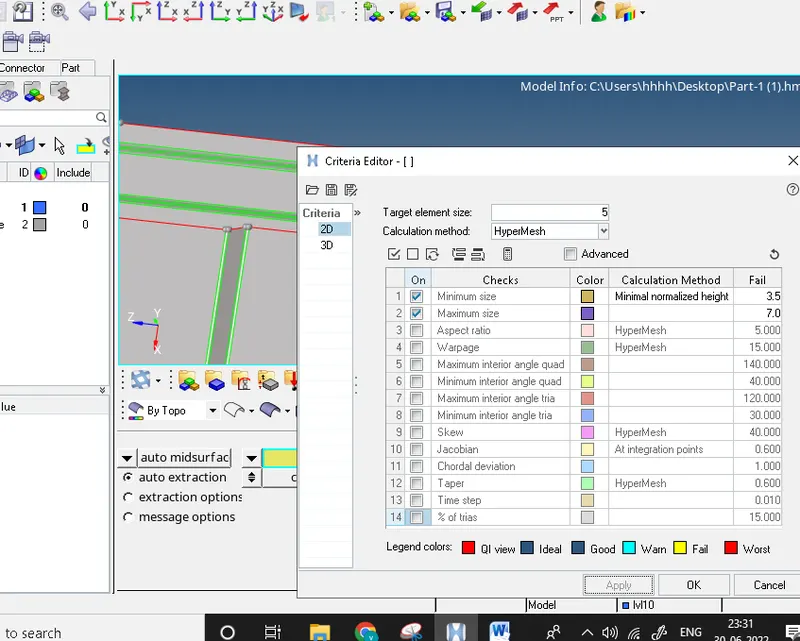
Part-1 Procedure 1 Import the geometry 2 Geometry clean-up Toggle edges Edge edit-replace line Surface ruled Deleting surfaces Surface edit-trim with line- with lines (surfs- surf edges) 3 Mid surface extraction with offset option. 4 set the quality criteria 5 clean-up the mid surface- Remove the pin holes Toggle…
Veerendra kumar
updated on 03 Jul 2022
Project Details
Leave a comment
Thanks for choosing to leave a comment. Please keep in mind that all the comments are moderated as per our comment policy, and your email will not be published for privacy reasons. Please leave a personal & meaningful conversation.
Other comments...
Read more Projects by Veerendra kumar (18)
Assignment 4-RADIOSS Material Laws Challenge
Objective To carry out the simulation of all 7 cases and compare the results in terms of mass error, energy error, run time, total no of cycles and types of failure using animation. The cases are as follows- Case-1.Based on Law2- base simulation- [using ‘FAILURE_JOHNSON_0000.rad’ file] Case-2. Based on Law2-…
28 Mar 2023 07:20 PM IST
Assignment 3-2D Element Formulation Challenge
Objective The objective of this assignment is to compare the simulation with default value and the recommended values and figure out in the changes in energy and force. Steps 1. Run time were change to 55 ms [Model- cards-ENG_RUN] 2. Set the number of animation steps during simulation to min. 25 and frequency =1 [Model-…
10 Mar 2023 10:01 PM IST
Assignment 1-2D Meshing Challenge
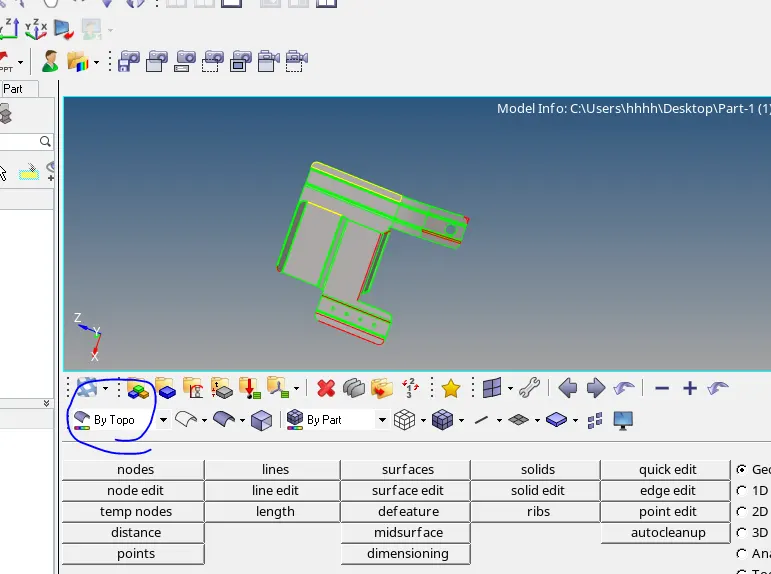
Part-1 Procedure 1 Import the geometry 2 Geometry clean-up Toggle edges Edge edit-replace line Surface ruled Deleting surfaces Surface edit-trim with line- with lines (surfs- surf edges) 3 Mid surface extraction with offset option. 4 set the quality criteria 5 clean-up the mid surface- Remove the pin holes Toggle…
03 Jul 2022 03:03 PM IST
Week 12:Project 2-Meshing of Rear Wheel Holder challenge
Objective- To mesh the rear wheel holder after creating mid surface. Remove the quality failure and assign the thickness to the component. Procedure- 1. Import the geometry and geometry clean-up. 2. Create mid surface and geometry clean-up. 3. Set the quality parameter. 3.1. Mesh the component and remove the quality failure.…
07 Jan 2022 02:59 PM IST
Week 12:Project-1-Meshing of Door Inner Panel Challenge
Objective: Mesh the plastic component and assign the thickness. Procedure 1-Import the geometry and geometry cleanup. 2-Trim the geometry in to four equal parts. 3- Defeature the surface fillet (defeature-surfs fillets) 4-Generate the mid surface and extend the features till base (surface edit- extend) 5-Mesh the…
27 Dec 2021 01:51 PM IST
Week 9-Creation of 1D Connectors Challenge
Week 9 challenge (frame_assembly_welding) Objective To connect the components with different types of connectors like seam weld, spot weld, adhesives, bolt etc. Procedure A. Mesh the components and clear the quality as per quality criteria. B. Connect the components using following connectors. 1-Seam-quad (angled+capped+L)…
26 Oct 2021 03:24 AM IST
Week 8-3D Tetra Meshing Challenge
Objective (Housing Model) Create 2 D tria mesh and clear the quality. Generate 3-D tetra mesh with 2-D tria mesh. Check and remove the tet collapse quality failure. Procedure (Housing Model) 1.Delete the solid part of housing. 2.Remove the sharp edges and very close line (distance less than 2mm). 3.Mesh the geometry with…
17 Oct 2021 05:02 AM IST
Week 6-Meshing of Hood Challenge
week 6 challange (hood) following steps are used to complete this challange 1. Import the geometry. 2. Delete the solid. 3. Extract the mid surface of inner, outer panel, latch and hinge reinforcements of hood (geometry- midsurface). 4. Auto clean the geometry (geometry- autocleanup) using offset planes option. 5. Create…
01 Aug 2021 11:46 AM IST
Week - 8 - Morphing
Model-1 1- Geometry cleanup using (face-topo) in topo module. 2- Create the new morph box using (Boxes- new) in the morph deck. 3- Move the grid along the local axis created by right-click at the edge of morph box. 4-Split the morph box and move the grids (Boxes-Split) . So that very minute change in the direction…
15 Jun 2021 11:09 AM IST
Project - 2 - Meshing on the suspension Assembly
https://drive.google.com/file/d/1yIw-zQcpY4sKmKJrmjDF9oYNNqyDDKJ-/view?usp=sharing Steps 1-After the geometry cleanup, I set the quality criteria for rim and tyre. 2-Manually mesh the tyre and rim with combination of tia and ortho tria. whereas, some quality issues are remaining in the rim. 3-Before volume definition…
14 Jun 2021 06:38 PM IST
Week 4-1D Element Creation Challenge
Steps 1.Import the geometry and create mid surface in separate component (geometry- midsurface) 2.Create washer splits (offset value-5mm) at the holes and mesh the components using automesh having elements size 5mm (2D-automesh). Number of elements was change with left or right clicks. 3(a).assign the material (MAT-1)…
14 Jun 2021 03:16 PM IST
Tool Test-2
Tool test-2 (Intake Manifold) I took 6 hr and 30 min to complete this tool test. 1- shell mesh with considering quality min length-1 mm and max length-5mm 2- In volume mesh quality criteria was taken as collapse -0.3
10 May 2021 07:21 PM IST
Tool Test 1
Tool test 1(Switch panel) I took 20 hour to complete swich panel tool test Tool test 1 (component) I took 15 hours to complete component tool test
07 May 2021 09:12 PM IST
Project 1
https://drive.google.com/file/d/1hQpDlGIH_l9H8Hd6npfj3_gWhSgu0tkM/view?usp=sharing Steps 1. first of all I did topo the geometry 2. cleanup the geometry after topo 3. check the geometry thichness and do manual mid surface extraction. mid surface was extracted from the sides having less feature and set the different…
03 Feb 2021 12:47 AM IST
Week 6
steps involved in rear door connections 1. Different PIDs were given to different parts of rear door 2. Create a bolt connections in the hinge joint- create a COG point, then convert 3D point into bolt and connect the parts using bolt connection in the connection manager. 3. also connect the hinge joint using RBE2 and…
01 Dec 2020 09:14 PM IST
Week 5
Steps to complete challange 5 1. geometry cleanup after topo 2. saparate all four parts of geometry and stored as a lock view 3. set the quality criteria as per challange average length-1 min. length-0.5 max. length-2 4. mesh the elements with combiation of tria and ortho trias. ortho tria were prefered for curved portion…
16 Nov 2020 06:21 PM IST
Week 4
steps for completing challange 1. topo of parent surface 2. geometry cleanup of parent surface 3. mid surface extraction 4. grometry cleanup of mid surface 5. apply different thicknesses in the property 6. again geometry cleanup after appling thickness to the mid surface 7.set the quality criteria …
01 Nov 2020 09:05 PM IST
Week 3
first of all i did geometry cleanup, then create mid-surface with the help of offset option in the face module. after that i agin did geomety cleanup of mid surface and check the quality of mid sur then assign the thickness. before meshing, i set the quality criteria. then i did meshing and remove the off elements…
28 Sep 2020 04:12 PM IST