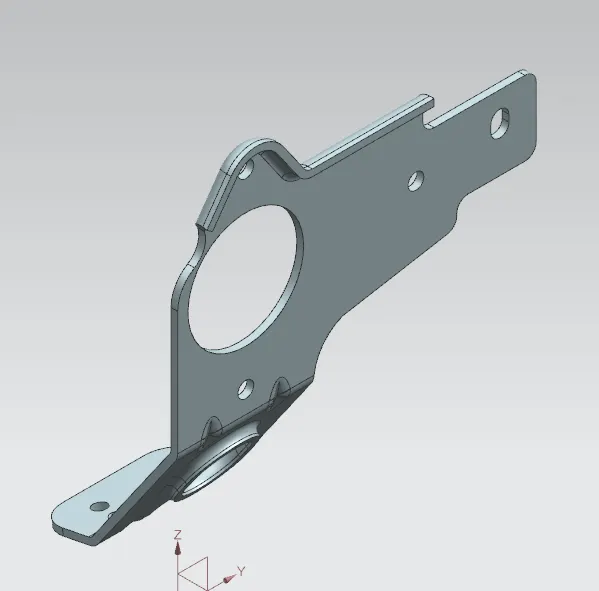
Advanced Sheet Metal Design Using NX Cad Challenge_7_ Metal bracket-II
Bracket-II
OBJECTIVE:
To Write a detailed report on Sheet Metal Component with good explanation on Sheet Metal modelling tools applied throughout the modelling.
Introduction:
Sheet metal design software considers the fabrication methods needed for manufacturing. As you create flanges and add bends, the sheet metal design software will accurately represent the flat pattern required. The flat pattern can be used to document and manufacture associatively as the design changes. Here in this project we are dealing with the Sheet metal designing using the software Siemens Nx cad.
Design methodology / approach:
Casing is a part which can be an outer shell for various components or products which has various flanges, dimples, cut outs etc.
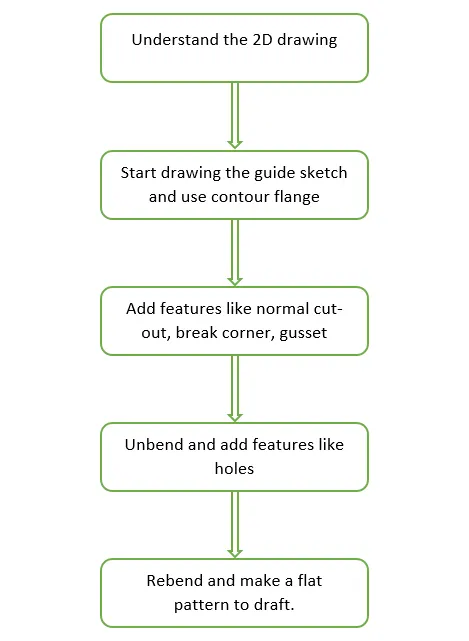
Description:
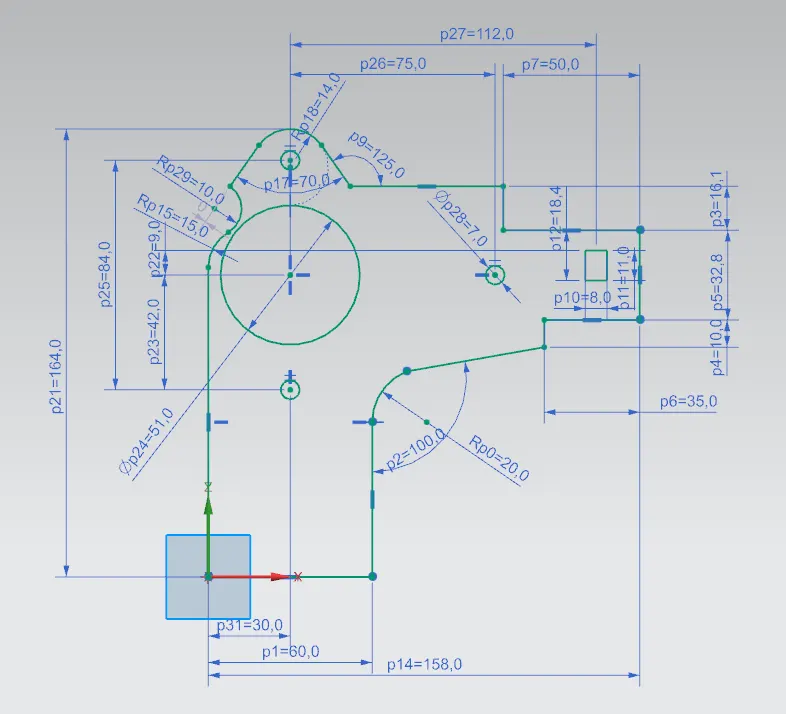
- SKETCH: This is used to create a basic sketch of the design on selecting the desired plane, then later it can be modeled for the requirement.
Sketch1:
Sketch2:
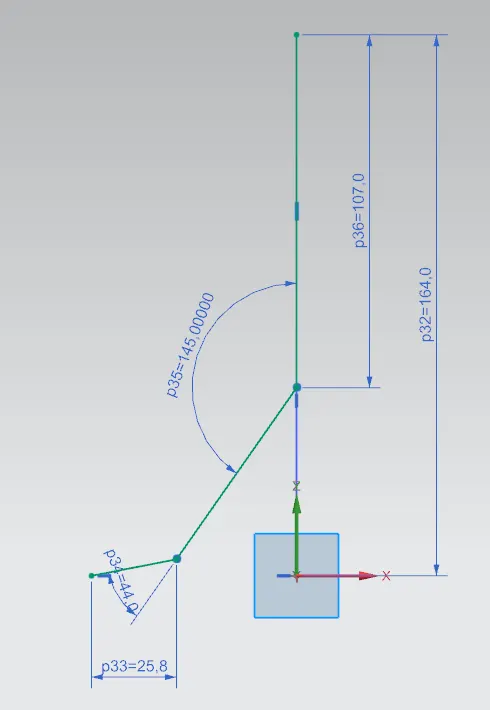
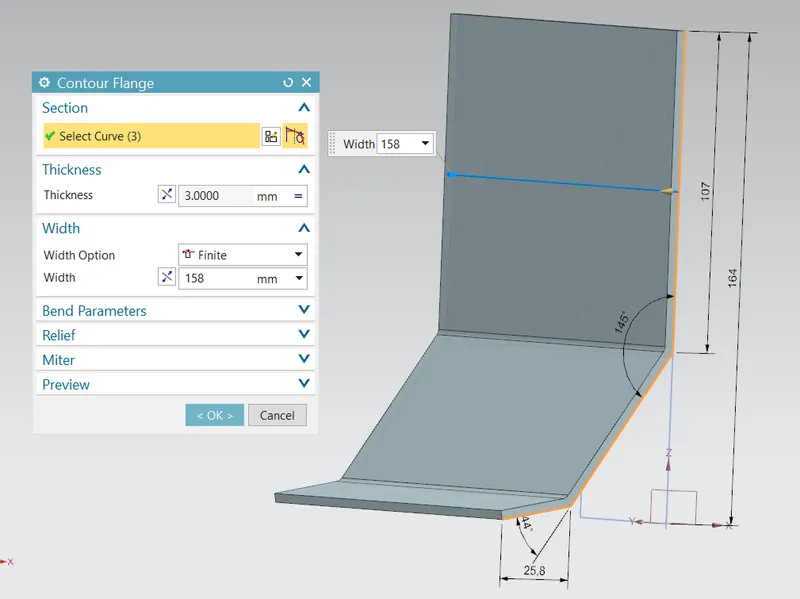
- Counter Flange: Creates a base feature by extruding the sketch along a vector or add material by sweeping the sketch along an edge.
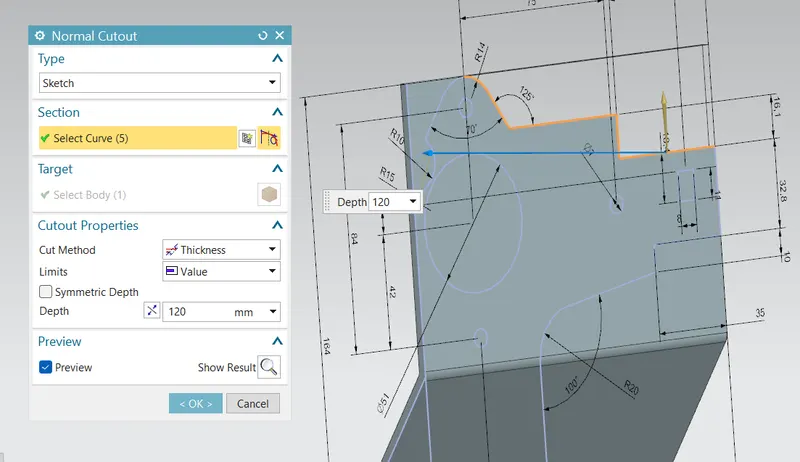
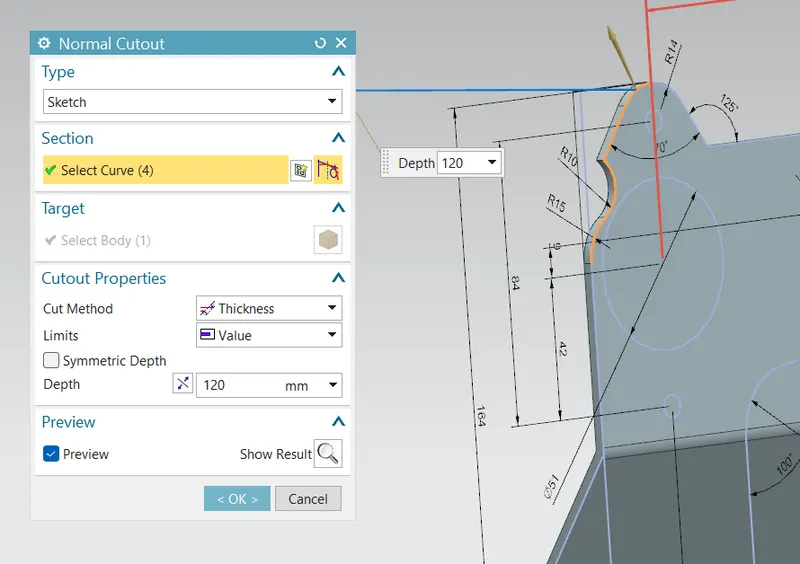
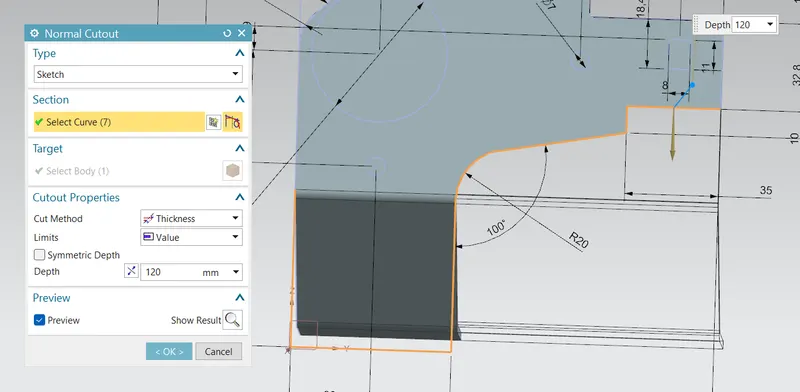
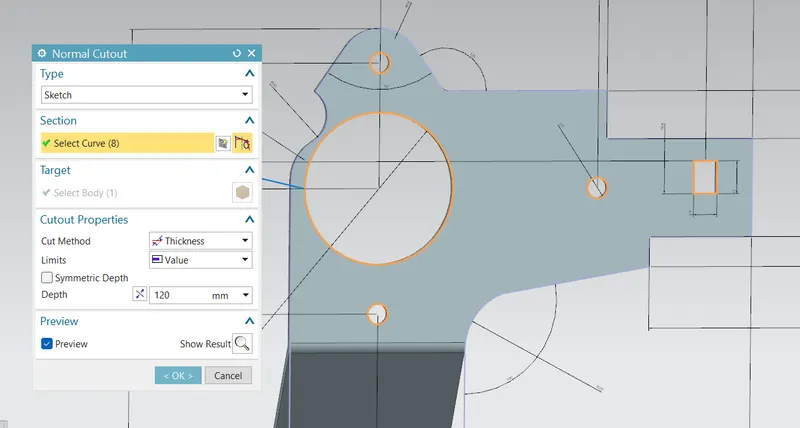
- Normal Cutout: This command is used to remove the unwanted material w.r.t to the sketch.
-
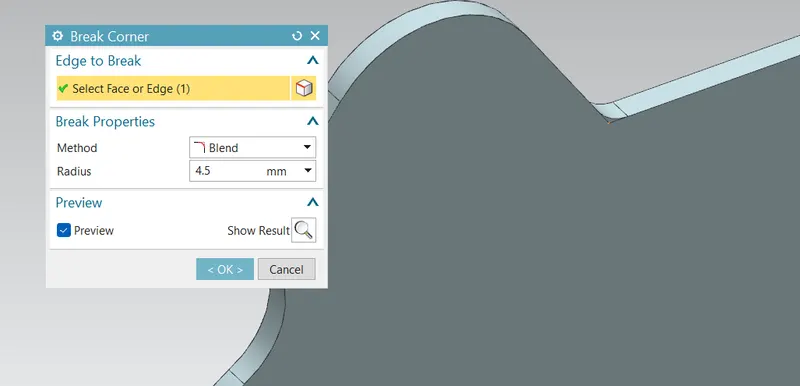
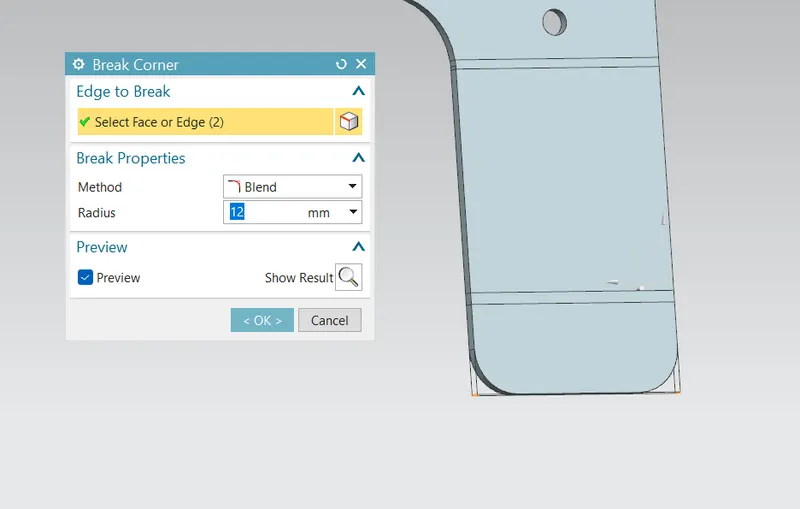
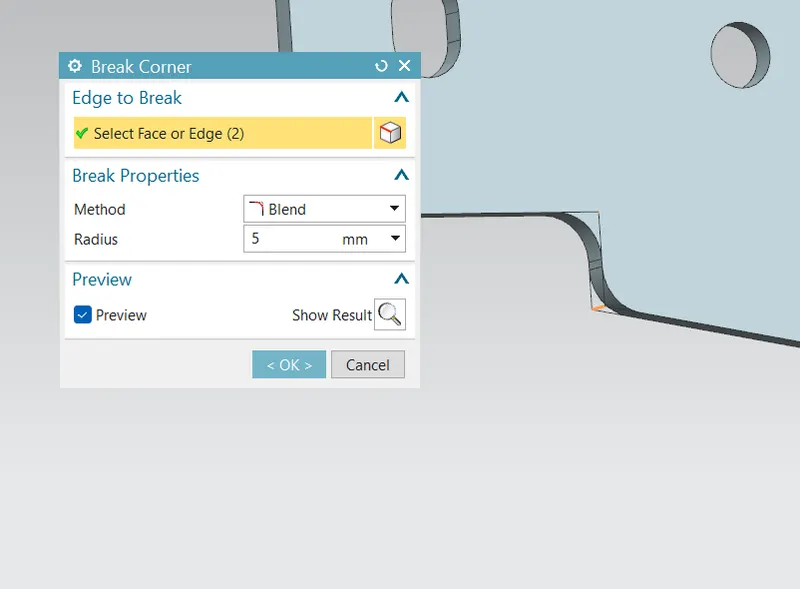
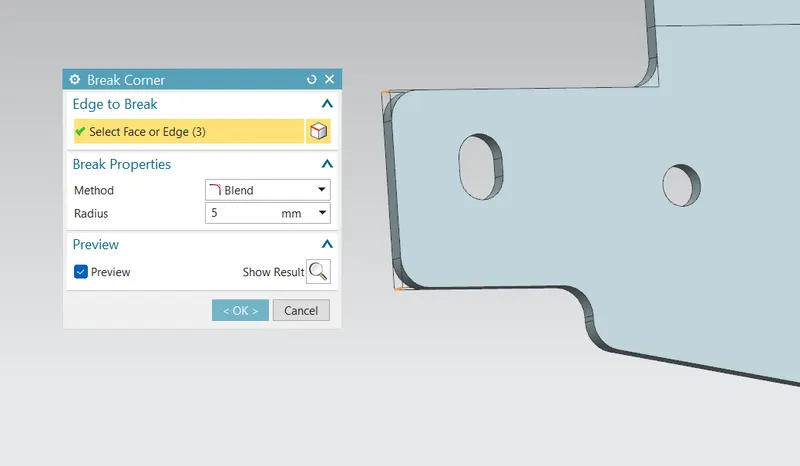
Break corner: This feature breaks the sharp edges in the corners and makes it round or adds chamfer.
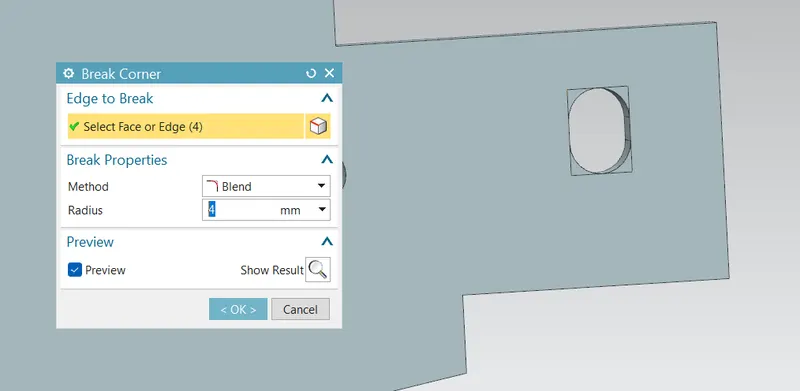
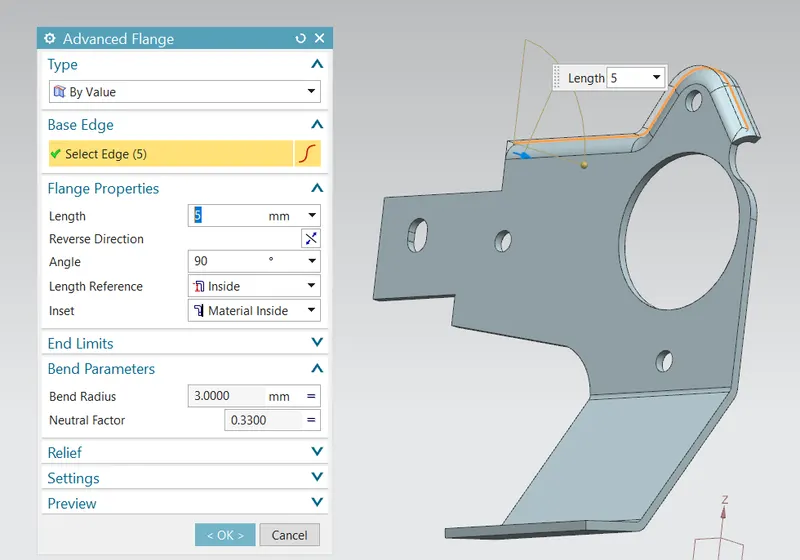
- Advanced Flange: Add a flange along an edge using a bend angle or a reference face. The edge and reference face can be curved.
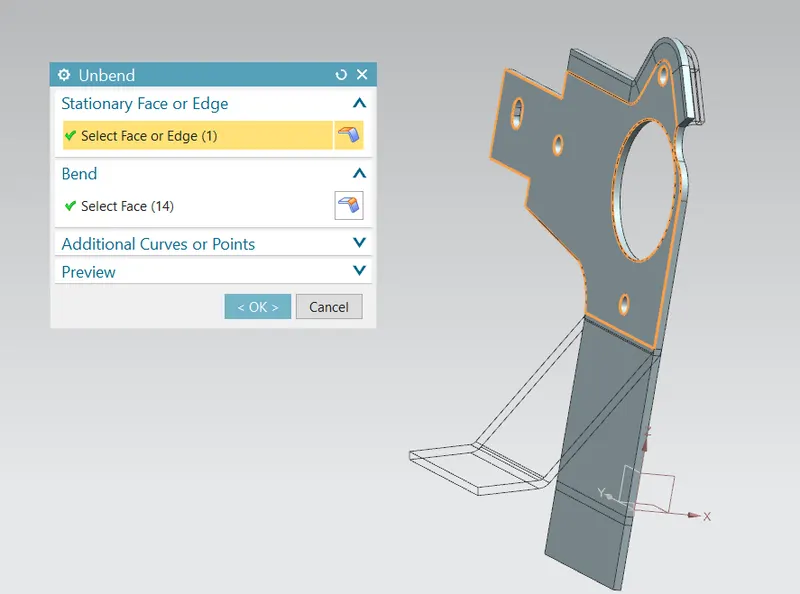
- Unbend: This command is used to faltten the 3D model by selecting one stationary face.
-
Break corner: This feature breaks the sharp edges in the corners and makes it round or adds chamfer.
- Additional cutouts and hole after unbend:
Sketch:
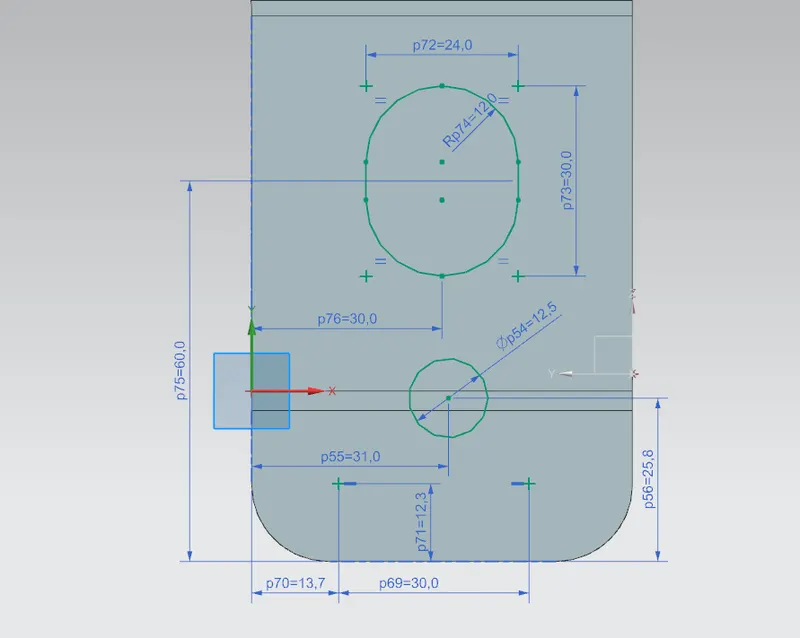
Normal cutouts:
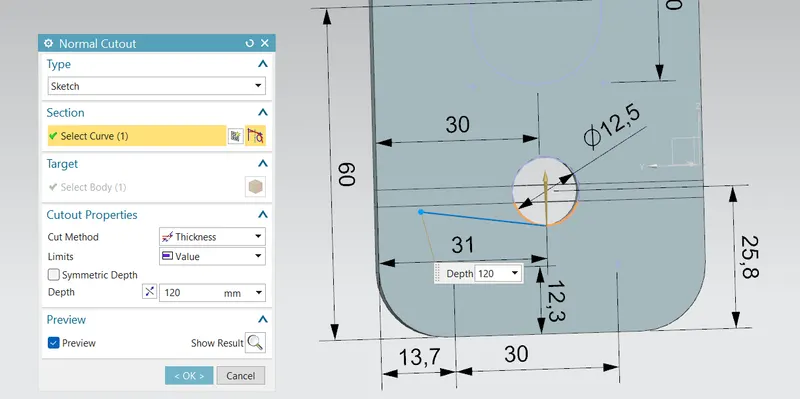
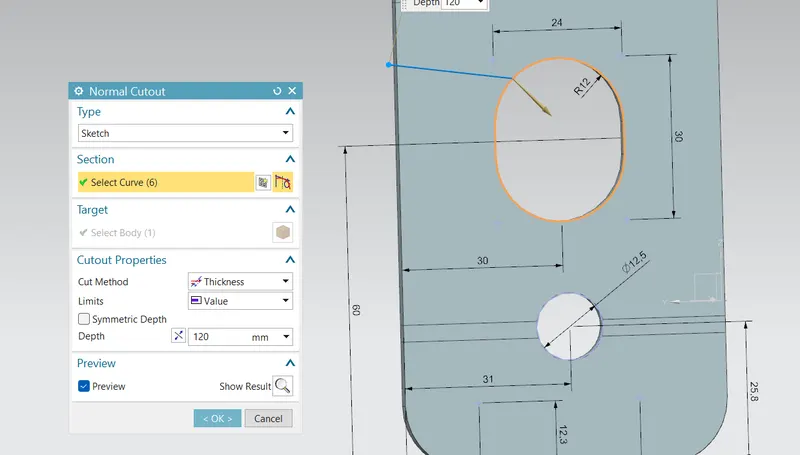
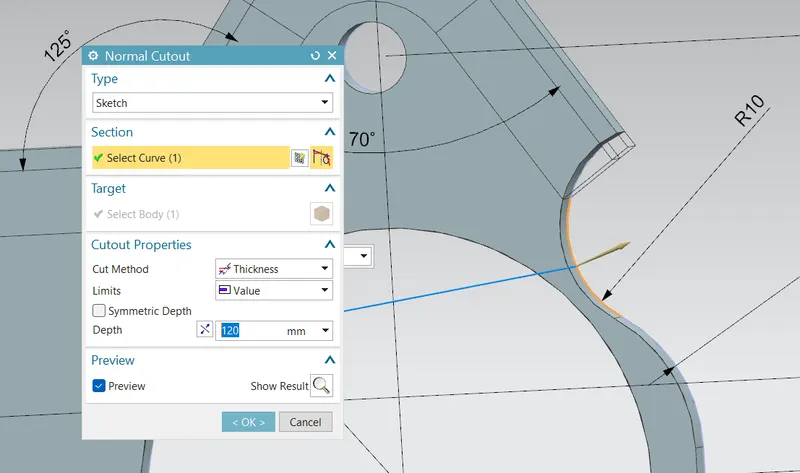
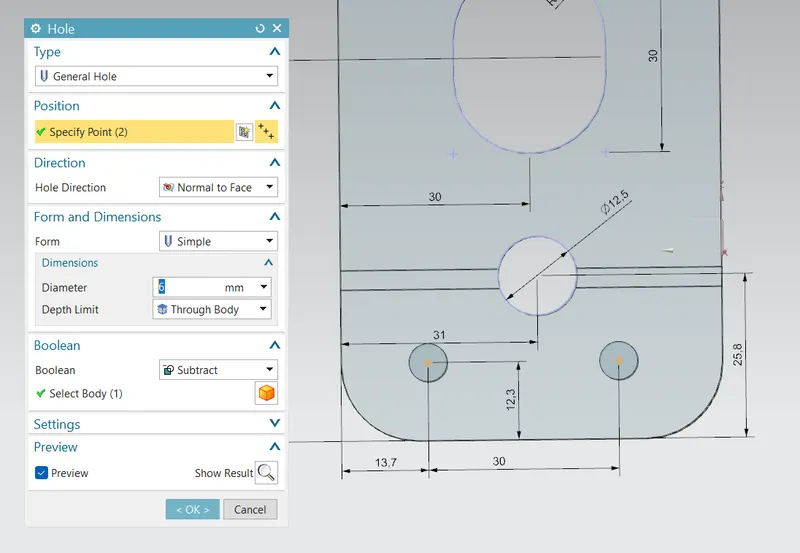
Hole:
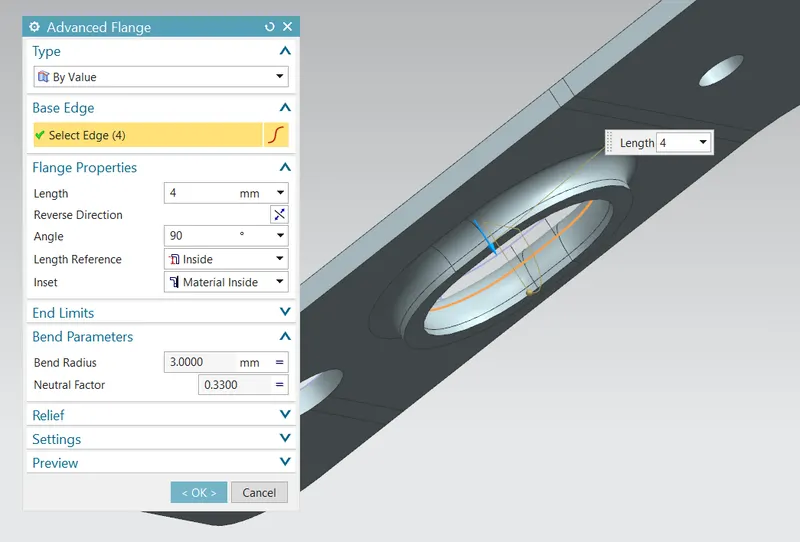
Advanced Flange:
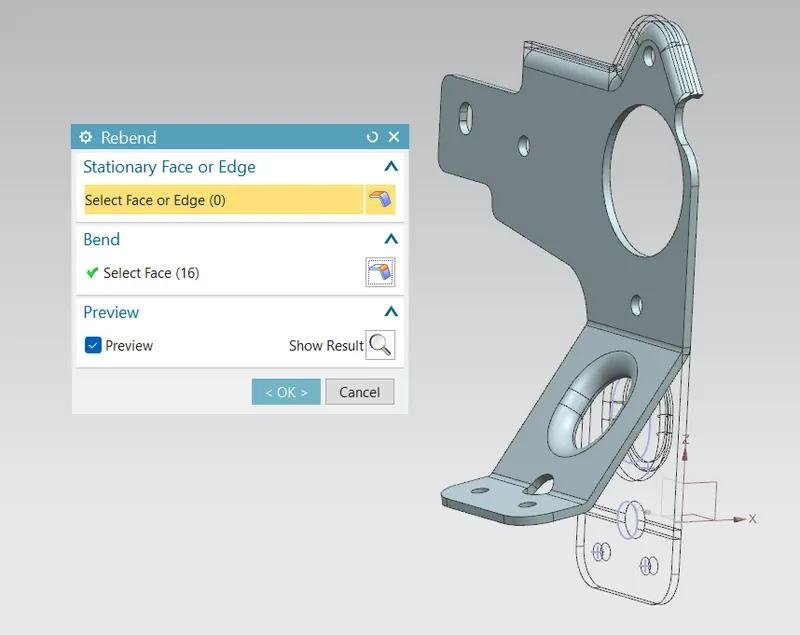
- REBEND: Restores an unbend feature to its previous bent state, along with any features added after the unbend feature.
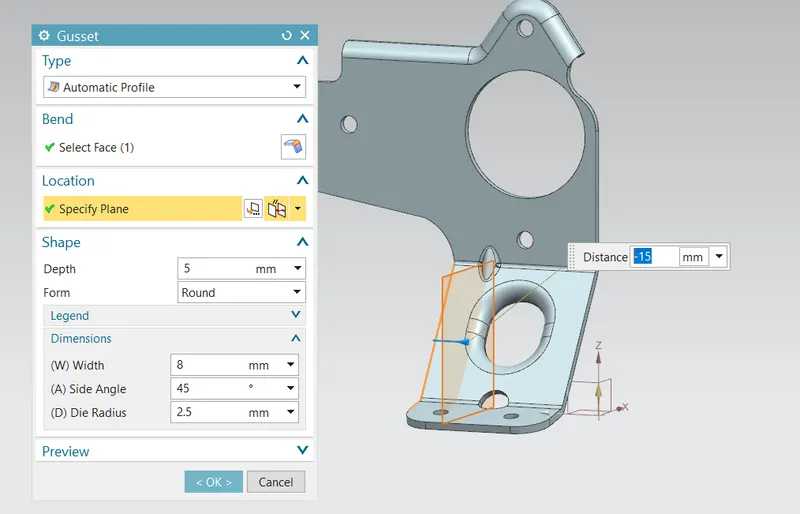
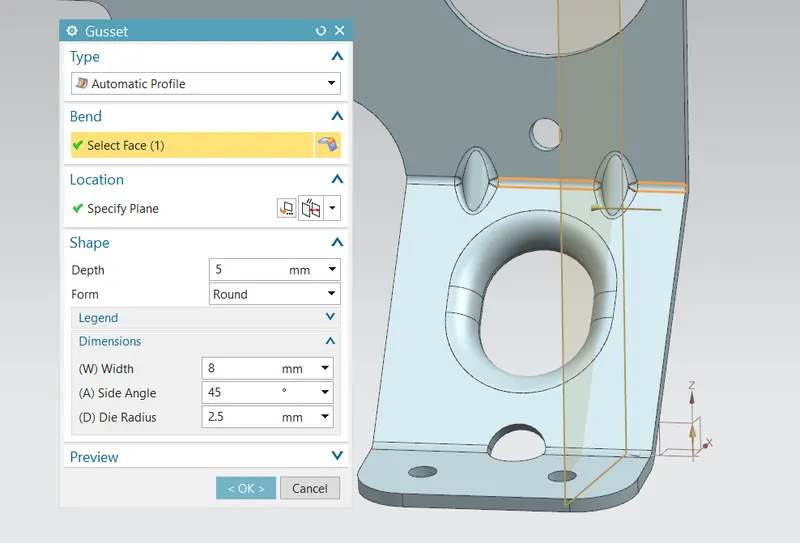
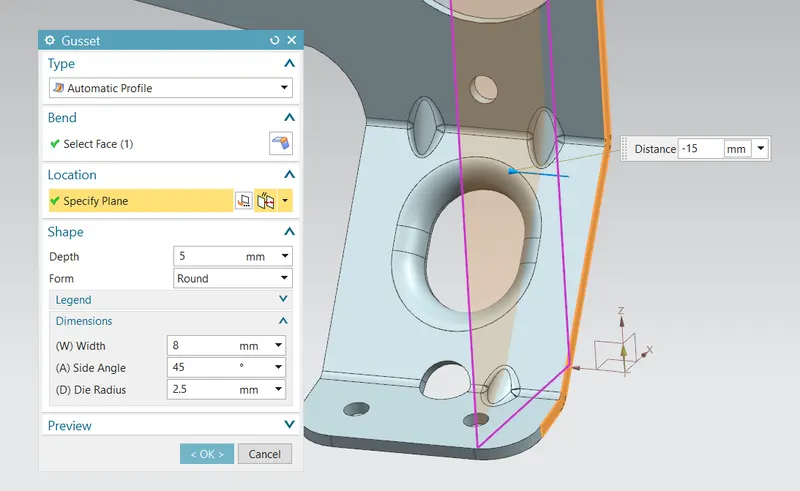
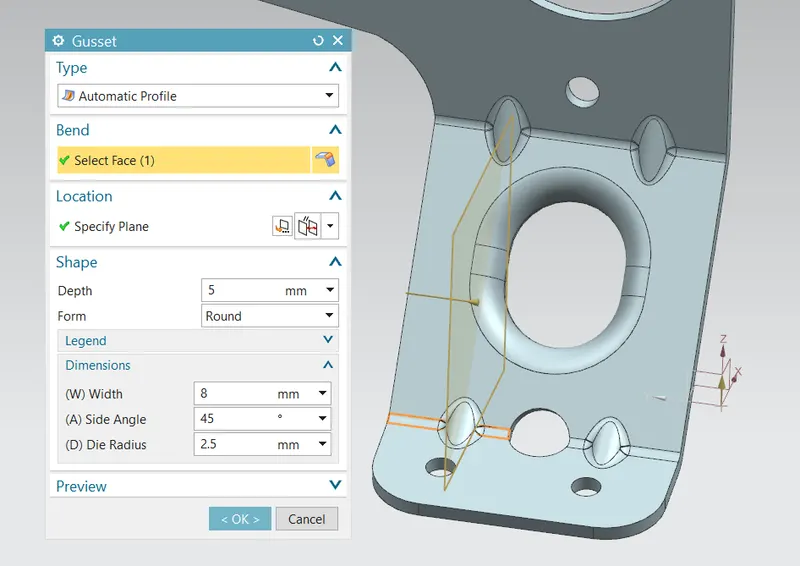
- Gusset: These are stiffening features created across a bend to reinforce the sheet metal part.
Final 3D model views:
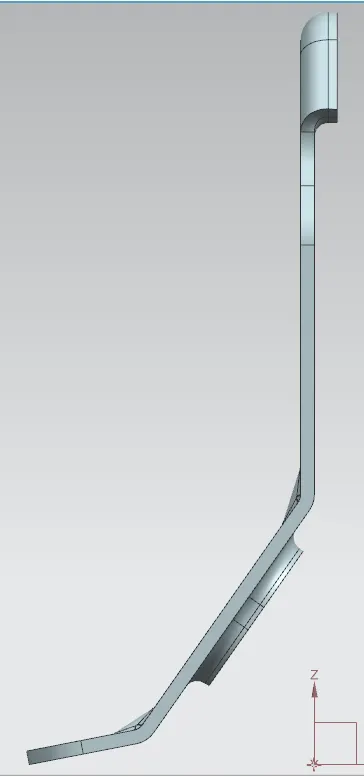
Front view:
Top view:
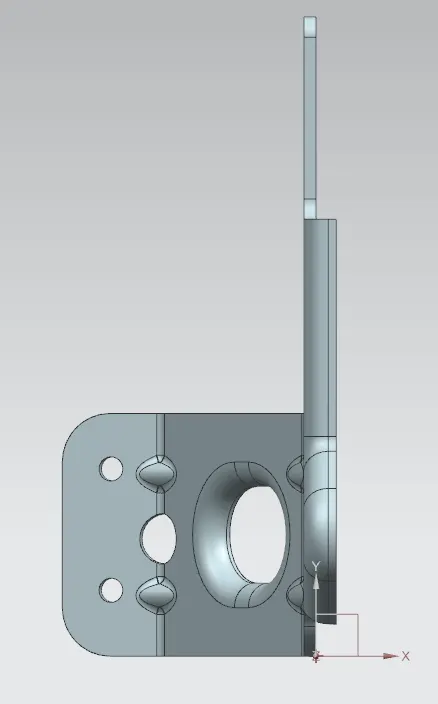
Left view:
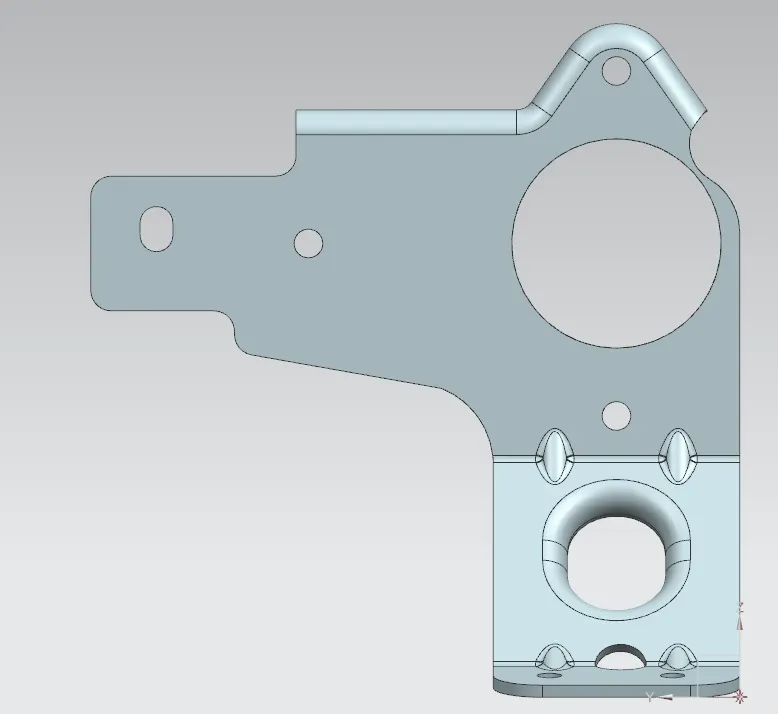
Right view:
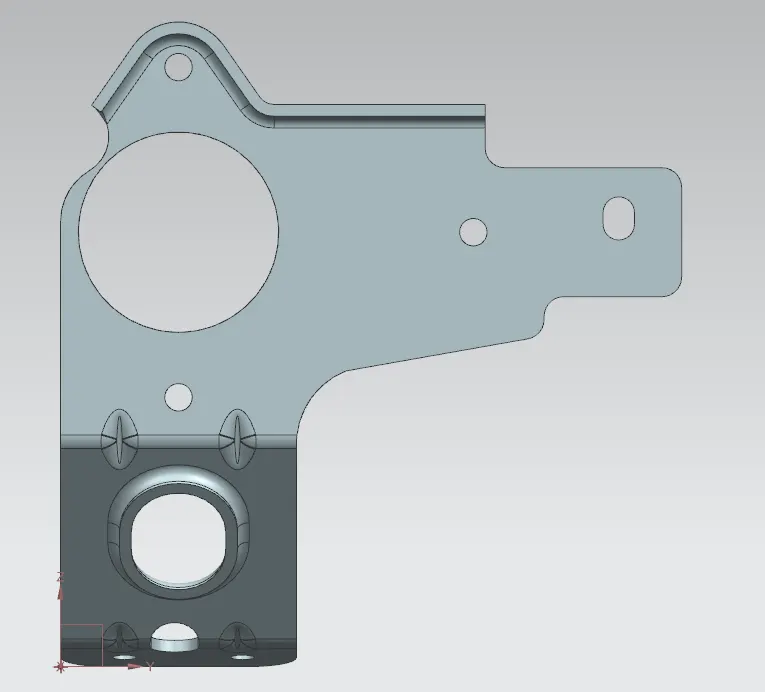
Bottom view:
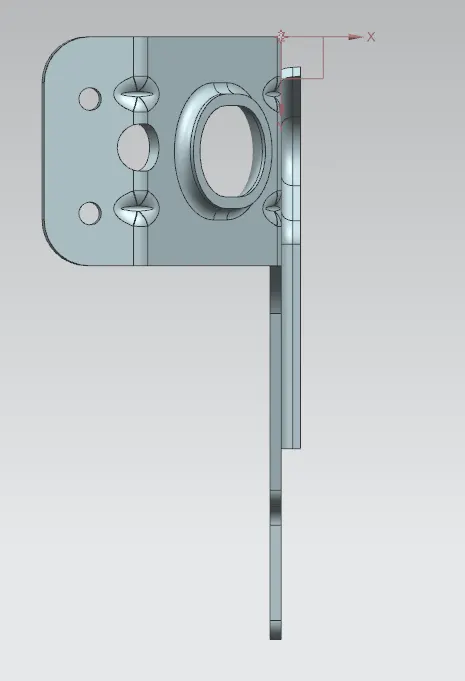
Back view:
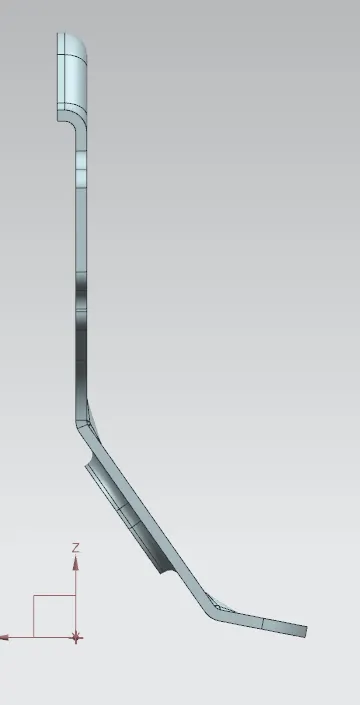
Isometric view: