Sheet Metal Bracket Design - I
Bracket - NX CAD
Objective: To design a Sheet Metal Bracket using Siemens NX Sheet Metal application.
Introduction: Sheet metal components are the parts formed by punching, stamping, cutting and bending. In this project we are going to understand the design procedure for Sheet metal Brackets using NX CAD. In this project we would get introduced to the advanced commands of Sheet metal application of the Siemens NX CAD software.
Design Methodology:
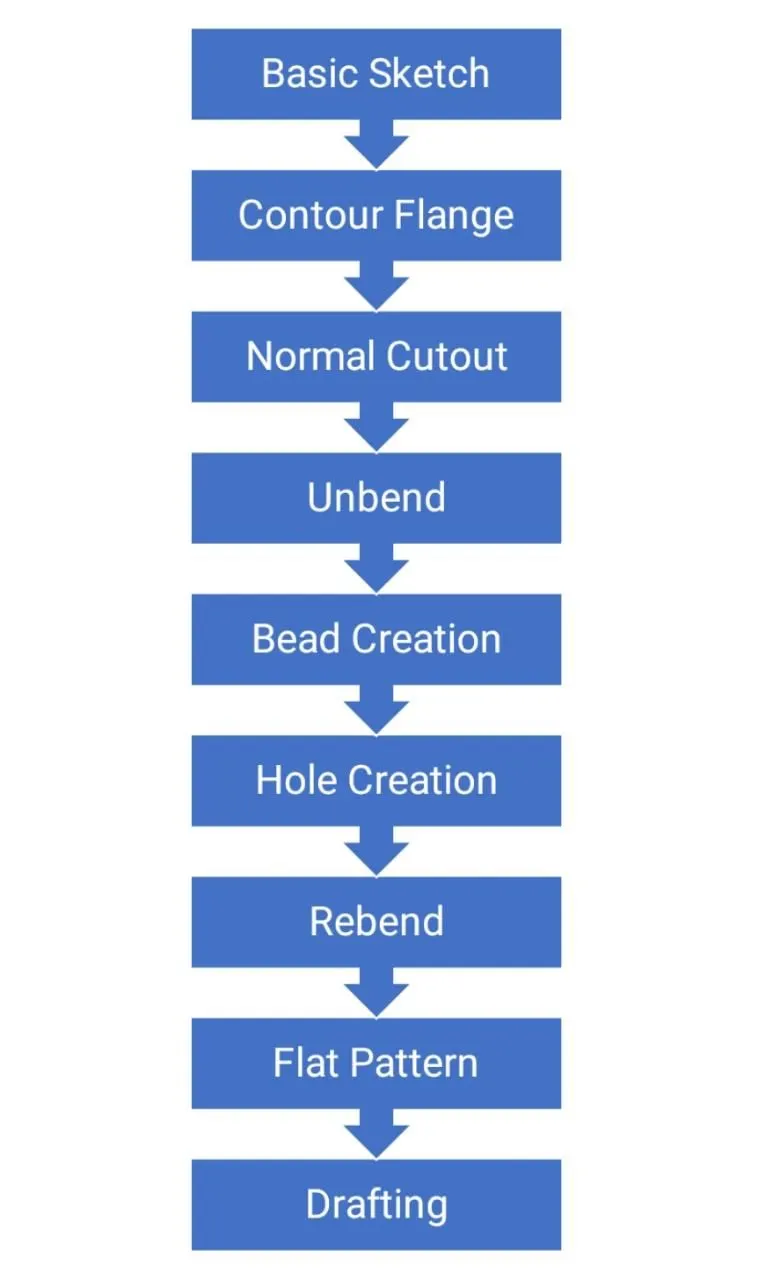
Features and Tools Used:
- Direct Sketch: We use its tools to create a base sketch. (for eg: Rectangle, Circle, Line, etc.)
- TAB feature: We extrude the base sketch using the TAB feature from the toolbar.
- Contour Flange feature: We give a sketch as an input and extrude it along the normal direction to generate the desired output.
- Corner: After creating the flanges we eliminate the corners using the BREAK CORNER feature in order to ease the manufacturing process.
- Dimple and Beads: We provide the necessary slot using the DIMPLE command and BEAD COMMAND.
- Hole: The command is used to create a hole easily with help of a reference point. All the standard dimensions of the hole are already loaded into the NX library.
- Cutout: Using the NORMAL CUTOUT tool we remove the material from the required location.
Procedure:
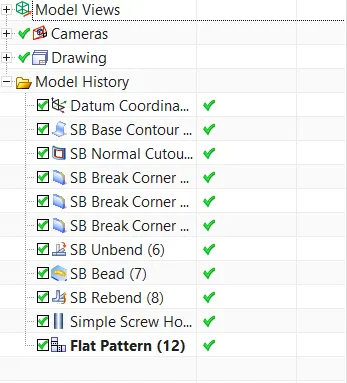
- We create a basic sketch and create a base body of the bracket using Contour Flange to work further.
- We remove the excess material as per the given 2D drawings using a sketch as an input and Normal Cutout Tool.
- Using the Break Corner Tool we give fillets to the sharp edges of the bracket as shown in the 2D drawings.
- Further we unbend the component and create the desired feature by Line as an input and using Bead Feature.
- Next we generate holes on desired locations as per 2D drawings using Hole Command.
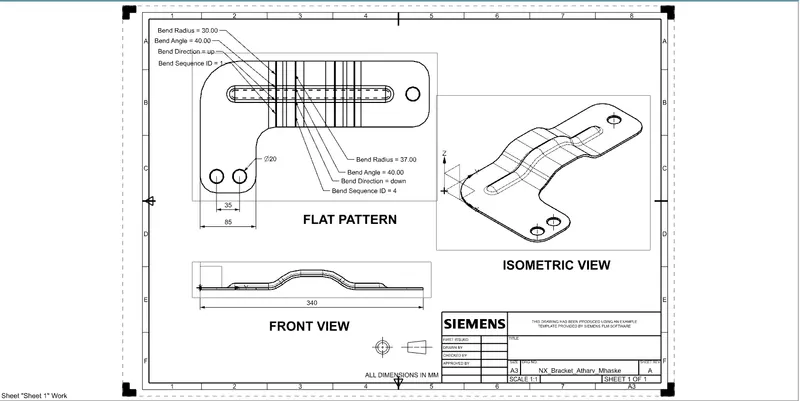
- Lastly we generate Flat pattern of the Bracket and create a drafting sheet with the help of a Drafting application in NX CAD.
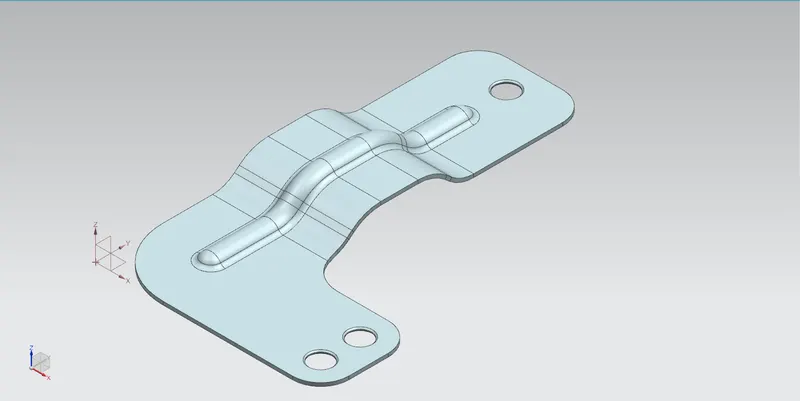
Component Formed:
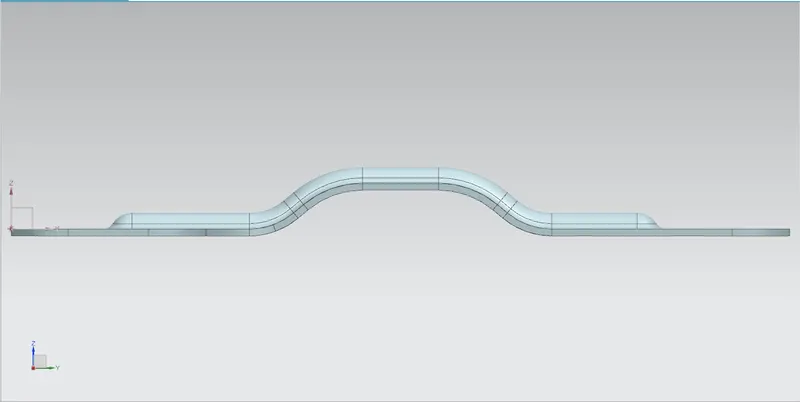
Front View:
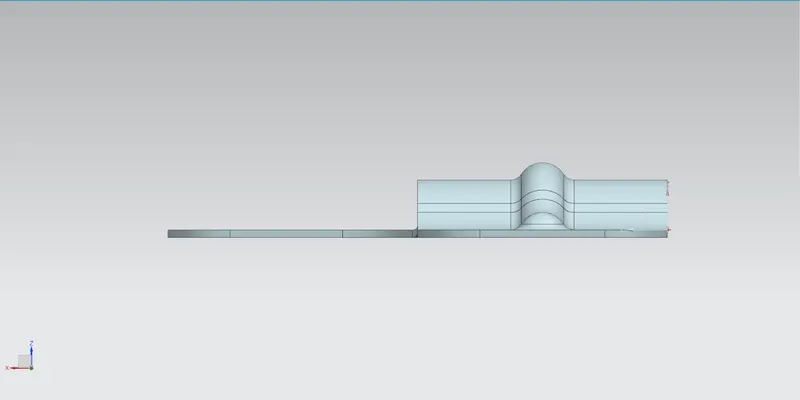
Side View:
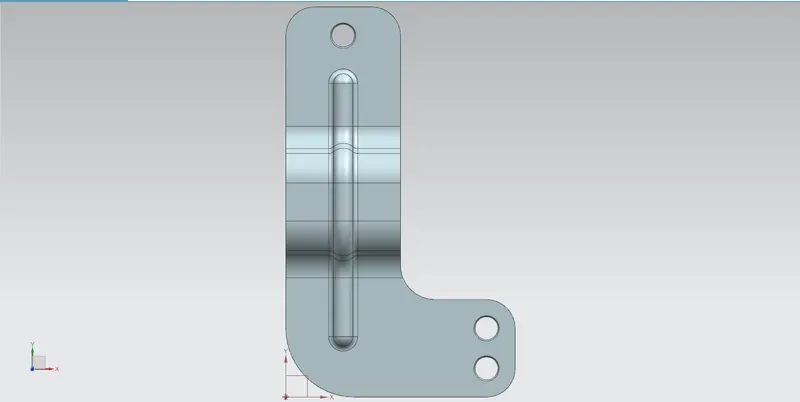
Top View:
Drafting:
Isometric View:
Tree Structure:
Conclusion:
We have successfully designed the Bracket using Siemens NX Sheet Metal Application.