Advanced Sheet Metal Design Using NX Cad Challenge_5_Odd Shaped Enclosure
ODD SHAPED ENCLOSURE SHEET METAL DESIGN USING NX CAD
OBJECTIVE:
- To design an odd-shaped enclosure and create a draft of it using NX Sheet metal application.
INTRODUCTION:
Sheet metal is metal formed by an industrial process into thin, flat pieces. Sheet metals can be bent and cut into a variety of shapes. The thickness of sheet metal is known as a gauge. Sheet metal application is used widely in
- Aircraft bodies
- Automobiles
- Utensils used for domestic purpose
- Beverage cans
NX Cad helps to design the sheet metal parts using basic features such as flanges, tabs, and jogs. We can also close corners, and create cut-outs and stiffening features. Using NX we can convert the solid models into sheet metal parts. Modeling and assembling commands are also available in NX cad.
In this project, we learn workflow procedure to design a Sheet metal part for odd shapes.
DESIGN METHODOLOGY:
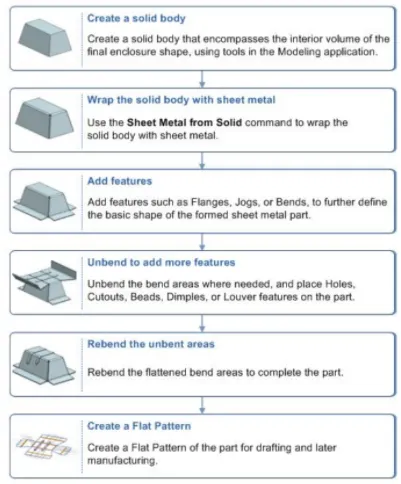
SHEET METAL MODELING:
Features and Tools:
- Tab: This command is used to create a base feature. Sketch along with the thickness gives tab. All further features are added to the tab.
- Flange: This feature used to add a flat flange at an angle to the face and add a bend between two.
- Jog: Command used to create an offset or step in a tab.
- Beads: This command is also used to lift material along with the contour sketch that stimulates the stamping tool. In beads, the cross-section can be changed.
- Unbend: This feature helps to unbend the bent shapes to a flat pattern. In sheet metal the other features like cut-outs and holes needed to be created over the flat configuration. So that feature applied will be normal to a flat surface.
- Rebend: This command helps to rebend the previously unbent sheet and have a component in its original form.
- Hole: Cut or remove the material with a thread pattern on it. For applying the hole feature there should be a specific point, which will be the center of the hole.
- Extrude: This command is used to create a solid body by selecting the curved edges or sketch and extending them a linear distance.
- Sheet metal from solid: Wrapping the solid body with sheet metal to form the same shape as a solid body.
- Flat Pattern: It is used to represent the whole component in 2D form. This flat pattern also shows entire features with dimensions.
- Drafting: Drafting is creating a technical drawing into a sheet, communicating about the dimensions and view of components. The draft helps the manufacturing and production department to know about the product design in a 2D format.
Procedure:
- Create a sketch of the solid body to be extruded on XY plane.
- Extrude the sketch for 200mm.
- Using sheet metal from solid feature wrap the solid body with sheet metal of 3mm thickness.
- Select the left side edge and create a flange with a 20mm length.
- On the right side face draw the jog line for applying the feature with a height of 20mm.
- Using unbend the whole sheet metal is unbent with respect to the stationary face.
- Then we apply bead and holes to the upper surface as per the document.
- Then rebend the unbend areas using rebend feature.
- Using the flat pattern feature make a 2D sketch.
- Then using drafting the flat pattern is drawn into a drawing sheet.
RESULT:
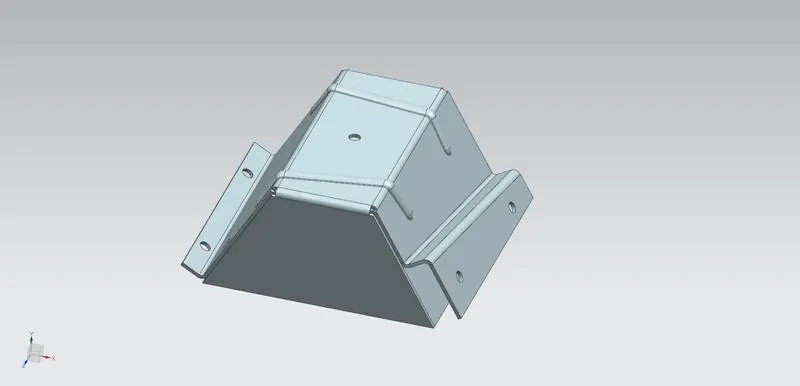
FIG: Isometric View
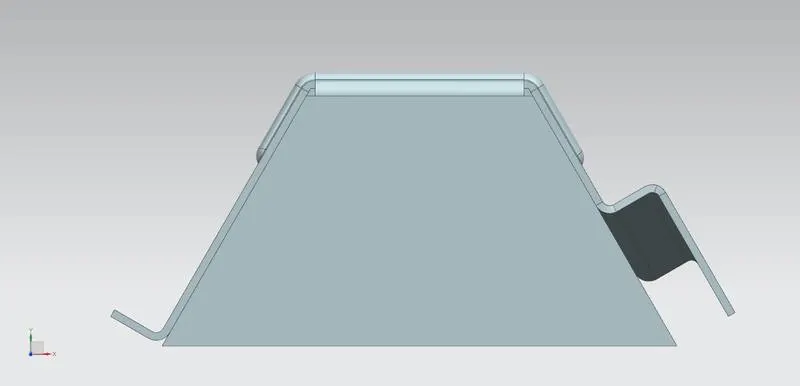
FIG: Front View
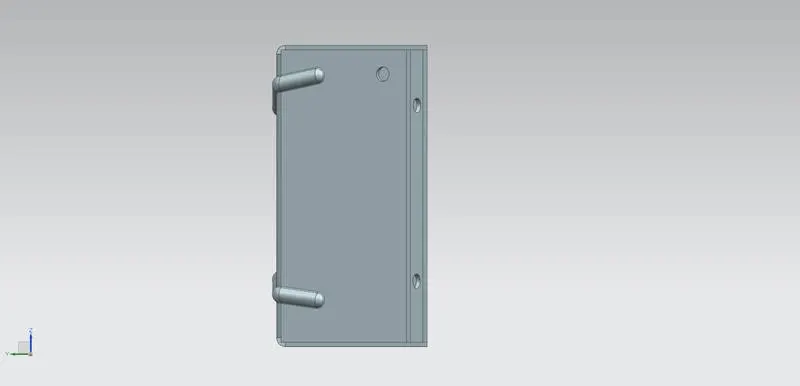
FIG: Side View
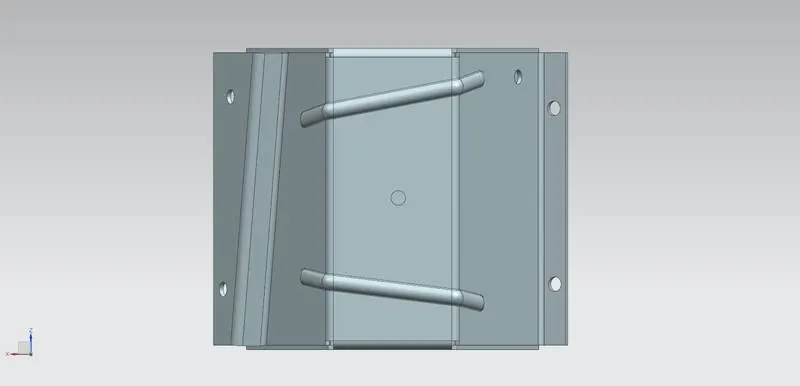
FIG: Top View
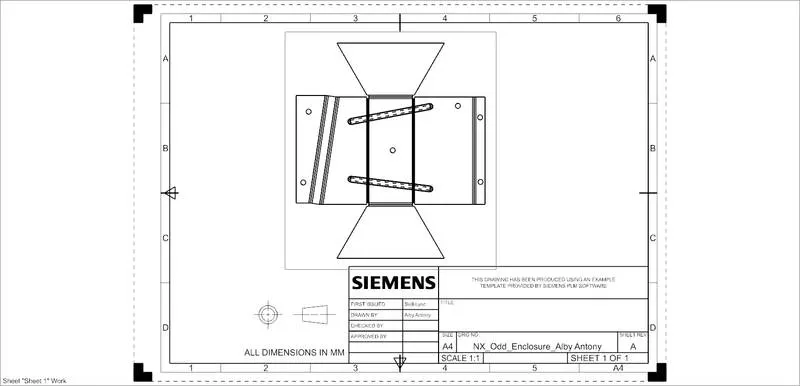
FIG: Detailed drawing
CONCLUSION:
The sheet metal casing is designed and drafted successfully in the NX cad application. From this project we got to see that how to design an odd shape enclosure according to the workflow and also learn about the basic feature and tools used in NX Cad.