Advanced Sheet Metal Design Using NX Cad Challenge_5_Odd Shaped Enclosure
TITLE :
To develope the odd Shaped Enclosure by using NX CAD.
OBJECTIVE :
To design the enclosure by using Sheet Metal solid feature with sheet metal standards.
INTRODUCTION :
Sheet metal is a flat, thin piece of metal that is widely used in manufacturing, construction, automotive, and many other industries. It is known for its versatility, durability, and ability to be easily shaped and formed into various products.
DESIGN METHODOLOGY :
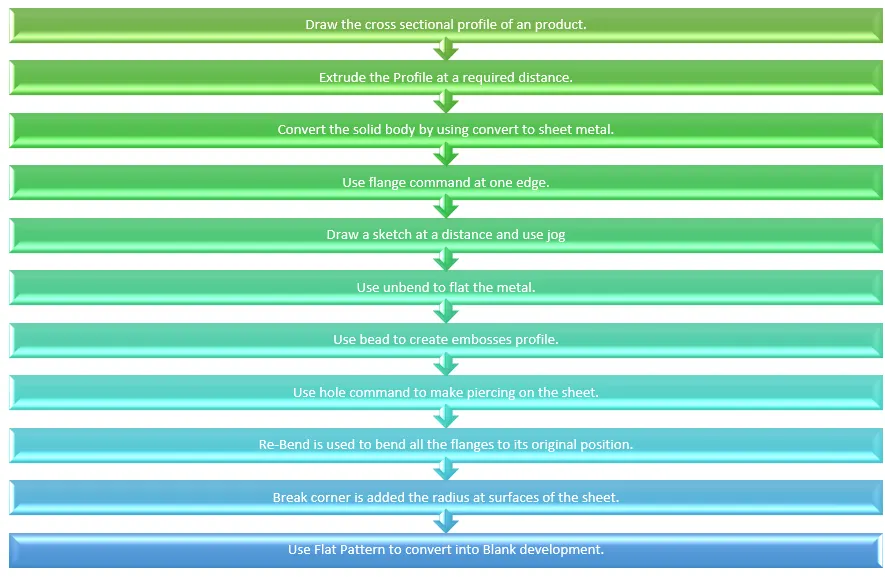
DESCRIPTION :
SKetch : Draw the profile and define the dimension's.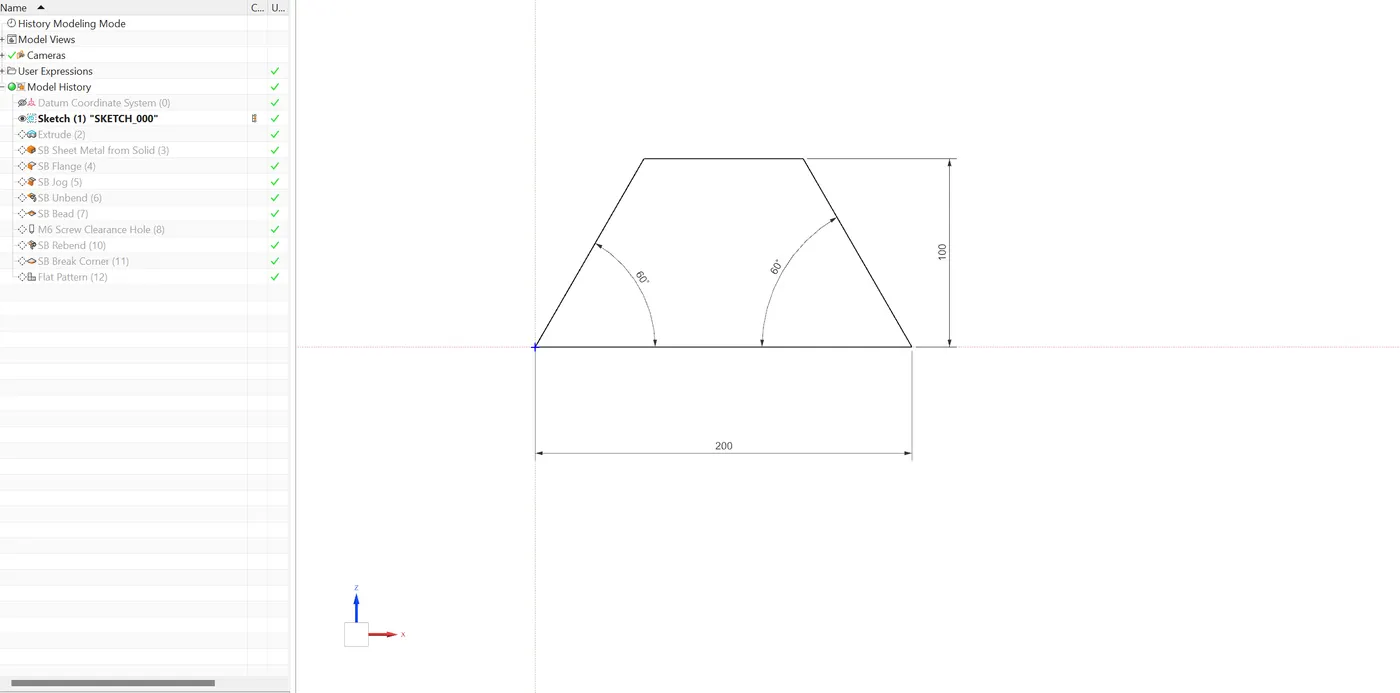
Extrude : Pad the drawn sketch and define the dimension.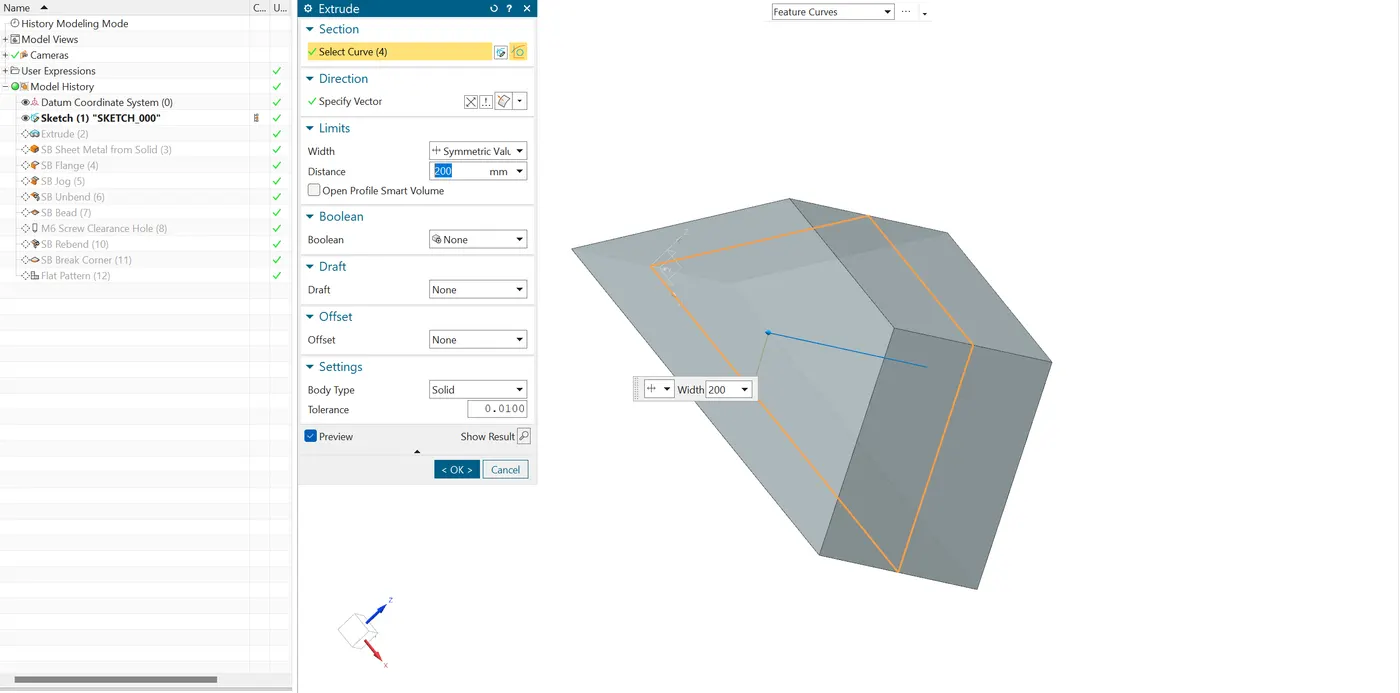
Sheet Metal from solid : Use this feature to convert the solid component into sheet metal.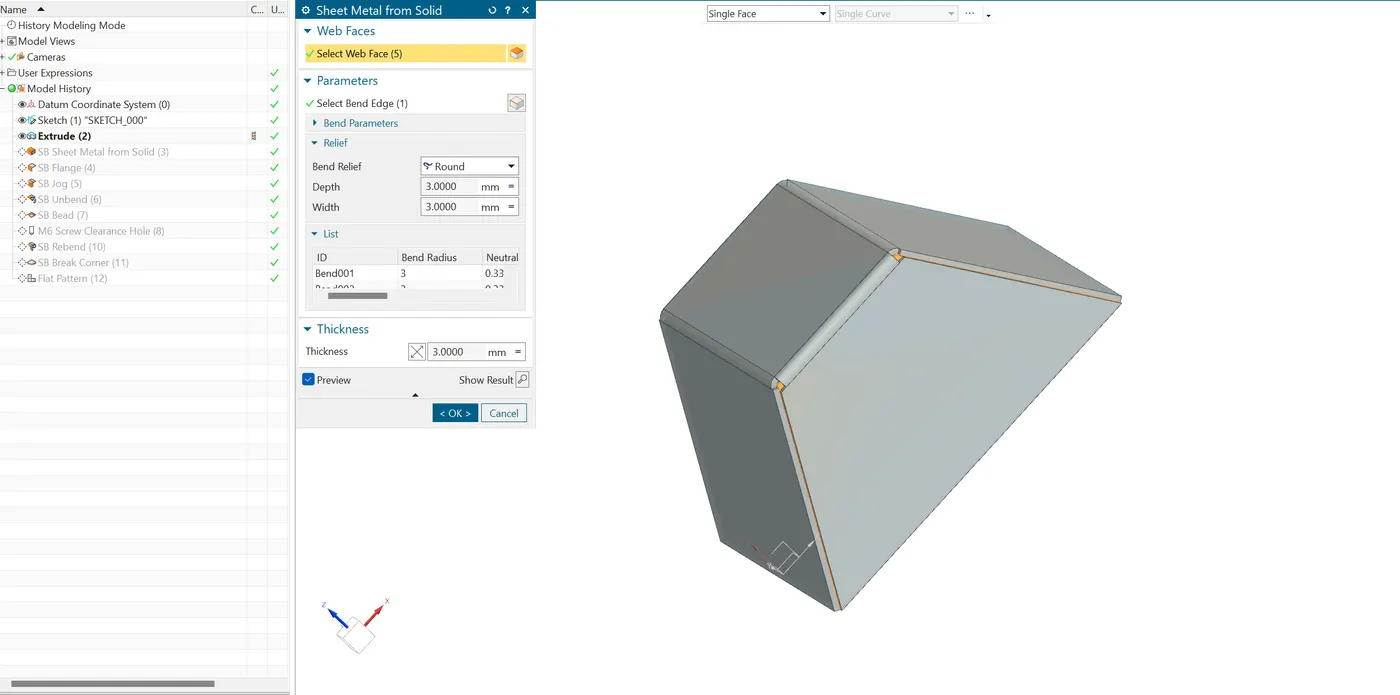
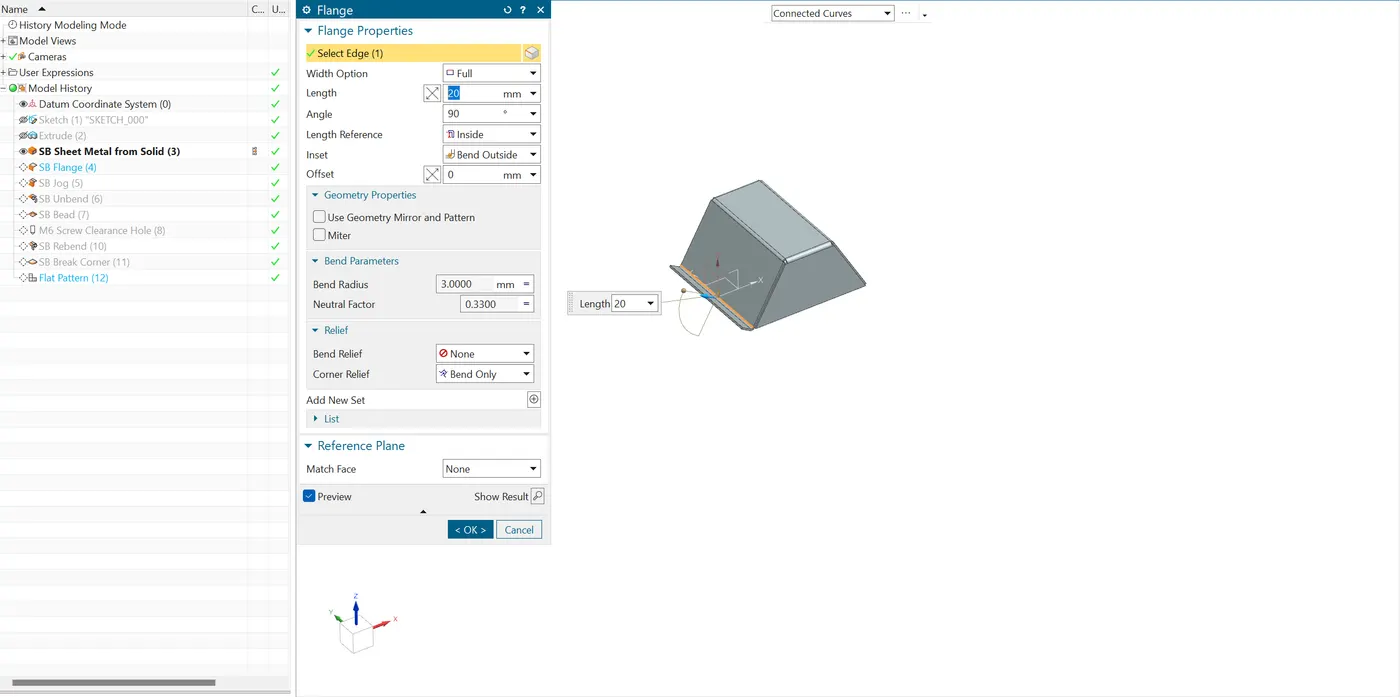
- Flange : It is used to create an Bend of a sheet metal. It is created at the edge of the model. The angle, width, length, and type of flange can be determined as per the requirements.
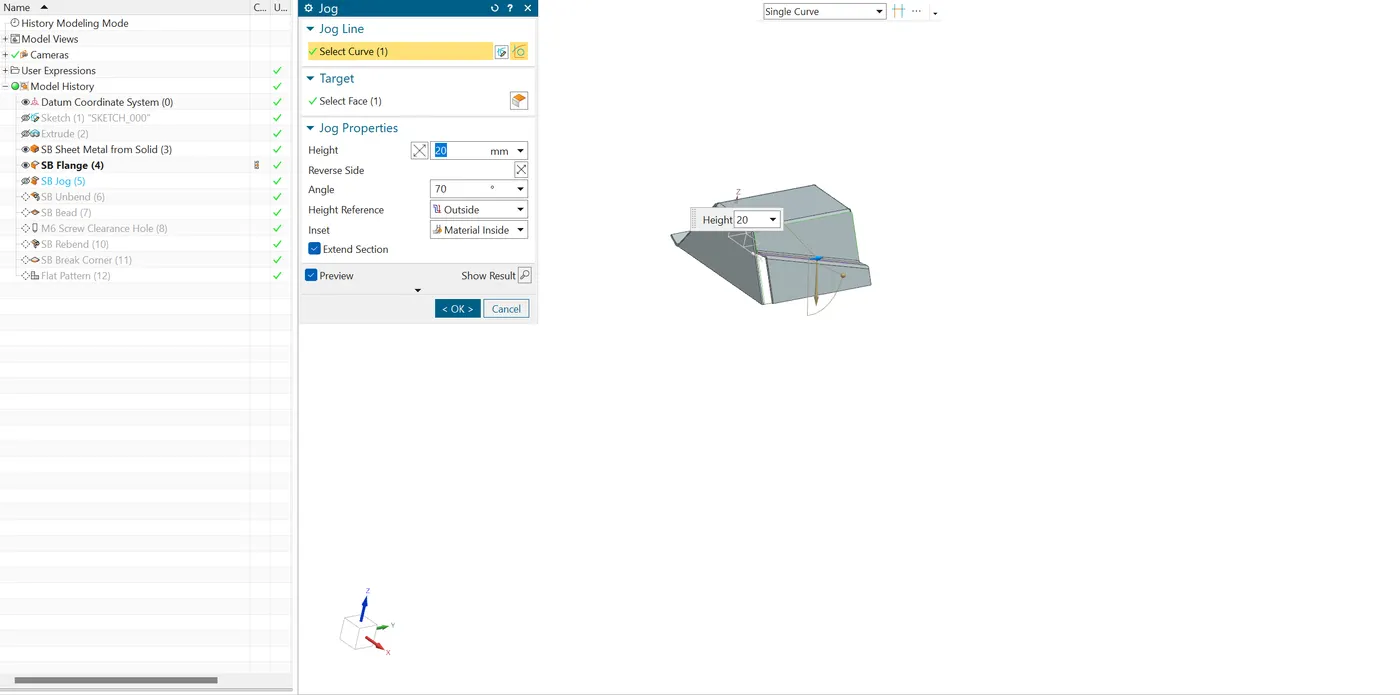
- Jog : It is used to create an offset bend, or "jog," in a sheet metal part. This allows you to add a flange with a step-like bend that helps with complex forms or reinforcing structures.
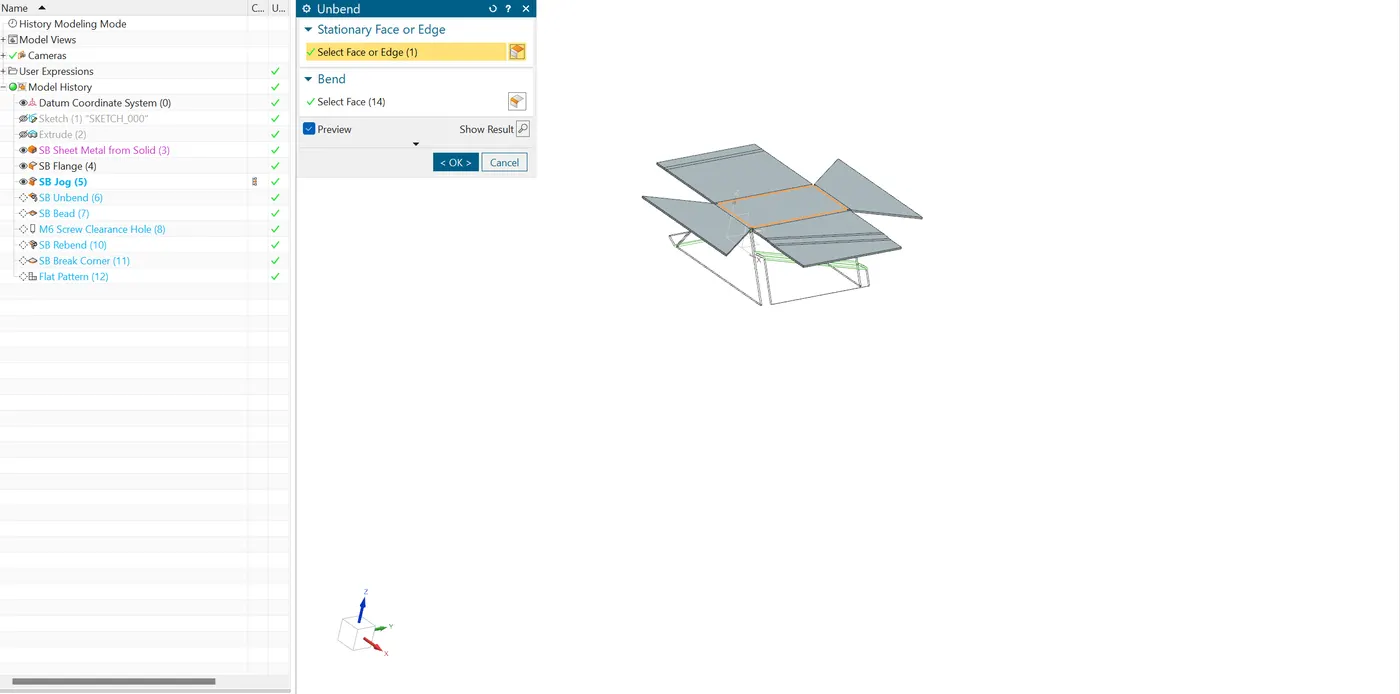
- Unbend : It is used to tempropary flattern to insert complex shapes along with the bends.
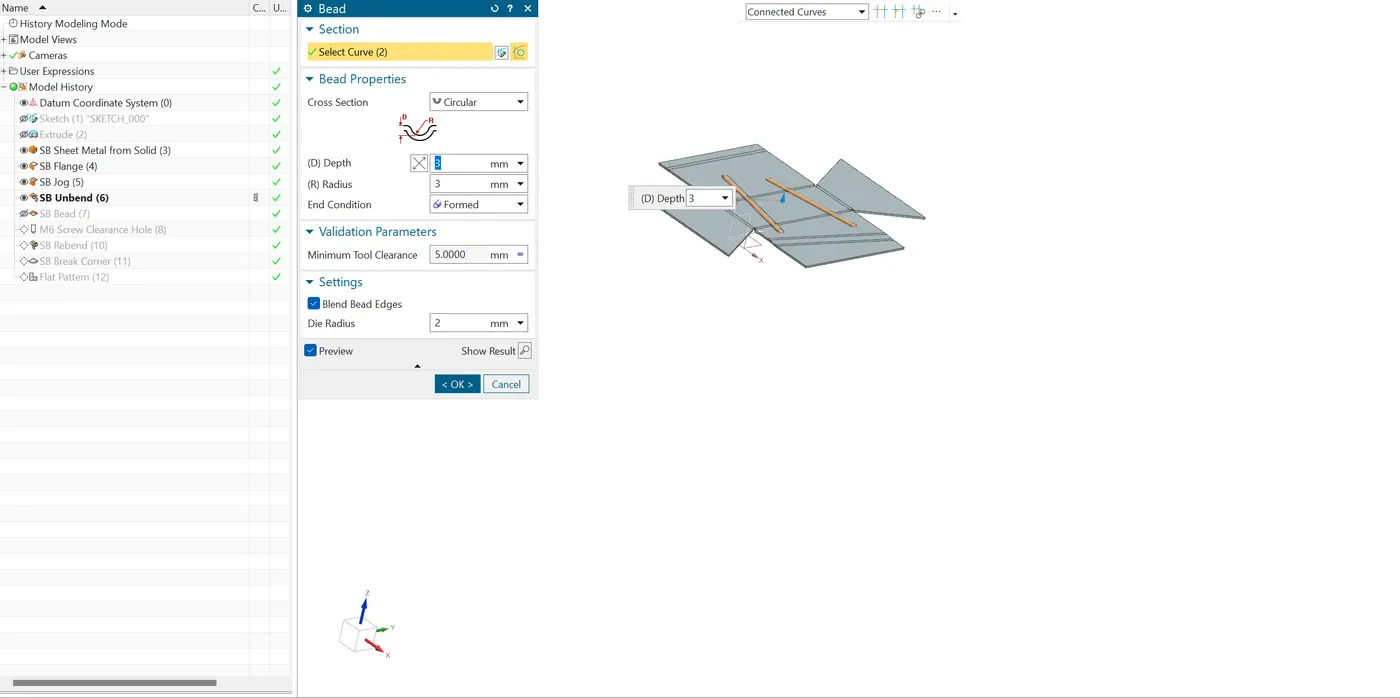
- Bead : A bead introduces a small, raised or recessed profile into the sheet metal, it will increae the STructural rigidity of an component.
- Hole : Hole is a handy tool to create the Hole's with the point sketch and it will easily update in furture.
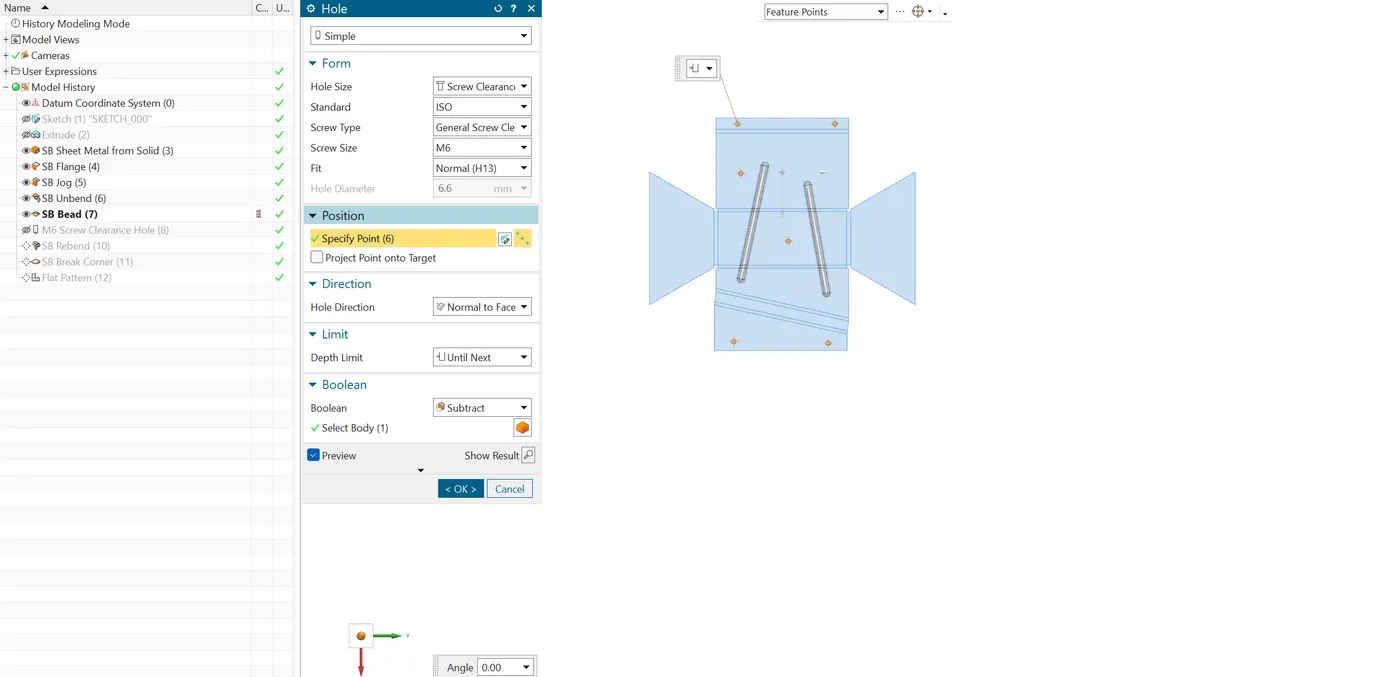
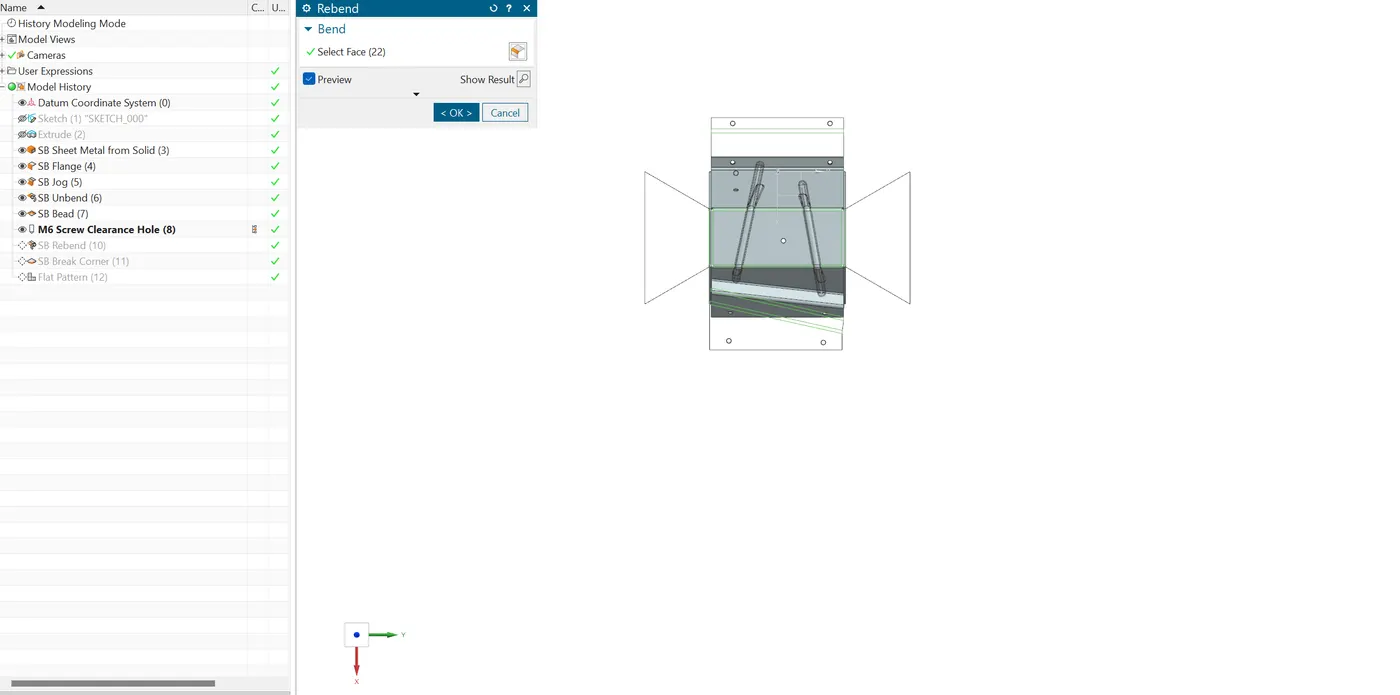
- Re-Bend : THis command is used to reposition the flanges at its original position.
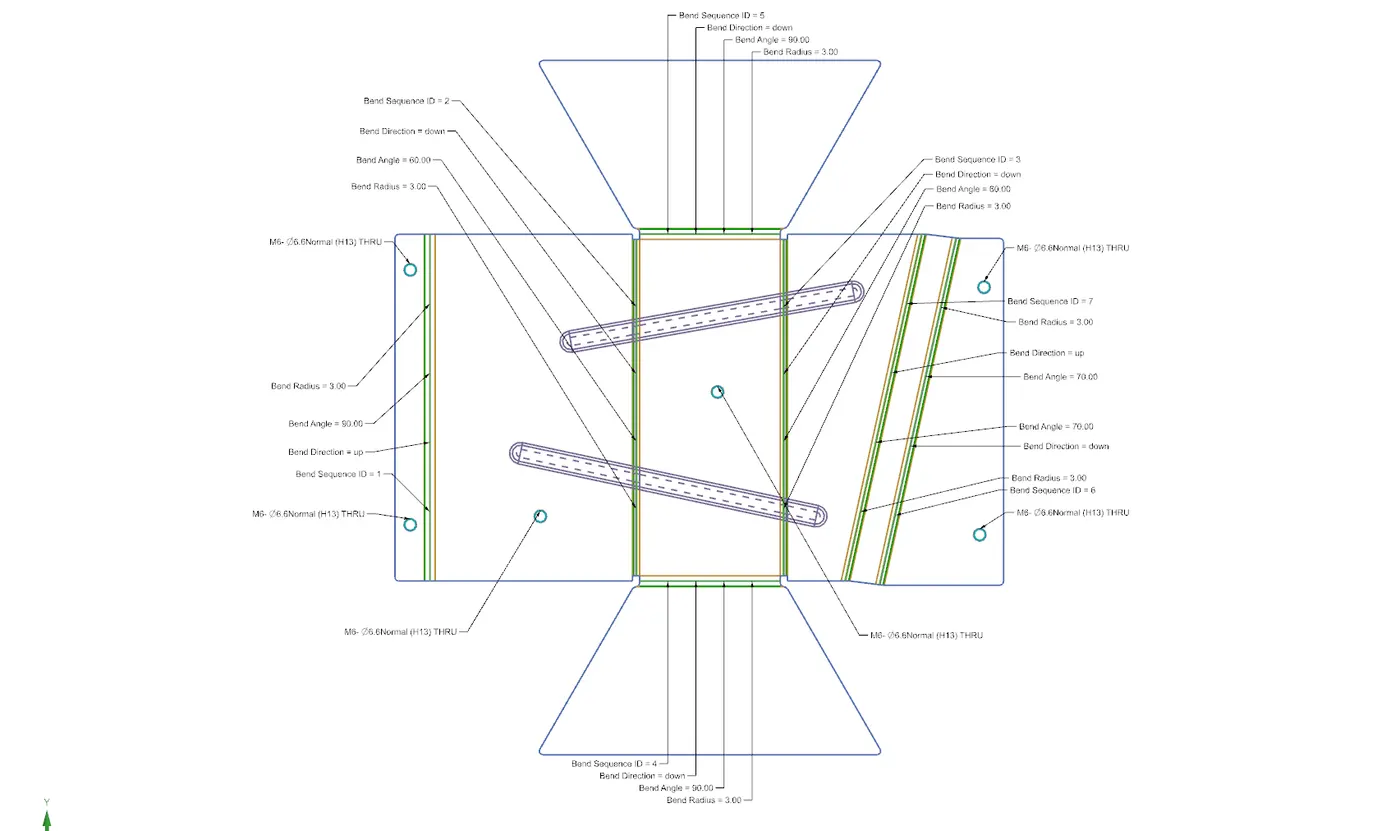
- Flat pattern : This feature generate the Blank development of the model.
Conclusion :
By using this model we implement Sheet Metal from solid feature to develope the sheet metal component.