Advanced Sheet Metal Design Using NX Cad Challenge_5_Odd Shaped Enclosure
Odd Shaped Encloser
Objective
Design an odd shaped encloser in sheet metal by using nx cad.
Introduction
NX is a widely used Computer Aided Designing software for multi-purposes like designing, engineering, and manufacturing. It used in various fields for different works.
Here we are going to create an odd shaped encloser in sheet metal. these kind of encloser are very useful for machine protection. it protects machine like motor and so on from water, unfortunate impacts and most importantly it is used for safety purposes. safety purposes like heat, exploding and so on.
While creating an encloser we have to be aware of choosing a material. there are some factors that we should considered before we select those are applications, corrosions resistance, strength weight, cost etc.
Features
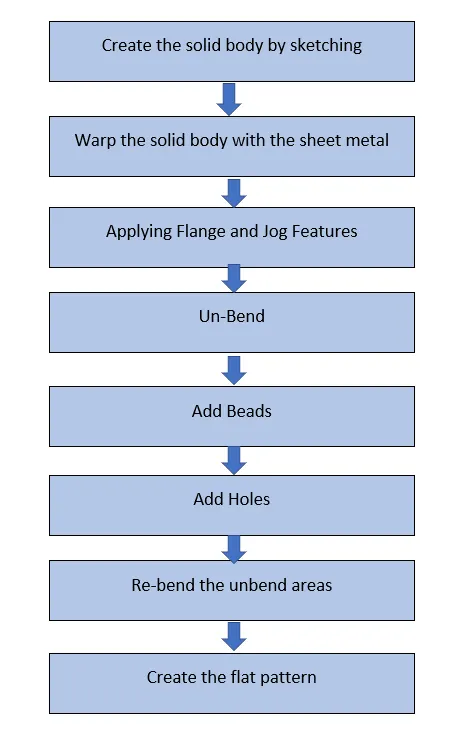
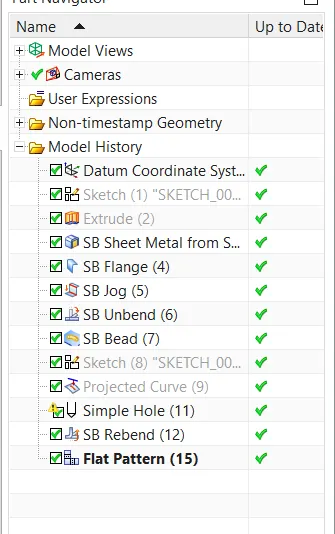
Sketch: This is the basic or common feature used in any type of modelling but it plays a vital role as it is the foundation of our part model. NX-CAD provides a number of sketch entities and tools for creating sketches such as line, arc, rectangle, spline, circle, ellipse, polygon, etc.
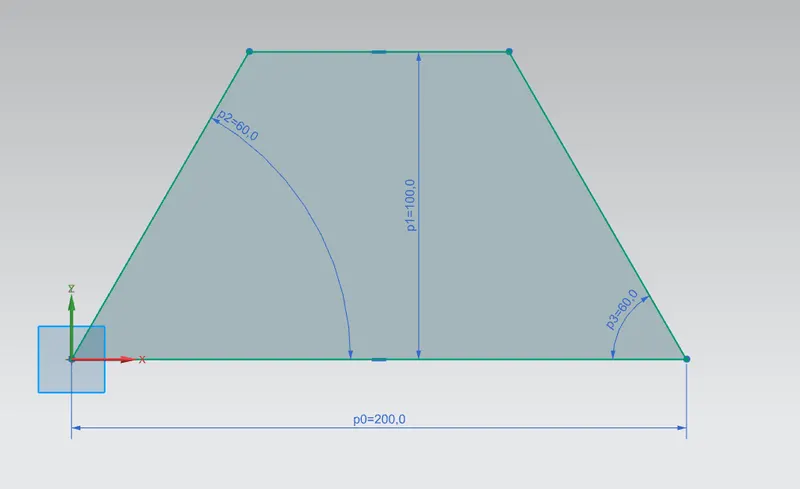
Extrude: This is a solid modeling tool that is used to create a solid feature by extruding a sketch profile along a given direction thereby adding volume to the extruded part.
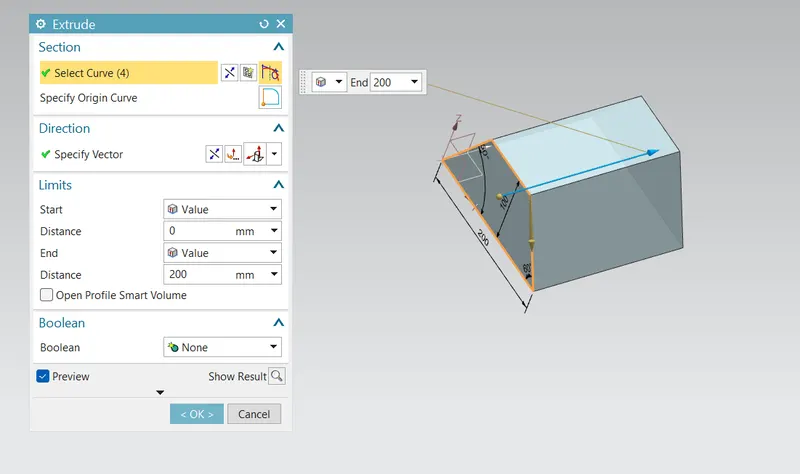
Sheet metal from solid: This is an advanced feature provided by NX-CAD, this feature creates a sheet metal part from a solid part by wrapping it and taking shape of the planar faces of the solid.
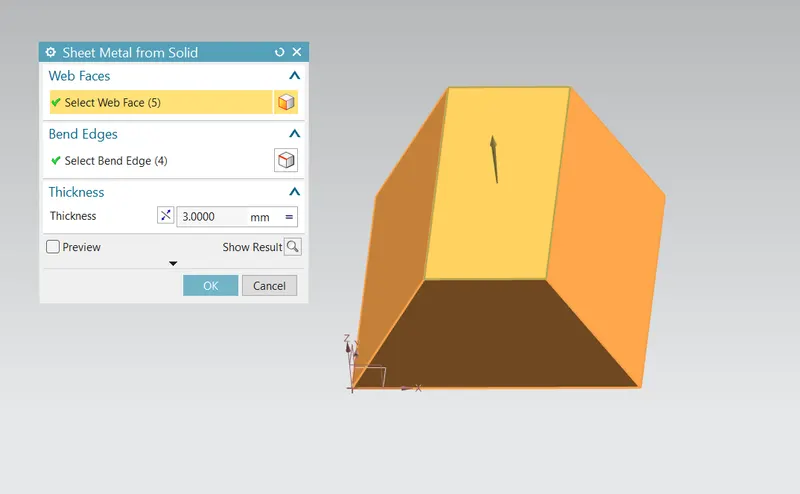
Flange: This adds a flange along a face at an angle we can change the angle value by providing a bend between a face, this is a very handy feature to create flanges as it propels the bend values which are required to create a flange.
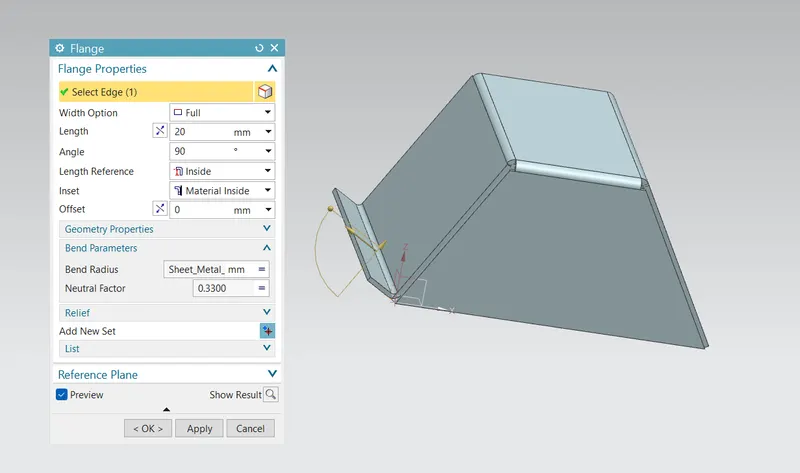
Jog: This feature is used to lift the material on one side of the sketch and create a bend between the two sides.
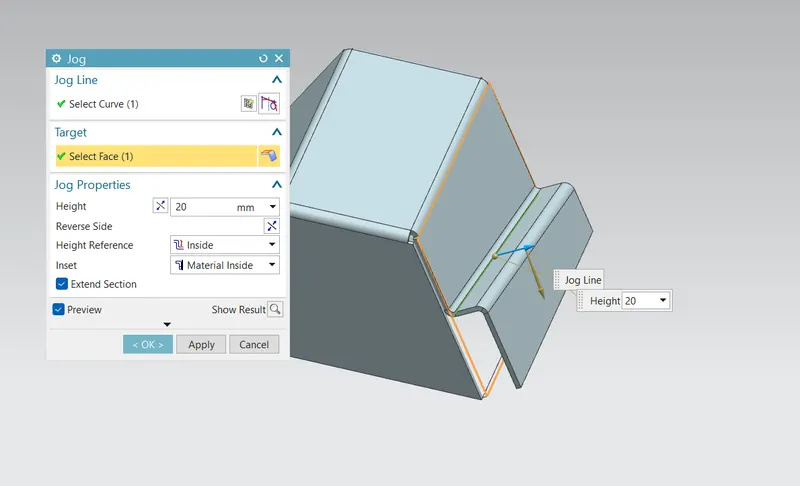
Unbend: It is used to create a flat sheet of our sheet metal model, it does by unbending the bend and material adjacent to the bend.
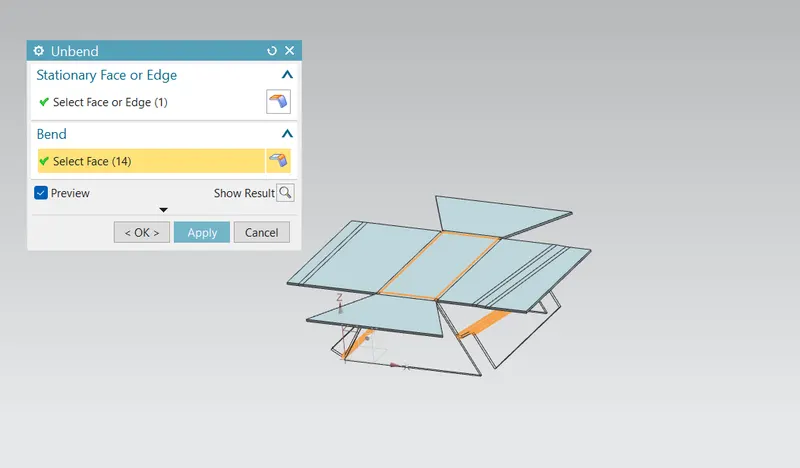
Bead: It lifts material along a contour of the sketch thereby acting like a stamping tool.
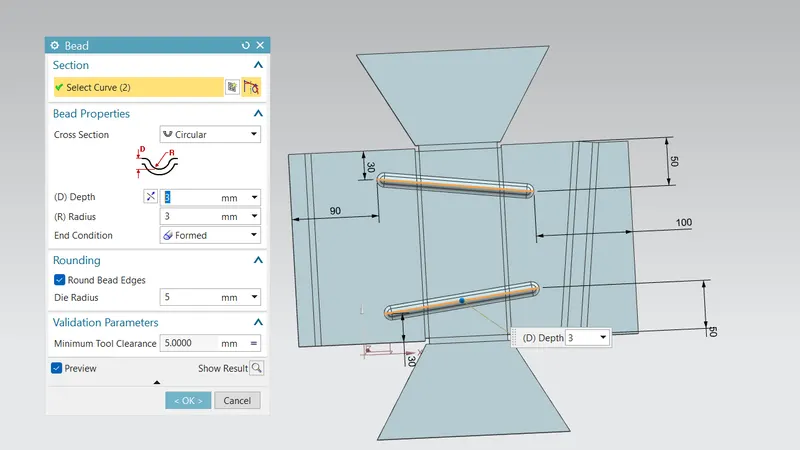
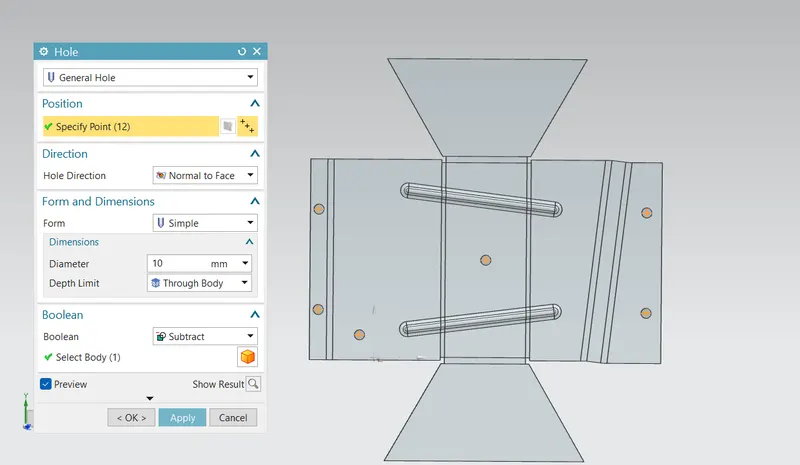
Holes: This feature is used to create holes of the required diameter on the sheet metal face by selecting the planar face on which we want holes and then defining points for the hole.
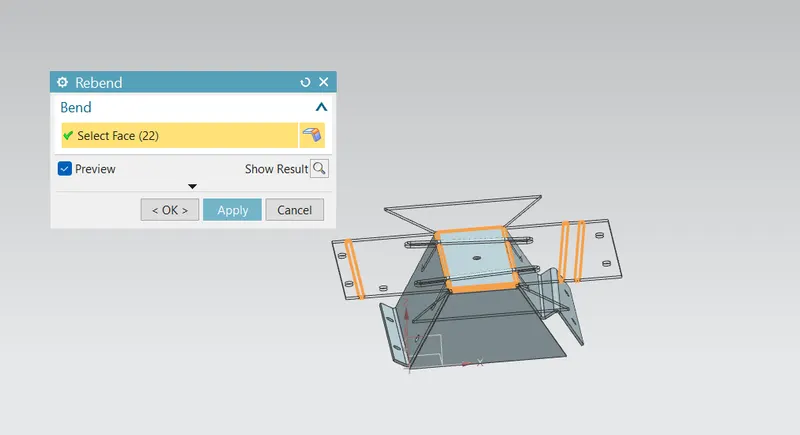
Re-bend: It again restores the bends which were given to the model previously along with any other features added to the model after unbend.
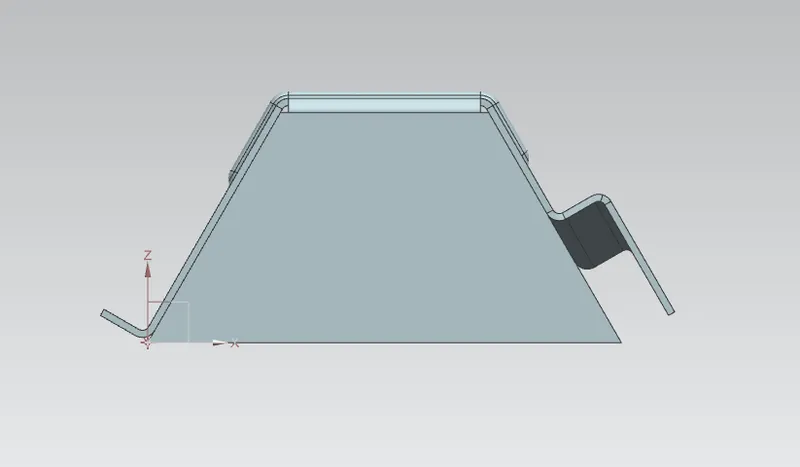
Flat Pattern: This feature is used to create a flat pattern from a sheet metal i.e it converts the 3D model into 2D which can be used in drafting a 2D view of the model.
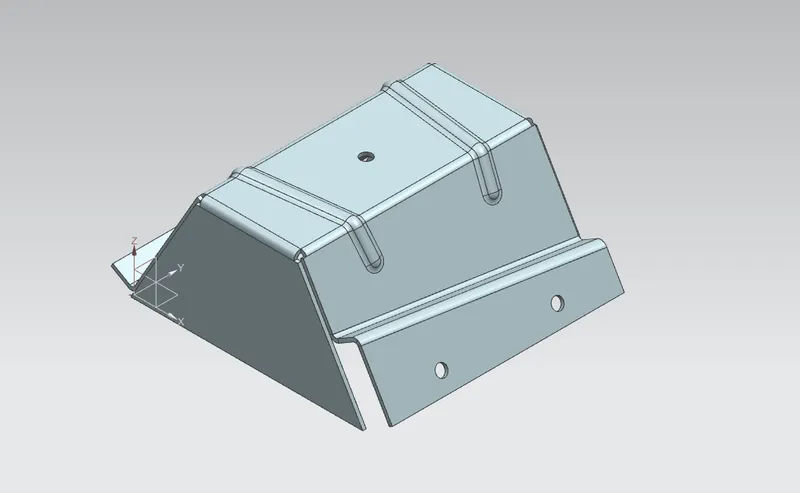
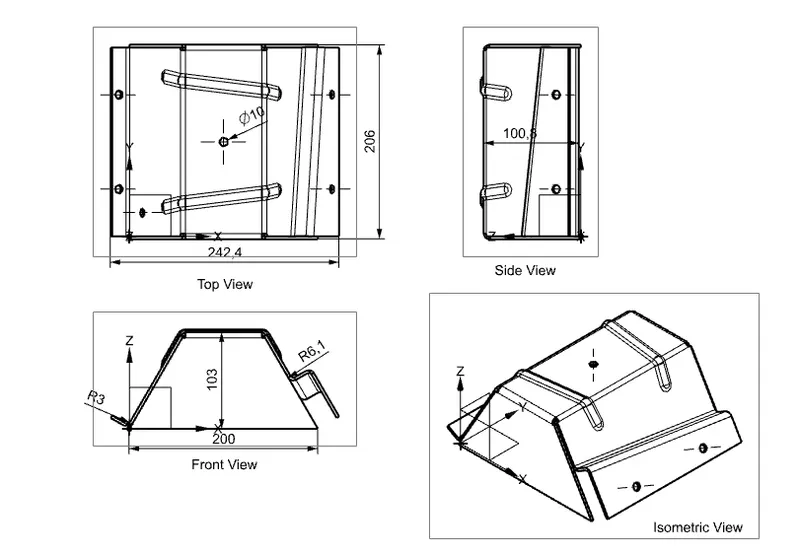
Odd Shaped Encloser View
Front View
Top View
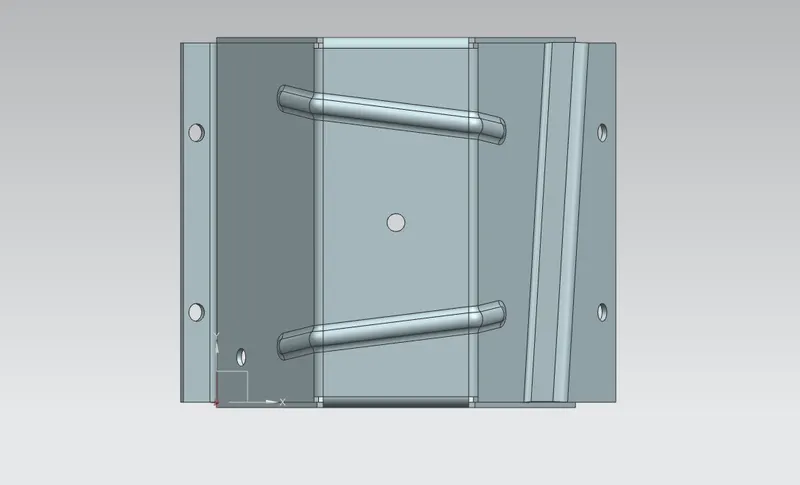
Side View
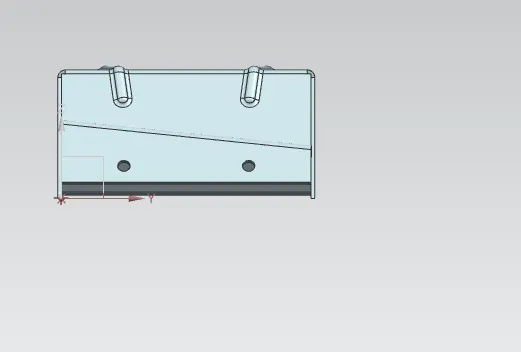
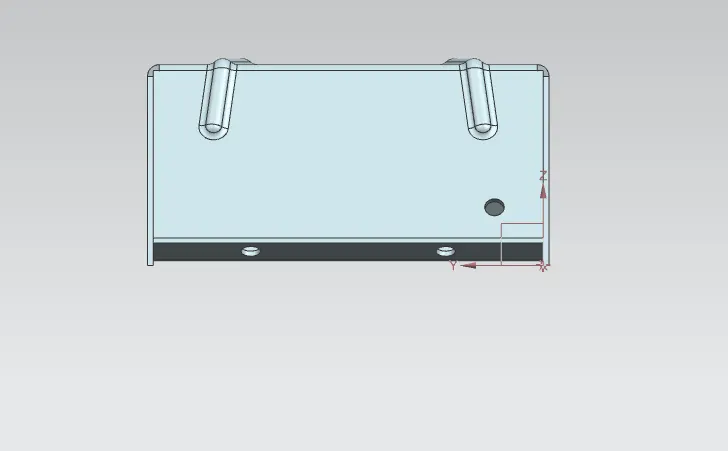
Isometric View
Features Tree
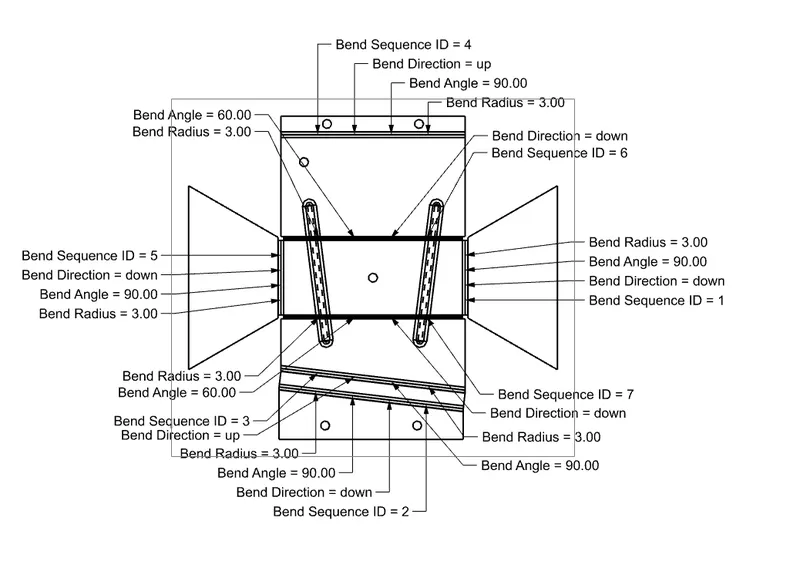
Drafting
Conclusion:
Finally, I have successfully designed odd shaped encloser by Appling standards that relevant to manufacturing process and i have learned how to convert solid to sheet metal.