Advanced Sheet Metal Design Using NX Cad Challenge_5_Odd Shaped Enclosure
TITLE:- Odd Shaped Enclosure using NX CAD
OBJECTIVE: To design odd enclosure using NX CAD
INTRODUCTION:
For creating odd shaped enclosure i have used various features in NX CAD.Some of the features are TAB,SHEET METAL FROM SOLID,UNBEND,FLANGE,JOG,REBEND,HOLE,FLAT PATTERN.
DESIGN METHODOLOGY:
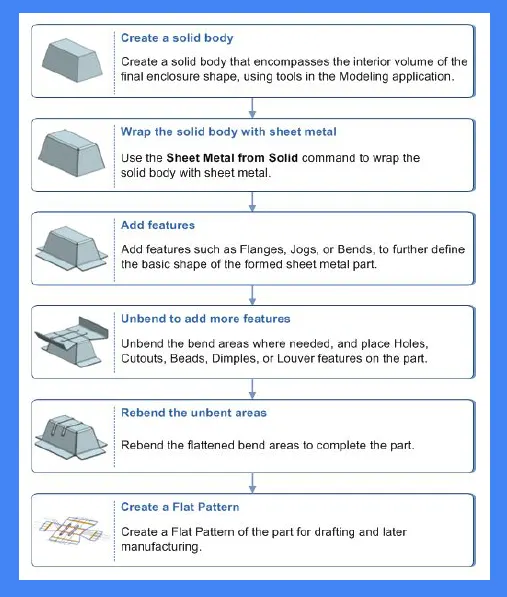
DESCRIPTION:
- TAB: It is the base for extruding a sketch to make a sheet metal in planar face by changing its thickness.
- EXTRUDE: It is method of defining of 3D geometry by translating a 2D sketch normal to the sketch plane.
- SHEET METAL FROM SOLID:This tool is used to convert the solid profile into sheet metal.
- FLANGE:It add flat surface or an angular surface on the edge of the surface to create an extended surface.
- JOG:It is used to create a flange by lifting the material on one side of the sketch profile.
- UNBEND:It is used for unbending corners of the body.
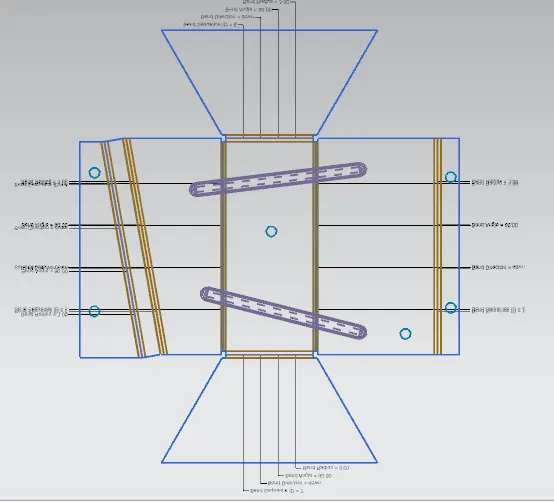
- BEAD:It is used to create a conture shape according to the sketch in the required direction with required punch/die radius.
- HOLE: It is used to create holes on the model.
- REBEND: It is used for bending corners of the unbend body.
- FLAT PATTERN: It is used to create flat pattern view which is used for drafting purposes.
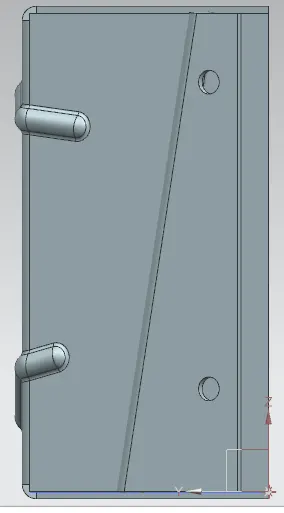
MODEL VIEWS:
TOP VIEW
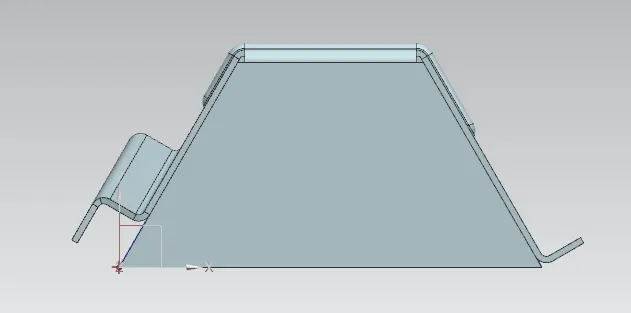
FRONT VIEW
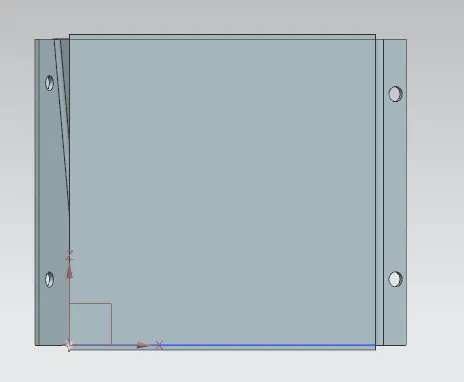
TRIMETRIC VIEW
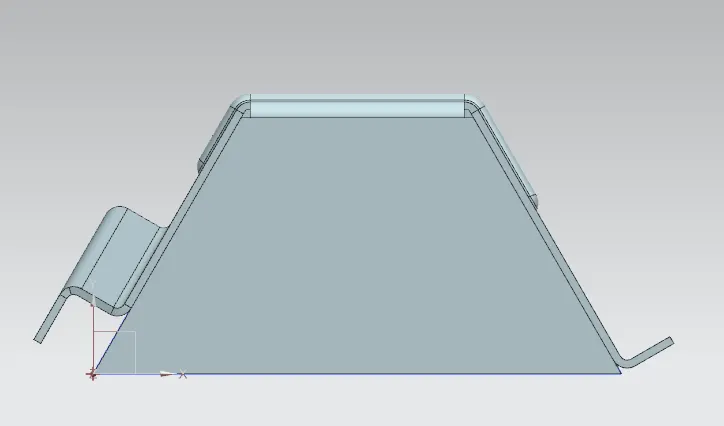
LEFT VIEW
CONCLUSION:
Thus , we have sucessfully designed the odd shaped enclosure using NX CAD.