Advanced Sheet Metal Design Using NX Cad Challenge_5_Odd Shaped Enclosure
1. Title : Advance Sheet metal design with NX CAD -5_Odd Shaped Enclosure
2. Objective:
To design the sheet metal casing as per dimensions provided in the master sketch with the help of Seimens NX CAD software
3. Introduction :
The odd shaped enclosure is design with Seimens NX CAD - sheetmetal workbench. The part is made by wrapping the sheet over the solid object by using sheet metal from solid option.
4. Design methodology / approach
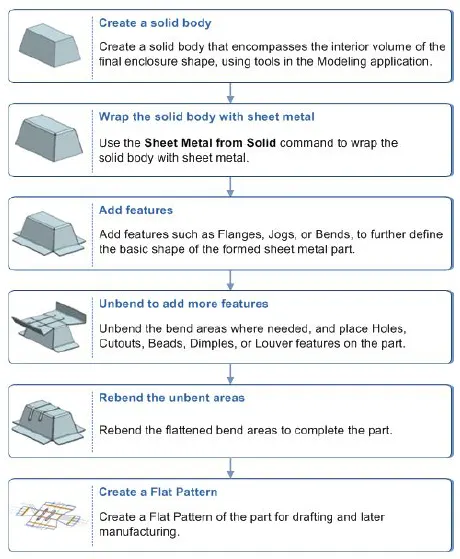
5. Description - Features used:
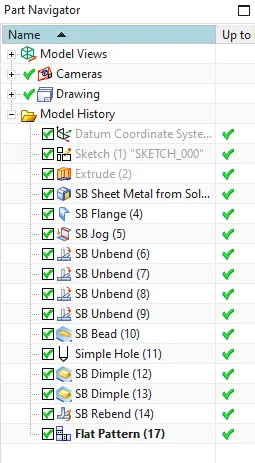
Sketch: It is the basic feature to create a 2D profile with defaults one or customize options.
Extrude: It is used to convert 2D sketch into 3D object by adding thickness value or create a solid block.
Sheet-metal form solid-body: It is used to convert the solid body into sheet-metal shape. By Wrapping the sheet metal over it.
Tab: a base feature by extruding a sketch by providing thickness .
Jog: It is used to create rib structure between two end faces .
Bead: Lifts a material along the profile sketch by stamping a tool over it.
Bend: Used to bend the sheet metal in desired direction and angle.
Flange: To create flange on planar face from the edge to desired angle and length.
Unbend: Flattens a bend performed with respective to the selected face.
Hole: Create a hole with the desired position and diameter.
Re-bend: Restores a bend which is performed.
Drafting: It is the creation of drawing for the purposes of determining how the device should be created.
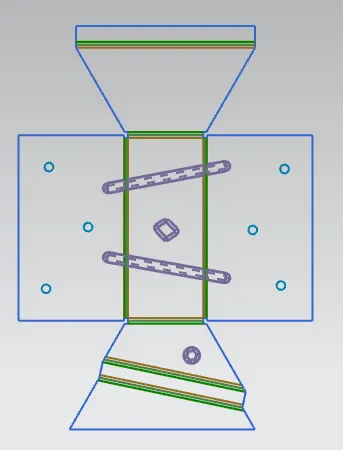
Flat Pattern: It is used to create flat pattern for tooling technician for manufacturing purposes.
6. Design Views
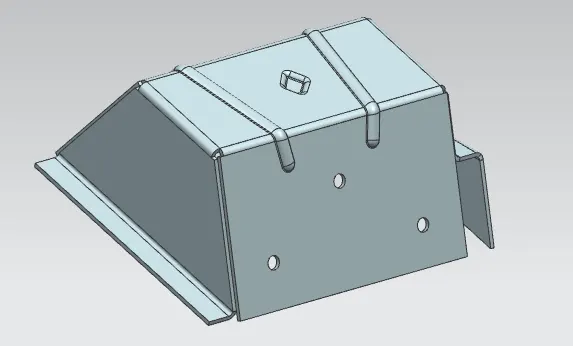
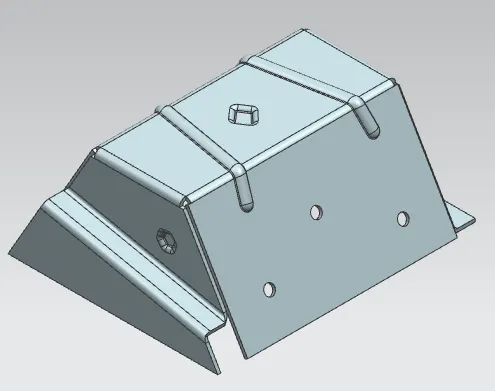
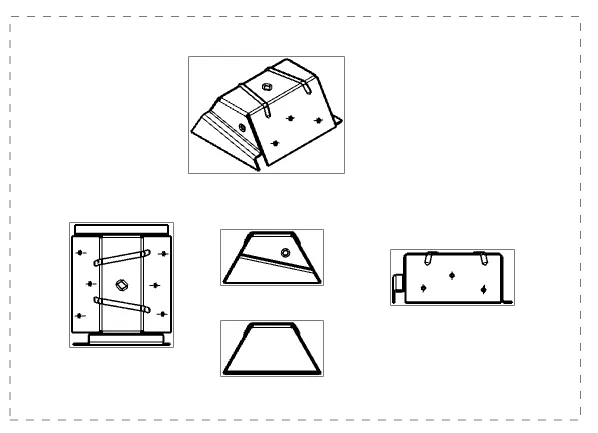
Isometric views
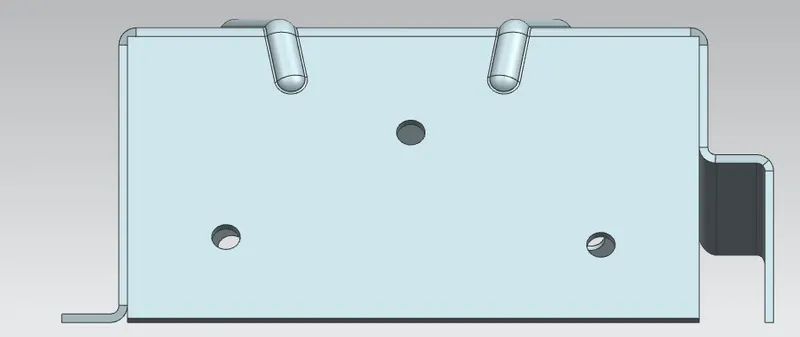
Front view
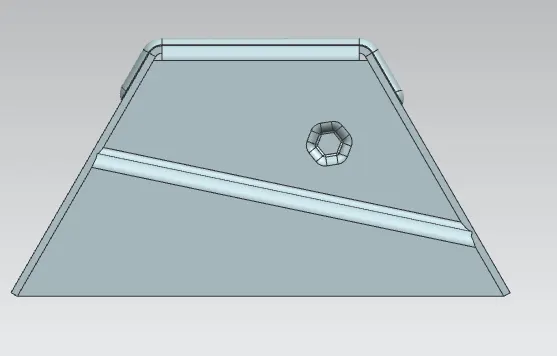
Side View
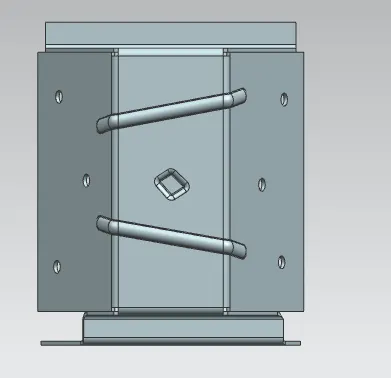
Top View
7. Flat pattern and Drafting :
7. Conclusion:
As per standards of sheet metal design is made and detailed drawings are made.