Advanced Sheet Metal Design Using NX Cad Challenge_2_Box Assembly
SHEET METAL BOX ASSEMBLY DESIGN USING NX CAD
Objective:
Learn to design a sheet metal Box assembly in industrial mannar by using NX.
Introduction:
Sheet metal parts are widely used in machinary, enclosure, brackets, and automobile due to its various advantages. The parts are normally manufacured with break press. Sheet metal is nothing but the thin sheets made from metal of size ranging from 0.5 to 6mm. In this project i used NX CAD tool for designing the sheet metal bracket. NX cad is used as design tool in more than 85% of the sheet metal industries.
Design Methodology:
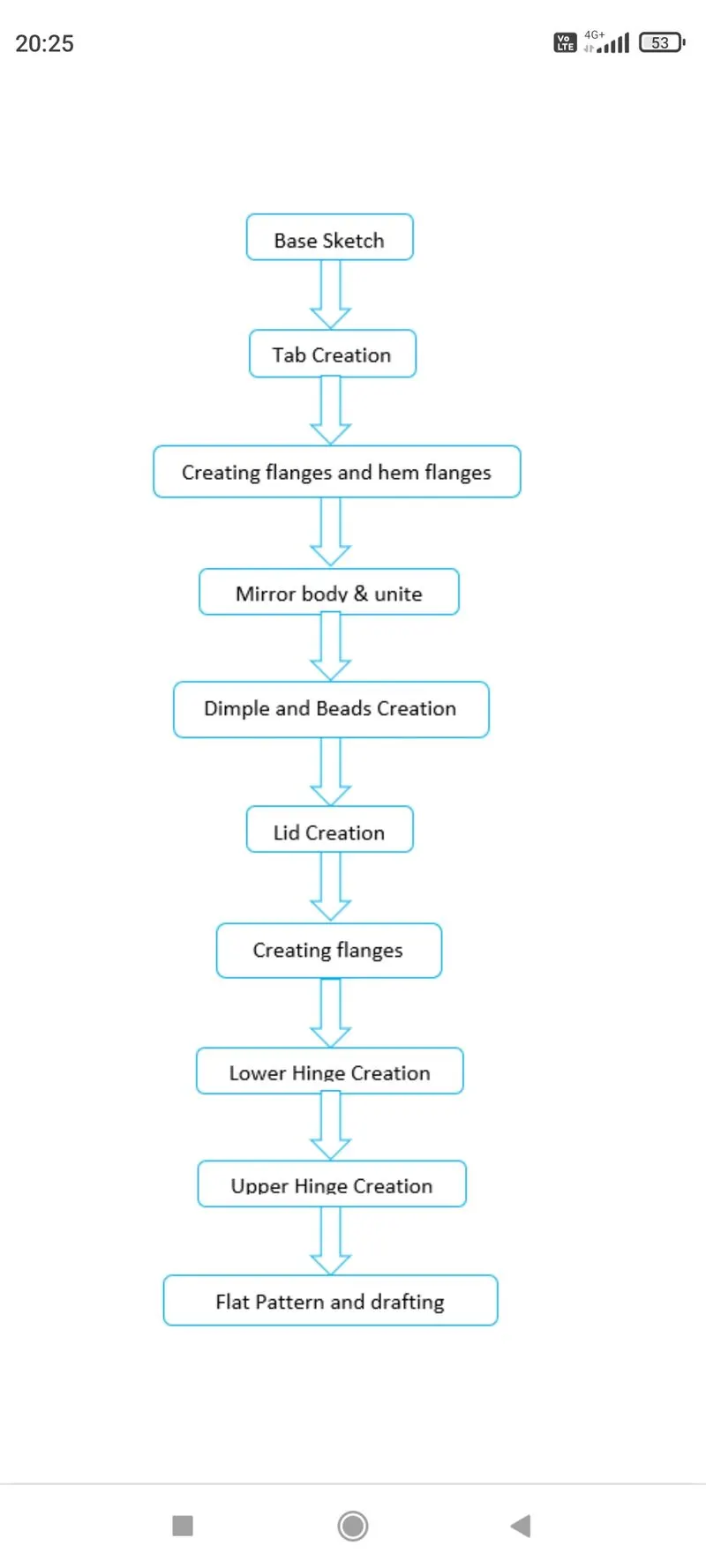
Description:
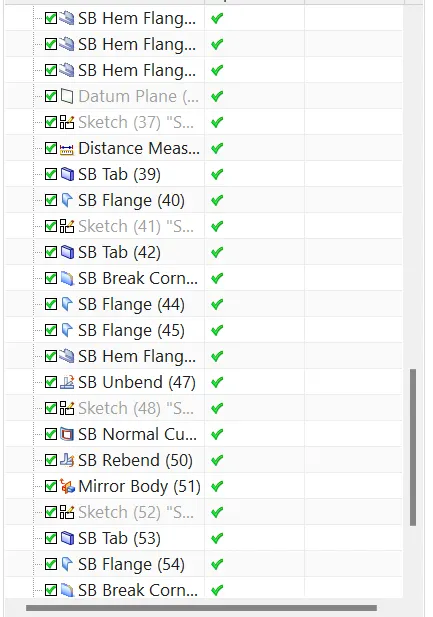
All the feature used during designing the box assembly are described below. some of the features were used repetitively at different instances.
Sketch:
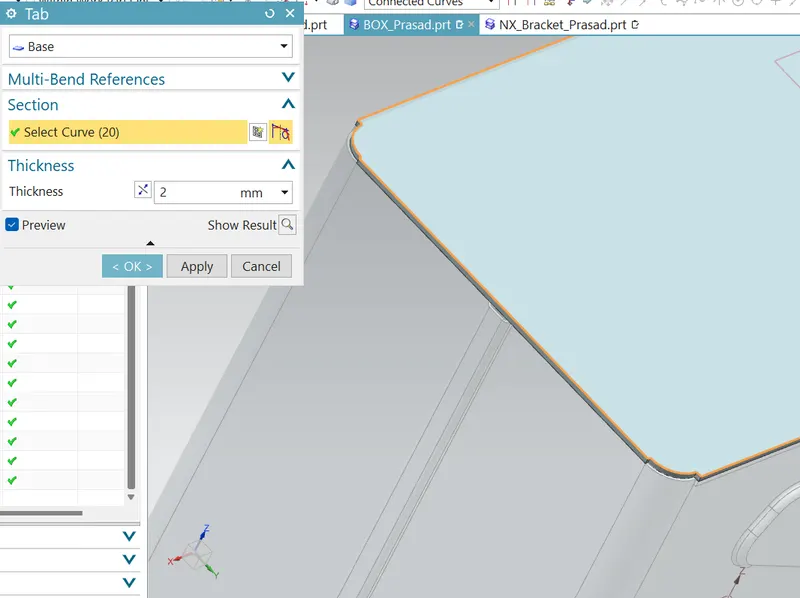
For creating any sheet metal surface, we have to first make a sketch. So, i started with creating simple rectangular base sketch for creating the tab. Other than tab, various sketches are also made on different planes or faces for creating other different part during designing.
Tab:
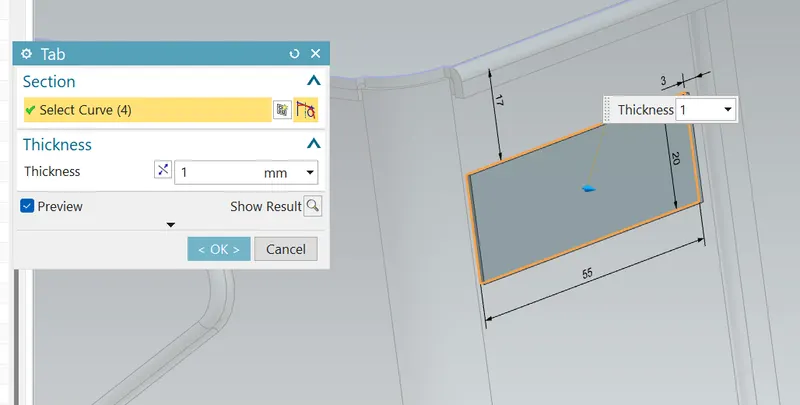
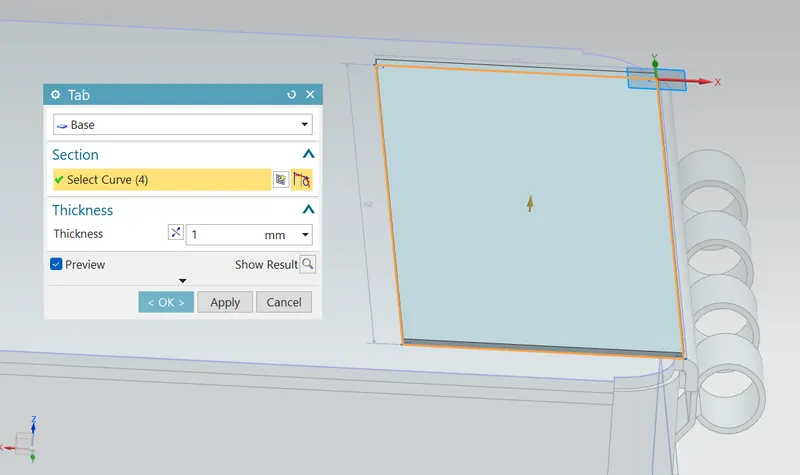
Tab is the first parent feature in the sheet metal designing using siemens NX tool. All the other feature are usually based on tab. In this casing design, I created the tab by using the sketch on XY plane having dimentions of 150*200.
Flange:
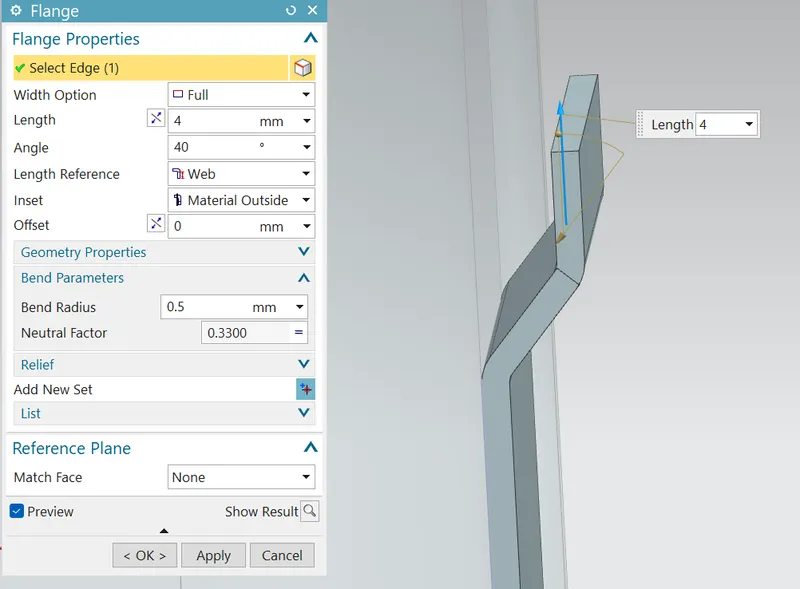
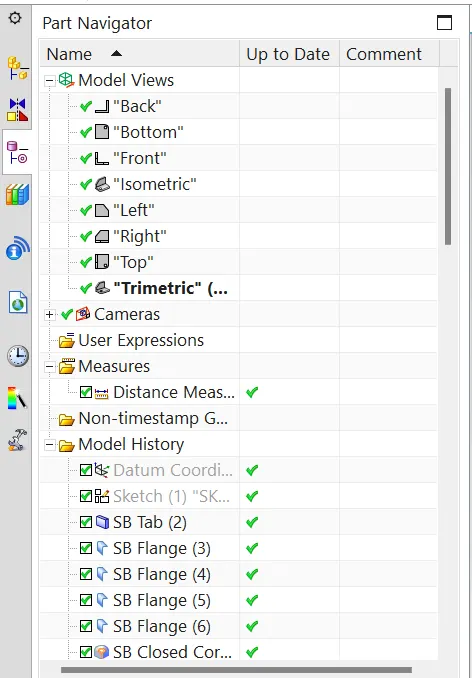
Flange is used to add extra material to the existing edge at any angle and of any size . For this project of box assembly design, i added four flanges on different edges, firstly i added two flanges with 200 mm length normal to the XY plane and then another two flanges with length of 70mm were added normal to XZ Plane.
Closed cornor:
Close cornor feature is used to close a cornor where two adjacent flanges meet by extending the bends and flanges. For this box assembly i used the closed cornor feature twice to close the open cornors at the bottom side of the flanges.
Flange for fastening:
For fastening or connecting the two flanges on side box assembly i first created a flange without length and then another flange having dimension of 6.5 mm length with outside bend.
Hem flange:
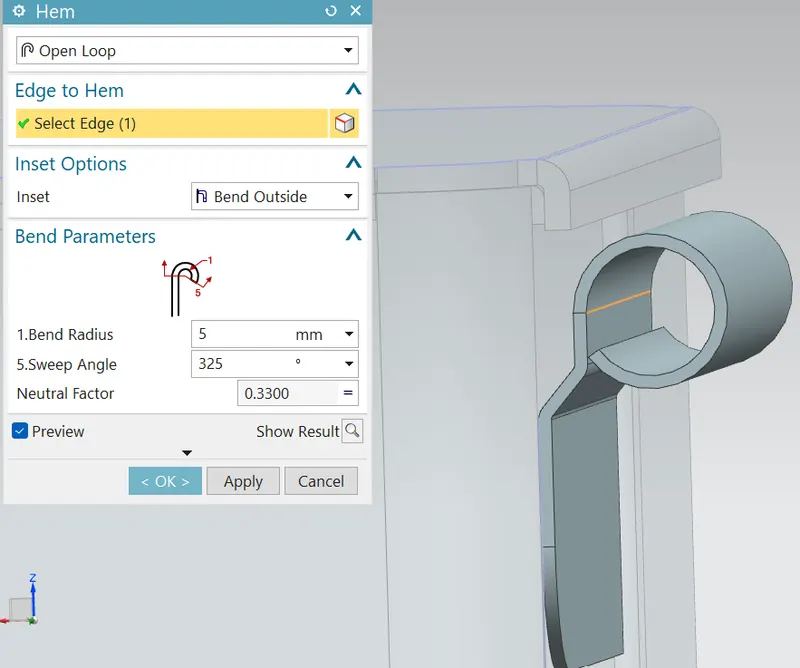
Hem flange feature is used to modify the model by folding the edge of a flange. The main purpose of this feature is to increase the stiffness and for safe handling. For this box assembly i created the hem flanges with 0.5 mm bend radius and length of 4mm.
Mirror body:
As of now half part of the box assembly was designed remaining half part was designed by using mirror body feature, which saves lot of time. I used to mirror body feature to mirror the half body about YZ plane.
Dimple:
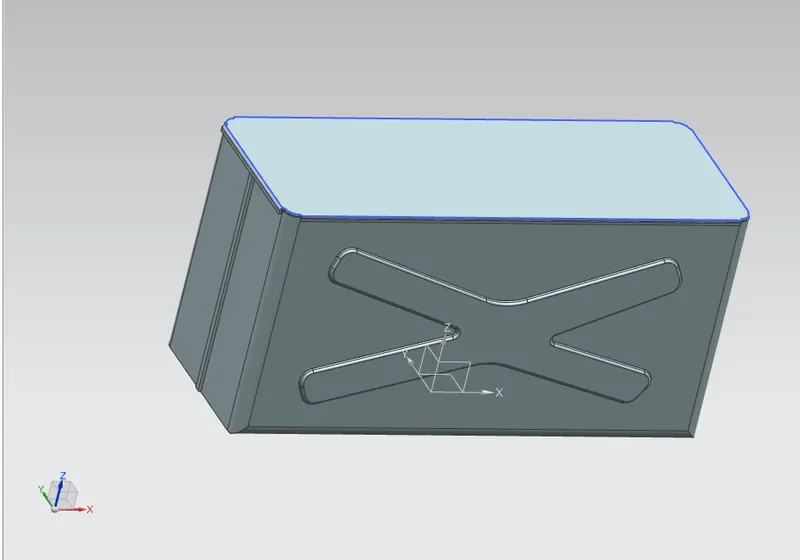
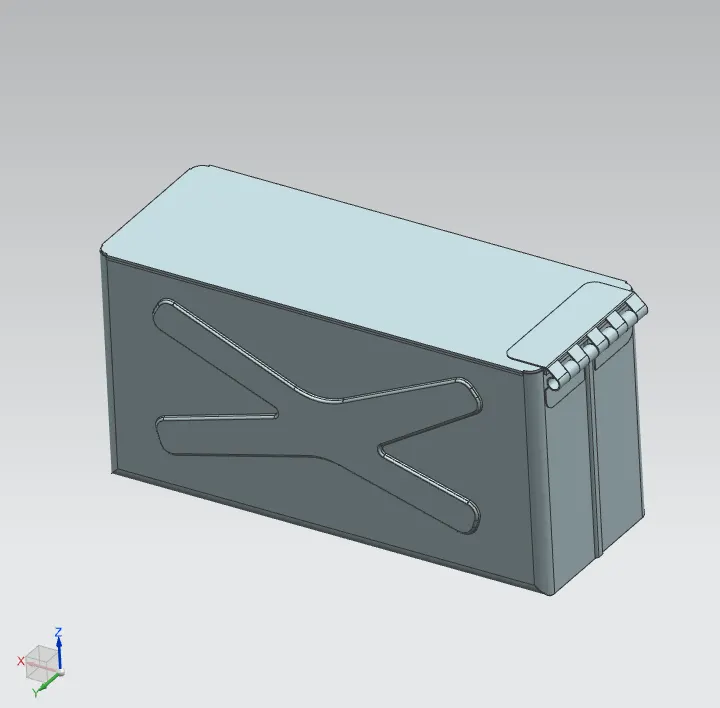
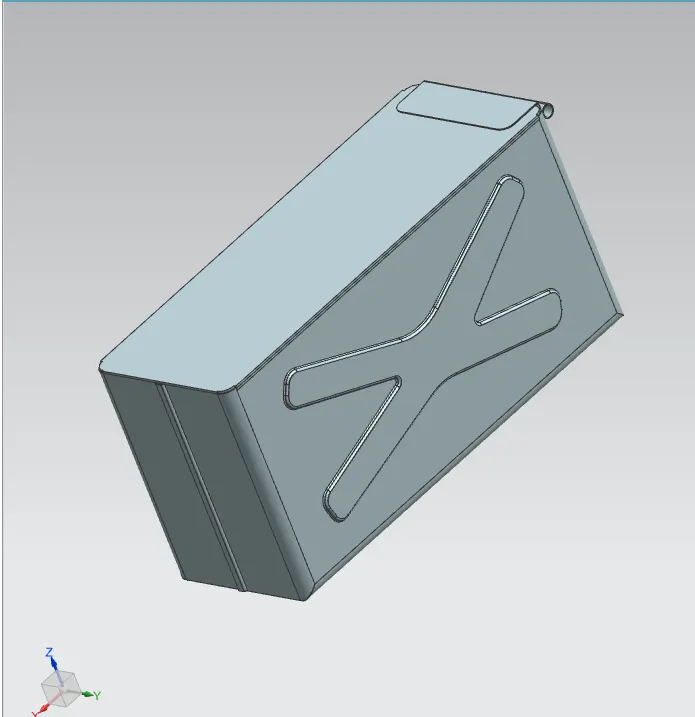
Dimple is the feature that lifts the area of model inside the sketch that simulates a stamping tool. Generally, it helps to strengthen the flat structure. For, this box assembly i first created an approprialte sketch and then i used dimple feature to create the final dimple on one side of box assembly.
Beads:
Beads are similar feature like dimple the only difference is that by using dimple we lift an area while in bead we lift the contour of the sketch. It also added to strengthen the componen. For this project, one small bead was created near the top left cornor having diameter of 15mm.
Lid creation:
For creating the lid for the box, a datum plane was created at a distance of203 mm from XY plane. The sketch was created by taking the reference of th eedges from the top view of the box design.
Normal cutout:
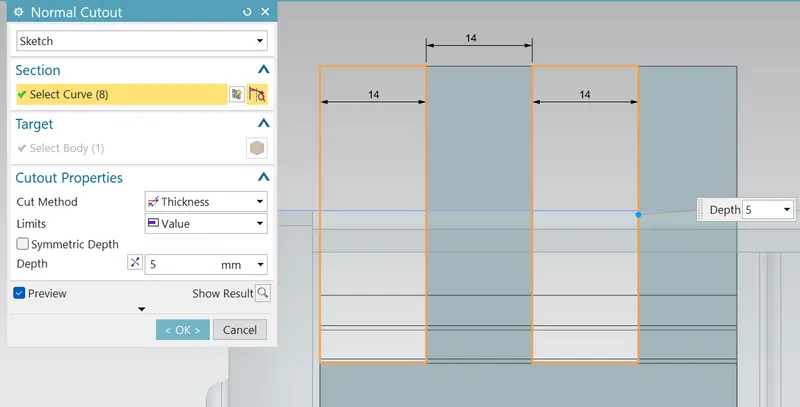
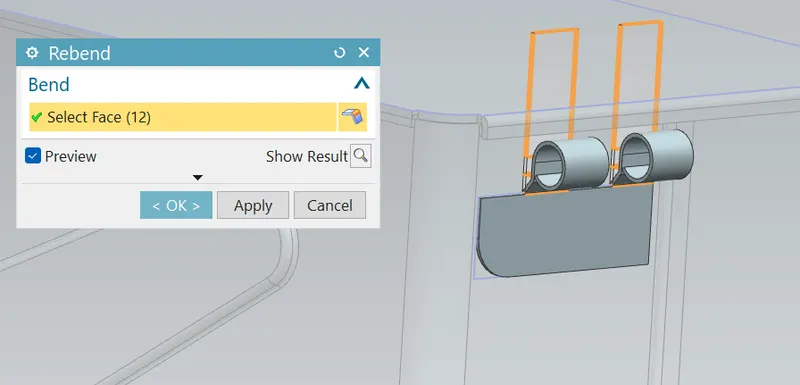
Normal cutout feature use to Cut material by projecting a sketch onto the model and then removing material perpendicular to the faces intersected by the projection. For this box assembly i used normal cutout feature to remove two rectangular area which leads to forming the hinge barrels on both sides.
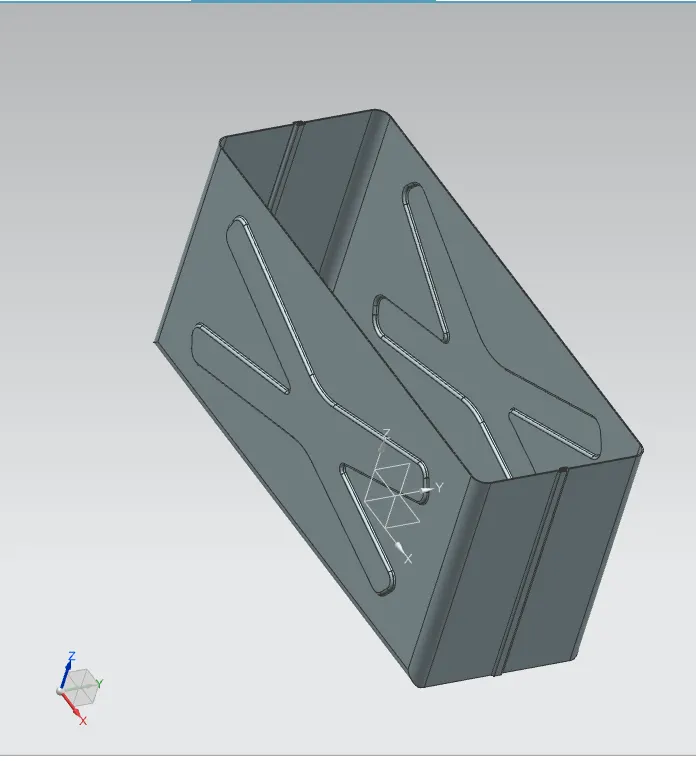
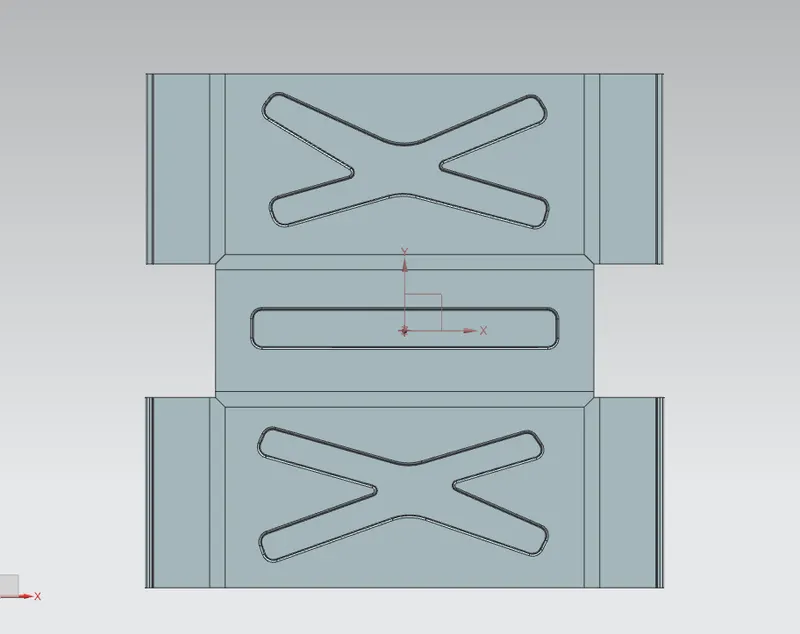
Drafting:
Conclusion:
Successfully learn to design a sheet metal Box Assembly in industrial manner by using NX CAD.
Google link: https://drive.google.com/file/d/1yNlLjZmsdXzcTqQkFtceivxEKfnt1N53/view?usp=sharing