DESIGN A CASING USING NX CAD(Sheet Metal)
DESIGN A CASING USING NX CAD(Sheet Metal):
OBJECTIVE:
- The aim of this project is to design the casing using NX CAD (Sheet Metal Application).
INTRODUCTION:
- NX, formerly known as "unigraphics", is an advanced high-end CAD/CAM/CAE, which has been owned by Siemens PLM Software.
- NX sheet metal design software incorporates material and process information in sheet metal-specific modeling features: bends, flanges, tabs, cutouts, beads, dimples, louvers, corner and edge treatments, patterns and other formable features. You can also quickly convert solid models to sheet metal components, and create sheet metal parts that enclose other components.
DESIGN METHODOLOGY:
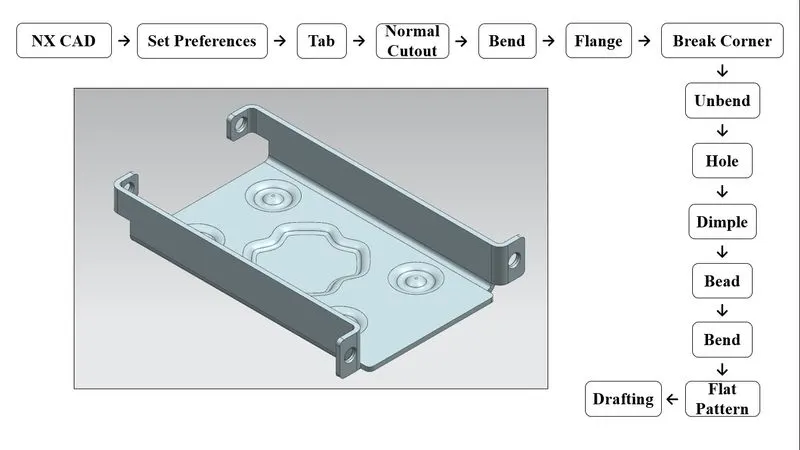
DESCRIPTION:
- NX CAD (Sheet Metal):
- Open NX CAD sheet metal model.
- Open NX CAD sheet metal model.
- SET PREFERENCES:
- Sets parameters and characterstics for Sheet Metal Commands.
- TAB:
- Creates a base feature by extruding a sketch along a vector by a thickness value, or adds material to a planar face.
- Additional planar selections can be added to generate bends as part of the base feature.
- NORMAL CUTOUT:
- Cuts material by projecting a sketch onto the model and then cutting perpendicular to the faces intersected by the projection.
- BEND:
- Modifies the model by bending material on one side of a sketch line, adding a bend between the two sides.
- FLANGE:
- Adds a flat flange at an angle to a planar face and adds a bend between the two.
- BREAK CORNER:
- Rounds or chamfers a sharp corner of a tab or flange.
- UNBEND:
- Flattens a bend and the material adjacent to the bend.
- HOLE:
- Adds a hole to one or more solid bodies in a part or assembly with options for counterbored, countersunk, and threaded.
- DIMPLE:
- Lifts an area of the model inside a sketch that simulates a stamping tool.
- BEAD:
- Lifts material along the contour of a sketch that simulates a stamping tool.
- REBEND:
- Restores an unbend feature to its previous bent state, along with any features added after the unbend feature.
- FLAT PATTERN:
- Creates a flat pattern feature from the formed sheet metal part.
- DRAFTING:
- Starts the Drafting application, which provides tools to create and maintain drawings of the design model.
- New Sheet: Creates a new drawing sheet
- Base View: Creates a model based view on the drawing sheet.
- Starts the Drafting application, which provides tools to create and maintain drawings of the design model.
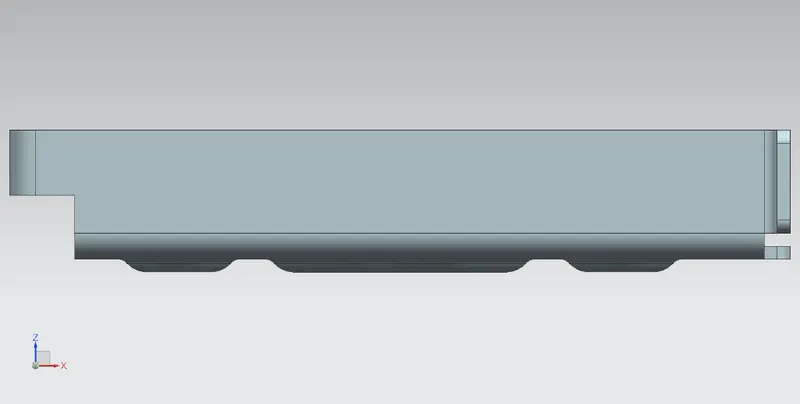
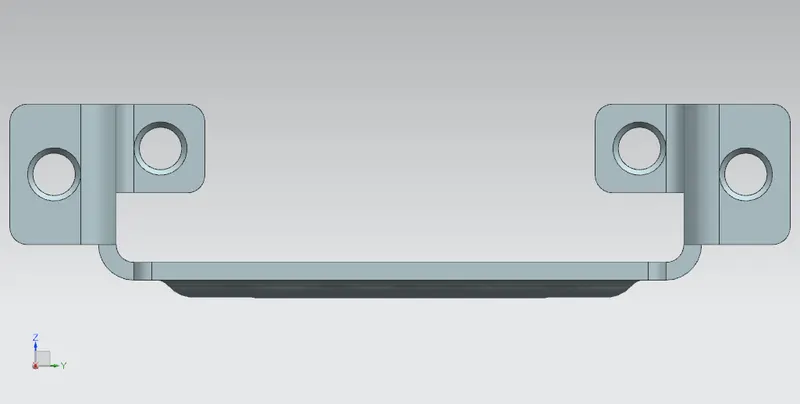
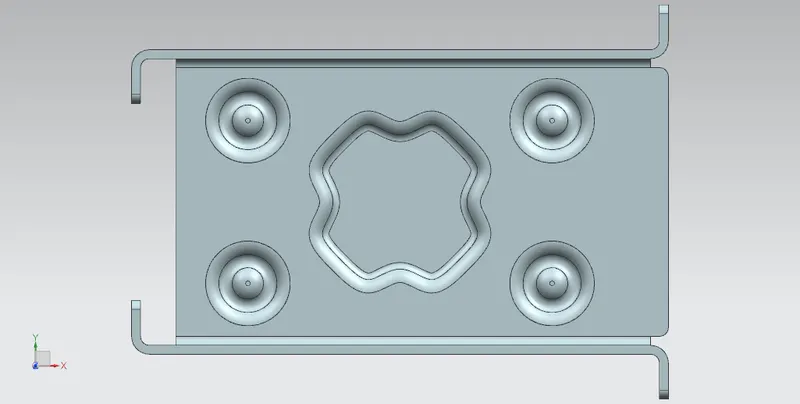
ORIENTATION VIEWS:
- Front View:
- Side View:
- Top View:
- Isometric View:
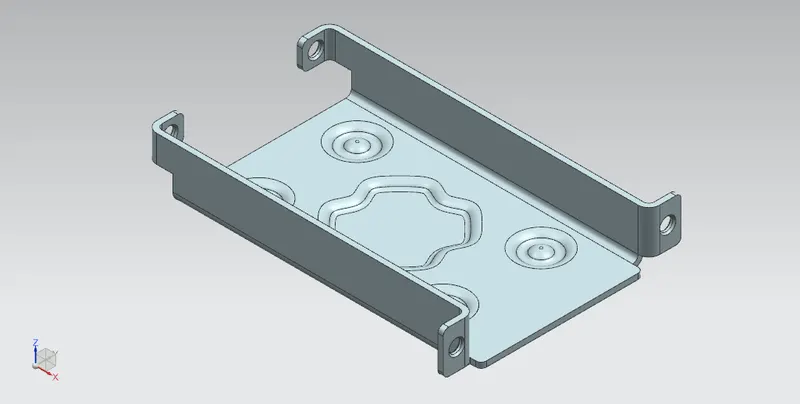
DRAWING SHEET:
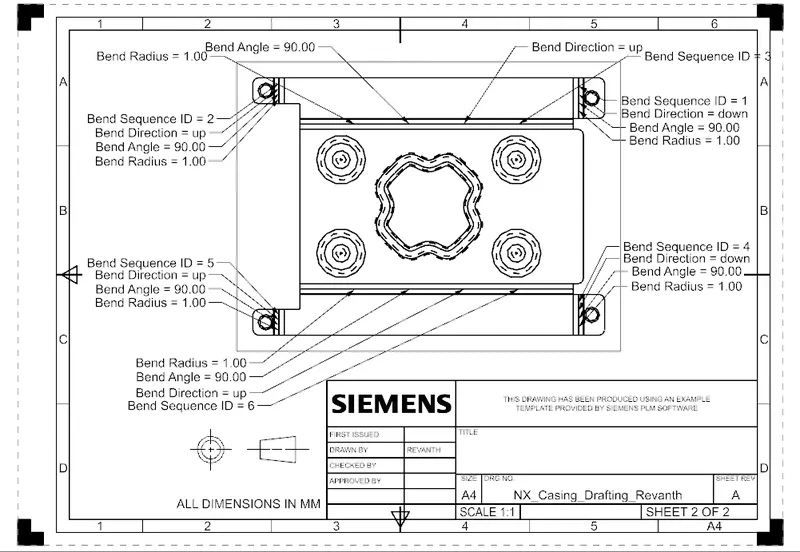
CONCLUSION:
- Thus a Casing is Design and Drafted by using NX CAD (Sheet Metal).