Advanced Sheet Metal Design Using NX Cad Challenge_1_Casing Design
CASING DESIGN:
In this challenge we will design the casing in NX12 sheet metal.
Procedure:
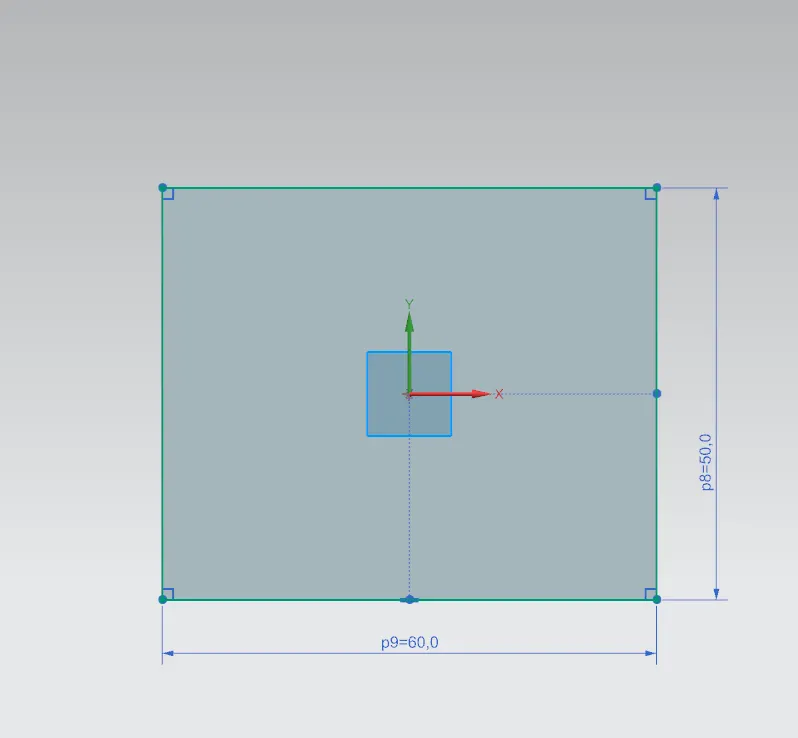
design a rectangle with 60x50 mm dimensions and use tab command to thick it 1mm.
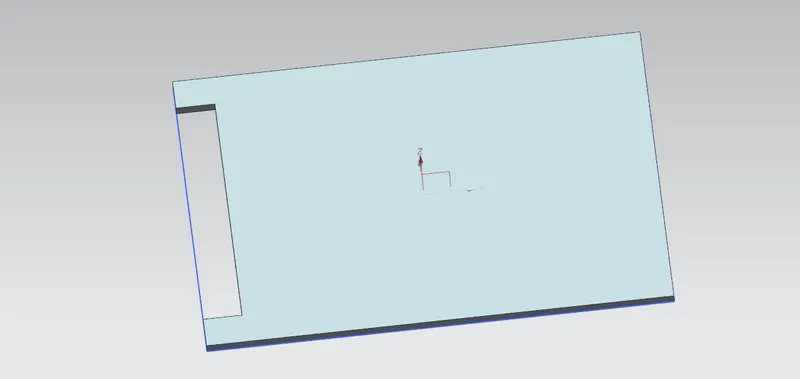
using normal cutout command cut the model as shown below.
and bend command is used to bend it on sides.
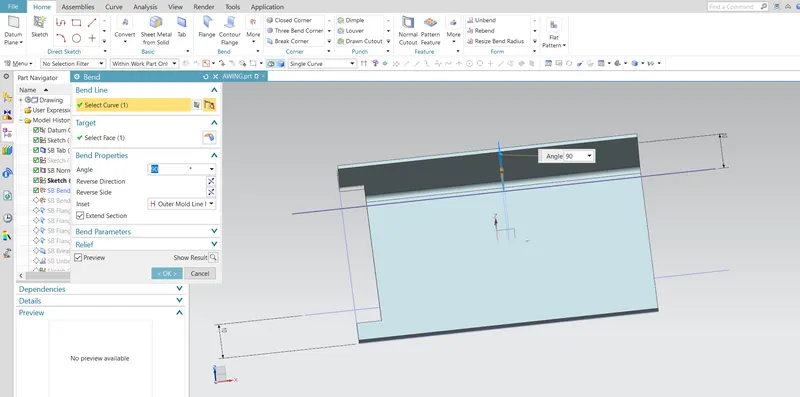
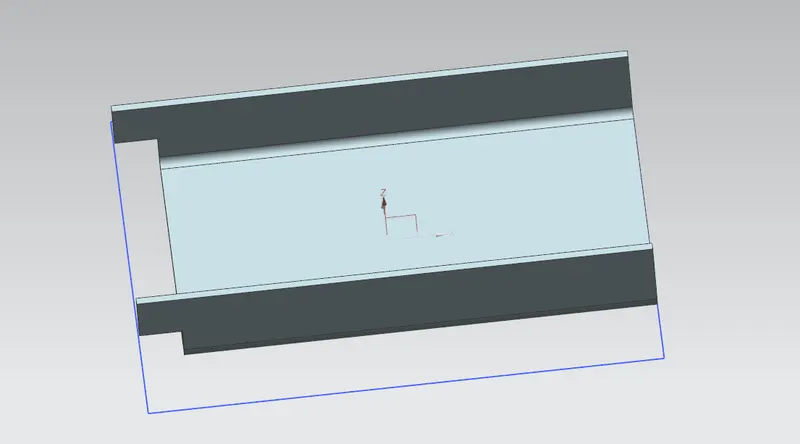
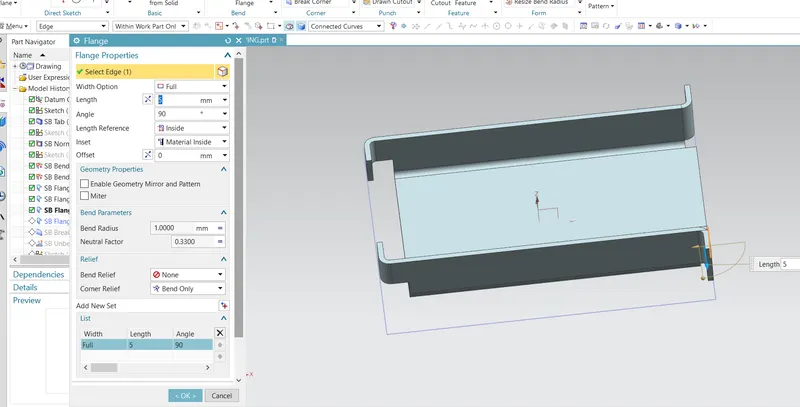
using SB FLANGE Command following bends will be done.
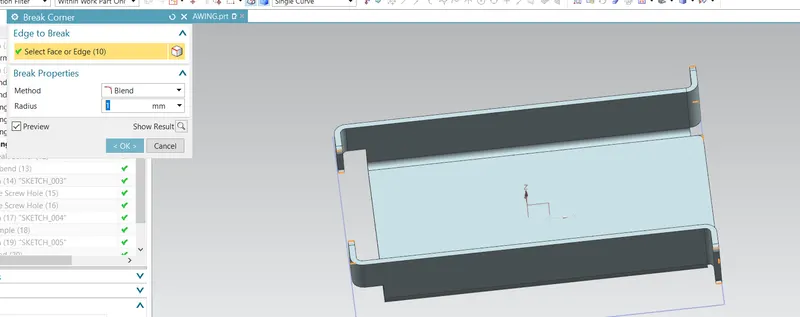
Break corner to give fillet of 1mm.
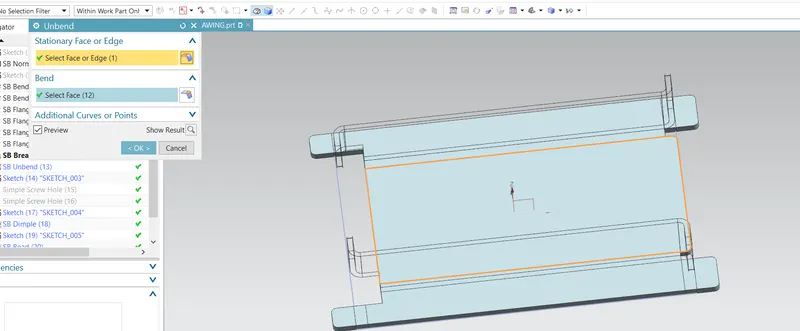
unbending as shown below.
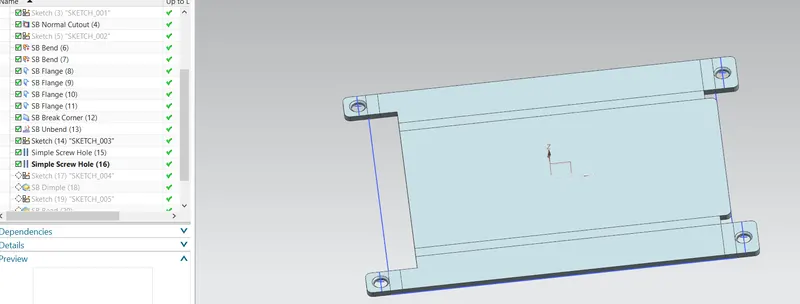
using simple screw hole command holes will be done.
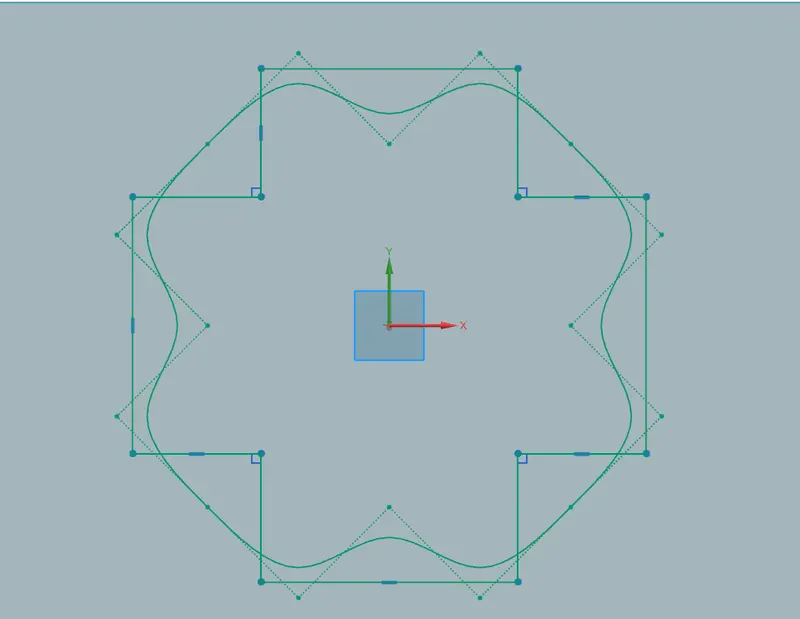
now sketch it like given below with 5mm.
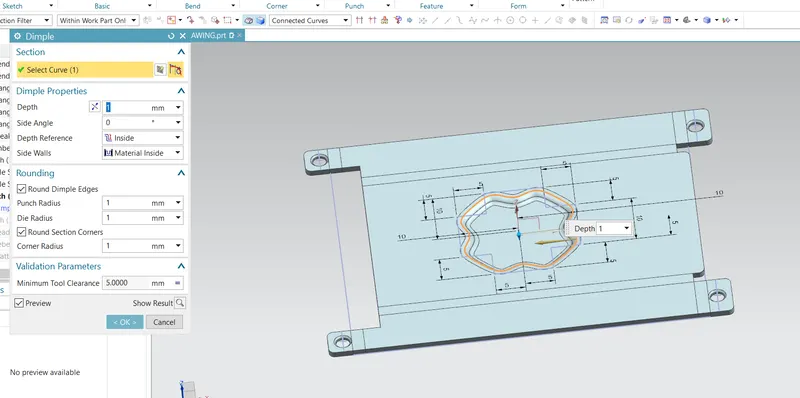
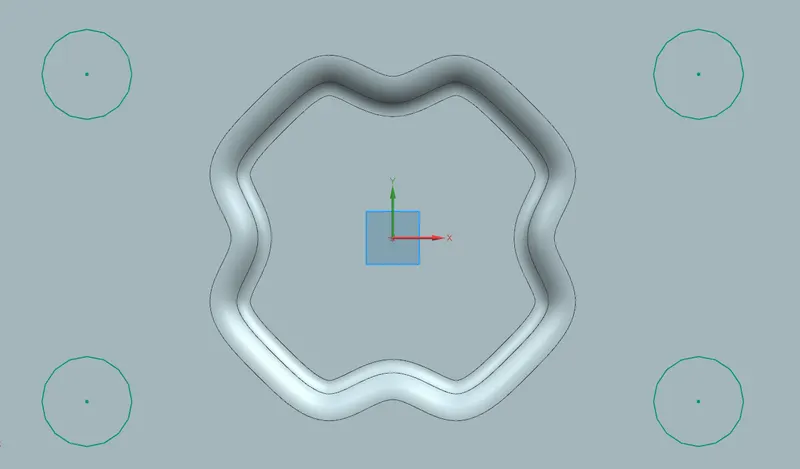
using dimple command it looks as below.
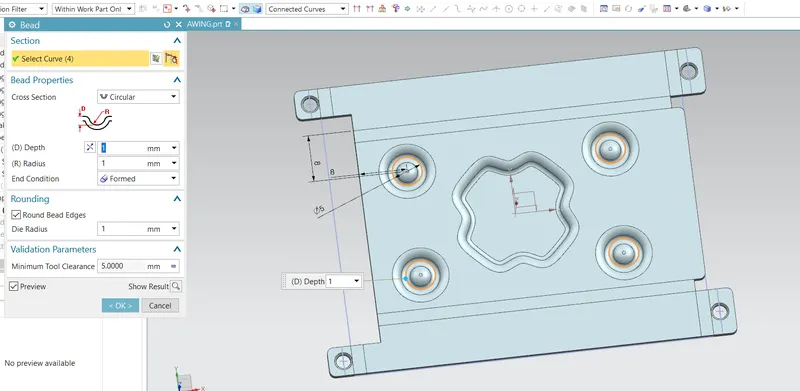
now for bead 8mm distance each.
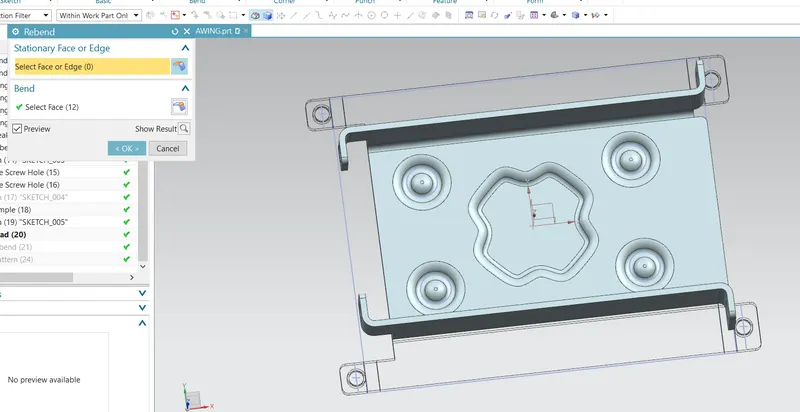
now rebend it as shown.
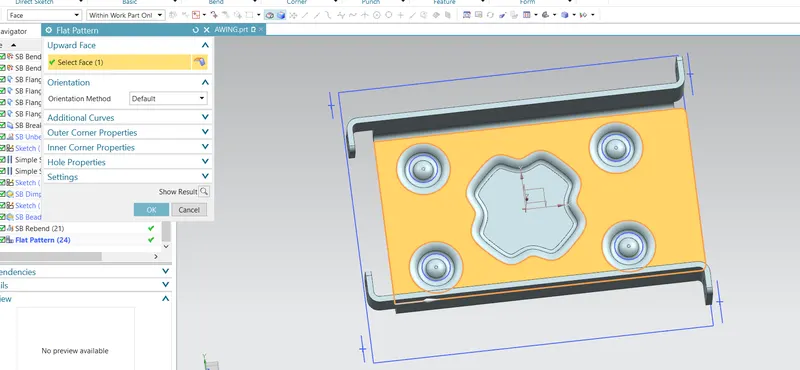
use flat pattern command as shown below.
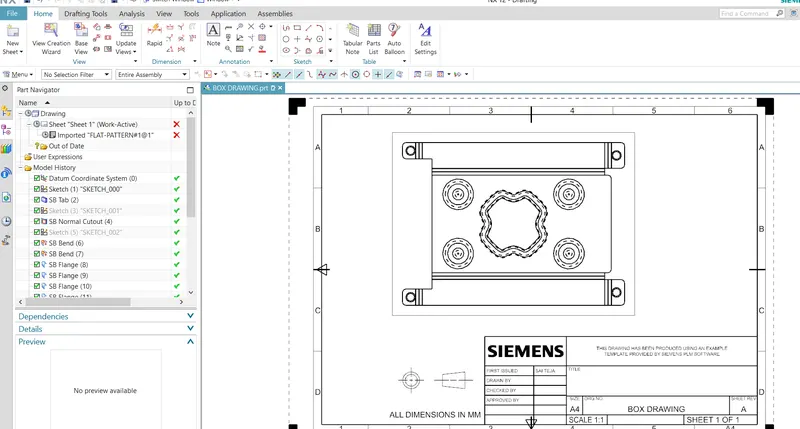
go to drafting in add base view select the flat pattern and it looks like below.