Advanced Sheet Metal Design Using NX Cad Challenge_1_Casing Design
Advanced Sheet Metal Design Using NX Cad Challenge_1_Casing Design.
OBJECTIVE : To design an advanced casing using the sheet metal application in siemens NX.
Introduction
sheet metal design is a vast domain in the design of any sheet metal industry,it is used many sectors including the aeronautics & automotive sectors , in this sheet metal casing design we will look at the design approch using NX (CAD) SOFTWARE through various design , images , explaination and images .
DESIGN METHADOLOGY :
| Select new file in NX cad |

| Saved with Suitable Name |
| Select the XY Plane to draw the Sketch |
| Tab is created with Reference Sketch |
| Advanced flanges on the edges of bends create in previous step |
| Bending operation done on side of the tab behind the cut out |
| on the tab created as sketch to perform normal cut out operation |
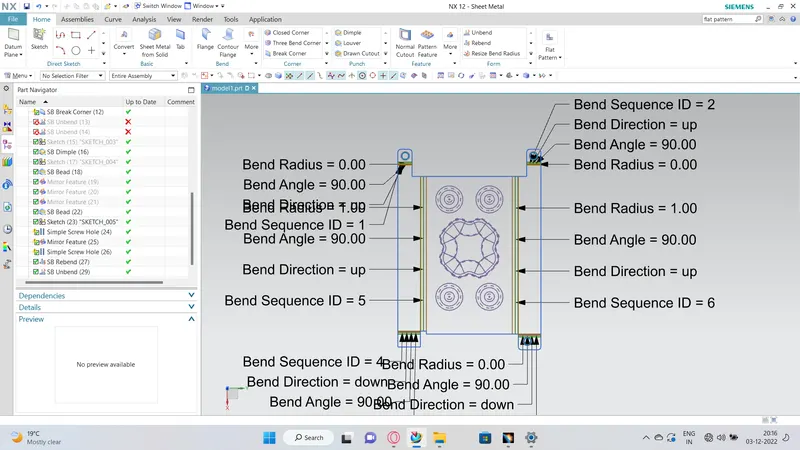
| Unbend the Sheetmetal by using unbend command |
| Added the holes where ever required by using Hole command |
| Sketch is created on the Surface of tab to perform dimple operation |
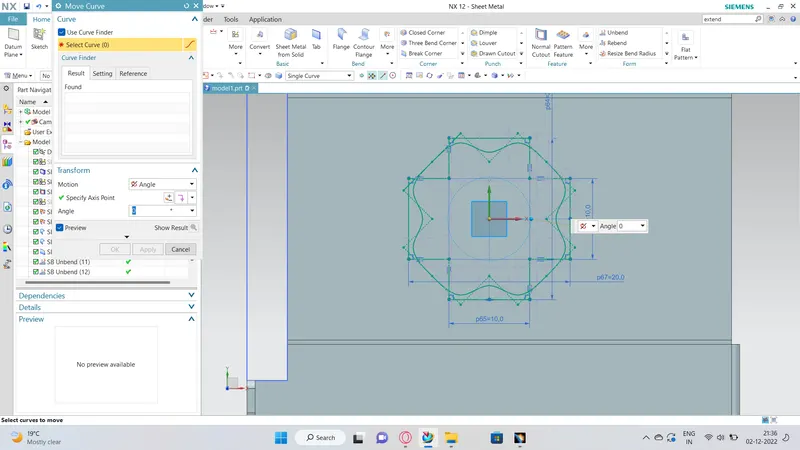
| Studio Spline option is selected to create spline curve |
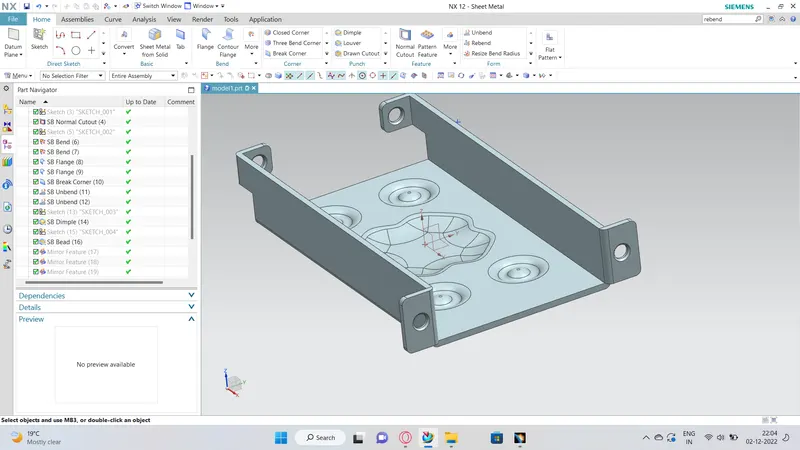
| Rebend the Sheetmetal By using Rebend command |
| Beads also created with reference to holes where placed at required points Dimple operation with reference to Spline curve |
| Rotated Spline curve to 45 degree |
| final product was achieved as per the inputs |
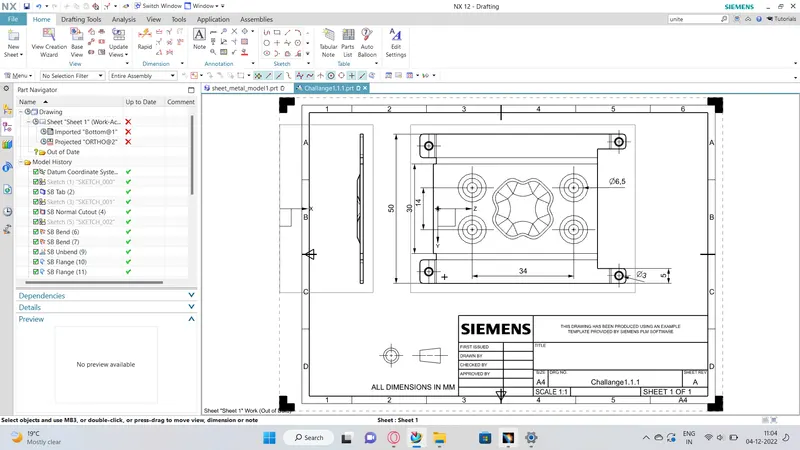
| Final Touch up was given in Drafting Sheet with suitable Scale |
DESCRIPTION:
Sketch:- It’s a basic command to draw 2d models.
Tab :- A command to add parameters of an Sketch
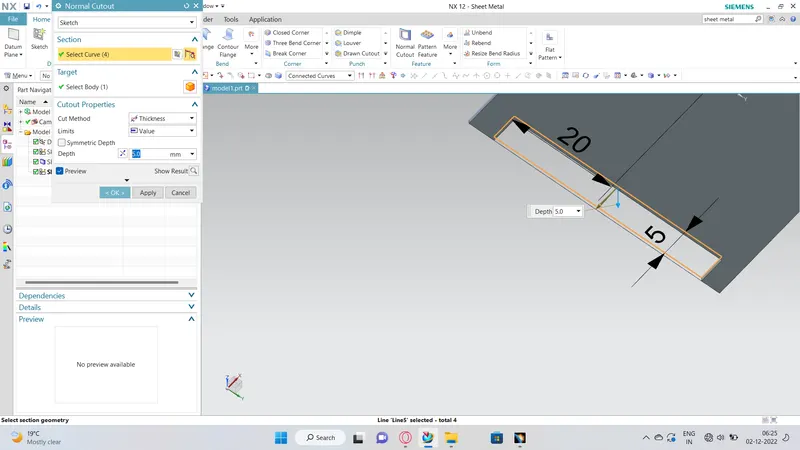
Bend :- It’s an operation to bend the tab at a particular position with reference
Flange :- It’s an operation to extend of a sheet metal with to one of the edge of an tab
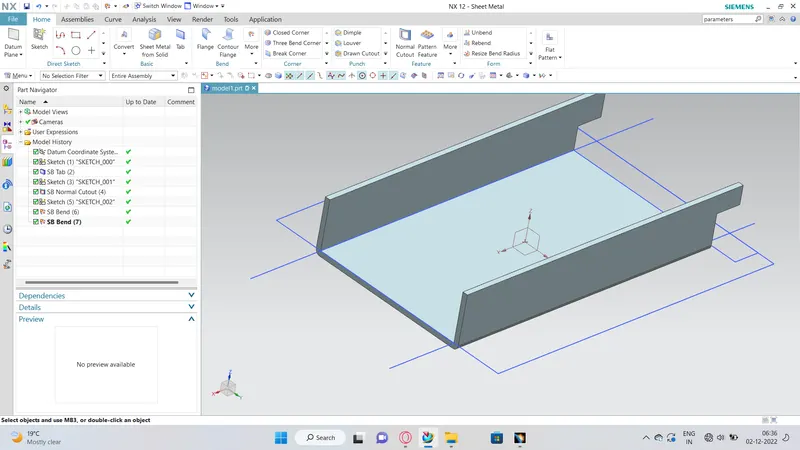
UNBEND :- It’s an command used to flatten the created 3d model taking one face as a stationary face.
HOLE :- It’s an command used to create different type of hole like tapping and normal drilling, on the Surface of an Sheet metal.
DIMPLE :- It is a projection command of a particular shape with reference to sketch with certain depth.
BEAD :- It is also type of projection to deform the shape at a certain point with reference to sketch and also giving strength to the material.
REBEND :- This command used to re bend the already flattened sheet metal.
Drafting: