Advanced Sheet Metal Design Using NX Cad Challenge_1_Casing Design
DESIGN OF SHEETMETAL CASING USING UG NX CAD
AIM :
To Design the sheet metal casing using nx cad.
Design Objective :
- Model the sheet metal casing.
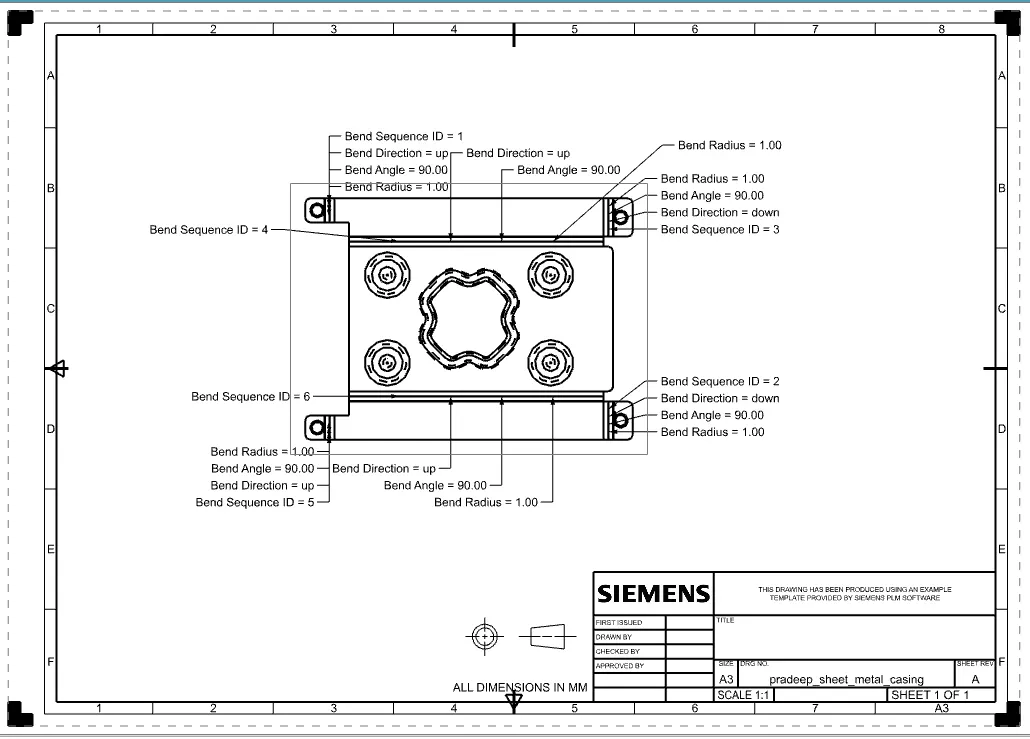
- Drafting the model in A3 sheet.
Design Methodology :
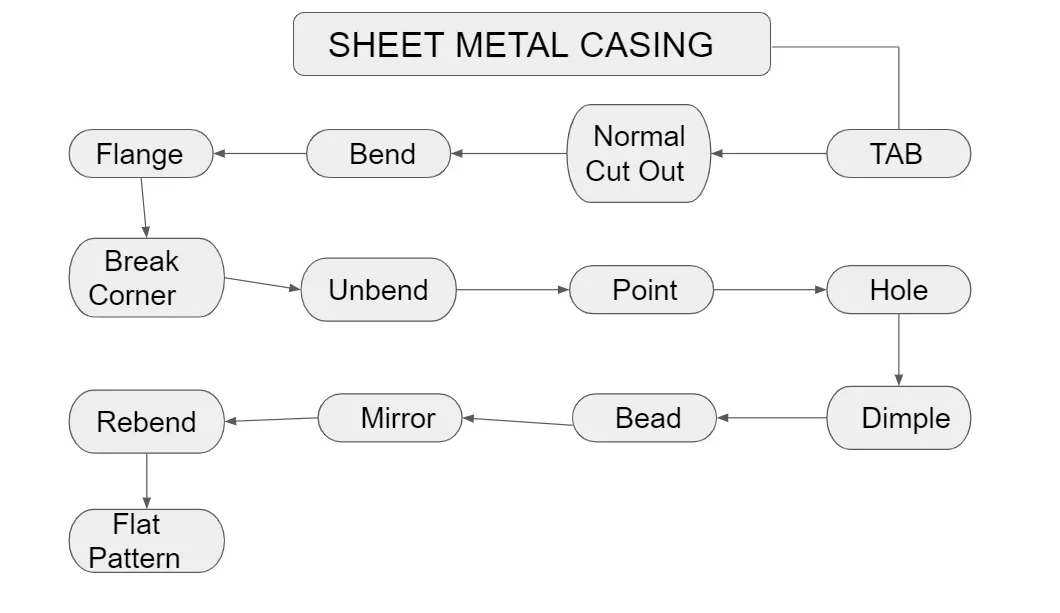
Introduction :
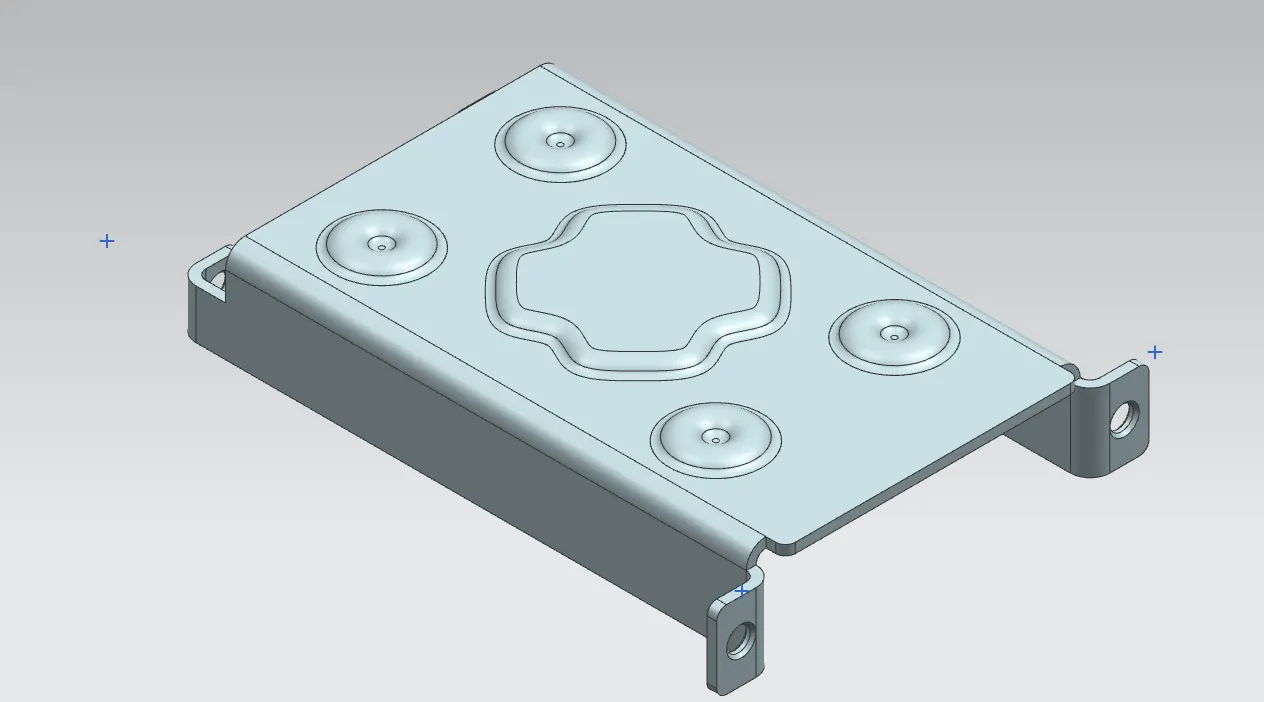
Casing is a cover or shell that protects or encloses something. And which is made of sheet metal.
Features or commands used to design this part,
- Tab - Creates a base features by extruding the sketch along the vector by a thickness value or adds material to the planar face.
- Normal Cut Out - Cuts material perpendicularly by projecting the sketch onto the model.
- Bend - Modifies the model by bending the material on one side by using the sketch line.
- Flange - Adds the flat flange at the given angle.
- Break corner - Rounds or chamfer the sharp edges of tab & flanges
- Unbend - Flattern the bends and material adjecent to the bend.
- Point - Creates the point on sketch from start, mid or end point.
- Hole - Adds a hole to one or more solid bodies in a part or assembly.
- Dimple - Lifts an area of model in a sketch.
- Bead - Lifts material along the contour of the sketch that simulates a stampling tool.
- Mirror - Copies the bodies or features across the selected plane.
- Rebend - Restore the unbend command to its previous bend state.
- Flat pattern - Creates the flat pattern features from the formed sheet metal parts.
Casing Front View :
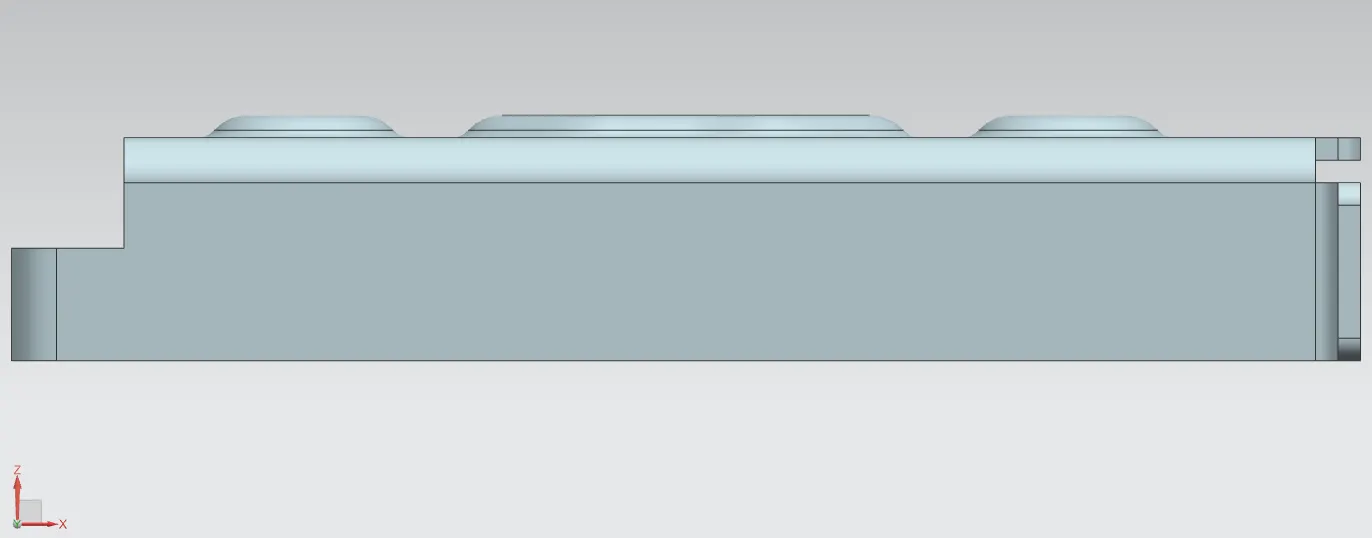
Casing side View :
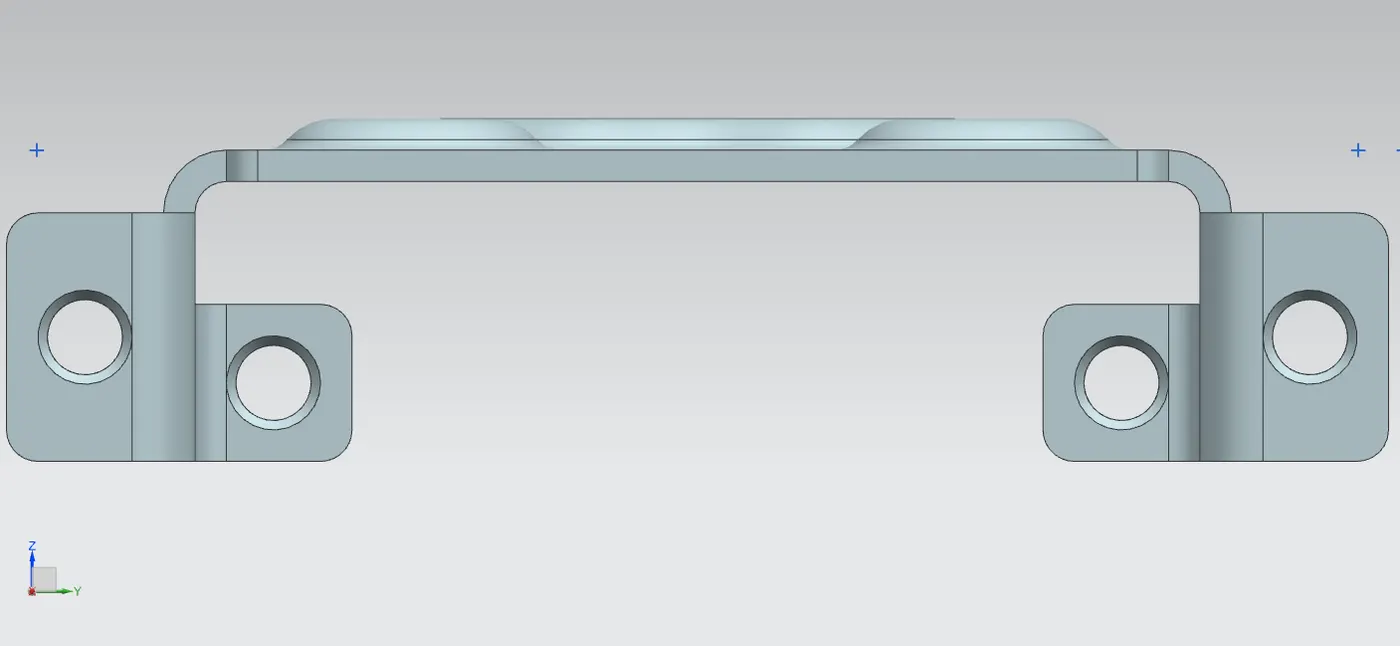
Casing top View :
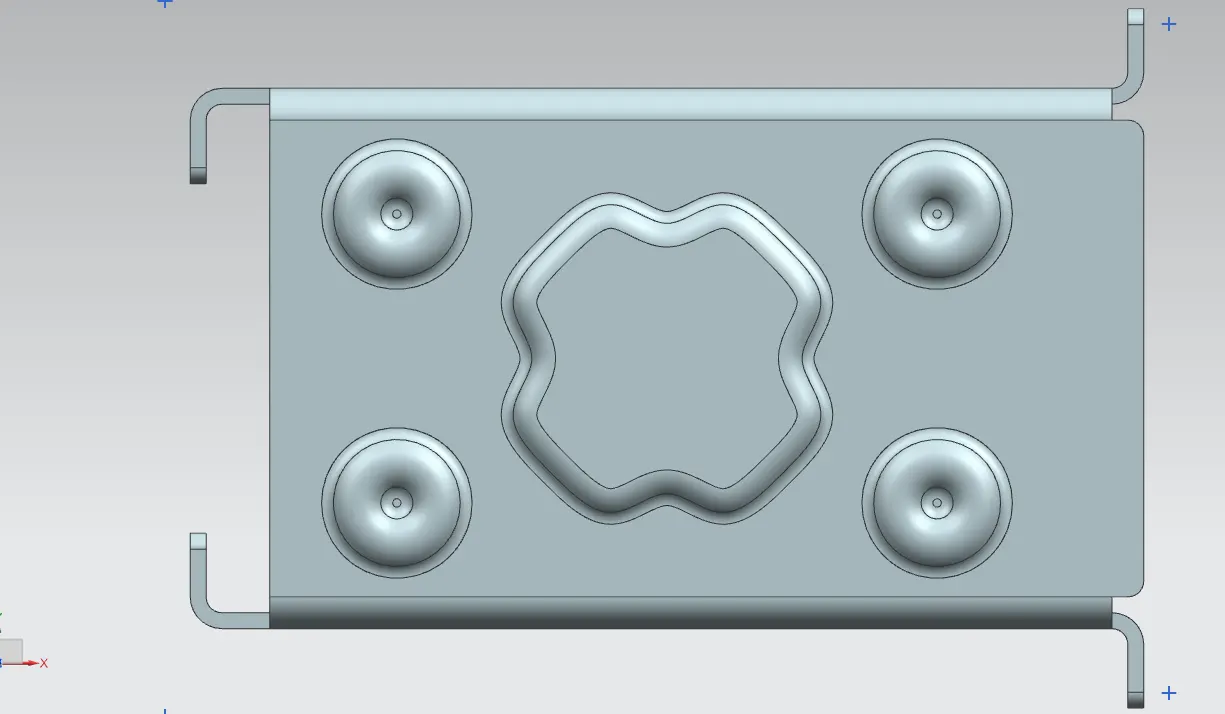
Casing isometric View :
Casing Drafting :
Link for the part : https://drive.google.com/file/d/1qemUjjzUe_xGPPtyDHNU87Pihy-qJKlv/view?usp=sharing
Conclusion :
Thus the Modelling & drafting of sheet metal casing in ug nx cad is completed sucessfully.