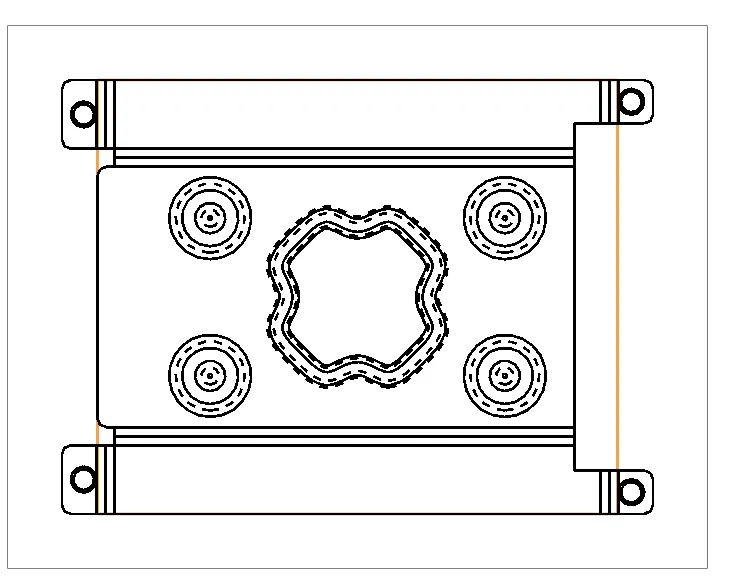
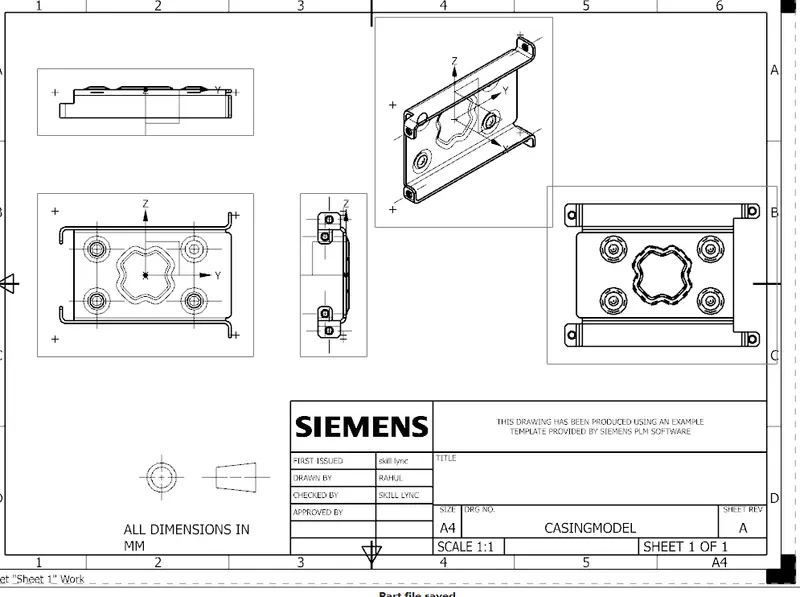
Advanced Sheet Metal Design Using NX Cad Challenge_1_Casing Design
OBJECTIVE: To design an advanced casing using the sheet metal application in siemens NX.
Introduction
sheet metal design is a vast domain in the design of any sheet metal industry,it is used many sectors including the aeronautics & automotive sectors. in this sheet metal casing design we will look at the design approch using NX (CAD) SOFTWARE through various design, images, explaination and images
DESIGN APPROCH
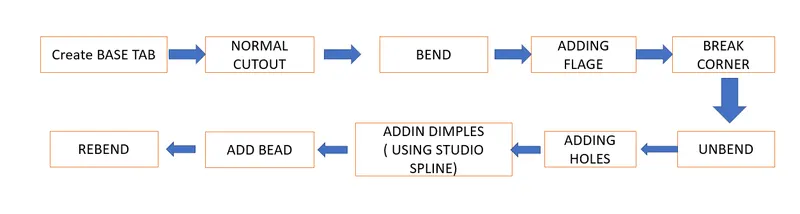
Description
using the tab option, a desired sketch was then created on to the base tab was created later to that desired sketch was then created on the surface of the tab to further cut a section out from the tab using the nomal cutout option. required surface was bend to the to make perfect shape of casing, after sketching the line created and it should be bended to the angle of bend required:
Flanges are added by 'flange command' to the corner for the gripment of privously bended surface .Break corner option are usefull so that it make us to view neatly and smoothly it help to radius the sharp corner.
unbend is done through unbend option will make the bended sheet metal to unflap to the size and shape of sheet to manageable requirement the sketch is added to the surface to make the threded holes on it using hole of on
to add the dimple firstly we need to sketch on to the surface a shape using studio spline and later on the depth is added, the sketch has to be rotated to desired angle.
a single bead was added using bead dialogue box, the bead was then mirrored multiple times using the mirror feature option after having desired design the model was unbended using the command.
SIX VIEWSHOW USING SHORTCUT KEY (SHIFT+CTRL+O)
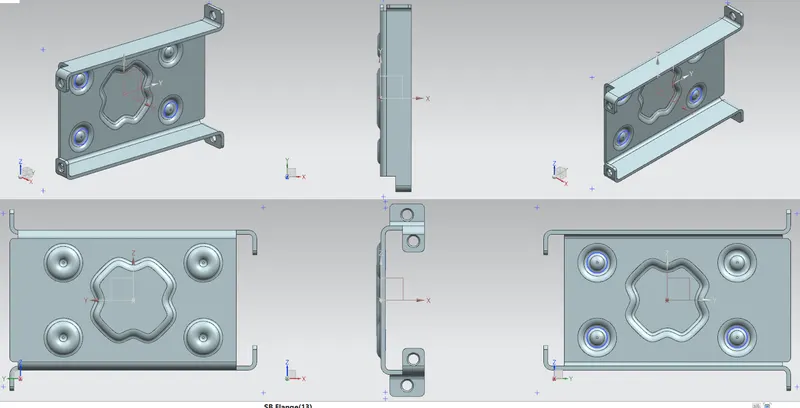
FLAT SHEET PATTERN