Advanced Sheet Metal Design Using NX Cad Challenge_1_Casing Design
CASING DESIGN IN NX CAD
Objective:-
Designing of the casing with sheet metal using the NX cad with gibe dimension and requirements without any deviations.
Introduction:-
The NX cad software is used to create the models and calculate the product life management PLM. So now we are using the NX cad software to design the accurate and exact cad model of the given product.
Design methodology:-
- Open sheet metal in NX cad.
- Take dimensions of the required model.
- Separate the features (base, flange, dimple, bends and etc)
- Create the base or tab using sketch with given dimensions.
- Create bending to the base or tab.
- Punch the holes with given parameters.
- Create the dimple with given dimensions.
- Now create the beads with given parameters.
- Now unbend the sheet metal.
- Model is ready.
Features used in designing
Flange:-
flange is used to extend the edge of the material with required angle and with required length.
Tab:-
tab is normal extrude feature with thickness. It will be used to extrude the closed diagrams and linear faces.
Dimple:-
Lifts an area of the model inside a sketch that simulates a stamping tool.
Bead:-
Bead is similar to the dimple. Lifts and of the model along the sketch that simulates a stamping tool.
Bend:-
To bend the sheet metal with some angle we will use the bend feature.
Unbend&rebend:-
Unbend is used after the using of bend feature if we want create more features on the model then we need to unbend the sheetmetal.
Rebend is the feature that used after the unbend of a existing model to create the final model after the features or modelling is completed.
Normal cutout:-
Normal cutout is used to crete the hole in flat or normal face with different closed drawings.
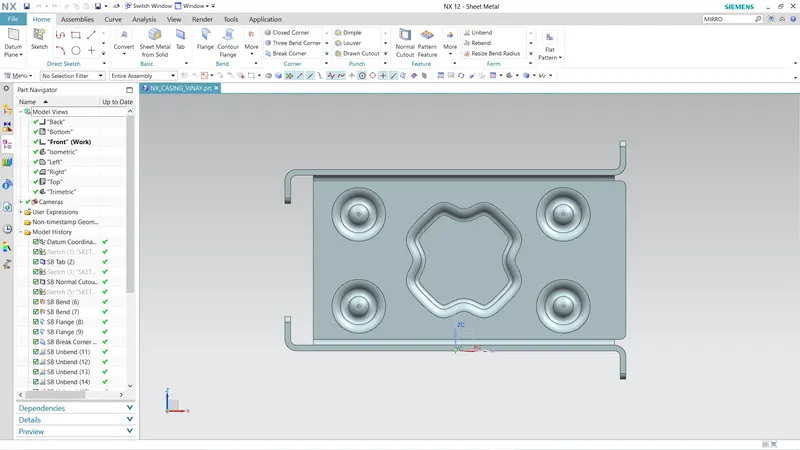
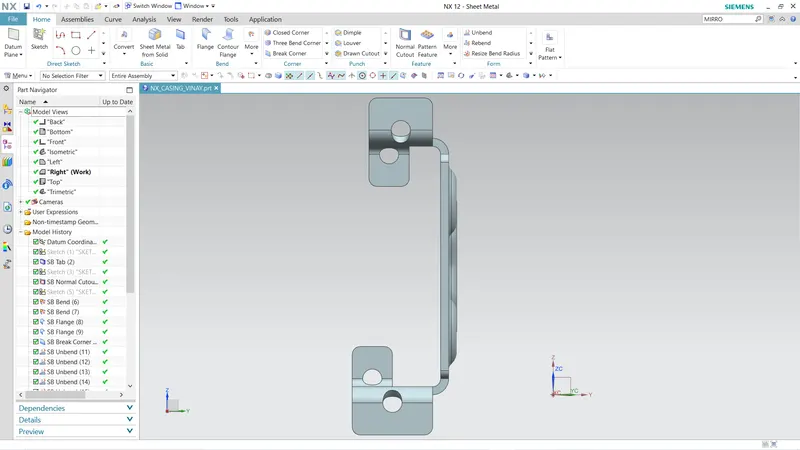
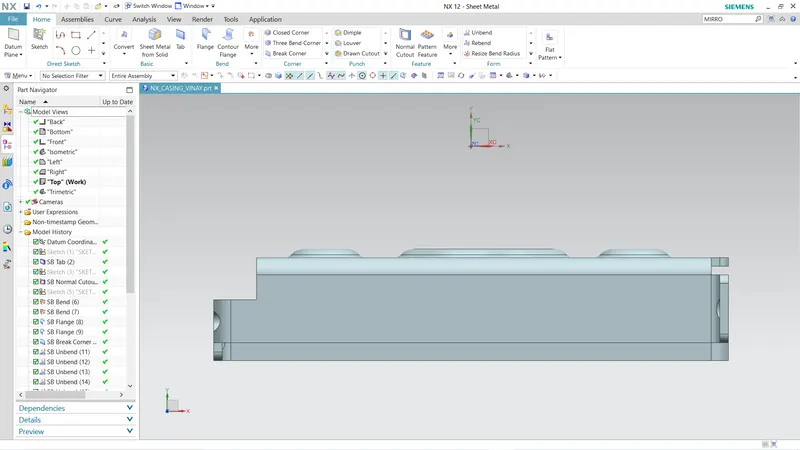
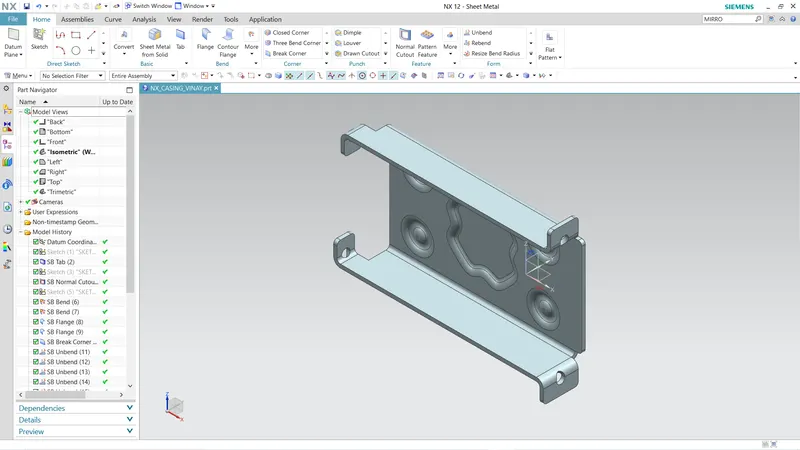
views of the model:-
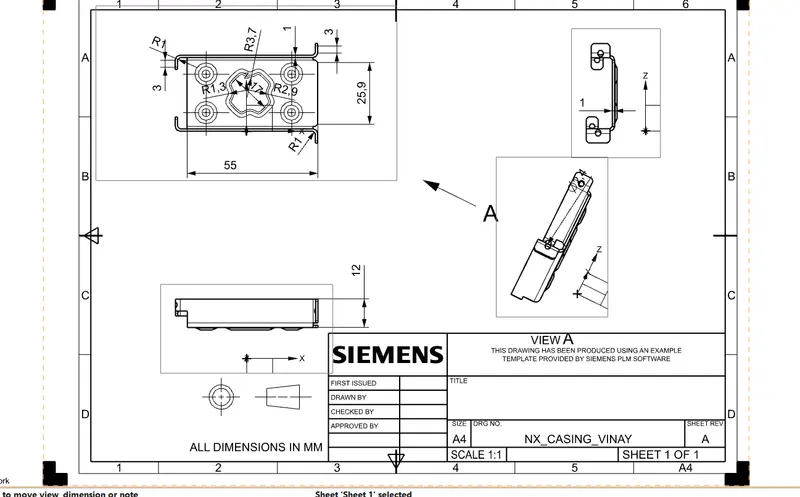
detailed drawing sheet:-